piqueld
piqueld is a control plane for one Docker Engine running a single-node Swarm.
You describe an application in a manifest; piqueld pulls or builds its images,
deploys it, routes HTTPS traffic to it, and keeps it running. You manage it
through its dashboard, the piquelctl CLI, or its HTTP API.
This documentation has two parts:
- The user guide is for people who run piqueld and
deploy applications to it: installation, accounts, guides for each feature,
and the reference for the manifest, the daemon configuration,
piquelctl, and the API. - The developer guide is for people who change piqueld itself: development setup, testing, architecture, and how to extend it.
Contact
- Questions and feedback: [email protected]
- Security vulnerabilities: [email protected]. Report them privately, never in a public issue; see the security policy.
Introduction
Start here to learn what piqueld does, and the concepts the rest of this documentation uses.
piqueld runs your applications on one Linux server with Docker. You describe each application in a manifest: its services, how to get their images, and how to reach them. piqueld builds and deploys it, serves it over HTTPS, and keeps it running.
You manage it from:
- the dashboard, in your browser;
piquelctl, its command-line tool, which also suits scripts and AI agents;- its HTTP API, which both of them use.
Concepts
- Application: a set of services that work together, such as a website and its database.
- Manifest: the TOML file that describes an application. You can apply a
manifest file, or edit its settings in the dashboard or with
piquelctl: either way, you change the application’s saved manifest. - Service: one container image, run as one or more replicas. Its image is pulled from a registry, or built from a Git repository.
- Environment: a running copy of an application, with its own
deployments, secrets, volumes and routes. By default, an application starts
with a
productionenvironment, and you can add others, such asstaging. - Deployment: one version of an application, deployed to an environment. Saving a change never touches what’s running; deploying does. piqueld keeps the history of every deployment.
- Release: what a deployment ran, down to the exact images. You can promote a release to another environment, which then runs the same images without building them again.
- Preview: a short-lived environment for a Git branch or your local changes, which you delete when you’re done.
- Route: an HTTPS address that sends requests to a service, either public or only reachable on your tailnet, your private Tailscale network.
- Link: a private connection that lets one application’s service reach a service of another application. Both applications have to agree to it.
Limits
- piqueld manages a single host. It doesn’t run clusters of several machines.
- Routes serve applications over HTTPS, and redirect plain HTTP to it. piqueld doesn’t publish other TCP or UDP ports, though an application’s services reach each other on any port.
- It doesn’t manage registry credentials.
Get started
Installing piqueld
This page installs the piqueld daemon and the piquelctl CLI on a Linux host,
and sets up the address you open the dashboard at.
Before you start
You need:
- An x86_64 Linux host. NixOS is the supported way to install piqueld. On other distributions, you install it with Cargo.
- Docker Engine on that host, dedicated to piqueld. piqueld runs your applications as Docker Swarm services and manages the engine’s services, networks and volumes. If the engine isn’t part of a Swarm yet, piqueld makes it a single-node Swarm when it starts.
Anyone who controls the host also controls piqueld: they can read its database
and drive its Docker engine. piqueld calls them the
host operator and lets
them use piquelctl on the host without signing in.
Install on NixOS
-
Add piqueld to your flake’s inputs:
inputs.piqueld.url = "github:sourceorigin-dev/piqueld"; -
Import its module and enable the service:
{ inputs, ... }:
{
  imports = [ inputs.piqueld.nixosModules.default ];
  services.piqueld.enable = true;
  # Lets alice use piquelctl on this host.
  users.users.alice.extraGroups = [ "piqueld" ];
}
The module enables Docker, creates a
piqueldsystem user, runs the daemon as thepiqueldsystemd service, and installspiquelctl. It doesn’t open any firewall port. -
Choose how to reach the dashboard, and add the matching settings.
-
Rebuild the system:
sudo nixos-rebuild switchLog out and back in, so that your new group membership applies.
The NixOS module reference describes every option.
Choose how to reach the dashboard
At first, piqueld only listens on a Unix socket on the host, so the dashboard isn’t reachable from a browser. Pick one of the addresses below before you create your account: the passkey you sign in with only works at the address it was created on.
piqueld’s own tailnet node
If you use Tailscale, this is the simplest option.
piqueld joins your tailnet as its own device and serves the dashboard over
HTTPS at https://piqueld.<tailnet>.ts.net, with no proxy or certificate to
manage.
-
In the Tailscale admin console, enable MagicDNS and HTTPS certificates for your tailnet, then create an auth key.
-
Save the auth key in a file only root can read, such as an agenix or sops-nix secret.
-
Add to your configuration:
services.piqueld.settings.tailscale = {
  enabled = true;
  hostname = "piqueld";
  auth_key_file = "/run/secrets/piqueld-ts-auth-key";
};
The key is only used the first time the node logs in. See the tailnet node for the other settings.
Localhost
piqueld serves the dashboard on http://localhost:7845 of the host:
services.piqueld.settings.server.listen_mode = "localhost";
Browsers allow passkeys on localhost without HTTPS. To open the dashboard
from another machine, forward the port over SSH, then open
http://localhost:7845 there:
ssh -L 7845:localhost:7845 <host>
Always use localhost, not 127.0.0.1: it is a different address to the
browser, and your passkey won’t work there.
Your own reverse proxy
Run an HTTPS reverse proxy on the host, forwarding to piqueld’s localhost listener, and tell piqueld its address:
services.piqueld.settings = {
  server.listen_mode = "localhost";
  # The proxy forwards requests for this hostname.
  server.allowed_hosts = [ "piqueld.example.com" ];
  auth.public_url = "https://piqueld.example.com";
};
Keep the proxy reachable only from networks you trust, such as your LAN or tailnet. Never expose piqueld to the internet, even through a proxy.
Other Linux distributions
piqueld has no packages for other distributions yet, and the NixOS module is the only tested setup. To run it elsewhere, install it from crates.io with Cargo, then set it up the way the NixOS module does:
-
Install Rust with rustup, then the musl target, a C compiler,
pkg-configand OpenSSL’s development files. On Debian and Ubuntu:rustup target add x86_64-unknown-linux-musl sudo apt install build-essential pkg-config libssl-devThe daemon embeds a small static program built for the musl target, which runs the HTTP health checks inside your containers.
-
Build the daemon and
piquelctl, and copy them to/usr/local/bin:cargo install --locked piqueld piquelctl sudo install ~/.cargo/bin/piqueld ~/.cargo/bin/piquelctl /usr/local/bin/The build takes several minutes.
--lockedbuilds with the dependency versions the release was tested with. The daemon includes the dashboard. To run a version that isn’t released yet, build it from a checkout withjust build-embeddedinstead, as the developer guide describes, and copytarget/release/piqueldandtarget/release/piquelctl. -
Create a
piqueldsystem user and group, and add the user to thedockergroup:sudo useradd --system --user-group --groups docker \ --home-dir /var/lib/piqueld --no-create-home piqueld -
Write the daemon’s configuration to
/etc/piqueld/config.toml, with the settings from the previous section. Eachservices.piqueld.settingsoption is the same setting in the file:settings.server.listen_mode = "localhost"becomes[server] listen_mode = "localhost"The configuration reference lists every setting.
-
Save this unit as
/etc/systemd/system/piqueld.service:[Unit] Description=piqueld application control plane After=docker.service Wants=docker.service [Service] ExecStart=/usr/local/bin/piqueld --config /etc/piqueld/config.toml User=piqueld Group=piqueld SupplementaryGroups=docker StateDirectory=piqueld StateDirectoryMode=0700 RuntimeDirectory=piqueld RuntimeDirectoryMode=0750 UMask=0077 Restart=on-failure [Install] WantedBy=multi-user.targetsystemd creates the data directory,
/var/lib/piqueld, and the runtime directory holding the API socket,/run/piqueld. The daemon also needsgit,sshanddockeron itsPATH, which includes/usr/bin. -
If piqueld joins your tailnet as its own node, it also needs
tailscaleandtailscaledon itsPATH. Store the auth key in a file only root can read, such as/etc/piqueld/ts-auth-key, and pass it to the service by adding to the unit’s[Service]section:LoadCredential=ts-auth-key:/etc/piqueld/ts-auth-keyThen refer to it by that name in
config.toml:[tailscale] enabled = true auth_key_file = "ts-auth-key" -
Start the daemon, and have it start at boot:
sudo systemctl daemon-reload sudo systemctl enable --now piqueld -
Add the users who should run
piquelctlon the host to thepiqueldgroup.
Check that it works
sudo piquelctl status
It prints the daemon’s version and how piquelctl reached it:
daemon running (version 0.1.0, API v1, instance instance-01a16b10b8307c61b5ac3d27d4bf7937)
Transport: Unix socket /run/piqueld/piqueld.sock
Run as root, piquelctl acts as the host operator, so it works before any
account exists. Then check the installation:
sudo piquelctl doctor
It checks what the daemon can verify about its own setup, such as Docker, its public URL and its secret key, and gives a next step for each check that needs action. Once you’ve signed in, System status on the dashboard’s Overview also shows whether Docker and its Swarm are ready, and the Daemon status page runs the same checks.
Next, create your account.
Troubleshooting
piquelctlcan’t connect to the socket. Check that the service runs withsystemctl status piqueld, and read its logs withjournalctl -u piqueld. Withoutsudo, you need to be in thepiqueldgroup, and logged in again since you were added.- Docker isn’t ready. piqueld keeps serving while Docker is down, and starts deploying once it’s back. System status, on the dashboard’s Overview, shows whether it reaches Docker and whether the engine is a Swarm manager.
Creating your account
Create the first administrator account, then sign piquelctl in with it.
You sign in with a passkey instead of a password. Your phone, laptop, password manager or security key keeps it, so there’s nothing to choose, remember or leak.
Before you start
- piqueld is installed, and you’ve chosen the address of its dashboard.
- Your browser can create passkeys: a device with a PIN or biometrics, a password manager with passkey support, or a security key.
Create the first account
-
On the piqueld host, print the setup link:
piquelctl setup-linkIt prints a link such as
https://piqueld.<tailnet>.ts.net/dashboard/auth#invite=…. Add--opento also open it in the host’s browser. Only root and members of thepiqueldgroup can get the link, because it’s only served on the host’s socket. -
Open the link in your browser. Choose a Username, and optionally a display name. Under Passkey name, keep
My passkeyor name the device that keeps it, such asLaptop.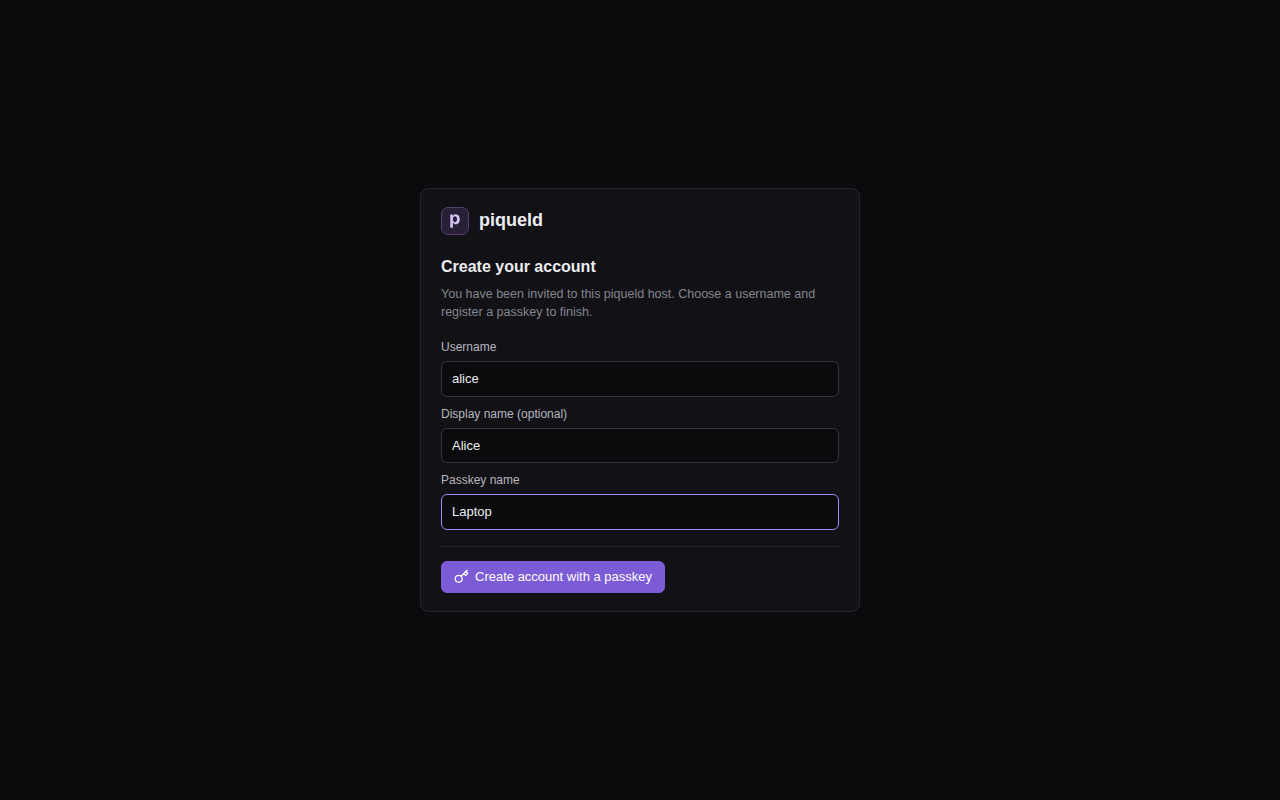
-
Select Create account with a passkey, and save the passkey when your browser asks.
The dashboard opens, signed in. Your account has admin on every application.
The link only works once: when the first account exists, setup is closed for
good. Invite other people from the dashboard’s Accounts page or with
piquelctl account invite; see
invite someone.
To sign in later, open the dashboard and select Sign in with a passkey. You don’t need to type your username.
Sign piquelctl in
On the host, piquelctl connects to the daemon’s socket. Root doesn’t need to
sign in there: sudo piquelctl acts as the
host operator. Members of
the piqueld group sign in as themselves.
On another machine, first tell piquelctl the dashboard’s address, in the
shell you’ll run the following commands in:
export PIQUELD_URL=https://piqueld.<tailnet>.ts.net
With the localhost option, keep the SSH tunnel open and
use http://localhost:7845. To keep the address for good, save it as a
connection profile.
-
Start the login:
piquelctl loginIt prints a link, a code, and where the daemon sees the request coming from: your machine’s network address, or the daemon’s local Unix socket on the host.
-
Open the link and sign in. The link carries the code, so the page shows the login request straight away.
-
Check that the code and Requested from match what your terminal printed, then select Approve CLI login.
Check who you’re signed in as:
piquelctl whoami
Next, deploy your first application.
Troubleshooting
piquelctl setup-linksays setup is already completed. An account exists already. If nobody can sign in with it any more, see recovering administrator access.- The browser won’t create or use the passkey. Passkeys need HTTPS, or
localhost, and only work at the address they were created on: the one you chose when installing piqueld. Open the dashboard at exactly that address. - You can’t run
piquelctlon the host. The daemon also writes the setup link to the filesetup-linkin its data directory,/var/lib/piqueldby default. Only root and the daemon’s user can read it.
Deploying your first application
This page deploys a small website: one nginx container that piqueld checks
over HTTP. You create it in the dashboard, with piquelctl, or from a
manifest, then watch it run.
Before you start
- You have an account, and
piquelctlis signed in. Run the commands on this page on the host, or on any machine wherepiquelctlis signed in. On another machine, keepPIQUELD_URLset, as when you signed it in. - The host can pull images from Docker Hub.
Create and deploy it
The application, hello, has one service, web, which runs the
nginx:alpine image. Its health check tells piqueld that web is healthy
once it answers on port 80. Create it in any of these three ways.
In the dashboard
-
Open Applications, select New application, and fill in Application name with
hello. Select Create application.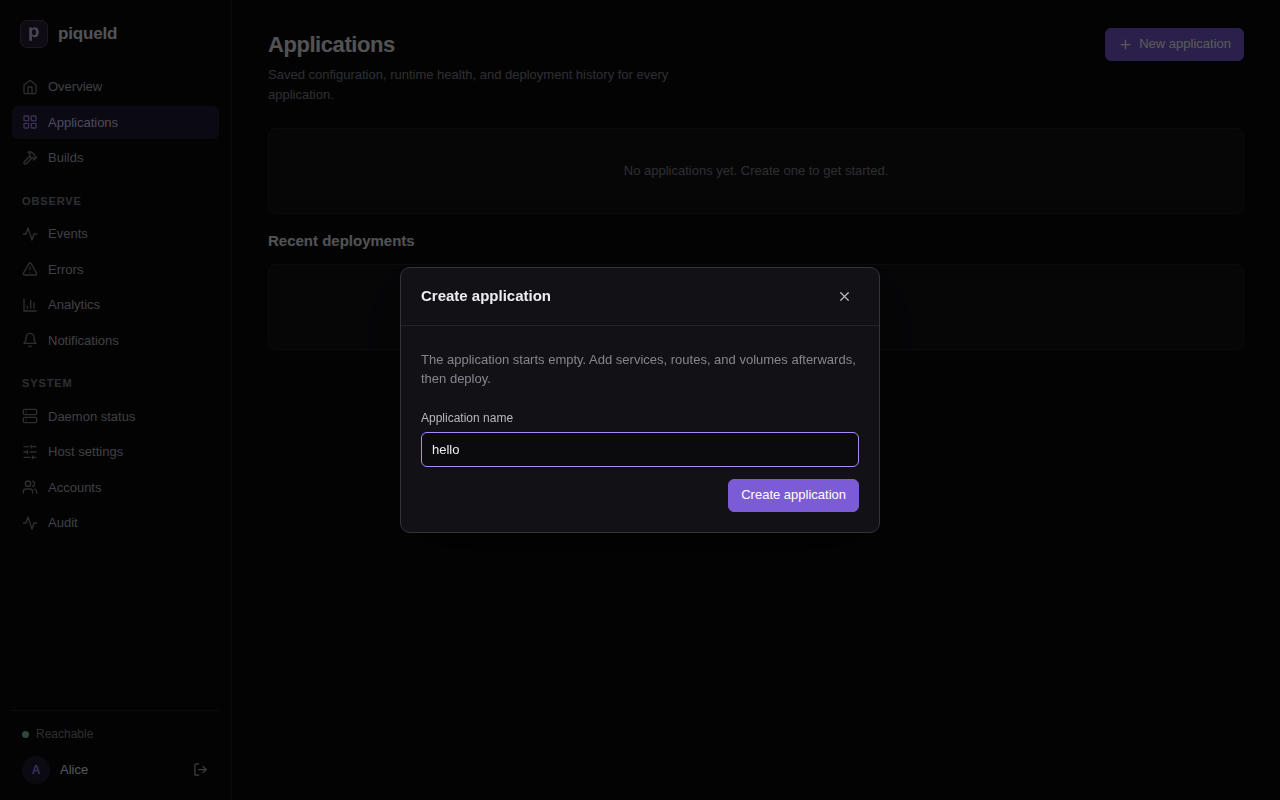
-
The application opens, empty. On its Services tab, select Add service, fill in Service name with
weband Container image withnginx:alpine, then select Add service.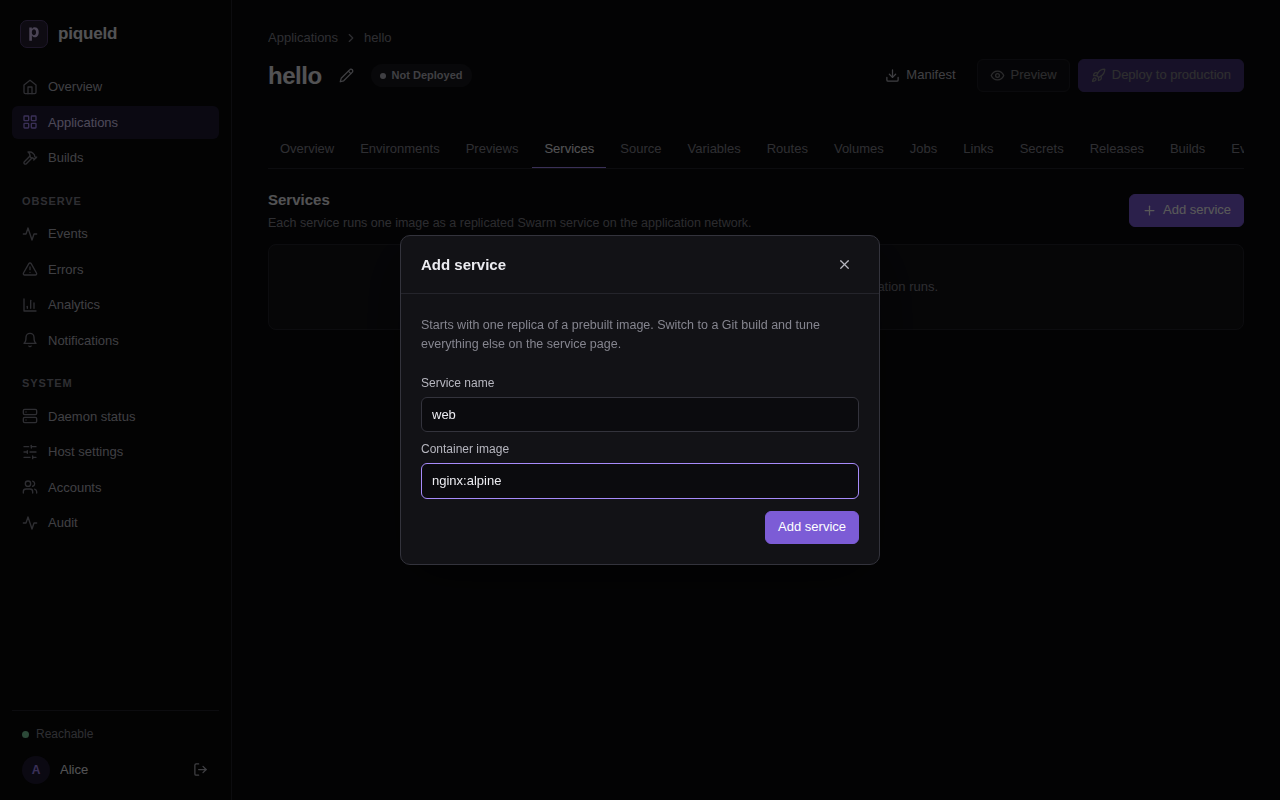
-
Select
webin the list, then its Health check tab. Set Check type to HTTP, Port to80and Path to/, and select Save changes.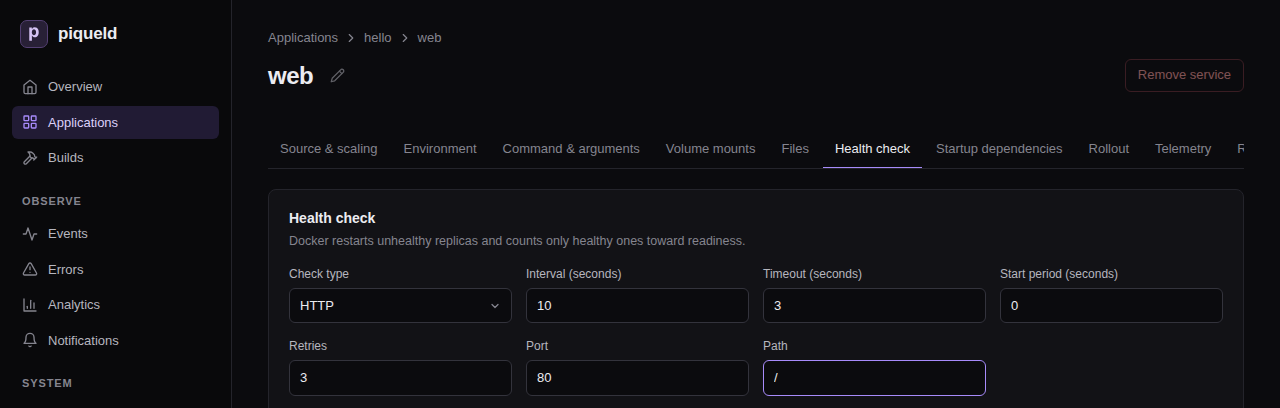
-
Saving changes the application’s configuration, but not what runs. Go back to the application’s page, through hello above the service’s name, and select Deploy to production.
With piquelctl
piquelctl app create hello
piquelctl app service add hello web nginx:alpine
piquelctl app service health http hello web 80 --path /
piquelctl app deploy hello
Each command asks you to confirm. The first three each save one change, and
app deploy deploys the saved configuration to the application’s
production environment. It prints each step and
waits until the deployment finishes. In a script, add --yes to skip the
confirmations.
From a manifest
A manifest describes the whole application in a TOML file. Save this one as
hello.toml:
api_version = "piqueld.dev/v1alpha1"
kind = "Application"

[metadata]
name = "hello"

[[spec.services]]
name = "web"

[spec.services.source]
type = "image"
image = "nginx:alpine"

[spec.services.healthcheck]
type = "http"
port = 80
path = "/"
Each [[spec.services]] entry is a service. Check the manifest, then save it
and deploy it to production:
$ piquelctl app validate --file hello.toml
Manifest is valid for application "hello".
$ piquelctl app apply --file hello.toml --deploy
To see what saving and deploying a change would do before you run it, select
Preview on the application’s page in the dashboard, or run
piquelctl app plan --file hello.toml. The manifest reference describes every
setting. piquelctl app manifest hello prints the manifest of an application
you created in the dashboard or with piquelctl.
Check that it works
In the dashboard, the Overview lists the deployment under Recent deployments.
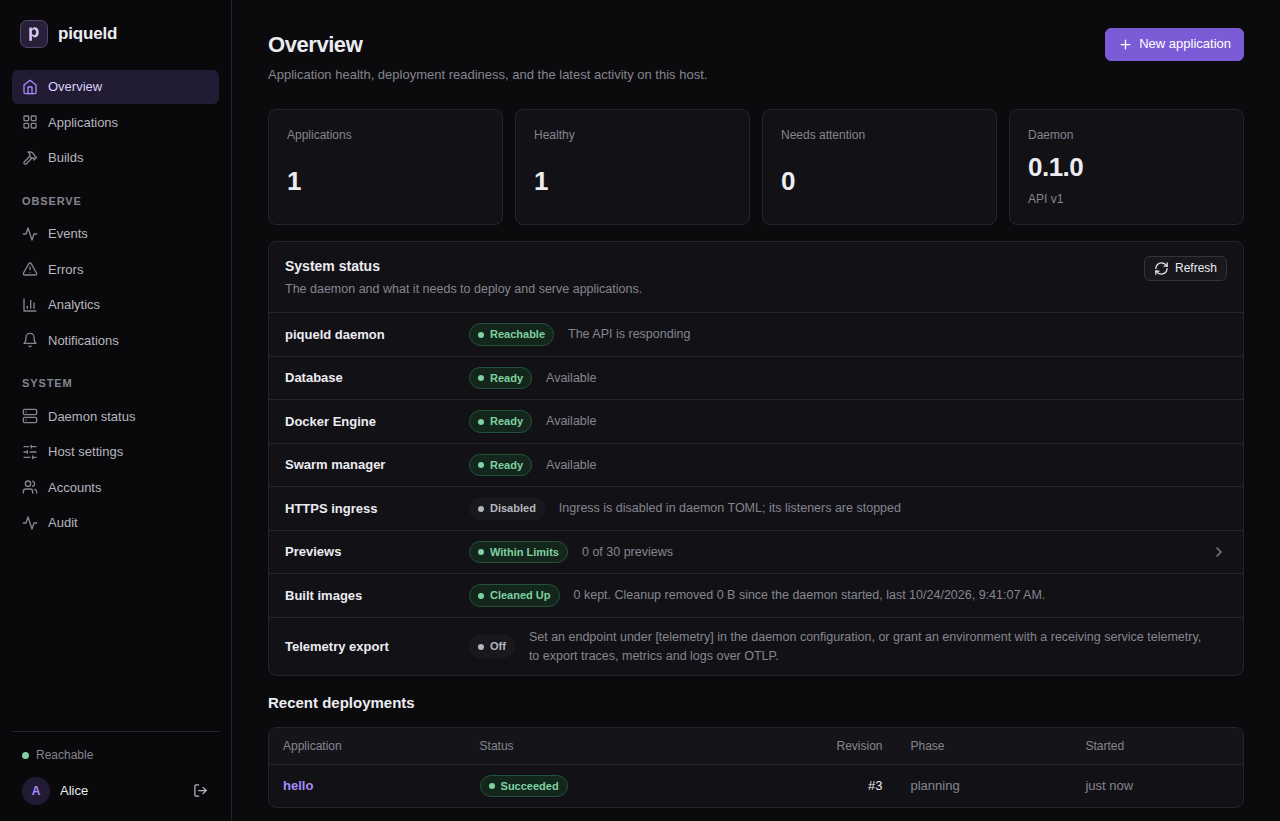
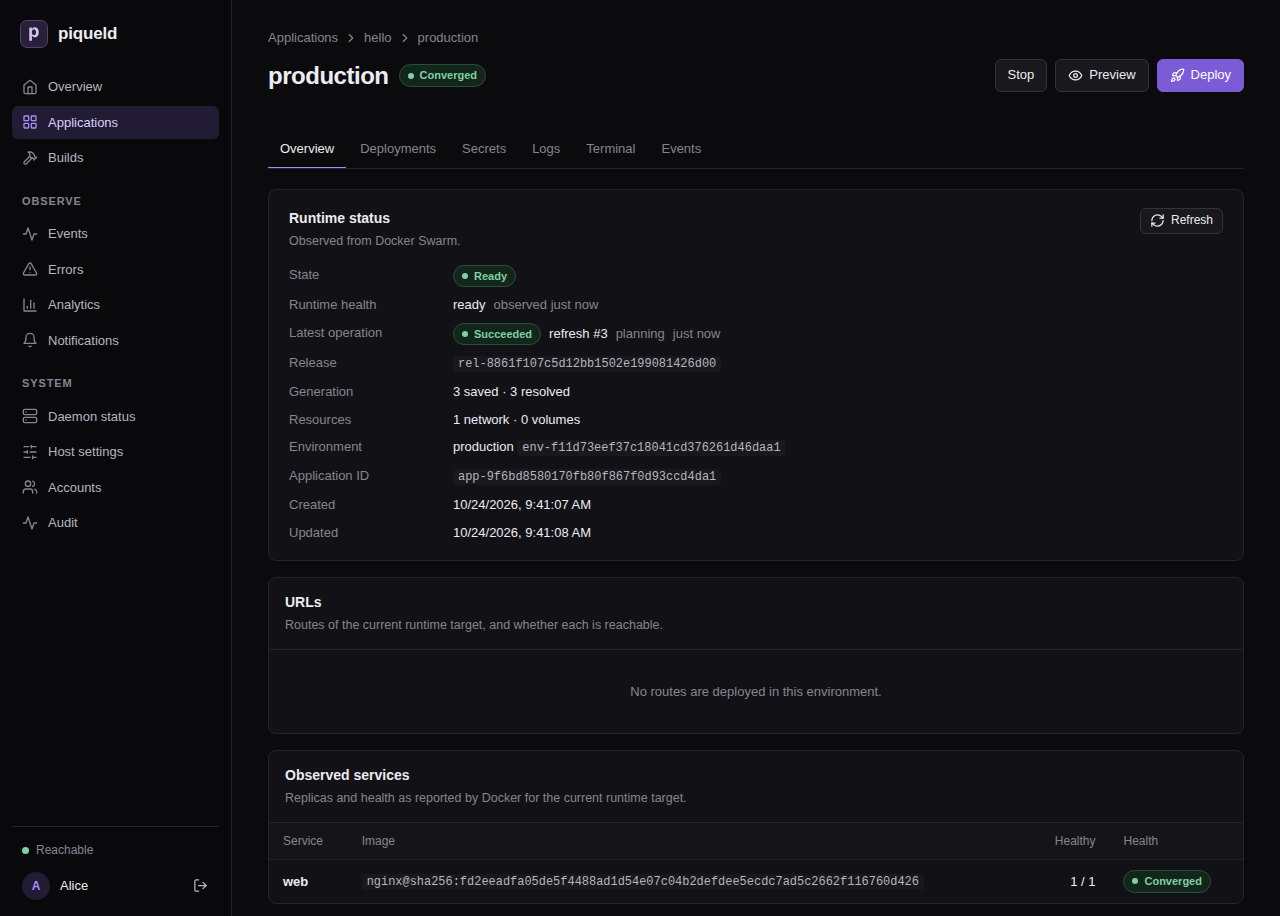
Open Applications, then hello, then production on its
Environments tab. Observed services lists web with one healthy
replica.
With piquelctl:
$ piquelctl app show hello
hello (app-f11d73eef37c18041cd376261d46daa1)

Configuration revision: 3
Environment: production (env-f11d73eef37c18041cd376261d46daa2): ready, deploys from saved

Service: web
  Replicas: 1
  Source: image nginx:alpine
Read the service’s output on the environment’s Logs tab, or with
piquelctl app logs hello. piqueld’s health checks show up there as requests
to /.
Change it
To run two replicas of web:
- In the dashboard, set Replicas to
2on the service’s Source & scaling tab, and select Save changes. Go back to the application through the hello breadcrumb, then select Deploy to production. - With
piquelctl, runpiquelctl app service replicas hello web 2 --deploy. - From the manifest, add
replicas = 2to the existing[[spec.services]]entry, then runpiquelctl app apply --file hello.toml --deployagain.
Next steps
- Put the website on an HTTPS address with a route.
- Add a
stagingenvironment, as in environments and promotion. - Build images from a Git repository, as in building images from Git.
When you’re done, delete the application. This removes its containers and history, and deletes its previews with their volumes. Its environments’ named volumes are kept, so that their data isn’t lost by accident. In the dashboard, select Delete application on the application’s Overview. Or run:
piquelctl app delete hello
Troubleshooting
piquelctltimes out. It waits 30 seconds by default, and pulling a large image can take longer. The deployment carries on: follow it in the dashboard, or givepiquelctllonger, such aspiquelctl --timeout 5m app deploy hello.- The deployment fails.
piquelctlprints the error. The environment’s Deployments tab shows each step, and Diagnostics on its Overview says what went wrong. - The service never becomes healthy. Check that the health check’s port and path match what the container serves, and read its logs.
Applications
These guides cover what an application can do once you’ve deployed your first one: its services and configuration, then building and shipping it.
- Configuring services: run several services, with health checks, startup dependencies and resource limits.
- Secrets and variables: give services passwords and API keys, and set values in one place.
- Volumes and files: keep data across deployments, and mount configuration files.
- Running jobs before a rollout: migrate a database before the new version starts.
- Connecting applications: let one application’s services reach another’s over a private network.
- Running commands in a container: run a console or an administration task in a running service.
- Building images from Git: build a service’s image from a repository with a Dockerfile.
- Deploying on push: keep the manifest in Git, and deploy every push.
- Environments and promotion: run staging and production, and promote what staging runs to production.
- Restoring a deployment: return an environment to a deployment it ran before, by hand or when a rollout fails.
- Previews: try a branch, or your uncommitted changes, in a short-lived copy of the application.
Configuring services
A service is one container image that piqueld runs as one or more replicas.
This page sets up the services of a small application, notes: a PostgreSQL
database, and an nginx web server that starts once the database is ready.
Before you start
- You’ve deployed your first application, so you know how to create an application and add services to it.
- Run the commands on this page on the host, or on any machine where
piquelctlis signed in. - Creating
notesneeds theapps:createpermission. Editing it needsapps:writeon it, and deploying itapps:deploy.
Set it up
notes has two services:
dbruns PostgreSQL. Its password is a secret piqueld generates; see secrets and variables.webruns two replicas of nginx, and starts oncedbis healthy.
Each has a health check, which tells piqueld when it is ready.
Warning: here,
dbkeeps its data in its container. A deployment that changesdbreplaces its container, and the data with it. Before you store anything, give it a volume, as volumes and files shows.
In the dashboard or with piquelctl
Create notes and add db and web to it, as in
deploying your first application,
with the images postgres:17-alpine and nginx:alpine. Then set each service’s
settings as the sections below describe.
In the dashboard, open the application’s Services tab, then the service. Its page has a tab for each group of settings. Once you change a field, select Save changes below it.
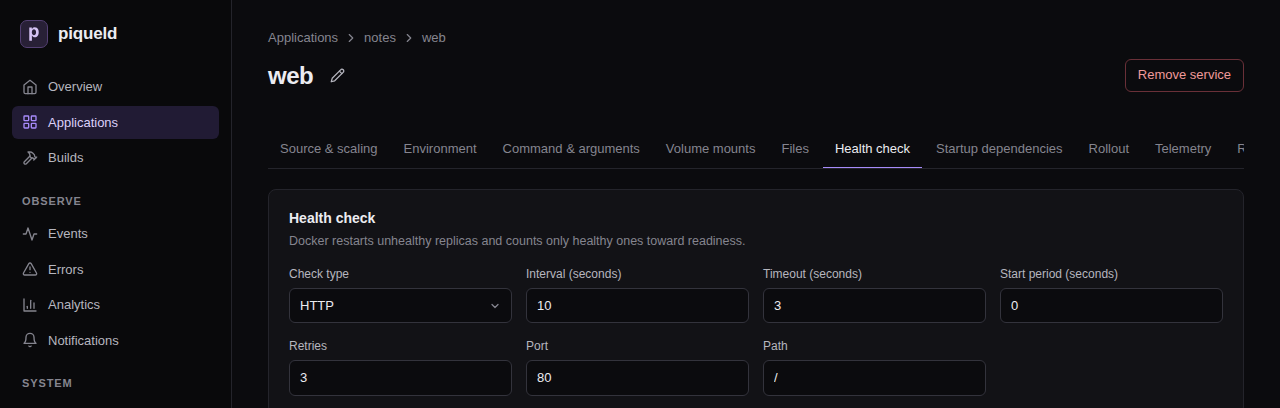
With piquelctl, piquelctl app service has a command for each setting.
To give the database its generated password, declare it and mount it as
generating a secret shows. Then
give db the environment variables that PostgreSQL
reads: POSTGRES_USER and POSTGRES_DB, both notes, and
POSTGRES_PASSWORD_FILE, /run/secrets/db-password.
From a manifest
-
Save this manifest as
notes.toml:api_version = "piqueld.dev/v1alpha1" kind = "Application" [metadata] name = "notes" [[spec.services]] name = "db" [spec.services.source] type = "image" image = "postgres:17-alpine" [spec.services.environment] POSTGRES_USER = "notes" POSTGRES_DB = "notes" POSTGRES_PASSWORD_FILE = "/run/secrets/db-password" [[spec.services.secrets]] name = "db-password" target = "/run/secrets/db-password" [spec.services.healthcheck] type = "command" command = ["pg_isready", "-U", "notes"] interval_seconds = 5 start_period_seconds = 30 [[spec.services]] name = "web" replicas = 2 depends_on = ["db"] [spec.services.source] type = "image" image = "nginx:alpine" [spec.services.healthcheck] type = "http" port = 80 path = "/" [[spec.secrets]] name = "db-password" generate = { type = "random", bytes = 32 } -
Save it and deploy it:
piquelctl --timeout 5m app apply --file notes.toml --deploy
Deploy it
app apply --deploy saves the manifest and deploys it at once. A change you
save in the dashboard, or with piquelctl app service, changes the
application’s configuration, not what’s running. To apply it, select Deploy to production on the application’s page, or run
piquelctl --timeout 5m app deploy notes. An application with several
environments deploys one at a time:
piquelctl --timeout 5m env deploy notes <environment>.
The deployment deploys db first, waits until it passes its health check,
then deploys web.
--timeout 5m lets piquelctl wait for the deployment for up to five
minutes, instead of 30 seconds. When a deployment changes a service, Docker
watches its new replicas for 30 seconds, as rollout order
explains, so redeploying often takes longer than the default. The commands in
these guides that deploy use --timeout 5m too.
If piquelctl stops waiting first, it exits with code 4, but the deployment
carries on. Keep following it on the environment’s Deployments tab, or
with piquelctl --timeout 5m env wait notes.
The services of an application reach each other by name: web reaches the
database at db:5432. Services of other applications can’t, unless you
connect the applications.
Replicas
A service runs one copy, or replica, by default, and up to 100. In the
dashboard, set Replicas on the service’s Source & scaling tab. With
piquelctl:
piquelctl app service replicas notes web 3
In the manifest, it is replicas, in the service’s entry.
Environment variables
Every replica of a service gets its environment variables. In the dashboard,
use the service’s Environment tab. With piquelctl:
piquelctl app service env set notes web GREETING hello
piquelctl app service env remove notes web GREETING
In the manifest:
[spec.services.environment]
POSTGRES_USER = "notes"
Values reach the container as written, once
variables are replaced. Docker’s
own templates, such as {{.Service.Name}}, aren’t expanded.
Don’t put passwords here: mount them as secrets instead.
Command and arguments
The command replaces the image’s entrypoint, and the arguments its default
arguments. Each element is one argument, passed as written, without a shell.
To raise PostgreSQL’s connection limit, for example, give db the arguments
-c and max_connections=200:
-
In the dashboard, use the service’s Command & arguments tab, one element per row.
-
With
piquelctl, give the elements after--, and give none to go back to the image’s own:piquelctl app service arguments notes db -- -c max_connections=200 piquelctl app service arguments notes db --piquelctl app service commandsets the command the same way. -
In the manifest, set
commandandargumentsin the service’s entry:[[spec.services]] name = "db" +arguments = ["-c", "max_connections=200"]
Health checks
A health check tells piqueld when a replica is ready. Deployments wait for it, and Docker restarts a replica that keeps failing it. A service without a health check counts as ready as soon as it runs.
There are two kinds:
- An HTTP check sends a
GETrequest to a port of the container, which must answer with a 2xx or 3xx status. It needs nothing in the image, not even a shell, so it also works in minimal images. Its path is/healthunless you set one. - A command check runs a program in the container, which must exit with
0. It runs without a shell: to use one, run
sh -c "…".
Both take these settings:
| Setting | Default | Meaning |
|---|---|---|
| Interval | 10 | Seconds between checks. |
| Timeout | 3 | Seconds before a check fails. At most the interval. |
| Retries | 3 | Failed checks in a row before the replica is unhealthy. |
| Start period | 0 | Seconds after the replica starts during which failed checks don’t count. |
Give slow starters, such as databases, a start period.
In the dashboard
Use the service’s Health check tab. Choose the Check type, then fill in its fields. None removes the check.
With piquelctl
health http and health command replace the check. They take the settings
above as --interval, --check-timeout, --retries and --start-period:
piquelctl app service health http notes web 80 --path /
piquelctl app service health command notes db --interval 5 --start-period 30 -- pg_isready -U notes
Other commands change one setting, or remove the check:
piquelctl app service health start-period notes db 60
piquelctl app service health clear notes web
In the manifest
[spec.services.healthcheck]
type = "http"
port = 80
path = "/"
[spec.services.healthcheck]
type = "command"
command = ["pg_isready", "-U", "notes"]
interval_seconds = 5
start_period_seconds = 30
The settings above are interval_seconds, timeout_seconds, retries and
start_period_seconds.
Startup dependencies
A service can depend on other services of the same application, which must
be ready before it is deployed. In the dashboard, check them on the service’s
Startup dependencies tab. With piquelctl:
piquelctl app service depends-on notes web -- db
In the manifest, it is depends_on:
[[spec.services]]
name = "web"
depends_on = ["db"]
A deployment waits until every replica of db passes its health check before
it deploys web. A dependency without a health check counts as ready once its
replicas run. If db fails, web keeps running its previous version.
Dependencies only order deployments: once deployed, web keeps running even if
db stops.
Rollout order
When a deployment changes a service, Docker replaces its replicas one at a time, in one of two orders:
start-firststarts the new replica, then stops the old one. There is no downtime, but both run for a moment.stop-firststops the old replica, then starts the new one. They never overlap, but the service is briefly unavailable.
By default, a service that mounts a volume it can write to stops first, so that two copies of a database never write the same files. Others start first.
Docker also watches each new replica, for 30 seconds by default. If one fails within that time, Docker pauses the rollout: the replicas it hasn’t replaced yet keep running the previous version, and the deployment fails.
To choose the order and how long Docker watches, use the service’s
Rollout tab in the dashboard. With piquelctl, run the command below;
without flags, it restores the defaults:
piquelctl app service rollout notes web --order stop-first --monitor-seconds 30
In the manifest:
[spec.services.rollout]
order = "stop-first"
monitor_seconds = 30
piquelctl app plan --file notes.toml lists each service’s order:
Rollout:
  db: start-first (derived) · monitor 30s
  web: start-first (derived) · monitor 30s
Once db mounts a volume, as in volumes and files,
its order becomes stop-first.
Resource limits
Limit how much CPU and memory each replica may use. Without limits, a replica may use all of the host’s, except in previews, which get the daemon’s defaults. CPU is in thousandths of a core, and memory in bytes.
In the dashboard, use the service’s Resource limits tab, and leave a
field empty for no limit. With piquelctl:
piquelctl app service cpu notes web 500
piquelctl app service memory notes web 268435456
piquelctl app service cpu notes web --clear
In the manifest:
[spec.services.resources]
cpu_millis = 500          # half a CPU core
memory_bytes = 268435456  # 256 MiB
Rename a service
In the dashboard, select the pencil beside the service’s name, on its page.
Fill in Service name and select Save. Save or discard your other edits
to the service first. With piquelctl:
piquelctl app service rename notes web frontend
Its routes, jobs and exports, and the services that depend on it, follow the
new name. In the manifest, change its name, and every place that names it.
Applications that import it must import the new name. The next
deployment replaces the running service with one of the new name.
Check that it works
In the dashboard, open the environment: Observed services lists each
service with its healthy replicas. With piquelctl:
$ piquelctl env show notes
production of notes (env-01a16d95420677219cf7b65149b4f7e8)

Intent: ready
Runtime: ready (observed 6 s ago)
...
Runtime: ready means every service runs all its replicas, and each passes its
health check.
Troubleshooting
- The deployment fails with
service_update_failed. A new replica failed its health check, or exited, and Docker paused the rollout. Read the service’s logs withpiquelctl app logs notes --service web, fix the cause, and deploy again. - A service never becomes healthy. Check that the health check’s port and
path match what the container serves. An HTTP check connects to
127.0.0.1inside the container, so the service must listen there too, such as on0.0.0.0. It doesn’t follow redirects. - The deployment fails with
convergence_timeout. A service didn’t become ready in time. A deployment gives up when no service has become ready for 120 seconds, start periods included, and piqueld then retries on its own. Give a slow service a longerstart_period_secondsso it isn’t restarted while it starts, and raisereconciliation.convergence_timeout_seconds, in the daemon’s configuration, if it needs more than that. - Validation fails with
service_dependency_cycle. Two services depend on each other, directly or through others. Remove one of the dependencies.
Manifest settings lists
every setting of a service, and
piquelctl app service
every command that changes one.
Secrets and variables
Give your services passwords and API keys without writing them in the manifest, and set values in one place with variables, such as how many replicas a service runs.
Before you start
- You have an application, such as the one from
Configuring services. The examples use
notes, with a PostgreSQL servicedband an nginx serviceweb, and its one environment,production. - Run the commands on this page on the host, or on any machine where
piquelctlis signed in. - Setting, regenerating and deleting secret values, and choosing who may mount
them, needs the
secrets:writepermission on the application. Editing the manifest needsapps:write, deploying itapps:deploy, and running a command in a containerapps:exec.
How secrets reach your services
piqueld puts each secret in a read-only file under /run/secrets in the
container. It never writes a secret value in the manifest or in an environment
variable, so point your service at the file. Many images read a variable
ending in _FILE for this, such as PostgreSQL’s POSTGRES_PASSWORD_FILE.
A secret’s value comes from one of two places:
- Generated: you declare the secret in the manifest, and piqueld generates a value for each environment. Use it for values nobody needs to type, such as a database password.
- Stored: you set the value yourself, in the application’s secret store. Use it for values that come from elsewhere, such as an API key.
Generate a secret
Declare the secret, then mount it in a service, as a file under
/run/secrets/. notes, from Configuring services, already
generates the database’s password, db-password, and mounts it in db.
To declare another one, such as session-key:
-
In the dashboard, open the application’s Secrets tab. On the Generated secrets card, select Add generated secret, fill in Secret name, choose what it Generates, and select Save changes.
-
With
piquelctl:piquelctl app generated-secret set notes session-key --bytes 32--rsa-bits 3072makes an RSA key instead.app generated-secret list noteslists the declarations, andapp generated-secret removeremoves one. -
In the manifest, add a
[[spec.secrets]]table.
Then mount it as a stored secret is mounted, on the
service’s secret files card, with piquelctl app service secret add, or
with a [[spec.services.secrets]] table. These are the lines of notes.toml
that generate and mount db-password:
[[spec.services]]
name = "db"
# ...

[spec.services.environment]
POSTGRES_PASSWORD_FILE = "/run/secrets/db-password"
# ...

[[spec.services.secrets]]
name = "db-password"
target = "/run/secrets/db-password"

# ...

[[spec.secrets]]
name = "db-password"
generate = { type = "random", bytes = 32 }
[[spec.secrets]]declares the secretdb-password, and how to generate it.[[spec.services.secrets]]mounts it indb, as the file/run/secrets/db-password.POSTGRES_PASSWORD_FILEtells PostgreSQL to read its password from that file.
Deploy once the secret is mounted.
The first deployment that mounts db-password generates its value: 32 random
bytes, written as 64 hexadecimal characters. Each environment gets its own
value and keeps it: later deployments and changes to the declaration never
replace it.
generate can also write the bytes as base64url, with
encoding = "base64url" or --encoding base64url, or make an RSA private
key, with { type = "rsa", bits = 3072 }.
Manifest settings
lists every option.
Store a secret
Store the value in the application’s secret store, then mount it in a
service, as a file under /run/secrets/. Jobs mount secrets the
same way. Here, web gets an SMTP password, smtp-password, and reads its
path from SMTP_PASSWORD_FILE. Deploy once it’s mounted.
In the dashboard
-
Open the application’s Secrets tab. Under Save a secret, enter the Secret name and the Value, then select Save secret. The value can’t be read back, and the dashboard only stores text: store binary files with
piquelctl.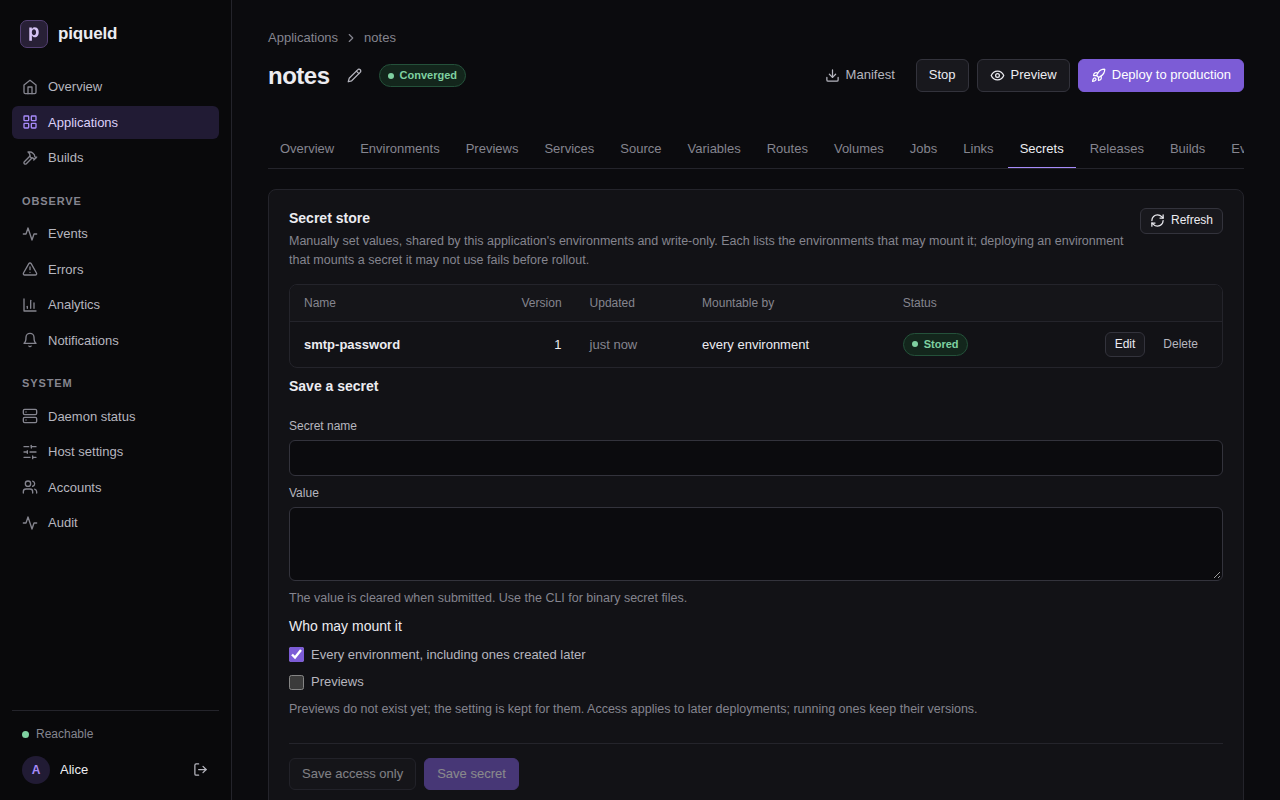
-
Below the store, each service has a secret files card. On
web’s, select Add secret file, enter the Secret name and the Container path,/run/secrets/smtp-password, then select Save changes. -
On
web’s Environment tab, setSMTP_PASSWORD_FILEto/run/secrets/smtp-password.
With piquelctl
Put the value in a file, then store it:
piquelctl app secret notes set smtp-password --file ./smtp-password
After you confirm, it prints:
Saved smtp-password generation 1, mountable by every environment. Deploy to use it.
piqueld stores the file byte for byte, including the newline at the end
that most editors add. Write the file with printf '%s' to leave it out.
To pipe the value in instead, use --stdin, which drops one trailing
newline, with --yes, since piquelctl can’t ask you to confirm while it
reads the value:
echo "$SMTP_PASSWORD" | piquelctl app secret notes set smtp-password --stdin --yes
Run in a terminal without a pipe, --stdin asks for the value instead, and
doesn’t show what you type.
Values are 1 to 512,000 bytes long. Avoid typing them in a command, where your shell history keeps them.
Then mount it in web, and point web at the file:
piquelctl app service secret add notes web smtp-password /run/secrets/smtp-password
piquelctl app service env set notes web SMTP_PASSWORD_FILE /run/secrets/smtp-password
app service secret list notes web lists the service’s mounts, and
app service secret remove notes web /run/secrets/smtp-password removes one.
In the manifest
Mount it like a generated secret. A name that spec.secrets doesn’t declare
comes from the store. Add to the existing web entry:
 [[spec.services]]
 name = "web"
 replicas = 2
 depends_on = ["db"]
+
+[spec.services.environment]
+SMTP_PASSWORD_FILE = "/run/secrets/smtp-password"
+
+[[spec.services.secrets]]
+name = "smtp-password"
+target = "/run/secrets/smtp-password"

 [spec.services.source]
Choose who may mount a stored secret
By default, every environment may mount a stored secret, including
environments created later, but previews may not. To allow only production in
the dashboard, select Edit next to the secret. Under Who may mount
it, uncheck Every environment, including ones created later, check only
production, and select Save access only. With piquelctl:
$ piquelctl app secret notes access smtp-password --environments production
Saved smtp-password generation 1, mountable by production. Deploy to use it.
--environments takes a comma-separated list of environment names, and
--all-environments allows every environment again. --previews lets
previews mount the secret too, and --no-previews stops them. set takes the
same options, to choose when you store a secret.
piquelctl app secret notes list shows who may mount each secret.
Changing who may mount a secret doesn’t change running services. Deploying an environment that mounts a secret it may not use fails at once, before changing anything.
Check that it works
In the dashboard, open the environment, then its Secrets tab: Mounted secrets lists each secret the environment’s manifest mounts, and where its next deployment takes the value from. Generated secrets lists the values piqueld generated for it.
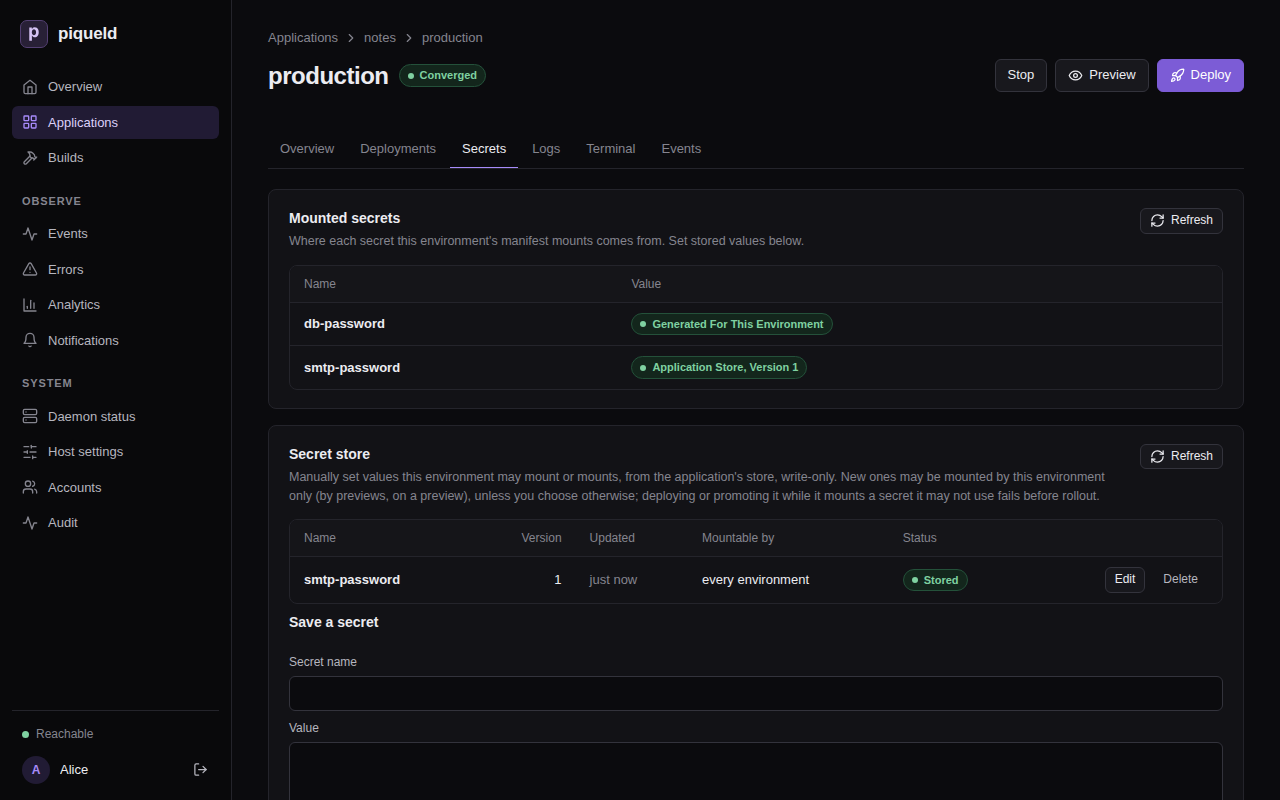
piquelctl env show lists the same:
$ piquelctl env show notes
production of notes (env-01a16d95420677219cf7b65149b4f7e8)

Intent: ready
Runtime: ready (observed 0 s ago)
...
Secret: db-password: generated for this environment
Secret: smtp-password: application store, version 1
To see the files themselves, run a command in the container:
$ piquelctl app exec notes db -- ls -l /run/secrets
total 4
-r--r--r--    1 root     root            64 Oct 24 11:08 db-password
Use variables
Manifest variables hold values you set in one place, and that each environment
can override.
Declare a default, and reference it as ${{ vars.<name> }}. For example, to
set how many replicas web runs with web_replicas:
-
In the dashboard, the application’s Variables tab has one row per variable, with its Default, a column for each environment, and one for Previews. An empty cell has no value there. Select Add variable, fill in Name with
web_replicasand Default with2, and select Save changes. Then setweb’s Replicas to${{ vars.web_replicas }}. -
With
piquelctl, quote the reference so that your shell leaves it alone:piquelctl app variable set notes web_replicas 2 piquelctl app service replicas notes web '${{ vars.web_replicas }}' -
In the manifest, declare the default in
[spec.variables], at the end ofnotes.toml, and use it in thewebentry:[spec.variables] web_replicas = 2[[spec.services]] name = "web" -replicas = 2 +replicas = "${{ vars.web_replicas }}"
web runs as many replicas as web_replicas says.
piqueld also sets a few variables itself, such as ${{ app.name }} and
${{ env.name }}. See variables for
them, and for the settings that accept references.
Variables are not secret: plans, piquelctl app show and env show,
deployments and the dashboard show their values, even in environment
variables. Keep passwords in secrets.
Mount a different secret in each environment
When an application has several environments, as in
environments and promotion, a secret’s name can come from a
variable, so each environment mounts its own stored secret at the same path.
For example, to give a staging environment of notes a test SMTP account:
-
Store the test password as
smtp-test, mountable by staging only. When you save it in the dashboard, uncheck Every environment, including ones created later under Who may mount it, then check only staging. Or run:piquelctl app secret notes set smtp-test --file ./smtp-test --environments staging -
Give each environment its value of
smtp_secret:smtp-passwordin production andsmtp-testin staging. In the dashboard, add the variable on the Variables tab, fill in each environment’s column, and select Save changes. Withpiquelctl:piquelctl app variable set notes smtp_secret smtp-password --env production piquelctl app variable set notes smtp_secret smtp-test --env stagingIn the manifest, at the end of
notes.toml:[spec.environments.production.variables] smtp_secret = "smtp-password" [spec.environments.staging.variables] smtp_secret = "smtp-test" -
Then name
web’s mount${{ vars.smtp_secret }}. In the dashboard, set Secret name on its secret files card, and select Save changes. Withpiquelctl, mount it again at the same path, which replaces the mount:piquelctl app service secret add notes web '${{ vars.smtp_secret }}' /run/secrets/smtp-passwordIn the manifest:
 [[spec.services.secrets]]
-name = "smtp-password"
+name = "${{ vars.smtp_secret }}"
 target = "/run/secrets/smtp-password"
With a manifest file,
piquelctl app plan --file notes.toml --env stagingshows what staging would mount before you save it:... Variables: app.name = notes deployment.id = preview env.name = staging env.slug = staging vars.smtp_secret = smtp-test vars.web_replicas = 2 ... -
If you changed the manifest, save it with
piquelctl app apply --file notes.toml. Then deploy each environment:piquelctl --timeout 5m env deploy notes staging piquelctl --timeout 5m env deploy notes production -
Once staging no longer mounts
smtp-password, allow it only in production:piquelctl app secret notes access smtp-password --environments production
Rotate a secret
To replace a stored value, set it again: select Edit next to the secret
on the Secrets tab, enter the new Value, and select Save secret.
With piquelctl:
$ piquelctl app secret notes set smtp-password --file ./new-smtp-password
Saved smtp-password generation 2, mountable by production. Deploy to use it.
Running services keep version 1 until you deploy them.
To replace a generated value, regenerate it in one environment.
Warning: a new value only replaces the file. A database that stored the old password keeps it, so services that read the new file can’t connect until you change it there too.
In the dashboard, open the environment’s Secrets tab, and select
Regenerate next to the secret under Generated secrets. With
piquelctl:
$ piquelctl env secret notes regenerate db-password
Generated db-password generation 2. Deploy the environment to use it.
Then deploy, and change the password in the database. For PostgreSQL:
piquelctl app exec notes db -i -- psql -U notes <<'EOF'
\set pw `cat /run/secrets/db-password`
ALTER USER notes PASSWORD :'pw';
EOF
When the application has several environments, add --env <name> to
env secret and app exec.
Delete a secret
Deleting a secret discards its value and every earlier version, and can’t be undone. You can only delete a secret that nothing uses. First, remove its mounts, and deploy every environment that mounted it. Then select Delete next to it on the Secrets tab, or run:
piquelctl app secret notes delete smtp-password
A generated value is deleted in one environment, once nothing there uses it. If a deployment mounts that secret again, it generates a new value, which a database that stored the old one doesn’t know. Select Delete next to it under Generated secrets, on the environment’s Secrets tab, or run:
piquelctl env secret notes delete <name>
Removing a declaration from spec.secrets keeps the values already generated.
If the secret key is lost
piqueld encrypts every value with the key in its data directory,
secrets.key. Back it up with the rest of
the data directory. A restored key must belong to the daemon’s user, with mode
0600. Without it, piqueld can’t read any secret value, and deployments that
need one fail with secret_storage_unavailable. Running services keep their
files. If no backup of the key exists, see
recovering from a lost key:
it discards every value, after which you store new ones and deploy.
Troubleshooting
- The deployment fails with
secret_missing. It mounts a stored secret with no value, often a misspelled name:env showreports it asnot set in the application store. Store it, or fix the name, then deploy again. Running services are not changed. - The deployment fails with
secret_access_denied. The environment may not mount that stored secret, andenv showreports it asapplication store, not allowed here. Change who may mount it. - Storing a secret, or applying a manifest, fails with
secret_name_conflict. A generated secret and a stored one have the same name. When you apply a manifest, the code is among the errors ofmanifest_validation_failed. Pick another name, or remove the declaration. - Deleting a secret fails with
secret_referenced. The saved manifest or a deployment still mounts it. Remove the mounts and deploy first. - Planning or deploying fails with
variable_value_missing. The environment has no value for a variable it uses, and the variable has no default. The error names the environment, the setting and the variable. --envfails withenvironment_unknown. No environment has that name.piquelctl env list noteslists them.
Volumes and files
Keep a service’s data across deployments in a named volume, and give services read-only configuration files.
Before you start
- You have an application, such as the one from
Configuring services. The examples use
notes, with a PostgreSQL servicedband an nginx serviceweb. - Run the commands on this page on the host, or on any machine where
piquelctlis signed in. - Editing an application needs the
apps:writepermission on it, and deploying itapps:deploy.
Store data in a volume
A container’s own files are lost when it’s replaced, as a deployment that changes its service does. Data that must last, such as a database’s, goes in a named volume.
Warning: the volume starts empty. If
dbalready holds data you want to keep, back it up first, and restore it after the deployment.
Declare the volume, mount it in db at /var/lib/postgresql/data, then
deploy. The next deployment creates the volume. Later deployments keep its
content. Each environment gets its own volume: environments never share data.
In the dashboard
-
On the application’s Volumes tab, select Add volume under Named volumes, enter
data, and select Save changes. -
On
db’s Volume mounts tab, select Add mount, enterdataunder Volume and/var/lib/postgresql/dataas the Container path, then select Save changes.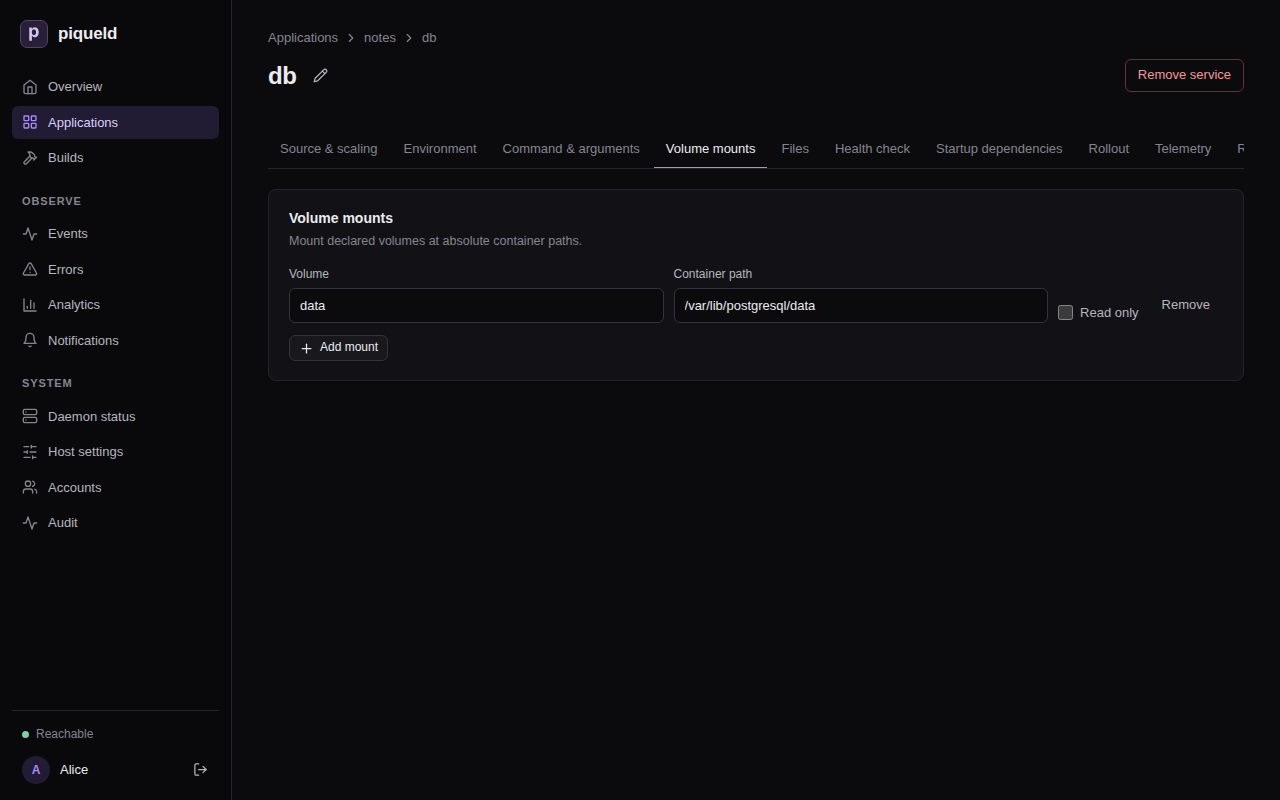
-
Select Deploy to production.
With piquelctl
piquelctl app volume add notes data
piquelctl app service mount set notes db data /var/lib/postgresql/data
piquelctl --timeout 5m app deploy notes
In the manifest
-
Declare the volume, at the end of
notes.toml:[[spec.volumes]] name = "data" -
Mount it in the
dbentry, after its other settings:[spec.services.healthcheck] type = "command" command = ["pg_isready", "-U", "notes"] interval_seconds = 5 start_period_seconds = 30 + +[[spec.services.mounts]] +volume = "data" +target = "/var/lib/postgresql/data" [[spec.services]] name = "web" -
Deploy:
piquelctl --timeout 5m app apply --file notes.toml --deploy
Mount a volume read-only
Several services can mount the same volume. One that only reads it can mount
it read-only, such as a web server that serves the files another service
writes to an uploads volume. In the dashboard, check the mount’s Read
only. With piquelctl, add --read-only to mount set. In the manifest,
add read_only to the mount:
[[spec.services.mounts]]
volume = "uploads"
target = "/usr/share/nginx/html/uploads"
read_only = true
A service that mounts a volume it can write to stops its old container before starting the new one, so that two copies never write the same files. It’s briefly unavailable at each deployment; see rollout order.
What happens to volume data
piqueld keeps the volume data of environments, but not of previews:
- Removing a volume from the manifest keeps its data. Declare a volume of the same name again, and the environment gets its data back.
- Deleting an environment keeps its volumes, with their data, in Docker on the host. A new environment never reuses them, even with the same name: it gets new, empty volumes.
- Deleting an application keeps its environments’ volumes, in the same way, but deletes its previews, with their volumes.
- Deleting a preview deletes its volumes and their data.
So back up a volume before you delete its environment. Its data then stays on
the host until you remove it with Docker: the volume’s name starts with
piqueld- and the environment’s ID, as piquelctl env show prints it.
Back up a volume
piquelctl app exec runs a command in the service’s container and streams its
output, so you can save a backup on your machine. It needs the apps:exec
permission; see running commands.
For a database, use its own dump tool, which makes a consistent copy while it runs:
piquelctl app exec notes db -- pg_dump -U notes notes > notes.sql
To restore it, send the dump to an empty database:
piquelctl app exec notes db -i -- psql -q -X -v ON_ERROR_STOP=1 --single-transaction -U notes -f - notes < notes.sql
ON_ERROR_STOP and --single-transaction make psql stop at the first
error and keep nothing of the dump, instead of restoring part of it. The dump
creates its tables, so restoring it into a database that already has them
fails.
For other files, archive the directory where the volume is mounted, and
extract the archive there to restore it. For a service api that keeps
uploaded files in a volume mounted at /srv/uploads:
piquelctl app exec notes api -- tar -cz -C /srv/uploads . > uploads.tar.gz
piquelctl app exec notes api -i -- tar -xz -C /srv/uploads < uploads.tar.gz
Don’t archive a running database’s files this way: the copy may be inconsistent. To restore, the volume must be mounted writable.
piqueld’s own backup doesn’t include volumes, so back them up separately.
Mount a read-only file
piqueld can mount a configuration file you write, such as nginx’s
/etc/nginx/conf.d/default.conf, into a service:
-
In the dashboard, use the service’s Files tab: select Add file, then enter the Container path and the Content, and select Save changes.
-
With
piquelctl, read the content from a file on your machine:piquelctl app file add notes web /etc/nginx/conf.d/default.conf --from ./default.conf--fromsaves the file’s content in the manifest when you run it. Use--contentto give the text directly. -
In the manifest, add it to the
webentry, after its other settings:[spec.services.healthcheck] type = "http" port = 80 path = "/" + +[[spec.services.files]] +target = "/etc/nginx/conf.d/default.conf" +content = """ +server { + listen 80; + location / { + root /usr/share/nginx/html; + } +} +"""
Deploy to mount it. Only the services that mount a changed file are replaced.
The file is read-only, owned by root, with mode 0444: set another in
Mode, with --mode, or with mode = "0440". piqueld mounts the content exactly as written: it
never replaces ${{ … }} or anything else in it. Each file holds up to
512,000 bytes of text, and an application’s files 2 MiB in total.
An application whose manifest is in a Git repository, as in deploying on push, can also mount files from that repository; see files.
Check that it works
The service’s Files tab lists its files, and piquelctl app file list notes
lists the application’s:
SERVICE TARGET MODE SOURCE
web /etc/nginx/conf.d/default.conf 0444 inline, 85 bytes
To see them in the container, run a command:
$ piquelctl app exec notes web -- ls -l /etc/nginx/conf.d/default.conf
-r--r--r-- 1 root root 85 Oct 24 11:14 /etc/nginx/conf.d/default.conf
Troubleshooting
- Removing a volume fails with
mount_volume_missing. A service still mounts it. Remove the mount first, withpiquelctl app service mount remove notes db /var/lib/postgresql/data. - The service can’t write to a file. Files are always read-only. An image that rewrites its configuration when it starts needs the file copied somewhere writable first, for example by its command.
- Adding a file fails with
file_target_invalid. Another file, volume or secret of the service already uses that path, or the path is in/run/secretsor/run/piqueld, which piqueld uses. - The service can’t write to its volume. A new volume takes the owner of the directory the image has at the mount’s path, or belongs to root if the image has none. A service that runs as another user can only write to a volume mounted where its image has a directory it owns.
- The database’s data is gone after a new deployment. Check that the volume
is mounted where the image keeps its data, such as
/var/lib/postgresql/datafor PostgreSQL. Data written anywhere else is lost when the container is replaced.
Running jobs before a rollout
A job runs a command to completion during each deployment, before the new version of your services starts. Use it for database migrations, so that the new version only ever runs on a migrated database.
Before you start
- Your application’s image has a command that migrates its database. This
page creates
reader, an application that runs Miniflux, a feed reader whoseminiflux -migratemigrates its PostgreSQL database. - Run the commands on this page on the host, or on any machine where
piquelctlis signed in. - Creating
readerneeds theapps:createpermission, and storing its secretssecrets:writeon it. Editing it needsapps:write, deploying itapps:deploy, and reading a job’s outputlogs:read.
Set it up
-
Save this manifest as
reader.toml:api_version = "piqueld.dev/v1alpha1" kind = "Application" [metadata] name = "reader" [[spec.services]] name = "db" [spec.services.source] type = "image" image = "postgres:17-alpine" [spec.services.environment] POSTGRES_USER = "reader" POSTGRES_DB = "reader" POSTGRES_PASSWORD_FILE = "/run/secrets/db-password" [[spec.services.secrets]] name = "db-password" target = "/run/secrets/db-password" [spec.services.healthcheck] type = "command" command = ["pg_isready", "-U", "reader"] interval_seconds = 5 start_period_seconds = 30 [[spec.services.mounts]] volume = "data" target = "/var/lib/postgresql/data" [[spec.services]] name = "web" depends_on = ["db"] [spec.services.source] type = "image" image = "miniflux/miniflux:2.3.4" [spec.services.environment] DATABASE_URL_FILE = "/run/secrets/database-url" [[spec.services.secrets]] name = "database-url" target = "/run/secrets/database-url" [spec.services.healthcheck] type = "http" port = 8080 path = "/healthcheck" [[spec.volumes]] name = "data"dbruns PostgreSQL, with its data in a volume.webruns Miniflux, which reads the database’s address, password included, from the secretdatabase-url. Both secrets are stored, sincedatabase-urlholds the password ofdb. You can also createreaderin the dashboard or withpiquelctl, as in configuring services. -
Create the application, without deploying it:
piquelctl app apply --file reader.toml -
Store a new password for
db, and the addresswebconnects to with it. On the application’s Secrets tab, save them asdb-passwordanddatabase-url. Withpiquelctl:password=$(openssl rand -hex 32) printf '%s' "$password" | piquelctl app secret reader set db-password --stdin --yes printf 'postgres://reader:%s@db:5432/reader?sslmode=disable' "$password" | piquelctl app secret reader set database-url --stdin --yes -
Add the job,
migrate, which runsminiflux -migrateinweb’s image before the services roll out:-
In the dashboard, open the application’s Jobs tab and select Add job. Enter the Name, pick the Service, and enter the command, one Command element per row: Add command element adds a row. Then select Save changes.
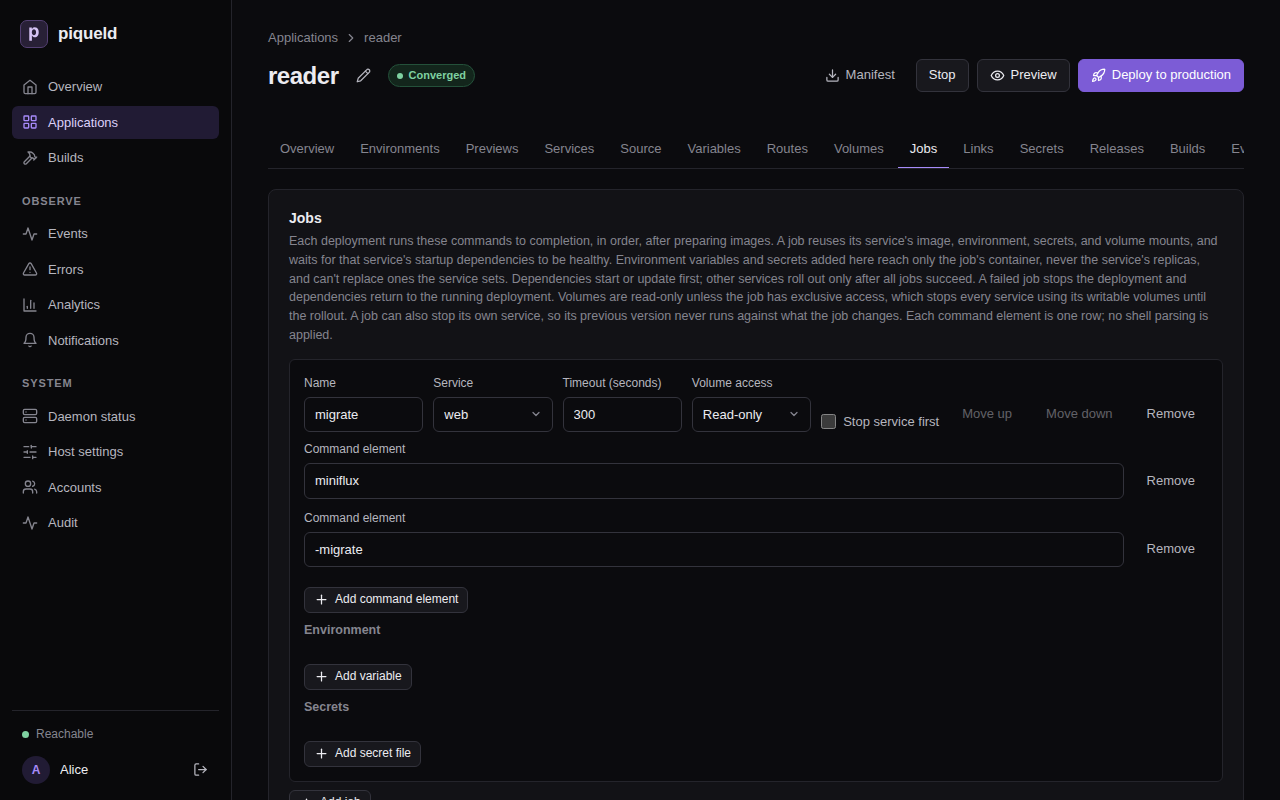
-
With
piquelctl, give the job’s name, its service, and its command after--:piquelctl app job set reader migrate web -- miniflux -migrate -
In the manifest, add it at the end of
reader.toml, then save it withpiquelctl app apply --file reader.toml:[[spec.jobs]] name = "migrate" service = "web" command = ["miniflux", "-migrate"] run = "before-rollout"run = "before-rollout"is required: it’s the only choice.
The job runs its service’s image, with its environment variables, secrets, volumes and network: here, it gets
web’s database address. Its command runs without a shell, and replaces the image’s entrypoint, so name the program itself. -
-
Deploy: select Deploy to production, or run
piquelctl --timeout 10m app deploy reader.--timeout 10mwaits longer than the job may run, five minutes by default, and the rollout after it.
Each deployment now runs the job before the rollout:
- It starts or updates the services
webdepends on, heredb, and waits until they’re healthy. - It runs
migrate, and waits until it exits. - Once the job has succeeded, it rolls out the services.
While the job runs, the previous version of web, if there is one, keeps
serving, unless the job stops it first.
The job runs at every deployment, even when nothing changed, so it must succeed
when there’s nothing to do. miniflux -migrate then only checks that the
database is up to date. Restoring an earlier deployment
skips its jobs, so the database stays as the latest migration left it.
piqueld doesn’t undo what a job changes, even when the deployment fails. Once the database holds data, back it up before you deploy a version that migrates it.
Give the job its own variables and secrets
A job can get environment variables and secrets that its service doesn’t, such as a more detailed log for the migration. The job gets them on top of its service’s, and the service’s replicas never get them. An application that reads a separate credential to change its database’s schema, for example, can give it to its migration only.
A job can’t change what its service sets: a variable the service sets, or a path the service mounts something at, fails validation.
-
In the dashboard, the job’s Environment and Secrets sections list them: select Add variable or Add secret file.
-
With
piquelctl, add--env KEY=VALUEand--secret NAME=TARGETtojob set, once for each:piquelctl --timeout 10m app job set reader migrate web --env LOG_LEVEL=debug --deploy -- miniflux -migrateThey replace the job’s own variables and secrets. Without them,
job setkeeps the job’s, and--clear-envand--clear-secretsremove them. -
In the manifest, add them after the job’s other settings.
[[spec.jobs.secrets]]mounts a secret in the job alone, as[[spec.services.secrets]]does in a service:[[spec.jobs]] name = "migrate" service = "web" command = ["miniflux", "-migrate"] run = "before-rollout" + +[spec.jobs.environment] +LOG_LEVEL = "debug"
Set a timeout
A job that runs longer than its timeout is stopped, and the deployment fails. The timeout is 300 seconds by default, and at most 86,400 (a day).
-
In the dashboard, it’s the job’s Timeout (seconds).
-
With
piquelctl, add--timeout-secondstojob set, which also takes the job’s service and command:piquelctl --timeout 15m app job set reader migrate web --timeout-seconds 600 --deploy -- miniflux -migratepiquelctl --timeout 15mwaits longer than the job may run. -
In the manifest, it’s
timeout_seconds:[[spec.jobs]] name = "migrate" service = "web" command = ["miniflux", "-migrate"] run = "before-rollout" +timeout_seconds = 600
Run several jobs
Jobs run one after the other, in their order, and the services roll out once
every job has succeeded. To change the order, move a job to another position.
With a second job, such as a seed job that reader doesn’t have, run seed
first: select Move up next to it on the Jobs tab, or run:
piquelctl --timeout 10m app job move reader seed 1 --deploy
In the manifest, jobs run in the order the manifest lists them.
Jobs and volumes
While a job runs, the previous version of its service keeps running and writing its volumes. So by default, the job mounts its service’s volumes read-only.
A migration that has to write a volume needs exclusive access, such as for a
service app that keeps an SQLite database in a volume. In the dashboard,
pick Exclusive under the job’s Volume access. With piquelctl, add
--volume-access exclusive to job set. In the manifest:
[[spec.jobs]]
name = "migrate"
service = "app"
command = ["app", "migrate"]
run = "before-rollout"
volume_access = "exclusive"
Then, before the job runs, piqueld stops every service that mounts one of its
service’s writable volumes. They start again with the rollout. Those services
are unavailable meanwhile, and piquelctl app plan --file <manifest> warns
about it with job_stops_services, naming the services that stop. reader
doesn’t need it: its web mounts no volume.
If the job, or a later one, fails, the services it stopped start again with their previous version, on the data the job changed.
Stop the service while the job runs
A migration that drops or renames something the previous version still uses would break that version while the job runs. To avoid it, stop the job’s own service first:
-
In the dashboard, check Stop service first on the job, on the Jobs tab, and select Save changes.
-
With
piquelctl, add--stop-service ontojob set:piquelctl --timeout 10m app job set reader migrate web --stop-service on --deploy -- miniflux -migrate--stop-service offturns it off again. Without either,job setkeeps the job’s setting. -
In the manifest, set
stop_service:[[spec.jobs]] name = "migrate" service = "web" command = ["miniflux", "-migrate"] run = "before-rollout" +stop_service = true
Once the job’s startup dependencies are ready, piqueld stops the service, here
web, and starts the job once its containers have exited. The service starts
again with the rollout, or with its previous version if a job fails. It is
unavailable meanwhile, and piquelctl app plan warns about it with
job_stops_services. To avoid that outage, split the change into migrations
that both versions can run beside.
If a job fails
A job fails when it exits with a code other than 0, or runs past its timeout.
The deployment then stops before the rollout. The environment’s
Deployments tab says why, and so does piquelctl:
Error: operation ended in state failed
Context:
...
Code: job_failed
Message: job migrate exited with status 1; rollout stopped
...
The services keep running their previous version, and the environment shows as degraded until a deployment succeeds. The services the job depended on return to their previous version too, unless this was the first deployment. Anything the job changed, such as the database, stays changed.
piqueld doesn’t run a failed job again on its own. Read its output, fix the cause, and deploy again.
Check that it works
Each run of a job, with its output, is kept in the application’s build history. In the dashboard, open the application’s Builds tab, and select a run to see its output.
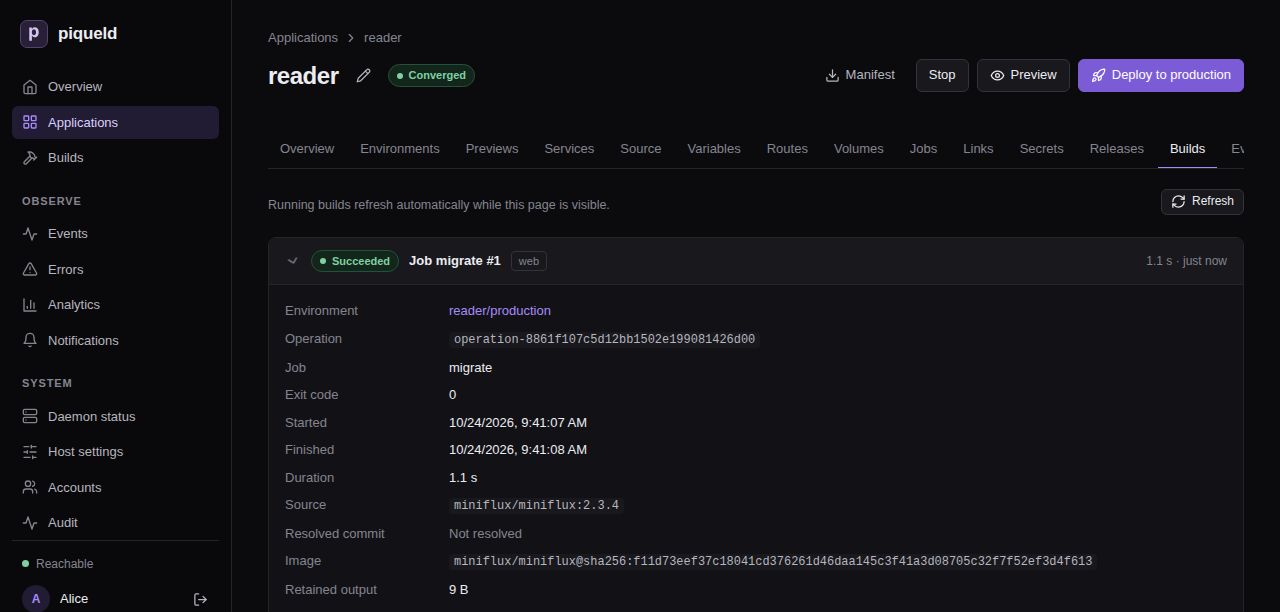
piquelctl builds list lists the latest runs and builds, newest first:
$ piquelctl builds list
1 env-01a16da791427563adb574452b389f93 job migrate (web) Succeeded 1792841094238
The first column is the run’s ID. Read its output:
$ piquelctl builds logs 1
level=INFO msg="Running database migrations" current_version=0 latest_version=135
Troubleshooting
- The deployment fails with
job_failed. Read the job’s output on the Builds tab, or withpiquelctl builds logs. Its last line says how the container ended, such aspiqueld: task: non-zero exit (1). - The deployment fails with
job_timeout. The job ran longer than itstimeout_seconds. Raise it, or find out what the job waits for. - Validation fails with
job_setting_conflict. The job sets a variable, or mounts a secret at a path, that its service already uses. Rename one of them. - Validation fails with
job_dependency_order_invalid. A job’s service depends, directly or through others, on a service whose job comes after it. Move that job before it. - Validation fails with
job_volume_access_invalid. An exclusive job’s service mounts no writable volume, or one of the job’s startup dependencies mounts the same volume. - The job can’t reach a service. On the first deployment, only the job’s
startup dependencies run when it starts. Add the services it needs to its
service’s
depends_on. - The job behaves differently from its service. The job’s command replaces
the image’s entrypoint, so a setup script the entrypoint runs, such as one
reading
_FILEvariables, doesn’t run for the job. - The job can’t reach another application. A job can’t use a link on the deployment that adds it. Deploy the import first.
Manifest settings lists every job setting, and the manifest reference describes how jobs run.
Connecting applications
Let the services of one application reach a service of another application over a private network, without a public route. Both applications have to agree: one exports the service, the other imports it.
Before you start
- You have an application whose services need to reach another one’s, such
as
notes, from Configuring services. This page createsauth, whose serviceapithe services ofnotesreach. Here,apirunstraefik/whoami, a small web server that replies with a description of each request it receives. - Run the commands on this page on the host, or on any machine where
piquelctlis signed in. - Creating
authneeds theapps:createpermission. Editing each side needsapps:writeon its application, and deploying itapps:deploy. Importing needs no permission on the exporting application: its export is its consent. Creating the previews ofnotes, as in Previews, needspreviews:deployon it, and checking the connection fromnotes, as in Check that it works,apps:exec.
Set it up
auth exports api to notes, then notes imports it, and you deploy each
application. You can deploy the two sides in either order: the link connects
once both have deployed it.
In the dashboard
-
Create
auth, with a serviceapithat runstraefik/whoamiand has an HTTP health check on port 80 and path/health, as in deploying your first application. -
On the Links tab of
auth, under Exports, select Add export, pick the Service, and enter the Applications, separated by commas. Select Add export in the dialog, then Deploy to production.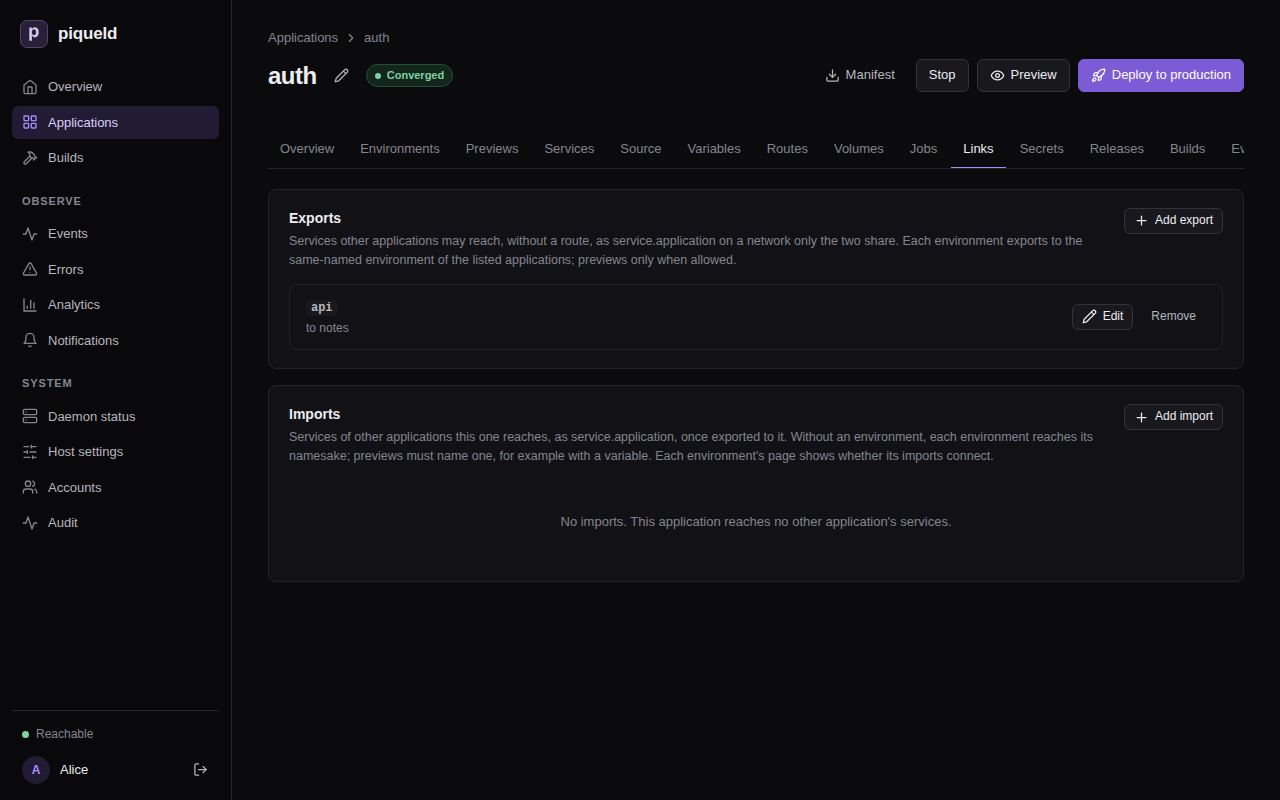
-
On the Links tab of
notes, under Imports, select Add import, and enter the Application and the Service. Leave Environment empty. Select Add import in the dialog, then Deploy to production.
With piquelctl
Create auth with its api service, as in
deploying your first application.
Then export and import the service, and deploy each application:
piquelctl app export set auth api --applications notes
piquelctl app import add notes auth api
piquelctl --timeout 5m app deploy auth
piquelctl --timeout 5m app deploy notes
--applications takes a comma-separated list.
In the manifest
-
In
auth, exportapitonotes. Save this manifest asauth.toml:api_version = "piqueld.dev/v1alpha1" kind = "Application" [metadata] name = "auth" [[spec.services]] name = "api" [spec.services.source] type = "image" image = "traefik/whoami" [spec.services.healthcheck] type = "http" port = 80 path = "/health" [[spec.exports]] service = "api" applications = ["notes"][[spec.exports]]names the service, and the applications that may import it. -
Deploy it:
piquelctl --timeout 5m app apply --file auth.toml --deploy -
In
notes, importapi. Add at the end ofnotes.toml:[[spec.imports]] application = "auth" service = "api" -
Deploy it:
piquelctl --timeout 5m app apply --file notes.toml --deploy
Reach the service
The services of notes now reach api as api.auth, on any port it listens
on, such as http://api.auth. Imported services are always named
<service>.<application>.
Check that it works
In the dashboard, the environment’s Overview has a Links card, which lists each import with its state.
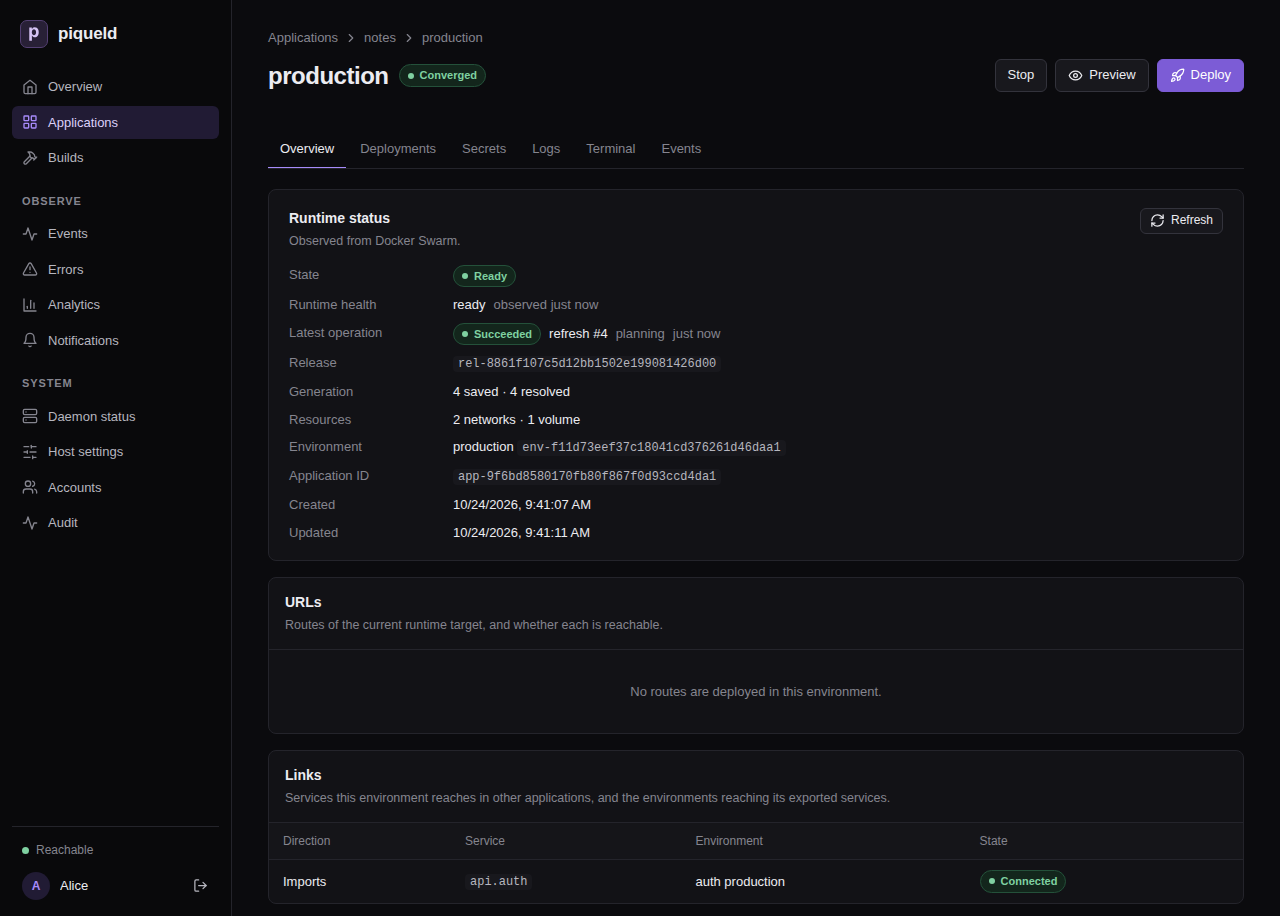
With piquelctl:
$ piquelctl env show notes
production of notes (env-01a16d95420677219cf7b65149b4f7e8)
...
Import: api.auth from auth production: connected
The exporting side lists who imports its services, among the applications you may read:
$ piquelctl env show auth
...
Imported by: notes production: api
To try the connection, run a command in a service of notes:
$ piquelctl app exec notes web -- wget -qO- http://api.auth
Hostname: f09d400b7004
IP: 127.0.0.1
...
GET / HTTP/1.1
Host: api.auth
User-Agent: Wget
...
Choose which environment an import reaches
An import reaches the environment of the same name in the exporting
application: notes production reaches auth production. If notes also
had a staging environment, it would reach auth staging, and wait while
auth has none:
$ piquelctl env show notes staging
...
Import: api.auth from auth staging: waiting: not exported to this environment
To reach another environment, name it in the import: enter it under
Environment in the dashboard, add --environment production to
piquelctl app import add, or set environment in the manifest:
[[spec.imports]]
application = "auth"
service = "api"
+environment = "production"
environment can come from a variable,
so each environment
chooses its own.
An export grants every environment of the applications it lists, including
ones created later. Each environment of the exporting application exports what
it deploys: auth staging and auth production can export different
services.
Previews
An application whose manifest is in a Git repository can have
previews. A preview can import a service too, if the export
allows previews: check the export’s Previews too in the dashboard, add
--previews to piquelctl app export set, or set previews in the
manifest:
[[spec.exports]]
service = "api"
applications = ["notes"]
+previews = true
Previews themselves never export.
A preview may then reach api in any environment of auth, production
included. Its name is its slug, such as notes-feat-login-3fa2c1, which no
environment of auth has, so name the environment previews reach, with a
variable. Name it in the import:
[[spec.imports]]
application = "auth"
service = "api"
+environment = "${{ vars.auth_env }}"
Then add auth_env to your existing [spec.variables], and give previews
their own value:
[spec.variables]
auth_env = "${{ env.name }}"
[spec.previews.variables]
auth_env = "staging"
Environments reach the auth environment of their own name, and previews reach
auth staging.
What a link reaches
- Each link has its own network, which only the importing environment’s
services and the imported service join.
notescan’t reachauth’s other services, and two applications that import fromauthcan’t reach each other. - Every port the exported service listens on is reachable. Export services that only listen where importers should connect.
- The exported service can also reach the services of the importing environment on the link’s network, but only by address: they have no name there.
How a link changes
A link follows what both sides deploy, never what’s only saved. It goes away once either side deploys without it, or is deleted. The other side adjusts within seconds, without a deployment.
Each time a link connects or goes away, piqueld rolls out the imported service
and the importing services again, as for any change of network. Deployments
never wait for a link: until it connects, api.auth doesn’t resolve, so make
your services retry.
Renaming the exporting application changes the name its services answer to:
api.auth becomes api.<new name> once piqueld plans the link again. Update
the services of notes that use api.auth.
Troubleshooting
- The import is
waiting: not exported to this environment. No deployed environment of that name exports the service to this application. Check that the export lists the importing application, that the exporting side deployed it, and that the import reaches the right environment. A preview also needspreviews = true. - The import is
waiting: the exporter links to too many environments. An exporting environment links to at most 64 importing environments, the ones created first. An older environment that starts importing takes the link of the newest. - The name doesn’t resolve right after the link connects. piqueld then
rolls out
apionto the link’s network; wait until that ends. - A job can’t reach an import. A job can’t use a link on the deployment that adds it. Deploy the import first, then add the job.
- Validation fails with
export_service_missing. The export names a service that the application doesn’t have. - Validation fails with
export_duplicateorimport_duplicate. A service is exported twice, an application is listed twice in one export, or a service is imported twice. - Validation fails with
export_applications_empty. The export lists no application. Name at least one. - Validation fails with
link_count_excessive. An application declares more than 64 exports or imports, or an export lists more than 64 applications.
The manifest reference describes links in full, manifest settings lists their settings, and permissions who may set them up.
Running commands in a container
Run a one-off command in a running container of a service, such as a database
console or an administration task, from the dashboard or with piquelctl.
Before you start
- Your account needs the
apps:execpermission on the application. A command reaches everything its container can, including secret values, so grant it only to people you trust with those. - The service has a running replica.
- Run the commands on this page on the host, or on any machine where
piquelctlis signed in. You don’t need SSH access to the host. - The examples use
notes, from Configuring services.
Run a command
The command runs in one running replica of the service, as the container’s user, with its environment variables, secrets, volumes and network.
In the dashboard
- Open the environment, such as production on the
notesapplication’s Environments tab, then its Terminal tab. - Choose
dbas the Service, and fill in Command withpsql -U notes. It is/bin/shunless you change it. - Select Run.
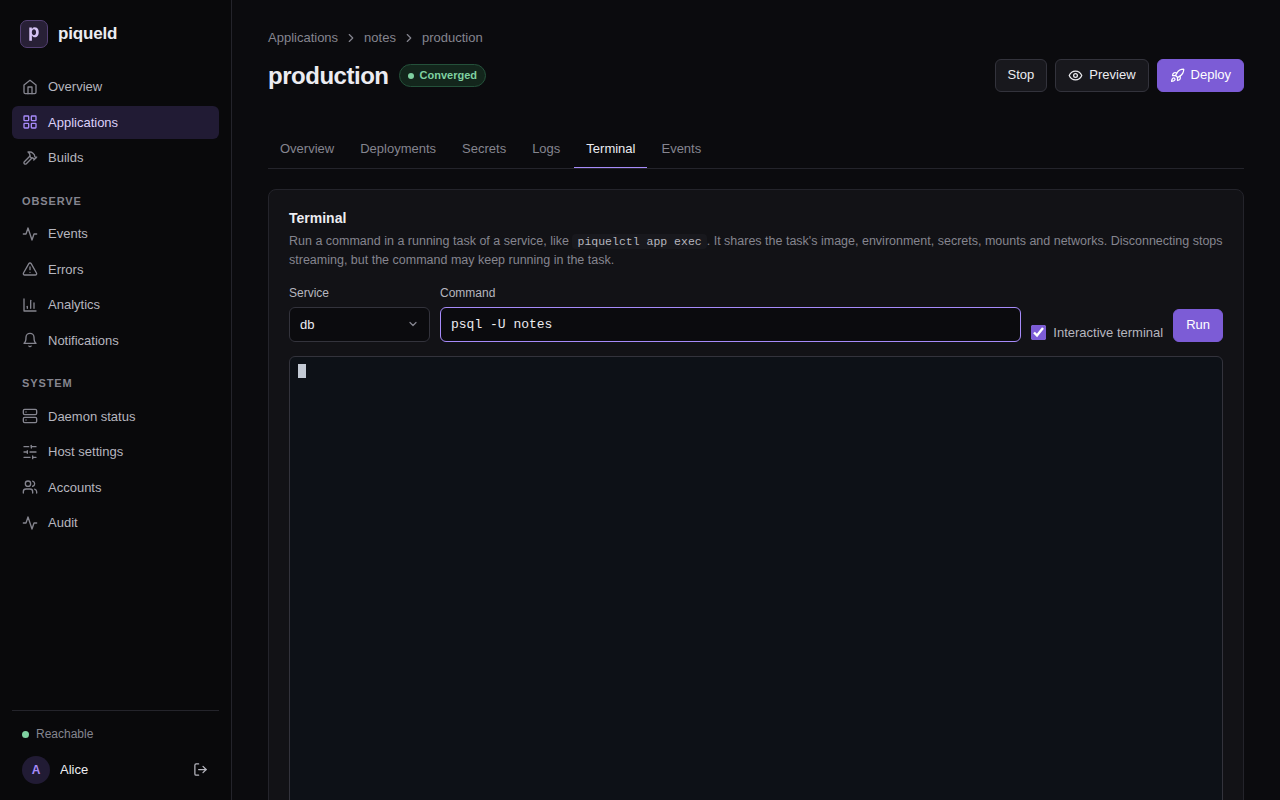
The command gets a terminal the size of the tab, so you can type, paste and use Ctrl-C. Uncheck Interactive terminal to run it without input instead. Once it ends, the tab shows its exit code.
The command line is split into arguments as a shell would, but no shell runs
it: to use pipes or variables, run one, such as sh -c 'ls | wc -l'.
Switching to another tab keeps the session. Disconnect, running another command, or leaving the page closes it.
With piquelctl
$ piquelctl app exec notes db -- psql -U notes -c "SELECT pg_size_pretty(pg_database_size('notes'))"
pg_size_pretty
----------------
7614 kB
(1 row)
Everything after -- is the program to run and its arguments. piquelctl
prints the command’s output as it comes, and exits with the command’s exit
code.
It runs without a shell. To use pipes or variables, run one:
piquelctl app exec notes db -- sh -c 'ls /var/lib/postgresql/data | wc -l'
When the application has several environments, name one with --env:
piquelctl app exec notes db --env staging -- psql -U notes -c 'SELECT version()'
Send input to the command
-i sends what you pipe to piquelctl to the command, such as a database
dump to restore:
piquelctl app exec notes db -i -- psql -q -X -v ON_ERROR_STOP=1 --single-transaction -U notes -f - notes < notes.sql
ON_ERROR_STOP and --single-transaction make psql stop at the first
error and keep nothing of the dump, instead of restoring part of it.
For an interactive program, such as a console or a shell, add -t too. It
gives the command a terminal, so you can type and use Ctrl-C:
piquelctl app exec notes db -it -- psql -U notes
piquelctl app exec notes web -it -- sh
-t needs piquelctl to run in a terminal itself, not in a script.
Run a command in a preview
In the dashboard, open the preview from the application’s Previews tab, and use its Terminal tab.
With piquelctl, preview exec runs a command in a preview. Name the
preview by its branch, its slug or its ID, and add --slot for a preview with
a slot. If notes read its manifest from Git and had a preview of branch
feat/login:
piquelctl preview exec notes feat/login web -it -- sh
What’s recorded
The environment’s history records each command, without the command line
itself, which may hold secrets: who started it, in which replica, and its exit
code. Open the environment’s Events tab in the dashboard to see them. To
see only commands, choose command started or command finished under
Event kind:
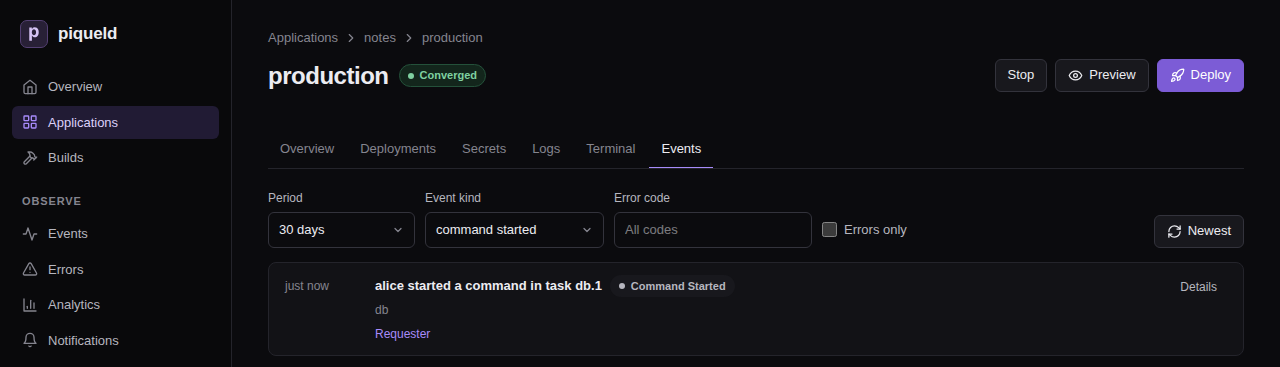
The audit trail also records the request.
If the connection drops
If piquelctl stops before the command ends, for example when you close its
terminal or lose the connection, the command keeps running in the container
until it ends on its own. So does a command you disconnect from in the
dashboard. The history then records that the command’s stream
failed, instead of its exit code.
To stop such a command, stop its process in the replica it runs in, which the
history names, such as db.1. A new command runs in one of the service’s
running replicas, not one you choose. So with several replicas, check with
ps that a new command reached the process before you kill it. On the
host, you can also find that replica’s container with docker ps, and run
kill in it with docker exec.
--timeout only limits how long piquelctl takes to start the command, not
how long the command runs.
If your access to the application is revoked while a command runs, the session ends, but the command may keep running.
Troubleshooting
service_not_running, or “Service has no running task” in the dashboard. The service has no running replica in that environment. Deploy it, or check its health.environment required. The application has several environments. Name one with--env.--tty requires standard input to be a terminal.-tonly works when you runpiquelctlin a terminal. In a script, use-i, or neither.executable file not found in $PATH. The image doesn’t have that program. Minimal images often have no shell at all, soshdoesn’t work there.permission_denied. Your account or token lacksapps:execon the application.not_found. Your account or token can’t read the application at all, or there is no application of that name.
Running commands describes how
app exec and preview exec work, and
piquelctl app exec lists
their options.
Building images from Git
A service can build its image from a Git repository with a Dockerfile, instead of pulling one from a registry. Each time you deploy, piqueld checks the repository out and builds the image on the host.
Before you start
- You have an account, and
piquelctlis signed in. Run the commands on this page on the host, or on any machine wherepiquelctlis signed in, unless a section says otherwise. On another machine, keepPIQUELD_URLset, as when you signed it in. - Creating an application needs
apps:create. Changing it needsapps:writeon it, and deploying it needsapps:deploy. Reading its build output needslogs:read; see permissions. - The host can reach the repository. Public repositories work as they are; private ones need an SSH key.
- The host’s
dockercommand has the Buildx plugin, which builds the images. - You trust the repository. Its Dockerfile’s instructions run on the host’s Docker engine.
Build a service from a repository
This example builds
docker/welcome-to-docker,
Docker’s sample web page, whose repository has a Dockerfile at its root, as
the application welcome. Its service, web, builds branch main, and is
healthy once it answers on /, on port 3000.
In the dashboard
-
Create the application
welcome, and add a service namedwebto it, as in deploying your first application. Its image doesn’t matter: the next step replaces it. -
Open
webon the application’s Services tab. On its Source & scaling tab, set Source to Git repository with Dockerfile. -
Fill in Repository with
https://github.com/docker/welcome-to-docker.git, Branch withmain, and Dockerfile path withDockerfile, then select Save changes. Commit (optional) pins a commit.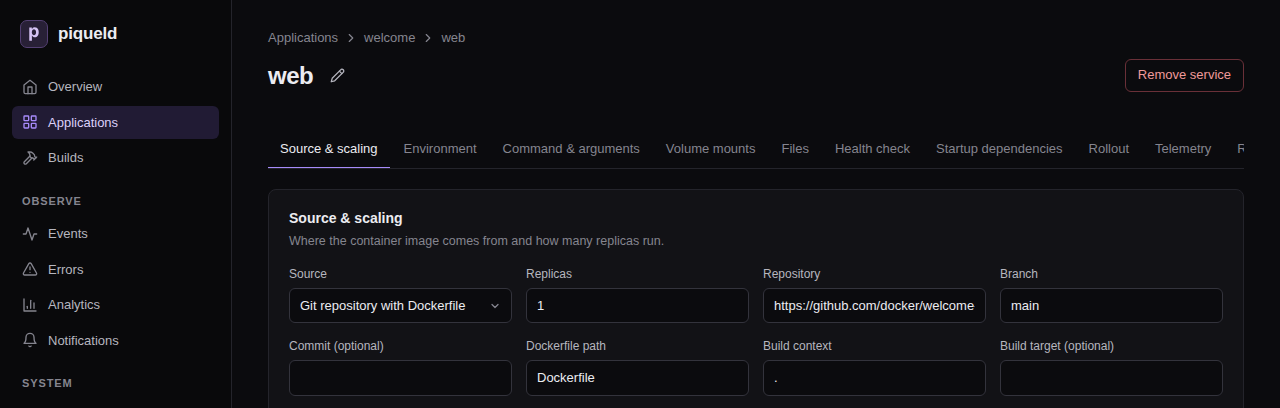
-
On its Health check tab, set Check type to HTTP, Port to
3000and Path to/, then select Save changes. -
On the application’s page, select Deploy to production.
With piquelctl
piquelctl app create welcome
piquelctl app service add welcome web --git https://github.com/docker/welcome-to-docker.git --branch main
piquelctl app service health http welcome web 3000 --path /
piquelctl --timeout 10m app deploy welcome
--timeout 10m gives the build time to finish. By default, piquelctl
waits 30 seconds.
To switch a service you already have to Git:
piquelctl app service source git welcome web https://github.com/docker/welcome-to-docker.git --branch main
source git replaces the whole source. Any option you leave out goes back to
its default: branch main, Dockerfile Dockerfile, context ., and no
build arguments or target. To change one setting, use its own command, such
as source branch, source dockerfile, or source context for a repository
whose Dockerfile isn’t at its root:
piquelctl app service source branch welcome web main
piquelctl app service source dockerfile <app> <service> build/Dockerfile
piquelctl app service source context <app> <service> build
These commands only save the change. Deploy it with
piquelctl --timeout 10m app deploy welcome, or add --deploy to the command.
From a manifest
-
Save this manifest as
welcome.toml:api_version = "piqueld.dev/v1alpha1" kind = "Application" [metadata] name = "welcome" [[spec.services]] name = "web" [spec.services.source] type = "git" [spec.services.source.repository] url = "https://github.com/docker/welcome-to-docker.git" branch = "main" [spec.services.source.build] type = "docker" dockerfile = "Dockerfile" [spec.services.healthcheck] type = "http" port = 3000 path = "/"repositorynames the repository and the branch to build.buildnames the Dockerfile, relative to the root of the repository. The build context is the root too, unless you setcontext.
-
Save the manifest and deploy it:
piquelctl --timeout 10m app apply --file welcome.toml --deploy
Manifest settings lists every setting of a source.
How it builds
Each deployment builds the latest commit of the branch. Docker reuses the steps that didn’t change, so later builds are faster. It pulls base images every time, so they stay up to date. If the checkout or the build fails, the deployment fails and the application keeps running what it ran before.
To build one exact commit instead, pin its full hash: fill in Commit (optional) in the dashboard, or run:
piquelctl app service source commit welcome web 68c1b9f87c41fb3fef2667e27149865c2f42d1eb
In the manifest, it is commit in repository:
[spec.services.source.repository]
url = "https://github.com/docker/welcome-to-docker.git"
branch = "main"
commit = "68c1b9f87c41fb3fef2667e27149865c2f42d1eb"
To follow the branch again, empty Commit (optional), run
piquelctl app service source commit welcome web --clear, or remove commit.
Pass build arguments and choose a stage
A Dockerfile can read build arguments with ARG, and a multi-stage one can
build a stage other than the last. For a Dockerfile with an ARG VERSION and
a runtime stage:
-
In the dashboard, on the service’s Source & scaling tab, select Add build argument under Build arguments (not secret), and fill in Build target (optional).
-
With
piquelctl, pass them tosource git, which replaces the whole source:piquelctl app service source git <app> <service> <url> \ --branch main --build-arg VERSION=1.10 --target runtime -
In the manifest, add
argsandtargettobuild:[spec.services.source.build] type = "docker" dockerfile = "Dockerfile" args = { VERSION = "1.10" } target = "runtime"
Build arguments aren’t secret. Docker stores them in the image, and piqueld shows them in the manifest and the build history. Give secrets to the running service instead.
The build settings accept variables.
The repository settings don’t: a variable there fails validation with
variable_not_allowed. An image built from a value that differs between
environments can’t be promoted from one to the other. See
keeping builds the same everywhere.
Build from a private repository
piqueld reaches private repositories over SSH, with a key belonging to the
daemon’s user, piqueld. Run these commands on the host. They use
/var/lib/piqueld, the user’s home directory when piqueld is
installed as described.
-
Create a key without a passphrase:
sudo -u piqueld mkdir -p -m 700 /var/lib/piqueld/.ssh sudo -u piqueld ssh-keygen -t ed25519 -N '' -C piqueld -f /var/lib/piqueld/.ssh/id_ed25519Git runs without a terminal, so it can’t ask for a passphrase.
-
Give the key read access to the repository. On GitHub, open the repository’s Settings, then Deploy keys, and add the contents of
/var/lib/piqueld/.ssh/id_ed25519.pub, without write access.GitHub accepts a deploy key on one repository only. To read several, add the key to a GitHub account that can read them all instead.
-
Connect once, so that SSH records the server’s host key:
sudo -u piqueld ssh -T [email protected]Check that the fingerprint SSH shows matches the server’s published one, such as GitHub’s, and answer
yes. Git can’t answer that question later. -
Use the repository’s SSH URL, such as
[email protected]:example/notes.git, as the service’s repository: in Repository in the dashboard, withpiquelctl app service source url, or asurlin the manifest’srepository.
Git uses the daemon user’s ~/.ssh and ~/.gitconfig, but not the host’s
/etc/gitconfig. piqueld refuses credentials written in a URL, such as
https://[email protected]/….
Build from the manifest’s own repository
When piqueld reads an application’s manifest from Git, as described in
deploying on push, its services can build from that same
repository. In the dashboard, set the service’s Source to Manifest
repository with Dockerfile. With piquelctl, pass self instead of the
repository’s URL:
piquelctl app service source git blog web self
piquelctl app service add blog worker --git self adds a service that builds
from it. In the manifest:
[spec.services.source]
type = "git"
repository = "self"
[spec.services.source.build]
type = "docker"
dockerfile = "Dockerfile"
The service builds the commit the manifest was read from, so a deployment’s manifest and images always come from one commit. It has no branch or commit of its own. Each environment builds the branch it follows.
Check that it works
piqueld records every build, whether it succeeds or fails. In the dashboard, Builds in the sidebar lists the builds of every application, and an application’s Builds tab lists its own. Select a build to see the commit it built, the image it produced, and its output.
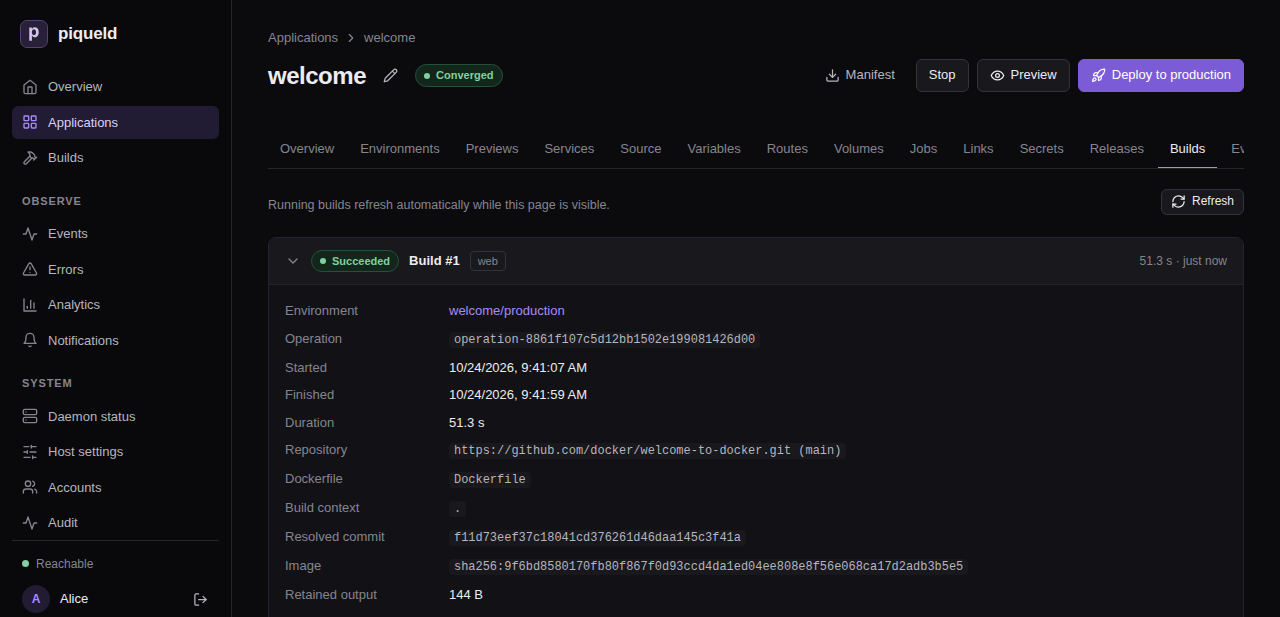
With piquelctl, app show lists each service’s source:
$ piquelctl app show welcome
welcome (app-01a16d91fb2c7b93bfe138a7d95dc56f)
Configuration revision: 1
Environment: production (env-01a16d91fb2c7b93bfe138a7d95dc560): ready, deploys from saved
Service: web
Replicas: 1
Source: git https://github.com/docker/welcome-to-docker.git (main)
List the application’s builds by its ID, which app show prints:
$ piquelctl builds list --application app-01a16d91fb2c7b93bfe138a7d95dc56f
1 env-01a16d91fb2c7b93bfe138a7d95dc560 web Succeeded 1792839646134
Each line is a build: its number, the environment’s ID, the service, its state, and when it started, in Unix milliseconds. Read a build’s output by its number:
piquelctl builds logs 1
It prints the latest output. When there is more, its last line,
Info: Load older output with --before <offset>, gives the option that
prints the earlier part.
Troubleshooting
- The deployment fails with
git_build_failed. The checkout or the build failed. Its output ends with the error: open the build on the Builds page, or runpiquelctl builds logs. Fix the repository or the source’s settings, then deploy again.piquelctlsuggestsenv reconcile, which retries the same deployment: it only helps when the cause was temporary, such as the network. - The deployment fails with
preparation_timeout. A deployment hasreconciliation.prepare_timeout_seconds, 300 seconds by default, to check out and build its services. The host builds one image at a time, and the time spent waiting for other builds counts too. Raisereconciliation.prepare_timeout_secondsin the daemon’s configuration. piquelctltimes out, but the build goes on. The command stopped waiting, not the deployment, and exited with code 4. Follow the deployment on the Builds page or withpiquelctl --timeout 10m env wait welcome, or givepiquelctla longer--timeout.- The build output says
Permission denied (publickey)orHost key verification failed. The daemon’s user has no key the server accepts, or doesn’t know the server’s host key yet. Follow building from a private repository. - Validation fails with
git_credentials_inline. The repository URL is an HTTP or HTTPS URL with a user name or token in it, or has a password. Use an SSH URL, such as[email protected]:example/notes.git, and a key instead. - A Git setting of the host doesn’t apply, such as a rule rewriting
GitHub URLs to SSH. Git ignores
/etc/gitconfig: add the setting to the daemon user’s~/.gitconfig. - A large repository fails to check out. Checkouts must fit in
checkouts.max_bytes, 4 GiB by default, and hold at most 500,000 files and directories. piqueld doesn’t fetch Git submodules or Git LFS files. - The build output stops before the end. piqueld keeps the first 4 MiB of
each build’s output for 30 days.
build_history.log_max_bytesandbuild_history.log_retention_daysin the daemon’s configuration change that.
Deploying on push
Keep an application’s manifest in its Git repository, next to its code. piqueld then reads the manifest from there each time it deploys, and can deploy every push to a branch.
Before you start
- You have an account, and
piquelctlis signed in. Run the commands on this page on the host, or on any machine wherepiquelctlis signed in. On another machine, keepPIQUELD_URLset, as when you signed it in. - The host can read the repository. For a private one, give the daemon’s user an SSH key.
- Creating the application needs
apps:create. Connecting it, and generating its webhook secret, needapps:writeon it. Deploying it, and turning on deploying on push, needapps:deploytoo; see permissions. - To deploy on push with a GitHub webhook, GitHub must reach the daemon. It needs HTTP ingress with a webhook hostname whose DNS is public, and you need to be able to change the GitHub repository’s settings.
Keep the manifest in the repository
This example deploys a static website. Its repository holds an index.html
page and, at its root, a Dockerfile that serves it on port 80:
FROM nginx:alpine
COPY index.html /usr/share/nginx/html/
Commit the application’s manifest next to them, for example as
infra/piqueld.toml, and push it to main:
api_version = "piqueld.dev/v1alpha1"
kind = "Application"
[metadata]
name = "blog"
[[spec.services]]
name = "web"
[spec.services.source]
type = "git"
repository = "self"
[spec.services.source.build]
type = "docker"
dockerfile = "Dockerfile"
[spec.services.healthcheck]
type = "http"
port = 80
path = "/"
With repository = "self", web builds the repository’s own Dockerfile, at
the commit the manifest was read from. See
building from the manifest’s own repository.
Connect the application to the repository
Create the application, empty, then connect it to the manifest and deploy it.
Until that first deployment, the application has no services, and its
production environment is not deployed: the deployment is what reads the
manifest. To connect an application you already run, skip creating it.
Warning: when you connect an application you already run, its environments without a branch of their own start following the branch you give, so their next deployment deploys that branch instead of the saved manifest. Environments with a branch, such as one set with
piquelctl env branch, keep it. Previews and promoted environments are unchanged.
In the dashboard
-
Open Applications, select New application, fill in Application name with
blog, and select Create application. The application opens, without services. -
On its Source tab, check Load configuration from Git on deploy. Fill in Repository with your repository’s URL, Branch with
main, and Manifest path withinfra/piqueld.toml, then select Save changes.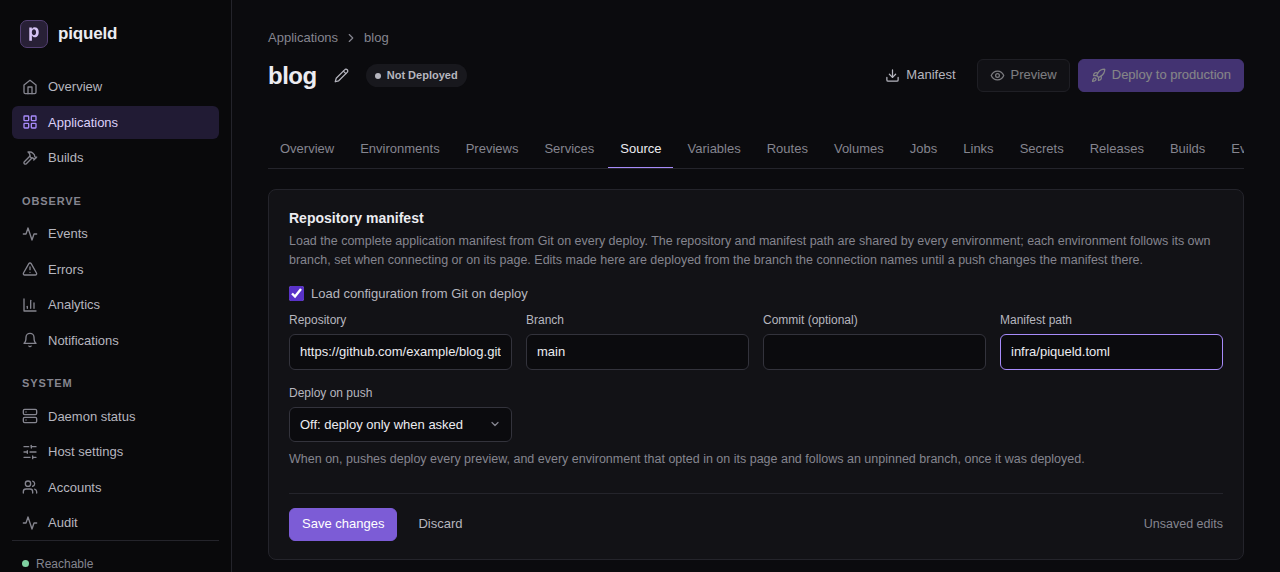
-
Select Deploy to production, at the top of the page.
With piquelctl
piquelctl app create blog
piquelctl app repository connect blog https://github.com/example/blog.git infra/piqueld.toml --branch main
piquelctl --timeout 10m app deploy blog
Use your repository’s URL instead of https://github.com/example/blog.git.
--branch is main by default.
The deployment reads infra/piqueld.toml from the latest commit of main,
builds web from that commit, and runs it:
$ piquelctl app show blog
blog (app-01a16d9202157fe18b0580467224f247)
Configuration revision: 3
Sync: off
Environment: production (env-01a16d9202157fe18b0580467224f248): ready, deploys from main
Service: web
Replicas: 1
Source: git self (manifest repository)
The application is now repository-backed: every deployment reads the file
again. The metadata.name in infra/piqueld.toml must stay blog.
The repository and the path belong to the application, and the branch to each environment. To deploy another branch to a staging environment, see environments.
To stop reading the manifest from Git, uncheck Load configuration from Git
on deploy on the Source tab and select Save changes, or run
piquelctl app repository disconnect blog. The application keeps its current
manifest. Its services with repository = "self" build from the repository’s
URL and branch instead.
Edit a repository-backed application
You can still edit the application. For example, to run two replicas of
web, set Replicas to 2 on the service’s Source & scaling tab and
select Save changes, or run:
piquelctl app service replicas blog web 2
A notice at the top of each of the application’s settings tabs, such as
Services and Variables, then lists how the application differs from
the repository. So does piquelctl app show:
Edited since read from the repository (reset with `app repository reset`):
~ services.web.replicas 1 → 2
Deployments of main deploy your edits, until a push changes
infra/piqueld.toml. That deployment deploys the file, which replaces your
edits. Previews, and environments that follow other branches, always deploy
the file of their own branch.
To discard your edits and save the repository’s manifest again, select Reset to repository on that notice, or run:
piquelctl app repository reset blog
Add --deploy to also deploy it.
Deploy another branch or commit once
To try another branch or commit in an environment without changing the
branch it follows, deploy it once. In the dashboard, select Deploy
revision on the environment’s page. Choose The head of a branch and
fill in Branch name, or A commit and its full Commit hash, then
select Deploy. With piquelctl:
piquelctl env deploy blog production --branch feat/login
piquelctl env deploy blog production --commit <full-commit-hash>
The deployment reads the manifest and builds from that branch or commit. Nothing is saved: the environment’s next deployment, or the next push to its branch when it deploys on push, returns to its own branch.
Deploy every push
Deploying on push is off by default. Turn it on for the application, then opt in each environment that should follow its branch. Every preview follows its branch as soon as it is on.
piqueld learns about pushes by polling: it checks the repository on an interval, between 60 and 86,400 seconds, and every 300 seconds by default. Polling works with any Git server. With GitHub, a webhook can report each push instead.
In the dashboard
-
On the application’s Source tab, set Deploy on push to Poll: check the branches on an interval, fill in Poll interval (seconds) with
120, and select Save changes. -
Open the environment, such as production on the Environments tab. On its Overview, select Deploy on push on its Source card.
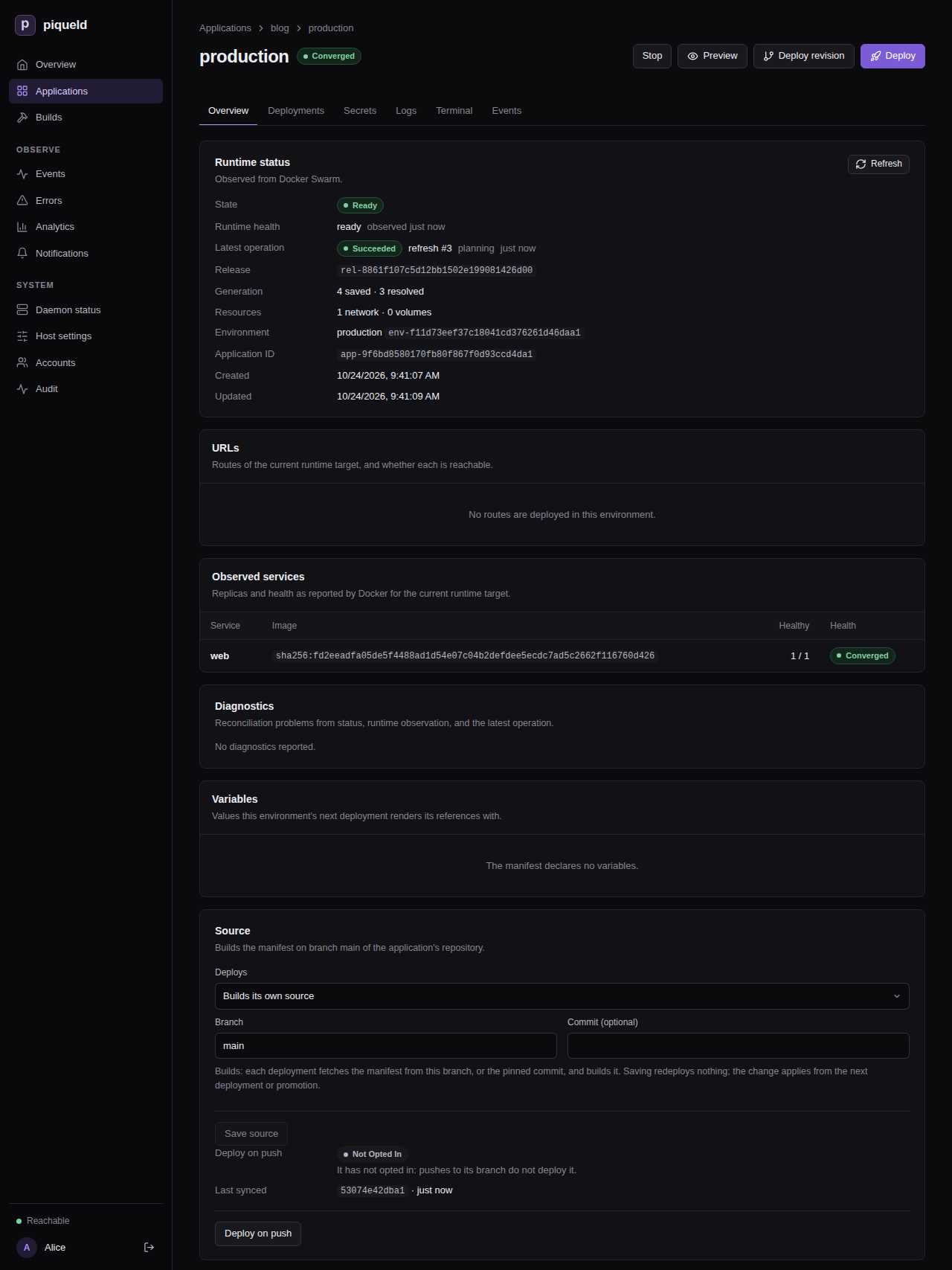
Stop deploying on push opts it out again.
With piquelctl
-
Turn polling on, every two minutes:
piquelctl app repository sync blog poll --interval 120 -
Opt the environment in:
$ piquelctl env sync blog production on Environment production (env-01a16d9202157fe18b0580467224f248), deploys from branch main, opted into sync.
app repository connect takes the same --sync and --interval options, to
connect the application and turn it on at once.
In the manifest
An environment the manifest
declares opts in with
sync = true in its block. Turning deploying on push on for the application
stays in the dashboard or piquelctl: it is part of the connection to the
repository, which piqueld never reads from the repository’s file.
How it deploys
Once on, each environment that opted in deploys its branch’s latest commit whenever the branch moves past the commit it last deployed. An environment pinned to a commit doesn’t follow pushes. It starts following after its first deployment. A push during a deployment waits for it to finish, then the latest commit deploys, so commits pushed in between, or between two polls, don’t deploy on their own. A deployment that fails is not retried until the next push. A stopped environment doesn’t follow pushes: once started, it deploys the latest commit it missed. When the daemon starts, it checks the repository once, in case it missed pushes while it was stopped.
Deploy on push with a GitHub webhook
With a webhook, GitHub tells piqueld about each push, so pushes deploy within seconds. piqueld then lists the repository’s branches itself: a delivery can’t choose what deploys.
Switch the application to webhooks, and generate the webhook’s secret, in the
dashboard or with piquelctl. Then add the webhook in GitHub.
In the dashboard
-
On the application’s Source tab, set Deploy on push to Webhook: when GitHub reports a push, and select Save changes. A GitHub webhook card then lists the settings for GitHub.
-
Opt the environment in on its Overview, if you haven’t yet, as in deploying every push.
-
On the GitHub webhook card, select Generate secret. The card shows the secret once, with a Copy button, until you select Done or leave the Source tab.
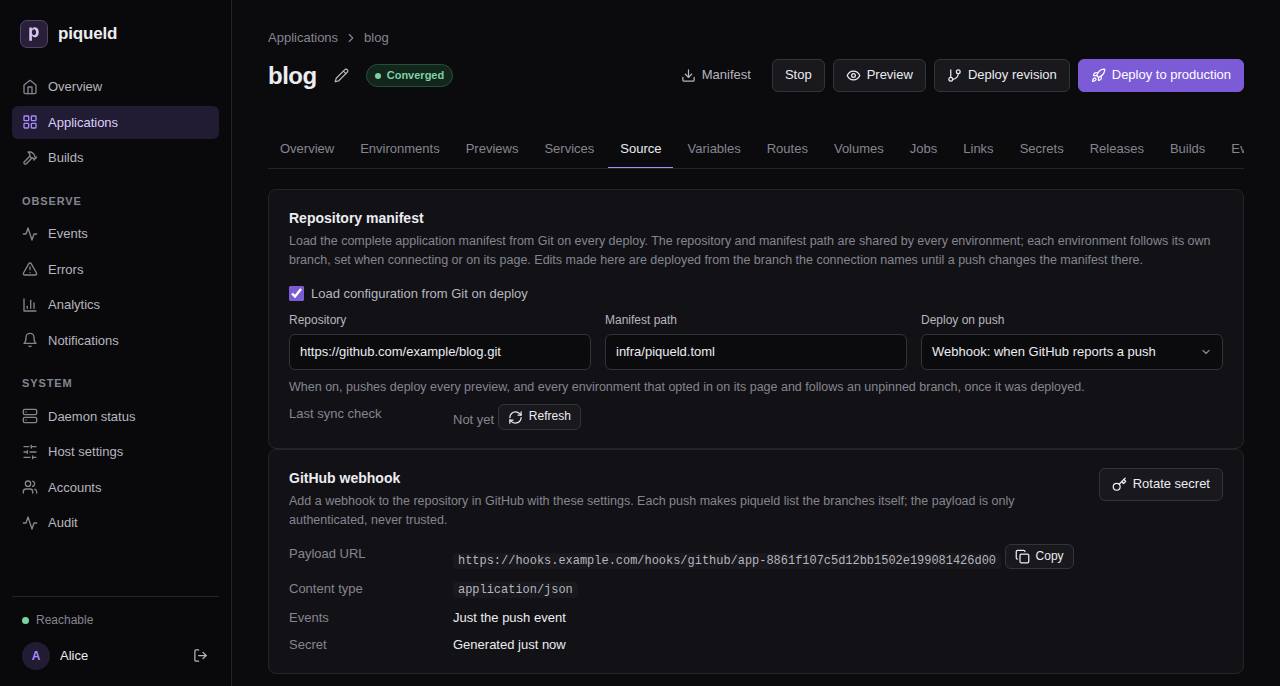
With piquelctl
-
Switch the application to webhooks:
piquelctl app repository sync blog webhook -
Opt the environment in, if you haven’t yet:
piquelctl env sync blog production on -
Generate the webhook’s secret:
$ piquelctl app repository webhook rotate blog Payload URL: https://hooks.example.com/hooks/github/app-01a16d9202157fe18b0580467224f247 Secret: 3f9c… Configure this secret in GitHub now; piqueld never shows it again.The command asks you to confirm first; in a script, add
--yes.
piquelctl app repository webhook show blog prints the same settings later,
without the secret. Without a payload URL, it says that the daemon must set
ingress.webhook_hostname.
In GitHub
Keep the secret at hand: piqueld can’t show it again. In GitHub, open the repository’s Settings, then Webhooks, and select Add webhook. Set:
- Payload URL to the payload URL piqueld shows;
- Content type to
application/json; - Secret to the secret you generated;
- the events to Just the push event.
Then select Add webhook.
Rotate the secret
Generating a new secret replaces the old one at once: GitHub’s deliveries fail
until you update the secret there too. In the dashboard, it is Rotate
secret on the GitHub webhook card, which asks you to confirm. With
piquelctl, run:
piquelctl app repository webhook rotate blog
It asks you to confirm every time; in a script, add --yes.
Check that it works
Push a commit to main, then open the environment. Its Source card says
following under Deploy on push, and Last synced is the commit its
last deployment found on main. Last sync check, on the application’s
Source tab, says when piqueld last listed the repository’s branches, or
why it couldn’t.
With piquelctl:
$ piquelctl env show blog production
production of blog (env-01a16d9202157fe18b0580467224f248)
Intent: ready
Runtime: ready (observed 2 s ago)
Source: main
Sync: following, last synced 44928efc5d3229a7b6a918182df49a32afc18a3e
Release: rel-01a16d9438b27093811074404283fef8
Configuration revision: 6
Resolved revision: 6
following means pushes deploy it, and last synced is the commit its last
deployment found on main. piquelctl app show blog also prints
Last sync check: succeeded, or the error of the last check.
Each deployment that follows a push records a branch_synced event, such as
branch main moved to 44928ef…, requested by sync:poll or sync:webhook.
They are on the application’s Events tab, and in piquelctl events.
With a webhook, GitHub’s Recent Deliveries, on the webhook’s settings,
shows each delivery and piqueld’s response: 204 when it was accepted.
Troubleshooting
-
A push deploys nothing. The environment’s Source card says why under Deploy on push, and so does the
Syncline ofpiquelctl env show:offwhen the application doesn’t deploy on push,off (not opted in)when the environment isn’t opted in,off (pinned)when it deploys a pinned commit,off (stopped)when it is stopped, andoff (waiting for a deployment)until its first deployment, or the first one after its branch or the repository’s URL changed. A deployment that failed waits for the next push: deploy by hand to retry it. -
Last sync checkreports an error. piqueld couldn’t list the repository’s branches. Git’s error is in the daemon’s log (journalctl -u piqueld). piqueld tries again after a minute, then waits longer each time, up to an hour. For a private repository, see building from a private repository. -
The deployment fails with
manifest_fetch_failed. piqueld couldn’t read the repository. Git’s error is in the daemon’s log (journalctl -u piqueld). For a private repository, see building from a private repository. -
GitHub’s deliveries get
401. The secret doesn’t match, or the payload URL names another application. Generate a new secret, and copy it and the payload URL into GitHub again. -
The deployment fails with
manifest_not_found. There is no file at the manifest’s path on that commit. Correct Manifest path on the Source tab, or runpiquelctl app repository path blog infra/piqueld.toml. -
A deployment warns about
manifest_connection_ignored. The file’s own[spec.manifest]names another repository or path. piqueld ignores it and keeps the application’s connection. Change the connection on the Source tab, or withpiquelctl app repository urlorpiquelctl app repository path. -
Your edits are gone. A push changed the manifest file, and its deployment replaced them. Make the change in the repository instead.
-
piquelctl app renamefails withrepository_managed. The name must match the repository’s manifest. Disconnect the application, rename it, and changemetadata.namein the repository. Then connect it again, with the deploy-on-push mode it had:piquelctl app repository connect <new-name> https://github.com/example/blog.git infra/piqueld.toml --sync pollFinally, reset each environment’s branch with
piquelctl env branch, and deploy each one.
Environments and promotion
An application can run several environments, such as staging and
production. Each has its own deployments, secrets, volumes and routes. This
page adds environments, gives each its own settings, and promotes what staging
runs to production without building it again.
Before you start
- You have an application, such as
hellofrom deploying your first application. If you deleted it at the end of that page, create it again. piquelctlis signed in. Run the commands on this page on the host, or on any machine wherepiquelctlis signed in. On another machine, keepPIQUELD_URLset, as when you signed it in.- For an environment to follow its own branch, or to deploy on push, the application reads its manifest from Git. See deploying on push.
- Adding environments needs
apps:writeon the application, deploying, promoting, stopping or starting themapps:deploy, and deleting themapps:delete. Creating the application in Set up staging and production needsapps:create; see permissions. - In that section, staging is private: it needs piqueld to serve private routes, and you test it from a device on your tailnet.
Add an environment
To add a staging environment to hello in the dashboard, open the
application’s Environments tab and select New environment. Fill in
Environment name, then select Create environment. The environment’s
page opens: select Deploy to deploy it. On the Environments tab, each
environment’s row also has its own Deploy button, and selecting the row
opens its page.
With piquelctl:
$ piquelctl env create hello staging
Environment staging (env-01a16d902a9e7fa2a37914ff1fd0a3d6), deploys from the saved manifest.
$ piquelctl --timeout 5m env deploy hello staging
In the manifest, declare it.
Both environments now run the application’s manifest:
$ piquelctl env list hello
NAME STATE SOURCE RESOLVED ID
production ready saved 2 env-01a16d8f99567681ada904f809903067
staging ready saved 2 env-01a16d902a9e7fa2a37914ff1fd0a3d6
env commands take the application, then the environment. Commands that act
on an application’s only environment, such as piquelctl app deploy hello,
now fail and list the environments to choose from.
When the application reads its manifest from Git, each environment follows
its own branch. In the dashboard, New environment then also asks for its
Branch. env create takes --branch, by default the branch the
connection names, and with it --commit pins one commit. env branch
changes the branch later, as does Branch on the Source card of the
environment’s Overview. The environment’s next deployment reads the new
branch:
piquelctl env create blog qa --branch develop
piquelctl env branch blog qa release
Declare environments in the manifest
A manifest can list the application’s environments, each in its own block:
[spec.environments.staging]
[spec.environments.production]
The manifest then decides which environments exist. Saving it, or deploying
it from the repository, creates the environments it declares that don’t
exist yet, without deploying them. piquelctl app plan lists them before you
save a manifest file.
A declared environment can’t be created, renamed or deleted with piquelctl env or the dashboard: change the manifest instead. Removing a block doesn’t
delete its environment, since it holds volumes and secrets. It keeps running,
and piquelctl app show lists it as no longer declared until you delete it
with piquelctl env delete.
A block also sets where its environment deploys from:
| Setting | Effect |
|---|---|
branch, commit | The branch it follows, or the commit it deploys |
sync | Whether pushes to its branch deploy it |
promote_from | The environment it receives releases from, instead of building |
visibility | private keeps all its routes on your tailnet |
variables | Its own values |
Manifest settings describes each one. When a block sets where its environment deploys from, the environment’s Source card in the dashboard says so, and can’t change it:
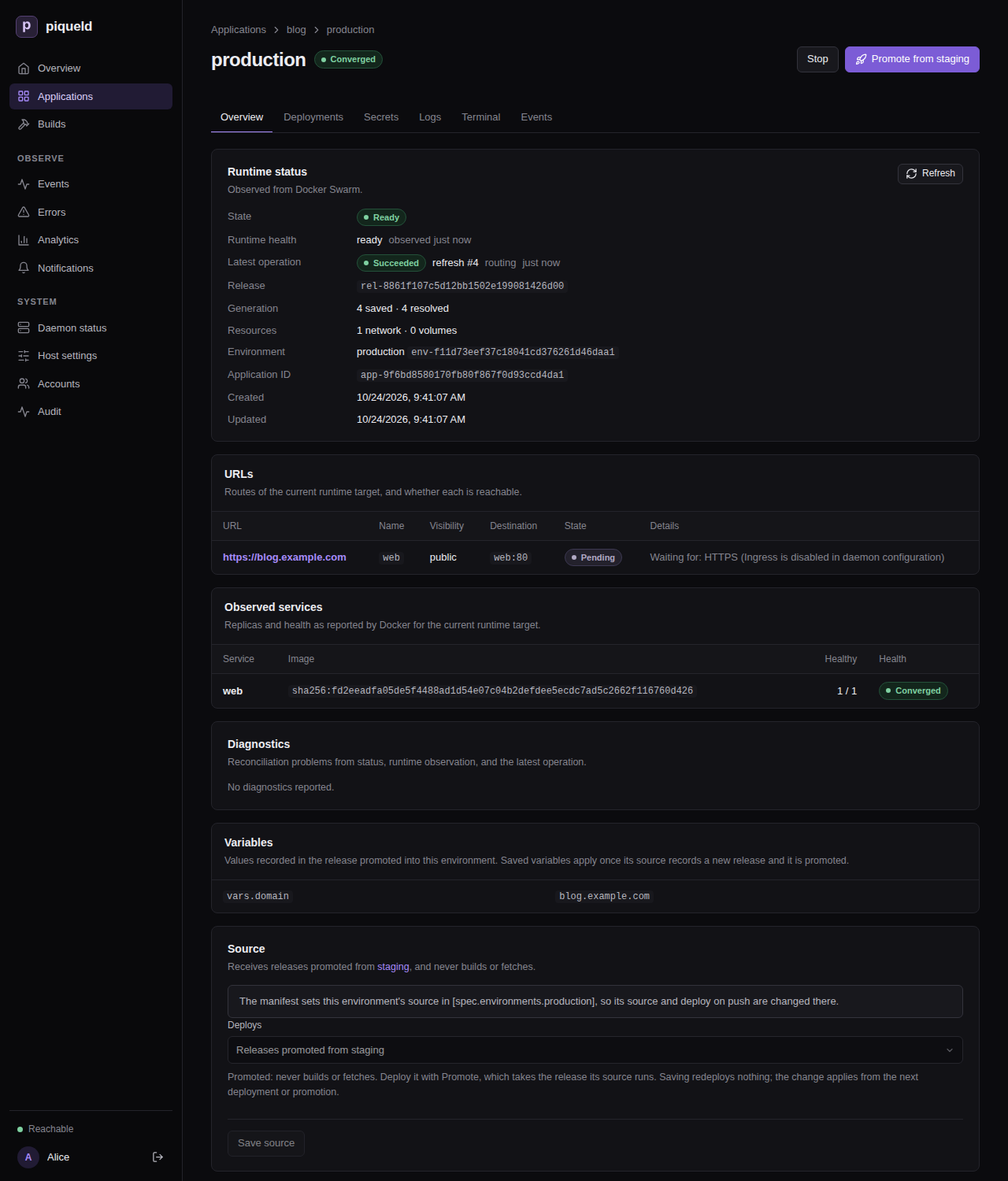
Give each environment its own values
Values that differ between environments, such as a hostname or a number of
replicas, come from variables. Declare a default, override it for an
environment, and use it as ${{ vars.<name> }}. Here, production runs three
replicas of web, and staging one.
In the dashboard
- On the application’s Variables tab, which has a row per variable and
a column per environment, select Add variable. Fill in Name with
web_replicas, Default with1, and the production column with3, then select Save changes. - On
web’s Source & scaling tab, set Replicas to${{ vars.web_replicas }}, and select Save changes. - Deploy each environment, from its row on the Environments tab.
With piquelctl
piquelctl app variable set hello web_replicas 1
piquelctl app variable set hello web_replicas 3 --env production
piquelctl app service replicas hello web '${{ vars.web_replicas }}'
piquelctl --timeout 5m env deploy hello staging
piquelctl --timeout 5m env deploy hello production
In the dashboard or with piquelctl, when the manifest doesn’t declare
environments yet, setting a value for one environment adds a block for every
existing environment, which
declares them all. From then on,
deleting or renaming them fails with environment_declared.
From the manifest
-
Add these blocks to the end of
hello.toml:[spec.variables] web_replicas = 1 [spec.environments.staging] [spec.environments.production.variables] web_replicas = 3A
[spec.environments.<name>]block, even an empty one, declares its environment, so the manifest lists both. An environment may also set a variable that has no default, such as its hostname. -
Make
webuse the variable, in its existing[[spec.services]]entry:[[spec.services]] name = "web" -replicas = 2 +replicas = "${{ vars.web_replicas }}"Production runs three replicas, and staging one.
-
Check what production would run:
$ piquelctl app plan --file hello.toml --env production Application: app-01a16d8f99567681ada904f809903066 Changes: ~ services.web.replicas 2 → 3 Actions: 1 total · 0 runtime mutations · 0 destructive · 0 blocking Network, volume, and service changes are not listed yet: the deployment plans them once it has resolved the sources. Source resolution and declared jobs are listed. 1. Resolve image web no risk · resolution required Variables: app.name = hello deployment.id = preview env.name = production env.slug = production vars.web_replicas = 3 Rollout: web: start-first (derived) · monitor 30sThe plan shows the values production renders. Its actions stop at resolving the image: the deployment plans the scaling once it knows the image. piqueld sets system variables, such as
env.nameandapp.name, itself. The manifest reference lists them, and the settings that accept variables. -
Save the manifest:
piquelctl app apply --file hello.toml -
Deploy each environment:
piquelctl --timeout 5m env deploy hello staging piquelctl --timeout 5m env deploy hello production
Keep an environment on your tailnet
To keep an environment’s routes on your tailnet, whatever each route says, set its visibility to private:
- In the dashboard, set Route visibility to Private: every route is tailnet-only on the Visibility card of the environment’s Overview, and select Save visibility.
- With
piquelctl, runpiquelctl env visibility hello staging private. - In the manifest, set
visibility = "private"in the environment’s[spec.environments.<name>]block.
Deploy the environment to apply it. A promoted environment gets its
visibility from the release it receives instead: promote a release that
staging deployed after the change. When the manifest doesn’t declare
environments yet, setting a visibility in the dashboard or with piquelctl
declares them all, as setting a variable’s value for one environment does.
Promote releases
Once a deployment of an environment has built or pulled its images, piqueld records a release: the manifest it deployed and its exact images. A promoted environment never builds. It receives the release another environment runs, so production runs exactly the images you tested on staging. When its rollout fails, it rolls back to its last successful deployment unless you choose otherwise.
Set up staging and production
This section creates a new application, blog, that builds on staging from
every push to main, and promotes to production.
If you created blog while following deploying on push,
delete it first. This removes its containers and history:
piquelctl app delete blog
-
Commit the manifest to the application’s repository as
infra/piqueld.toml, and push it tomain:api_version = "piqueld.dev/v1alpha1" kind = "Application" [metadata] name = "blog" [spec.environments.staging] sync = true visibility = "private" [spec.environments.staging.variables] domain = "staging.blog.example.com" [spec.environments.production] promote_from = "staging" [spec.environments.production.variables] domain = "blog.example.com" [[spec.services]] name = "web" [spec.services.source] type = "git" repository = "self" [spec.services.source.build] type = "docker" dockerfile = "Dockerfile" # A runtime setting, not a build argument, so staging's image suits production. [spec.services.environment] ORIGIN = "https://${{ vars.domain }}" [spec.services.healthcheck] type = "http" port = 80 path = "/" [[spec.routes]] name = "web" hostname = "${{ vars.domain }}" service = "web" port = 80 visibility = "public"stagingfollowsmainand deploys every push to it.productiononly receives releases promoted fromstaging.- Each environment serves its own hostname, through the
domainvariable. Staging’s route stays on your tailnet.
-
Create
blogand connect it to the repository, as in deploying on push, and turn on deploying on push, polling every 120 seconds: set Deploy on push on the Source tab, or add--sync poll --interval 120topiquelctl app repository connect. Don’t deploy it yet: its only environment, production, will be promoted. -
Add the
stagingenvironment, and deploy it. In the dashboard, select New environment on the Environments tab, fill in Environment name withstagingand Branch withmain, and select Create environment, then Deploy on staging’s page. Withpiquelctl:piquelctl env create blog staging piquelctl --timeout 10m env deploy blog staging
Staging’s deployment reads the manifest, which declares both environments. Production now receives releases promoted from staging, and waits for its first promotion:
$ piquelctl env list blog
NAME STATE SOURCE RESOLVED ID
production not_deployed promoted from staging none env-01a16d95dab27100a7df0f7acf4d907c
staging ready main 1 env-01a16d95dac072e2beee6b3df0553b0c
Promote staging to production
Test staging first, from a device on your tailnet. Then promote it.
In the dashboard, production’s row on the Environments tab, and its page, offer Promote from staging. Staging’s page offers Promote, which lists the environments promoted from staging: select production’s Promote from staging there. Each shows the plan first, then Promote release deploys it.
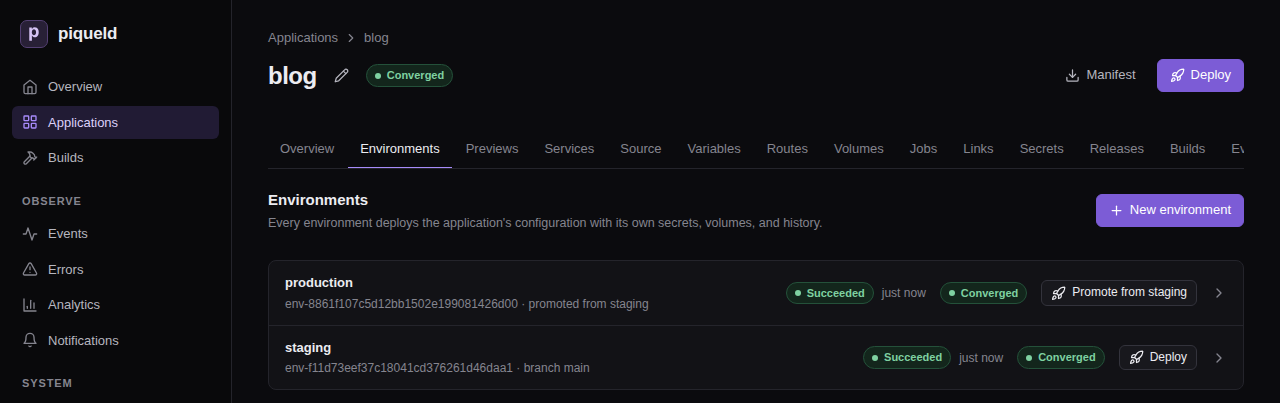
With piquelctl:
-
See what promoting would change:
piquelctl env promote blog production --planThe plan lists how production would change, the release and where it comes from, and the values it renders there.
…marks the lines left out here:Application: app-01a16d95dab27100a7df0f7acf4d907b Changes: + manifest path: infra/piqueld.toml, repository: branch: main, url: https://github.com/example/blog.git, sync: interval seconds: 120, mode: poll + routes.blog.example.com name: web, port: 80, service: web, visibility: public … Actions: 3 total · 2 runtime mutations · 0 destructive · 0 blocking … Release: rel-01a16d95e1627d5191c37f6cf0e8a041 commit 16139dfe6e37dc5f6a12c04c24629136d4c4e289 created 1792839901532 Images: all present web: sha256:c0dcd0655ca8b48797f2ba02f1e323d17d12b04b18bf7a9f82c27849475d4fc4 (built from https://github.com/example/blog.git (16139dfe6e37dc5f6a12c04c24629136d4c4e289) at 16139dfe6e37dc5f6a12c04c24629136d4c4e289) Origin: promoted from staging's deployment operation-01a16d95dac676919a2e9efe0dc3299b Variables: … env.name = production … vars.domain = blog.example.com … -
Promote it:
$ piquelctl --timeout 5m env promote blog production Promoting release rel-01a16d95e1627d5191c37f6cf0e8a041 into environment production: promoted from staging's deployment operation-01a16d95dac676919a2e9efe0dc3299b, deployment operation-01a16d964c787761b0128e7898e78122. Operation: operation-01a16d964c787761b0128e7898e78122 State: succeeded Environment: env-01a16d95dab27100a7df0f7acf4d907c Phase: routingAfter you confirm, production deploys the release staging runs, rendered with production’s variables, and the command waits until it’s done.
Promotion never happens on its own: pushes to main only redeploy staging.
Promote again whenever staging runs something you want in production.
Only staging’s current deployment can be promoted, once it succeeded and runs
healthy. To promote exactly the deployment you tested, pass its ID with
--deployment. If staging deploys again in the meantime, the promotion then
fails rather than promoting the newer deployment.
Deploy an earlier release
The application’s Releases tab lists its releases, newest first, with the
environments they were promoted to. So does piquelctl app releases blog:
rel-01a16d95e1627d5191c37f6cf0e8a041 commit 16139dfe6e37dc5f6a12c04c24629136d4c4e289 created 1792839901532
Images: all present
web: sha256:c0dcd0655ca8b48797f2ba02f1e323d17d12b04b18bf7a9f82c27849475d4fc4 (built from https://github.com/example/blog.git (16139dfe6e37dc5f6a12c04c24629136d4c4e289) at 16139dfe6e37dc5f6a12c04c24629136d4c4e289)
Deployed to: production as operation-01a16d964c787761b0128e7898e78122, promoted from staging's deployment operation-01a16d95dac676919a2e9efe0dc3299b
To go back to an earlier one, expand the release on the Releases tab, and
select Deploy to production. Review the plan, then select Deploy
release. With piquelctl, deploy it to the promoted
environment by ID:
piquelctl --timeout 5m env promote blog production --release <release-id>
Images from a registry are pulled again. Images piqueld built can only be
deployed while it keeps them: what each environment runs, and its last three
successful deployments.
images.keep_deployments,
in the daemon’s configuration, changes that number.
To return any environment to a deployment exactly as it ran, with the variables and secrets it had, restore it instead.
Keep builds the same in every environment
A release’s images are built once, on staging. So every setting that goes
into a build must be the same in production: the image, the Dockerfile and
context, the build arguments and the target. A build argument that uses a
variable, such as GREETING = "Hello from ${{ vars.domain }}", stops the
promotion:
web.source.build.args.GREETING: renders differently in this environment than in the release, whose images were built from it (release_incompatible)
Pass such values to the running service instead, in environment, as
ORIGIN is above.
Promote without declaring environments
An environment the manifest doesn’t declare can be made promoted in the
dashboard or with piquelctl. Neither deploys anything.
In the dashboard, choose the source in Promote from when you create the environment. For an existing one, open its Overview, set Deploys on its Source card to Releases promoted from staging, and select Save source. Builds its own source makes it build again.
With piquelctl, create a promoted environment, convert an existing one, or
make it build its own source again:
piquelctl env create blog production --promote-from staging
piquelctl env source blog production --promote-from staging
piquelctl env source blog production --tracking
Check that it works
The application’s Environments tab lists each environment with its state
and source. With piquelctl:
$ piquelctl env list blog
NAME STATE SOURCE RESOLVED ID
production ready promoted from staging 1 env-01a16d95dab27100a7df0f7acf4d907c
staging ready main 1 env-01a16d95dac072e2beee6b3df0553b0c
piquelctl env show blog production also prints the release the
environment runs, its variables and its URLs.
Stop an environment
Stop an environment you don’t need for a while, such as staging between tests. Its routes stop being served and its services stop, but it keeps its configuration, volumes and secrets, and its hostnames stay reserved for it.
In the dashboard, select Stop on the environment’s page, and confirm. Its
health then shows Stopped, on its page and in the Environments tab.
Start, in the same place, runs it again. With piquelctl:
piquelctl env stop hello staging
piquelctl env start hello staging
env stop waits until the services have stopped, and env start until they
run again. For an application with a single environment, piquelctl app stop hello and piquelctl app start hello do the same.
A stopped environment stays stopped until you start it, deploy it, promote
into it, reconcile it, as piquelctl env reconcile does, or
restore one of its deployments that succeeded: each of those
starts it again.
Pushes don’t deploy it meanwhile. Starting or reconciling it deploys the
latest commit of its branch that it missed, if it
deploys on push. Previews can’t be
stopped: delete them instead.
Delete an environment
Deleting an environment removes its services, secrets and deployment history. Its named volumes are kept, with their data. If the manifest declares the environment, remove its block and save the manifest first.
In the dashboard, select Delete environment, at the bottom of the
environment’s Overview. With piquelctl:
piquelctl env delete hello staging
Troubleshooting
- A command says
environment required. The application has several environments. Use theenvcommand and name one, such aspiquelctl env deploy hello staging. - It fails with
environment_declared. The manifest declares that environment, so it decides whether it exists and where it deploys from. Change its[spec.environments.<name>]block instead. - It fails with
environment_unknown. No environment has that name, and editing withpiquelctlor the dashboard never creates one. Check the name, or declare the environment and apply the manifest. - Planning or deploying fails with
variable_value_missing. The environment has no value for a variable the manifest uses. Set one for it, or a default. - Deploying fails with
environment_promoted. A promoted environment never builds: promote it withpiquelctl env promote. - Promoting fails with
promotion_source_not_ready. The source’s current deployment failed, or one of its services isn’t healthy right now. Fix the source first. - Promoting fails with
promotion_source_changed. The source deployed again since you reviewed it. Plan the promotion again. - Promoting fails with
release_incompatible. A build setting renders differently in the target environment. See keeping builds the same. - Promoting fails with
image_unavailable. piqueld removed the release’s images. Promote a newer release. - Promoting fails with
secrets_unavailable. The release mounts secrets the target environment doesn’t have or may not use. The error lists each one. - Deleting fails with
promotion_source_in_use. Other environments promote from it. Point them at another source first. - Deploying fails with
hostname_conflict. Two environments render the same route hostname. Give each its own value, through a variable.
Restoring a deployment
Return an environment to a deployment it ran before, exactly as it ran, such as when a new version misbehaves. piqueld deploys it again with the same manifest, images and secrets, without building anything. It can also do this on its own when a rollout fails.
Before you start
- The environment has an earlier deployment that succeeded. This page uses
hello, from deploying your first application, once you deployed it again after changing it. - Restoring an environment’s deployment needs
apps:deployon the application, and a preview’spreviews:deploy. Choosing whether an environment rolls back on its own needsapps:write; see permissions. piquelctlis signed in. Run the commands on this page on the host, or on any machine wherepiquelctlis signed in.
Restore a deployment
In the dashboard
-
Open the environment, such as production on
hello’s Environments tab, then its Deployments tab. It lists the environment’s deployments, newest first. -
Select the deployment to return to, to expand it. Each deployment that succeeded offers Restore, except the newest one when the environment runs it. So after a deployment failed, you can restore the one before it.
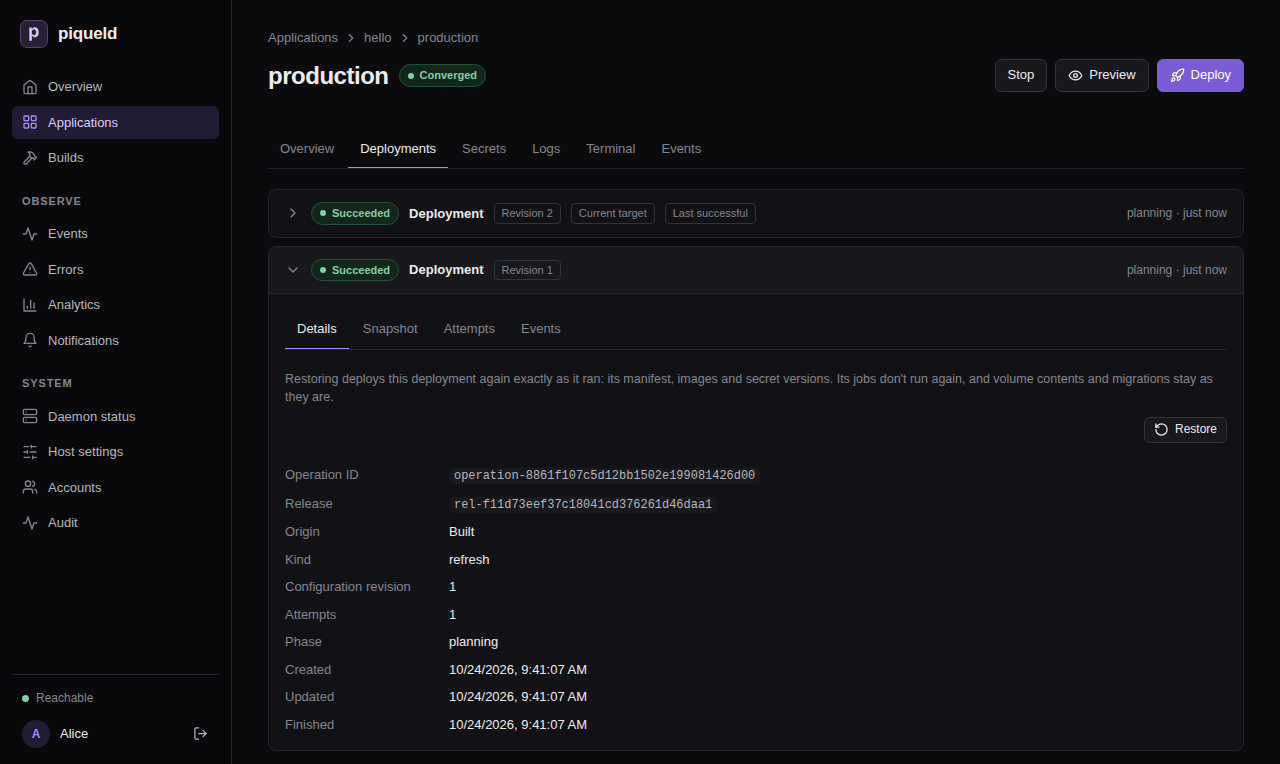
-
Select Restore, and confirm.
The restore is a new deployment, at the top of the list. Its Origin reads “Restored from deployment” and the ID of the one it restored.
With piquelctl
-
List the environment’s deployments, newest first:
$ piquelctl env history hello production operation-01a16da0f1c87a5e9b9d2b53a4f35b11 succeeded created 1792841305114 (current, last successful) Origin: built from its source Release: rel-01a16da0f4e17c2c84b4b8b6c1a5b8d2 operation-01a16d9f8e3b7e6aa1f27c46d0b9a3c4 succeeded created 1792841213922 Origin: built from its source Release: rel-01a16d9f90cf73f1b2a1e5d43e2c7f19Each line has the deployment’s ID, its outcome, and when it was created, in Unix milliseconds.
currentmarks the one the environment runs. The command lists three deployments at a time, up to 100 with--limit, and prints a cursor to pass with--cursorfor older ones. -
Restore the earlier one:
piquelctl env restore hello production operation-01a16d9f8e3b7e6aa1f27c46d0b9a3c4After you confirm, the command waits until the deployment finishes. Add
--no-waitto return once piqueld accepts it.
For a preview, use its Deployments tab in the dashboard,
or piquelctl preview history and piquelctl preview restore, which name the
preview as other preview commands do:
piquelctl preview history blog feat/login
piquelctl preview restore blog feat/login <deployment-id>
There is no restore in the manifest: it describes what to deploy, not which deployment to return to.
What a restore deploys
A restore deploys what the earlier deployment ran: its manifest with the values its variables had, its images, and the versions of its secrets. piqueld fetches and builds nothing, and never uses a newer secret version. It works for any environment, including promoted ones, and starts a stopped environment again.
The restored deployment becomes the one piqueld keeps running. The saved configuration doesn’t change, though: the environment’s next deployment deploys its source again, as does the next push to its branch when it deploys on push. piqueld also deploys a push it hasn’t processed yet, such as one it missed while it was stopped. Fix the cause, or revert it in the repository, before you deploy again.
Warning: a restore never runs jobs, and doesn’t revert data. Volumes keep their contents, and the migrations that ran since stay applied: running the earlier deployment’s migrations against newer data is what a restore avoids. So the restored version must work with the data as it is. Write migrations in steps that the previous version still runs against, such as adding a column before the code that needs it.
A promoted environment can also deploy an earlier release, rendered with its current variables and secrets instead.
Roll back failed rollouts automatically
A rollout fails when Docker pauses it because a new container exited, or failed its health check, soon after it started. Each environment chooses what happens then:
- Automatic restores the environment’s last successful deployment at once, as a restore by hand would.
- Manual leaves the environment on the failed deployment until you deploy it again or restore a deployment.
Promoted environments roll back
automatically unless you choose otherwise. The others don’t, and previews are
never rolled back. To have production roll back on its own:
-
In the dashboard, open the environment’s Overview. In its Rollback card, set When a rollout fails to Automatic: restore the last successful deployment, then select Save rollback. Default removes the setting.
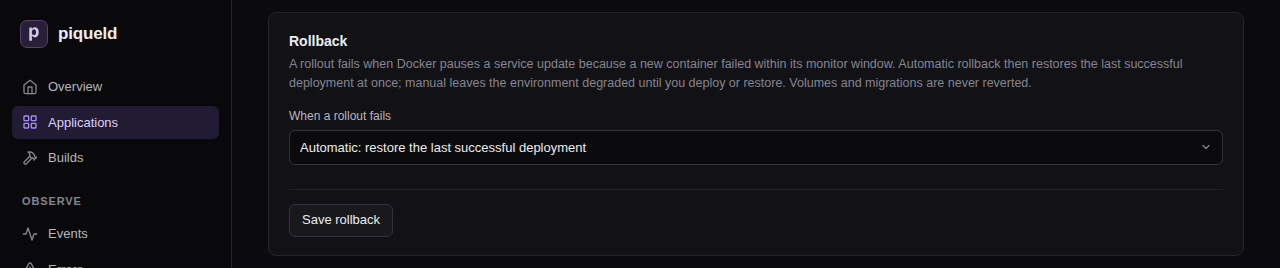
-
With
piquelctl, useenv rollback, withautomatic,manual, ordefaultto remove the setting:piquelctl env rollback hello production automatic -
In the manifest:
[spec.environments.production] rollback = "automatic"
The dashboard and piquelctl save the setting in the application’s manifest.
piqueld reads it from the manifest the environment deploys, though, so when a
change applies depends on where the environment gets its manifest:
- In an application without a manifest repository, an environment that isn’t promoted uses it at once.
- In an application that reads its manifest from a repository, an environment that follows the repository’s branch uses it from its next deployment. A push that changes the manifest file replaces the setting, so set it in the file too.
- An environment that follows another branch reads the manifest file on that
branch. Set
rollbackthere, then deploy the environment. - A promoted environment reads the release it receives. A change applies once its source deploys a release with it, and you promote that release.
A rollback is a restore: a new deployment that runs no jobs and doesn’t revert data, as the warning above describes. Its Origin reads “Rolled back from deployment” with the failed deployment’s ID, then the ID of the one it restored. The failed deployment keeps its own outcome, so its history still shows what went wrong.
piqueld rolls back each failed deployment once at most. It doesn’t roll back:
- a rollback whose own rollout fails: the environment stays on it;
- a deployment that succeeded before, then fails when piqueld rolls it out again, such as to repair a service someone changed by hand;
- a deployment whose job fails: the job stops it before its services roll out, so they keep running the previous version.
Docker only notices a container that exits or fails its health check.
Without a health check, in the manifest or in its image, a container that
runs but doesn’t serve requests looks healthy, so its rollout doesn’t fail.
When an environment rolls back automatically, its plans warn about each
service that routes send traffic to but whose manifest declares no health
check. Declare one, unless the service’s image
already defines one. The dashboard shows the warning in Preview, and, for
a promoted environment, in the plan that its Promote from button opens.
piquelctl app plan and piquelctl env promote --plan print it as
rollback_without_health_check.
Check that it works
The restore appears at the top of the environment’s Deployments tab, and
of piquelctl env history:
operation-01a16da2c7d05b1e2f8a9c3d4e5f6a7b succeeded created 1792841427035 (current, last successful)
Origin: restored from deployment operation-01a16d9f8e3b7e6aa1f27c46d0b9a3c4
Release: rel-01a16d9f90cf73f1b2a1e5d43e2c7f19
It runs the release of the deployment it restored.
Troubleshooting
- Restoring fails with
deployment_not_restorable. That deployment never succeeded. Restore one that did. - Restoring fails with
image_unavailable. piqueld removed one of the deployment’s images, and can’t pull it again from a registry. The error names the service and image. piqueld keeps the images of each environment’s last three successful deployments, and of a preview’s current one:images.keep_deployments, in the daemon’s configuration, changes that number. An image piqueld built is never built again for a restore. - Restoring fails with
restore_secrets_unavailable. A secret version the deployment used was deleted since, or discarded by key recovery. The error lists the secrets. Deploy the environment instead. - Restoring fails with
secret_access_denied. The deployment mounts a stored secret that the environment may no longer mount. Allow it again, or deploy instead. - A failed rollout wasn’t rolled back. Previews and manual environments
aren’t rolled back. The Rollback card shows the saved setting, but an
environment of an application that reads its manifest from a repository,
or a promoted one, uses the setting of the manifest it last deployed, as
rolling back automatically
describes. When piqueld can’t roll back,
because no earlier deployment succeeded or its images or secret versions
are gone, the failed deployment records a
rollback_unavailableevent saying why. To see it, expand the deployment on the Deployments tab and select Events. Fix the cause, then deploy again. - There is no Restore button. The deployment didn’t succeed, or it is
the newest one and the environment runs it. Without
apps:deploy, orpreviews:deployfor a preview, the dashboard doesn’t offer it either.
piquelctl env restore
lists the command’s options, and the
API reference describes how a
restore works.
Previews
A preview is a short-lived copy of an application that runs one Git branch, or your local worktree with its unpushed commits and uncommitted files. Use one to try a change before it reaches staging, then delete it.
Before you start
- This page continues with the
blogapplication of setting up staging and production. Its manifest comes from Git, and itswebroute’s hostname is${{ vars.domain }}, so each preview gets an address of its own. A preview of an application without routes runs, but has no URL. - Creating and deploying previews needs
previews:deployon the application, and deleting thempreviews:delete.apps:deployandapps:deleteinclude them; see preview permissions. - Previews’ routes are private by default, so their URLs work once the daemon serves private routes.
piquelctlis signed in. Run the commands on this page on the host, or on any machine wherepiquelctlis signed in. On another machine, keepPIQUELD_URLset, as when you signed it in.
Preview a branch
-
Give previews their own settings. Previews ignore the
[spec.environments.<name>]blocks of the manifest, and use its[spec.previews]block instead. Add it toinfra/piqueld.toml:[spec.previews] visibility = "private" [spec.previews.variables] domain = "${{ env.slug }}.preview.blog.example.com"visibilityis the strictest visibility of their routes. It isprivateby default, which keeps every preview on your tailnet.variablesoverride the defaults of[spec.variables]for every preview. Every variable the preview uses that has no default, such asdomainin the staging and production manifest, needs a value here, or the preview’s deployment fails.${{ env.slug }}is the preview’s slug, so each preview gets its own hostname.
The manifest reference describes how to name preview hostnames, so that one wildcard certificate covers them all. Previews read the manifest of their own branch, so set this in the repository’s file, not in the dashboard or with
piquelctl. -
Commit it to a branch, such as
feat/login, and push the branch to the application’s repository. Previews read the manifest from their own branch. -
Create the branch’s preview. In the dashboard, open the application’s Previews tab and select New preview. Fill in Branch with
feat/login, then select Create preview.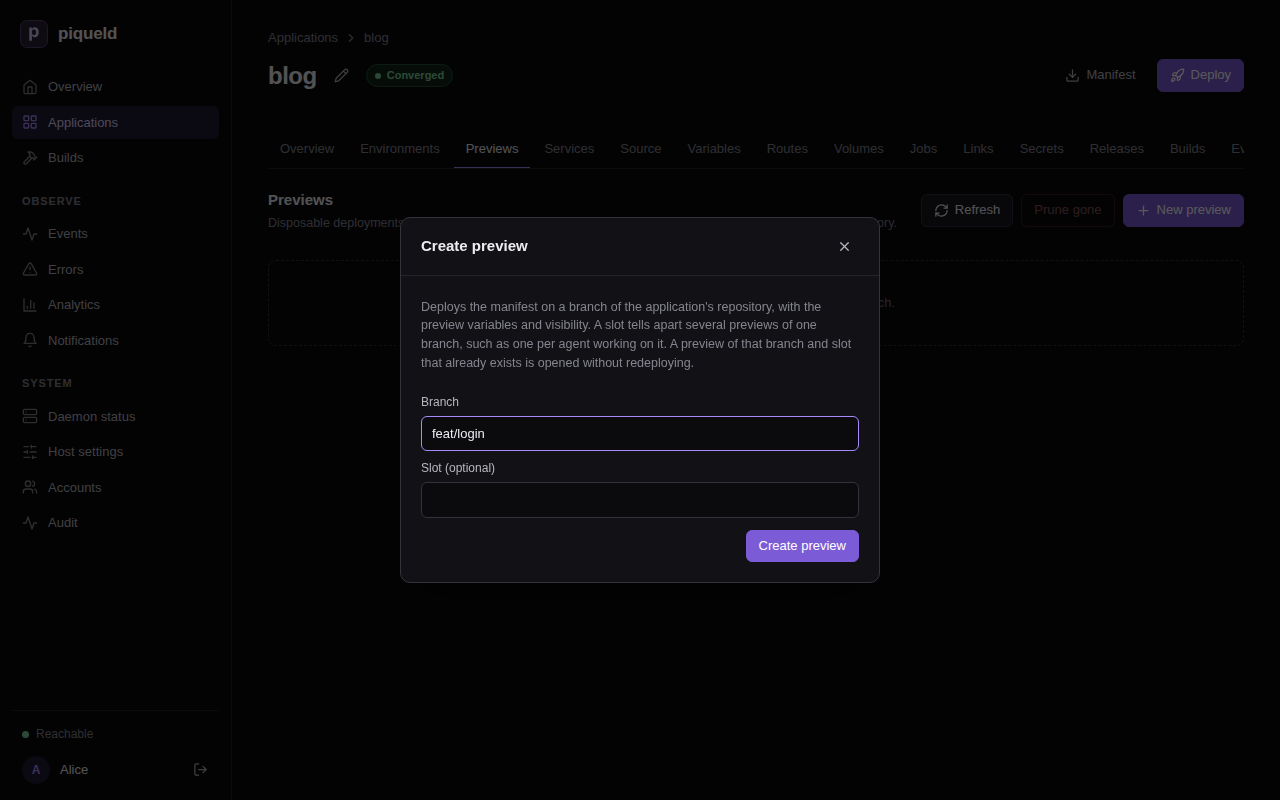
With
piquelctl:$ piquelctl --timeout 10m preview create blog --branch feat/login Preview blog-feat-login-09b526 of branch feat/login (preview-01a16d974c7f7300b014f01379224355) created Operation: operation-01a16d974c8073b1b8589cf340a6a8fd succeeded URL: https://blog-feat-login-09b526.preview.blog.example.com (web) ready
The preview deploys the manifest from feat/login, and builds the branch’s
repository = "self" services. It has its own deployments, secrets, volumes
and routes, and never shows up among the application’s environments.
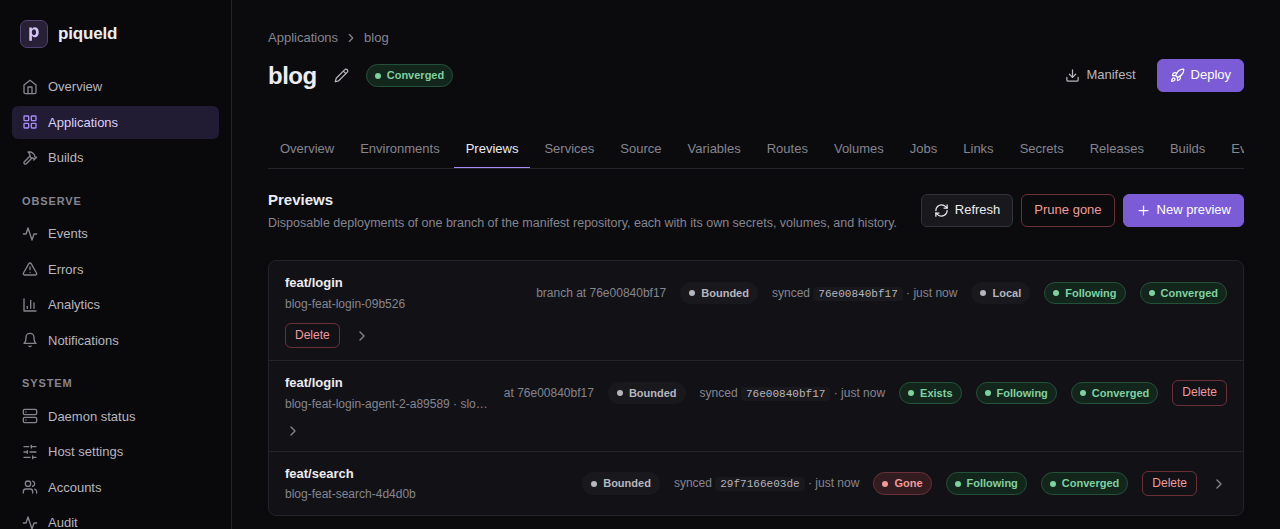
Its name, blog-feat-login-09b526, is its slug: the application and the
branch, with a short hash. Its URL is ready once its route serves requests.
Until then, it is pending, with what it waits for, such as
pending: HTTPS (Ingress is disabled in daemon configuration) on a host
without HTTP ingress.
Creating a preview of a branch that has one returns the existing preview without redeploying it. To deploy the branch’s latest commit, select Redeploy branch head, at the top of the preview’s page, or run:
piquelctl --timeout 10m preview deploy blog feat/login
While the application deploys on push, every preview also deploys each push to its branch.
Preview your local changes
In a worktree of the application’s repository, deploy what the worktree holds, without committing or pushing it:
$ cd ~/src/blog
$ piquelctl --timeout 10m preview deploy blog --local
snapshot: succeeded · 535 bytes against 3c1922b70fbd: 0 unpushed commits and the snapshot [0s]
Info: sending uncommitted files: draft.html, index.html
upload: succeeded · uploaded [0s]
…
Preview blog-feat-login-09b526 of branch feat/login (preview-01a16d974c7f7300b014f01379224355) exists
Deploys: local snapshot 88a48a99160c on 3c1922b70fbd
Operation: operation-01a16d97ef6f7d428a26bb376408270c succeeded
URL: https://blog-feat-login-09b526.preview.blog.example.com (web) ready
It deploys to the preview of the current branch, and creates it if needed.
With a detached HEAD, name the branch with --branch. It sends the
worktree’s committed, uncommitted and untracked files, but not the files Git
ignores. A tracked file that Git ignores is sent as committed, without your
edits. Your branch, index and files don’t change.
Only what the repository lacks is uploaded: the commits you haven’t pushed, and your changes. piqueld fetches the rest from the application’s repository. Run the command again after each change, to deploy a new snapshot to the same preview.
The preview’s page shows the snapshot it runs, and the commit it was taken on:
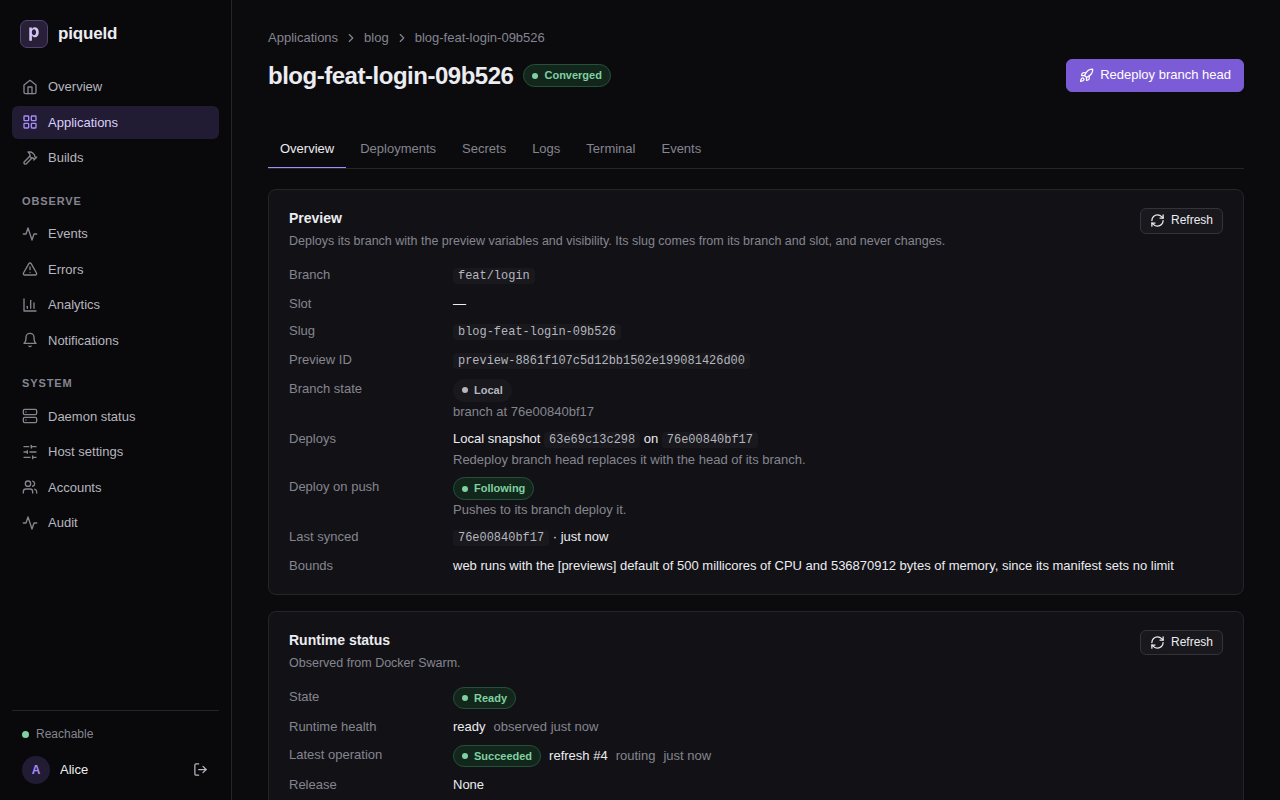
To deploy the pushed branch again, select Redeploy branch head, or run
piquelctl preview deploy blog feat/login. Either needs the branch pushed. A push to the branch also replaces the
snapshot, while the application deploys on push.
Run several previews of one branch
A slot tells several previews of the same branch apart, such as one per
person or agent. In the dashboard, fill in Slot (optional) in New
preview. With piquelctl, pass --slot:
$ piquelctl --timeout 10m preview create blog --branch feat/login --slot agent-2
Preview blog-feat-login-agent-2-a89589 of branch feat/login (slot agent-2) (preview-01a16d98b0aa74f38af94b59963c8fb6) created
Operation: operation-01a16d98b0ac7d409995feeac2fbd5ee succeeded
URL: https://blog-feat-login-agent-2-a89589.preview.blog.example.com (web) ready
Address it with its slug, or with its branch and --slot, such as
piquelctl preview deploy blog feat/login --slot agent-2. preview deploy --local takes --slot too.
Find a preview’s address and logs
In the dashboard, select the preview on the Previews tab: its
Overview lists its URLs, and its Logs tab its services’ output. With
piquelctl:
piquelctl preview url blog feat/login
piquelctl preview logs blog feat/login
piquelctl preview show blog feat/login
preview show also says what the preview deploys and how its branch moved.
Give previews stored secrets
Each preview generates its own values for the secrets the manifest
generates. A secret you stored with piquelctl app secret is only given to
previews when its access allows them. Someone with secrets:write on the
application allows them: in the dashboard, select Edit on the secret’s
row of the application’s Secrets tab, check Previews, and select
Save access only. With piquelctl:
piquelctl app secret blog access stripe-test --previews
Check that it works
The application’s Previews tab lists its previews, with their branch
state. With piquelctl:
$ piquelctl preview list blog
BRANCH SLOT SLUG STATE BRANCH STATE SYNC SYNCED LAST OPERATION ID
feat/login - blog-feat-login-09b526 ready local following 3c1922b70fbd succeeded operation-01a16d97ef6f7d428a26bb376408270c preview-01a16d974c7f7300b014f01379224355
feat/login agent-2 blog-feat-login-agent-2-a89589 ready exists following 3c1922b70fbd succeeded operation-01a16d98b0ac7d409995feeac2fbd5ee preview-01a16d98b0aa74f38af94b59963c8fb6
For a preview of a branch, the branch state compares the branch in the
repository with the commit the preview last fetched; local and unknown
replace that comparison. It doesn’t say whether that deployment succeeded: the
LAST OPERATION column does.
| State | Meaning |
|---|---|
exists | The branch is at the commit the preview last fetched. |
moved | The branch is at another commit, such as a new push or a force-push. |
gone | The branch was deleted. |
local | The preview runs, or is deploying, a snapshot of a local worktree. |
unknown | piqueld couldn’t read the repository. |
Delete a preview
Deleting a preview removes its services, secrets, deployment history and
volumes. Its volumes’ data is deleted with them. In the dashboard, select
Delete on its row of the Previews tab. With piquelctl:
$ piquelctl preview delete blog feat/login --slot agent-2
Preview preview-01a16d98b0aa74f38af94b59963c8fb6 deleted (its volumes removed)
The command asks you to confirm first; in a script, add --yes.
piqueld never deletes a preview on its own, even once its branch is gone.
When you delete a branch, such as feat/search once you merged it, its
preview’s branch state becomes gone. To delete every preview whose branch
was deleted from the repository, select Prune gone on the Previews
tab, or run:
$ piquelctl preview prune blog --branch-gone
Deleting preview blog-feat-search-4d4d0b of branch feat/search (preview-01a16d99010e7ce2a2363009ebb73083) with its volumes: operation operation-01a16d9b9a5c75c1bc9d4e7467826716
It asks you to confirm first too. It keeps the previews whose branch state is
local or unknown. When piqueld can’t read the repository, it deletes
nothing and fails with repository_unavailable.
Deleting the application deletes its previews, with their volumes.
Limits
Previews share the host with production, so the daemon’s
[previews] settings
limit them:
max_per_applicationandmax_totalcap how many previews there are.max_replicascaps the replicas of each preview service.default_cpu_millisanddefault_memory_bytesare the CPU and memory limits of the preview services whose manifest sets none. A limit the manifest sets is kept, even above these defaults.
A service capped or given a default runs anyway. piquelctl preview show
reports it, such as Bounded: web runs with the [previews] default of 500 millicores of CPU and 536870912 bytes of memory, since its manifest sets no limit, and the dashboard marks the preview Bounded.
Troubleshooting
- Creating fails with
preview_requires_repository. The application doesn’t read its manifest from Git. Connect a repository first; see deploying on push. - Creating fails with
preview_limit_reached. The application, or the host, has as many previews as[previews]allows. The error lists them: delete one you no longer need. --localsays no remote-tracking branch has an ancestor ofHEAD. None of your worktree’s commits was pushed, so piqueld would need the whole history. Push the branch, or pass--full-historyto upload all of it. The daemon still needs to read the application’s repository.--localsays the daemon could not fetch a commit from the application’s repository, or fails withsnapshot_base_unavailable. The daemon can’t fetch the commit your snapshot builds on. Push it, or pass--full-history.--localsays the snapshot is more than the daemon’s upload limit, or that its files take more than the daemon checks out, or fails withsnapshot_too_large. The upload or the worktree is larger than the daemon accepts:snapshots.max_upload_bytesandcheckouts.max_bytes. When the files are too large, the command names the largest ones.--localrefuses the worktree. Git submodules, nested repositories, Git LFS and other filters, partial clones and SHA-256 repositories aren’t supported.- The deployment fails with
manifest_invalid. The manifest on the preview’s branch doesn’t validate for previews, such as when a variable without a default has no value in[spec.previews.variables]. The daemon’s log (journalctl -u piqueld) names each error. - The deployment fails with
secret_access_denied. The preview mounts a stored secret whose access doesn’t include previews. Allow them, as in giving previews stored secrets, or mount another secret in previews. - The deployment fails with
hostname_conflict. The preview renders the same hostname as an environment or another preview. Build preview hostnames from${{ env.slug }}.
Managing accounts
Invite people to piqueld, help them add passkeys, and remove their access when
they leave. You do this on the dashboard’s Accounts page or with
piquelctl account.
Before you start
- You have an account. Everyone can
change their own account. Changing someone else’s needs
accounts:manageand every grant their account holds; see who may manage accounts. - The
piquelctlcommands on this page run on your machine, signed in as your account, as when you signed it in.piquelctl accountlists their options.
The Accounts page
Open Accounts in the dashboard’s sidebar. It lists each account with its display name, its access in a few words, and how many passkeys it has. Select an account to open its page: the Profile tab holds its Profile and its Access, and the Access tab its Passkeys and its Sessions and API tokens.
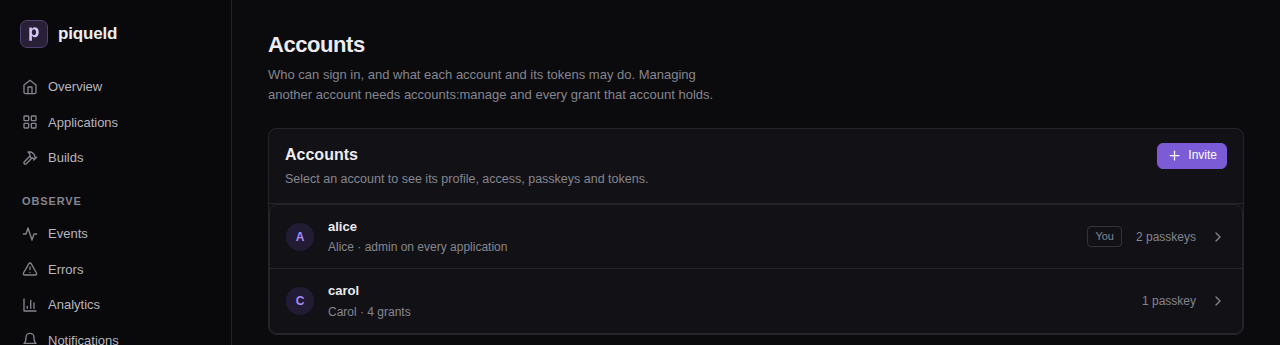
Without accounts:manage, the page only shows your own account. With it, the
page lists every account, the invitation and enrollment links waiting to be
used under Pending links, and the browsers signed in as the host operator
under Host operator sessions.
piquelctl account list prints the same accounts and their grants:
$ piquelctl account list
alice (01a16b4b-ef93-7971-b6f6-e8359d3c4d52)
admin on every application
bob (01a16b4c-84dc-70d1-98eb-0ddfde57971b)
apps:read on blog, shop
apps:write on blog, shop
…
Invite someone
An invitation is a link that creates one account. You choose what the account may do: there’s no default access. The person who opens the link chooses its username and registers its passkey.
The link isn’t tied to a person or an email address: whoever completes it first gets the account and its access. Send it only to the person it’s for, over a private channel you trust. If anyone else may have seen it, revoke it.
- On the Accounts page, select Invite.
- To limit the access to some applications, clear Application permissions apply to every application, including future ones, and select them.
- Choose a Preset, or select permissions one by one. Permissions says what each one allows.
- Select Create link.
- At the top of the page, select Copy next to the new link, then Done.
- Send the link to the person it’s for.
With piquelctl:
piquelctl account invite --preset developer --app blog --app shop
It prints the link, such as
https://piqueld.<tailnet>.ts.net/dashboard/auth#invite=…. --preset and
--permission choose the access, and --app limits it to applications, by
name or ID. Give an account access
describes these options. You can only hand out access you hold yourself.
When the person opens the link, the Create your account page asks for a Username, an optional display name, and a Passkey name. They select Create account with a passkey, save the passkey, and the dashboard opens, signed in.
The link works once, within 24 hours. Opening it doesn’t use it up, so someone who closes the page before finishing can open the original link again. The dashboard removes the link from the browser’s address bar and history as soon as it reads it.
Revoke an invitation
Links waiting to be used are listed under Pending links, at the bottom of the Accounts page, with who issued them, what they grant, and when they expire. Enrollment links show Add a passkey to and the account’s name.

Select Revoke to cancel a link before it’s used. Deleting the account that issued a link also revokes it.
With piquelctl, list the links to find the one to revoke, then revoke it by
its ID:
$ piquelctl account invitation list
01a16b52-3f0e-7c41-9d2a-6b8e0f4c7d15 invitation by alice (expires at Unix 1793262000)
apps:read on blog
apps:deploy on blog
01a16b53-7a21-7e93-8c4f-2d9b1e6a0c38 enrollment for carol by alice (expires at Unix 1793262600)
$ piquelctl account invitation revoke 01a16b52-3f0e-7c41-9d2a-6b8e0f4c7d15
Add a passkey
Each passkey belongs to one account, and only that account adds one: from a browser where it’s signed in, or through an enrollment link.
To your own account
- Open your account from the Accounts page, then its Access tab.
- Under Passkeys, select Add passkey, and name it after the device it
lives on, such as
Phone. - Select Add passkey in the dialog, and save the passkey when your browser asks.

To add one on a device with no browser signed in, print an enrollment link for
your own account with piquelctl, signed in with your account’s full access:
piquelctl account enroll alice
Open the link on that device yourself, and don’t share it: it signs in whoever uses it.
A second passkey, on another device or in a password manager, means losing one device doesn’t lock you out. If you’ve already lost them all, see someone lost their passkey.
To someone else’s account
When someone has lost their passkeys, or wants to sign in on a device that can’t share them, send them an enrollment link.
Whoever uses the link registers a passkey on the account and signs in as it, with all its access. Before you create one, check that the request comes from the account’s owner, such as in person or over a channel you already know is theirs. Send the link over a private channel you trust. If anyone else may have seen it, revoke it.
- Open their account from the Accounts page, then its Access tab.
- Under Passkeys, select Create enrollment link.
- At the top of the page, select Copy next to the new link, then Done.
- Send them the link.
Or create it with piquelctl:
piquelctl account enroll bob
When they open the link, the Add a passkey page asks for a Passkey name. They select Register passkey, save the passkey, and the dashboard opens, signed in as their account.
The link works once, within 24 hours. Creating another link doesn’t cancel the first; revoke the ones you no longer need under Pending links.
Rename or remove a passkey
Under Passkeys, on the account’s Access tab, select Edit next to the passkey, change its Passkey name and select Save.
Removing a passkey can’t be undone, and the dashboard doesn’t ask to confirm. To remove one, select Remove next to it.
With piquelctl, list the passkeys to find their IDs, then rename or remove
one:
$ piquelctl account passkey list bob
01a16b4f-2c8d-7b16-a5e3-9f0d4c7b2e61 Laptop (bob)
$ piquelctl account passkey rename 01a16b4f-2c8d-7b16-a5e3-9f0d4c7b2e61 "Work laptop"
$ piquelctl account passkey remove 01a16b4f-2c8d-7b16-a5e3-9f0d4c7b2e61
account passkey remove asks you to confirm first.
Removing a passkey stops it from signing in, but it doesn’t end the sessions and tokens already open. If the passkey was lost or stolen, revoke the account’s sessions and tokens too.
Edit a profile
Under Profile, on the account’s page, change the Username or the Display name, then select Save profile.
- A username has 1 to 64 ASCII letters, digits, dots, dashes or underscores.
It is unique regardless of case:
Aliceandaliceare the same name. - A display name is optional, up to 200 bytes.
With piquelctl, give the new --username, --display-name, or both:
piquelctl account update bob --username robert --display-name "Robert"
If you saved a piquelctl login for the account, its name changes with it, so
--account robert selects it.
Renaming an account doesn’t change its ID, which the audit trail and saved CLI logins use. To change someone’s access instead, see give an account access.
Revoke sessions and tokens
Sessions and API tokens, on the account’s Access tab, lists everything
that acts as the account: browser sessions (Browser), piquelctl logins
(Cli), and API tokens
(Token). Each row shows what it may do, when it was last used, and when it
expires.

- Revoke ends one at once.
- Revoke all ends all of them, including the session you’re using if it’s your own account.
- Activity opens its requests in the audit trail.
With piquelctl, token list lists your own sessions and tokens, and
token revoke <id> revokes one; see
revoke a token. Add --user for someone
else’s account, and --all to revoke them all:
piquelctl token list --user bob
piquelctl token revoke --all --user bob
Without --user, token revoke --all signs your own account out everywhere,
including the piquelctl login running it. An API token or
limited login can’t do this for its
own account.
Delete an account
Deleting an account also deletes its passkeys, sessions and tokens, and the links it issued. It can’t be undone. Its requests stay in the audit trail.
- Open the account from the Accounts page and select Delete account, at the top of its page.
- Confirm in the dialog that asks whether to delete the account and all its passkeys, sessions, and tokens.
You can delete your own account. With piquelctl, which asks you to confirm
first:
piquelctl account delete bob
Troubleshooting
- The change is refused with
account_lockout. At least one account must keepadminon every application and a passkey, so that someone can always sign in and manage piqueld. piqueld refuses to remove the last such account’s access, its last passkey, or the account itself. Make another account that has a passkey an administrator first. - The change is refused with
permission_exceeded. The account holds access you don’t, or you’re handing out access you don’t hold. Ask someone who holds it. - A link answers “API returned 400 Bad Request: authentication_invalid (this link is invalid, expired, or already used)”. It was already used, has expired, or was revoked. Ask for a new link.
- The same refusal comes after the browser saved the passkey. The link
expired, was revoked or was used in the meantime, or its issuer can’t
create it any more: they lost
accounts:manageor the access it grants, or, for an enrollment link, the right to change that account. Delete the saved passkey from the device, and ask for a new link. A link refused because of its issuer stays under Pending links until it expires. - Registration fails with
account_conflict. Another account has that username, regardless of case. Register again with another name. If someone took the name while you were creating the passkey, the browser has saved it already: delete it from the device first. - Creating a link answers “the host operator is not an account”. Sign in with an account to create invitations and enrollment links.
Permissions
Decide what each account, and each of its tokens, may do. You choose an
account’s grants when you invite it, and change
them on the Accounts page or with piquelctl account access.
Before you start
- To change someone’s grants, you need
accounts:manage, every grant their account holds, and every grant you give them; see who may manage accounts. - Run the
piquelctlexamples on the host, or on any machine wherepiquelctlis signed in with your account’s full access. A limited login or token can’t change grants.
Grants
A grant gives one permission, either on every application or only on the applications it lists. An account’s access is all of its grants together:
admin every ability, including permissions added later
admin on blog every application permission on blog
apps:deploy on blog, shop deploy these two applications
previews:deploy on blog create and deploy blog's previews, not blog itself
system:read installation-wide; never limited to applications
A grant on every application also covers applications created later. A grant on an application covers all its environments and previews, including ones added later.
Presets
Presets fill in common grants for you. piqueld only saves the grants a preset selected, not the preset.
| Preset | Grants |
|---|---|
read-only | apps:read, logs:read, events:read |
deploy | apps:read, apps:deploy |
developer | apps:read, apps:write, apps:deploy, secrets:write, logs:read, apps:exec, events:read: everything on applications except deleting them |
admin | admin |
On every application, read-only and developer also add system:read.
developer includes apps:exec, because someone who deploys their own
configuration can already reach everything a command in a container could.
Give an account access
- Open the account from the Accounts page. Under Access, select Edit grants.
- To limit the access to some applications, clear Application permissions apply to every application, including future ones, and select them.
- Choose a Preset, or select permissions one by one. Each permission shows what it allows.
- Select Save grants.
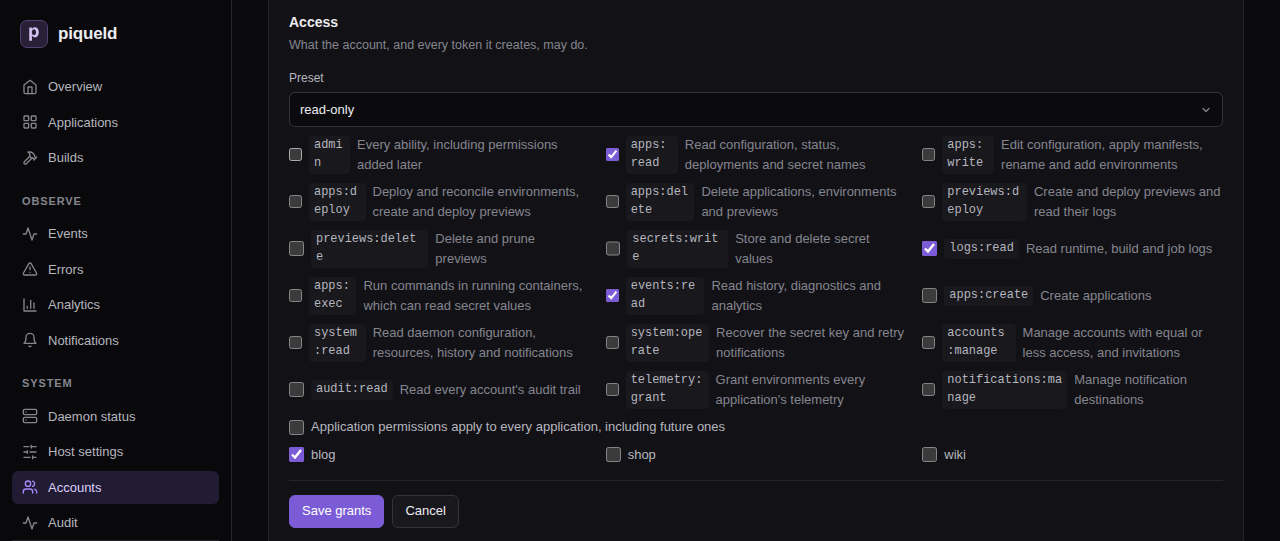
The applications you select apply to every
application permission.
Installation-wide permissions always apply
everywhere. Choose the applications before the preset: a preset adds
system:read when it covers every application at the moment you choose it.
With piquelctl:
$ piquelctl account access carol --preset read-only --app blog
Replace every grant of "carol"? [y/N] y
carol (01a16b4c-8584-7390-a0cb-b6b2c348ec20)
apps:read on blog
logs:read on blog
events:read on blog
The new grants replace all the old ones. In a script, add --yes to skip the
confirmation. The same options choose the grants of invitations, tokens and
limited logins:
--presetstarts from a preset:read-only,deploy,developeroradmin.--permissionadds a permission, and can be repeated.--applimits the application permissions to an application, by name or ID, and can be repeated. Installation-wide permissions still apply everywhere.
For example, --preset deploy --permission secrets:write --app blog lets an
account deploy blog and change its secrets.
piquelctl account access
lists all its options.
Application permissions
These permissions can be limited to applications. Each one also lets its holder read the application, so a token that may only deploy can still follow its deployments.
| Permission | Allows |
|---|---|
admin | On the applications it lists: every permission in this table. On every application: everything, including the installation-wide permissions and permissions added in later versions |
apps:read | Reading configuration, environments, previews, releases, status, deployments, operations, builds and job runs, promotion plans, the push webhook’s address, and the names of secrets and which environments may mount them |
apps:write | Editing configuration, applying and planning manifests, renaming the application, adding and renaming environments, changing an environment’s branch or source, opting environments out of sync, and into it (with apps:deploy when the application deploys on push), and generating webhook secrets |
apps:deploy | Deploying, promoting releases into, restoring earlier deployments of, reconciling, stopping and starting environments, and everything previews:deploy allows. With apps:write, saving and deploying in one step, turning on deploying on push, or opting an environment into it |
apps:delete | Deleting the application, its environments and its previews |
previews:deploy | Creating, deploying and restoring previews, including from a local worktree, and reading their logs |
previews:delete | Deleting and pruning previews |
secrets:write | Storing, regenerating and deleting secret values, and choosing which environments may mount them |
logs:read | Reading runtime, build and job logs, which may contain sensitive output |
apps:exec | Running commands in running containers, with piquelctl app exec, preview exec and the dashboard’s Terminal tab. A command reaches everything its container can, including secret values |
events:read | Reading the application’s history, diagnostics and deployment analytics |
Installation-wide permissions
These permissions always apply to the whole installation.
| Permission | Allows |
|---|---|
apps:create | Creating applications; see who may create applications |
system:read | Reading the daemon’s configuration, installation checks, resources, history and diagnostics, notification destinations and deliveries, and DNS providers and certificates |
system:operate | Recovering from a lost secret key, retrying notification deliveries, and checking DNS providers |
accounts:manage | Managing other accounts and invitations; see who may manage accounts |
audit:read | Reading every account’s audit trail, and verifying its integrity. Everyone reads their own |
telemetry:grant | Granting and revoking an environment’s telemetry |
notifications:manage | Creating, changing, testing and deleting notification destinations. A destination can select any application, so this reveals every application’s notifications |
Every signed-in account may read the daemon’s status and readiness, and the
OpenAPI document, which names what each operation
needs in its x-piqueld-access extension: public, authenticated, or a
permission.
Let agents and CI manage previews
Agents and CI jobs that create, test and delete previews
need no access to your long-lived environments. Give them only the previews
permissions. On the dashboard, create a token
limited to blog, and select only previews:deploy and previews:delete. With
piquelctl:
piquelctl token create agent --app blog \
--permission previews:deploy --permission previews:delete
This token can create and deploy previews of blog, including from a local worktree, read their logs, and delete and prune them, including previews created later. Like every application permission, it can read blog, including its environments’ status and deployments.
It can’t:
- deploy, promote into, reconcile, stop or delete blog’s long-lived environments, or read their logs
- change blog’s configuration, environments or secrets
- delete blog
Reconciling a preview needs apps:deploy. Running commands in a preview needs
apps:exec, which reaches the secrets previews mount. Reading history,
including a preview’s, needs events:read.
apps:deploy and apps:delete include the previews permissions, so people who
hold them can hand the previews permissions out. People who hold only the
previews permissions can’t hand out the others.
What people without access see
-
An application you can’t read doesn’t exist for you. It answers as not found (404), and it’s left out of lists, history, builds, analytics, the event stream, the routes in system readiness, and the preview counts in system status.
-
On an application you can read, a missing permission is refused with 403
permission_denied, naming the permission:$ piquelctl app logs blog Error: This action requires the logs:read permission (permission_denied) API code: permission_denied Request ID: 68e8a36a-6429-43c5-8311-f6866ffff09e Details: {"permission":"logs:read"} -
Applying a manifest with the name of an existing application you can’t read is refused with 403, rather than treated as a new application.
-
The daemon’s own history needs
system:read, and an application’s history needsevents:readon it. -
Events are numbered across the whole installation, so you can tell that events you can’t read happened, but not what they were or where.
-
The dashboard hides the pages, tabs and buttons you can’t use. On an application you can read but not change, without
apps:write, the configuration forms are read-only.
Who may create applications
Creating an application needs apps:create. You then get, on the new
application, every application permission you hold on some applications but
not all. For example, bob holds developer on blog and shop, and
apps:create. When he creates notes, he gets developer on notes too.
Permissions you hold on every application already cover it.
Creating and deploying in one step, or creating an application that
deploys on push, also needs
apps:deploy on some application. Applications created with an
API token or a
limited login give no new grants,
since those credentials never hand out lasting access.
Who may manage accounts
Everyone may manage their own account: edit its profile, add, rename and
remove its passkeys, see and revoke its sessions and tokens, create tokens for
it, lower its grants (with piquelctl account access), and delete it.
Changing another account needs accounts:manage and every grant that account
holds. This covers its profile, grants, passkeys, sessions and tokens,
enrollment links, and deleting it. You also only hand out grants you hold,
whether to an account or an invitation. So a team lead with developer
access and accounts:manage can manage developers but not administrators,
and administrators can manage each other. Anything beyond your own access is
refused with 403 permission_exceeded.
Invitation and enrollment links act with their issuer’s authority, checked
again when someone uses them. A link stops working if its issuer couldn’t
create it any more, for example after the issuer lost accounts:manage, or
the target account was given access beyond the issuer’s. Revoking a link needs
the same authority as creating it.
At least one account must keep admin on every application and a passkey.
Changes that would remove the last such account are refused with 409
account_lockout.
The host operator holds admin on every
application without being an account, so it doesn’t count, and these rules
apply to the changes it makes too. If every administrator still loses access,
it can create a new one. Revoking
a host operator browser session needs accounts:manage and admin on every
application.
Links between applications
Links are part of an application’s
configuration. Editing its exports or imports needs apps:write on it, and
deploying them needs apps:deploy, or previews:deploy for a preview’s
imports. Importing needs no permission on the exporting application: its
export, deployed by the people who may write it, is its consent. So:
- An export with
previews = truelets anyone who may deploy previews of an application it names reach the service. - An export naming an application that doesn’t exist yet goes to whichever application takes that name, and the exporter’s next deployment binds it to that application. When a named application is deleted, its name passes to the next application that takes it, from the exporter’s next deployment.
Link reports never reveal applications you can’t read. An import of a missing
environment and an import that isn’t exported to it both read unavailable,
and an environment’s importers only list applications you can read.
Telemetry
An environment granted telemetry gets the daemon’s traces, metrics and logs
from every application in its
receiving service.
So granting it can’t depend on that application’s own permissions: it needs
telemetry:grant and reading the application.
On the dashboard, select Grant telemetry on the environment’s
Overview tab. With piquelctl:
piquelctl env telemetry blog production on
No preset includes telemetry:grant. Only admin on every application holds
it, unless it’s granted on its own. Anyone who may write or deploy the
receiving application can then read every application’s telemetry, so grant
it only where they’re trusted with that.
Marking a service as the receiver is ordinary configuration, which needs
apps:write, and does nothing until the environment is granted. Revoking
with off stops the export at once. The telemetry status in
piquelctl status and on the dashboard’s Daemon status only lists the
receivers of applications you can read.
When access changes take effect
piqueld checks grants on every request, so a change applies at once to every session and token of the account. Changes also check your access again just before they’re saved, so a change already under way when access is removed or revoked can’t use the access it lost.
Connections that stay open check again while they last: event streams, and
commands started with apps:exec. They notice a grant change, an account
deletion or a revoked credential within a second. They notice everything else
within about 30 seconds, such as an expired credential, a token left without
grants by its application’s deletion, or a tailnet device that no longer
matches a token’s binding.
For a token bound to tailnet devices, each of these checks first looks the
device up again on the tailnet, which can add up to 10 seconds. If the
lookup doesn’t answer in time, the connection ends with
tailnet_unavailable.
- An event stream stops sending history you may no longer read. When you lose
access entirely, it ends with an
access_endedmessage. - A command that lost access ends with the refusal, such as 401, 403 or 404. As with a disconnect, the command itself may keep running in its container.
Both also end when the daemon shuts down.
Troubleshooting
- A request is refused with
permission_denied. Your account, or the token you used, lacks the permission indetails.permission. Ask someone withaccounts:manageto grant it. - An application you expect is “not found”. You can’t read it. Any permission on it lets you read it.
- You created an application and can’t see it. Your only permission is
apps:create, and the new application only gets the application permissions you hold elsewhere. Ask an administrator for access to it. - A request is refused with
credential_scoped. API tokens and limited logins can’t create credentials, hand out access, or change their own account. Use a fullpiquelctl loginor the dashboard. - A change is refused with
permission_exceededoraccount_lockout. See managing accounts.
Signing in from the CLI and automation
Sign piquelctl in, keep several accounts signed in, and give scripts, CI
jobs and agents an API token that can only do what they need.
Before you start
-
You have an account with a passkey.
-
The commands on this page run on your machine. They reach the daemon at the dashboard’s address, which you give
piquelctlonce per shell:export PIQUELD_URL=https://piqueld.<tailnet>.ts.netTo keep the address for good, save it as a connection profile.
Sign piquelctl in
$ piquelctl login
Open https://piqueld.<tailnet>.ts.net/dashboard/auth#device=KQ7M-3XHT
Check the page shows code: KQ7M-3XHT
The daemon sees this login coming from: 100.101.102.103
Waiting for passkey login…
alice (01a16b4b-ef93-7971-b6f6-e8359d3c4d52)
Open the link, sign in with your passkey, and approve the login. The link
already carries the code, so you never have to type or copy the code:
creating your account
walks through it. piquelctl then prints the account it signed in as. This
works over SSH too, since the browser can run on another machine than the
terminal.
Anyone who can reach the daemon can start a login, and approving it gives their terminal your account’s access. Only approve a code from a terminal you started yourself, whose address matches Requested from. Behind your own reverse proxy, every login shows the proxy’s address: check that the code is the one your terminal printed. Approving a login never creates an account: new people need an invitation first.
On the daemon’s host, root and the daemon’s user need no login: they act as the host operator.
Check who you’re signed in as:
$ piquelctl whoami
alice (01a16b4b-ef93-7971-b6f6-e8359d3c4d52)
admin on every application
The login lasts 30 days. Then run piquelctl login again.
Ask for less access
A login can do less than your account, which suits a shared or less trusted machine:
piquelctl login --preset read-only
--preset, --permission and --app choose the access, as in
give an account access. Here, --app
only takes application IDs, such as app-01a16b4c59db7202b51fefb283dee86b,
which piquelctl app list prints: names can’t be looked up before you’re
signed in.
The approval page shows the access asked for under Access, and you can
only approve access you hold. whoami then shows limited credential next to
your account. Like a token, a limited login
can’t create credentials.
Sign in over plain HTTP
piquelctl refuses to send credentials to a remote daemon over plain HTTP. If
something else already encrypts the connection, such as Tailscale, allow it
with --allow-insecure-http, on every command:
piquelctl --allow-insecure-http --url http://<tailnet-host>:7845 login
This doesn’t encrypt anything itself. HTTPS, localhost and the daemon’s Unix
socket need no flag. Passkeys still only work at the dashboard’s HTTPS
address.
Saved logins
login saves its credential in $XDG_CONFIG_HOME/piqueld/credentials.json,
by default ~/.config/piqueld/credentials.json, which only you can read. Set
PIQUELD_CREDENTIALS_FILE to use another file. Connection profiles never
hold credentials.
Logins are saved per daemon address and account. The daemon’s Unix socket and
its network address count as different addresses, and so do two spellings of
one address, such as localhost and 127.0.0.1. Your most recent login is
the default for its address. To use another saved account, add --account
with its username or ID:
$ piquelctl --account carol whoami
carol (01a16b4c-8584-7390-a0cb-b6b2c348ec20)
apps:read on blog
logs:read on blog
events:read on blog
--account matches the username exactly as it was when you logged in. When
you rename an account with
piquelctl account update, its saved login on
that daemon is renamed too. After a rename on the dashboard, select the login
by ID, or log in again.
piquelctl logout revokes the login and removes it from the file. With
--account, it signs that account out.
piquelctl also creates credentials.json.lock next to the file. Don’t
delete it while login or logout is running.
Create an API token
A token lets a script act as your account without a passkey. It acts with its own grants, limited on every request by your account’s current access: lowering your access lowers your tokens’ access too.
- On the Accounts page, open your own account, then its Access tab, and select New token under Sessions and API tokens.
- Choose the token’s access: clear Application permissions apply to every application, including future ones and select applications to limit it, then choose a Preset or permissions. Effective access shows what the token will be able to do.
- Enter a New token name, such as
ci. - Under Expires in days (blank: never), keep
90or enter another number of days. - Select Create token.
- At the top of the page, select Copy next to the new token, then Done. The token isn’t shown again.
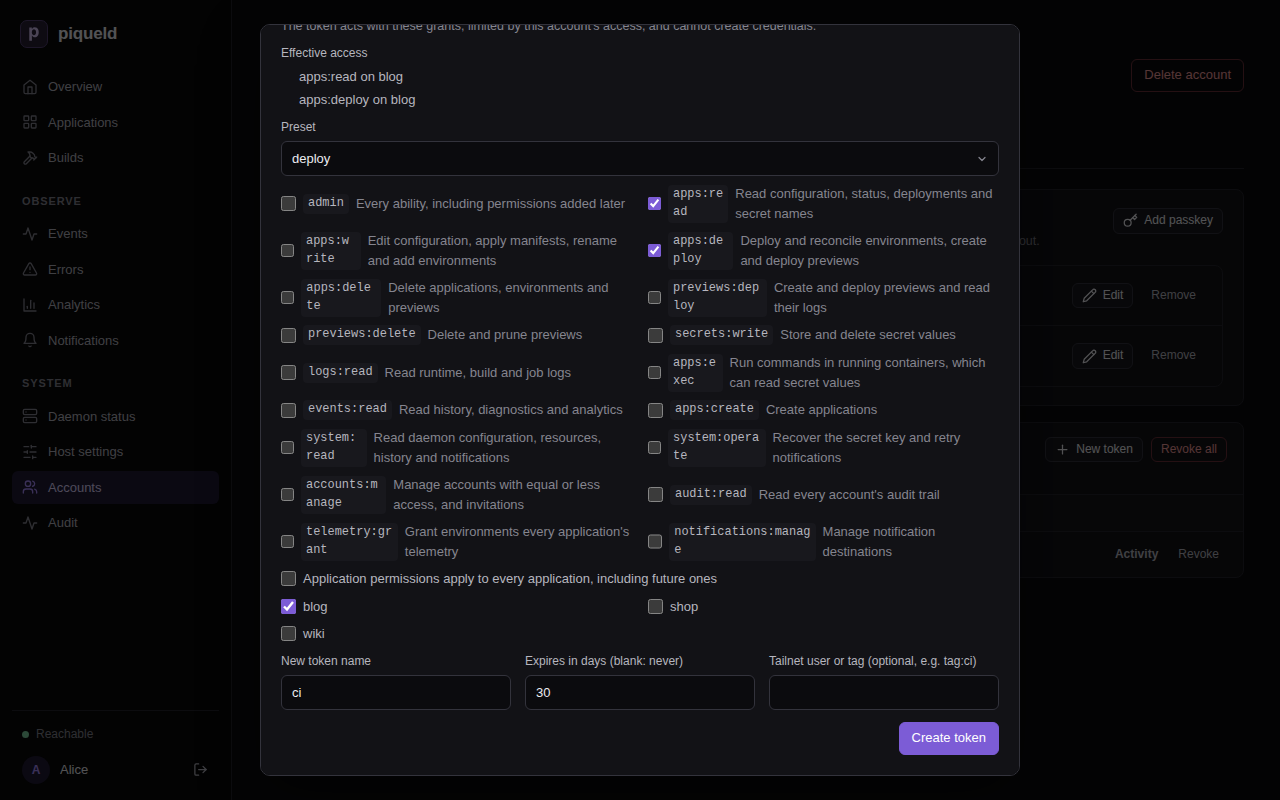
With piquelctl:
$ piquelctl token create ci --preset deploy --app blog --days 30
pqd_0UJj…
It prints the token, which starts with pqd_ so that secret scanners can find
leaked ones. piqueld only keeps a hash of it.
--preset,--permissionand--appchoose its access, from the access you hold.--dayssets its lifetime, 90 days by default.--no-expirymakes it last until you revoke it.
piquelctl token create
lists all its options.
The daemon’s auth.max_token_days
setting can limit how long new tokens last. With a limit, tokens without
expiry are refused, and so are tokens that outlive it.
What tokens can’t do
Tokens, and limited logins, can’t create credentials: no tokens, passkeys, invitations, enrollment links or CLI login approvals. They can’t give anyone access, and they can’t change their own account. They can revoke themselves. So a leaked token never outlives or exceeds its own limits.
Without accounts:manage, a token only sees itself.
piquelctl account list shows its account with the token’s own access, and
piquelctl token list shows the token alone. Your passkeys and your other
sessions and tokens stay hidden from it.
A token with accounts:manage can still edit other accounts’ profiles and
passkeys, revoke their sessions and tokens, and delete them, within its
access. It can’t change their grants.
Use a token in automation
Give the token to the script in PIQUELD_TOKEN, from your CI’s secret store:
export PIQUELD_URL=https://piqueld.<tailnet>.ts.net
export PIQUELD_TOKEN=pqd_…
piquelctl app deploy blog --yes
PIQUELD_TOKEN takes precedence over saved logins. Don’t put tokens in
connection profiles or in your Nix configuration. HTTP API clients send it as
Authorization: Bearer pqd_….
With PIQUELD_TOKEN set, piquelctl logout revokes that token and leaves
saved logins alone.
Bind a token to tailnet devices
When piqueld has its own tailnet node, or a dashboard hostname, you can bind a token to a tailnet user or tag. A leaked CI token is then useless outside your tailnet’s CI runners.
On the dashboard, fill in Tailnet user or tag (optional, e.g. tag:ci) when you create the token. Its row then shows Only from tailnet tag:ci.
With piquelctl, add --tailnet:
piquelctl token create ci --preset deploy --app blog --tailnet tag:ci
piquelctl token create laptop --preset read-only --tailnet [email protected]
piqueld then accepts the token only through its tailnet node, or that
hostname, from a device signed in as that user or carrying that tag. It checks
on every request, and again when a command started with app exec begins, so
removing a tag or signing a device out takes effect at once. Anywhere else,
including the Unix socket and other devices, the token is refused with 401
tailnet_binding_mismatch, and the refusal is recorded in the
audit trail.
Tagged devices belong to no user, so a user binding never matches them: bind their tokens to a tag. Logins can’t be bound.
Revoke a token
On the dashboard, select Revoke next to the token, under Sessions and API tokens on your account’s Access tab.
With piquelctl, list your sessions and tokens, then revoke one by its ID:
$ piquelctl token list
…
01a16b4c-3504-7053-b78f-e68736555bdf cli piquelctl (expires at Unix 1795393518)
the account's full access
…
01a16b4e-6995-79b2-bfb1-0f72630a4d96 token ci (expires at Unix 1795393663)
apps:read on blog
apps:deploy on blog
$ piquelctl token revoke 01a16b4e-6995-79b2-bfb1-0f72630a4d96
Info: revoked 01a16b4e-6995-79b2-bfb1-0f72630a4d96
Your logins are listed as piquelctl, and browser sessions as Browser.
Deleting an application removes every grant on it. A token or limited login
left with no grant at all can do nothing, and expires a minute later. That
minute lets piquelctl app delete, run with such a token, see the
deletion finish.
How long credentials last
| Credential | Lasts |
|---|---|
| Browser session | 7 days, or until it goes 24 hours unused |
piquelctl login | 30 days |
| API token | 90 days by default; any number of days, or no expiry, within auth.max_token_days |
| Host operator browser session | 12 hours |
piqueld never renews a credential. When one expires, sign in again or create a new token.
Troubleshooting
- “remote HTTP authentication requires HTTPS or an explicit insecure HTTP
opt-in”. Use the dashboard’s HTTPS address, or
--allow-insecure-http. - “–app “blog” must be an application ID when signing in“. Pass the ID
from
piquelctl app listinstead. - Approving a login is refused with
permission_exceeded. The login asks for access your account doesn’t hold. Start it again with less access. - “login expired; run piquelctl login again”. The code is valid for 10
minutes. Run
piquelctl loginagain. - Starting a limited login fails with
request_body_too_large. The access it asks for is over 16 KiB, which fits a preset on a few dozen applications. Ask for every application instead of listing them. - “token lifetime exceeds this installation’s auth.max_token_days”. Pass a
--dayswithin the limit. The limit also applies to the default 90 days. - Creating a bound token answers “tailnet bindings need the daemon’s tailnet node (tailscale.enabled) or a dashboard hostname (ingress.private.dashboard_hostname)”. Turn on piqueld’s tailnet node or set a dashboard hostname.
- A bound token is refused with
tailnet_binding_mismatch. Use it through piqueld’s tailnet address, from a device with that user or tag.tailnet_unavailable(503) meanstailscaleddidn’t answer in time: retry. - “credentials file must be readable only by its owner (chmod 600)”. Run
chmod 600on the credentials file. - “the daemon predates limited tokens” or “it predates limited logins”.
The daemon is too old to limit access, so
piquelctlrefuses rather than getting full access. Upgrade it.
Recovering access
Get back into piqueld when someone loses their passkey, or when no administrator can sign in at all. The last resort is the host operator, who controls the daemon’s host.
The host operator
Whoever controls the daemon’s host already controls piqueld: they can read and replace its database and its secret key, and drive its Docker engine. piqueld calls them the host operator, and lets them act without an account, which is simpler for them and leaves a clearer trail than editing the database. That grants nothing they don’t already have, so there’s no setting to turn it off.
On the host, piquelctl acts as the host operator when root or the daemon’s
own user runs it, over the daemon’s Unix socket:
$ sudo piquelctl whoami
host operator (uid 0)
admin on every application
- Members of the
piqueldgroup aren’t the host operator: they sign in with their own account. Over the network, nobody is. - With a saved login or
PIQUELD_TOKEN,piquelctlacts as that account, even when root runs it.setup-link,recover-adminandsign-in-linknever send them, so run by root or the daemon’s user they always reach the daemon as the host operator.setup-linkonly needs access to the socket.
The host operator holds admin on every application, so it may do what an
administrator does, except what needs an account. It has no passkeys or
tokens, can’t create invitation or enrollment links, and can’t approve CLI
logins. It isn’t an account, so it doesn’t count as one either: some account
must still keep admin and a passkey.
piqueld’s history and audit trail
attribute what it does to the host operator and its Unix user, such as
host operator (uid 0), and to its browser session, if any.
Sign a browser in as the host operator
On the host, print a sign-in link:
$ sudo piquelctl sign-in-link
Warning: this link signs a browser in as the host operator, with full access, for 12 hours; it works once within 10 minutes. It was recorded as a security event, which notifies administrators when security notifications are enabled.
https://piqueld.<tailnet>.ts.net/dashboard/auth#operator=…
Open the link and select Sign in as host operator. The dashboard shows Host operator as the signed-in user, and hides what needs an account. The link also works before the first account exists, so you can try a new installation from a browser.
Every link raises a
security notification,
“A host operator sign-in link was issued over the Unix socket to uid 0”, and
the daemon logs a warning.
Accounts with accounts:manage see these browsers under Host operator
sessions, on the Accounts page, and in piquelctl account list:
host operator (uid 0) browser session 01a16b51-bcb2-7800-87b6-bb2605a22b2d (admin, expires 1792845081)
To end one, select the sign-out button next to Host operator at the
bottom of that browser’s sidebar, select Revoke on the Accounts page,
or run piquelctl token revoke with its ID. Revoking one needs
accounts:manage and admin on every application, since it acts with that.
Someone lost their passkey
First, they get a new passkey on their account, the first way that works:
-
They still have another passkey, or a browser still signed in as their account. On their own account’s page, they add a passkey.
-
piquelctlis still signed in as their account, with its full access. On that machine, they create an enrollment link for their own account, which needs noaccounts:manage:piquelctl account enroll bobThey open the link themselves, in a browser, and register a passkey, which also signs that browser in. The link signs in whoever uses it, so they don’t share it.
-
Otherwise, an administrator sends them an enrollment link. That needs
accounts:manageand every grant of their account.
API tokens and limited logins can’t add passkeys or create enrollment links. If nobody who can sign in may send the link, see the next section.
Then, signed in as their account or as that administrator:
- Open their account from the Accounts page and, on its Access tab,
select Remove next to the lost passkey, or run
piquelctl account passkey removewith its ID, frompiquelctl account passkey list bob. - If the passkey may have been stolen, select Revoke all under
Sessions and API tokens, or run
piquelctl token revoke --all --user bob. Removing a passkey doesn’t end the sessions it opened.
No administrator can sign in
When every administrator has lost their passkeys, and none is still signed
in to a browser or to piquelctl with their account’s full access, the host
operator creates a new administrator. Their API tokens and limited logins
can’t help: they can’t add passkeys or create links.
-
On the host, print a recovery link:
$ sudo piquelctl recover-admin Warning: this link creates a new administrator account and works once within 24 hours; open it in a browser and register a passkey. It was recorded as a security event, which notifies administrators when security notifications are enabled. https://piqueld.<tailnet>.ts.net/dashboard/auth#invite=…Whoever completes the link first becomes an administrator. If you send it to someone, use a private channel you trust. If anyone else may have seen it, run
recover-adminagain, which replaces it. -
Open the link. On Create your account, choose a username, and select Create account with a passkey. The new account has
adminon every application, and the dashboard opens, signed in. -
Repair access on the Accounts page: send enrollment links to the administrators who lost their passkeys, remove the lost passkeys, and revoke the sessions and tokens that may be compromised.
-
Delete the recovery account once you no longer need it.
The link works once, within 24 hours. Running recover-admin again replaces
it. It only creates a new account and never changes existing ones, so a
compromised administrator isn’t quietly given back their access.
Issuing the link and using it each raise a security notification:
“An admin recovery link was issued over the Unix socket to uid 0”, then, for
example, “rescue became an administrator by an admin recovery link”. Both
are recorded in the daemon’s history, and the request in the audit trail. An
unexpected one means someone with root on the host is acting: treat it as a
compromise of the host.
Before the first account exists, there’s nothing to recover:
create it with piquelctl setup-link.
A lost secret key
The daemon’s secret key, secrets.key in its data directory, encrypts the
values of stored secrets and the addresses of notification destinations.
Accounts, passkeys, sessions and tokens don’t depend on it, so losing it
doesn’t stop anyone signing in.
Secret storage explains what
losing it means, and how to recover with system:operate.
Troubleshooting
sign-in-linkorrecover-adminanswersendpoint_not_found(404). The command didn’t reach the daemon’s Unix socket as root or the daemon’s user. Run it withsudoon the host, without--url. If the daemon runs in a container or a user namespace, the user has to match as the daemon sees it.- “recover-admin is only served over the daemon’s Unix socket; use
–socket”.
--url,PIQUELD_URLor a connection profile pointspiquelctlat a network address. Recovery and sign-in links are never served over the network. recover-adminanswerssetup_pending. No account exists yet. Runpiquelctl setup-linkinstead.- “the host operator is not an account; sign in with an account to do
this”. Invitations, enrollment links and tokens need an account. Create
one with
recover-adminif nobody can sign in.
Application dashboard
The Leptos dashboard manages application configuration through forms. Create an empty application in a modal, add services in a modal and declare named volumes, and edit images, Git builds (including Docker build arguments and targets), replicas, environment variables, commands, arguments, mounts, read-only files, health checks, startup dependencies, rollout order and monitor window, and resource limits. Each settings group has its own Save changes button. Saving updates the database without changing running containers.
Preview opens a dialog with the planned changes, the variable values it renders, the planned actions (saying so when network, volume and service changes wait for image resolution and builds, which the deployment plans), each service’s effective rollout order (derived or explicit) and monitor window, and plan warnings. Deploy captures the saved configuration in a persisted deployment and applies it. Both buttons require all local edits to be saved or discarded. Every deployment supersedes pending work and refreshes image resolution, including when configuration has not changed. Completed deployments retain their terminal state in history. Retries use the captured deployment, not subsequent configuration edits.
The piqueld logo links to the home page. The sidebar groups Overview,
Applications, and Builds; the Observe section (Events, Errors, Analytics,
Notifications); and the System section (Daemon status, Host settings, Accounts,
Audit). Notifications, Daemon status and Host settings need system:read;
retrying a failed notification delivery needs system:operate.
Notifications lists destinations and
deliveries. With notifications:manage it adds, edits, tests and deletes
destinations: their kind, URL (write-only), categories with an optional message
each, applications and previews.
Its footer shows daemon connectivity and the signed-in account with a sign-out
button. On a narrow screen, such as a phone, the sidebar is a bar at the top
whose Menu button opens the navigation and the footer. The home page and Applications show the five most recent deployments
across applications; each row opens that deployment in its environment’s history.
Daemon status also runs the installation checks
when it opens and on demand, showing each with its next step.
Applications also has a clickable directory with each application’s health (its
least healthy environment) and last deployment time.
An application’s page holds its shared configuration and history across all
of its environments. Saving changes future deployments of every environment;
running deployments keep their captured configuration. The Environments tab
lists the environments with their health and latest deployment, deploys any one
of them, and creates new ones, including for an application with no
environments. Clicking anywhere on an environment’s row opens its own page,
/dashboard/applications/<app>/environments/<environment>, with a breadcrumb
back to the application. Its Overview shows the runtime status, the environment’s
source, and renames or deletes the environment; its other tabs are Deployments,
Secrets, Logs, Terminal, and Events. The environment’s Secrets tab lists each secret the
manifest it deploys mounts and where the value comes from: generated for the
environment, the application’s secret store (with its version), missing from the
store, which would fail the next deploy with secret_missing, not allowed by the
secret’s access list, which would fail it with secret_access_denied, or discarded by key recovery, which fails it with
secret_unavailable until the value is replaced. A promoted environment not
promoted into yet lists what the release its source runs mounts. Below it, the
application’s secret store works as in the application’s Secrets tab, limited to the
secrets this environment may mount or mounts; a new secret saved there may be mounted by
this environment only, unless its access is changed. Then the environment’s generated values
can be regenerated for the next deployment, or deleted so a later deployment
generates new ones. Deletion confirms the environment
name, retains its Docker volumes, and leaves the application and other
environments intact; Retry deletion resumes cleanup when needed. An
environment page whose environment no longer exists says so rather than showing
another environment.
The Terminal tab of an environment or preview runs a one-off command in a
running task of one of its services, like
piquelctl app exec. It needs
apps:exec on the
application. Choose a Service, enter a Command (/bin/sh by default)
and select Run. The command is split into arguments with shell quoting, but
no shell runs it unless you name one.
Interactive terminal, on by default, gives the command a terminal the size of the tab: what you type, paste and resize reaches the command. Without it, the command gets no input and its output is shown as is. The terminal shows 16 colors from the dashboard’s palette, with other colors shown as the nearest of them, and keeps 5000 lines of history for the mouse wheel. To copy, select text and copy it as you would anywhere else. Ctrl+Shift+V or Command+V pastes. On macOS, Option types characters, as in Terminal.app, rather than acting as Meta; with arrows and other named keys it still acts as Meta.
When a command can’t start, the tab shows the daemon’s reason, such as
“Service has no running task”. Once the command ends, it shows its exit code.
Switching tabs keeps the session. Disconnect, running another command, or leaving the
page stops the output, but the command may keep running in the task, as when
piquelctl ends early. History records the command’s start and exit, never the
command.
The Previews tab lists the application’s
previews, never shown among its
environments: each preview’s branch, slug, slot, branch state (exists, moved
or gone, with shortened commits; local while it runs a local snapshot, with
the branch head or “never pushed”; or unknown with the repository error), and
status (or Deleting) with its status message on hover. A Bounded
badge marks a preview whose deployment runs a service with the
[previews] default limits or fewer replicas than
its manifest asks for, listed on hover. It also shows whether pushes
redeploy it, with the commit sync last deployed or found.
The list loads when the tab opens and on Refresh, not on a timer, since
each load runs git ls-remote on the manifest repository. New preview asks
for a branch and an optional slot, which tells apart several previews of one
branch (one per agent, say), then opens the preview’s deployments; for a
preview of that branch and slot that already exists, it opens it without
redeploying. It is disabled until a manifest repository is connected in Source.
Delete confirms, then deletes the preview with every volume it created and
their data. Prune gone confirms, then deletes every preview whose branch
was gone when the list loaded; the daemon checks each branch again, keeps any
it can no longer confirm gone, and deletes nothing while the repository cannot
be read. None of them needs a saved revision, so unsaved edits elsewhere on the
page don’t block them.
Each row opens the preview’s page, which has an environment page’s tabs.
Its Overview shows the preview’s branch, slot, slug, and ID, with its branch
state, what it deploys and its bounds read on load and on Refresh, then its
runtime and URLs, its variables rendered for previews, and a card to delete it.
Deploys is the head of its branch, or, after piquelctl preview deploy --local, the local snapshot’s commit and the base it was uploaded against,
with what Redeploy branch head does then. Redeploy branch head always
deploys the head of its branch from the repository, replacing a local snapshot;
for a branch never pushed it fails until the branch is pushed. Snapshots are
only uploaded from a worktree with the CLI. Deployment history shows a local
snapshot’s origin as “Local snapshot <commit> on <base>”.
Preview and Deploy to <environment> on an environment page target that
environment. On the application page they target its only environment; with
several, Deploy opens a list of every environment, each with its own Deploy or
Promote from <source> button. On an environment’s own page the button is just Deploy. Deployment actions
are disabled for deleting environments. Preview plans the manifest the
environment deploys: the saved one for an environment following the branch
spec.manifest names, once the application has read a manifest from it (it is
deployed until a push changes the manifest there); for one that follows another
branch, the one last fetched from it, so Preview is disabled until its first
deployment. An environment following a branch also offers Deploy revision.
It deploys the manifest on the head of another branch of the application’s
repository, or on a commit given by its full hash, once, like
piquelctl env deploy --branch or --commit. Nothing is saved: the
environment’s next deployment, or a push to its branch when it deploys on push,
returns to its own branch. A service’s Logs tab reads the only
environment’s logs, or links to each environment’s logs.
A deployed environment’s page also offers Stop, which confirms, then stops it: the gateway withdraws its routes and its services scale to zero, keeping their configuration and volumes. Its health then shows Stopped on its page, in the Environments list, and on the application, and its Source card says pushes don’t deploy it. Start runs it again, as does deploying or promoting into it. Previews have no Stop; delete them instead.
A promoted environment never builds, so its page and its Environments row offer
Promote from <source> instead of Preview and Deploy, and its source’s page
offers Promote, before Deploy, listing the environments promoted from it, each
with its own Promote from <source> button. Either first plans the promotion of
its source environment’s current release and shows it: where the release comes
from, the release itself (commit, each service’s image, availability), the
changes against the environment’s current deployment, new (empty) volumes, the
runtime actions, and every secret that is missing or that the environment may
not use. Promote release is disabled while a secret is listed or the
release’s images were removed, and promotes
exactly the source deployment that was planned: if the source deployed again
meanwhile, the daemon refuses it (promotion_source_changed) and the dialog
shows why.
An environment’s or preview’s Deployments tab lists its deployments, newest
first, twenty at a time, with Load older deployments for the rest. Each is
titled by what brought it: “Deployment” for one built from the environment’s
source, “Promotion from <environment>”, “Restore”, “Automatic rollback” or
“Release redeployed”, tagged with the configuration revision it deploys, and
marked Current target or Last successful. Expanding one shows its
details, the configuration it captured (Snapshot), each time piqueld tried
it (Attempts) and its events (Events), without leaving the page.
Expanding a deployment that succeeded offers Restore, unless it is the
newest and already current, so you can also return to it after a newer
deployment failed. Once confirmed, it deploys the deployment again exactly as it
ran, like piquelctl env restore: its manifest, images and secret versions, without running its jobs
and without reverting volume contents or migrations. The restore is a new
deployment whose origin reads “Restored from deployment <id>”, and becomes the
current target. A deployment whose images or secret versions are gone is
refused with the reason. An automatic rollback
is listed the same way, its origin reading “Rolled back from deployment
<failed> to deployment <restored>”.
Values that differ between environments come from manifest variables. The
Variables tab edits them: one row per variable, with its default, one column
per environment, including environments the manifest configures before they
exist, and a Previews column for [spec.previews.variables]. An environment’s
or the previews’ value overrides the default, and an empty cell has no
value, so a variable may have only per-environment values. Fields that accept variables, such as replicas
or health check settings, take ${{ vars.<name> }} in place of a literal. An
environment’s Overview lists the value of each variable there, marking variables
without one. Environments that render the same hostname conflict; the error
names the environment already reserving it.
Applications have one main tab row: Overview (the default), Environments,
Previews, Services, Source, Variables, Routes, Volumes, Jobs, Links, Secrets, Releases, Builds,
and Events. Every page keeps its shown tab in its address, as ?tab=events
for example, so reloading the page or sharing its link opens the same tab. The Releases tab lists the application’s immutable releases, newest
first: each successful preparation of an environment’s deployment (never a preview’s) records one,
environments that prepared the same content share it, and deleting an environment keeps
them. Expanding a release shows the commit its manifest was read from, its
content hash, and for each service its image (a registry digest or local image
ID), where it came from, and the build inputs it was prepared from. A badge
says whether its images are still present, will be pulled again by digest
when deployed, or were removed, so it can’t be deployed again. Deployed to
lists every environment it was promoted into, deployed again by release ID, or
restored in, with that deployment. Deploy to <environment>, offered for each promoted
environment, plans deploying the release there with that environment’s current
secrets, like piquelctl env promote --release, and deploys it once confirmed. The Jobs
tab adds, edits, reorders, and removes the one-shot jobs that run before each
rollout, with one row per command element; saving replaces only the job list.
Jobs inherit the referenced service’s startup dependencies, which start or
update and become healthy first. Other services wait for all jobs to succeed;
if a job fails, its dependencies return to the running deployment. A job’s
volume access is read-only by default; exclusive access stops the services
using its writable volumes until the rollout. Stop service first stops
the job’s own service before it runs, until the rollout. Each job also lists the
environment variables and secret files only its container gets, added to its
service’s. The Links tab edits the
application’s links: the services it exports
and the applications that may import them (and whether their previews may),
and the services of other applications it imports, with an optional
environment; exports and imports each save their own list. The Routes tab
edits hostnames, each with an optional name
and pointing at a service port or a redirect with a public or
private visibility, and shows each deployed route’s name, effective visibility, the DNS
records its hostname needs, whether piqueld
manages them (manual, managed, pending or
dns_conflict), HTTPS readiness and diagnostics in every environment and preview.
Each environment’s Overview sets its visibility ceiling, and its Rollback
card chooses what happens when a rollout fails: Automatic restores the last
successful deployment, Manual leaves the environment degraded, and
Default is automatic for promoted environments and manual for the others
(see rollback). System status is one row
per component, each with its state and a line about it; rows with more to say
open on demand. The Previews row counts the previews against their limit,
installation-wide, and opens to each readable application’s count and the CPU
and memory limits of their deployed replicas. It also shows which DNS providers manage
route records and, on one row, the state of their certificates, the Cloudflare Tunnel’s ID and connection state in tunnel mode, and the private listener
with the apps tailnet node’s name and addresses. With system:operate,
Check DNS providers checks their credentials now. Saving routes updates only the route field;
Deploy activates the change. Services lists saved services, with their observed
health merged in when the application has one environment. The Secrets tab
holds the application’s secret store, the secrets piqueld generates (each a
random value or an RSA key; changing or removing one keeps values already
generated), and each service’s secret file references. The Overview tab shows the application’s identity, configuration
revision, and environments, and the delete action. Builds and Events cover every
environment, each linking to its environment, and include application-wide
events such as edits and renames; a deleted environment’s events remain until
the application is deleted. Events has an Errors only filter. An environment’s Overview shows the runtime status, the latest operation,
a URLs card, a Links card when it imports services or others import its
services, a Telemetry card when it is granted the daemon’s
telemetry or
deploys a service receiving it (whether it is granted, which service receives
it, and whether the daemon is connected), observed services, and
reconciliation diagnostics. The Links card
lists each import as connected or waiting, with why, and the environments of
readable applications importing its services; a preview’s Overview shows it
too. The URLs card
lists the URL of each route the current deployment renders, with its name,
visibility, destination and state: ready, or pending with what it waits
for (ingress, HTTPS, DNS records, or a healthy service), as the daemon reports
it in URL readiness. Each service row opens a service page with a
breadcrumb back to the application and tabs for source and scaling,
environment, command and arguments, volume mounts, files, health checks,
startup dependencies, rollout, telemetry, resource limits, and logs. Files lists each
read-only file’s container path, mode, and inline content; files a
repository-backed manifest reads show their repository path. Startup dependencies list the
application’s other services as checkboxes. Rollout selects an order (derived
from mounts, stop first, or start first) and an optional monitor window, blank
for the 30-second default. Telemetry marks the service as the application’s
telemetry receiver. Service form drafts are retained when switching tabs.
Selecting None for a health check hides its remaining fields.
The pencil beside the application name opens its rename form.
The pencil beside a service’s name, on its page, renames the service. Routes,
jobs, exports and startup dependencies that name the service follow the new
name, and the dashboard opens the renamed service’s page. Save or discard edits
to the service’s other settings first.
An environment’s Deployments tab lists expandable deployment rows with Details, Snapshot,
and Attempts sections. Attempts load when first opened; refresh and older-attempt
controls appear below the list. Operation IDs appear only in deployment Details,
next to the deployment’s release, which links to it in the application’s
Releases tab, and its origin: built from the environment’s source, promoted
from another environment’s deployment, a release deployed again, or, for a
preview, a local snapshot with its commit and base. The
environment’s Overview links to the release its current target runs. Current target, last successful deployment, and observed runtime health
are distinct. History remains until the environment is deleted. Deploying an
empty application removes its runtime services and network. Removing volumes or
deleting an application retains environments’ Docker volume data; deleting an
application deletes every environment and preview, with the previews’ volumes,
its configuration, and all database history. The
confirmation names the environments being deleted.
Forms save typed fields or settings sections through individual endpoints, without resubmitting the application manifest. Related fields within a form save atomically. All form saves update configuration only; Deploy remains explicit. A repository-backed application’s forms edit it the same way; its settings tabs then list its edits from the manifest last read from the repository, which deployments of the connection’s branch deploy until a push changes the manifest there, and Reset to repository discards them, after confirmation. Its Overview says whether its configuration is read from Git or also edited in piqueld. Concurrent edits are rejected using configuration revisions; failed saves retain local form values. Reload saved configuration, offered after a failure or a change made elsewhere, reloads it in place: forms without edits show the latest version, and edited ones keep their edits until saved or discarded, discarding back to the latest version. Navigation warns about unsaved edits. Host settings are read-only. There is no raw manifest editor.
The browser bundle uses HTTP DTOs and shared typed lifecycle records and
fetches same-origin /api/v1 resources. The daemon serves it only on the
configured localhost or Tailscale TCP listeners and, with a
dashboard hostname, through private ingress.
The API Unix socket is API-only, and the daemon does not add CORS, browser telemetry,
or a public binding. Passkey login
establishes an HTTP-only session cookie; the Accounts page manages accounts and
their grants, invitations, passkey enrollment links, and tokens. See
managing accounts. Pages, tabs, and actions the
signed-in account cannot use are hidden. Without apps:write on an
application, its configuration forms are read-only. The daemon still checks
every request, and refuses what the account’s grants don’t allow with
permission_denied. See
permissions.
A link from piquelctl sign-in-link opens a page that signs the browser in as
the host operator for 12 hours, without
an account. The dashboard then shows “Host operator” as the signed-in user and
hides actions that need an account: adding passkeys, creating tokens,
invitation and enrollment links, and CLI login approval. Accounts with
accounts:manage see live host operator sessions on the Accounts page; since
those sessions act with admin on everything, only accounts holding that can
revoke them. When the session expires or is revoked, the dashboard asks to sign
in again over the current page, keeping unsaved edits; signing in as another
account or the host operator reloads the dashboard without them.
The Audit page shows the audit trail, naming the
application or environment each request addressed, and each
session or token links to its own activity. New tokens can be bound to a
tailnet user or tag; see tailnet-bound tokens. With audit:read, Verify
integrity checks the trail’s hash chain. Log display preferences persist in browser
local storage.
The application’s Secrets tab lists the secret store’s names, versions and
who may mount each one, by environment name. It creates or replaces write-only
text values, edits access (every environment, including ones created later, or
the checked environments, plus whether previews may mount it, which “every
environment” never includes), and
deletes secrets no environment uses. Submitted values are cleared and cannot
be read back; use the CLI for binary secret files. If a write or deletion fails,
further secret changes are disabled until metadata refresh succeeds. Metadata
refresh and secret writes cannot overlap. Pending deletion is shown explicitly;
retry Delete to complete cleanup. After daemon-wide key recovery, affected secrets
show “Value discarded by secret key recovery.” Replace each value and explicitly
deploy to adopt it; old deployments never silently pick up replacements. Recovery
itself is available through piquelctl secrets recover-key.
Each service has a separate
secret-file reference editor. Save references, then deploy explicitly to mount
those versions. Repository-backed applications keep references in their Git
manifest. Secret values and unsaved references participate in navigation warnings.
Healthy replica counts come from Docker’s container healthcheck verdicts for services that declare one; services without a healthcheck count running tasks as healthy.
Accessibility coverage includes semantic headings and lists, a skip link, keyboard-operable buttons, visible focus, live status/error regions, responsive layouts for narrow widths, and a permanent dark palette with contrast-oriented status colors.
The supported browser baseline is a current evergreen Chromium, Firefox, Safari, or Edge release with WebAssembly, ES modules, Fetch, and standard CSS media-query support. Internet Explorer, JavaScript-disabled browsing, and older browsers without those primitives are outside the support target.
Streaming logs, running commands in containers (piquelctl app exec), and
state transfer remain outside the current dashboard scope.
Deployment history polls every two seconds while its tab and the page are visible.
Service source settings explicitly select a container image or Git with a Dockerfile build. Git settings include repository, branch, optional commit, Dockerfile path, and build context relative to the repository root. Saving scaling or other service settings preserves the selected source.
Repository manifest settings select the repository and exact manifest file,
shared by every environment, and, when connecting, the branch and optional commit
every environment starts following. Deploy fetches that file from the
environment’s branch before preparing service sources. While backing is enabled,
edit runtime configuration in Git; the repository and path remain editable here.
The application page shows the manifest last fetched from the branch
spec.manifest names, and reloads it after a fetch unless repository settings
are being edited.
Each environment of a repository-backed application follows its own branch.
New environment asks for the branch (by default the one spec.manifest
names) and an optional commit, the Environments list shows each environment’s
branch, and the Source card on an environment’s Overview changes it; nothing
is redeployed until its next deployment. The environment’s Variables card and
Logs service filter read the manifest last fetched from its branch; the
Variables card says when it has fetched nothing yet.
The Source card makes this one choice: Deploys either Builds its own source (the saved manifest, or for a repository-backed application the branch and optional commit below) or Releases promoted from <environment>, which never builds and only receives releases promoted from it. The card says what the environment does now and what the selected choice would do; Save source applies it, redeploying nothing. A promoted environment’s card links to its source. New environment can create a promoted environment directly. Its Variables card reads the manifest of the release last promoted into it. Its Visibility and Rollback cards edit the saved manifest, like every environment’s; since a promoted environment uses the visibility, rollback and variables recorded in the release it receives, a saved change applies once its source records a new release and it is promoted. Unsaved changes in the Source, Visibility, Rollback, and rename forms block deployment and warn before navigation, like other forms.
When the manifest declares environments,
it owns their existence, so Rename environment and Delete environment are disabled for them, and,
when an environment’s [spec.environments.<name>] block sets its source, its
source and deploy on push: its Source card then names that block and is
read-only, and so is Deploy on push. A
Differs from the manifest card above the Environments list shows changes
waiting for the manifest’s next save or fetch, and environments it no longer
declares (Not declared), which keep running until deleted. New environment
then says that environments it creates aren’t declared.
A deployment’s Snapshot shows the manifest path and revision it was fetched
from, and a warning when the fetched file’s own spec.manifest names another
repository or path (manifest_connection_ignored); that section is ignored.
Deploy on push in the repository settings selects how the application
follows pushes: off, polling every
given number of seconds, or GitHub webhooks. While it is on, the card shows the
last check of the repository’s branches and why it failed. With webhooks, a
GitHub webhook card shows the payload URL to configure (or that the daemon
must set ingress.webhook_hostname), the content type and event, and whether a
secret exists. Generate secret creates one and shows it once, with a
Copy button, as the payload URL has (browsers offer no clipboard on plain
HTTP origins, so there the text is only selectable), until Done or leaving
the Source tab;
Rotate secret confirms first, since the previous secret stops verifying at
once. Neither is retried automatically when its outcome is unknown, as a retry
would rotate the secret again. On an environment’s Overview, the Source card says
whether pushes deploy it (following, off, pinned, not opted in, stopped, or
waiting for a deployment, with the reason) and the branch head of its last
deployment (“Not pushed” when a local snapshot was deployed before its branch
existed); Deploy on push opts it in without a saved revision, and
Stop deploying on push opts it out. A
preview’s page shows the same, without the opt-out. An environment’s Overview
has a Telemetry card: whether it is granted the daemon’s telemetry, which
deployed service receives it and whether the daemon exports to it. Grant
telemetry confirms, then grants the environment telemetry, and Revoke
telemetry revokes it, for holders of telemetry:grant. Events caused by sync name
sync:poll or sync:webhook as their requester.
Manifest, beside the deployment actions, downloads the current server-saved configuration as TOML. Unsaved form edits and runtime/deployment state are excluded. Repository connection settings are preserved; the download does not fetch Git or require Docker. Original comments and formatting are not retained.
Environment and service Logs tabs read recent output directly from Docker. Service and stdout/stderr dropdowns filter in the daemon. Snapshots refresh every 30 seconds while the view and browser tab are visible; Refresh is also available on the right. Merged terminal output appears only with Both streams selected.
Runtime and build output share a monospace terminal with grey messages, separate metadata, local HH:mm:ss timestamps (full precision on hover), red backgrounds for ERROR/FATAL messages, and subtle warning backgrounds for other stderr output. Task IDs and stream labels are omitted. Timestamp, service visibility, and wrap preferences persist in this browser. Environment logs default to showing timestamps and services. Build timestamps default off and have a separate saved preference; build output never shows service labels or a service toggle. Wrapping defaults off, and service labels default hidden in a service’s own Logs tab. Terminal escape formatting is stripped. New output follows the bottom only when the reader has not scrolled up.
The main overview and Daemon status group daemon connectivity with deployment
readiness for SQLite, Docker reachability, Swarm suitability, and HTTPS ingress,
plus the tailnet node when enabled. A Telemetry export card per destination
shows the [telemetry] endpoint and the receiving service of each granted
environment of a readable application, with whether it is connected. A Built images card shows
how many images this installation built that image cleanup kept, and the size
of those it removed since the daemon started. Green and red labels state
each result in text, and one refresh updates the complete dashboard status.
These diagnostics never disable configuration controls.
Build history is available from the main navigation and each application’s Builds tab. Compact attempt rows expand to show source, revision, Docker build settings, operation timing, commit, image, and retained output size. Opening a row loads its output into the same accessible log viewer used by the Logs tab. Running attempts refresh output every 30 seconds while expanded and visible, stopping after the final completed output loads. Opening shows the newest output; Load older output prepends preceding pages. Refresh replaces the output with the latest page. New captures retain timestamps and stdout/stderr identity, allowing daemon-side stream filtering. Expiration and truncation remain explicit.
See history and diagnostics for history, daemon statistics and analytics, telemetry for telemetry export, and notifications for webhook delivery.
Serving an application over HTTPS
This page puts an application’s service on a public HTTPS address, such as
https://hello.example.com. piqueld runs a gateway in front of your
applications: it receives requests on ports 80 and 443, gets a certificate for
each hostname, and forwards each request to its service.
A route can also be private, so that only devices on your tailnet reach it; see private routes.
Before you start
- A domain name, and access to its DNS records.
- A server that the internet reaches on ports 80 and 443, with nothing else listening on them. Without inbound ports, such as behind NAT, serve your routes through a Cloudflare Tunnel instead.
- Docker Engine 28 or later on the server.
- An application whose service serves plain HTTP, such as
hellofrom Deploying your first application. - Run
piquelctlon the host, or on any machine where it is signed in. - Adding a route needs the
apps:writepermission on the application, and deploying itapps:deploy. The dashboard hides or disables the controls you can’t use.
piqueld doesn’t put a sign-in in front of your routes: anyone can open a public route, so your application handles its own authentication.
Enable the gateway
-
Enable it in your configuration, with
ingress.enabled:services.piqueld.settings.ingress.enabled = true;Or, in
/etc/piqueld/config.toml:[ingress] enabled = true -
Open TCP ports 80 and 443 in the server’s firewall. The NixOS module doesn’t open them:
networking.firewall.allowedTCPPorts = [ 80 443 ]; -
Rebuild the system, or restart the daemon with
sudo systemctl restart piqueld. piqueld reads its[ingress]settings only when it starts.
Check that the gateway runs. In the dashboard, System status on the Overview shows HTTPS ingress as Ready. On the host:
$ sudo piquelctl status
...
Public listener: healthy: Caddy is running and routing configuration is applied
Public ingress: ports 80/443
...
Add a route
-
Create a DNS record for the hostname: an A record to your server’s public IPv4 address. Add an AAAA record to its IPv6 address only if public IPv6 traffic actually reaches your server. piqueld can also create these records for you.
-
Add the route, in the dashboard, with
piquelctl, or in the manifest, as below. A route sends the hostname’s requests to a service, on the port it serves HTTP on inside its container; the port doesn’t need to be published. Make it public so that anyone on the internet can connect. Without that, the route is private.
Saving a route doesn’t change what’s served; deploying does. piqueld starts serving the route once its service is ready. The gateway then gets the hostname’s certificate from Let’s Encrypt, and renews it by itself. It redirects plain HTTP requests to HTTPS.
In the dashboard
- Open Applications, then hello, then its Routes tab.
- Select Add route.
- Fill in the Hostname, and set Visibility to Public.
- Set Destination to A service, then choose the Service and its HTTP port.
- Select Add route at the bottom of the dialog.
- Select Deploy to production.
Each route is a row, with the environments it is deployed in and whether HTTPS answers there. Edit changes it in the same dialog, and Remove takes it out of the saved configuration.
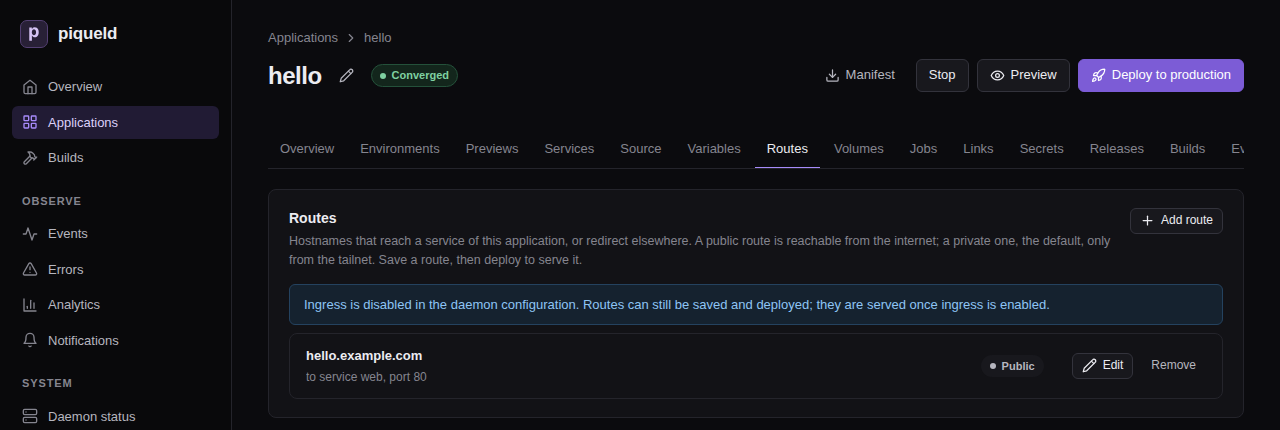
On a daemon whose gateway is off, as in this image, the tab says so above the routes. You can still save and deploy them. piqueld serves them once you enable the gateway.
With piquelctl
Add the route and deploy it with
app route add:
piquelctl app route add hello hello.example.com web 80 --visibility public --deploy
In the manifest
-
Add the route to the manifest,
hello.toml:[[spec.routes]] hostname = "hello.example.com" service = "web" port = 80 visibility = "public" -
Deploy it:
piquelctl app apply --file hello.toml --deploy
Check that it works
In the dashboard, the environment’s Overview lists the route’s URL in its
URLs card. With piquelctl, use
env url:
$ piquelctl env url hello production
URL: https://hello.example.com ready
The URL is ready once all of these hold:
- the gateway serves the route;
- piqueld itself fetched
https://hello.example.com, with a trusted certificate, and reached this server’s gateway; - its DNS records, if piqueld manages them, are in place;
- its service runs, with every replica healthy.
Until then, it is pending, followed by what it waits for.
To see every route of the application, with what each one’s hostname needs
from DNS, open its Routes tab: Deployed routes lists them. With
piquelctl:
$ piquelctl app route list hello
HOSTNAME NAME ENVIRONMENT VISIBILITY STATE DESTINATION DNS RECORDS
hello.example.com - production public ready web:80 manual A/AAAA -> this server's public addresses
Each route is in one of these states:
| State | Meaning |
|---|---|
ready | piqueld reached the route over trusted HTTPS. |
pending | It waits for the gateway, DNS or its certificate. The next line says what to check. |
failed | It can’t be served, for example without a certificate; the next line says why. |
disabled | The gateway, or private routes, are turned off. |
Unlike the URL’s readiness, a route’s state doesn’t include its service’s health.
Redirect a hostname
A route can answer with a redirect instead, for example from www to your
main hostname.
In the dashboard, add the route on the Routes tab, set its Visibility to Public and its Destination to Redirect, fill in Redirect to, then select Save changes and Deploy to production.
With piquelctl, use
app route redirect:
piquelctl app route redirect hello www.hello.example.com https://hello.example.com --visibility public --deploy
In the manifest, then apply it with --deploy:
[[spec.routes]]
hostname = "www.hello.example.com"
redirect = { to = "https://hello.example.com" }
visibility = "public"
The gateway answers redirects itself, so they need no service. It sends a 308
redirect and keeps the request’s path and query: www.hello.example.com/about
goes to hello.example.com/about. To change that, set Status and Keep
path and query in the dashboard, --status and --no-preserve-path with
piquelctl, or
status and
preserve_path
in the manifest. Redirect hostnames get certificates like any other.
Give each environment its own hostname
A hostname belongs to one environment. Several hostnames can lead to one
service, but two environments can’t share a hostname: saving or deploying a
manifest that renders the same hostname in two environments fails with
hostname_conflict.
Give each environment its own hostname with a
variable: set the route’s hostname to
${{ vars.domain }}, and give domain a value in each environment. For a
staging environment beside production, the dashboard and piquelctl
remove the route to hello.example.com first: staging would render it too,
so piqueld refuses to create staging beside it. The manifest changes
everything in one save.
-
In the dashboard, open the application:
- On the Routes tab, select Remove on the
hello.example.comroute, then Save changes. - On the Environments tab, select New environment, name it
staging, then select Create environment. This opensstaging’s page: return to the application through the hello breadcrumb. - On the Variables tab, select Add variable, and name it
domain. Set its Default tohello.example.com, and its value in the staging column tostaging.hello.example.com, then select Save changes. - On the Routes tab, select Add route. Set its Hostname to
${{ vars.domain }}, its Service to web, its HTTP port to80and its Visibility to Public, then select Add route. - Select Deploy, then deploy each environment.
- On the Routes tab, select Remove on the
-
With
piquelctl, create the environment withenv createand set the variable withapp variable set. Single quotes keep your shell from expanding$. The last command deploys both environments:piquelctl app route remove hello hello.example.com piquelctl env create hello staging piquelctl app variable set hello domain hello.example.com piquelctl app variable set hello domain staging.hello.example.com --env staging piquelctl app route add hello '${{ vars.domain }}' web 80 --visibility public --deploy -
In the manifest:
[spec.variables] domain = "hello.example.com" [spec.environments.production] [spec.environments.staging.variables] domain = "staging.hello.example.com" [[spec.routes]] hostname = "${{ vars.domain }}" service = "web" port = 80 visibility = "public"
An environment keeps its hostnames until a deployment withdraws its routes, so no other environment or application can take them in the meantime.
To keep an environment, such as staging, off the internet, make its routes
private.
Read the client’s address
Your service receives requests from the gateway, not from the client. The
gateway adds the client’s address in X-Forwarded-For, and sets
X-Forwarded-Proto and X-Forwarded-Host. It replaces any X-Forwarded-For
the client sent.
Trust those headers only when they come from the gateway. While the gateway is
enabled, each service a route leads to gets the variable
PIQUELD_INGRESS_PROXIES: the comma-separated address
ranges the gateway connects from, such as 10.0.3.0/24. In Express, for
example:
app.set("trust proxy", process.env.PIQUELD_INGRESS_PROXIES.split(","));
The environment’s other routed services connect from that range too, so trusting it also trusts them.
Turn the gateway off
If you serve the dashboard on your own domain,
follow Move the dashboard off the gateway
instead: the daemon doesn’t start with the gateway off while
ingress.private.dashboard_hostname is set.
-
Turn the gateway off in your configuration:
services.piqueld.settings.ingress.enabled = false;Or, in
/etc/piqueld/config.toml:[ingress] enabled = false -
Rebuild the system, or restart the daemon.
In the dashboard, System status shows HTTPS ingress as Disabled,
and sudo piquelctl status on the host no longer prints a Public listener
line. Ports 80 and 443 close, and every route reports disabled once piqueld has
confirmed the gateway stopped. Until then, routes report failed, because
routing may still be active.
piqueld keeps your routes and certificates, and still accepts and deploys manifests with routes. When you enable the gateway again, it serves the routes of your deployments, including those deployed while it was off.
While the gateway is off, piqueld deletes the DNS records it manages, and deletes DNS-01 certificates once they expire.
Stopping the daemon, on the other hand, leaves the gateway running, so your routes stay up. The gateway keeps renewing the certificates it got itself. DNS-01 certificates, for wildcards, private routes and the dashboard, wait for the daemon to renew them. The webhook and dashboard hostnames stop answering, since the daemon serves them.
Move the dashboard off the gateway
The gateway serves the dashboard’s hostname, so the dashboard needs another address before you turn the gateway off.
This breaks your passkeys. The dashboard only works at the address
auth.public_url
names, and a passkey only works at the address it was created on. The
passkeys you have stop working, and the steps below add a new one.
-
Sign
piquelctlin with your account, on the host or through piqueld’s own tailnet node, which keep working after the change. The host operator can’t create enrollment links. -
Choose the dashboard’s new address, and add its settings to your configuration. Your own reverse proxy can now use ports 80 and 443.
-
Remove
ingress.private.dashboard_hostname, and turn the gateway off:services.piqueld.settings.ingress.enabled = false;Or, in
/etc/piqueld/config.toml, removedashboard_hostnamefrom[ingress.private], and set:[ingress] enabled = falseIf you set
auth.public_urlto the dashboard’s hostname, set it to the new address. Left unset, it becomes piqueld’s tailnet node’s address iftailscale.enabledis set, andhttp://localhost:7845otherwise. -
Rebuild the system, or restart the daemon.
-
Create a link that adds a passkey to your account:
piquelctl account enroll alice -
Open the link at the new address, and save the new passkey.
If no CLI login works any more, recover administrator access. Then check that the gateway stopped, as above.
Limits
- The service must serve plain HTTP, over HTTP/1.1. WebSockets and streaming responses work.
- A route serves a whole hostname: there is no routing by path, and no TCP or UDP port.
- An application has up to 64 routes.
- The hostnames of piqueld’s website (
auth.public_url), dashboard and webhooks, and the names below them, can’t be routed. A route that already had one still deploys, but isn’t served. - Removing a service, with Remove service on its page or
app service remove, also removes its routes from the saved configuration.
Troubleshooting
- The route stays
pendingwithPublic HTTPS is not verified yet. Check that the hostname’s A and AAAA records point at your server and no other, and that ports 80 and 443 are open to the internet. piqueld checks the route from the server itself, so a router that can’t loop the server’s public address back to it keeps the routepending, even when it works from elsewhere. Waiting for the gateway configuration to be applied. Check HTTPS ingress in System status.Ingress unavailable: could not prepare the Caddy gateway (requires free ports 80/443 and Docker 28+)means another program uses port 80 or 443, or Docker is too old. To see which, select Run checks under Installation checks on the Daemon status page, or runpiquelctl doctor: the Ports 80/443 and Docker Engine checks say what’s wrong. Running them needs thesystem:readpermission. If you run your own reverse proxy for the dashboard, move it to other ports or another server.- A route stays
pendingafter its environment was stopped. A stopped environment’s routes aren’t served. It keeps its hostnames, certificates and DNS records, so starting it serves them again within ten seconds: select Start on the environment’s page, or runpiquelctl env start <app> <environment>. - Saving fails with
hostname_conflict. Another environment or application already has the hostname, or piqueld uses it itself. See the previous section. - A route deploys but isn’t served, and the daemon logs
route hostname is reserved for the piqueld website or its webhooks; the gateway will not publish it. The route had the hostname before piqueld used it itself. Give the route, or piqueld’s website, dashboard or webhooks, another hostname; see Limits. - Your service sees the same client address for every IPv6 request. Docker forwards IPv6 to an IPv4-only network through a proxy, which hides the client. Serve the route over IPv4 only, by removing its AAAA record.
Private routes on your tailnet
A private route serves a hostname, such as admin.example.com, only to the
devices on your tailnet, your private Tailscale
network. Elsewhere, connections to it fail. Use private routes for admin
tools, staging environments and previews. Routes are private unless you make
them public.
piqueld serves them through a second tailnet device, the apps node, named
piqueld-apps by default. Your private hostnames’ DNS records point at its
tailnet addresses, and it passes their connections on to the gateway. It is
separate from piqueld’s own tailnet node,
so you can give it its own tags and access rules.
Before you start
- The gateway is enabled; see Serving an application over HTTPS.
- A tailnet, and permission to add a device to it.
- A DNS provider for your domain, Cloudflare or OVH. The certificate authority can’t reach a private route, so piqueld gets its certificates through the provider; see DNS-01 certificates.
- Run
piquelctlon the host, or on any machine where it is signed in.
Set it up
-
In the Tailscale admin console, create an auth key for the apps node, and give it a tag. Your tailnet’s access rules can then control who reaches your private routes, and the node’s key doesn’t expire.
-
Save the key in a file only root can read, such as an agenix or sops-nix secret. The node uses it only to join the tailnet the first time.
-
Enable private routes in your configuration, with your DNS provider:
services.piqueld.settings = { ingress.enabled = true; ingress.private = { enabled = true; hostname = "piqueld-apps"; # piqueld-apps.<tailnet>.ts.net auth_key_file = "/run/secrets/piqueld-apps-ts-auth-key"; }; dns.providers = [ { kind = "cloudflare"; api_token_file = "/run/secrets/cloudflare-dns-token"; } ]; };In
/etc/piqueld/config.toml, pass the files to the service withLoadCredential=, as for the tailnet auth key:[ingress] enabled = true [ingress.private] enabled = true hostname = "piqueld-apps" auth_key_file = "ts-apps-auth-key" [[dns.providers]] kind = "cloudflare" api_token_file = "cloudflare-dns-token"hostnameis the node’s name on the tailnet: one DNS label, different from the name of piqueld’s own node. The[ingress.private]settings describe each one. -
Restart the daemon. On NixOS, rebuild the system. Elsewhere, reload the unit you edited first:
sudo systemctl daemon-reload sudo systemctl restart piqueld -
On the host, check that the node joined the tailnet, and note its addresses:
$ sudo piquelctl status ... Private listener: apps node piqueld-apps.<tailnet>.ts.net (Running, 100.101.102.103, fd7a:115c:a1e0::5a01:4c3d) ...In the dashboard, System status shows the Private listener card as Ready, with the same name and addresses.
-
For each private hostname, create an A record to the node’s IPv4 address, and an AAAA record to its IPv6 address. If piqueld manages your DNS records, it creates them.
-
Add a route, as in Add a route, but leave it private, then deploy:
-
In the dashboard’s Routes tab, Visibility is Private unless you change it.
-
With
piquelctl,app route addmakes private routes by default:piquelctl app route add notes admin.example.com admin 3000 --deploy -
In the manifest, leave out
visibility:[[spec.routes]] hostname = "admin.example.com" service = "admin" port = 3000
-
The apps node’s identity lives in piqueld’s data directory, under
ingress/tailscale, so back it up
whole. Without it, the node joins the tailnet as a new device, with new
addresses.
Check that it works
In the dashboard, the application’s Routes tab lists the route in
Deployed routes. With piquelctl:
$ piquelctl app route list notes
HOSTNAME NAME ENVIRONMENT VISIBILITY STATE DESTINATION DNS RECORDS
admin.example.com - production private ready admin:3000 manual A/AAAA -> 100.101.102.103, fd7a:115c:a1e0::5a01:4c3d
ready means the hostname resolves to exactly the node’s addresses, and that
the gateway serves the route with a trusted certificate. piqueld checks this
from the server, without crossing the tailnet.
From a device on your tailnet, open https://admin.example.com: your service
answers, and sees the device’s tailnet address in X-Forwarded-For. From a
device off the tailnet, the connection fails. On your server’s public address,
plain HTTP for the hostname gets a 404, and HTTPS fails, since the gateway has
no certificate for it there. If a public wildcard route covers the hostname,
HTTPS connects with the wildcard’s certificate and also gets a 404.
Make an environment’s routes private
An environment can cap the visibility of its routes. To keep staging off the
internet, whatever its routes say:
-
In the dashboard, open the environment’s Overview. In its Visibility card, set Route visibility to Private: every route is tailnet-only, then select Save visibility.
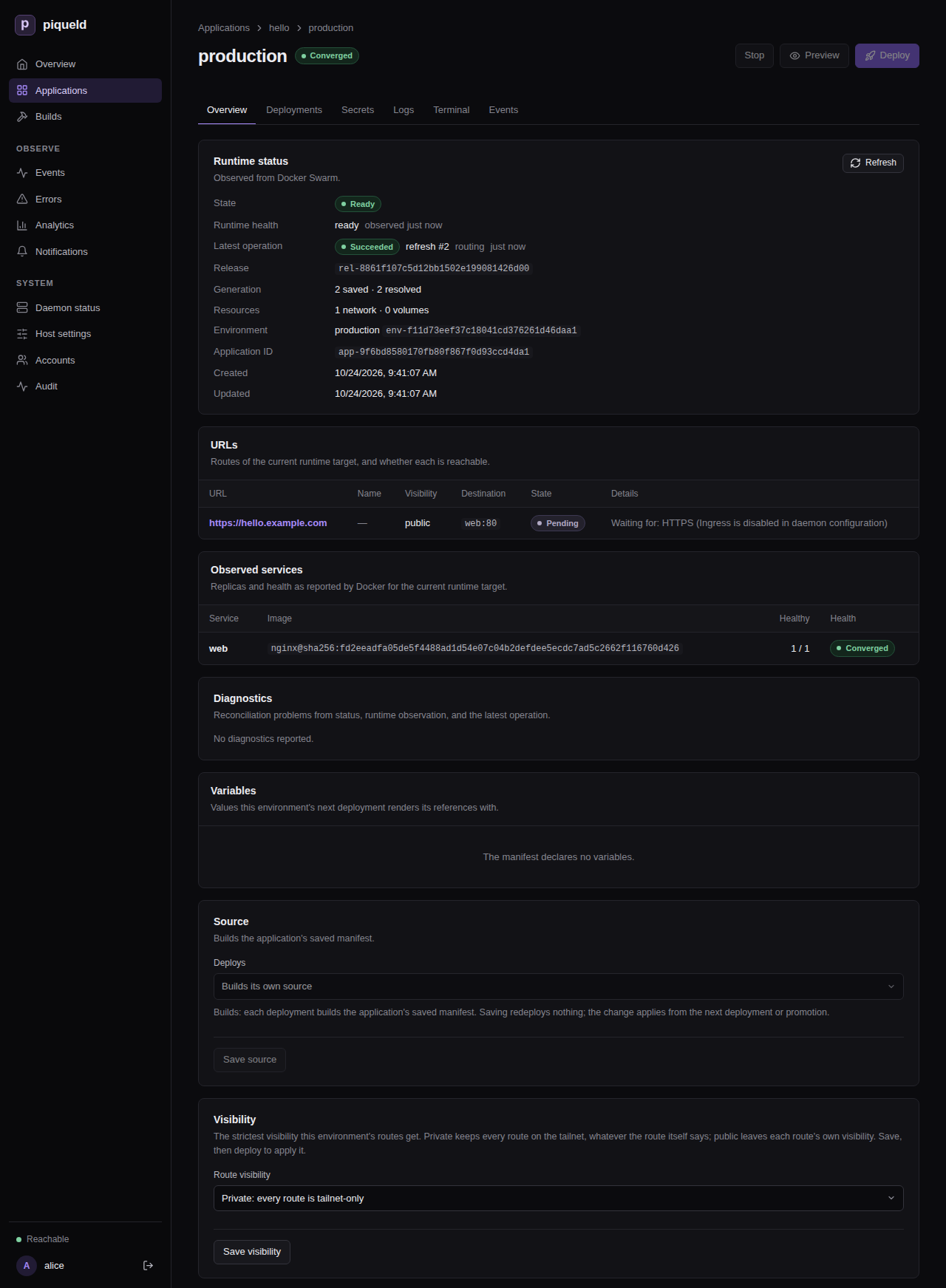
-
With
piquelctl, useenv visibility:piquelctl env visibility notes staging private -
In the manifest:
[spec.environments.staging] visibility = "private"
Deploy the environment to apply it. A promoted environment applies it once its source records a new release and you promote it.
Each route gets the stricter of its own visibility and the environment’s, so a
cap can make a route private, but never public. Environments default to
public, which restricts nothing. Previews default to private; set
[spec.previews] visibility to change it, as
previews describes.
For example, with these routes:
[spec.variables]
domain = "piquel.fr"
[spec.environments.production]
[spec.environments.staging]
visibility = "private"
[spec.environments.staging.variables]
domain = "staging.piquel.fr"
[[spec.routes]]
hostname = "${{ vars.domain }}"
service = "web"
port = 3000
visibility = "public"
[[spec.routes]]
hostname = "admin.${{ vars.domain }}"
service = "admin"
port = 3000
| Environment | Hostname | Reachable from |
|---|---|---|
| production | piquel.fr | the internet |
| production | admin.piquel.fr | your tailnet |
| staging | staging.piquel.fr, admin.staging.piquel.fr | your tailnet |
Change a route’s visibility
Making a route private doesn’t close the connections already open. WebSockets opened from the internet stay open for up to five minutes after the change. Other responses already in progress, such as server-sent events or long downloads, continue until they end. To revoke their access at once, have your application end those connections itself.
In the dashboard, change the route’s Visibility on the Routes tab, select Save changes, then Deploy to <environment>.
With piquelctl, change it with
app route visibility,
and deploy:
piquelctl app route visibility notes admin.example.com public --deploy
In the manifest, change the route’s visibility, then deploy it with
piquelctl app apply --file notes.toml --deploy.
When you deploy, a route made private stops serving new requests from the internet once piqueld updates the gateway’s routes. That happens after the deployment prepares its sources and runs its before-rollout jobs, and before it rolls out the services. A deployment that fails before then leaves the route public. A route made public is published once its service is ready. Its DNS records must change too: you update the records piqueld doesn’t manage, and piqueld updates the ones it manages once the gateway has the new routes. It may delete and recreate them on the way, and cached answers can delay the change.
DNS for private routes
- A wildcard record per environment saves work. With A and AAAA records
for
staging.example.comand*.staging.example.com, every new staging route already has its DNS. - Names aren’t secret. Private hostnames appear in public DNS, and in certificate transparency logs unless a wildcard certificate covers them. Only who can connect is restricted.
- Some routers drop DNS answers for tailnet addresses. Their DNS-rebinding
protection refuses answers in
100.64.0.0/10. Allow your domain in the router’s settings, or use Tailscale’s split DNS.
Serve the dashboard on your own domain
The dashboard and API are normally served at piqueld’s own address, such as
https://piqueld.<tailnet>.ts.net. You can serve them on your own domain
instead, through the apps node. Like a private route, the hostname is then
only reachable from your tailnet, and gets its certificate through your DNS
provider. Applications can’t route it, or any name below it.
Switching breaks your passkeys. The dashboard only works at the address
auth.public_url names, so leave it unset or set it to
https://dashboard.example.com. A passkey only works at the address it was
created on, so the passkeys you have stop working, at the old address too.
The steps below add a new one.
-
Sign
piquelctlin with your account. The host operator can’t create enrollment links. -
Set the hostname in your configuration, with private routes enabled:
services.piqueld.settings.ingress.private.dashboard_hostname = "dashboard.example.com";Or, in
config.toml:[ingress] enabled = true [ingress.private] enabled = true dashboard_hostname = "dashboard.example.com" -
Rebuild the system, or restart the daemon.
-
Create A and AAAA records for the hostname to the apps node’s addresses, as for a private route. If piqueld manages your DNS records, it creates them.
-
Create a link that adds a passkey to your account:
piquelctl account enroll alice -
Open the link on a device on your tailnet, and save the new passkey.
If no CLI login works any more, recover administrator access.
If you run piqueld’s own tailnet node ([tailscale]), it keeps serving the
API at its address, for piquelctl. piquelctl status then reports
Tailnet problem: auth.public_url is not https://piqueld.<tailnet>.ts.net, so passkeys do not work on this origin,
and the Tailnet node installation check
warns the same. Both are expected. Otherwise, run sudo piquelctl on the host, over the
daemon’s Unix socket.
The audit trail records the tailnet
user of each request, and
tailnet-bound tokens work
on this hostname. For both, piqueld needs the tailscale command on its
PATH. The NixOS module adds it; on other distributions, install Tailscale on
the host.
Troubleshooting
- Private routes are
disabledwithPrivate ingress is disabled in daemon TOML ([ingress.private]). Enable[ingress.private]and restart. The apps node needs login. The node has no auth key, its auth key expired before its first login, or, without a tag, its node key expired. The daemon logs a login URL: open it, or setauth_key_fileand restart.- A route is
failedwithNo DNS-01 certificate. The rest of the message says why.no configured DNS provider zone contains …means no provider covers the zone. Anything else is the latest issuance error; see renewal and failures. Private HTTPS is not verified yet. Check that the hostname’s A and AAAA records point at the apps node’s addresses, and nothing else.Swarm address pool <pool> overlaps the tailnet ranges. Your Swarm was set up with custom address pools. Docker gives application networks addresses from them, which piqueld can’t tell apart from tailnet devices, so it keeps private routes off until the Swarm’s pools are outside100.64.0.0/10andfd7a:115c:a1e0::/48.- Devices on the tailnet can’t resolve the hostname. Check your router’s DNS-rebinding protection.
- The daemon doesn’t start, with
ingress.private.dashboard_hostname requires ingress.enabled and ingress.private.enabled. Enable both, as in Set it up. To turn the gateway off, first move the dashboard off it.
Wildcard routes and DNS-01 certificates
A wildcard route serves every name one level below a domain, such as
alice.tenants.example.com and bob.tenants.example.com. One route then
gives each of your users or tenants their own subdomain, without a manifest
change for each.
This page also explains DNS-01 certificates, which piqueld gets through your DNS provider for wildcard and private routes.
Before you start
- The gateway is enabled; see Serving an application over HTTPS.
- A DNS provider covers the domain: Cloudflare or OVH. piqueld needs it to get the wildcard’s certificate. Through a Cloudflare Tunnel, a public wildcard route needs no DNS provider.
- Run
piquelctlon the host, or on any machine where it is signed in.
Add a wildcard route
-
Add a route whose hostname starts with
*.:-
In the dashboard, add it on the application’s Routes tab like any other route, with
*.tenants.example.comas its Hostname and Visibility set to Public. -
With
piquelctl, quote the hostname so that your shell doesn’t expand the*:piquelctl app route add notes '*.tenants.example.com' web 3000 --visibility public -
In the manifest:
[[spec.routes]] hostname = "*.tenants.example.com" service = "web" port = 3000 visibility = "public"
-
-
Create the DNS records for
*.tenants.example.com: the same records an exact route of its visibility needs, such as an A record to your server for a public route. If piqueld manages your DNS records, it creates them. -
Deploy the application.
The route matches alice.tenants.example.com, but neither
tenants.example.com nor a.b.tenants.example.com. Your service receives the
name the client asked for in the Host and X-Forwarded-Host headers, and
tells tenants apart with it.
Check that it works
In the dashboard, the application’s Routes tab lists the route in
Deployed routes. With piquelctl:
piquelctl app route list notes
Once the route’s state is ready, piqueld has reached a name below it over
trusted HTTPS: the first one-character name that no exact route has, such as
a.tenants.example.com. Its DNS records and certificate work, like an exact
route’s.
Exact routes win
- An exact hostname always wins over a wildcard covering it. Add
admin.tenants.example.comas its own route, and the wildcard no longer serves it. This holds whichever application owns it, and whether it is public or private, so a wildcard never captures a hostname that exists already. The webhook and dashboard hostnames win too. - Names below a wildcard belong to its application. Only that application can add an exact route below it. An exact name that another application routed before the wildcard existed stays that application’s.
- A wildcard can’t lie inside a hostname piqueld uses itself. With
hooks.example.comas the webhook hostname,*.hooks.example.comis refused.*.example.comis accepted, and doesn’t servehooks.example.com.
Wildcards in previews
A preview’s hostnames can start with *. too, for example
*.${{ env.slug }}.dev.example.com. Each preview then has a subdomain per
tenant, with a certificate of its own. See
previews.
DNS-01 certificates
The gateway gets most certificates the usual way: the certificate authority connects to it on port 80 or 443 to check that it serves the hostname. That can’t work for:
- private routes and the dashboard hostname, which the certificate authority can’t reach;
- public wildcard routes, since only DNS can prove control of every name below a domain.
For those, piqueld gets the certificate itself, from Let’s Encrypt unless you choose another authority, through your DNS provider:
- It creates an
_acme-challengeTXT record in the zone. - It waits until every nameserver of the zone serves the record, for up to 10 minutes.
- The certificate authority checks the record and issues the certificate.
- piqueld deletes the record, even when issuing fails.
Your DNS credentials never leave the daemon: the gateway gets the certificates, not the credentials. With a Cloudflare Tunnel, Cloudflare serves public wildcards’ HTTPS, so they don’t need DNS-01.
Which certificate covers a hostname
A private hostname, or the dashboard’s, shares the wildcard certificate of its
parent domain, when that parent is the provider’s zone or inside it. Otherwise
it gets a certificate of its own. A wildcard route uses its own wildcard
certificate. An exact public hostname gets its own certificate from the
gateway. With the zone piquel.fr:
| Private hostname or wildcard route | Certificate |
|---|---|
admin.piquel.fr, staging.piquel.fr | *.piquel.fr |
admin.staging.piquel.fr, *.staging.piquel.fr | *.staging.piquel.fr |
piquel.fr | piquel.fr, since its parent fr is outside the zone |
All the private previews below dev.piquel.fr therefore share one
certificate, *.dev.piquel.fr. Exact public routes below a public wildcard
keep their own certificates from the gateway. Exact private routes below it
share the wildcard’s.
A hostname belongs to the provider with the longest zone containing it. A zone that two providers both list is a conflict, and neither uses it.
Choose the certificate authority
piqueld uses Let’s Encrypt by default. It registers an account the first time it needs a certificate, and accepts the authority’s terms of service.
email is the
account’s contact address. piqueld sends it only when it first
registers, so set it before your first DNS-01 certificate:
services.piqueld.settings.ingress.acme.email = "[email protected]";
Or, in config.toml:
[ingress.acme]
email = "[email protected]"
directory
sets another ACME certificate authority, by the HTTPS URL of its
directory. The default is
https://acme-v02.api.letsencrypt.org/directory. piqueld registers without
external account binding, so the authority must not require it: ZeroSSL, for
example, can’t be the directory.
Renewal and failures
piqueld checks its certificates every minute. It renews one when less than a third of its lifetime remains: about 30 days before a 90-day certificate expires.
- A failed attempt is retried after 5 minutes, then twice as long after each new failure, up to every 6 hours.
- A certificate that no route needs any more isn’t renewed, and is deleted once it expires.
- piqueld renews these certificates only while the daemon runs. Its
certificates live in the data directory, under
ingress/, so back it up whole.
On the host, piquelctl status lists each certificate, the hostnames using it,
and its expiry, in milliseconds since 1970:
Certificate: *.piquel.fr for admin.piquel.fr, staging.piquel.fr (expires at Unix ms 1767225600000)
A failing one adds a Certificate problem: line with the error. In the
dashboard, System status counts them on one certificates row; opening
it lists each, marked issued, pending, failed, or renewal
failing when the latest attempt to renew a stored certificate failed, with
its routes, expiry and last error.
Each issue, renewal and deletion appears in the daemon’s
events. A destination
that receives daemon_failures notifications
is notified when a certificate that keeps failing to renew is less than 14
days from expiry. If it also receives recovery notifications, it is notified
again once the certificate recovers.
Troubleshooting
- A route is
failedwithNo DNS-01 certificate: no configured DNS provider zone contains <hostname>. No provider lists the hostname’s zone. Check the provider’s zones withpiquelctl dns refresh, or Check DNS providers in the dashboard’s System status; see Cloudflare or OVH. - A route or certificate reports
zone <zone> is claimed by more than one DNS provider.piquelctl dns refreshprints the same problem asDNS problem: Zones also claimed by another provider are not used: <zones>. Two configured providers can see the same zone. Make sure only one does: narrow one token’s zone resources, or remove the duplicate provider from piqueld’s configuration, then restart the daemon. Don’t delete the zone from your DNS host: that can break the domain’s DNS. - A certificate fails with
was not visible on every authoritative nameserver. The TXT record didn’t reach every nameserver within 10 minutes. piqueld tries again later. - A private route below a public wildcard answers 404 on the internet. That’s expected: the public listener completes the connection with the wildcard’s certificate, but the wildcard doesn’t serve names that have their own route.
- Your hostname is refused with
hostname_conflict. Another application has a wildcard above it, or piqueld uses the hostname itself.
Managing DNS records
piqueld can create your routes’ DNS records itself, keep them pointing at the right place, and delete them when you remove a route. This page turns that on. Without it, you create each route’s records by hand, as the other networking pages describe.
Before you start
- A Cloudflare or OVH account hosting the zone, with the credentials those pages describe.
- For public routes on ports 80 and 443, your server’s public IP addresses.
- Run
piquelctlon the host, or on any machine where it is signed in.
Set it up
-
Set
manage_recordson the provider, and list your server’s public addresses inpublic_addresses:services.piqueld.settings = { ingress.enabled = true; ingress.public_addresses = [ "203.0.113.10" "2001:db8::10" ]; dns.providers = [ { kind = "cloudflare"; api_token_file = "/run/secrets/cloudflare-dns-token"; manage_records = true; } ]; };Or, in
config.toml:[ingress] enabled = true public_addresses = ["203.0.113.10", "2001:db8::10"] [[dns.providers]] kind = "cloudflare" api_token_file = "cloudflare-dns-token" manage_records = trueList an IPv6 address only if public IPv6 traffic actually reaches your server. With a Cloudflare Tunnel,
public_addressesisn’t used. -
Rebuild the system, or restart the daemon.
piqueld only manages records in the zones of providers that set
manage_records. Other providers’ zones stay yours to manage.
What piqueld creates
| Route | Records |
|---|---|
| Public, on ports 80 and 443 | A and AAAA records to public_addresses. Without any, you create them. |
| Public, through a Cloudflare Tunnel | A proxied CNAME record to <tunnel-id>.cfargotunnel.com. |
| Private | A and AAAA records to the apps node’s tailnet addresses. |
- The webhook hostname gets a public route’s records while the gateway serves it, and the dashboard hostname a private route’s.
- A wildcard route gets its records on its wildcard name,
*.<parent>. Exact routes’ records below it are more specific, so they override it. - A and AAAA records have a 5-minute TTL. On Cloudflare, records to your server’s addresses aren’t proxied: piqueld turns proxying back off if you turn it on.
piqueld writes a record once the gateway serves the route, and deletes it once the gateway no longer does. It checks every 10 seconds whether records need to change, and reads them back every 5 minutes to repair any you changed by hand. So when the apps node’s tailnet addresses change, its records follow within about 20 seconds, plus the time the provider takes to publish them.
Records piqueld owns
Before it writes a hostname’s records, piqueld creates a TXT record next to
them that marks them as its own: _piqueld.<hostname>, holding this
installation’s ID. For a wildcard, it is _piqueld._wildcard.<parent>.
piquelctl status prints the installation’s ID after instance.
piqueld never overwrites records it doesn’t own. If a hostname already has an
A, AAAA or CNAME record without that TXT record, or another installation also
claims it, its route reports dns_conflict and lists the records in the way.
Once you’ve checked that they’re stale, and not serving another installation,
remove them, and piqueld writes its own. Otherwise, use another hostname.
piqueld leaves other record types at the hostname, such as MX or TXT records,
alone.
Don’t delete the _piqueld records: without them, piqueld no longer
recognizes its own records, and the hostname reports dns_conflict.
Check that it works
In the dashboard, the application’s Routes tab shows each route’s DNS in
the DNS and DNS records columns of Deployed routes. With
piquelctl, the DNS and RECORDS columns show the same:
piquelctl app route list hello
The DNS state is one of:
| State | Meaning |
|---|---|
managed | piqueld created the records and keeps them current. |
pending | piqueld will write them, but hasn’t yet: the gateway doesn’t serve the route yet, the apps node has no tailnet addresses yet, private routes are turned off, or the provider failed and piqueld retries within a minute. |
dns_conflict | Records piqueld doesn’t own are in the way. |
manual | No provider manages the zone, a public route has no public_addresses, the provider couldn’t list its zones, or two providers list the zone. You create the records. |
DNS records and RECORDS show what the hostname needs, whoever creates
it. A route’s URL stays pending while its DNS state is pending or
dns_conflict.
To see which providers manage records, open System status in the
dashboard: each provider’s DNS provider card says Manages route DNS
records, or Route DNS records are manual. On the host, piquelctl status says the same:
DNS provider: cloudflare (healthy, manages route records): example.com
Each change appears in the daemon’s
events. A failed write
also records a dns_records_failed diagnostic.
Turn it off
Removing manage_records or public_addresses leaves the existing records in
place. Disabling the gateway with ingress.enabled = false deletes the
records piqueld manages, once the gateway has stopped.
Troubleshooting
- A route reports
dns_conflict. Its hostname has records piqueld doesn’t own, such as one you created by hand or withcloudflared tunnel route dns. Until the route isready, its message lists them. Delete them once you’ve checked that nothing else uses them; see records piqueld owns. - A route stays
pendingwithThe DNS provider could not update the records. Check the provider’s credentials and permissions on its page, and the daemon logs. piqueld retries within a minute. - A tunnel route stays
pendingin an OVH zone. OVH can’t hold the proxied CNAME a tunnel route needs. Move the zone to Cloudflare. - After a restart, every route’s DNS state is
pendingfor a while. piqueld waits for the gateway to apply its configuration before it changes any record. - After reinstalling piqueld with a new database, every route reports
dns_conflict. The new installation has a new ID, so it doesn’t own the records the old one created. Delete them, with their_piqueldTXT records, and piqueld writes its own.
Cloudflare
piqueld works with Cloudflare in two independent ways:
- As a DNS provider, it proves control of your domains for DNS-01 certificates, and can manage your routes’ DNS records.
- Through a Cloudflare Tunnel, it serves your public routes without any inbound port on your server.
Before you start
- Your domain’s DNS zone is hosted on Cloudflare. Its registrar can be another company.
- The gateway is enabled; see Serving an application over HTTPS.
Use Cloudflare as a DNS provider
Create an API token
piqueld calls Cloudflare’s API with an API token that has two permissions:
| Permission | piqueld uses it to |
|---|---|
| Zone › Zone › Read (Zone Read in the permissions reference) | list your zones |
| Zone › DNS › Edit (DNS Write in the permissions reference) | create, read, update and delete records |
Limit the token’s zone resources to the zones piqueld should use, or allow them all. Cloudflare’s Create API token explains how to create it, and its API token permissions list each permission.
Set it up
-
Save the token in a file that only root can read, such as an agenix or sops-nix secret.
-
Add the provider to your configuration:
services.piqueld.settings.dns.providers = [ { kind = "cloudflare"; api_token_file = "/run/secrets/cloudflare-dns-token"; # Only to let piqueld manage routes' DNS records. manage_records = true; } ];In
/etc/piqueld/config.toml, pass the file to the service withLoadCredential=, as for the tailnet auth key, and refer to it by name:[[dns.providers]] kind = "cloudflare" api_token_file = "cloudflare-dns-token" manage_records = true[[dns.providers]]lists every provider setting. -
Restart the daemon, which reads the token only when it starts. On NixOS, rebuild the system. Elsewhere, reload the unit you edited first:
sudo systemctl daemon-reload sudo systemctl restart piqueld
Check that it works
Ask piqueld to list your zones now. In the dashboard, select Check DNS
providers in System status: the DNS provider card shows the result.
On the host, with piquelctl:
$ sudo piquelctl dns refresh
DNS provider: cloudflare (healthy, manages route records): example.com
It lists every zone the token can read. piqueld also lists them when it
starts, and every hour. After you change the token’s permissions or add a
zone, check again. Checking needs the system:operate
permission, and seeing the result
system:read.
Serve public routes through a Cloudflare Tunnel
Without a tunnel, the internet reaches your public routes on your server’s
ports 80 and 443. With one, piqueld runs Cloudflare’s cloudflared beside the
gateway. It connects out to Cloudflare, and Cloudflare sends your public
routes’ requests back through that connection. Your server needs no inbound
port at all, which also works behind NAT. Private routes still arrive over
your tailnet.
Consider the trade-offs first:
- Cloudflare sees all your public traffic unencrypted. It serves HTTPS to your visitors, and forwards their requests through the tunnel. On your server, the tunnel’s traffic stays on a network that only piqueld’s own containers join, so your applications can’t observe it.
- Ports 80 and 443 close. Every public route goes through the tunnel; you can’t serve some on ports 80 and 443.
- Cloudflare’s free Universal SSL certificate covers one level of
subdomain. It covers
example.comandnotes.example.com, but not deeper names such asx.staging.example.com; see Cloudflare’s Universal SSL limitations. - The gateway no longer redirects HTTP to HTTPS. Turn on Cloudflare’s Always Use HTTPS to do it instead.
Create the tunnel
The tunnel is locally managed: piqueld configures it, and you never add hostnames to it in Cloudflare.
-
On any machine, install
cloudflaredand log in to your Cloudflare account:cloudflared tunnel login -
Create the tunnel:
cloudflared tunnel create piqueldIt prints the tunnel’s ID, and writes its credentials to
~/.cloudflared/<tunnel-id>.json. Cloudflare’s Create a locally-managed tunnel describes both commands. You don’t need aconfig.ymlorcloudflared tunnel run: piqueld does that part. -
Copy the credentials file to your server, readable only by root, such as an agenix or sops-nix secret.
-
Turn on Always Use HTTPS for the zone in Cloudflare.
Set it up
-
Point piqueld at the credentials file:
services.piqueld.settings.ingress = { enabled = true; tunnel = { enabled = true; credentials_file = "/run/secrets/cloudflared-tunnel.json"; }; };Or in
config.toml, with the file passed byLoadCredential=:[ingress.tunnel] enabled = true credentials_file = "cloudflared-tunnel" -
Restart the daemon. It replaces the gateway to switch to the tunnel, which briefly interrupts your routes. On NixOS, rebuild the system. Elsewhere, reload the unit you edited first:
sudo systemctl daemon-reload sudo systemctl restart piqueld -
Point each public hostname at the tunnel with a proxied CNAME record to
<tunnel-id>.cfargotunnel.com:notes.example.com. CNAME 6ff42ae2-765d-4adf-8112-31c55c1551ef.cfargotunnel.com. ; proxiedIf piqueld manages your DNS records, it creates them. Otherwise, create them in Cloudflare, or, on the machine where you ran
cloudflared tunnel login, withcloudflared tunnel route dns piqueld notes.example.com.piquelctl app route listshows the record each route needs.
Check that the tunnel works
On the host:
$ sudo piquelctl status
...
Public listener: healthy: Caddy is running and routing configuration is applied
Public ingress: Cloudflare Tunnel 6ff42ae2-765d-4adf-8112-31c55c1551ef (connected)
...
In the dashboard, System status shows a Cloudflare Tunnel card,
Connected once the tunnel reaches Cloudflare. A public route is ready
once piqueld reached it through the tunnel over trusted HTTPS.
Leave the tunnel
To serve public routes on ports 80 and 443 again:
- Set
tunnel.enabled = false, and rebuild the system or restart the daemon. piqueld replaces the gateway again, stopscloudflared, and deletes its copy of the credentials. - Open TCP ports 80 and 443 in the server’s firewall, as in Enable the gateway.
- Replace each proxied CNAME record to the tunnel with A and AAAA records to
your server. If piqueld manages your DNS records and you
listed your
public_addresses, it does that itself.
Troubleshooting
dns refreshreportsZone discovery failedwithHTTP 403. The token is wrong or expired, or may lack Zone › Zone › Read.dns refreshlistsno zones. The token’s zone resources don’t include your zone. Edit the token in Cloudflare, then rundns refreshagain.- Certificates fail with
write recordandHTTP 403. The token lacks Zone › DNS › Edit on that zone. - A route reports
dns_conflictaftercloudflared tunnel route dns. Withmanage_records, piqueld doesn’t own records it didn’t create. Delete the CNAME record, and let piqueld create it. - The tunnel stays
not connected. The daemon logs includecloudflared’s own logs. While it is disconnected, public routes are unreachable. In the dashboard’s System status, the Cloudflare Tunnel card shows Disconnected, and HTTPS ingress shows Unhealthy. - Startup fails with
is not a cloudflared tunnel credentials file. The file must be the JSON filecloudflared tunnel createwrote, holdingAccountTag,TunnelSecretandTunnelID, notcert.pemor a tunnel token. - A deeper name, such as
x.staging.example.com, has no valid certificate through the tunnel. Cloudflare’s Universal SSL certificate doesn’t cover it; see the trade-offs. Use Cloudflare’s Advanced Certificate Manager, or keep tunnel hostnames one level below the zone. - Switching to or from the tunnel doesn’t happen. If an application’s
network is broken, piqueld keeps the gateway in its current mode until the
network is repaired or that application’s routes are removed. Until then,
the gateway applies no route changes, so deployments of environments with
routes fail with
ingress_unavailableand are retried. The daemon logs name the application.
OVH
This page connects piqueld to the OVHcloud API, so that it can prove control of your domains hosted at OVH. piqueld then gets DNS-01 certificates for your private and wildcard routes, and can manage their DNS records.
Before you start
- Your domain’s DNS zone is hosted at OVHcloud.
- You can create API keys for the OVHcloud account that holds the zone.
Create the API keys
piqueld signs its requests with three values: an application key, an application secret, and a consumer key. You create all three at once on OVHcloud’s token creation page; OVHcloud’s first steps with the API explains how.
When the page asks for the rights, add these:
| Method | Path | piqueld uses it to |
|---|---|---|
GET | /domain/zone | list your zones |
POST | /domain/zone/* | create records, and apply the zone’s changes |
DELETE | /domain/zone/* | delete records |
If piqueld manages your routes’ DNS records, add these too:
| Method | Path | piqueld uses it to |
|---|---|---|
GET | /domain/zone/* | read records |
PUT | /domain/zone/* | update records |
piqueld uses the keys for as long as the daemon runs. Choose a validity that doesn’t expire, or replace the keys before they do.
Set it up
-
Save each value in its own file that only root can read, such as agenix or sops-nix secrets.
-
Add the provider to your configuration.
endpointis the region of your OVHcloud account:services.piqueld.settings.dns.providers = [ { kind = "ovh"; endpoint = "ovh-eu"; application_key_file = "/run/secrets/ovh-application-key"; application_secret_file = "/run/secrets/ovh-application-secret"; consumer_key_file = "/run/secrets/ovh-consumer-key"; # Only to let piqueld manage routes' DNS records. manage_records = true; } ];endpointAccount region API ovh-euEurope https://eu.api.ovh.com/1.0ovh-caCanada https://ca.api.ovh.com/1.0ovh-usUnited States https://api.us.ovhcloud.com/1.0In
/etc/piqueld/config.toml, pass each file to the service withLoadCredential=, as for the tailnet auth key, and refer to it by name:[[dns.providers]] kind = "ovh" endpoint = "ovh-eu" application_key_file = "ovh-application-key" application_secret_file = "ovh-application-secret" consumer_key_file = "ovh-consumer-key" manage_records = true[[dns.providers]]lists every provider setting. -
Restart the daemon, which reads the files only when it starts. On NixOS, rebuild the system. Elsewhere, reload the unit you edited first:
sudo systemctl daemon-reload sudo systemctl restart piqueld
Check that it works
Ask piqueld to list your zones now. In the dashboard, select Check DNS
providers in System status: the DNS provider row shows the result.
On the host, with piquelctl:
$ sudo piquelctl dns refresh
DNS provider: ovh (healthy, manages route records): example.com
It lists every zone the keys can see. piqueld also lists them when it starts,
and every hour, so a zone you add later is found within the hour. Checking
needs the system:operate permission,
and seeing the result system:read.
How piqueld uses OVH
- OVHcloud applies record changes only when the zone is refreshed. piqueld refreshes the zone after each change.
- Changes can take several minutes to reach OVHcloud’s nameservers. Before it
asks for a certificate, piqueld waits up to 10 minutes for its
_acme-challengerecord to appear on each of them. - OVHcloud can’t proxy records like Cloudflare does, so a Cloudflare Tunnel can’t serve routes in an OVH zone.
Troubleshooting
dns refreshreportsunhealthywithZone discovery failed. The message ends with OVHcloud’s answer. AnHTTP 403means the keys are wrong, expired or missing a right from the tables above. piqueld keeps using the zones it found before, and tries again within a minute.- You replaced a key file, and nothing changed. piqueld only reads the files when it starts. Restart the daemon.
- A certificate fails with
was not visible on every authoritative nameserver. The zone’s change didn’t propagate within 10 minutes. piqueld tries again later; see renewal. - A tunnel route’s DNS records stay
pending. Tunnel routes need a proxied CNAME record, which only a Cloudflare zone can hold. Move the zone to Cloudflare, or serve the route on ports 80 and 443.
Receiving webhooks
This page lets GitHub tell piqueld about each push, so that applications that
deploy on push with
sync = { mode = "webhook" } deploy it right away. GitHub needs a public
address to send these reports to, but piqueld’s API and dashboard stay off the
internet. So piqueld receives them on a webhook hostname: a public hostname on
which it accepts GitHub’s push webhooks, and nothing else.
Before you start
- The gateway serves public routes, on ports 80 and 443 or through a Cloudflare Tunnel; see Serving an application over HTTPS. Or you run your own reverse proxy.
- A hostname for webhooks alone, such as
hooks.example.com. Applications can’t route it or any name below it, so don’t pick your website’s domain: withhooks.example.com,example.comand its other subdomains stay available. - An application whose manifest lives in a GitHub repository; see repository-backed manifests.
- Run
piquelctlon the host, or on any machine where it is signed in. - Generating the webhook secret needs the
apps:writepermission on the application, and turning on deploying on pushapps:deploytoo. The dashboard hides or disables the controls you can’t use.
Set it up
-
Set the hostname in your configuration:
services.piqueld.settings.ingress = { enabled = true; webhook_hostname = "hooks.example.com"; };Or, in
config.toml:[ingress] enabled = true webhook_hostname = "hooks.example.com" -
Rebuild the system, or restart the daemon. piqueld reads the setting only when it starts.
-
Create the hostname’s DNS records, as for a public route: an A record to your server, or a proxied CNAME record to your tunnel. If piqueld manages your DNS records, it creates them.
The gateway gets the hostname’s certificate like a public route’s. Through a tunnel, Cloudflare serves its HTTPS.
-
Make the application deploy on push with the webhook:
-
In the dashboard, open the application’s Source tab, set Deploy on push to Webhook: when GitHub reports a push, then select Save changes.
-
With
piquelctl, useapp repository sync:piquelctl app repository sync notes webhook -
In the manifest you apply with
piquelctl app apply, setsyncin[spec.manifest]. piqueld ignores it in the file it fetches from the repository.[spec.manifest] sync = { mode = "webhook" }
-
-
Opt the
productionenvironment in. Pushes deploy only the environments that opt in, andproductiondoesn’t by default:-
In the dashboard, open the environment’s Overview. In its Source card, select Deploy on push. Its Deploy on push label then says
following. -
With
piquelctl, useenv sync:piquelctl env sync notes production on -
In the manifest, set
syncin the environment’s declaration:[spec.environments.production] sync = true
An environment that was never deployed starts following pushes from its first deployment. Until then, the label says
waiting for a deployment. -
-
Generate the application’s webhook secret. Each application has its own payload URL, ending with its ID, and its own secret.
In the dashboard, the Source tab now has a GitHub webhook card. Select Generate secret: the card shows the new secret below the payload URL.
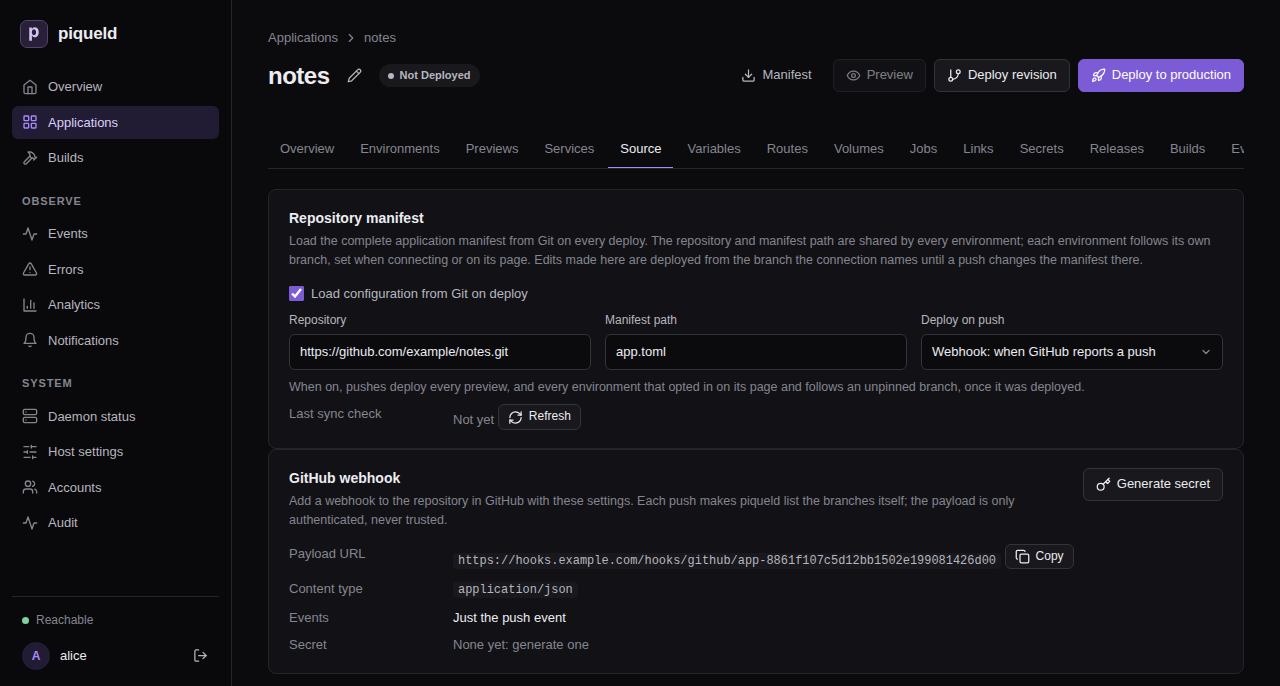
With
piquelctl, after you confirm, the command prints the payload URL and the new secret:$ piquelctl app repository webhook rotate notes Payload URL: https://hooks.example.com/hooks/github/app-01a16b4ba32d7170a360c97d0a2cd503 Secret: <64 hexadecimal characters> Configure this secret in GitHub now; piqueld never shows it again. -
In GitHub, add a webhook to the application’s repository, as GitHub’s Creating webhooks describes, with:
- the payload URL from step 6;
- the content type
application/json; - the secret from step 6;
- only the
pushevent.
The deploying on push reference describes the application’s side.
Check that it works
In GitHub, the webhook’s
recent deliveries
list its first one, a ping, answered with 204. Each push then adds a
push delivery, also answered with 204.
The GitHub webhook card shows the webhook’s settings again, without the
secret, and so does piquelctl:
$ piquelctl app repository webhook show notes
Payload URL: https://hooks.example.com/hooks/github/app-01a16b4ba32d7170a360c97d0a2cd503
Content type: application/json
Events: push
Secret: generated; rotate it to see a new one
From any machine, a request for anything else on the hostname gets a 404:
$ curl -s -o /dev/null -w '%{http_code}\n' https://hooks.example.com/
404
What piqueld accepts
piqueld only accepts POST requests to
https://hooks.example.com/hooks/github/<application-id>, signed with that
application’s secret, the way GitHub signs them in its
X-Hub-Signature-256 header:
| Response | When |
|---|---|
| 204 | The delivery is signed with the application’s secret. |
| 401 | It isn’t signed, or the signature is wrong, or the application doesn’t exist or has no secret yet. |
| 404 | Any other path. |
| 405 | Another method than POST, on a webhook path. |
| 408 | The request took more than 10 seconds. |
| 413 | Its body is over 1 MiB. |
| 503 | piqueld can’t read the application’s secret, or 16 deliveries are already being handled. |
Plain HTTP requests are redirected to HTTPS. Through a tunnel, Cloudflare redirects them once Always Use HTTPS is on.
A signed push makes piqueld check the repository’s branches soon, at most
once every 30 seconds for each repository. Other events, such as GitHub’s
ping, change nothing. piqueld never reads what a delivery says: it lists the
branches itself, so a delivery can’t choose what gets deployed.
piqueld shows each secret only once. A new one, from Rotate secret in the
dashboard or webhook rotate, replaces the old one at once, so give it
to GitHub straight away. Like other secrets, it is encrypted with the
secret master key, and lost-key
recovery deletes it.
Refused deliveries aren’t recorded in the audit trail. A wrong signature is
logged as webhook delivery refused: its signature does not verify.
Behind your own reverse proxy
piqueld serves webhooks whenever webhook_hostname is set, even with
ingress.enabled = false. It listens on a Unix socket in its data directory,
/var/lib/piqueld/ingress/control/webhooks.sock by default. Without the
gateway, another reverse proxy can forward to it:
- It serves HTTPS for the webhook hostname.
- It forwards only paths starting with
/hooks/github/to the socket. - It runs as the daemon’s user,
piqueld, the only one that can open the socket. - It refuses request bodies over 1 MiB, like the gateway.
webhook show prints the same address. Without the gateway, piqueld doesn’t
manage the hostname’s DNS records or certificate: you create the records, and
your proxy gets the certificate.
Troubleshooting
- The GitHub webhook card says
This daemon does not receive webhooks, orwebhook showprintsnot served; set ingress.webhook_hostname on the daemon. Set it, as in Set it up, and restart. - GitHub reports
401. The secret in GitHub isn’t the application’s current one, or the address ends with the application’s name instead of its ID. Copy the address from the GitHub webhook card orwebhook show, and generate a new secret if you no longer have it. - GitHub reports
503. Check the daemon logs: piqueld can’t decrypt the secret, for example after its secret key changed. - A route for the webhook hostname, or a name below it, is refused with
hostname_conflict. piqueld keeps it for webhooks. - The daemon doesn’t start, with
ingress.private.dashboard_hostname must differ from ingress.webhook_hostname. Use two different hostnames.
History and diagnostics
Find out what piqueld did, when, and why something failed.
Run the piquelctl commands on this page on the host, or on any machine where
piquelctl is signed in.
See what happened
piqueld records every deployment step, configuration change, secret change and failure as an event. Secret values, environment values and webhook URLs are never part of them.
-
In the dashboard, the Events page lists every event you can read, and each environment’s Events tab lists that environment’s.
-
With
piquelctl, give an application’s ID, whichpiquelctl app showprints:$ piquelctl events --application app-01a16b1282cf755287920502b5793cd1 --limit 3 11 1792797737680 environment_created - attempt - created environment production by host operator (uid 1000) 12 1792797737682 refresh_requested operation-01a16b1282d27232a446f3dbc4a19808 attempt 0 by host operator (uid 1000) 13 1792797737713 operation_started operation-01a16b1282d27232a446f3dbc4a19808 attempt 1 by host operator (uid 1000) Next cursor: v1:13Events come oldest first, 50 at a time unless you pass
--limit, up to 100. Pass the printed cursor with--cursorto read the next page.
Each line has the event’s number, its time in Unix milliseconds, its kind, and then, where they apply, its operation, attempt, phase, resource, error code, message, and who caused it.
To follow a deployment’s steps in the dashboard:
- On the environment’s Deployments tab, select the deployment to expand it.
- Select Events, which lists its steps, newest first, with the same filters as the Events page. Attempts lists each time piqueld tried it, with a link to that attempt’s events.
With piquelctl, run piquelctl operation <operation-id>, which also waits
for it to finish.
Find out why something failed
The Errors page lists failures, newest first. Filter them by period, scope, event kind or error code.
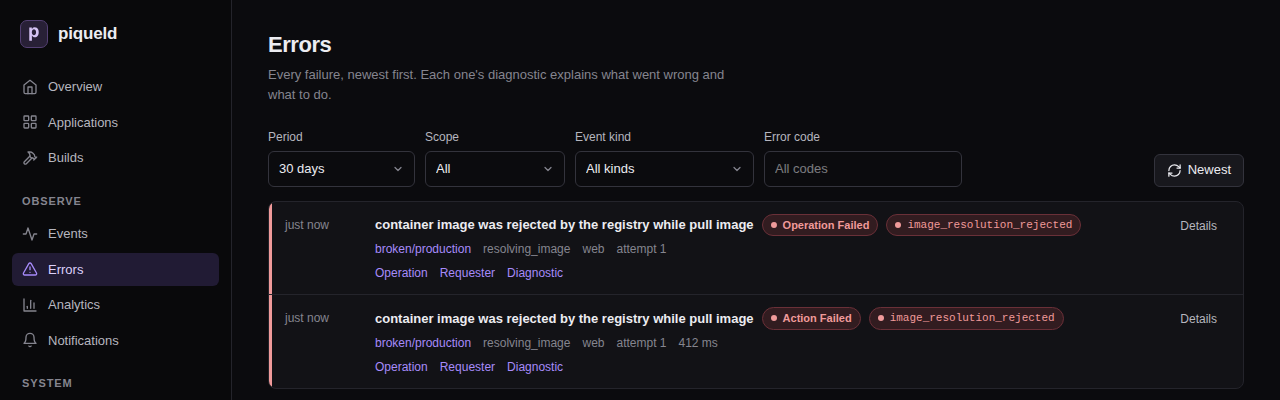
Each failure has a diagnostic. Select Diagnostic to read it:
- its heading is a stable error code, such as
image_resolution_rejected, and a summary of what went wrong; - a badge says whether it’s retryable or needs attention;
- What to do says how to fix it;
- Causes lists what led to it, such as the Docker request that failed and its HTTP status;
- Where names its environment, operation and request;
- the events of its operation follow, so you can see what happened before and after it.
Each event names its environment, and Operation lists the events of its
deployment. Details shows every field recorded with it. Requester
opens the audit trail of the session or token that started it. When a command fails, piquelctl prints the same code and
message, with a hint for what to do next.
Read logs and build output
- A service’s output: in the dashboard, it’s on the environment’s Logs
tab. With
piquelctl, runpiquelctl env logs <app> <environment>, orpiquelctl app logs <app>when the application has a single environment. These are recent lines read from Docker; for a lasting record, export them. - A build’s output: in the dashboard, see the Builds page and each
application’s Builds tab. With
piquelctl,piquelctl builds listlists recent builds, andpiquelctl builds logs <id>prints one’s output.
Watch the daemon itself
The dashboard’s Daemon status page shows:
- whether the database, the Docker engine, the Swarm manager and HTTPS ingress are ready;
- the Installation checks: whether the daemon’s public URL, its tailnet node, the Docker engine, ports 80 and 443, its secret key and its API socket are set up, each with a next step when one needs action. They run when the page opens, and again when you select Run checks;
- how many previews run against their limits, what image cleanup removed, and where telemetry is exported;
- the daemon’s uptime, memory, CPU, database size and free disk space;
- how many events and diagnostics are kept, and how much build output;
- running and queued operations, and pending and failed notifications.
These are current values. For their history, export telemetry.
With piquelctl:
piquelctl statusshows the daemon’s version, HTTPS ingress, how many previews run against their limits, what image cleanup removed, and where telemetry is exported.piquelctl doctorruns the installation checks. It exits with code 6 when one fails.piquelctl resourcesshows the daemon’s resource usage and counters.
The Host settings page shows the daemon’s
configuration as it runs, and
piquelctl settings prints it. Credentials appear only as the file they’re
read from. To change a setting, edit the configuration and restart the daemon.
These pages, doctor, resources and settings need the system:read
permission. status works for anyone signed in.
The Analytics page sums up deployments over the last 24 hours, 7, 30 or 365
days: how many succeeded or failed, how long attempts took, how often they were
retried, how long each kind of step takes, and the most common failure codes.
piquelctl analytics prints the same summary, for the last 30 days unless you
pass --since:
piquelctl analytics --since 7d
--app limits it to one application’s environment. Name the environment
with --env when the application has several.
How long history is kept
| Setting | Default | What it keeps |
|---|---|---|
retention.event_days | 90 | Application and environment events |
retention.daemon_event_days | 90 | Daemon events |
retention.audit_days | 365 | The audit trail |
retention.finished_operation_days | 10 | Finished operations other than deployments |
0 keeps everything. Deployment history is kept until its environment is
deleted. Build output has its own limits, of
size and
age.
Deleting an environment keeps its events in the application’s history. Deleting an application deletes its history.
Troubleshooting
- An event you expected is missing. You only see the applications you have
the
events:readpermission on, and daemon events needsystem:read; see permissions. It may also be older than the retention period. piquelctl eventsrejects the application. It takes the application’s ID, not its name.
Audit trail
See who did what through piqueld’s API, and check that nobody rewrote that record.
Before you start
- Every account can read its own requests, and API tokens and limited CLI
logins only their own. Reading anyone else’s, and checking the chain, needs
the
audit:readpermission, which an account withadminon every application has. - Run the
piquelctlcommands on the host, or on any machine wherepiquelctlis signed in.
What it records
The audit trail records:
- every request piqueld refused, for a missing credential or permission, a rejected browser origin, or too many attempts. Requests for an application the caller can’t see are Denied with status 404;
- every change and every sign-in;
- every session that runs a command in a container, with
app exec,preview execor the dashboard’s Terminal tab. The command itself isn’t recorded, since it can contain secrets; - reads of logs, of the daemon’s configuration, of downloaded manifests, and of the account list.
Each record keeps the request and its outcome: Allowed, Denied or Failed. It names the account and credential that made it, and where it came from: a network address, the Unix socket, or a tailnet user and device. Request bodies are never recorded, but a change to an account names what changed, such as the grants it set. Records outlive the accounts, credentials and applications they name.
Routine reads, such as the dashboard refreshing a page, aren’t recorded. Records are written in the background. If too many wait at once, or one can’t be written, it’s lost: the next record written then follows a Failed one, with status 503 and no caller, that says how many are missing, so the trail shows the gap.
Read it
The dashboard’s Audit page lists the trail, newest first, and filters it by outcome. On the Accounts page, each session and token’s Activity link shows its requests.
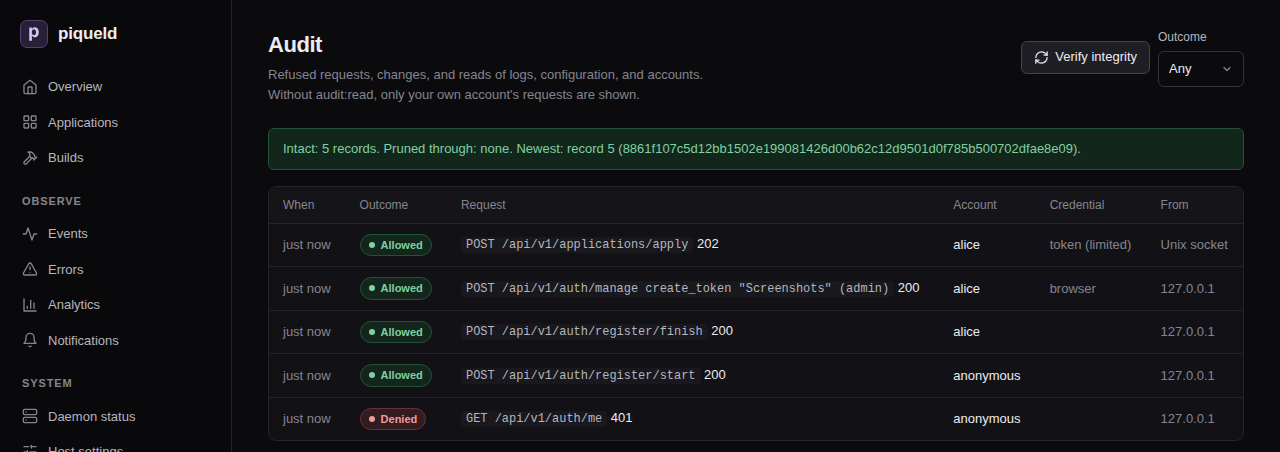
With piquelctl:
$ piquelctl audit --limit 3
1792797893351 allowed 200 GET /api/v1/environments/{id}/logs on environment env-01a16b1282cf755287920502b5793cd2 host operator (uid 1000) unix socket
1792797804727 allowed 200 POST /api/v1/auth/login/operator host operator (uid 1000) ::1
1792797775115 denied 401 GET /api/v1/auth/me anonymous ::1
Next cursor: v1:5
To see only refused requests, or only those of one session or token:
piquelctl audit --outcome denied
piquelctl audit --credential <credential-id>
piquelctl token list shows your own tokens’ IDs. A request about an
environment names its ID, which piquelctl env list <application> shows.
The audit trail belongs to the whole installation, not to an application, so the manifest has no part in it.
Check that nobody changed it
Each record is linked to the one before it by a hash, so editing, inserting or removing a record breaks the chain from that point on. To check the chain, select Verify integrity on the Audit page, or run:
$ piquelctl audit verify
Chain: intact
Records checked: 7
Pruned through: none
Newest: 7 7a625b7a247a086b8e1f4724ff7595dffdfa117145f79e52b881f30a667bc402
If the chain is broken, the command fails and names the first record that doesn’t match; the change may also be just before it.
The chain can’t tell who wrote the database. Someone who controls the host could rewrite the whole trail, or delete its newest records. To catch the latter, keep the Newest line somewhere piqueld can’t change, such as a ticket or a scheduled job’s log. If a later check reports a lower Newest record than the one you kept, records were removed.
How long it’s kept
retention.audit_days keeps records for 365 days by default; 0 keeps them
forever. Pruning only removes old records while the chain through them is
intact, so it never erases evidence of tampering. Pruned through then names
the last record removed, which the remaining chain starts from.
Get alerted
The security notification category reports, as they
happen:
| Event | When |
|---|---|
admin_granted | An account receives admin on every application: through a grant change, an invitation, the first account, or a recovery link |
privileged_token_created | An API token is created without an expiry date, or with admin |
admin_recovery_issued | piquelctl recover-admin issued a recovery link |
operator_sign_in_issued | piquelctl sign-in-link issued a link that signs a browser in as the host operator |
access_denial_burst | 20 requests from one address and account are refused within a minute (then at most every 10 minutes while it lasts) |
credential_new_address | A session, CLI login or token is used from a network address it hasn’t used before (IPv6 by /64). Its first address, and the Unix socket, don’t alert |
secret_key_recovered | The secret key was recovered, discarding stored values |
notification_destination_changed | A notification destination was created, changed, disabled, enabled or deleted. A destination whose URL or kind changed doesn’t receive it, as it’s a new receiver |
An unexpected admin_recovery_issued or operator_sign_in_issued means
someone with root, or the daemon’s user, is acting on the host: treat it as a
host compromise.
Troubleshooting
- You only see your own requests, or verifying is refused. Both need
audit:read. piquelctl audit verifyfails. The database was changed outside piqueld. Compare the first mismatching record, and the records just before it, with your backups.
Notifications
Get a message in Discord, or a JSON webhook of your own, when a deployment fails, a service degrades, or someone gains administrator access.
Before you start
- You need the
notifications:managepermission to add and change destinations. Seeing them needs it orsystem:read. Reading the delivery history needssystem:read, and retrying a deliverysystem:operate. Administrators have all three; see permissions. - A webhook URL: a Discord channel’s webhook, or an endpoint of your own that
accepts JSON. It must use HTTPS, except to
localhostor a loopback IP address. - Run the
piquelctlcommands on the host, or on any machine wherepiquelctlis signed in.
Add a destination
The webhook URL is a credential: anyone who has it can post to your channel. piqueld stores it encrypted, and never shows it again.
Destinations belong to the whole installation, not to an application, so the
manifest can’t set them: use the dashboard or piquelctl.
In the dashboard:
- On the Notifications page, select Add destination.
- Enter a Name, such as
ops, choose its Kind, and paste the Webhook URL. The form also chooses what it receives. - Select Save destination, then Test on its row to send a test notification.
With piquelctl:
-
Create the destination, then paste the webhook URL and press Ctrl-D:
piquelctl notification set ops --kind discord --url-stdinopsis its name. The URL is read from standard input rather than the command line, so it stays out of your shell’s history. -
Send a test notification:
$ piquelctl notification test ops ops acknowledged the test notification.
A new destination receives every category but successful deployments, about every application, without previews.
In Discord, each notification shows as a card coloured by category, such as red for failures and green for recoveries. It names the application, environment and branch, with the cause and next step of a failure, and links to its page or diagnostic in the dashboard.
Choose what it receives
Each destination picks:
- its categories, from the table below. Each can carry a message of up to 1000 characters, added to its notifications. In Discord, that text is the message, so mentions in it notify people.
- the applications it’s about: every application, including later ones, or some, which stay selected when renamed. Daemon notifications, such as security events, reach every destination, whatever its applications.
- whether it covers previews.
| Category | Dashboard label | Sent when |
|---|---|---|
build_failures | Build failures | A build fails |
deployment_failures | Deployment failures | A deployment fails |
service_degradation | Service degradation | A deployed service stays unhealthy for two minutes |
daemon_failures | Daemon failures | Docker, the Swarm or the ingress gateway stays unavailable for two minutes, a certificate piqueld needs keeps failing to renew in its last 14 days, or the daemon hits an internal error |
recovery | Recoveries | A failure the destination was sent is resolved |
security | Security events | Access to piqueld changes; see the audit trail |
daemon_started | Daemon starts | The daemon starts, including after an update |
deployment_succeeded | Deployments | A deployment succeeds |
For example, to send only deployment failures and recoveries about shop, and
to mention a Discord role with each failure, select Edit on the
destination’s row in the dashboard, choose them, then select Save
destination:
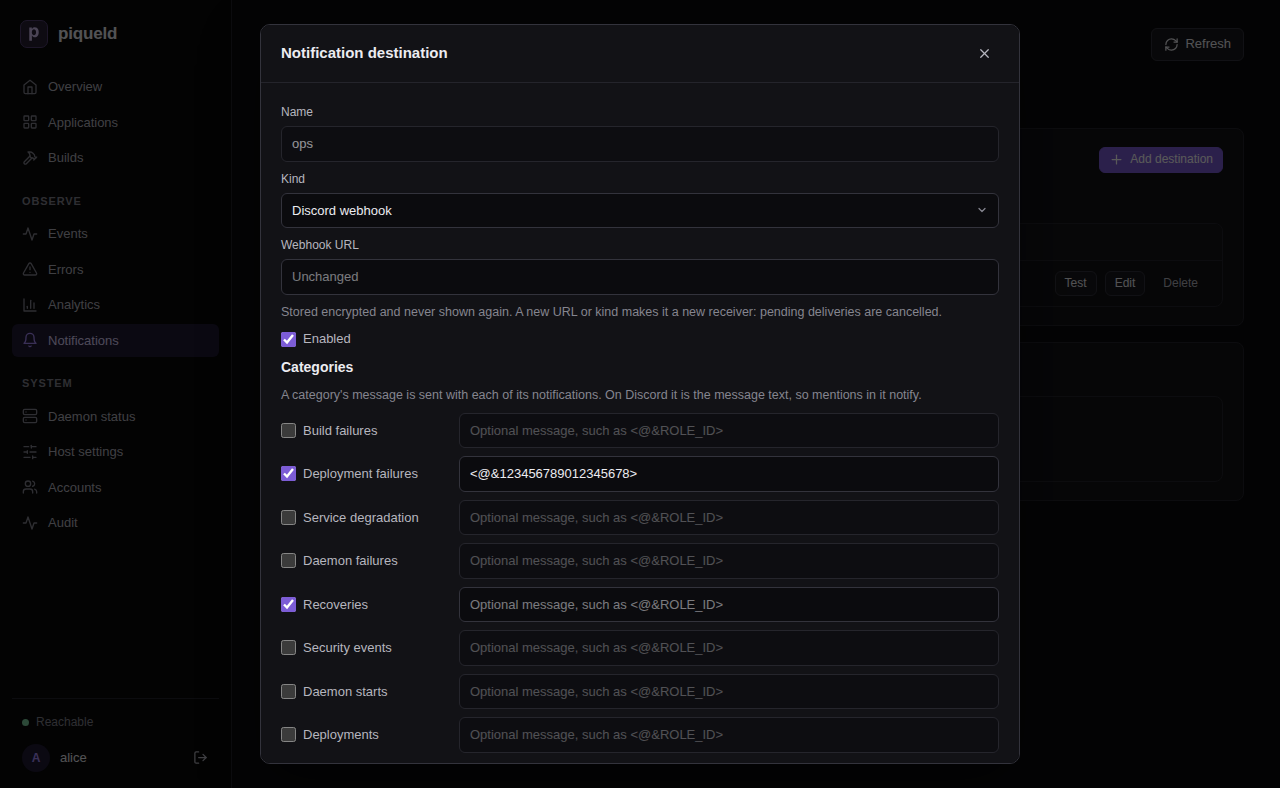
Or, with piquelctl:
piquelctl notification set ops \
--categories deployment_failures,recovery \
--apps shop \
--message 'deployment_failures=<@&123456789012345678>'
--categoriesreplaces the list.--message CATEGORY=TEXTsets a category’s message, and subscribes the destination to it.--no-message CATEGORYremoves only the message: the destination still receives the category. Use--categoriesto stop receiving it.--appslimits it to some applications, by name or ID.--all-appscovers every application.--previews trueadds notifications about previews.
Options you don’t give keep their current value. piquelctl notification list
shows what each destination receives, and the reference of
notification set
lists every option.
Changes apply at once and never replay the past: a category you add starts with the next event.
Change or remove a destination
- Turn it off: select Edit on its row, clear Enabled, and save.
Or run
piquelctl notification set ops --enabled false. This stops it, and cancels what it hadn’t delivered yet. Turned back on, it starts with the next event. - Change its URL or kind: change its Webhook URL or Kind in the
same form, or pass
--url-stdinor--kindtopiquelctl notification set. It then counts as a new receiver. What it hadn’t delivered is cancelled, and it won’t receive the recovery of a failure sent to the old one. - Delete it: select Delete on its row, or run
piquelctl notification delete ops. This cancels what it hadn’t delivered. Its deliveries stay in the history, under its name.
Read the delivery history
The Deliveries list on the Notifications page, or
piquelctl notification deliveries, shows each notification sent, newest
first. Test notifications aren’t part of it.
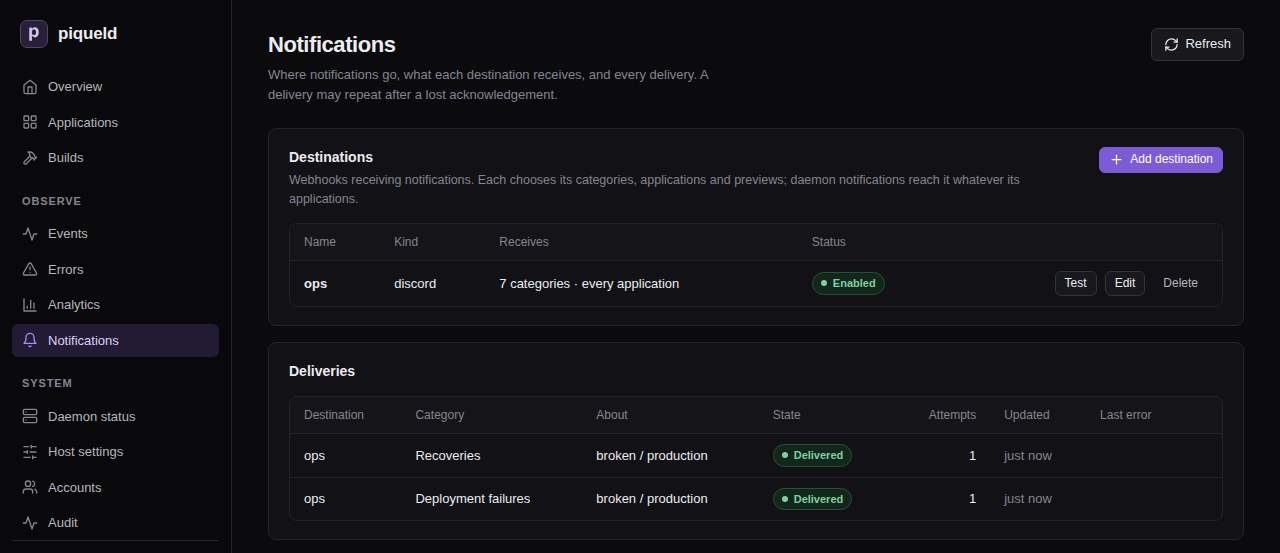
When the receiver can’t be reached, times out, or answers 408, 429 or a 5xx
status, piqueld retries with increasing delays, for up to 24 hours. Any other
non-2xx answer fails the delivery at once. To send a failed delivery again, select
Retry, or run piquelctl notification retry <delivery-id>. Both need the
system:operate permission.
When piqueld notifies
- A build or deployment failure notifies once. Later failures in the same environment and category stay silent until an operation there succeeds.
- Service and dependency problems notify only once they’ve lasted two minutes, so a quick restart doesn’t page you. Once piqueld sees them recover, a new problem notifies again.
- Each kind of internal daemon error notifies only the first time it happens, and no recovery follows.
- A recovery goes only to the destinations that were sent the failure.
- When a deployment fixes a failure, the destination receives the recovery
instead of a
deployment_succeedednotification, unless the recovery couldn’t be delivered. daemon_startedis sent as soon as the daemon accepts requests, even before Docker is ready. After an update, its message names the previous version, such aspiqueld 0.2.0 started (previously 0.1.0). A missing one doesn’t prove the start failed: check the daemon’s history.
Receive notifications in your own service
-
Add a destination pointing at your service, of kind JSON webhook in the dashboard, or with
piquelctl:piquelctl notification set hooks --kind json --url-stdin -
Handle the POST request piqueld sends for each notification. This is a deployment failure, shortened:
{ "version": 2, "instance_id": "instance-01a16b10b8307c61b5ac3d27d4bf7937", "delivery_id": "delivery-01a16b3c72347691b00a9c4fac1e1f9b", "category": "deployment_failures", "title": "Deployment failed", "subject": { "application": "broken", "environment": "production", "branch": null, "preview": false }, "message": null, "event": { "id": 53, "kind": "operation_failed", "scope": "application", "created_at_ms": 1792800485797, "message": "container image was rejected by the registry while pull image", "error_code": "image_resolution_rejected", "diagnostic": { "summary": "container image was rejected by the registry while pull image", "next_action": "Check the image reference and registry credentials, then retry the deployment.", "causes": ["Docker operation: pull image", "Docker returned HTTP status 404"] } } }subjectnames the application, the environment (or the preview’s slug, whenpreviewistrue) and the branch, as they were when the notification was queued. Each isnullwhen the notification isn’t about one.messageis the destination’s text for the category, ornull.eventis the history event behind the notification, including who caused it, asactor.- A test notification has a
nullcategory, adelivery_idstarting withtest-, and an event of kindnotification_test.
-
Answer with any 2xx status to acknowledge it.
When you write the receiver:
- A notification may arrive more than once. Every request carries an
Idempotency-Keyheader with the delivery ID: ignore a key you’ve already handled. - piqueld honours an integer
Retry-Afterheader, up to one hour. - Requests time out after 10 seconds, and redirects aren’t followed.
- Payloads aren’t signed, so keep the URL secret.
Troubleshooting
- The test fails. Test and
piquelctl notification testsay why. Check that the daemon’s host can reach the URL, and that it accepts a POST request. piqueld connects to it directly: it never follows a redirect or uses a proxy, such as one set inHTTPS_PROXY. - A notification never arrived. Look it up in the delivery history. If it
isn’t there, check the destination’s categories, applications and previews:
the dashboard’s Destinations list sums them up, and
piquelctl notification listlists them. - Retrying a delivery is refused. The refusal,
delivery_not_retryable, says why. Only a failed delivery can be sent again, while its destination still exists unchanged, is enabled, and still receives its category. A failure can’t be sent again once its problem has been resolved, and a recovery can’t once the problem has come back. - Destinations disappeared. Recovering a lost secret key deletes them, since their URLs were encrypted with it. Add them again.
Exporting telemetry
Send piqueld’s traces, metrics and logs, and the logs and resource usage of every container it runs, to an OpenTelemetry collector, so you can graph them, keep them, and alert on them.
Before you start
You need a collector that receives OTLP over gRPC, such as the OpenTelemetry Collector or Grafana Alloy, either:
- reachable from the piqueld host, which this page sets up; or
- deployed as a piqueld application, which then receives telemetry directly. The observability stack is a ready-made one.
You change the daemon’s configuration on the host. Run piquelctl there, or on
any machine where it’s signed in.
Send telemetry to a collector
-
If the collector needs a token, save it as gRPC metadata, one
name: valueper line, in a file only root can read, such as/etc/piqueld/otlp-headers:authorization: Bearer <token> -
Set the collector’s address in the daemon’s configuration. Give its port: without one, it’s 443 for
https://and 80 forhttp://, not the usual 4317. On NixOS, where the module hands the headers file to the daemon:services.piqueld.settings.telemetry = { endpoint = "https://otel.example.com:4317"; headers_file = config.age.secrets.otlp-headers.path; # optional };In
config.toml, without a token, set onlyendpoint. With one, pass the file to the service by adding to its unit’s[Service]section:LoadCredential=otlp-headers:/etc/piqueld/otlp-headersThen refer to it by that name:
[telemetry] endpoint = "https://otel.example.com:4317" headers_file = "otlp-headers"The endpoint is
https://,http://, or a Unix socket such asunix:///run/otel/otlp.sock.http://isn’t encrypted: use it only on the host or a private network. The endpoint can’t contain credentials, a path or a query. -
Restart the daemon, which only reads its configuration when it starts. On NixOS,
sudo nixos-rebuild switchrestarts it. Elsewhere, reload the edited unit first:sudo systemctl daemon-reload sudo systemctl restart piqueld
piqueld also exports the output and resource usage of every container it runs.
To export only its own telemetry, set
containers = false under [telemetry], or services.piqueld.settings.telemetry.containers = false; on
NixOS.
Check that it works
The Telemetry export card on the dashboard’s Daemon status page shows where telemetry goes, whether the collector is connected, when the last export succeeded, and how many records were dropped.
With piquelctl, the Telemetry line of piquelctl status shows the same:
piquelctl status
If the collector refuses exports for a minute, piqueld records a
telemetry_export_failed diagnostic. If that lasts two minutes, it’s sent to
the daemon_failures notification category, or to
service_degradation for a receiving application. Exports never slow down deployments
or the API: when the collector can’t keep up, records are dropped.
Receive telemetry in an application
A collector deployed as a piqueld application can receive the daemon’s telemetry over a Unix socket that piqueld mounts into it, without publishing any port.
Warning: the receiving application sees the telemetry of every application, including every line their containers print, their failures, and the daemon’s own logs. Grant it only to an application whose deployers you would trust to read every application’s logs.
-
Mark the collector’s service as the one that receives telemetry. An application can have one, with one replica. In the dashboard, tick Receive telemetry on the service’s Telemetry tab, and select Save changes. With
piquelctl, runpiquelctl app service telemetry <app> collector on. In the manifest:[[spec.services]] name = "collector" receives_telemetry = true [spec.services.source] type = "image" image = "otel/opentelemetry-collector-contrib:0.163.2" -
Make the collector listen on
/run/piqueld/telemetry/otlp.sock, and use that receiver in its pipelines. This minimal configuration prints what it receives; replacedebugwith the exporters you use:receivers: otlp: protocols: grpc: endpoint: /run/piqueld/telemetry/otlp.sock transport: unix exporters: debug: service: pipelines: traces: { receivers: [otlp], exporters: [debug] } metrics: { receivers: [otlp], exporters: [debug] } logs: { receivers: [otlp], exporters: [debug] }Mount it as a file at the path your collector reads, such as
/etc/otelcol-contrib/config.yamlfor the OpenTelemetry Collector’s contrib image: on the service’s Files tab, withpiquelctl app file add, or as a file in the manifest. -
If you wrote a manifest, save it:
piquelctl app apply --file collector.toml -
Grant the environment telemetry, before deploying it, so the collector finds its socket’s directory when it starts. This needs the
telemetry:grantpermission. An account withadminon every application has it, and it can be granted on its own; no preset includes it.In the dashboard, select Grant telemetry on the environment’s Overview:
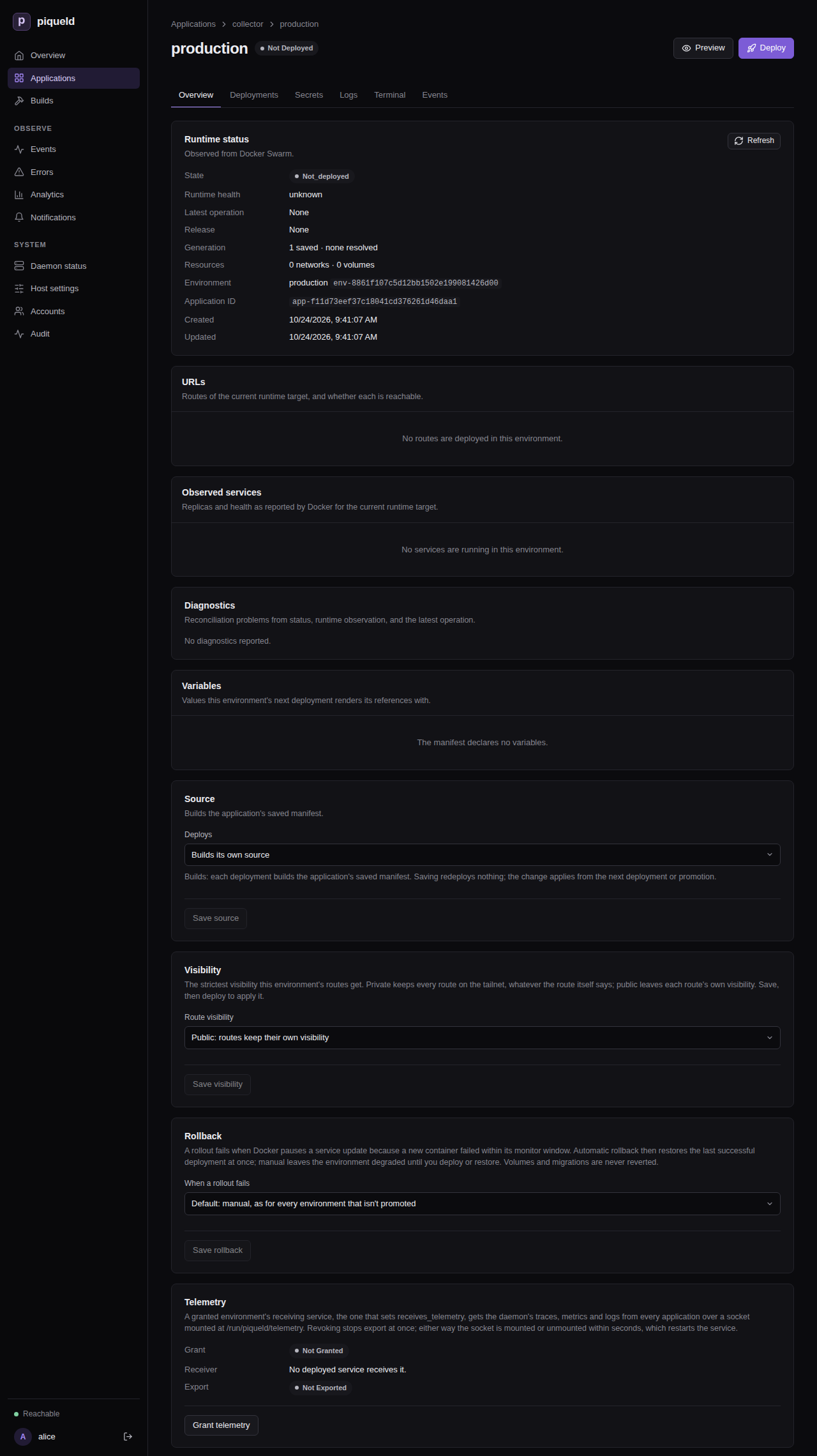
With
piquelctl:piquelctl env telemetry <app> production on -
Deploy it: select Deploy on the environment’s page, or run:
piquelctl env deploy <app> production --yes
piqueld mounts the socket’s directory into the service and starts exporting.
The environment’s Overview and piquelctl env show <app> production show
whether the daemon is connected. Revoke telemetry, or
piquelctl env telemetry <app> production off, stops it at once, and removes
the mount within seconds, which restarts the service.
Without an endpoint, the containers’ telemetry goes to granted receivers
only. A receiving service’s own output never goes back to receivers.
While granted, the receiving service runs as the daemon’s user, so that the daemon can connect to its socket. Previews are never granted telemetry.
What piqueld sends
Every record from the daemon carries service.name = piqueld,
service.version, and service.instance.id, the installation’s ID.
Traces. Each deployment and other operation is a trace, with a span for
each attempt and each step, such as building_git, run_job,
ensure_service or wait_for_service. Spans carry the application, the
environment and the failure code as error.type. API requests are spans too,
named after their method and route, such as GET /api/v1/environments/{id}.
Metrics, every 30 seconds:
| Metric | Labels | Meaning |
|---|---|---|
piqueld.deployments | application, environment, outcome | Finished deployment attempts: succeeded, failed, cancelled, superseded |
piqueld.deployment.duration | same | Their duration in seconds |
piqueld.builds, piqueld.build.duration | application, environment, outcome | Finished builds (succeeded, failed, unknown) and their duration |
piqueld.operations | state (running, queued) | Operations waiting or running |
piqueld.service.replicas | application, environment, service, state (desired, running, healthy) | Replicas of every deployed service |
http.server.request.duration | http.request.method, http.route, http.response.status_code | API latency in seconds |
piqueld.access.denials | API requests refused for a missing credential or permission | |
piqueld.database.size | file (database, wal) | The database’s size in bytes |
piqueld.notification.deliveries | state (pending, failed) | Notifications waiting or failed |
piqueld.uptime, process.memory.usage, process.cpu.time, process.cpu.utilization, piqueld.disk.available, piqueld.events, piqueld.diagnostics, piqueld.build_output.size | The rest of what the Daemon status page shows |
Prometheus translates the names, such as piqueld_deployments_total.
piqueld doesn’t serve a Prometheus scrape endpoint, but Prometheus 3 receives
OTLP itself, over HTTP with --web.enable-otlp-receiver.
Logs. The daemon’s own logs, at the level RUST_LOG selects, and every
history event. Failures are WARN, everything else INFO.
Container logs. Every line a container prints, with log.iostream set to
stdout or stderr. piqueld doesn’t guess a severity from the text. Lines
longer than 16 KiB are cut. Each container can send 200 lines a second, in
bursts of up to 2,000, and piqueld drops lines beyond that. After a restart, piqueld picks up where it
left off, as long as Docker still has the lines.
Container metrics, every 30 seconds:
| Metric | Labels | Meaning |
|---|---|---|
container.cpu.time | CPU time used, in seconds | |
container.cpu.usage | CPUs used since the previous poll; 1 is one full core | |
container.memory.usage | Memory used, page cache included, in bytes | |
container.memory.usage.limit | Its memory limit, or the host’s memory without one | |
container.network.io | network.interface.name, network.io.direction | Network bytes received and sent |
container.disk.io | disk.io.direction | Bytes read and written |
Each container’s records say which container they’re about:
| Attribute | Value |
|---|---|
service.name | The service or job name; piqueld-gateway, piqueld-tailscale or piqueld-cloudflared for piqueld’s ingress containers |
piqueld.workload | service, job, or infrastructure |
piqueld.application, piqueld.environment, piqueld.environment.id | Its environment, for services and jobs |
piqueld.preview | The preview’s slug, for previews |
container.id, container.name | The Docker container |
piqueld.task.id | The Swarm task, for services and jobs |
Troubleshooting
- Nothing arrives. Check the
Telemetryline ofpiquelctl status. If it says the collector is failing, check that the host can reach the endpoint, and the token in the headers file. - The receiving collector keeps restarting. Its environment probably isn’t
granted telemetry, so the socket’s directory is missing. Deploying it warns
with
telemetry_not_grantedin that case. - Records are dropped. The collector is too slow or unreachable. piqueld never waits for it, so it drops what it can’t send.
Deploying an observability stack
Deploy an application that stores piqueld’s telemetry and lets you explore it in Grafana.
examples/observability/application.toml
is a small starting point, with no dashboards, that you can extend. It runs:
- an OpenTelemetry Collector, which receives piqueld’s telemetry;
- Prometheus, Tempo and Loki, which store its metrics, traces and logs;
- Grafana, on a private route, with a data source for each.
The manifest holds every configuration file inline, so it deploys from the file alone, without a repository. Edits you make to the application, such as its hostname, stay until you apply the file again.
Before you start
- Your instance serves private routes on its tailnet, with a DNS-01 provider for the zone of Grafana’s hostname.
- You can create applications, change and deploy them, and run commands in
them:
apps:create,apps:write,apps:deployandapps:exec. Reading the collector’s logs needslogs:read. Granting the stack the daemon’s telemetry also needstelemetry:grant, an installation-wide permission that no preset includes:adminholds it, or it can be granted on its own. See permissions. piquelctlis signed in to your instance, on a machine with a checkout of piqueld’s repository. Run the commands on this page from the checkout’s root. Without a checkout, downloadapplication.tomland pass its path instead.
Deploy it
-
Choose Grafana’s hostname, such as
grafana.example.com, and point it at the instance. Like any private route, it needsAandAAAArecords to the apps node’s tailnet addresses, unless piqueld manages the zone’s records. -
Save the manifest:
piquelctl app apply --file examples/observability/application.tomlAfter you confirm, this creates the
observabilityapplication, with itscollector,prometheus,tempo,lokiandgrafanaservices. If you already have an application namedobservability, this replaces its configuration instead: to keep it, changenamein a copy of the file, and use that name in the commands below. -
Set your hostname in place of
grafana.example.com, the manifest’s placeholder. In the dashboard, change the Default ofgrafana_hostnameon the application’s Variables tab, and select Save changes. Or run:piquelctl app variable set observability grafana_hostname grafana.example.com -
Grant the application’s
productionenvironment the daemon’s telemetry: select Grant telemetry on its Overview, or run:piquelctl env telemetry observability production onGrant it before deploying: without it, the collector can’t start, and the deployment fails.
-
Deploy it: select Deploy on the environment’s page, or run:
piquelctl app deploy observabilityapp deployasks you to confirm, then waits until the deployment finishes. The stack now receives the telemetry of every application. -
Read Grafana’s generated
adminpassword. In the dashboard, open the environment’s Terminal tab, choose thegrafanaService, entercat /run/secrets/grafana-admin-passwordas the Command, and select Run. Or run:piquelctl app exec observability grafana -- cat /run/secrets/grafana-admin-password -
From a device on your tailnet, open Grafana’s address, which the environment’s URLs card and
piquelctl env url observabilityshow. Sign in asadminwith that password.
Check that it works
The Telemetry export card on the dashboard’s Daemon status page, and
piquelctl status, show the telemetry receiver connected. In Grafana, open
Explore and pick a data source:
- Prometheus has the daemon’s metrics, with
job="piqueld", and the resource usage of each container. - Loki has the daemon’s logs and every container’s output, except the
collector’s own: piqueld never sends a receiving service its own output.
Query them by
service_name, such as{service_name="piqueld"}. Read the collector’s output on theproductionenvironment’s Logs tab, with Service set tocollector, or withpiquelctl app logs observability --service collector. - Tempo has the daemon’s traces. Search them by service or by name.
Send your applications’ telemetry too
Other applications can send their own telemetry to the collector. Export it to
them, here my-app:
-
in the dashboard, select Add export on the
observabilityapplication’s Links tab, choose thecollectorservice, listmy-appunder Applications, select Add export, and deploy; -
with
piquelctl:piquelctl app export set observability collector --applications my-app --deploy -
or add an
[[spec.exports]]entry to your copy of the manifest, and apply it with--deploy; see links. Applying the file replaces the saved manifest, so first setgrafana_hostnamein it to your hostname.
Then, in each of them, import the collector, and point its OpenTelemetry SDK
at it with OTEL_EXPORTER_OTLP_ENDPOINT=http://collector.observability:4317
and OTEL_EXPORTER_OTLP_PROTOCOL=grpc. In the dashboard, add the import on
the application’s Links tab, and the variables on the service’s
Environment tab. With piquelctl, use
app import add and
app service env set.
In the manifest:
[[spec.imports]]
application = "observability"
service = "collector"
[[spec.services]]
name = "web"
[spec.services.environment]
OTEL_EXPORTER_OTLP_ENDPOINT = "http://collector.observability:4317"
OTEL_EXPORTER_OTLP_PROTOCOL = "grpc"
Then deploy each of them. Until then, they can’t reach the collector.
- In the dashboard, return to the application through the my-app breadcrumb, then select Deploy.
- With
piquelctl, add--deployto the last command, or runpiquelctl app deploy my-app. - With the manifest, apply your file with
piquelctl app apply --file my-app.toml --deploy.
An import reaches the environment named like the importing one, so from an
environment other than production, choose production as the import’s
Environment, pass --environment production, or add
environment = "production" to the [[spec.imports]] entry. The collector
also accepts OTLP over HTTP on port 4318.
An importing application can send any telemetry, including records that look like the daemon’s, so export the collector only to applications you trust. A name that no application holds yet goes to whichever application takes it first.
Find your data in Grafana
Prometheus labels each container’s metrics with its application,
environment, preview, workload and container, such as piqueld_application,
and with the service as job. Loki indexes logs by service_name, and keeps
the other attributes, such as piqueld_application or a record’s trace ID, as
structured metadata. See what piqueld sends.
Prometheus keeps metrics for 15 days and Tempo traces for 14, their images’
defaults. Loki keeps logs until you delete its volume. Grafana keeps nothing
between restarts, so the password stays the generated one. Add a volume at
/var/lib/grafana to keep the dashboards you create.
Troubleshooting
- The deployment fails because the collector can’t start. The environment
isn’t granted telemetry yet. Select Grant telemetry on its Overview,
or run
piquelctl env telemetry observability production on, then deploy again. - Grafana’s address doesn’t open. Check its DNS records, and that you’re on the tailnet.
Backups and upgrades
Back up piqueld’s state, so you can recover from a lost disk or roll back an upgrade.
Before you start
- Run these steps on the piqueld host, as root: the data directory is readable only by the daemon’s user.
- The commands use
/var/lib/piqueld, its default location. If you setserver.data_dir, use its value instead. - The commands need
sqlite3, from thesqlitepackage. Backing up a running daemon also needsrsync.
What to back up
The data directory,
server.data_dir,
holds everything piqueld needs: the database piqueld.db, the secret key
secrets.key, and the state of its tailnet nodes and ingress gateway. Back it
up whole:
- Without
secrets.key, the secrets, webhook secrets and notification destinations in the database can’t be decrypted (see secret storage). - Without the tailnet state, the daemon joins the tailnet as a new node, which may get another name, and passkeys registered for the tailnet node’s origin only work with the old name.
Your applications’ data lives in Docker volumes, which aren’t part of it. Back them up separately.
Back up
With the daemon stopped:
-
Stop it:
sudo systemctl stop piqueld -
If ingress is enabled, stop the containers piqueld runs for it, which keep writing to the data directory. Your applications’ routes stay unreachable until the daemon starts again.
instance=$(sudo sqlite3 /var/lib/piqueld/piqueld.db 'SELECT instance_id FROM instance_metadata') sudo docker stop $(sudo docker ps --quiet --filter label=io.piqueld.ingress=true --filter label=io.piqueld.instance=$instance) -
Create the backup directory, then copy the data directory’s contents into it, keeping their owner and permissions. If the backup directory already exists,
mkdirfails and nothing is copied, rather than mixing two backups:sudo mkdir --mode=0700 /safe/location/piqueld-backup && sudo cp -a /var/lib/piqueld/. /safe/location/piqueld-backup/ -
Start it again:
sudo systemctl start piqueld
While the daemon runs, the database must be copied with SQLite’s backup
command, which includes changes still in its write-ahead log. Copy the
database before the other files: the daemon may create secrets.key while you
copy, and the backup then includes it.
Warning: don’t run
piquelctl secrets recover-keyor replacesecrets.keyuntil the backup is done. The backup could otherwise hold a key that can’t decrypt its database. If you can’t rule that out, stop the daemon and back up as above.
The ingress gateway and the tailnet nodes keep writing their state while the
daemon runs, so rsync may copy one of their files as it changes, or a newer
one than the database knows of. For a backup that’s consistent throughout,
stop the daemon and back up as above.
-
Create the backup directory:
sudo mkdir --mode=0700 /safe/location/piqueld-backup -
Copy the database:
sudo sqlite3 /var/lib/piqueld/piqueld.db ".backup '/safe/location/piqueld-backup/piqueld.db'" -
Give the copy the database’s owner and permissions. Without them, the daemon can’t write to a restored copy.
sudo chown piqueld:piqueld /safe/location/piqueld-backup/piqueld.db sudo chmod 0600 /safe/location/piqueld-backup/piqueld.db -
Copy the other files, keeping their owner and permissions:
sudo rsync -a --exclude 'piqueld.db*' /var/lib/piqueld/ /safe/location/piqueld-backup/
Check that it works
Check the backup’s database, however you took it:
sudo sqlite3 /safe/location/piqueld-backup/piqueld.db 'PRAGMA integrity_check; PRAGMA user_version;'
It prints ok, then the database’s version.
Upgrade
The daemon updates its database when a new version first starts. These updates only go forward: an older daemon refuses a database a newer one has updated, so going back to the previous binary alone isn’t a rollback.
- Back up the data directory.
- Keep the previous version and its configuration. On NixOS, the previous system generation keeps them.
- Install the new version.
Roll back
Warning: restoring a backup also undoes every change made since it was taken: application edits, accounts and deployment history.
-
Stop the upgraded daemon:
sudo systemctl stop piqueld -
If ingress is enabled, stop the containers piqueld runs for it, which keep using the data directory you’re about to move. Your applications’ routes stay unreachable until the daemon starts again. The filter on this installation’s ID leaves any other piqueld on the same Docker alone:
instance=$(sudo sqlite3 /var/lib/piqueld/piqueld.db 'SELECT instance_id FROM instance_metadata') sudo docker stop $(sudo docker ps --quiet --filter label=io.piqueld.ingress=true --filter label=io.piqueld.instance=$instance) -
Move the data directory aside:
sudo mv /var/lib/piqueld /var/lib/piqueld.upgraded -
Restore the backup in its place. Don’t copy the upgraded database’s
-waland-shmfiles into it.sudo cp -a /safe/location/piqueld-backup /var/lib/piqueld -
Give the daemon’s user every restored file. On a new host, its user ID may differ from the backup’s.
sudo chown -R piqueld:piqueld /var/lib/piqueld -
Go back to the previous version: on NixOS, run
sudo nixos-rebuild switch --rollback; elsewhere, reinstall the previous binary. -
Start the daemon:
sudo systemctl start piqueldIt starts the ingress containers again, on the restored directory.
-
If an application receives telemetry, restart its collector, which still listens in the directory you moved aside:
sudo docker restart $(sudo docker ps --quiet --filter volume=/run/piqueld/telemetry)It may fail to start a few times, until piqueld removes the stale socket the backup holds.
piqueld then compares what Docker runs with the deployments in the restored database, and repairs the difference, as it repairs any drift.
Troubleshooting
- The integrity check doesn’t print
ok. The copy is damaged: take the backup again. - The previous version refuses to start after an upgrade. The new version updated the database, which older versions refuse. Roll back to the backup you took before upgrading.
- The daemon can’t write to a restored database. Its files must belong to
the daemon’s user: run
sudo chown -R piqueld:piqueld /var/lib/piqueld.
Application manifest
The supported document is a strict TOML or JSON
piqueld.dev/v1alpha1 Application. Unknown fields and unsupported source
types are errors. Services explicitly select a prebuilt Docker/OCI image or a Git build source.
Decode errors name the rejected field and its line and column, and may quote a
mistyped value, e.g.
unknown field `routes`, expected ... at line 14 column 1. For TOML requests,
the API returns them, like validation errors, as details.errors entries with a
path and message; JSON request bodies report only json_malformed.
The manifest is shared by the application’s environments (for a
repository-backed application, environments following another branch than the
one spec.manifest names, and previews, read it from their own branch; a
promoted environment deploys the manifest
of the release it receives), including services,
replica counts, limits, volumes, routes, jobs, repository settings and secret
file references. Manually set secret values live in one store per application,
shared by the environments their access lists allow; generated secret values
and the deployed snapshot belong to each environment. Values that differ between environments, such as hostnames or replica
counts, come from variables. Which environments exist, and
where each deploys from, can be declared too.
Manifest settings lists every setting, with its type
and default.
api_version = "piqueld.dev/v1alpha1"
kind = "Application"
[metadata]
name = "notes"
[[spec.services]]
name = "web"
replicas = 1
[spec.services.source]
type = "image"
image = "ghcr.io/example/notes:1.4.0"
[spec.services.environment]
RUST_LOG = "info"
[[spec.services.mounts]]
volume = "data"
target = "/var/lib/notes"
[[spec.volumes]]
name = "data"
Services support replicas, environment variables, command and argument arrays,
health checks, startup dependencies, rollout settings, CPU/memory limits, mounts of declared
named volumes, read-only files, file references to application secrets, and
receiving the daemon’s telemetry. Named volumes are retained when an application
is deleted. Secret values are never manifest fields (manifests may only ask piqueld to
generate them), and there are no manifest
fields for directly published ports. HTTP routes, by exact or wildcard
hostname, are declared in spec.routes; see Routes and
managed ingress.
Rollouts start each replacement task before stopping the old one, except for
services that mount any volume without read_only = true. Those stop the old
task first so single-writer stores such as PostgreSQL or SQLite never share
their data directory, and are briefly unavailable during each rollout. A
service can choose its own order; see Rollout.
Services of one application share a private network on which each answers to
its manifest name, so web reaches a postgres service at postgres:5432.
Names resolve only within that application; identically named services in other
applications are unreachable, unless their application exports them through a
link.
Names are 1–63 lowercase ASCII letters, digits, or hyphens; they start with a
letter and cannot end with a hyphen. Applications may be empty. Deploying an empty application removes its services and network, retaining volume data.
Image references reject URL schemes, credentials, malformed tags, and malformed
digests; registry hostnames are validated case-insensitively and canonicalized
to lowercase (IPv6 literal hosts are not accepted). Mount targets are normalized
absolute paths below /; environment names and runtime strings reject invalid
control data. Environment values and mount targets reach the container as
written once variables are rendered. Docker Swarm’s own {{ }}
templates, such as {{.Service.Name}}, are not expanded.
PIQUELD_INGRESS_PROXIES is reserved; piqueld injects it into
routed services (see managed ingress).
Health-check paths are absolute, health-check timeouts cannot exceed their
interval, and resource limits must specify CPU, memory, or both.
Explicit budgets bound every manifest; exceeding one is a distinct validation error whose message names the offending environment key where applicable:
| Budget | Limit |
|---|---|
| Services per application | 64 |
| Replicas per service | 1–100 |
| Named volumes per application | 64 |
| Routes per application | 64 |
| Generated secrets per application | 64 |
| Secret mounts per service | 64 |
Variables per variables table | 128 |
[spec.environments] blocks | 64 |
| Environment entries per service | 256 |
| Environment key size | 255 bytes |
| Environment value size | 65,536 bytes |
| Command / arguments elements | 128 each |
| Command / arguments element size | 4,096 bytes |
| Mounts per service | 32 |
| Files per service | 32 |
| File size | 512,000 bytes (500 KiB, Swarm’s config limit) |
| Files per application | 2 MiB in total |
| Jobs per application | 16 |
| Exports, and imports, per application | 64 each |
| Applications per export | 64 |
| Job timeout | 86,400 seconds |
| Health-check interval | 3,600 seconds |
| Health-check start period | 3,600 seconds |
| Health-check retries | 1–100 |
| Rollout monitor | 3,600 seconds |
| CPU limit | 1,048,576 millicores |
Process, health-check and resource settings look like this:
[[spec.services]]
name = "api"
command = ["api-server"] # replaces the image's entrypoint
arguments = ["--port", "8080"] # replaces its default arguments
[spec.services.healthcheck]
type = "http" # or "command", with command = ["pg_isready"]
port = 8080
path = "/health"
interval_seconds = 10
timeout_seconds = 3
start_period_seconds = 30 # failed checks do not count while it starts
retries = 3 # consecutive failures before unhealthy
[spec.services.resources]
cpu_millis = 500 # millicores
memory_bytes = 536870912
Defaults are replicas 1, empty command and arguments, writable mounts, and
health-check values of path /health, interval 10 seconds, timeout 3
seconds, no start period, and 3 retries. During the start period, failed
checks do not count towards retries, so slow-starting services are not
restarted, while a passing check makes the container healthy at once. A start
period does not extend reconciliation.convergence_timeout_seconds (120 seconds
by default): a service whose first check passes later still fails its
deployment, so raise that setting for such services. HTTP
health checks need nothing in the image: piqueld
mounts its static piqueld-probe at /run/piqueld/probe as a Swarm config
and Docker runs it as the health check, for example
/run/piqueld/probe http --port 8080 --path /health --timeout 3. It sends one
plain HTTP GET to 127.0.0.1 inside the container, without following
redirects, and passes on a 2xx or 3xx status within the timeout, so Swarm still
gates tasks and rollouts on health, even for scratch and distroless images.
Mounts cannot target /run/piqueld/probe, nor /run/piqueld/telemetry, where
telemetry receivers get their socket. Command health checks run their
command unchanged, without a shell. Services, mounts,
volumes, and environment maps are
canonicalized before hashing. The specification hash is SHA-256 over a versioned
canonical JSON envelope (piqueld-spec-hash/v2) covering only the canonical
spec and the contents of the repository files it mounts. The application name selects which application an apply targets; changing
it targets a different application. Use the explicit rename action to retain
identity and resources, then update the manifest name.
Individual field endpoints edit the saved internal manifest atomically, validate
the result, and save without deployment unless requested. Configuration
revision checks apply to field edits as well as manifest imports, and
repository-backed applications are edited
the same way.
piquelctl app repository disconnect NAME --yes removes repository backing while
retaining the current saved services and volumes.
The parser is pure. Apply saves the complete normalized configuration without starting a deployment unless explicitly requested. Deploy captures that saved revision and prepares every source again. Reconciliation and retries reuse the captured deployment and its prepared target, so later saved edits cannot enter an existing deployment. Deploy resolves and builds the saved configuration’s sources again. Resolved runtime state remains separate from portable manifests. Generations advance on saves, changed names, deletion intent, and environment creation, renames and deletion, since environment names select configuration.
Variables
Declare variables with a default in [spec.variables], for one environment in
[spec.environments.<name>.variables], or for every preview in
[spec.previews.variables] (see Previews), and reference them as
${{ vars.<name> }}:
[spec.variables]
web_replicas = 1
[spec.environments.staging.variables]
domain = "staging.piquel.fr"
[spec.environments.production.variables]
domain = "piquel.fr"
web_replicas = 3
[[spec.routes]]
hostname = "${{ vars.domain }}"
service = "web"
port = 3000
visibility = "public"
[[spec.services]]
name = "web"
replicas = "${{ vars.web_replicas }}"
An environment’s own value overrides the default of the same name, as
web_replicas does in production. An environment may also declare a variable
that has no default, like domain. An environment uses its own value, else the
default. Every environment renders the same manifest (or its own branch’s), so each environment that
deploys a reference needs a value for it: planning or deploying an environment
without one fails with variable_value_missing, naming the environment, the
field and the variable. Here staging and production each set domain, so they
serve different hostnames; two environments that render the same hostname
still conflict.
Syntax:
${{ namespace.name }}, with optional whitespace inside the braces.$${{writes a literal${{.${VAR}and$VARare ordinary text, so shell and application expansion keep working.- References are lookups only: no functions, operators or conditionals. Substituted text is never evaluated again.
Variables are strings, integers or booleans. Their names start with a letter or
_ and use letters, digits, _ or -, at most 63 bytes; string values are at
most 65,536 bytes. A string value may reference system variables, but not other
variables. System variables:
| Reference | Value |
|---|---|
app.name | Application name. |
env.name | Environment name; a preview’s slug. |
env.slug | DNS-safe environment identifier: the environment name, or a preview’s slug. |
git.branch, git.sha | Branch and commit the manifest was read from: the environment’s branch, or a one-off --branch; only with spec.manifest. |
deployment.id | ID of the deployment being captured. |
secrets.* is reserved for secret references.
Variable values are not secret: plans, app show, env show, deployments and
the dashboard show them, even where they render into environment values,
which plans otherwise redact. Mount passwords and keys as secret files
([[spec.services.secrets]]) instead.
References are allowed in values: service environment values, command and
arguments, health check settings, replicas, resource limits, rollout order
and monitor_seconds, route hostname and redirect to, job command, import environment, service
secret mount name, and the build inputs image, dockerfile, context, build argument values and
target. They are rejected elsewhere, including names, table keys, type
fields, mount and secret targets, spec.secrets declarations, Git repository
settings and spec.manifest. Files are never rendered: ${{ in a
file’s content is mounted as written.
The build inputs are baked into images, so each deployment’s
release fingerprints their rendered values. Rendering a
release for another environment, as promotion does,
reuses its images and requires every build
input to render the same there; a build argument such as
VITE_ORIGIN = "https://${{ vars.domain }}" makes the release incompatible
(release_incompatible) with environments whose domain differs. Keep
per-environment values in runtime fields, like environment, when the images
should be shared.
A field that is exactly one reference, like replicas = "${{ vars.web_replicas }}",
takes the variable’s own value, which must have the field’s type: strings are
never parsed into numbers. Any other text containing a reference renders to a
string. Rendered values then pass the field’s usual validation.
Validation (saving, app validate) rejects references to a variable declared
nowhere, unknown namespaces and system variables, and malformed references, with
the field path. Values that contain references are validated once rendered, when
an environment is planned or deployed. A [spec.environments.<name>] block
also declares the environment <name>, so saving one
for an environment that doesn’t exist yet creates it.
A deployment renders the manifest for its environment when it is captured, or,
when repository-backed, once the manifest is fetched and its commit is known. The
deployment records the manifest as captured, the value of every variable in
scope, and the rendered manifest; retries reuse them and never read variables
again. Plans render with deployment.id set to preview and, for repository
manifests, the environment’s branch and pinned commit (or 40 zeros), since
nothing is fetched. deployment.id changes with every deployment, so services that use
it are replaced on every deployment.
Renaming an environment would change which [spec.environments.<name>] block
applies, so piqueld refuses to rename an environment while the manifest it
deploys (for a repository-backed environment, the one last fetched from its
branch) has a block for its current or its new name (environment_configured). Remove
the block, rename the environment, then add the block back under the new name.
A rename never touches running services. When the configuration renders the
changed name through ${{ env.name }}, ${{ env.slug }} or ${{ app.name }},
the environment no longer reports the saved configuration as resolved: deploy
it to apply the new name.
Validation and editor support
piquelctl app validate --file application.toml applies the same parser and
validation as the daemon, without contacting one, and lists every error with
its field path, including references to undeclared variables. Validation runs against the CLI’s version of piqueld-core;
app plan checks the manifest against the connected daemon’s version.
application-manifest.schema.json is a
JSON Schema (draft 7) generated from the manifest types by just generate, and
it ships with each set of release binaries. It describes structure, field types, and
documentation. Names, budgets, and cross-references are left to
app validate. Editors that use Taplo, such as
VS Code with Even Better TOML, give completion, hover documentation, and inline
errors when a manifest starts with a schema directive:
#:schema https://raw.githubusercontent.com/sourceorigin-dev/piqueld/main/docs/application-manifest.schema.json
api_version = "piqueld.dev/v1alpha1"
Replace main with the commit your daemon runs, or point the directive at a
local copy of the schema. To apply the schema without directives, add a
.taplo.toml rule:
[[rule]]
include = ["deploy/**/*.toml"]
schema.path = "https://raw.githubusercontent.com/sourceorigin-dev/piqueld/main/docs/application-manifest.schema.json"
Git build sources
A service may explicitly build from Git instead of pulling a prebuilt image:
[[spec.services]]
name = "web"
[spec.services.source]
type = "git"
[spec.services.source.repository]
url = "https://example.com/team/application.git"
branch = "main"
# commit = "0123456789012345678901234567890123456789"
[spec.services.source.build]
type = "docker"
dockerfile = "services/web/Dockerfile"
context = "."
# Optional: values passed as --build-arg, and a multi-stage target.
args = { VITE_AUTH_ORIGIN = "https://auth.example.com" }
target = "runtime"
The daemon requires Git and the Docker CLI with the Buildx plugin in its PATH. Git inherits the host’s
credentials; piqueld does not store credentials or prompt for them. Only trusted
repositories are supported: Dockerfiles execute build instructions on the host’s
Docker Engine. Builds are serialized across applications, and the existing
reconciliation.prepare_timeout_seconds bounds preparation (default: 300 seconds).
Increase that budget for longer builds.
Each preparation gets an isolated checkout. A full configured commit hash is
used directly; otherwise the branch head is resolved once. Dockerfile and context
paths are relative to the repository root, must stay within it, and default build
context is .. Build argument names follow the environment variable rules, and
because they are passed on the docker buildx build command line, build arguments may
total at most 256 KiB. target must name a stage in the Dockerfile; without it Docker builds the final
stage. Build arguments are not secret: Docker records them in image metadata and
piqueld shows them in manifests and build history. Use service secrets for
sensitive values. There is no automatic build backend detection, submodule or LFS
setup, or registry publishing. Built images are labelled with the installation’s
identity, and image cleanup removes
the ones no environment runs, deploys, or keeps so their releases can be
promoted again. Docker’s build cache is
reused and base images are refreshed with --pull. Builds record no provenance
attestations, which differ on every build, so a rebuild Docker serves from its
cache keeps the same image ID and shares its release.
The resolved source records the full Git commit and content-addressed local image ID. Every repository and build field, including build arguments and the target, is part of that source’s identity, so changing any of them triggers a rebuild. All service sources are prepared before any application rollout. A failed checkout or build preserves the existing running deployment. Normal reconciliation reuses prepared images; explicit deploy resolves and builds sources again. Local images are supported only on the existing single-node Swarm topology.
A repository-backed application can build from its own manifest repository:
[spec.services.source]
type = "git"
repository = "self"
[spec.services.source.build]
type = "docker"
dockerfile = "infra/auth.Dockerfile"
self uses the repository the manifest was fetched from, at that exact commit,
so every such service in a deployment builds from one revision. Disconnecting
repository backing replaces self with the former manifest repository and
branch.
Git checkout permits file, Git, HTTP(S), and SSH transports. Executable remote
helpers such as ext:: are disabled, including through host URL rewrites.
Declared environments
Every [spec.environments.<name>] block declares the environment <name> and
where it deploys from. A manifest that declares environments is the source of
truth for which environments the application has and how each one is sourced:
[spec.environments.staging]
sync = true # pushes to its branch deploy it
[spec.environments.production]
promote_from = "staging" # only receives releases promoted from staging
| Field | Meaning |
|---|---|
branch | Branch of the manifest repository it follows; by default the one spec.manifest names. |
commit | Full commit it deploys instead of its branch’s head; without branch, by default the one spec.manifest pins. |
sync | Whether pushes to its branch deploy it while the repository syncs; false by default. |
promote_from | Environment it receives promoted releases from, instead of building. |
visibility | The strictest visibility its routes get; public by default. |
rollback | What happens when a rollout fails: automatic or manual; automatic by default for promoted environments, manual otherwise. |
variables | Its variable values, overriding the defaults. |
branch, commit and sync = true need a manifest repository
(manifest_repository_required); without one, an environment deploys the saved manifest. promote_from excludes
the other three (environment_source_conflict), sync excludes its own
commit (environment_sync_pinned; one pinned by spec.manifest stays opted
in but never follows pushes), and promote_from must name another
declared environment without leading back to itself (promotion_source_invalid,
promotion_cycle). Validation (app validate, app plan, saving, fetching)
reports each at its field, e.g. spec.environments.production.promote_from.
Saving the manifest (app apply, the dashboard’s edits), or deploying it from
the branch spec.manifest names, converges the application’s environments to
the ones it declares:
- A declared environment that doesn’t exist is created, not deployed. A new
application gets exactly the environments it declares; one that declares
none gets a
productionenvironment, as before. - An existing one whose block sets its source (
branch,commit,promote_fromorsync), or whose block in the previous saved manifest did, changes to it when it differs, deploying nothing, aspiquelctl env source,env branchandenv syncwould; a block that removes them returns it to the default. A block that sets none, such as one only setting variables or visibility (all blocks did before environments were declared), keeps an existing environment’s source and sync as they are. An environment that becomes promoted while a deployment of it is in progress keeps its source until the next save or fetch, unless that deployment is the fetch itself. - An environment the manifest no longer declares is never deleted, since it
has volumes and secrets: it keeps running, and
app show,app planand the dashboard report it until you delete it withpiquelctl env delete.
Deployments on push of that branch count too. Manifests fetched from other
branches, one-off --branch/--commit deployments and previews never create or
change environments. Disconnecting the repository drops every declaration’s
branch, commit and sync, returning declared environments to the saved
manifest.
app plan lists what saving a manifest would change, e.g.
Environments:
+ staging: created, deploys from branch main, follows pushes
~ production: deploys from releases promoted from staging instead of branch main
! qa: no longer declared; kept until deleted with `piquelctl env delete`
and app show and the application’s Environments tab list how the
environments differ from the saved manifest. app apply --deploy deploys
every declared environment that builds; promoted ones wait for their first
env promote. So for an application such as
examples/staging-production.toml,
applying it with --deploy is enough: staging follows main, and production
receives what staging ran once you promote it.
A declared environment’s existence belongs to its block, so piquelctl env create, env rename (to or from a declared name) and env delete refuse it
with environment_declared: remove the block to delete the environment, or
rename the block to rename it. When the block sets its source, env source,
env branch and env sync refuse it too, and the dashboard shows them
read-only. Other environments, including every environment of an application
whose manifest declares none, keep these commands. Field edits configure
existing environments only: one that would add a block for a name no
environment has, such as piquelctl app variable set --env with a typo, fails
with environment_unknown, so new environments are declared with app apply.
A field edit that adds the first block, such as piquelctl env visibility or setting a variable in the
dashboard, also adds an empty block for every other existing environment, so
editing configuration never leaves environments undeclared.
Repository-backed manifests
Manifest retrieval is independent from service source selection. Add this to an application to read its next configuration from Git when Deploy is requested:
[spec.manifest]
path = "infra/piqueld/application.toml"
[spec.manifest.repository]
url = "https://example.com/team/infrastructure.git"
branch = "main"
# commit = "0123456789012345678901234567890123456789"
Create the application manually with piquelctl app apply --file bootstrap.toml.
A bootstrap manifest may contain only its header, metadata, and spec.manifest;
services can be supplied by the first fetched manifest. Then click Deploy in
the dashboard or run piquelctl app deploy NAME --yes (env deploy NAME ENV when
the application has several environments).
The repository URL and manifest path belong to the application: every
environment reads the same file from the same repository. The branch belongs to
each environment. Declared environments follow their
block’s branch and commit, by default the branch and pinned commit
spec.manifest names. Otherwise, the production environment created with
the application, and environments created later without --branch, follow
that branch; other environments follow their own:
piquelctl env create notes staging --branch main
piquelctl env branch notes staging release
piquelctl env branch notes production main --commit 0123456789012345678901234567890123456789
Changing a branch redeploys nothing: the environment’s next deployment fetches
it. Connecting a repository to an application points every environment at the
branch spec.manifest names; disconnecting returns every environment to the
saved manifest. Both leave promoted environments
promoted. Environments report their source as saved, as the branch they
follow, or as promoted from <name>.
Deploying an environment resolves its pinned commit (or branch head), reads only
the exact configured TOML/JSON file, and checks that its name matches the
existing application. It renders the file with that environment’s variables and
records the environment, commit, manifest, and rendered manifest in the
deployment. Empty manifests remove services and networks while retaining volume
data. Other files in the repository are ignored. A missing file fails with
manifest_not_found; no application is deleted. Invalid files and build
failures preserve both accepted configuration and the existing running target.
Each environment keeps the manifest last fetched from its branch. Its hostname
reservations, the rename check, app plan --env, env show, and its dashboard
page read that manifest, so a fetch for one environment never changes what
another deploys or reserves. An environment that was never deployed has fetched
nothing and reserves no hostnames yet. The application’s saved manifest is the
one last fetched from the branch and commit spec.manifest names, by any of
its environments, keeping the application’s own connection, unless it was
edited since: the application page
and app show display it, environments deploy it after disconnecting, and it
declares the environments. Fetches from other
branches, and one-off revisions, change only their environment’s own manifest.
A fetched file’s own spec.manifest is ignored: files on different branches
often differ, and one branch must not redirect every environment. It may be
omitted; when present it must still decode like any manifest’s. When it names
another repository URL or manifest path than the application’s connection, the
deployment records a manifest_connection_ignored warning, shown by
app deploy/env deploy and on the dashboard’s deployment snapshot. Change the
connection with piquelctl app repository url or path. The fetched manifest
and its commit are persisted for restart/retry; a new Deploy fetches again. A
Git service source with an explicit repository resolves its own revision
independently; repository = "self" builds the fetched manifest commit. Image
sources are explicitly refreshed, even when the fetched manifest is unchanged.
Manifest connection settings do not change the runtime spec hash. Source
builds, deployment, and rollback retain the behavior described above. Rename is
rejected with repository_managed: the name must match the fetched manifests’,
so rename the application while disconnected, then in the repository.
piquelctl env deploy NAME ENV --branch feature (or --commit SHA, also on
app deploy) fetches the manifest from another revision for one deployment,
without changing the environment’s branch. self sources build that revision
too. Subsequent deploys fetch the environment’s own branch again.
Editing repository-backed applications
A repository-backed application is edited like any other, with field edits
(piquelctl app service, app variable, …, or the dashboard) or app apply,
which change its saved manifest. Pushing the manifest changes it too.
Each application keeps the manifest it last read from the branch and commit
spec.manifest names. A deployment of that branch (or of its pinned commit)
fetches the manifest file again; while the file is the one last read, the push
left the manifest unchanged, and it deploys the saved manifest, edits included,
building repository = "self" services and reading repository files at the
fetched commit. When the file differs, it deploys the file, which also becomes
the saved manifest once the deployment is prepared, as app apply would save
it, unless another deployment read a manifest since: a push that changes the
manifest replaces the edits. Environments following
other branches, one-off revisions and previews always deploy the manifest from
their own branch.
While the saved manifest differs from the one last read, app show and the
application’s settings tabs list the edited fields, from the repository’s
value to the edited one. Reset to repository on the application page, or
piquelctl app repository reset NAME, discards them, saving the manifest last
read again; deploying stays explicit, or pass --deploy. Disconnecting keeps
the saved manifest, edits included.
Deploying on push
sync in the connection deploys pushes:
[spec.manifest]
path = "infra/piqueld/application.toml"
sync = { mode = "poll", interval_seconds = 300 } # or { mode = "webhook" }
[spec.manifest.repository]
url = "https://example.com/team/infrastructure.git"
branch = "main"
It is part of the application’s connection, set with
piquelctl app repository connect --sync or app repository sync, or in the
dashboard’s repository settings. Like the rest of spec.manifest, a fetched
file’s sync is ignored. Sync is off by default.
While it is on, every preview, and every environment that opted in, with
sync = true in its declaration or, when undeclared,
piquelctl env sync APP ENV on (or on its dashboard page), and follows an
unpinned branch, redeploys when its branch moves:
polllists the repository’s branch heads everyinterval_seconds(60–86400, 300 by default) with onegit ls-remote, however many applications, environments, and previews read it.webhooklists them when GitHub reports a push, and once after the daemon starts, since pushes reported while it was down may not have deployed. See webhooks for exposing the endpoint andpiquelctl app repository webhookfor its URL and secret. A delivery only says that something moved: piqueld lists the branches itself and never deploys a commit a payload names. A missed delivery waits for the next push, or a deployment by hand.
Sync follows from a deployment: each deployment of an environment or preview records the head of the branch it tracks at that time (the commit it fetched, or, for a one-off revision, the head listed then), and sync deploys the head it lists, exactly, once the branch moves past that. So:
- Nothing follows before its first deployment. Changing an environment’s branch, or the application’s repository URL, also waits for the next deployment.
- Each head deploys once, and a failed deployment is not retried until the branch moves again.
- A one-off
--branchor--commitdeployment stays until the branch moves. A rollback is a move, and deploys the earlier commit. - A push while its first deployment runs waits for it, then deploys if the branch moved past what it fetched.
- A gone branch deploys nothing. Sync never creates or deletes previews.
Pushes while a deployment of the same environment or preview runs coalesce: sync waits for it to finish, then deploys the head of then, once. A deployment that is failing is superseded right away instead, since the push may fix it. Sync deployments go through the same build queue as any other.
Pinned environments never sync. Opting an environment in, or turning sync on,
deploys what moved since the last deployments at the next listing, so both
need apps:deploy as well as apps:write; so does saving a manifest that
declares an environment with sync = true while the repository syncs. Nothing else does: changes to an
application’s connection, branches, or environments take effect with each
one’s next deployment.
A repository is listed once for every application reading it, at the shortest
of their intervals. One that cannot be listed deploys nothing and is retried
with backoff, from one minute up to an hour, as is one whose deployments could
not be submitted. app show and the application page show the
last check and its error; env show, preview list, and their dashboard pages
show whether each one follows pushes and the branch head of its last
deployment. Sync deployments are attributed to sync:poll or sync:webhook
in events, which also record the commit in a branch_synced event.
Services, and jobs, mount secrets as files:
[[spec.services.secrets]]
name = "database-password"
target = "/run/secrets/database-password"
References contain names and paths, never values. Edit a service’s mounts
with piquelctl app service secret or the dashboard. A service supports up to 64
secret mounts, with unique normalized paths under /run/secrets. A name declared
in spec.secrets is generated for each environment (see below). Any other name
comes from the application’s secret store, whose values are set with
piquelctl app secret or the dashboard and must exist when a deployment captures
its inputs: otherwise the deployment fails with secret_missing, naming each
secret without a value. A name can’t be both declared and stored: setting a stored value for
a declared name, or saving a declaration for a stored name, fails validation
with secret_name_conflict.
Each stored secret lists who may mount it: every environment, including ones
created later (the default), or only the listed ones, plus a flag for previews.
Previews may mount it only with that flag, which is off by default: “every
environment” never includes previews. Lists hold environment IDs, so a renamed
environment keeps its access and a deleted one drops out of every list. When a
deployment captures its inputs, or app plan --env previews them, an environment
that mounts a stored secret its list excludes fails with secret_access_denied,
naming the environment and the secret. Narrowing a list doesn’t affect running
deployments, which keep their pinned versions.
Mount names accept variables, so each environment can mount its own stored secret:
[[spec.services.secrets]]
name = "${{ vars.stripe_key }}"
target = "/run/secrets/stripe"
[spec.environments.production.variables]
stripe_key = "stripe-live"
[spec.environments.staging.variables]
stripe_key = "stripe-test"
Whether the name is generated or stored is decided on the rendered name.
An application can declare secrets whose values piqueld generates, so a new
application deploys in one apply --deploy step:
[[spec.secrets]]
name = "database-password"
generate = { type = "random", bytes = 32, encoding = "hex" }
[[spec.secrets]]
name = "signing-key"
generate = { type = "rsa", bits = 3072 }
Random secrets use 16–512 bytes from the operating system, encoded as lowercase
hex (the default) or unpadded base64url. RSA secrets are 2048-, 3072-, or
4096-bit private keys in PKCS#8 PEM.
A value is generated when a deployment prepares its inputs, a service or job
mounts the secret, and it has no stored value. Declarations that no service or
job mounts are not generated, so they never count against secret quotas. A value is never
changed afterwards: later applies, deploys, and edits to the declaration keep
it, so rotation stays explicit: piquelctl env secret APP --env ENV regenerate NAME
generates a new version for the next deployment. A value discarded by key
recovery has nothing left to keep, so the next deployment that mounts it
generates a new one. Removing a declaration retains the generated value.
app plan lists a changed declaration as secrets.<name>, never a
value.
Besides applying a manifest, declarations can be edited with
piquelctl app generated-secret, the Generated secrets card of the dashboard’s
Secrets tab, or PUT /api/v1/applications/{id}/generated-secrets.
Promoted environments
A promoted environment never builds and never fetches. It only receives releases promoted from another environment of the same application, so it runs exactly the images that environment ran: the same commit, base images and build cache.
[spec.environments.production]
promote_from = "staging"
piquelctl env promote notes production --plan
piquelctl env promote notes production [--deployment ID | --release ID]
Declare the source with promote_from, or, for an
environment the manifest doesn’t declare, use
piquelctl env create notes production --promote-from staging or
piquelctl env source notes production --promote-from staging to convert an
existing one.
Sources. The source is stored by ID, so renaming either environment keeps
it. Any environment of the application can be a source, including a promoted
one, so chains such as staging → canary → production work. Previews,
environments of other applications and environments being deleted cannot
(promotion_source_invalid), and an environment cannot promote from itself,
directly or through others (promotion_cycle). Deleting an environment that
others promote from is refused with promotion_source_in_use, naming them;
deleting the application deletes them all.
Converting is always explicit: existing and migrated environments never become
promoted on their own, only by a declaration or env source, and connecting or
disconnecting the manifest repository leaves promoted environments promoted.
Removing promote_from, or env source --tracking, returns one to the saved
manifest, or to the branch spec.manifest names; branch, or env branch,
makes it follow another branch. Changing the source deploys nothing. Deploying a
promoted environment (env deploy, app deploy) fails with
environment_promoted. An environment can’t become promoted while a deployment
of it is requested or running (application_busy), since that deployment may be
fetching or building; retrying an earlier one fails with
environment_promoted, even when it had already built, since a promoted
environment only runs releases. The deployment it already runs is still
repaired when it drifts.
What gets promoted. env promote deploys the release of the source
environment’s current deployment. --deployment ID names the deployment you
reviewed: the promotion is refused with promotion_source_changed once it is no
longer the source’s current one, so what you reviewed is what is deployed.
--release ID deploys an earlier release of the application, rendered with the
environment’s current secrets, without checking any source; env restore
deploys a previous deployment again exactly, with the secret versions it pinned. The release is pinned when the
promotion is accepted, so later deployments of the source cannot retarget it.
Promotion never happens automatically when the source deploys.
Preconditions. All of them are checked before anything is captured:
- the source’s current deployment succeeded and every service of it runs as
deployed (same image, replicas, and configuration) and healthy right now
(
promotion_source_not_ready); - the release instantiates for the environment: its build inputs render as
they did when it was built (
release_incompatible, see Variables); - its images are present, or are registry images pulled again by digest
(
image_unavailableotherwise); image cleanup is held off until the promotion is saved; - every secret the rendered release mounts is usable: stored secrets exist,
their access list allows the environment, and their value wasn’t discarded by
key recovery, and no mounted secret is being deleted (
secrets_unavailable, listing every one at once). Declared secrets the environment lacks are generated for it and stored only if the promotion is accepted.
Acceptance checks the source again, so a source that moved on in the meantime
fails with promotion_source_changed.
Rendering. The release’s own manifest is rendered with the target’s
[spec.environments.<target>] block and variables from that same manifest, so
every per-environment setting is reviewed in Git and travels with the release.
Only secrets, volumes and the environment’s other runtime state come from the
target. The release’s images are deployed as recorded, never rebuilt, so
per-environment values must stay out of build inputs. A promoted environment’s
manifest, as shown by env show, is the one of the release it last received.
Plans. env promote --plan shows what a promotion would do without
changing anything: the release, its provenance and whether its images are
present, where it comes from, the rendered changes against the environment’s
current deployment (including routes), the runtime plan, volumes it would create
empty, and every missing or inaccessible secret. Plans of an earlier release
(--release) work for any environment, promoted or not.
Rollback. A promoted environment rolls back a failed rollout
to its last successful deployment automatically, unless its block sets
rollback = "manual".
History. Each deployment records its origin: build, promotion (with the
source environment and deployment), release (an earlier release deployed by
ID), or restore (an earlier deployment restored by hand or by an
automatic rollback). Each release lists the deployments that
received it.
Previews
A preview is a disposable deployment of one branch of the application’s manifest repository, for testing a branch by hand or from an agent. It is an environment of its own kind: it has its own deployments, generated secrets, volumes, routes, logs and Docker network, but it never appears among the application’s environments, and environment commands never act on it.
piquelctl preview create notes --branch feat/login [--slot agent-2]
piquelctl preview deploy notes feat/login # redeploy the branch head
piquelctl preview deploy notes --local # deploy the current worktree, unpushed
piquelctl preview list notes
piquelctl preview delete notes feat/login
piquelctl preview prune notes --branch-gone
Only repository-backed applications have previews; creating one for another
application fails with preview_requires_repository. A preview deploys the
manifest file from its own branch, rendered with [spec.previews] and never
with an [spec.environments.<name>] block:
[spec.previews]
# The strictest visibility preview routes get; private by default.
visibility = "private"
[spec.previews.variables]
domain = "${{ env.slug }}.dev.example.com"
web_replicas = 1
Each value in [spec.previews.variables] overrides the [spec.variables]
default of the same name, or declares a variable without one, for every
preview. git.branch and git.sha are the branch and commit the preview
fetched.
Identity. A preview is keyed by its branch and optional slot, so several
agents can work on one branch. Creating a preview again with the same branch
and slot returns the existing preview and its latest deployment without
redeploying it; preview deploy redeploys. Creation, deployment and deletion
need no application revision, so agents creating previews never conflict with
each other or with people saving the manifest.
Slugs. Each preview gets a DNS-safe slug derived once from
<application>-<branch>[-<slot>]: lowercase letters and digits, with every
other run of characters as one hyphen, truncated, then a hyphen and a short
hash of the exact application, branch and slot (notes-feat-login-3fa2c1).
Slugs are at most 40 characters, so a prefix still fits in a 63-character DNS
label. The slug is stored when the preview is created and never recomputed, so
renaming the application keeps it. It is env.slug (and env.name), and also
the preview’s name, so no environment of the application can share it.
Routes. Previews render the same routes as environments. Use flat
hostnames, one label below a shared domain, so one wildcard certificate
(*.dev.example.com) covers every preview. The slug already names the
application, so a route needs a prefix only to tell several routes apart:
# notes-feat-login-3fa2c1.dev.example.com
[[spec.routes]]
hostname = "${{ env.slug }}.dev.example.com"
service = "web"
port = 3000
# api-notes-feat-login-3fa2c1.dev.example.com
[[spec.routes]]
hostname = "api-${{ env.slug }}.dev.example.com"
service = "api"
port = 8080
In practice these hostnames go through a variable, so environments keep their
own: hostname = "${{ vars.domain }}" with domain set per environment and in
[spec.previews.variables]. A wildcard route such
as *.${{ env.slug }}.dev.example.com gives each preview a subdomain per tenant,
with a certificate of its own.
Hostnames are reserved as for environments: a preview reserves the hostnames
its last fetched manifest renders, and two previews or environments rendering
the same hostname conflict with hostname_conflict. Preview routes are private
unless [spec.previews] visibility = "public". Private hostnames need DNS
records pointing at the apps tailnet node (see
public and private routes).
Secrets. Each preview generates its own spec.secrets values. It mounts a
stored secret only when the secret’s access allows previews; otherwise its
deployment fails with secret_access_denied.
Volumes. A preview’s volumes start empty. The preview keeps an inventory of every volume its deployments created, including volumes a later manifest dropped. Deleting the preview removes all of them, with their data, and checks that none is left before the preview is gone; a deletion that cannot remove one is retried. Environment volumes are retained, as always.
Resources. The daemon’s [previews] limits
bound every preview, so the same manifest serves environments and previews.
Each CPU or memory limit a service leaves unset gets the preview default, and
replicas above max_replicas are capped; explicit limits are kept. Both are
warnings on the preview’s plan and deployment, never errors. Environments are
never bounded. Creating a preview beyond max_per_application or max_total
fails with preview_limit_reached.
Lifetime. Previews are never deleted automatically. preview list and
preview show report each branch’s state, read on demand with git ls-remote
(reads arriving while one runs share it):
exists (at the deployed commit, or before the first fetch), moved (the
branch head is past the deployed commit), gone, local (its latest
deployment is a local snapshot, below), or unknown when the repository could
not be read. preview prune --branch-gone deletes, after
confirmation, the previews whose branch is gone; the daemon checks again and
keeps any it can no longer confirm gone. Repository or authentication errors
never count as gone: pruning then deletes nothing. Previews cannot be
promotion sources and do not record releases.
Local worktrees. piquelctl preview deploy notes --local [--slot agent-2]
deploys the worktree of the current directory, uncommitted and untracked files
included and ignored files excluded, without pushing it. The CLI commits it to
a snapshot on top of HEAD, without changing the branch, index or refs, and
uploads it as a Git bundle. The preview of the current branch and slot is
created if needed, as with preview create. The daemon reads the manifest from
the snapshot at the application’s manifest path, renders ${{ git.sha }} as
the snapshot commit, and builds repository = "self" services from the
snapshot; everything else (variables, bounds, secrets, routes) is as for the
branch. The deployment history records the snapshot commit and its base, the
commit of the repository it was uploaded against. A preview running a local
snapshot reports its branch as local and is never pruned, even when the
branch was never pushed. Deploying on push leaves it running until the branch
moves, or is first pushed. Redeploying the preview deploys the branch head
instead. Submodules, Git LFS and other filters, partial clones, and SHA-256
repositories are not supported.
Files
Services mount read-only files, each from exactly one source:
[[spec.services.files]]
target = "/etc/otelcol/config.yaml"
path = "otel/collector.yaml"
# mode = "0444"
[[spec.services.files]]
target = "/etc/app/motd"
content = "hello"
pathreads a file from the manifest’s own repository, at the exact commit the manifest was fetched from. It is relative to the repository root, like a Git build’sdockerfile, and must stay inside it:..and symlinks leaving the checkout or pointing into.gitare rejected. Only repository-backed applications can use it; elsewhere validation fails withfile_requires_repository.preview deploy --localreads it from the uploaded snapshot.contentis the file’s text, inline.
Contents are never rendered with variables, so configuration that uses ${…}
or {{ }} itself, such as Prometheus’ or Grafana’s, is mounted exactly as
written. Values that differ between environments belong in environment
variables, which most such tools expand.
target is an absolute, normalized container path, unique among the service’s
mount, secret, and file targets. It cannot be a directory holding another of
them, nor /run/secrets, /run/piqueld, a path inside them, or a directory
holding them; files inside a mounted volume’s directory are fine. mode is an
octal permission from "0000" to "0777", "0444" by default; files are owned by root. Contents
can’t be empty (file_empty), and repository files must be UTF-8 text.
Directories are not supported: list files one by one.
Files are read-only: piqueld publishes each content as an immutable Swarm config, which Docker always mounts read-only. An image that rewrites its own configuration at startup must copy the file somewhere writable first.
A deployment reads its repository files when it fetches the manifest, and
records their bytes with the deployment and its release. Retries and restarts
reuse them and never read the repository again, and a promoted environment,
which never fetches, mounts exactly the release’s bytes. A changed file is a
manifest change like any other: it takes effect with the next deployment, or
the next push when deploying on push. New content is a
new config, so only the services mounting it roll out, in their usual
rollout order. app plan lists each file as
services.<name>.files.<target>, with inline content summarized by size and
digest; since it reads nothing from the repository, it shows changed paths, but
not changed repository contents. Promotion plans compare the captured bytes
too, as repository_files.<path>.
Files are edited like the rest of
the configuration, with piquelctl app file or the dashboard. Disconnecting the
repository fails validation while services still mount repository files;
replace them with inline content first.
Startup dependencies
[[spec.services]]
name = "auth"
depends_on = ["postgres"]
A deployment rolls a service out only after every service in its depends_on
converges in that deployment: all replicas run and pass their health checks.
A dependency without a health check counts once its replicas are running, so
declare one on databases and other slow starters. Dependencies that are
already converged and unchanged do not delay the dependent. A failed or
timed-out dependency leaves its dependents unchanged. Each dependency gets the
full reconciliation.convergence_timeout_seconds to converge, since the
deadline restarts whenever a service converges.
Each entry names another service in the same application, at most once
(service_dependency_missing, service_dependency_duplicate); lists longer
than the 64-service limit are rejected (service_dependency_count_excessive). Cycles,
including a service depending on itself, are rejected with
service_dependency_cycle on every service in or behind the cycle.
Renaming a service through field edits updates references to it; removing one
drops it from other services’ dependencies.
This is startup ordering only. It gives no runtime guarantee after rollout: a dependency that later becomes unhealthy does not stop or restart its dependents, and drift repair does not pass a dependency that is still converging.
Rollout
[[spec.services]]
name = "worker"
[spec.services.rollout]
order = "stop-first" # or "start-first"
monitor_seconds = 30
Docker replaces one task at a time and pauses the rollout when a replacement
fails within monitor_seconds of starting. stop-first stops the old task
before starting its replacement: tasks never overlap, at the cost of a short
downtime. start-first starts the replacement first, so there is no downtime
but the two tasks briefly run side by side. Use stop-first for a singleton
worker that must not run twice, and start-first for a store that tolerates
two writers.
Both fields are optional, and an empty or missing block keeps the defaults:
the order is derived from the mounts (stop-first when any volume is mounted
writable, start-first otherwise) and the monitor window is 30 seconds. The
order must be one of the two values above, and monitor_seconds must be
between 1 and 3,600 (rollout_monitor_invalid). Docker only reports an update
as complete once the last replacement’s monitor window has passed, so keep it
below reconciliation.convergence_timeout_seconds.
app plan lists each service’s effective order, marked derived or
explicit, and its monitor window. It warns with
rollout_start_first_writable_volume when start-first is set on a service
that mounts a volume writable, since two tasks then write the same data
directory. The warning does not block the deployment. Changing either setting
updates the service once.
Rollback
A rollout fails when Docker pauses it because a replacement task failed within its monitor window. Each environment chooses what happens then:
[spec.environments.production]
rollback = "automatic" # or "manual"
automaticrestores the environment’s last successful deployment at once, exactly as it ran, likeenv restore. The restore is a new deployment whose history names the failed deployment it rolled back, and it becomes the maintained target, so drift repair never applies the failed deployment again.manualleaves the environment degraded on the failed deployment until you deploy again or restore an earlier deployment.
Without the setting, promoted environments roll back automatically and the
others manually. Previews are never rolled back. Change it with
piquelctl env rollback notes production manual --yes (default removes the
setting), the Rollback card of the environment’s page, or
PUT /api/v1/applications/{id}/environments/{environment}/rollback. Like
visibility, it is read from the manifest the environment deploys: a promoted
environment uses the one recorded in the release it received.
Each failed deployment is rolled back at most once, and a rollback is never
rolled back itself: when its own rollout fails, the environment stays
degraded and the usual failure notifications fire. Only a deployment that never
succeeded is rolled back: one that ran, then fails when it is rolled out again
to repair drift, stays degraded rather than returning to older code. The failed deployment keeps
its own outcome, so env wait on it exits with the deployment failure code.
When nothing can be restored, because no earlier deployment succeeded or its
images or pinned secret versions are gone, the failed deployment records a
rollback_unavailable event saying why. A failed job never needs a
rollback: it stops the deployment before its services roll out.
A rollback runs no jobs and doesn’t revert data. Migrations that ran stay applied, so the restored version must still run against them; write migrations in expand/contract steps.
Docker only sees a container that exits, or fails its health check, as failed.
When rollback is automatic, app plan and env promote --plan warn with
rollback_without_health_check about each service that routes send traffic to
but that declares no healthcheck: unless its image defines a health check, a
rollout whose containers run without serving can’t be detected and rolled
back.
Telemetry receivers
One service per application may receive the daemon’s own traces, metrics and logs, such as an OpenTelemetry Collector:
[[spec.services]]
name = "collector"
receives_telemetry = true
A second one fails with telemetry_receiver_duplicate, and more than one
replica with telemetry_receiver_replicas, since one collector listens on the
socket. For the same reason its socket counts as a writable mount, so its
rollouts stop the old task first unless rollout.order says otherwise (which
warns). The setting is part of
the manifest and its hash, but the socket it receives on is not: in an
environment granted telemetry (piquelctl env telemetry APP ENV on, which
requires telemetry:grant), piqueld mounts the service’s socket directory
at /run/piqueld/telemetry, runs the service as the daemon’s user, and exports
to /run/piqueld/telemetry/otlp.sock. Without the grant, the service runs
without the mount, and app plan, promotion plans and the deployment warn with
telemetry_not_granted. The mount follows the grant within seconds, without a
deployment, which restarts the service. Previews are never granted. Volume
mounts and files can’t use /run/piqueld/telemetry. The receiving
application sees every application’s telemetry; see
receiving telemetry
for the collector configuration and what that implies.
Jobs
Jobs run a container to completion at a defined point of every deployment, for example database migrations:
[[spec.jobs]]
name = "migrate"
service = "auth" # reuse the new image, env, secrets and mounts
command = ["auth-service", "migrate"]
run = "before-rollout"
timeout_seconds = 300 # default
volume_access = "read-only" # default, or "exclusive"
stop_service = false # default
[spec.jobs.environment] # added to auth's, for the job only
AUTH_DATABASE_OWNER_PASSWORD = "file:///run/secrets/database-password"
[[spec.jobs.secrets]] # added to auth's, for the job only
name = "database-password"
target = "/run/secrets/database-password"
A job reuses the prepared image, environment, secret files, volume mounts,
resource limits, and private network of the referenced service in the same
deployment. Its command replaces the service’s command and arguments.
Its own environment and secrets, declared like a service’s, are added to the service’s for the job’s container
only: the service’s replicas never get them, so a secret only a migration
needs, such as a database owner’s password, stays out of the running service.
A job can’t override its service: setting a variable the service sets, or
mounting a secret at a target the service already uses for a volume, secret,
or file, fails validation with job_setting_conflict. Health
checks do not apply, including an image’s HEALTHCHECK, and a job does not
answer for the service’s network name. before-rollout is currently the only
run point: jobs run in declared order after every source is prepared and before
the deployment is promoted. Missing networks and volumes are created first, and
a deployment whose plan is blocked runs no jobs.
A job mounts every volume read-only by default, because the previous version
of its service keeps running while it does. A migration that writes a volume,
such as one changing a SQLite database, declares volume_access = "exclusive". Its service’s writable volumes then stay writable, and once the
job’s dependencies are ready, every service that mounts one of them stops.
The job starts only after their containers have exited, and the services
start again with the rollout. Exclusive access requires the service to mount
a writable volume, and the job’s startup dependencies cannot mount it, or
validation fails with job_volume_access_invalid. Plans warn with
job_stops_services, naming the services that stop.
A migration that drops or renames something the previous version of its
service still uses would break that version while the job and rollout run.
Set stop_service = true to stop the job’s service first:
[[spec.jobs]]
name = "migrate"
service = "auth"
command = ["auth-service", "migrate"]
run = "before-rollout"
stop_service = true
Once the job’s dependencies are ready, auth stops. The job starts only
after its containers have exited, and auth starts again with the rollout.
This trades a short outage for never running the old code against a schema it
doesn’t understand. Plans warn with job_stops_services. To avoid the outage,
split the change into migrations that each version can run beside.
Jobs inherit their referenced service’s depends_on. Before each job, those
services and their transitive dependencies start or update to the prepared
configuration and converge, including their health checks. For example, set
depends_on = ["postgres"] on auth and give postgres a readiness health
check: even on the first deployment, the sequence is start Postgres, wait until
it is healthy, run the migration, then roll out auth. Without a health check,
a dependency counts as ready once its replicas are running. Each dependency
gets the normal service convergence timeout; the job’s own timeout starts
after dependencies are ready.
Other services wait until all jobs succeed. If a dependency has its own jobs,
put all of them before the job that needs that dependency, or validation rejects
the order with job_dependency_order_invalid. This also applies to transitive
dependencies. Jobs cannot reach services that have not started and are not in
their inherited dependency list.
A non-zero exit, a rejected task, or exceeding timeout_seconds (1–86,400) fails
the deployment with job_failed or job_timeout. Services outside the job’s
startup dependencies keep their previous configuration. While the deployment
can still continue, active-target repair keeps the dependencies it started or
updated and the services stopped for a job. Once a job has failed,
the deployment was cancelled, or an ownership or immutable configuration
conflict blocks the deployment’s plan, and the job’s container has stopped,
repair returns them to the running deployment: dependencies roll back and
stopped services start again. Data the job changed is not reverted. A
deployment blocked by a conflict rolls out again once the conflict is
resolved; if one of its jobs that stops services already succeeded, the
services it stopped stay stopped until then, since they would run against migrated data. The application
stays degraded, and failed jobs are not retried automatically; deploy again
after fixing the cause. Each job succeeds at most once per deployment: a
retried deployment skips jobs that already succeeded, and after a daemon
restart, or when Docker could not report a job’s status, a still-running job is
resumed rather than started again. Its timeout counts from when it started, so
resuming never extends it.
Retrying a promoted deployment or repairing drift never runs jobs, and
neither does restoring an earlier deployment with env restore: running its old migrations against newer data is exactly the risk a
restore avoids. A restore does not revert data either, so write migrations in
expand/contract steps that the previous version still runs against. A deployment
that is superseded or cancelled stops its running job, and the next deployment
stops any job an earlier one left behind. Each run, its bounded output, and
Docker’s explanation of a failed task are kept in the application’s build
history; output past 1 MiB per run is dropped and the run is marked truncated.
Plans list each job as a run_job action after the actions that prepare it,
and change lists show job settings as jobs.<name>.<field>, with commands
redacted like service commands, and the order jobs run in as jobs.order.
Besides applying a manifest, jobs can be edited with piquelctl app job, the
dashboard’s Jobs tab, or PUT /api/v1/applications/{id}/jobs. Renaming a
service repoints its jobs; removing a service removes them.
Links
A link lets the services of one application reach a service of another directly, without a route through the gateway. Both applications declare it: the exporting application lists who may reach the service, and the importing application asks for it.
# auth
[[spec.exports]]
service = "api"
applications = ["notes", "billing"]
# previews = true # let previews of those applications import it too
# notes
[[spec.imports]]
application = "auth"
service = "api"
# environment = "staging"
Every service of notes then reaches the api service of auth as
api.auth (<service>.<application>), on any port it listens on, e.g.
http://api.auth:8080. Nothing is reachable by default: an import that no
export grants connects to nothing.
Isolation. Each link gets its own overlay network, which only the
importing environment’s services and the services it imports join. Linking
does not join the two applications’ private networks: notes cannot reach
auth’s other services, by name or by address, and two applications importing
from auth cannot reach each other. Docker networks connect services, not
ports, so every port the exported service listens on is reachable, and the
exported service can in turn reach the importing services on the link’s
network. Export services that only listen where importers should connect.
Environments. An import reaches the environment of the exporting application
named like the importing environment: notes staging reaches auth staging.
A preview’s name is its slug, so previews usually name one.
environment names another one, and accepts variables, so each environment
or the previews can choose:
[[spec.imports]]
application = "auth"
service = "api"
environment = "${{ vars.auth_env }}"
[spec.variables]
auth_env = "${{ env.name }}"

[spec.previews.variables]
auth_env = "staging"
An export grants every environment of the listed applications, and their
previews only with previews = true, like a stored secret’s access list. Each
environment of the exporting application decides for itself: what it exports is
what it deploys. Previews never export.
Lifecycle. A link follows what both environments deploy, never a manifest
that is only saved. It connects once both sides have deployed it, and goes away
once either side deploys without it, is deleted, or starts being deleted: the
exported service then leaves the link’s network, and the network is removed.
Deploying the other side is not needed; it adjusts within seconds, even while
one of its services is failing or a deployment of it is running. Deployments
never wait for a link: until the exporter deploys its export, api.auth does
not resolve in notes, so its services should retry, as they would while
api restarts. Joining or leaving a link rolls the exported service and the
importing services out again, as any network change does. Renaming the
exporting application changes the names its services answer to.
Jobs reach the links of the deployment they run in, but the exporter joins a link only once the importing deployment is promoted, after its jobs. A job that needs a new import therefore can’t reach it on the deployment that adds it: deploy the import first.
An exporting environment links to at most 64 importing environments. The oldest keep their links, and imports of newer ones wait until a slot frees up.
env show and the Overview of an environment or preview in the dashboard list
each import and whether it connects, or why not: no deployed environment of
that name exports the service to this environment, or it already links to 64.
Whether that environment exists is not shown, since its application may be
hidden from you. They also list the environments importing an environment’s
services, from the applications you can read. app plan for an existing
environment and env promote --plan warn about imports that would not connect
(import_unconnected).
Names. Exports and imports name applications, so manifests stay portable
across installations. Deploying an environment binds each name its exports and
imports use to the application holding it then, and its links follow that
application, like a stored secret’s access list follows environments:
renaming the application keeps them, and an application later taking a freed
name connects nothing. Later deployments keep a binding while its application
exists, and bind a name anew only once it is gone. A name no application held
at deployment matches whichever application takes it, until the next
deployment binds it, so an export may name an application created later.
Whoever first creates an application of that name then gains the grant, so
prefer naming applications that already exist. An application may name
itself, linking its environments to each other, such as a preview to
staging.
Validation. An export names a service of its application, at most once
(export_service_missing, export_duplicate), and at least one application,
each once (export_applications_empty, export_duplicate); an import names
each service of an application once (import_duplicate). Exceeding a link
budget fails with link_count_excessive.
Besides applying a manifest, links can be edited with piquelctl app export
and app import, the dashboard’s Links tab, or
PUT /api/v1/applications/{id}/exports and /imports. Renaming a service
renames its export, so importers must import the new name; removing a service
removes its export.
Routes
[[spec.routes]]
name = "web"
hostname = "notes.example.com"
service = "web"
port = 3000
visibility = "public"
name is optional. It gives the route a stable name, unique within the
application, with the same rules as service names (1–63 lowercase letters,
digits or hyphens, starting with a letter and ending with a letter or digit).
It cannot reference variables, so it is the same in every environment and
preview, whatever hostname the route renders there:
piquelctl preview url notes feat/login --route web always prints the web
route’s URL. Duplicate names fail with route_name_duplicate.
visibility is public (the internet) or private (only the tailnet, on the
same hostname), and defaults to private. [spec.environments.<name>] visibility and [spec.previews] visibility cap the routes of an environment and
of previews: a route’s effective visibility is the stricter of its own and the
ceiling. Environments default to public, which restricts nothing; previews
default to private.
[spec.environments.staging]
visibility = "private"
See private routes for the apps tailnet node and DNS.
Each route either references a service in the same application and its internal
HTTP port (1–65535), or sets redirect instead:
[[spec.routes]]
hostname = "www.notes.example.com"
redirect = { to = "https://notes.example.com", status = 308, preserve_path = true }
visibility = "public"
Redirects are answered by the gateway, so an application may consist of redirect
routes alone. to is an http/https URL with a lowercase public hostname, an
optional port and path, and no query, fragment, or {}; it must not target a
hostname the route itself serves. status is 301, 302, 303, 307, or 308 (default 308).
preserve_path (default true) appends the request path and query to to.
Up to 64 routes are allowed. Hostnames are public ASCII
DNS names (use Punycode for internationalized domains), normalized to lowercase
without a trailing dot. Paths, schemes, and hostname ports are rejected. A hostname
starting with *., such as *.tenants.example.com, is a
wildcard route: it serves every name one label below
tenants.example.com that no exact route claims. * is allowed only as the
first label.
A hostname belongs to one application across saved, captured, and deployed state.
Other applications cannot add exact routes below a wildcard, unless they routed
that name first.
Conflicts fail atomically with hostname_conflict, including when ingress is off.
Save does not change live routes. Deploy activates additions/destination changes
once backends converge; explicit removals are withdrawn before backend cleanup.
Routes are still accepted and deployed while ingress is disabled, but are not
exposed until the daemon’s global ingress.enabled setting is enabled.
Manifest settings
This page lists every setting of an application manifest, with its type, whether it is required or its default, and what it does. It is generated from the manifest’s JSON Schema, so your editor shows the same descriptions. For how the settings work together, read the application manifest reference and the guides, such as serving an application over HTTPS.
Each table’s section is headed by the line that starts it in the file, such
as [[spec.services]]. Each setting is named by its full TOML path:
[]stands for each entry of an array of tables:spec.services[].nameis thenameof each[[spec.services]].- A name in angle brackets, such as
<environment>, stands for a key you choose:spec.environments.<environment>is each environment table, such as[spec.environments.staging].
A template is a string that may reference
variables, such as "${{ vars.domain }}". Only
settings whose type includes a template accept references. Linked types like
it are described under value types, at the end of the page.
Names, such as those of applications, environments, services, volumes, jobs, secrets and routes, are 1 to 63 lowercase letters, digits or hyphens. They start with a letter and end with a letter or digit.
Top level
An application: what it runs, and how its environments and previews deploy it.
api_version
Type: "piqueld.dev/v1alpha1". Required.
Version of the manifest format.
kind
Type: "Application". Required.
Kind of resource the manifest describes.
metadata
Type: table. Required.
The application’s identity.
spec
Type: table. Required.
What the application runs, and how it deploys.
[metadata] table
The application’s identity.
metadata.name
Type: string. Required.
Name of the application. A manifest with another name applies to another application, so rename one with piquelctl app rename.
[spec] table
What the application runs, and how its environments and previews deploy it.
spec.environments.<environment>
Type: table. Optional.
Declares the environment <environment> and how it deploys, for at most 64 environments.
spec.exports
Type: array of tables. Optional.
Services of this application that other applications may reach, at most 64.
spec.imports
Type: array of tables. Optional.
Services of other applications this application reaches, at most 64.
spec.jobs
Type: array of tables. Optional.
Containers that run to completion during each deployment, such as database migrations, at most 16. They run in the order listed.
spec.manifest
Type: table. Optional.
The Git repository each deployment reads the manifest from. Without it, deployments use the saved manifest. A manifest read from the repository can’t change it: its own spec.manifest is ignored.
spec.previews
Type: table. Default: { visibility = "private" }.
Settings shared by every preview.
spec.routes
Type: array of tables. Optional.
HTTP routes to the services, at most 64. They take effect when an environment deploys them.
spec.secrets
Type: array of tables. Optional.
Secrets piqueld generates a value for in each environment, at most 64.
spec.services
Type: array of tables. Optional.
The application’s services, at most 64.
spec.variables.<variable>
Type: boolean, integer or template. Optional.
Default value of the variable <variable>, referenced as ${{ vars.<variable> }}. An environment’s or the previews’ own value replaces it. Variable names start with a letter or _, use letters, digits, _ or -, and are at most 63 bytes. Each table of variables holds at most 128.
spec.volumes
Type: array of tables. Optional.
Named volumes the services mount, at most 64.
[spec.environments.<environment>] table
Declares an environment and where it deploys from. Without promote_from, the environment builds its own manifest: the saved one, or a branch of the spec.manifest repository. A block that sets none of branch, commit, promote_from and sync leaves an existing environment’s source as it is, unless the previous manifest set one of them: removing them returns the environment to the default source.
spec.environments.<environment>.branch
Type: string. Optional.
Branch of the manifest repository the environment deploys. By default, the branch spec.manifest names. Needs spec.manifest.
spec.environments.<environment>.commit
Type: string. Optional.
Full commit the environment deploys instead of its branch’s head. Without branch, by default the commit spec.manifest pins. Needs spec.manifest, and excludes sync.
spec.environments.<environment>.promote_from
Type: string. Optional.
Another environment whose releases this one receives with piquelctl env promote, instead of building. It excludes branch, commit and sync, and can’t lead back to this environment.
spec.environments.<environment>.rollback
Type: "automatic" or "manual". Optional.
What happens when a rollout fails: automatic restores the environment’s last successful deployment, manual leaves it degraded until someone acts. By default automatic for promoted environments and manual for the others.
spec.environments.<environment>.sync
Type: boolean. Optional.
Whether pushes to the environment’s branch deploy it while spec.manifest.sync is on. Off when unset. true needs spec.manifest.
spec.environments.<environment>.variables.<variable>
Type: boolean, integer or template. Optional.
The environment’s value of the variable <variable>. It replaces the [spec.variables] default, or declares a variable without one.
spec.environments.<environment>.visibility
Type: "public" or "private". Default: "public".
The strictest visibility the environment’s routes get. public restricts nothing; private keeps every route on the tailnet.
[[spec.exports]] table
A service of this application that other applications may reach over a private link, as <service>.<application>.
spec.exports[].applications
Type: array of strings. Required.
Applications whose environments may import the service: at least one, at most 64, each listed once.
spec.exports[].previews
Type: boolean. Default: false.
Whether previews of those applications may import the service too.
spec.exports[].service
Type: string. Required.
Service of this application to export, at most once.
[[spec.imports]] table
A service of another application this application reaches over a private link, as <service>.<application>.
spec.imports[].application
Type: string. Required.
Application exporting the service. It may be this application.
spec.imports[].environment
Type: template. Optional.
Environment of that application to reach. By default, the one named like the importing environment. It may reference variables, so previews can reach e.g. staging.
spec.imports[].service
Type: string. Required.
Service that application exports, imported at most once.
[[spec.jobs]] table
A container that runs to completion during each deployment, such as a database migration.
spec.jobs[].command
Type: array of templates. Required.
Command the job runs, instead of its service’s command and arguments. It can’t be empty.
spec.jobs[].environment.<name>
Type: template. Optional.
The environment variable <name> of the job’s container only, in addition to its service’s. A name the service also sets is an error.
spec.jobs[].name
Type: string. Required.
Name of the job, unique in the application.
spec.jobs[].run
Type: "before-rollout". Required.
When the job runs. before-rollout runs it after every source is prepared, before the services roll out.
spec.jobs[].secrets
Type: array of tables. Optional.
Secrets only the job’s container mounts, in addition to its service’s. A target the service already uses is an error.
spec.jobs[].service
Type: string. Required.
Service whose image, environment, secrets, volumes, resource limits and network the job reuses. The job also waits for the service’s depends_on.
spec.jobs[].stop_service
Type: boolean. Default: false.
Whether the job’s service stops before the job runs, once the job’s startup dependencies are ready, so its previous version never runs against what the job changes. The service starts again with the rollout, or with the previous deployment if a job fails.
spec.jobs[].timeout_seconds
Type: integer of at most 4294967295. Default: 300.
Seconds the job may run before the deployment fails, from 1 to 86,400.
spec.jobs[].volume_access
Type: "read-only" or "exclusive". Default: "read-only".
How the job mounts its service’s volumes. read-only mounts every volume read-only, so the job runs beside the services. exclusive keeps the writable volumes writable, and stops every service mounting them while the job runs.
[[spec.jobs.secrets]] table
A secret mounted as a file. A name spec.secrets declares mounts the environment’s generated value; any other name mounts a value from the application’s secret store.
spec.jobs[].secrets[].name
Type: template. Required.
Name of the secret. It may reference variables, so each environment can mount its own stored secret, e.g. ${{ vars.stripe_key }}.
spec.jobs[].secrets[].target
Type: string. Required.
Absolute path of the file under /run/secrets/, unique in the service.
[spec.manifest] table
The Git repository and file each deployment reads the manifest from.
spec.manifest.path
Type: string. Required.
Path of the TOML or JSON manifest file, relative to the repository root.
spec.manifest.repository
Type: table. Required.
The repository holding the manifest, and the branch environments deploy by default.
spec.manifest.sync
Type: table. Default: { mode = "off" }.
Whether pushes to the repository deploy environments and previews.
[spec.manifest.repository] table
A Git repository and the revision to check out. Git uses the host’s credentials.
spec.manifest.repository.branch
Type: string. Required.
Branch whose head is checked out when no commit is set.
spec.manifest.repository.commit
Type: string. Optional.
Full commit hash to check out instead of the branch’s head.
spec.manifest.repository.url
Type: string. Required.
Clone URL or local path of the repository. It can’t contain credentials.
[spec.manifest.sync] table
Whether pushes to the manifest repository deploy. It applies to every preview, and to every environment that opted in and follows a branch without a pinned commit.
spec.manifest.sync.mode
Type: "off", "poll" or "webhook". Required.
"off": Deploy only when asked."poll": List the repository’s branch heads everyinterval_seconds."webhook": List the branch heads when GitHub reports a push.
spec.manifest.sync.interval_seconds
Type: integer of at most 4294967295. Only with mode = "poll". Default: 300.
Seconds between listings, from 60 to 86,400.
[spec.previews] table
Settings shared by every preview.
spec.previews.variables.<variable>
Type: boolean, integer or template. Optional.
The previews’ value of the variable <variable>. It replaces the [spec.variables] default, or declares a variable without one.
spec.previews.visibility
Type: "public" or "private". Default: "private".
The strictest visibility preview routes get. private keeps every route on the tailnet; public restricts nothing.
[[spec.routes]] table
An HTTP route: requests for a hostname go to a service, or get a redirect. A route sets either service and port, or redirect.
spec.routes[].hostname
Type: template. Required.
Hostname the route serves, such as notes.example.com, unique in the application. A wildcard such as *.example.com serves every name one label below example.com that no exact route claims.
spec.routes[].name
Type: string. Optional.
Name that selects the route in every environment and preview, e.g. piquelctl env url --route web. It is unique in the application and can’t reference variables.
spec.routes[].port
Type: integer from 1 to 65535. Optional.
Port the service serves HTTP on, from 1 to 65535. Needs service.
spec.routes[].redirect
Type: table. Optional.
Redirect the gateway answers with, instead of a service.
spec.routes[].service
Type: string. Optional.
Service of this application that receives the requests. Needs port.
spec.routes[].visibility
Type: "public" or "private". Default: "private".
Who may connect: public for the internet, or private for the tailnet only. The environment’s or the previews’ visibility can make it stricter, never looser.
[spec.routes.redirect] table
A redirect the gateway answers with.
spec.routes[].redirect.preserve_path
Type: boolean. Default: true.
Whether to append the request’s path and query to to.
spec.routes[].redirect.status
Type: 301, 302, 303, 307 or 308. Default: 308.
HTTP status of the redirect.
spec.routes[].redirect.to
Type: template. Required.
Absolute http or https URL to redirect to, with a lowercase hostname and no query or fragment. It can’t target a hostname the route serves.
[[spec.secrets]] table
A secret whose value piqueld generates for each environment when one of its deployments first needs it. Later deployments and manifest edits keep that value; piquelctl env secret regenerate replaces it. A value is never shared with another environment.
spec.secrets[].generate
Type: table. Required.
How piqueld generates the value.
spec.secrets[].name
Type: string. Required.
Name of the secret, unique in the application. It can’t reference variables.
[spec.secrets.generate] table
How piqueld generates a secret’s value.
spec.secrets[].generate.type
Type: "random" or "rsa". Required.
"random": Random bytes from the operating system, encoded as text."rsa": An RSA private key, in PKCS#8 PEM.
spec.secrets[].generate.bits
Type: integer of at most 65535. Required with type = "rsa".
Size of the key in bits: 2048, 3072 or 4096.
spec.secrets[].generate.bytes
Type: integer of at most 65535. Required with type = "random".
Number of random bytes before encoding, from 16 to 512.
spec.secrets[].generate.encoding
Type: "hex" or "base64url". Only with type = "random". Default: "hex".
Text encoding of the bytes: lowercase hex, or unpadded base64url.
[[spec.services]] table
A service: containers running one image, kept at their replica count.
spec.services[].arguments
Type: array of templates. Optional.
Arguments that replace the image’s default arguments, at most 128 elements of 4,096 bytes each.
spec.services[].command
Type: array of templates. Optional.
Command that replaces the image’s entrypoint, at most 128 elements of 4,096 bytes each. When empty, the image’s entrypoint runs.
spec.services[].depends_on
Type: array of strings. Optional.
Services of this application that must be running and healthy before this one rolls out, each listed once.
spec.services[].environment.<name>
Type: template. Optional.
The environment variable <name> of the service’s containers. Names use letters, digits and _, don’t start with a digit, and are at most 255 bytes. Values are at most 65,536 bytes. At most 256 variables; PIQUELD_INGRESS_PROXIES is reserved.
spec.services[].files
Type: array of tables. Optional.
Read-only files mounted into the containers, at most 32. Their contents are never rendered with variables. An application’s files total at most 2 MiB.
spec.services[].healthcheck
Type: table. Optional.
How Docker checks that a container is healthy. Rollouts and the services depending on this one wait until it passes.
spec.services[].mounts
Type: array of tables. Optional.
Volumes mounted into the containers, at most 32.
spec.services[].name
Type: string. Required.
Name of the service, unique in the application. The application’s other services reach it by this name.
spec.services[].receives_telemetry
Type: boolean. Default: false.
Whether the service receives the daemon’s traces, metrics and logs, on a socket in /run/piqueld/telemetry, once its environment is granted telemetry. At most one service of an application receives telemetry, with one replica.
spec.services[].replicas
Type: integer of at most 65535 or typed template. Default: 1.
Number of containers, from 1 to 100.
spec.services[].resources
Type: table. Optional.
CPU and memory limits of each container.
spec.services[].rollout
Type: table. Optional.
How Docker replaces the service’s containers on each deployment.
spec.services[].secrets
Type: array of tables. Optional.
Secrets mounted as files, at most 64.
spec.services[].source
Type: table. Required.
Where the service’s image comes from: a prebuilt image, or a Git build.
[[spec.services.files]] table
A read-only file mounted into a service’s containers, from exactly one source: path in the manifest’s repository, or inline content. Its content can’t be empty, and is at most 500 KiB.
spec.services[].files[].content
Type: string. Required unless path is set.
The file’s content, inline.
spec.services[].files[].mode
Type: file mode. Default: "0444".
Octal permissions, from "0000" to "0777". The file is owned by root.
spec.services[].files[].path
Type: string. Required unless content is set.
Path of a UTF-8 text file in the manifest’s repository, relative to its root, read at the commit the manifest was read from. Only repository-backed applications can use it.
spec.services[].files[].target
Type: string. Required.
Absolute path of the file in the container, unique among the service’s mount, secret and file targets. It can’t be in /run/secrets or /run/piqueld.
[spec.services.healthcheck] table
How Docker checks that a service’s containers are healthy.
spec.services[].healthcheck.type
Type: "http" or "command". Required.
"http": Send an HTTPGETto a port of the container. A 2xx or 3xx status passes. The image needs nothing for it."command": Run a command in the container, without a shell. Exit code 0 passes.
spec.services[].healthcheck.command
Type: array of templates. Required with type = "command".
Command and arguments to run. It can’t be empty.
spec.services[].healthcheck.interval_seconds
Type: integer of at most 4294967295 or typed template. Default: 10.
Seconds between checks, from 1 to 3,600.
spec.services[].healthcheck.path
Type: template. Only with type = "http". Default: "/health".
Absolute HTTP path to request.
spec.services[].healthcheck.port
Type: integer of at most 65535 or typed template. Required with type = "http".
Container port to request, from 1 to 65535.
spec.services[].healthcheck.retries
Type: integer of at most 4294967295 or typed template. Default: 3.
Consecutive failed checks that make a container unhealthy, from 1 to 100.
spec.services[].healthcheck.start_period_seconds
Type: integer of at most 4294967295 or typed template. Default: 0.
Seconds after a container starts during which failed checks don’t count, up to 3,600.
spec.services[].healthcheck.timeout_seconds
Type: integer of at most 4294967295 or typed template. Default: 3.
Seconds a check may take before it fails, from 1 to the interval.
[[spec.services.mounts]] table
A volume mounted into a service’s containers.
spec.services[].mounts[].read_only
Type: boolean. Default: false.
Whether the containers mount the volume read-only. A writable mount makes rollouts stop the old container before starting its replacement.
spec.services[].mounts[].target
Type: string. Required.
Absolute path of the mount in the container, unique in the service. It can’t be /run/piqueld/probe or /run/piqueld/telemetry, or a path inside them.
spec.services[].mounts[].volume
Type: string. Required.
Name of a volume in spec.volumes.
[spec.services.resources] table
CPU and memory limits of each of a service’s containers. Set at least one.
spec.services[].resources.cpu_millis
Type: integer of at most 4294967295 or typed template. Optional.
CPU limit in thousandths of a CPU, from 1 to 1,048,576: 500 is half a CPU.
spec.services[].resources.memory_bytes
Type: integer of at most 18446744073709551615 or typed template. Optional.
Memory limit in bytes, from 1 to 9,223,372,036,854,775,807.
[spec.services.rollout] table
How Docker replaces a service’s containers during a deployment, one at a time. An empty block keeps the defaults.
spec.services[].rollout.monitor_seconds
Type: integer of at most 4294967295 or typed template. Optional.
Seconds Docker watches each new container for failure before it replaces the next one, from 1 to 3,600. 30 when unset.
spec.services[].rollout.order
Type: "stop-first", "start-first" or typed template. Optional.
stop-first stops the old container before starting its replacement, with a short downtime. start-first starts the replacement first, so both briefly run side by side. When unset, stop-first if the service mounts a volume writable or receives telemetry, start-first otherwise.
[[spec.services.secrets]] table
A secret mounted as a file. A name spec.secrets declares mounts the environment’s generated value; any other name mounts a value from the application’s secret store.
spec.services[].secrets[].name
Type: template. Required.
Name of the secret. It may reference variables, so each environment can mount its own stored secret, e.g. ${{ vars.stripe_key }}.
spec.services[].secrets[].target
Type: string. Required.
Absolute path of the file under /run/secrets/, unique in the service.
[spec.services.source] table
Where a service’s image comes from.
spec.services[].source.type
Type: "image" or "git". Required.
"image": Pull a prebuilt image from a registry."git": Build the image from a Git repository.
spec.services[].source.build
Type: table. Required with type = "git".
How to build the image.
spec.services[].source.image
Type: template. Required with type = "image".
Image reference, such as ghcr.io/example/notes:1.4.0, with an optional tag or digest. It can’t contain a URL scheme or credentials.
spec.services[].source.repository
Type: "self" or table. Required with type = "git".
Repository to build: "self" for the manifest’s own repository, at the commit the manifest was read from, or a table naming another one. "self" needs spec.manifest.
[spec.services.source.build] table
How to build a Git source’s image.
spec.services[].source.build.type
Type: "docker". Required.
"docker": Build the image with Docker Buildx, from a Dockerfile.
spec.services[].source.build.args.<name>
Type: template. Optional.
The value of the build argument <name>, passed with --build-arg. Docker records it in the image’s metadata, so pass sensitive values as secrets instead. Build arguments total at most 256 KiB.
spec.services[].source.build.context
Type: template. Default: ".".
Build context directory, relative to the repository root.
spec.services[].source.build.dockerfile
Type: template. Required.
Path of the Dockerfile, relative to the repository root.
spec.services[].source.build.target
Type: template. Optional.
Stage of a multi-stage Dockerfile to build. By default, the final stage.
[spec.services.source.repository] table
A Git repository and the revision to check out. Git uses the host’s credentials.
spec.services[].source.repository.branch
Type: string. Required.
Branch whose head is checked out when no commit is set.
spec.services[].source.repository.commit
Type: string. Optional.
Full commit hash to check out instead of the branch’s head.
spec.services[].source.repository.url
Type: string. Required.
Clone URL or local path of the repository. It can’t contain credentials.
[[spec.volumes]] table
A named volume the services mount. Its data is kept across deployments, and when the application is deleted. A preview’s volumes are deleted with the preview.
spec.volumes[].name
Type: string. Required.
Name of the volume, unique in the application.
Value types
File mode
Type: string.
Octal file permissions from 0000 to 0777, written as text such as "0444" or "644".
Template
Type: string.
Text that may contain ${{ namespace.name }} references, with optional whitespace inside the braces. $${{ writes a literal ${{; ${VAR} and $VAR are ordinary text, left for shells and applications to expand.
"${{ vars.domain }}" -> the value of `domain`
"api.${{vars.domain}}" -> "api." followed by the value of `domain`
"$${{ vars.domain }}" -> "${{ vars.domain }}", literally
Typed template
Type: string.
A template in a setting of another type, such as an integer: text containing a ${{ reference. A template that is exactly one reference takes the variable’s own value, which must have the setting’s type; strings are never parsed into numbers. For example, with replicas = "${{ vars.replicas }}", the variable replicas must be the integer 2, not the string "2".
Configuration
piqueld reads /etc/piqueld/config.toml when no option is supplied. An
explicit file is selected with:
piqueld --config /path/to/config.toml
Daemon configuration settings lists every setting with its type and default.
Check a file without starting the daemon:
piqueld check-config --config /path/to/config.toml
It applies the same parsing and validation as startup and exits nonzero with a
diagnostic on the first problem. It touches nothing on the host: no state,
sockets, Docker, or network. Credential files are only located, not read, so it
runs where they are absent, such as a Nix build: relative _file paths are
accepted without $CREDENTIALS_DIRECTORY, and their contents (readable regular files,
non-empty, a valid tunnel credentials file or webhook URL) are checked at
startup.
--log-file <path> also appends the daemon’s logs to a file as JSON lines,
created with mode 0600. Standard output keeps its format: plain text on a
terminal or the systemd journal, JSON elsewhere.
The daemon serves its API and dashboard even while Docker is down, not yet
started (its socket missing), or not a Swarm manager. Reconciliation, image
cleanup and ingress start once Docker answers
as a single-node Swarm manager, retried with backoff up to 10 seconds apart and
journaled as an ensure_swarm action. Until then requested deployments wait.
Readiness probes Docker and Swarm directly, so once they recover it can report
ready up to 10 seconds before deployments resume.
SIGINT or SIGTERM stops the daemon gracefully: open connections get 10 seconds, and every task one minute, before it exits anyway. A second signal exits at once.
An explicitly supplied file must exist and pass validation; a missing or
invalid file is an error with its path included in the diagnostic. If the
production default file is absent, the daemon uses its validated built-in
defaults and explains how to select the repository’s complete development
example with --config examples/piqueld.toml. The development example
keeps its state in /tmp/piqueld-dev, with its Unix API socket at
/tmp/piqueld-dev-run/piqueld.sock.
The daemon keeps persistent state in a private data directory: the embedded
database (piqueld.db) and future user data. Missing data-directory components
are created with mode 0700; existing components are never chmodded.
The Unix API socket is separate, at <runtime_dir>/piqueld.sock. It is always
0660, owned by the daemon’s user and effective group. Group membership allows
connections; account authentication is also required, except for root and the
daemon’s own user, who act as the
host operator.
The service manager or installer must create the runtime directory before
startup. Use daemon ownership and mode 0750 for group access, or 0700 for
private development. Group-readable/traversable runtime directories must use
the daemon’s effective group. Group write and all access by others are rejected.
Both paths reject symlinks and ancestors vulnerable to replacement by untrusted
users. Both final directories must grant their owner read, write, and execute
access. Existing directory permissions are never changed.
For the development example, run mkdir -p -m 0700 /tmp/piqueld-dev-run first;
just dev handles this automatically.
Reconciliation intervals and timeouts are bounded to 1..=86400 seconds.
The convergence timeout bounds how long a deployment waits without progress:
it restarts each time a service converges, so each link of a
startup dependency chain gets
the full timeout.
One async controller overlaps pending work. Internal global limits allow two
image resolutions, one image build, eight observations, and one resource
mutation request. Timers consume no I/O slot. These limits are not
configurable. Waiting environment builds go before waiting preview builds,
except that a preview build goes next once three environment builds went ahead
of it, so a steady stream of environment builds cannot starve previews. A
running build is never interrupted. Waiting for the build counts against the
preparation timeout.
The data directory is the only persistent daemon state. Back up the database,
secrets.key (see below), and <data_dir>/ingress/acme and
<data_dir>/ingress/certificates, which hold the ACME account key and the
DNS-01 certificates with their private keys (all mode 0600), and
<data_dir>/ingress/tailscale, the apps tailnet node’s identity. Lost certificates
are reissued, but each reissue counts against the CA’s rate limits. The daemon holds
exclusive OS locks on both directories for its lifetime. Separate instances
require separate data and runtime directories. A competing process fails before
opening the database or replacing a socket. Process exit (including a crash)
releases the locks; there are no lock files to remove.
The runtime directory is dedicated to piqueld. Its lock coordinates cooperating daemon instances, and its permissions prevent operator-group members from replacing entries. Processes running as the daemon user or root must also honor the lock; an unrelated process with that identity can otherwise replace the socket during recovery. The lock is not an isolation boundary between processes sharing the daemon’s identity.
Under the runtime lock, startup probes an existing socket. An active listener is left untouched; a connection-refused socket is removed and rebound. Unexpected files, symlinks, timeouts, and other probe errors stop startup without replacing the path. Both listeners are bound before reconciliation starts.
The CLI now defaults to /run/piqueld/piqueld.sock; it does not fall back to the
old state-directory socket. Existing custom installations must prepare a runtime
directory and update their configuration. CLI socket overrides and profiles
remain available for custom locations.
The dashboard is not configurable at runtime. The daemon that the NixOS module
and cargo install piqueld install embeds it; one built from a checkout
embeds it only with the embedded-ui cargo feature. It is served on the TCP
listener only, so a TCP listen mode must be enabled to reach it; the Unix API
socket serves the API alone.
Previews
[previews] bounds what previews, often
created by agents, may use on the node that also runs production:
[previews]
max_per_application = 10
max_total = 30
default_cpu_millis = 500
default_memory_bytes = 536870912
max_replicas = 1
Creating a preview that would take its application’s previews past
max_per_application, or the installation’s past max_total, fails with
preview_limit_reached. The error lists the previews counted, with their
branch, slot, slug and last deployment, so a caller can delete one. Previews
being deleted count until they are gone, since their resources are not freed
before then, and repeating the creation of an existing preview always
succeeds. The check runs in the creating transaction, so
concurrent creations cannot pass a limit together. Zero refuses every new
preview.
When a preview’s manifest is rendered, each CPU or memory limit a service
leaves unset gets default_cpu_millis or default_memory_bytes, and replicas
above max_replicas are capped. Explicit limits are kept, even above the
defaults. Each change is a warning on the plan and the deployment, and is shown
on the preview. Environments are never bounded. The defaults must be values a
manifest could set: 1–1048576 millicores, a nonzero memory limit, and 1–100
replicas.
Lowering a limit never deletes or redeploys anything. Previews over a lowered
count keep running and only new ones are refused; piquelctl status and the
dashboard show the overage. Previews pick up changed resource bounds on their
next deployment; until then, previews deployed before the limits existed run
without them, which status reports as unlimited replicas. Previews are never deleted automatically.
[build_history] bounds persisted build output: log_max_bytes defaults to
4194304 (maximum 64 MiB), and log_retention_days to 30 (1–3650). Build metadata
remains until the application is deleted. Expiration removes output chunks while
retaining the attempt and an explicit expired indicator.
[images] controls cleanup of the images this installation builds. It keeps
what every environment and preview runs or is deploying, plus each
environment’s last keep_deployments successful deployments, so their releases
can be promoted again, and removes the rest one by one, by ID. Images other installations
built on the same Docker Engine, images built by hand, and pulled registry
images are never removed. See
image retention.
[images]
keep_deployments = 3
cleanup_interval_seconds = 3600
Local snapshots
[snapshots] bounds the snapshots of local worktrees that
piquelctl preview deploy --local uploads:
[snapshots]
max_upload_bytes = 268435456
max_upload_bytes, at least 1, bounds the Git bundle piquelctl preview deploy --local
uploads, which is streamed to <data_dir>/snapshots and refused with 413
snapshot_too_large once it exceeds the limit. It is separate from the 2 MiB
limit of other request bodies. Bundles are usually thin, carrying only what
the application’s repository lacks, so the limit mostly matters for branches
whose history the repository does not have. <data_dir>/snapshots keeps only
the snapshots previews’ latest deployments use; the others are removed on the
next full reconciliation scan. It need not be backed up. It is a section of its
own, rather than part of [previews], because the API reports the
[previews] limits and older clients reject fields they don’t know.
A bundle is kept as uploaded, so receiving one takes about as much disk as the
upload, and every allocation Git makes for it is capped at 1 GiB, so a small
bundle of huge objects cannot exhaust memory. Its files must also fit
checkouts.max_bytes, or no deployment could check it out:
a larger snapshot is refused with 413 snapshot_too_large, as is one whose
base history, fetched from the application’s repository, takes more than
max_bytes. An upload holds
one of two receiving slots until its deployment is accepted or refused, so at
most two unaccepted uploads are on disk at once.
Git checkouts
Deployments check Git repositories out to read their manifest and build
git sources, in <data_dir>/checkouts, which is emptied at startup:
[checkouts]
max_bytes = 4294967296
max_bytes, at least 1, bounds the bytes all checkouts, history and
working tree, take at once. Clones are shallow, so a checkout’s history is
about one compressed copy of its tree. At most four clones run at once, and
one is stopped once it has downloaded more than a quarter of max_bytes.
Each tree is then measured before its files are written, each file and
directory charged its size in whole 4 KiB blocks, at least one, plus 256
bytes for Git’s index; the history counts as the disk it takes. A checkout
waits until it fits beside the others, and one larger than max_bytes, or with
more than 500,000 files and directories, fails. Once checked out, the disk a
checkout really takes is compared with what it was charged: a checkout that
takes more than the budget has room for fails. Clones still downloading are not counted, so
checkouts take at most twice max_bytes. Files are checked out as
committed: the repository’s attributes cannot run filters such as LFS’s, or
convert encodings, line endings or $Id$. Their modes are Git’s too,
whatever the daemon’s umask: 0644, or 0755 for executables and
directories, so a service whose image runs as an unprivileged user can read
the files it was built with. Git runs with the daemon user’s
configuration and credentials but ignores the host-wide /etc/gitconfig, so an
operator setting such as rewriting GitHub URLs to SSH does not reach checkouts. A pinned commit that the server
won’t serve by itself is found in the history of every branch. GET /api/v1/system/status reports the limit, so piquelctl preview deploy --local can refuse a snapshot that would not fit before
packing it.
TCP listen modes and Tailscale
server.listen_mode selects off (Unix socket only), localhost (127.0.0.1
and ::1), tailscale (the host’s Tailscale IPv4 and IPv6 addresses), or both.
Every selected TCP address uses server.port, which must be 1–65535. The Unix
socket remains available in every mode. The old server.http_listen setting is
rejected; replace it with listen_mode and port.
For remote access, install and connect Tailscale on the daemon host and client:
[server]
listen_mode = "tailscale"
port = 7845
At startup, piqueld runs tailscale status --json --peers=false with a five-second
timeout. If the command is missing, fails, or reports Tailscale is not running
or has no addresses, piqueld logs a warning and continues with the remaining
listeners. It never retries discovery: restart piqueld after bringing Tailscale
up or changing its addresses. Any actual bind failure aborts startup, including
a failure on just one address. Direct binding requires Tailscale’s normal network
interface; userspace-only networking is not supported.
Every API caller must authenticate, including over Tailscale. Use tailnet policy
to control who can connect. HTTP traffic
between tailnet nodes is encrypted by Tailscale; these listeners serve plain
HTTP. For HTTPS, use a tailnet node instead. Set listen_mode = "localhost"
to remove the Tailscale listener, or "off" for Unix-socket-only access, and
restart the daemon. Independently configured proxies can still expose localhost.
TCP requests must use localhost, a literal IP address, or a DNS hostname listed
in server.allowed_hosts. To use a Tailscale DNS name, for example, set
allowed_hosts = ["my-host.my-tailnet.ts.net"] in [server]. Entries are exact
hostnames without ports, schemes, or wildcards. Only add names controlled by
trusted operators; this allowlist prevents an unrelated domain from rebinding
to the daemon’s address. DNS names are not discovered or trusted automatically.
Authentication validates API mutations against auth.public_url: any supplied
Origin must match it, and browser login, registration, and cookie-authenticated
mutations require it. A TLS-terminating proxy must preserve the browser’s HTTPS
Origin, even when forwarding over HTTP; piqueld does not trust forwarded headers.
Keep both the proxy and daemon private, reachable only over a trusted LAN or
tailnet, never the internet.
TCP additionally rejects mutations with cross-site or same-site Fetch Metadata. Native clients without browser headers continue to work. The Unix socket skips the TCP hostname and Fetch Metadata checks; authentication and its origin checks still apply on every API transport.
See telemetry for telemetry export, and
history and diagnostics
for retention. Notification destinations
are managed through the API, CLI and dashboard rather than this file; a
[notifications] table is rejected as unknown.
Tailnet node
With [tailscale] enabled, piqueld joins the tailnet as its own node and serves
the website and API over HTTPS on port 443 (https_port) of that node. piqueld starts and
supervises a dedicated tailscaled in userspace-networking mode, separate from
any host Tailscale daemon, so tailscaled and tailscale must be on PATH.
That tailscaled terminates TLS with the tailnet-issued certificate and
forwards connections to a loopback listener with a PROXY protocol header that
carries the client’s tailnet address. The listener accepts connections only
from processes running as the daemon’s own user that still hold their end of
the connection, checked against the kernel’s socket table, so other local
users cannot pose as a tailnet peer.
[tailscale]
enabled = true
hostname = "piqueld" # piqueld.<tailnet>.ts.net
auth_key_file = "ts-auth-key" # $CREDENTIALS_DIRECTORY/ts-auth-key
- The tailnet needs MagicDNS and HTTPS certificates enabled.
- Node state and the
tailscaledsocket live in<data_dir>/tailscale, so the node identity, its name and the passkeys bound to it follow the data directory rather than the host. - piqueld owns the node’s preferences and its Serve configuration for
https_port, and rewrites both at every start. auth_key_fileis only needed for the first login. Without it, startup logs a login URL and waits until the node is approved.- An unset
auth.public_urlbecomeshttps://<hostname>.<tailnet>.ts.net, unlessingress.private.dashboard_hostnameis set. A value that differs is allowed, but is reported inpiquelctl statusand the dashboard, because passkeys only work onauth.public_url. - The node name is trusted automatically; it does not need to be listed in
server.allowed_hosts. - The node has its own tailnet IP, so it never competes with managed ingress for port 443.
- piqueld asks its
tailscaledwho each peer is (tailscale whois, one lookup per address at a time). The audit trail records that tailnet user or tag and node, cached for a minute per address. API tokens can be bound to a tailnet identity, which is always checked with a fresh lookup.
Startup fails if the node cannot start or obtain a certificate. While running,
piqueld refreshes the login state and certificate every minute; Tailscale renews
the certificate before it expires. piquelctl status and the dashboard report
the login state, certificate expiry, and whether auth.public_url matches. If
tailscaled exits, piqueld stops so the service manager can restart both.
tailscaled logs are forwarded at debug level.
listen_mode is independent and remains available for installations without a
dedicated node.
Sharing a tailscaled
socket makes piqueld use a tailscaled that is already logged in instead of
starting its own, and https_port serves the website on another port of the
node. Several daemons can then share one node, each on its own port, as the
development instances do:
[tailscale]
enabled = true
socket = "/tmp/piqueld-dev-1000/tailnet/tailscaled.sock"
https_port = 7846 # https://<node>.<tailnet>.ts.net:7846
- piqueld only adds its port to the node’s Serve configuration, and removes it
when it stops. It neither logs the node in nor changes its preferences, so
hostnameis unused andauth_key_fileis rejected; startup fails unless the node is logged in. - The
tailscaledmust run as the daemon’s user, because the forwarding listener only accepts that user’s connections. - An unset
auth.public_urlbecomeshttps://<node>:<https_port>. - piqueld keeps running if the shared
tailscaledexits;piquelctl statusand the dashboard report the node as unhealthy until it is back.
Authentication origin
auth.public_url is the canonical HTTPS website origin. It defaults to
https://<ingress.private.dashboard_hostname> when that is set, then to the
tailnet node’s URL when [tailscale] is enabled, and to http://localhost:7845
otherwise. Remote passkey login requires HTTPS even over Tailscale. See
your own reverse proxy,
creating your account,
invitations, and
credential lifetimes.
auth.max_token_days limits the lifetime of new API tokens. Unset (the default)
allows any lifetime, including tokens that never expire; with a limit, tokens must
expire within it. Existing tokens are unaffected. See
API tokens.
[auth]
max_token_days = 90
Credential files
Settings that carry credentials are only accepted as _file settings, which
read the value from a file at startup. Surrounding whitespace, such as a
trailing newline, is removed, and an empty file is rejected, as is anything but
a regular file (symlinks to one are followed).
Relative paths resolve against $CREDENTIALS_DIRECTORY and may not contain
. or .. components, so systemd
LoadCredential=, agenix and sops-nix work unchanged:
[telemetry]
endpoint = "https://otel.example.com:4317"
headers_file = "otlp-headers" # $CREDENTIALS_DIRECTORY/otlp-headers
tailscale.auth_key_file follows the same path rules, but piqueld hands the path to Tailscale instead of reading the key, so the
file only has to exist for the node’s first login.
piqueld reads ingress.private.auth_key_file at
startup and writes it, mode 0600, to <data_dir>/ingress/tailscale/config/auth-key
for the apps node’s container, which only uses it for its first login.
piqueld reads ingress.tunnel.credentials_file at
startup, checks that it is a tunnel credentials file, and writes it, mode 0600, to
<data_dir>/ingress/tunnel/credentials.json for the cloudflared container.
piqueld reads telemetry.headers_file at
startup and sends its name: value lines as gRPC headers with every
telemetry export.
Errors and the read-only settings view name the file a value came from, never the value. Restart the daemon after changing a credential file.
Secret storage
The first secret write creates secrets.key in server.data_dir, atomically and
with mode 0600. It holds a 32-byte master key. Back up this key together with the
database; losing it makes encrypted values unrecoverable. Once the database has
accepted a secret, a missing key is only regenerated after explicit lost-key
recovery, even when all secrets are deleted. New writes authenticate a persistent
key verifier; replacing the key with a different valid 32-byte file fails closed.
Restore the original key, owned by the daemon user with private permissions.
Secret metadata remains readable without it. Key failures are recorded as
secret_storage_unavailable diagnostics; see
history and diagnostics.
Secret values use authenticated XChaCha20-Poly1305 encryption, binding ciphertext to application, logical name and version. The implementation uses RustCrypto’s existing AEAD implementation. Docker receives values only when provisioning a service’s immutable secret file versions. File mounts use Docker’s read-only 0444 permissions inside the container.
Recovering from a lost key
Restore secrets.key from backup whenever possible. If it cannot be recovered,
piquelctl secrets recover-key --yes discards all stored values for every
application on the daemon. It refuses while the current key still works.
Names, generations, file references and deployment history remain; discarded
versions are marked unavailable. Notification destinations,
whose URLs are encrypted with the same key, are deleted; create them again. Docker secrets and running services are left in
place. An unusable key file is renamed to secrets.key.retired-<ms> rather than
deleted, since it may match another database backup.
Supply new values under the existing names, then explicitly Deploy. The first new
value generates a fresh key. Deployments pinned to discarded values fail with
secret_unavailable before changing running services. Recovery replaces the
storage key, not the passwords or API tokens themselves, and is not a guarantee of
secure erasure from existing backups. Back up the new key with the database.
Managed application ingress
[ingress] enabled = true enables the installation-owned Caddy gateway on TCP
ports 80/443, or behind a Cloudflare Tunnel. This setting is read once at startup and is read-only in the UI.
Enabling requires Docker Engine 28+ and API 1.48+; the daemon reports gateway
startup, port conflicts, and version failures through ingress health without
stopping application management. Application images’ own ports remain private.
Restart after changing the TOML. With ingress enabled, stopping piqueld leaves Caddy serving independently and renewing the certificates it obtains itself. Restarting piqueld with ingress disabled removes the managed gateway container and its restart policy, closing public listeners while retaining route intent, reservations, and Caddy’s certificates. While disabled, DNS-01 certificates are not renewed and are deleted once expired, and managed DNS records are deleted. Re-enabling restores deployed routes, including deployments made while disabled, without activating saved-but-undeployed changes.
public_addresses lists the server’s public IPv4 and IPv6 addresses. Where a
DNS provider manages records, direct public routes get A/AAAA records to them;
without any, those records stay manual. Tunnel mode does not use them. See
managed DNS records.
[ingress]
enabled = true
public_addresses = ["203.0.113.10", "2001:db8::10"]
Routes cannot use the auth.public_url hostname or its subdomains, and the
website’s reverse proxy cannot share the gateway’s ports on the same address.
[ingress.private] serves private routes to the tailnet through a second tailnet
node, the apps node, run as a container beside the gateway:
[ingress.private]
enabled = true
hostname = "piqueld-apps" # piqueld-apps.<tailnet>.ts.net
auth_key_file = "ts-apps-auth-key" # $CREDENTIALS_DIRECTORY/ts-apps-auth-key
hostname must be a single DNS label, different from tailscale.hostname when
both nodes run. Without auth_key_file, the daemon logs the node’s login URL.
It is read once at startup; while disabled, private routes report disabled.
See private routes.
ingress.private.dashboard_hostname serves the website (dashboard and API) to the
tailnet on your own domain, through the private listener like a private route.
An unset auth.public_url becomes its HTTPS origin, and applications may not
route it or its subdomains. It requires ingress.enabled and
ingress.private.enabled, and is read once at startup. See
dashboard hostname.
[ingress.tunnel] serves public routes through a locally managed Cloudflare
Tunnel instead of ports 80/443, which are then closed:
[ingress.tunnel]
enabled = true
credentials_file = "cloudflared-tunnel.json" # from `cloudflared tunnel create piqueld`
It is read once at startup. Each public hostname then needs a proxied CNAME to
<tunnel-id>.cfargotunnel.com, and Cloudflare sees public traffic in plaintext.
See Cloudflare Tunnel.
ingress.webhook_hostname serves GitHub push webhooks, and nothing else, on a
dedicated public hostname, for applications whose repository syncs with
webhook. The daemon then always serves the webhook socket; the gateway
forwards to it while ingress is enabled. It is read once at startup. See
push webhooks.
Gateway certificates, accepted configuration, and the private administration socket
live below <data_dir>/ingress. Only dedicated subdirectories are mounted into
Caddy; it receives neither the Docker socket nor the daemon API socket/database.
The control mount also holds the webhook socket, which serves only webhook
deliveries.
See Serving an application over HTTPS for route
status, and managing DNS records for DNS.
DNS providers
[[dns.providers]] lists DNS provider accounts. piqueld uses them to obtain
certificates through ACME DNS-01 for hostnames a public CA cannot reach, such as
private routes, and, with manage_records = true, to create and maintain routes’
A/AAAA/CNAME records in their zones (see
managed DNS records). Credentials are accepted only as _file settings; relative
paths resolve against $CREDENTIALS_DIRECTORY. They are read once at startup and
never enter a container. Settings show only their file paths.
[ingress.acme]
# directory = "https://acme-v02.api.letsencrypt.org/directory"
email = "[email protected]" # optional
[[dns.providers]]
kind = "cloudflare"
api_token_file = "cloudflare-dns-token" # Zone:Read and DNS:Edit
manage_records = true # optional, off by default
[[dns.providers]]
kind = "ovh"
endpoint = "ovh-eu" # or "ovh-ca", "ovh-us"
application_key_file = "ovh-application-key"
application_secret_file = "ovh-application-secret"
consumer_key_file = "ovh-consumer-key"
The OVH consumer key needs GET /domain/zone, GET /auth/time, and POST,
DELETE on /domain/zone/*; with manage_records, also GET and PUT on
/domain/zone/*. Zones are discovered through each provider’s API at
startup and hourly, which also checks the credentials; a failed discovery is
retried every minute. To check now, for example after changing a token’s
permissions or adding a zone, run piquelctl dns refresh, press Check DNS
providers in the dashboard’s System status panel, or call
POST /api/v1/system/dns/refresh. Replacing a credential file needs a restart.
A hostname belongs to the provider with the longest matching
zone; a zone claimed by two providers is a conflict and is not used. See
DNS-01 certificates for issuance and renewal.
Daemon configuration settings
This page lists every setting of the daemon’s configuration file,
/etc/piqueld/config.toml, with its type and default. It is generated from
the daemon’s configuration types, like the file’s
JSON Schema, which editors that use
Taplo can check the file against. For how the
daemon uses the file, with examples, see
daemon configuration; NixOS sets these settings through
the NixOS module.
Each table’s section is headed by the line that starts it in the file, such
as [[dns.providers]]. Each setting is named by its full TOML path, where []
stands for each entry of an array of tables: dns.providers[].kind is the
kind of each [[dns.providers]]. Settings ending in _file take the path of a
credential file: a relative path resolves against
$CREDENTIALS_DIRECTORY.
Top level
The daemon’s configuration file, /etc/piqueld/config.toml unless piqueld --config selects another. Every setting is optional unless it says otherwise. The daemon reads the file once at startup, so restart it to apply a change.
auth
Type: table. Optional.
The website’s origin and API token lifetimes.
build_history
Type: table. Optional.
How much build output is kept, and for how long.
checkouts
Type: table. Optional.
The disk space Git checkouts may take.
dns
Type: table. Optional.
DNS provider accounts, for certificates and routes’ DNS records.
docker
Type: table. Optional.
The Docker Engine piqueld manages.
images
Type: table. Optional.
Cleanup of the images this installation builds.
ingress
Type: table. Optional.
The managed HTTP gateway that serves applications’ routes.
previews
Type: table. Optional.
How many previews may exist, and the resources their services get.
reconciliation
Type: table. Optional.
How often piqueld checks for drift, and how long operations may take.
retention
Type: table. Optional.
How long finished operations, events and the audit trail are kept.
server
Type: table. Optional.
API listeners and state directories.
snapshots
Type: table. Optional.
Uploads of local worktrees by piquelctl preview deploy --local.
tailscale
Type: table. Optional.
The daemon’s own tailnet node, which serves the website over HTTPS.
telemetry
Type: table. Optional.
Export of the daemon’s traces, metrics and logs over OTLP.
[auth] table
The website’s origin and API token lifetimes.
auth.max_token_days
Type: integer of at least 1. Optional.
The longest lifetime, in days, of new API tokens. When unset, tokens may have any lifetime, including none. Existing tokens keep theirs.
auth.public_url
Type: string. Optional.
The website’s canonical origin, such as https://piqueld.example.com. Passkeys only work on this origin, and API mutations and WebSocket upgrades that send an Origin header must match it. It must be HTTPS, except http://localhost or a subdomain of it, such as http://dev.localhost, for development. When unset, it is https:// followed by ingress.private.dashboard_hostname if that is set, otherwise the tailnet node’s HTTPS URL if tailscale.enabled is set, otherwise http://localhost:7845.
[build_history] table
How much output of each build is kept, and for how long. Builds themselves are listed until their environment is deleted.
build_history.log_max_bytes
Type: integer from 1 to 67108864. Default: 4194304 (4 MiB).
The most output kept per build, in bytes.
build_history.log_retention_days
Type: integer from 1 to 3650. Default: 30.
Days a build’s output is kept after it finishes. The build stays listed, marked as expired.
[checkouts] table
The Git checkouts deployments read manifests from and build sources in, under <data_dir>/checkouts.
checkouts.max_bytes
Type: integer of at least 1. Default: 4294967296 (4 GiB).
The most bytes all checkouts, history and working tree, may take at once. A checkout waits until it fits beside the others, and one larger than this, or a local snapshot that would be, is refused.
[dns] table
DNS provider accounts. piqueld uses them to obtain DNS-01 certificates and, where manage_records is set, to maintain routes’ DNS records. It discovers each account’s zones through the provider’s API at startup and hourly; a hostname belongs to the provider with the longest matching zone.
dns.providers
Type: array of tables. Optional.
DNS provider accounts, one [[dns.providers]] table each, selected by kind.
[[dns.providers]] table
A DNS provider account, selected by kind, and whether piqueld manages routes’ DNS records in its zones.
dns.providers[].kind
Type: "cloudflare" or "ovh". Required.
"cloudflare": A Cloudflare account."ovh": An OVH account. The consumer key needsGETon/domain/zone, andPOSTandDELETEon/domain/zone/*; withmanage_records, alsoGETandPUTon/domain/zone/*. piqueld also reads the server time from/auth/time, which needs no permission.
dns.providers[].api_token_file
Type: credential file. Required with kind = "cloudflare".
An API token scoped to Zone:Read and DNS:Edit on the zones piqueld may use.
dns.providers[].application_key_file
Type: credential file. Required with kind = "ovh".
The application key, which identifies the application.
dns.providers[].application_secret_file
Type: credential file. Required with kind = "ovh".
The application secret, which signs requests.
dns.providers[].consumer_key_file
Type: credential file. Required with kind = "ovh".
The consumer key, which authorizes the application on the account.
dns.providers[].endpoint
Type: "ovh-eu", "ovh-ca" or "ovh-us". Required with kind = "ovh".
The API region of the account: ovh-eu (Europe), ovh-ca (Canada) or ovh-us (United States).
dns.providers[].manage_records
Type: boolean. Default: false.
Create, update and delete routes’ A, AAAA and CNAME records in this provider’s zones. Off by default, so its zones stay manual.
[docker] table
The Docker Engine piqueld deploys to. The daemon serves its API while Docker is down, and starts deploying once Docker answers as a single-node Swarm manager.
docker.auto_initialize_swarm
Type: boolean. Default: true.
Initialize a Docker Engine that is not part of a Swarm as a single-node Swarm.
docker.socket
Type: string. Default: "/var/run/docker.sock".
The absolute path of the Docker Engine’s Unix socket.
[images] table
Cleanup of the images this installation builds. Cleanup keeps what every environment and preview runs or is deploying, and removes the rest. It never removes pulled images, images built by hand, or images other installations built on the same Docker Engine.
images.cleanup_interval_seconds
Type: integer from 1 to 86400. Default: 3600.
Seconds between cleanups. Cleanup also runs after each operation.
images.keep_deployments
Type: integer. Default: 3.
How many of each environment’s latest successful deployments also keep their images, so their releases can be deployed again.
[ingress] table
The managed Caddy gateway that serves applications’ routes.
ingress.acme
Type: table. Optional.
The ACME account DNS-01 certificates are ordered with.
ingress.enabled
Type: boolean. Default: false.
Run the managed gateway and serve public routes on ports 80 and 443, or through tunnel. Requires Docker Engine 28 or later. Disabling it removes the gateway but keeps routes and certificates.
ingress.private
Type: table. Optional.
The apps tailnet node, which serves private routes.
ingress.public_addresses
Type: array of strings. Optional.
This server’s public IPv4 and IPv6 addresses, such as ["203.0.113.10", "2001:db8::10"]. Public routes in zones whose DNS provider sets manage_records get A and AAAA records to them; without any, those records stay manual. Unused with tunnel.
ingress.tunnel
Type: table. Optional.
The Cloudflare Tunnel that replaces ports 80 and 443 for public routes.
ingress.webhook_hostname
Type: hostname. Optional.
A public hostname that serves GitHub push webhooks, and nothing else, for applications whose repository syncs with webhook, while ingress.enabled is set. No application may route it or its subdomains.
[ingress.acme] table
The certificate authority (CA) piqueld orders DNS-01 certificates from, for hostnames a public CA cannot reach over HTTP, such as those of private routes. The gateway obtains other certificates itself.
ingress.acme.directory
Type: string. Default: "https://acme-v02.api.letsencrypt.org/directory".
The ACME directory URL of the CA, which must be HTTPS. The default is Let’s Encrypt’s production CA.
ingress.acme.email
Type: string. Optional.
An email address the CA may send expiry and policy notices to. piqueld sends it only when it first registers its account with the CA.
[ingress.private] table
The apps tailnet node: a second tailnet node, a Tailscale container beside the gateway, that carries private routes’ traffic to the gateway’s private listener. It is separate from the daemon’s own node ([tailscale]), so it can have its own ACLs and tags.
ingress.private.auth_key_file
Type: credential file. Optional.
A Tailscale auth key for the apps node’s first login. Without one, the daemon logs the node’s login URL.
ingress.private.dashboard_hostname
Type: hostname. Optional.
A private hostname, such as piqueld.example.com, on which the gateway serves the website (dashboard and API) to the tailnet, with a DNS-01 certificate. An unset auth.public_url becomes its HTTPS origin. No application may route it or its subdomains. Requires ingress.enabled and ingress.private.enabled, and must differ from ingress.webhook_hostname.
ingress.private.enabled
Type: boolean. Default: false.
Run the apps node and serve private routes on the tailnet. While it is disabled, private routes report disabled. Private routes get DNS-01 certificates, so their zones need a [[dns.providers]] entry.
ingress.private.hostname
Type: string. Default: "piqueld-apps".
The apps node’s name, a single DNS label, which becomes <hostname>.<tailnet>.ts.net. It must differ from tailscale.hostname while both are enabled.
[ingress.tunnel] table
A Cloudflare Tunnel that serves public routes instead of the host’s ports 80 and 443, which are then closed. Each public hostname needs a proxied CNAME record to <tunnel-id>.cfargotunnel.com, and Cloudflare sees public traffic in plaintext.
ingress.tunnel.credentials_file
Type: credential file. Optional.
The tunnel’s credentials file, which cloudflared tunnel create writes. piqueld reads it only while the tunnel is enabled.
ingress.tunnel.enabled
Type: boolean. Default: false.
Serve public routes through the tunnel. Requires credentials_file.
[previews] table
How many previews may exist, and what each preview service may use.
Counts are checked when a preview is created, so lowering one below the current count keeps every existing preview running and only refuses new ones. Resource bounds apply when a preview’s manifest is rendered, so a preview picks up changed bounds on its next deployment. Environments are never bounded.
previews.default_cpu_millis
Type: integer from 1 to 1048576. Default: 500.
CPU limit, in millicores, of preview services that set none.
previews.default_memory_bytes
Type: integer from 1 to 9223372036854775807. Default: 536870912 (512 MiB).
Memory limit, in bytes, of preview services that set none.
previews.max_per_application
Type: integer. Default: 10.
Previews one application may have; creating more fails with preview_limit_reached. 0 refuses every new preview.
previews.max_replicas
Type: integer from 1 to 100. Default: 1.
Most replicas a preview service runs; manifests asking for more are capped with a warning.
previews.max_total
Type: integer. Default: 30.
Previews the whole installation may have; creating more fails with preview_limit_reached. 0 refuses every new preview.
[reconciliation] table
How often piqueld checks that Docker matches what is deployed, and how long a deployment may take.
reconciliation.convergence_timeout_seconds
Type: integer from 1 to 86400. Default: 120.
Seconds a deployment may wait without any service converging. It restarts each time a service converges, so each link of a startup dependency chain gets the full timeout.
reconciliation.prepare_timeout_seconds
Type: integer from 1 to 86400. Default: 300.
Seconds a deployment may take to prepare: fetching its manifest, resolving images and building them, including the time spent waiting for a build slot.
reconciliation.scan_interval_seconds
Type: integer from 1 to 86400. Default: 60.
Seconds between full scans for drift between Docker and what is deployed.
[retention] table
How long history is kept. 0 keeps it forever.
retention.audit_days
Type: integer. Default: 365.
Days the audit trail of API requests is kept; 0 keeps it forever.
retention.daemon_event_days
Type: integer. Default: 90.
Days events not tied to an application, such as those about shared infrastructure, are kept; 0 keeps them forever.
retention.event_days
Type: integer. Default: 90.
Days application events are kept; 0 keeps them forever. Deleting an application also removes its events.
retention.finished_operation_days
Type: integer. Default: 10.
Days finished operations are kept; 0 keeps them forever. Older ones are removed during reconciliation, except each environment’s latest operation and those in its deployment history or with job cleanup pending.
[server] table
Where the daemon keeps its state and serves its API. The Unix socket <runtime_dir>/piqueld.sock always serves the API; listen_mode adds TCP listeners, which also serve the dashboard.
server.allowed_hosts
Type: array of strings. Optional.
DNS hostnames, such as my-host.my-tailnet.ts.net, that TCP requests may use besides localhost and IP addresses. Write exact hostnames, without schemes, ports or wildcards, and only names trusted operators control.
server.data_dir
Type: string. Default: "/var/lib/piqueld".
The absolute path of the private directory holding the database, secrets.key and the rest of the daemon’s state. Missing directories are created with mode 0700.
server.listen_mode
Type: "off", "localhost", "tailscale" or "both". Default: "off".
The TCP addresses that serve the API and dashboard over plain HTTP, besides the Unix socket. Every request must still authenticate.
off: none, so only the Unix socket serves the API.localhost: IPv4 and IPv6 loopback,127.0.0.1and::1.tailscale: the host’s Tailscale addresses, read withtailscale statusat startup. If Tailscale isn’t running then, piqueld logs a warning and tries again only after a restart.both: loopback and Tailscale addresses.
server.port
Type: integer from 1 to 65535. Default: 7845.
The port every TCP listener uses.
server.runtime_dir
Type: string. Default: "/run/piqueld".
The absolute path of the directory holding the Unix API socket, piqueld.sock. It must already exist, owned by the daemon’s user and with full access for it. Its group may read or traverse it, as with mode 0750, 0740 or 0710, only when it is the daemon’s effective group; otherwise use 0700. Group write and any access by others are refused. Every directory above it must be owned by root or the daemon’s user and writable only by its owner, unless sticky, like /tmp. It must differ from data_dir.
[snapshots] table
Uploads of local worktrees by piquelctl preview deploy --local.
snapshots.max_upload_bytes
Type: integer of at least 1. Default: 268435456 (256 MiB).
The largest Git bundle one upload may carry, in bytes. Larger uploads fail with snapshot_too_large.
[tailscale] table
The daemon’s own tailnet node, which serves the website (dashboard and API) over HTTPS with a tailnet certificate. The tailnet needs MagicDNS and HTTPS certificates enabled.
tailscale.auth_key_file
Type: credential file. Optional.
A Tailscale auth key for the node’s first login. Without one, the daemon logs a login URL and waits until the node is approved. Later starts reuse the node’s state in the data directory. piqueld passes the file to Tailscale on every start without reading it, so it must exist at every start; its key is only used for the first login. Not allowed with socket.
tailscale.enabled
Type: boolean. Default: false.
Join the tailnet as a node and serve the website on its https_port. The tailscale CLI must be on PATH, and so must tailscaled unless socket is set, since piqueld otherwise starts its own.
tailscale.hostname
Type: string. Default: "piqueld".
The node’s name, a single DNS label, which becomes <hostname>.<tailnet>.ts.net. Unused with socket, whose node already has a name.
tailscale.https_port
Type: integer from 1 to 65535. Default: 443.
The node port serving the website over HTTPS.
tailscale.socket
Type: string. Optional.
The absolute path of the socket of a logged-in tailscaled to share instead of starting one. piqueld then only adds https_port to that node’s Serve configuration, so several daemons can share one node, each on its own port. That tailscaled must run as the daemon’s user.
[telemetry] table
Export of the daemon’s traces, metrics and logs over OTLP/gRPC to a collector. Export is off until endpoint is set.
telemetry.containers
Type: boolean. Default: true.
Also export the output and resource usage of every container piqueld runs.
telemetry.endpoint
Type: string. Optional.
The OTLP/gRPC collector receiving every signal: https://host[:port], http://host[:port] or unix:///path for a Unix socket, without credentials or a path.
telemetry.headers_file
Type: credential file. Optional.
gRPC metadata sent with every export, such as a collector token, one name: value per line. Requires endpoint.
Value types
Credential file
Type: string.
The path of a file holding a secret, such as an API token. The daemon reads it once at startup, so restart it after changing the file. Surrounding whitespace, such as a trailing newline, is removed, and the file must be a non-empty regular file; symlinks to one are followed. tailscale.auth_key_file is the exception: Tailscale reads it instead. A relative path resolves against $CREDENTIALS_DIRECTORY, where systemd’s LoadCredential= puts credentials, and may not contain . or ... Errors and the settings shown by the dashboard name the file, never its contents.
Hostname
Type: string.
A fully qualified public DNS name, such as app.example.com, in lowercase ASCII, without a scheme, port, path or wildcard. Write Unicode domains in their IDNA (Punycode) form.
NixOS module
Import the flake module and enable the service:
{
imports = [ inputs.piqueld.nixosModules.default ];
services.piqueld.enable = true;
users.users.alice.extraGroups = [ "piqueld" ];
}
The default package embeds the dashboard. services.piqueld.package can select
inputs.piqueld.packages.${pkgs.system}.daemon for API-only operation.
The default module installs the CLI when the daemon is enabled; set
programs.piquelctl.enable = false to omit it. For a remote-management machine
with only the CLI, import inputs.piqueld.nixosModules.piquelctl and enable
programs.piquelctl. This module does not enable Docker or create the daemon
service or user.
Connection profiles use the same typed-settings style as the daemon:
{
imports = [ inputs.piqueld.nixosModules.piquelctl ];
programs.piquelctl = {
enable = true;
settings.default = "production";
settings.profiles.production = {
url = "http://127.0.0.1:7845";
timeout = "2m";
};
};
}
Each profile must set exactly one of socket or url; timeout is optional.
settings.default, also optional, names the profile piquelctl uses when
neither --profile nor PIQUELD_PROFILE selects one.
The module writes /etc/piqueld/profiles.toml and installs the unwrapped CLI.
Every user and every CLI build, including cargo run -p piquelctl, discovers
these profiles without environment setup. User profiles can add or replace named
system profiles; --profiles-file and PIQUELD_PROFILES_FILE bypass discovery.
Run piquelctl profiles to see the effective names and endpoints.
For nix-darwin, import inputs.piqueld.darwinModules.piquelctl and use the same
programs.piquelctl options. The shared CLI module does not require the daemon.
When migrating from the wrapper-based module, rebuild the machine configuration
and remove old PIQUELD_PROFILES_FILE exports or custom wrappers unless you
intentionally want an exclusive file override. Remove duplicate TOML generation
and per-user profile symlinks/activation scripts used to expose system profiles;
the generated system file now serves all users. Keep intentional user overrides
in the user configuration file. Profile settings remain in the public Nix store
and must not contain credentials.
The module runs piqueld check-config on the generated
file while building the system, so an invalid setting fails nixos-rebuild build instead of piqueld.service. Credentials are not read during the check.
Set services.piqueld.checkConfig = false; when the package cannot run on the
build machine, such as when cross-compiling.
dataDir defaults to /var/lib/piqueld, with mode 0700, holding piqueld.db.
runtimeDir defaults to /run/piqueld, prepared by systemd with mode 0750.
The socket is /run/piqueld/piqueld.sock, owned by piqueld:piqueld with mode
0660. After logging in again to refresh group membership, users can connect
to the socket without sudo. Membership permits only a socket connection; run
piquelctl login to authenticate an account before piquelctl status or other
API operations. It grants no direct access to private state or permission to
replace the socket. Root (sudo piquelctl …) and the piqueld user act as the
host operator without logging in.
Only the existing piqueld.service is needed; no proxy or socket unit is required.
Custom runtimeDir values must be dedicated directories below /run. Configure
CLI profiles or --socket explicitly when overriding this default.
The module enables Docker and grants the service user Docker access, which is
host-administrative authority. The service starts after Docker but does not
require it: a Docker failure or restart leaves piqueld serving, and it resumes
deploying once Docker is back. No firewall ports are opened. TCP is disabled by
default. Use settings.server.listen_mode = "localhost"; for local HTTP,
or configure Tailscale explicitly:
services.tailscale.enable = true;
services.piqueld.settings.server = {
listen_mode = "tailscale"; # or "both" to also serve localhost
port = 7845;
};
Join the host to your tailnet separately. The module supplies the Tailscale CLI
and orders piqueld after tailscaled for these modes; it does not enable or
configure Tailscale itself. Ordering does not guarantee connectivity: if
Tailscale is unavailable at startup, piqueld warns and requires a restart to
activate remote listening. Ensure your firewall and tailnet policy permit the
selected port on the Tailscale interface. All callers must authenticate. Configure
settings.auth.public_url with a stable HTTPS hostname and terminate TLS externally;
see your own reverse proxy.
For HTTPS without a proxy, let piqueld join the tailnet as its own node instead.
piqueld runs a dedicated, unprivileged tailscaled from
services.tailscale.package rather than using the host’s, and its state lives
in dataDir. The host does not need services.tailscale.enable:
services.piqueld.settings.tailscale = {
enabled = true;
hostname = "piqueld"; # https://piqueld.<tailnet>.ts.net
auth_key_file = config.age.secrets.piqueld-ts-auth-key.path; # first login only
};
settings.auth.public_url defaults to the node’s HTTPS URL. See
the tailnet node for details.
settings declares typed options for server.listen_mode, server.port,
server.allowed_hosts, auth.public_url, auth.max_token_days, tailscale.enabled,
tailscale.hostname, tailscale.auth_key_file, tailscale.https_port,
tailscale.socket, docker.socket,
docker.auto_initialize_swarm, ingress.enabled, ingress.public_addresses,
ingress.acme.directory,
ingress.acme.email, ingress.private.enabled, ingress.private.hostname,
ingress.private.auth_key_file (passed as a systemd credential, like the other
_file settings), ingress.private.dashboard_hostname (which also puts the
Tailscale CLI on the service’s PATH), ingress.tunnel.enabled, ingress.tunnel.credentials_file
(also a systemd credential, required while the tunnel is enabled),
ingress.webhook_hostname, dns.providers, all three reconciliation
intervals/timeouts, the retention periods, both build_history limits,
the five previews limits,
snapshots.max_upload_bytes,
checkouts.max_bytes, both images settings,
telemetry.endpoint, telemetry.headers_file (a systemd credential),
and telemetry.containers, with the daemon’s defaults. Reconciliation
values must be 1–86400 seconds; retention values are nonnegative days, with zero
disabling pruning. Unknown settings are rejected.
Notification destinations are managed with
piquelctl notification or the dashboard, not the module; the former
settings.notifications options are removed.
Telemetry export pushes traces, metrics
and logs to an OTLP/gRPC collector, along with the
logs and resource usage of every container
unless containers = false. A collector token goes in headers_file, which
systemd passes to the daemon as the otlp-headers credential:
services.piqueld.settings.telemetry = {
endpoint = "https://otel.example.com:4317"; # or "unix:///run/otel/otlp.sock"
headers_file = config.age.secrets.otlp-headers.path; # `authorization: Bearer …`
containers = true; # the default
};
DNS providers take their credentials only as files:
services.piqueld.settings = {
ingress.acme.email = "[email protected]"; # optional
dns.providers = [
{
kind = "cloudflare";
api_token_file = config.age.secrets.cloudflare-dns-token.path;
manage_records = true; # optional: maintain routes' DNS records
}
{
kind = "ovh";
endpoint = "ovh-eu";
application_key_file = config.age.secrets.ovh-application-key.path;
application_secret_file = config.age.secrets.ovh-application-secret.path;
consumer_key_file = config.age.secrets.ovh-consumer-key.path;
}
];
};
Settings enter the world-readable Nix store, so credentials are only accepted
as _file settings taking a host path, such as an agenix or sops-nix secret:
the Tailscale auth key as auth_key_file, and DNS provider credentials as
their _file settings. The module passes every _file path to systemd
LoadCredential=: systemd reads the file as root and hands the service a
private copy, so the secret can stay root-only. Restart piqueld after a secret
changes.
The module always supplies
server.data_dir from dataDir and server.runtime_dir from runtimeDir. It does not configure a registry, Traefik,
TLS termination or an external UI directory. Git, SSH, and Docker executables
are present on the service PATH. Configure SSH credentials and known hosts for
the service user, not the interactive operator; host home directories are protected.
Nix packages and development shells support x86_64 Linux and aarch64 macOS,
where only the CLI package is available. Configuration and
package changes require rebuilding NixOS; application state remains under
dataDir.
piquelctl
piquelctl is the small operator client for piqueld. It uses the
public piqueld-client contracts and talks to the daemon over a Unix socket by
default.
piquelctl commands lists every command with its arguments and options.
Installing
On the daemon’s host, the NixOS module installs piquelctl, and
the other installations
install it beside the daemon. On any other Linux or macOS machine, install
Rust with rustup, then install piquelctl from
crates.io:
cargo install --locked piquelctl
macOS support
On Apple Silicon, Nix users can run nix build .#cli or
nix run .#cli -- --help. On macOS the default flake package is also the CLI;
daemon and dashboard packages are Linux
only. nix develop provides the CLI development tools, and just validate-cli
lints and tests the CLI and its shared client/core crates. just build-cli
builds the release binary. CI runs just validate-cli on macos-latest when
the CLI or its shared crates change. nix-darwin users can import
darwinModules.piquelctl to install it with profiles; see the NixOS module.
The daemon runs on Linux. With its listen mode set to tailscale or both,
connect from a tailnet peer using its IP address or MagicDNS name:
piquelctl --allow-insecure-http --url http://linux-host:7845 login
piquelctl --allow-insecure-http --url http://linux-host:7845 status
For persistent configuration, set a named profile’s url to
http://linux-host:7845 and select it with --profile and --allow-insecure-http. See
daemon configuration.
Both platforms discover system and user profiles at runtime, including binaries built with Cargo. See connection profiles.
Commands
An application owns the saved manifest; its environments deploy it, each with its
own deployments, status, volumes, generated secrets, routes, and network. A
manifest that declares environments
gets exactly those when it is saved or fetched from the branch spec.manifest
names; otherwise applications have an environment named production from
creation. env commands select an environment by name
or stable ID; ENV may be omitted only when the application has exactly one.
app deploy, app reconcile, app stop, app start, and app logs act on
the application’s only environment and fail with an “environment required”
input error naming the environments when it has several; they never pick one. With several
environments, app delete requires --environments a,b naming every one.
env delete keeps the application and retains the environment’s named volumes.
Environment creation, renames and deletions are conditioned on the inspected
application revision like other mutations (--expected-generation, --force),
and advance it, so a command based on an earlier inspection fails instead of
acting on a renamed or deleted environment.
Declared environments exist as long as their [spec.environments.<name>]
block does: env create, env rename (to or from a declared name) and
env delete refuse them with environment_declared, naming the environment
(remove the block before deleting one, rename the block to rename one). When the block sets branch, commit, promote_from or
sync, env source, env branch and env sync refuse it too; change the
manifest instead. app plan lists, under Environments:, what saving a manifest would
create (+), change (~), or no longer declare (!); app show lists how the
environments differ from the saved manifest, including environments it no
longer declares, which keep running until env delete. app apply --deploy
deploys every declared environment that builds and waits for each; promoted
ones wait for env promote.
Each environment of a repository-backed application follows its own branch of
the application’s repository; the repository URL and manifest path stay on the
application (app repository url|path). env create --branch chooses the
branch, by default the one spec.manifest names, and --commit pins a commit.
env branch points an existing environment at another branch, or pins or
unpins (without --commit) a commit; nothing is redeployed until its next
deployment. Both fail with manifest_repository_required for applications
without a repository. env list and env show report the source as saved,
as the branch, e.g. main or main@<commit>, or as promoted from <name>.
Deploying on push is a repository
setting: app repository sync APP poll [--interval SECONDS] lists the branches
every interval (300 seconds by default), webhook when GitHub reports a push,
and off (the default) deploys only when asked; app repository connect takes
the same as --sync and --interval. Every preview, and every environment
that opted in with env sync APP ENV on and follows an unpinned branch, then
redeploys when its branch moves past the head of its last deployment; nothing
follows before its first deployment, and a one-off --branch/--commit
deployment stays until the branch moves. env sync … off opts it out again;
env sync needs no revision and asks no confirmation. Turning sync on, or
opting in while it is on, needs apps:deploy too.
notification manages notification destinations.
notification set NAME creates a destination, or changes one; options it
omits keep the current settings, and a new destination receives every category
but deployment_succeeded about every application, without previews. The URL is read from --url-file
or --url-stdin, never an argument, and is required to create one. --kind json|discord picks the payload, --enabled true|false pauses it,
--categories a,b replaces the categories it receives, and
--message CATEGORY=TEXT (repeatable) sends text with a category’s
notifications, such as a Discord role mention <@&ROLE_ID>, which also adds
the category; --no-message CATEGORY removes it. --apps a,b limits it to
those applications, by name or ID, --all-apps selects every one, and
--previews true|false chooses previews:
piquelctl notification set ops --kind discord --url-file discord-url
piquelctl notification set ops --message 'deployment_failures=<@&123456789012345678>'
piquelctl notification set ops --apps shop,notes --previews true
piquelctl notification test ops
notification test sends a test notification at once and fails unless the
receiver acknowledges it; list shows destinations without URLs, and delete
removes one (--yes skips confirmation). Changing destinations needs
notifications:manage, and listing them system:read or notifications:manage.
List the latest deliveries, newest first:
piquelctl notification deliveries --limit 20
Each line shows the delivery’s ID, destination, category, subject, state and
attempts, when it last changed, and its last error. A pending delivery shows
when it is next attempted instead. The page holds 50 deliveries unless you pass
--limit, up to 100. Pass the printed --cursor to read the next page.
Try a failed delivery again, with its destination’s current settings:
piquelctl notification retry <delivery-id>
Listing deliveries needs system:read, and retrying them system:operate.
The daemon refuses to retry a delivery that hasn’t failed, that its destination
no longer receives, or whose incident has since closed or opened again. It also
refuses a failure after its destination received the recovery that followed it.
The command then fails with delivery_not_retryable and exit code 3, and its
message says why. See notifications.
env stop APP [ENV] confirms, then stops an environment: the gateway
withdraws its routes at once and its services scale to zero replicas, keeping
their configuration, volumes and secrets. It waits until its runtime reports
stopped, unless --no-wait, fails if the deployment the stop runs again
fails, and ends early if the environment is started or deployed meanwhile. A stopped environment stays stopped until env start, env reconcile, a deployment, a restore, or a promotion into it; pushes don’t
deploy it meanwhile, and sync deploys the head it missed once it starts. env start APP [ENV] confirms, then starts it again, retrying its latest operation
like env reconcile and waiting for it. Stopping a deployment in progress lets
it finish with no replicas. Both need apps:deploy; --expected-generation
is optional, as for reconcile. env list shows a stopped environment’s state
as stopped, and env show says so. Previews are deleted instead.
env telemetry APP ENV on grants an environment the daemon’s
telemetry: its
receiving service, marked with app service telemetry APP SERVICE on, gets
the traces, metrics and logs of every application. It needs telemetry:grant,
which no preset includes. off revokes it, which stops export at once. Either
way the controller mounts or unmounts the socket within seconds, which
restarts the service; nothing is deployed, and env telemetry needs no revision
and asks no confirmation. Previews are never granted. env show reports whether
the environment is granted, which service receives it, and whether the daemon
is connected; status lists the receivers of the environments you can read
next to the [telemetry] endpoint.
app show reports the setting and the last check of the repository, with its
error; env show, preview show, and preview list report whether each one
follows pushes (following, off, off (pinned), off (not opted in),
off (stopped), off (waiting for a deployment)) and the branch head of its last deployment. app repository webhook show APP prints the payload URL to
configure in GitHub, once the daemon sets ingress.webhook_hostname, and
whether a secret exists; app repository webhook rotate APP confirms, then
generates a new secret, replacing the previous one, and prints it: it is never
shown again. events names sync deployments’ actor, sync:poll or
sync:webhook.
The manifest is shared; values that differ between environments come from
manifest variables. Environments that render
the same route hostname conflict with hostname_conflict, naming the sibling
environment that reserves it. env rename fails with environment_configured
while the manifest the environment deploys (for a repository-backed one, the one
last fetched from its branch) has a [spec.environments.<name>] block for the old
or the new name, since renaming would change which block applies: remove the
block, rename, then add it back under the new name. env show lists each
variable’s value in that manifest, or that it has none, and says when a
repository-backed environment has fetched nothing yet.
Each successful preparation of an environment’s deployment records an immutable release
(previews never record one):
the manifest it deployed (and its commit when repository-backed), each
service’s image (a registry digest, or the local image ID and commit of a Git
build), and the build inputs those images came from. Releases belong to the
application, so deleting an environment keeps them, and environments that
prepared the same content share one release. app releases lists them newest
first, twenty per page, with each service’s image and provenance, and whether
its images are still present: all present, missing registry images that
deploying it pulls again by digest, or missing builds, which mean it can’t be
deployed again (image cleanup keeps each environment’s last
images.keep_deployments successful deployments). --json adds the manifest
and build inputs. env show reports the release the
environment’s current target runs (none before its first prepared
deployment). Each release also lists the deployments that received it
by promotion or by release ID.
A promoted environment never
builds: it only receives releases from another environment of the
application. env create --promote-from ENV creates one, and
env source APP ENV --promote-from ENV converts an existing one (name or ID);
env source --tracking returns it to the saved manifest or the branch
spec.manifest names, and env branch to another branch. These deploy nothing,
take --yes, --force and --expected-generation like env branch, and fail
with promotion_cycle or promotion_source_invalid for an impossible source.
env delete of an environment others promote from fails with
promotion_source_in_use, naming them. env deploy and app deploy of a
promoted environment fail with environment_promoted.
env promote APP ENV deploys the release of the source environment’s current
deployment, after confirmation (--yes), and waits for it unless --no-wait.
--deployment ID refuses to promote anything but that deployment
(promotion_source_changed once the source moved on); --release ID deploys an
earlier release of the application with the environment’s current secrets.
--expected-generation N pins the application revision; by default the
inspected one is sent. It fails, before deploying anything, with
promotion_source_not_ready unless the source’s current deployment succeeded
and runs healthy now, release_incompatible, image_unavailable, or
secrets_unavailable listing every unusable secret. env source --promote-from
fails with application_busy while a deployment of the environment is in
progress.
environment_not_promoted means the environment builds its own source.
env promote --plan prints the release and its provenance and images, its
origin, the rendered changes, the runtime plan, new (empty) volumes, and each
unusable secret, without changing anything. It exits with the conflict code 3
when the plan is blocked, as it is by each missing image that can’t be pulled
again (image_unavailable), or lists secrets. --release ID --plan plans an
earlier release for any environment.
env history APP [ENV] lists an environment’s deployments, newest first, three
per page (--cursor for older ones): each one’s ID, outcome, where it came
from, its release, and which is the current target and the last successful
one. An automatic rollback shows as “rolled back from
deployment <failed> to deployment <restored>”.
env restore APP ENV DEPLOYMENT deploys an earlier deployment again exactly as
it ran: its rendered manifest, its images and the secret versions it pinned,
never newer ones. It is recorded as a new deployment restored from that one,
which becomes the maintained target, so drift repair keeps it. It works for any
environment, promoted ones included, and needs no application revision. It asks
for confirmation (--yes), then waits unless --no-wait, reporting like
env deploy. preview history and preview restore do the same for a preview.
A restore fetches and builds nothing, and never runs jobs: re-running an old deployment’s migrations against newer data is exactly what it must avoid. It does not revert data either. Volume contents and migrations that ran since stay as they are, so the restored code must cope with them; expand/contract migrations keep old code compatible.
env rollback APP ENV automatic|manual|default chooses whether a failed
rollout restores the environment’s last successful deployment on its own (see
rollback). default removes the setting: promoted
environments then roll back automatically, the others manually.
Before deploying anything, a restore fails with:
deployment_not_restorablefor a deployment that never succeeded.image_unavailable, naming the service and image, when an image is gone and can’t be pulled again by digest. A build is never rebuilt. Image cleanup keeps each environment’s lastimages.keep_deploymentssuccessful deployments, and only a preview’s current one.restore_secrets_unavailable, naming the secrets whose pinned versions were deleted or discarded by key recovery since.secret_access_deniedfor a stored secret whose access no longer allows the environment.
A preview is a disposable deployment of
one branch of a repository-backed application. preview commands address a
preview by stable ID, then slug, then branch with --slot for a slotted one;
env commands and env list never show or act on previews. preview create
creates and deploys the preview of --branch and --slot, or returns the
existing one and its latest deployment without redeploying it, and fails with
preview_requires_repository for other applications. preview deploy
redeploys the head of its branch, replacing a local snapshot the preview runs.
None of them needs the application revision.
preview create fails with preview_limit_reached when a new preview would
exceed the daemon’s [previews] limits, listing
the previews it counts with their branch, slot, slug and last deployment so you
can delete one; repeating an existing creation always succeeds.
preview list and preview show report each branch as exists, moved,
gone, local or unknown, read with git ls-remote; show also lists the
preview’s URLs, and each service its deployment runs with default limits or
fewer replicas than its manifest asks for. preview delete removes the preview and every volume it
created, after confirmation. preview prune --branch-gone lists the previews
whose branch is gone, confirms, and deletes them; the daemon checks each branch
again, keeps any it can no longer confirm gone, and deletes nothing while the
repository cannot be read. Previews whose branch state is unknown are kept,
with a warning. preview create, deploy, delete and prune wait for their
operations unless --no-wait; delete and prune confirm unless --yes.
Creating, deploying and logs need the apps:deploy and logs:read permissions
as for environments; deleting and pruning need apps:delete.
preview deploy <app> --local deploys the Git worktree of the current
directory without pushing it: its committed, uncommitted and untracked files,
except ignored ones. A tracked file that is ignored, such as a committed
.env template, is sent as committed, never with its local edits, even when
deleted. Before
uploading, it lists the uncommitted files it sends (Info, hidden with
--quiet), and the snapshot’s size and the commits it carries. It deploys to the preview of the current branch and
--slot, creating it first if needed exactly as preview create does, within
the same limits; on a detached HEAD, name the branch with --branch. The
snapshot is a commit on top of HEAD made with a temporary index and object
directory, so the branch, index, working tree, stash, refs and objects of the
repository never change. It is uploaded as a Git bundle, thin against the
nearest ancestor of HEAD that a remote-tracking branch has, which the daemon
fetches from the application’s repository: only unpushed commits are sent.
When there is no such ancestor, or the daemon cannot fetch it
(snapshot_base_unavailable), the command fails rather than send the whole
history; push the base, or pass --full-history to upload every commit of
HEAD. Snapshots whose files take more than the daemon’s
checkouts.max_bytes, or number more than
it accepts, are refused before anything is staged, naming the largest files,
and bundles over its snapshots.max_upload_bytes
before they are uploaded; the daemon refuses both with snapshot_too_large
too. Bundles Git cannot verify fail with snapshot_invalid. The daemon reads the
manifest from the snapshot at the application’s manifest path and builds
repository = "self" services from it, like any preview deployment, with the
same build priority and limits. Submodules, nested repositories, SHA-256
repositories, partial clones, and files staging would pass through a configured Git filter
driver, such as LFS’s, are refused, since those filters write into the
repository. A large first upload may need a longer --timeout; the daemon
gives up on a body that stalls for 30 seconds, or after 10 minutes
(snapshot_timed_out). Uploading needs previews:deploy, which apps:deploy includes.
A preview that runs or is deploying a local snapshot reports its branch as
local, with the branch’s head if it was pushed: preview prune never deletes
it, so delete it with preview delete. Deploy on push leaves the snapshot
running until the branch’s head moves, or, for a branch never pushed, until it
is pushed; then it deploys that head. preview show and the deployment history
show the snapshot commit and its base.
env url and preview url print the URL of every route the environment’s or
preview’s current deployment renders, with its route name and state: ready,
or pending with what it is waiting for, one line each, as env show,
deployments and wait list them:
URL: https://notes.example.com (web) ready
URL: https://admin.notes.example.com (admin) pending: HTTPS (No DNS-01 certificate yet)
--route NAME prints only the URL of the
named route, and warns on stderr while it is
pending. The daemon derives the state from what it already observes (see
URL readiness); the CLI never probes a URL itself, so a
URL that is known is not necessarily ready.
env wait and preview wait wait for one deployment: --deployment ID, or
the latest one when wait starts. They never follow a newer deployment. With
--ready runtime (the default), the deployment must succeed and its runtime
must be observed, with every service healthy (converged, with every desired
replica healthy); --ready routes also waits until every URL is ready. If a newer
deployment, or the environment’s deletion, supersedes it, wait exits 3 with
deployment_superseded; if it
fails, 5; at the command --timeout, 4, which ends only the local wait. Use a
longer --timeout than the default 30 seconds for builds. On success, wait
prints the deployment like env deploy does.
--socket PATH selects a Unix socket. --url URL selects an explicit
HTTP or HTTPS origin such as http://127.0.0.1:7845/; the two transport options are
mutually exclusive. The default socket is
/run/piqueld/piqueld.sock.
Remote IP addresses and DNS names are accepted. HTTPS is supported; embedded URL
credentials, non-root paths, queries, and fragments are rejected. DNS resolution
and connection setup share the request timeout; redirects are not followed.
Remote HTTP authentication, including login, requires --allow-insecure-http
when using separate transport encryption such as Tailscale. The client does not
verify tailnet membership or add encryption with this flag. Prefer HTTPS, such as
a daemon’s tailnet node at
https://piqueld.<tailnet>.ts.net. Loopback HTTP, including localhost and
its subdomains, and Unix sockets need no opt-in.
When the daemon runs a tailnet node, status also reports its login state,
certificate expiry, and whether auth.public_url matches the node. It also lists
each DNS provider with its zones, health and
whether it manages route records,
and each DNS-01 certificate with its hostnames, expiry and last error.
piquelctl dns refresh checks the providers’ credentials and zones now instead
of at the next hourly discovery, then prints the same DNS lines. status also
reports how many images this installation built that
image cleanup kept, and the total
size of those it removed since the daemon started.
status answers whether the daemon and its subsystems are up. Two more
read-only commands, both requiring system:read, show what the dashboard’s
Daemon status and Host settings pages do:
piquelctl resourcesshows the daemon’s resource measurements: uptime, resident memory, CPU usage, the database and its write-ahead log, free disk on the data directory’s filesystem, retained events, diagnostics and build output, running and queued operations, and notification deliveries awaiting a retry or failed. The daemon measures at most every 5 seconds and averages CPU usage since its previous measurement, so its first measurement has none. What the host cannot measure is unavailable, never zero.piquelctl settingsshows the daemon’s effective configuration, grouped as on the Host settings page. Credentials appear only as the file they are read from. Change settings in the daemon’s TOML and restart it. Each read is recorded in the audit trail.
Global --timeout DURATION defaults to 30s. Durations are positive integer
milliseconds (ms), seconds (s), minutes (m), hours (h), or days (d); a
bare integer is interpreted as seconds. The timeout bounds the complete command, except
login, which waits for browser approval, and an app exec or preview exec session; interactive
confirmation prompts do not consume it. Read requests can use the full remaining
command budget. Idempotent mutations retry one transport failure if time remains;
a request that exhausts the command budget cannot be retried.
Manifest files must be regular UTF-8 files no larger than 2 MiB, matching the
daemon’s API request body limit.
Use --json for machine-readable output. JSON is made only from public API
DTOs and the small CLI composition objects below; diagnostics and progress are
written to stderr, so stdout remains valid JSON.
| Command | JSON output |
|---|---|
profiles | { "profiles": [{ "name": string, "endpoint": string, "default": bool }] } |
status | SystemStatus |
resources | DaemonStats |
settings | HostConfiguration |
doctor | { "connection": { "endpoint": string, "endpoint_source": string, "credential": string }, "checks": [SystemCheck] or null }; checks is null when the daemon could not be asked |
dns refresh | DnsStatus |
login | User |
whoami | Session |
account list / account access / account update | { "accounts": [Account], "operator_sessions": [OperatorSessionView] } |
account invite / account enroll | { "url": string } |
account passkey list | [PasskeyView] |
account invitation list | [InvitationView] |
token create | { "token": string } |
token list | [CredentialView] |
logout / token revoke / account delete / account passkey rename|remove / account invitation revoke | None |
audit | { "items": [AuditEvent], "next_cursor": string or null } |
audit verify | AuditVerification |
setup-link | SetupLink |
sign-in-link / recover-admin | OperatorLink |
app list | { "items": [{ "application": ApplicationSummary, "environments": [EnvironmentRow] }], "next_cursor": null } |
app show | { "application": ApplicationView, "environments": [EnvironmentRow] } |
env list | [EnvironmentRow], where EnvironmentRow is { "environment": EnvironmentView, "status": EnvironmentStatusView or null } |
env show | EnvironmentDetailView (including its urls, links and telemetry), with "stored": [StoredSecret] |
env url / preview url | [RouteUrl] |
env url --route / preview url --route | RouteUrl |
env wait / preview wait | Deployment |
env create / env rename / env branch / env sync / env telemetry / env source / env stop | EnvironmentView |
app repository webhook show | WebhookView |
app repository webhook rotate | WebhookSecret |
env promote --no-wait | { "application_id": string, "environment_id": string, "deployment_id": string, "operation_id": string, "release_id": string, "origin": DeploymentOrigin }; the deployment and operation IDs are equal |
env promote | Same, with "outcome": OperationState and "operation": Operation |
env promote --plan | PlanView, with release |
app logs / env logs | ApplicationLogs |
app validate | { "application": string } |
app exec / preview exec | None; the command’s raw output |
app plan | PlanView |
app route list | [RouteStatus], each with "environment": string (its name) |
app file list | [ServiceFile], each with "service": string |
app service secret list | [SecretMount], each with "service": string |
app export list / app import list | [Export] / [Import], as saved |
app generated-secret list | [SecretDeclaration], as saved |
app secret list | [StoredSecret] |
app secret set / access | StoredSecret |
env secret list | [SecretMetadata] |
env secret regenerate | SecretMetadata |
app secret delete / env secret delete | { "deleted": string } |
secrets recover-key | SecretKeyRecovery |
notification list / set | [NotificationDestination] |
notification test | DestinationTest |
notification delete | { "deleted": string } |
notification deliveries | { "items": [NotificationDelivery], "next_cursor": string or null } |
notification retry | None |
builds list | { "items": [BuildRecord], "next_cursor": string or null } |
builds logs | BuildLogPage |
app create / app rename / field edits | SavedApplication; --deploy uses the same output as app apply --deploy |
app manifest | Saved TOML as a JSON string |
app releases | { "items": [ReleaseView], "next_cursor": string or null } |
app apply | SavedApplication with null operation_id and empty operation_ids |
app apply --deploy --no-wait | SavedApplication with the deployment operation IDs in operation_ids, the first also in operation_id |
app apply --deploy | { "saved": SavedApplication, "outcome": OperationState, "operation": Operation, "operations": [Operation] }; outcome and operation are the first deployment’s, operations every one |
app delete --no-wait | { "deleted": DeletedApplication, "volumes_retained": true } |
app delete | { "deleted": DeletedApplication, "outcome": "deleted", "volumes_retained": true } |
env delete --no-wait | { "accepted": AcceptedOperation, "volumes_retained": true } |
env delete | { "accepted": AcceptedOperation, "outcome": "deleted", "volumes_retained": true } |
preview create --no-wait | CreatedPreview and the fields of Deployment |
preview create | CreatedPreview and the fields of Deployment, with outcome and urls |
preview list | [PreviewView] |
preview show | PreviewView |
preview deploy | Same as env deploy |
preview deploy --local --no-wait | CreatedPreview and the fields of Deployment, with local true |
preview deploy --local | CreatedPreview and the fields of Deployment, with local true, outcome and urls |
preview logs | ApplicationLogs |
preview delete --no-wait | { "accepted": AcceptedOperation, "volumes_retained": false } |
preview delete | { "accepted": AcceptedOperation, "outcome": "deleted", "volumes_retained": false } |
preview prune | [DeletedPreview] |
operation --no-wait | Operation |
operation | Operation |
app/env reconcile / start / deploy | { "accepted": AcceptedOperation, "operation": Operation } and the fields of Deployment, with outcome and urls |
app/env reconcile --no-wait / stop --no-wait / start --no-wait / deploy --no-wait | AcceptedOperation (operation_id, environment_id, generation) and the fields of Deployment |
events | { "items": [Event], "next_cursor": string or null } |
analytics | DeploymentAnalytics |
Deployment is the CLI’s summary of one deployment of an environment or
preview, flattened into the results above:
| Field | Value |
|---|---|
application_id, environment_id | Stable IDs |
slug | The environment’s name, or the preview’s slug (env.slug) |
deployment_id, operation_id | The deployment, and the operation that runs it (the same ID) |
release_id | The release it runs; null until prepared, and for previews |
branch, commit | Where its manifest was read from; null until fetched, and for saved manifests. For a local snapshot, the snapshot commit |
local | Whether it deploys a snapshot of a local worktree (preview deploy --local) |
base | The commit of the application’s repository a local snapshot was uploaded against; null when it was uploaded whole, and for other deployments |
outcome | Its OperationState; omitted with --no-wait |
urls | [RouteUrl] of its routes once it runs; omitted with --no-wait and when it does not run (superseded) |
The DTO fields are defined by the versioned API and the piqueld-client crate.
With --json, stderr is one JSON object per line too, keyed by its kind:
{"info":{"message":…}}, {"warning":{"message":…}},
{"progress":{"task":…,"message":…,"outcome":…}} (outcome once the task
finished), {"prompt":{"message":…}} for a confirmation asked on a terminal,
and, when the command fails, exactly one
{"error":{"code":…,"message":…,"details":…,"request_id":…}}. An API error keeps the
daemon’s error envelope: its code, message, details and request_id.
Failures the CLI detects itself use the same shape with a stable CLI code and
no request_id:
| Code | Exit | Meaning |
|---|---|---|
usage | 2 | Invalid arguments |
invalid_input | 2 | Invalid input, an unknown name, or an unconfirmed action |
invalid_configuration | 2 | Invalid connection configuration; details.configuration_source |
invalid_endpoint | 2 | A rejected endpoint; details.endpoint_source |
connection_failed | 4 | The daemon could not be reached; details.endpoint and endpoint_source |
request_timeout | 4 | A request exceeded --timeout; also details.timeout and timeout_source |
timeout | 4 | The command exceeded --timeout; server-side work goes on |
unavailable | 4 | The daemon stopped answering, e.g. an app exec stream ended before the command exited |
invalid_response | 1 | The endpoint does not serve the piqueld API |
conflict | 3 | An ambiguous name or a blocked plan |
deployment_superseded | 3 | wait’s deployment was superseded; details.deployment_id and superseded_by |
operation_failed | 5 | An awaited operation failed; details.operation |
checks_failed | 6 | doctor found a failed installation check |
interrupted | 130 | Ctrl-C |
failed | 1 | Any other failure |
Without --json, errors stay human-readable, as below.
Agents
Agents drive environments and previews with --json: stdout is one result
document, stderr one JSON event per line, and the exit code says what
happened. A typical run creates, waits, reads the URL and logs, then deletes.
For a preview of a branch:
created=$(piquelctl --json preview create notes --branch feat/login --slot agent-2 --no-wait)
slug=$(jq -r .slug <<<"$created")
deployment=$(jq -r .deployment_id <<<"$created")
piquelctl --json --timeout 15m preview wait notes "$slug" --deployment "$deployment" --ready routes
url=$(piquelctl --json preview url notes "$slug" --route web | jq -r .url)
piquelctl --json preview logs notes "$slug" --service web --tail 100
piquelctl --json preview delete notes "$slug" --yes
To test uncommitted work without pushing it, from the worktree:
deployed=$(piquelctl --json preview deploy notes --local --slot agent-2 --no-wait)
slug=$(jq -r .slug <<<"$deployed")
piquelctl --json --timeout 15m preview wait notes "$slug" --deployment "$(jq -r .deployment_id <<<"$deployed")" --ready routes
Its result has local: true, the snapshot commit and its base. Run it
again after each change; each run deploys a new snapshot to the same preview.
For an environment, which env create adds without deploying:
piquelctl --json env create notes staging --branch main --yes
deployment=$(piquelctl --json env deploy notes staging --yes --no-wait | jq -r .deployment_id)
piquelctl --json --timeout 15m env wait notes staging --deployment "$deployment" --ready routes
url=$(piquelctl --json env url notes staging --route web | jq -r .url)
piquelctl --json env logs notes staging --service web --tail 100
piquelctl --json env delete notes staging --yes
Passing the deployment_id from the deploy or create result makes wait
follow exactly that deployment, even if someone deploys again in between.
Without --no-wait, deploy and create wait for the deployment
themselves and return its outcome and urls, which can still be pending:
wait --ready routes is what waits for them to be ready.
Branch on the exit code, then read the error event on stderr:
| Exit | Meaning | Typical reaction |
|---|---|---|
| 0 | Done; for wait, as ready as asked | Continue |
| 2 | Invalid command or input (usage, invalid_input, API validation codes, snapshot_too_large, snapshot_invalid) | Fix the command; retrying will not help |
| 3 | Conflict: deployment_superseded, preview_limit_reached (its details list the previews to delete), a revision precondition | Read the newer state; wait for details.superseded_by, or delete a preview |
| 4 | Unavailable or timed out (connection_failed, timeout) | Retry the read or wait; server-side work was not cancelled |
| 5 | The deployment failed (operation_failed; details.operation names the phase and error) | Read logs, fix, deploy again |
| 6 | doctor found a failed check (checks_failed) | Follow each failed check’s next_step |
Installation checks
piquelctl doctor shows how this CLI connects (the endpoint, where it came
from, and which credential it sends), then asks the daemon to check its
installation (GET /api/v1/system/checks, which needs system:read):
| Check | Passes when |
|---|---|
| Public URL | auth.public_url is HTTPS and its /health answers piqueld’s liveness response from the daemon’s host with a trusted certificate |
| Tailnet node | The daemon’s node is logged in, holds a valid certificate, and serves auth.public_url |
| Docker Engine | Docker answers; with ingress enabled, it is Engine 28+ with API 1.48+ |
| Ports 80/443 | With direct ingress, they are held by the running managed Caddy gateway, or nothing on the host listens on them |
| Secret key | secrets.key is a private file matching the stored verifier, or not needed yet |
| API socket | The runtime directory passes startup’s checks, and the socket is 0660 with the daemon’s group |
| Backups | Always skipped: piqueld does not take backups yet |
Each check is pass, warn, fail, or skip (not applicable, such as the
tailnet node while [tailscale] is disabled), with a next step when action is
needed. doctor exits 6 when any check fails; warnings keep exit 0. Checks
never change the installation. doctor makes a single request bounded by
--timeout; when it fails, the connection is still reported, with checks
null in JSON, before the error.
The checks run where the daemon runs. A reachable public URL means the
daemon’s host reaches it; browsers elsewhere also need DNS and network access,
and may reach it when the host cannot, such as without NAT hairpinning.
Likewise, doctor reaching the daemon proves this CLI’s connection, not the
browser’s.
Connection failures
Use piquelctl status to check whether the selected endpoint responds with the
piqueld API, or piquelctl doctor for the resolved connection and installation
checks. Connection diagnostics are available on failures from every command.
Failures identify the effective endpoint and its source (flag, environment, profile and file, or built-in default), preserve the observed cause, and suggest a check. Timeout failures also show the effective timeout and its independent source. For example:
Error: piqueld API request failed: opening connection: No such file or directory (os error 2)
Endpoint: Unix socket /tmp/piqueld.sock
Endpoint source: flag --socket
Hint: Check the socket path and whether the daemon has created its socket.
Configuration failures identify the source that needs attention; they do not claim an effective endpoint before resolution succeeds. Rejected URLs and TOML source excerpts are omitted because they can contain credentials. Malformed profile files report a location and a safe error category instead.
These diagnostics use the original request and resolved configuration. They do
not probe other targets, inspect permissions, or check database, Docker, or Swarm
readiness; doctor checks the installation. Unexpected HTTP responses and invalid API data include connection
context; ordinary application errors keep their existing reporting. With
--json, the same facts are the error’s details (see the JSON errors above);
with --quiet, diagnostics stay human-readable. Exit codes and successful
output are unchanged.
Field editing
Application commands live under piquelctl app. Manifest import (app apply)
and planning (app plan) remain available, but ordinary editing sends only the
selected setting.
piquelctl app create notes --yes
piquelctl app service add notes web nginx:stable --yes
piquelctl app service replicas notes web 3 --yes
piquelctl app service env set notes web RUST_LOG debug --yes
piquelctl app service env remove notes web RUST_LOG --yes
piquelctl app service command notes web --yes -- /usr/bin/server
piquelctl app service arguments notes web --yes -- --listen "0.0.0.0:8080"
piquelctl app service depends-on notes web --yes -- postgres
piquelctl app service rollout notes worker --order stop-first --monitor-seconds 60 --yes
piquelctl app service telemetry observability collector on --yes
piquelctl app service add notes worker --git https://example.com/app.git --branch main --yes
piquelctl app service source git notes web https://example.com/app.git --target runtime --build-arg ORIGIN=https://notes.example.com --yes
piquelctl app service source git notes web https://example.com/app.git --branch main --yes
piquelctl app service source git notes web self --dockerfile build/Dockerfile --yes
piquelctl app service source branch notes web release --yes
piquelctl app service source commit notes web --clear --yes
piquelctl app service source dockerfile notes web build/Dockerfile --yes
piquelctl app service source context notes web build --yes
piquelctl app service source image notes web nginx:stable --yes
piquelctl app service cpu notes web 500 --yes
piquelctl app service memory notes web 268435456 --yes
piquelctl app service cpu notes web --clear --yes
piquelctl app volume add notes data --yes
piquelctl app service mount set notes web data /var/lib/data --yes
piquelctl app service mount remove notes web /var/lib/data --yes
piquelctl app service secret add notes web database-password /run/secrets/database-password --yes
piquelctl app service secret add notes web '${{ vars.stripe_key }}' /run/secrets/stripe --yes
piquelctl app service secret list notes web
piquelctl app service secret remove notes web /run/secrets/stripe --yes
piquelctl app file add notes web /etc/app/motd --content hello --yes
piquelctl app file add notes web /etc/prometheus/prometheus.yml --from ./prometheus.yml --yes
piquelctl app file add notes web /etc/otelcol/config.yaml --path otel/config.yaml --mode 0440 --yes
piquelctl app file list notes web
piquelctl app file remove notes web /etc/app/motd --yes
piquelctl app volume remove notes data --yes
piquelctl app route add notes notes.example.com web 3000 --visibility public --yes
piquelctl app route add notes admin.notes.example.com admin 8080 --yes
piquelctl app route add notes '*.tenants.notes.example.com' web 3000 --yes
piquelctl app route redirect notes www.notes.example.com https://notes.example.com --visibility public --yes
piquelctl app route visibility notes admin.notes.example.com private --yes
piquelctl app route name notes notes.example.com web --yes
piquelctl app route list notes
piquelctl app route remove notes notes.example.com --yes
piquelctl env visibility notes staging private --yes
piquelctl app job set notes migrate web --timeout-seconds 600 --yes -- notes migrate
piquelctl app job set notes migrate web --volume-access exclusive --yes -- notes migrate
piquelctl app job set notes migrate web --stop-service on --yes -- notes migrate
piquelctl app job set notes migrate web --env OWNER_PASSWORD_FILE=/run/secrets/owner --secret owner-password=/run/secrets/owner --yes -- notes migrate
piquelctl app job move notes migrate 1 --yes
piquelctl app job remove notes migrate --yes
piquelctl app export set auth api --applications notes,billing --yes
piquelctl app export set auth api --applications notes --previews --yes
piquelctl app export list auth
piquelctl app export remove auth api --yes
piquelctl app import add notes auth api --yes
piquelctl app import add notes auth api --environment staging --yes
piquelctl app import list notes
piquelctl app import remove notes auth api --yes
piquelctl app variable set notes domain piquel.fr --yes
piquelctl app variable set notes domain staging.piquel.fr --env staging --yes
piquelctl app variable set notes web_replicas 3 --env production --yes
piquelctl app variable unset notes web_replicas --env production --yes
piquelctl app service replicas notes web '${{ vars.web_replicas }}' --yes
piquelctl app service health http notes web 8080 --path /live --check-timeout 3 --yes
piquelctl app service health interval notes web 20 --yes
piquelctl app service health start-period notes web 60 --yes
piquelctl app service health clear notes web --yes
piquelctl app service replicas notes web 2 --deploy --yes
piquelctl app manifest notes
Every edit saves to the daemon’s internal manifest by default. --deploy saves
and captures a deployment atomically, then waits for it; add --no-wait to return
its receipt immediately. No local manifest file is read or rewritten. The server
validates the complete result, so removing a mounted volume is rejected until its
mounts are removed. Removing declarations retains Docker volume data.
In a repository-backed application, pass self instead of a Git URL, as in
source git notes web self or service add notes worker --git self, to build
the manifest’s own repository. It builds the
commit the manifest was read from, so it takes no --branch or --commit.
app file add adds a read-only file, or
replaces the one at the same target: --content sets its text, --from reads
a local file now and saves its content inline, and --path names a file in the
manifest’s repository, read by each deployment. Repository-backed applications
are edited in Git instead. app file list shows each service’s saved files.
app service secret add mounts a secret as a file under /run/secrets, or
replaces the mount at the same target; its name may reference variables, so
each environment can mount its own stored secret. app service secret remove
unmounts it by target, and app service secret list shows each service’s
saved mounts. Values and who may mount them are managed with app secret.
Route edits preserve other routes and use the inspected generation to reject
concurrent changes. route add and route redirect take an exact hostname or a
wildcard such as *.tenants.notes.example.com,
which serves every name one label below it; quote it for the shell. route redirect defaults to status 308 and appends the
request path and query to the destination; use --status and
--no-preserve-path to change that. Routes are private (tailnet only) unless
added with --visibility public; route visibility changes an existing route,
route add --name and route redirect --name name a new route, route name
names an existing one (or removes its name without NAME),
and env visibility caps every route of one environment at private (or lifts
the cap with public) in the saved manifest. Deploy after saving to activate or
remove routing. route list shows each deployed route with its name, environment,
effective visibility, state, destination, whether piqueld
manages its DNS records (manual, managed,
pending or dns_conflict) and the records its hostname needs, followed by the
cause while it is not ready. piquelctl status also shows the
public and private listeners: the ingress mode (ports 80/443, or the Cloudflare
Tunnel’s ID and whether it is connected), and the apps node’s name, state and tailnet
addresses. It also counts the previews against their limits, installation-wide
and for each application you may read, flags a count left over a lowered limit,
and sums the CPU and memory limits of the previews’ deployed replicas.
job set adds a job after the existing ones, or replaces the job with that name
in place, keeping its timeout, volume access and whether it stops its service
unless --timeout-seconds, --volume-access or --stop-service is given
(300 seconds, read-only and off for a new job).
--env KEY=VALUE and --secret NAME=TARGET, repeated for several, set the
environment variables and secret files only the job’s container gets, added
to its service’s; given, they replace the job’s own, which are otherwise kept.
--clear-env and --clear-secrets remove them.
read-only mounts the service’s volumes read-only; exclusive keeps writable
volumes writable and stops every service mounting them until the rollout.
--stop-service on stops the job’s own service before it runs, until the
rollout. job move sets a job’s 1-based position in the run order. Jobs run in
their saved order before each rollout; like routes, job edits
preserve the other jobs and use the inspected generation.
Each job inherits its referenced service’s depends_on: those services and
their transitive dependencies start or update and pass health checks before
the job runs. Configure dependencies with app service depends-on. Other
services wait for all jobs to succeed; after a failed job, repair rolls its
dependencies back and restarts the services the job stopped. Jobs of dependency services must come earlier in the saved order.
export set lets the listed applications reach a service through a
link, replacing who may, and whether previews
may, if it was already exported; --previews lets their previews too.
import add reaches another application’s exported service as
<service>.<application>, in the environment named like each importing one
unless --environment names one (it accepts ${{ vars.<name> }}); adding an
import again replaces its environment. Like jobs, link edits preserve the others and
use the inspected generation. env show lists each import of the environment
and whether it connects, and the environments of readable applications
importing its services.
app variable set sets a variable’s default, or with --env NAME its value in
the environment named NAME, which must exist (an edit never declares a new
environment, so an unknown name fails with environment_unknown; one that adds
the first [spec.environments.<name>] block, like env visibility … private,
declares every existing
environment), or
with --previews its value in every preview ([spec.previews.variables]). An
environment’s or the previews’ value overrides the default, and a variable
needs no default.
true, false and integers keep their type and anything else is text; --string
keeps text such as 3 as text. app variable unset removes the default, the
environment’s value, or the previews’ value. Like routes, variable edits preserve the other variables and
use the inspected generation. Settings that accept variables, such as replicas,
limits, health check settings, environment values, commands and images, take a
${{ vars.<name> }} reference in place of a literal; quote it for the shell.
app show lists the defaults and per-environment and preview values.
Previews only exist for repository-backed applications, whose configuration is
edited in their repository, so [spec.previews] is set there.
app service rollout replaces the service’s rollout block: an omitted --order
derives the order from the mounts, and an omitted --monitor-seconds uses 30
seconds, so running it without flags restores the defaults. app plan lists each
service’s effective order and monitor window, and warns when start-first is set
on a service with a writable volume.
app plan --env NAME renders the manifest for that environment: its changes
show rendered values, and it lists the value of every variable in scope, such as
vars.domain and env.name. A reference without a value fails the plan with
variable_value_missing. Without --env, the application’s only environment is
used; with several, the plan compares the saved manifest as written and says
that runtime actions are not planned. Likewise, a plan that must first resolve or
build sources says that network, volume and service changes are left to the
deployment; it still lists source resolution and declared jobs. Plans list,
under Environments:, how saving the manifest would change the environments it
declares.
Command, argument, job command, and depends-on arrays preserve individual elements; place
command options before --. An empty array clears the setting. Optional limits and pinned
commits use --clear; health checks use health clear. Nested Git/health settings
require the corresponding source/check to be configured first. Use --help on
any command for its values and options.
Git-backed applications are edited like any other: field edits and app apply
change the saved manifest, which deployments of the connection’s branch deploy
until a push changes the manifest there (see
editing).
app show lists the edits,
and app repository reset discards them, saving the manifest last read from the
repository again. Only app rename fails with repository_managed, since the
fetched manifests must keep the name. Connecting points every environment at
--branch (default main), and each environment’s branch then changes with
env branch. Disconnecting retains the saved manifest, edits included, and also
drops declared environments’ branch, commit and sync, returning them to
the saved manifest:
piquelctl app repository connect notes https://example.com/infra.git infra/app.toml --yes
piquelctl app repository path notes corrected/app.toml --yes
piquelctl app repository sync notes poll --interval 120 --yes
piquelctl env branch notes production release --yes
piquelctl app repository reset notes --yes
piquelctl app repository disconnect notes --yes
Running commands
app exec runs a one-off command in a running task of a deployed service, for
administrative work such as creating an invitation or opening a console:
piquelctl app exec piquel-fr auth -- auth-service invite create
piquelctl app exec piquel-fr db -i -- psql < dump.sql
piquelctl app exec piquel-fr auth -it -- /bin/sh
piquelctl preview exec piquel-fr feat/login auth -it -- /bin/sh
It runs in the application’s only environment; with several, --env ENV names
one. preview exec runs it in a preview instead, addressed like preview logs. The command runs inside the task, so it shares the task’s image, environment,
secrets, mounts and networks. It works over every transport, uses account
authentication and needs no SSH access; the account (or token) needs
apps:exec on the application. Output streams to stdout and stderr, and
piquelctl exits with the command’s exit code. -i forwards standard input.
-t allocates a terminal, implies -i, requires a terminal on standard input
and puts it in raw mode, so Ctrl-C reaches the command. --timeout bounds the
WebSocket handshake, not the session.
The service needs a running task; otherwise the command fails with
service_not_running. The environment’s history records command_started and
command_finished events with the account, task and exit code, never the
command. Ending piquelctl early closes the stream, but the command may keep
running in the task. The Terminal tab of an environment or preview in the
dashboard runs commands the same way.
Mutation safety
app apply saves configuration only. app apply --deploy saves and deploys atomically.
Both inspect the application identity and saved revision before confirmation;
neither requires a runtime plan or Docker availability. Use app plan separately
to inspect redacted changes and image resolution requirements. Planning may fail
when Docker observation is unavailable.
Mutating commands require TTY confirmation unless --yes is supplied; env sync,
env telemetry,
app secret access, preview create and preview deploy do not ask. Apply,
delete, rename, field edits, and env create, rename, branch and source
accept --force independently of confirmation. Every explicit
deployment creates a new snapshot, refreshes image references and supersedes pending
work. Completed deployments retain their terminal state in history.
Reconciliation retries the deployment snapshot using prepared digests.
Unchanged healthy containers do not restart unnecessarily.
Deletion removes application configuration and all its history after runtime
resources are absent. Environments’ named Docker volumes remain, which output
reports as volumes_retained: true; previews’ volumes are removed with their
data. The CLI waits for application absence because deletion
also removes its operation record.
For apply, delete, rename, and field edits, the CLI automatically sends the revision it
inspected before confirmation. Apply also sends the inspected application ID,
or generation zero for create-only. --expected-generation N supplies an explicit
revision for scripts. Conflicts stop the command without adopting the newer
revision. --force skips these preconditions: forced apply targets whichever
application currently has the name, or creates it if absent. Validation, resource
ownership, and rename busy/name-collision checks still apply. app show reports intent
and active target generations and separate runtime health.
The CLI retains one automatic transport retry, using the same command UUID in
Idempotency-Key. SQLite receipts replay the original acceptance response for
24 hours across daemon restarts. Replays do not restart failed or superseded work;
a separately invoked command gets a new UUID. This includes forced requests:
a transport retry cannot overwrite changes accepted after the original command.
Rename checks the inspected generation and name availability. It rejects pending
or running operations and deletion intent. It preserves identity, services,
networks, and volumes. It saves without deployment unless --deploy is given. A changed name
advances generation and records an event. Update metadata.name in your manifest
file afterward; the CLI does not edit files automatically.
events reads one page, oldest first. --application ID optionally filters by
stable application ID: application-wide events such as edits and renames, and the
events of all its environments, including deleted ones. --environment ID filters
by stable environment ID. Deleting an application removes its history. Use --cursor CURSOR for subsequent
pages and --limit N (1–100, default 50). JSON includes the next cursor.
analytics summarizes deployment analytics,
as the dashboard’s Analytics page does: deployments by the outcome of their
latest attempt, the mean attempt duration, failed and retry attempts, action
retries, mean durations per action phase, and the most frequent failure codes.
It covers every application the caller holds events:read on, or, with
--app, that application’s only environment; --env names one when it has
several. --since DURATION starts the window that long ago (default: 30 days
before its end) and --until DURATION ends it that long ago (default: now),
so --since 14d --until 7d covers the week before last. A warning reports when
the window reaches before retained history.
By default, apply with --deploy, delete, reconcile, deploy, and operation poll every 250 ms
until a terminal state. Supersession returns immediately with exit code 0 and
outcome: "superseded" in mutation command results (state: "superseded" on an
operation record). It does not wait for the replacement to deploy. An observed
failed attempt returns failure even if the controller will retry automatically.
--no-wait returns immediately. For long image pulls,
use a longer --timeout or return immediately and inspect the operation later.
Pressing Ctrl-C ends the local command, including confirmation and network
requests. It does not cancel an accepted server-side operation, which can still
be inspected with piquelctl operation <id>.
The commonly useful exit codes are 0 for success or supersession, 1 for a general error, 2 for
usage or input errors, 3 for conflicts, 4 for unavailable or timed
out requests, 5 for a failed operation, and 130 when local operation waiting is
interrupted. wait uses the same codes, except that supersession is a
conflict (3): it waits for one deployment, so another one running is not success.
The dashboard provides application management forms and recent application logs. Remote registry management and advanced interactive CLI flows remain future work.
Use piquelctl setup-link on the daemon host to print the first-account setup
link (--open also opens it in the default browser); only the Unix socket serves
it. Use piquelctl login for passkey login through the browser, whoami to inspect
the current account and its grants, and logout to revoke it. On the daemon host,
root and the daemon’s own user need no login: without a token, they act over the
Unix socket as the host operator, with
admin on every application, and whoami prints host operator (uid 0). Run
that way, piquelctl sign-in-link prints a one-time link (valid for 10
minutes) that signs a browser in as the host operator for 12 hours; it raises a
security notification. piquelctl account
lists accounts (and live host operator browser sessions), replaces their grants
(access), edits (update, which also renames your saved login) and deletes
(delete) them, and creates invitation
(invite) and passkey enrollment (enroll) links; account passkey list|rename|remove manages passkeys, and account invitation list|revoke
pending links. piquelctl token create|list|revoke
manages API tokens for your account (--tailnet binds one to a tailnet user
or tag); token list --user and token revoke --all [--user] list and revoke
every session and token of an account. login accepts the same grant options
to ask for a limited session; see ask for less access.
piquelctl audit reads the audit trail, one line
per request with the application or environment it addressed, filtered
by --user (a username, or any account ID, including a deleted account’s),
--credential, and --outcome; piquelctl audit verify checks its
hash chain. When no administrator can sign
in, sudo piquelctl recover-admin on the daemon host prints a one-time link
that creates a new administrator; see
recovering administrator access. Saved credentials are separate
from profiles. PIQUELD_TOKEN supplies an automation token; --account selects
a saved account. See signing in from the CLI for details.
app deploy and env deploy fetch a repository-backed environment’s manifest
from its branch, then explicitly resolve image or Git build sources. They
supersede pending work for the selected environment. Use --yes to skip
interactive confirmation, --no-wait to return after acceptance, or a longer
global --timeout for builds. --branch NAME or --commit SHA fetches a
repository-backed manifest from another revision for this deployment only,
without changing the environment’s branch; for example, to test a feature
branch. Once the deployment finishes, they warn about anything it reported, such
as manifest_connection_ignored when the fetched file’s spec.manifest names
another repository URL or path. The
server continues deployment if the CLI wait times out. app reconcile and
env reconcile retry or repair the latest
deployment snapshot and prepared target without refreshing sources.
Human output uses bold labels and color on terminals, application lists,
and elapsed operation progress. Redirected output stays plain and NO_COLOR
disables color. --quiet suppresses human results, information, and progress while
preserving warnings, errors, and explicit JSON results. --noninteractive refuses prompts
even on a terminal; destructive commands still need --yes.
Output is routed through channels configured once at startup:
| Role | Stream | Quiet behavior |
|---|---|---|
| Result | stdout, human or one typed JSON document | Human hidden; JSON retained |
| Information | stderr, routine guidance | Hidden |
| Warning | stderr, incomplete results or actionable caveats | Retained |
| Progress | stderr, task transitions and outcomes | Hidden |
| Prompt | stderr, an authorized interactive question | Retained |
| Error | stderr, final failure with context and hints | Retained |
Every event is rendered and flushed as it occurs; output is not collected until
the command ends. Terminal progress uses independently tracked task rows and
permanent completion lines. Redirected progress prints meaningful transitions,
without repeated identical updates. JSON remains a single result document, not
a progress stream; with --json, stderr events are JSON lines. Paginated results
can collect typed records before that document is emitted. If an environment’s
status cannot be fetched during app list, app show or env list, its status
is null (unavailable in human output) and a contextual warning is emitted
immediately; other environments are still returned.
Dynamic human-readable values escape terminal control characters. Logs preserve newlines and tabs, but escape other controls. Build logs additionally use the shared ANSI/control cleanup before human rendering. JSON retains original values. Result, information, warning, and prompt write failures fail the command; progress and final error reporting are best effort.
Internally, command handlers emit typed Report values through one Console;
they do not branch on --json or --quiet. Reports define their JSON type and
stream human rendering through HumanWriter. Contextual errors and warnings
share a borrowed diagnostic renderer, whose --json form is one stderr event;
every error is one CliError with one JSON serialization. Task handles may be cloned across workers,
but ordinary console writes remain serialized. Only explicit task completion
prints an outcome; dropping the last unfinished handle clears its transient row
without claiming the server-side operation was cancelled.
piquelctl app logs NAME_OR_ID [--service NAME] [--tail 200] [--since-seconds 3600]
(or env logs APP [ENV] with the same options) reads a recent Docker snapshot with timestamps, service, task, and stream labels.
--json returns the structured records and a truncation indicator.
Connection profiles
Select a named connection with --profile NAME or PIQUELD_PROFILE.
On Linux and macOS, the CLI loads /etc/piqueld/profiles.toml, then
$XDG_CONFIG_HOME/piqueld/profiles.toml (otherwise $HOME/.config/piqueld/profiles.toml).
User profiles replace entire system profiles with the same name; fields are not
merged. Other system profiles remain available. Discovery happens at runtime,
so installed and development binaries use the same configuration.
--profiles-file PATH takes precedence over PIQUELD_PROFILES_FILE. Either
explicit selection loads only that file, bypassing system and user discovery.
Missing automatically discovered files are ignored. Explicitly selected missing
files and all unreadable or malformed files are errors, with the file path.
Surviving profiles are validated after replacement; invalid entries report their
name and source file, even when they are not selected.
When neither --profile nor PIQUELD_PROFILE selects a profile, the CLI uses
the one named by the optional top-level default, else an optional
[profiles.default]. A later file’s default replaces an earlier one, and it
may name a profile from either file. A default or an explicitly selected
profile that does not exist is an error.
default = "testing"
[profiles.testing]
socket = "/tmp/piqueld-dev-run/piqueld.sock"
timeout = "2m"
[profiles.local-http]
url = "http://127.0.0.1:7845"
Profiles contain exactly one socket or url, plus an optional timeout.
Precedence is explicit flags, then PIQUELD_SOCKET / PIQUELD_URL /
PIQUELD_TIMEOUT, then profile settings, then built-in defaults. A transport
override replaces the entire profile transport. Simultaneous environment socket
and URL values are rejected unless an explicit transport overrides them.
Authentication and credentials are not profile settings yet.
piquelctl profiles lists the effective profile names and endpoints in alphabetical
order after file selection and replacement, marking the default. It does not contact a daemon or check
endpoint reachability, and ignores --profile, PIQUELD_PROFILE, and connection
overrides. Only configured profiles appear; the built-in local connection is not
an additional profile.
NAME ENDPOINT
dev /tmp/piqueld-dev/piqueld.sock
prod http://127.0.0.1:7845 (default)
piquelctl profiles --json returns
{"profiles":[{"name":"dev","endpoint":"/tmp/piqueld-dev/piqueld.sock","default":false}]}.
An empty list prints No profiles configured. in human mode, or
{"profiles":[]} in JSON.
--quiet suppresses human results, information, and progress, but preserves JSON,
warnings, errors, and authorized prompts.
piquelctl builds list [--application ID] [--environment ID] [--cursor CURSOR] lists one
page of build attempts and job runs, optionally of one application’s environments or
of one environment. piquelctl builds logs ID [--before BYTE_OFFSET] reads the newest bounded
output page, or an older page before the supplied cursor. It prints the cursor
for loading older output when available. Both support --json.
Manually set secrets live in the application’s secret store and are write-only. Each lists the environments that may mount it, by default every environment, including ones created later, and no previews:
piquelctl app secret notes list
piquelctl app secret notes set database-password --file ./password --yes
printf '%s' 'new-value' | piquelctl app secret notes set stripe-live --stdin --environments production --yes
piquelctl app secret notes access stripe-live --environments production,staging --previews
piquelctl app secret notes access stripe-live --all-environments --no-previews
piquelctl app secret notes delete database-password --yes
Services mount these secrets with app service secret add.
list shows each secret’s version and who may mount it, naming environments.
--environments a,b (names or IDs; --environments '' for none) or
--all-environments sets the environments, and --previews or --no-previews
whether previews may mount it; --all-environments never includes previews.
Unset flags keep the current access. Environments
are stored by ID, so renaming one keeps its access and deleting one removes it.
Deploying, or app plan --env, for an environment or preview that mounts a
secret it may not use fails with secret_access_denied.
Prefer protected files or a secure stdin producer over literal shell values in
real use. --file stores the file exactly as it is. --stdin drops one
trailing newline, so echo value | stores value. From a terminal,
--stdin asks for one line and doesn’t echo it. --expected-generation pins a write to inspected metadata; otherwise
the CLI reads the current generation before confirming. --json returns only
metadata. Replacement creates a new version for a later Deploy and does not
change running deployments. Deletion refuses secrets that any environment’s
saved configuration or runnable deployment still uses.
Manifests can declare secrets that piqueld generates for each environment when
a deployment first mounts them instead; see
application manifests. Declare them with
app generated-secret, like other saved settings:
piquelctl app generated-secret set notes database-password --bytes 32 --yes
piquelctl app generated-secret set notes signing-key --rsa-bits 3072 --yes
piquelctl app generated-secret list notes
piquelctl app generated-secret remove notes signing-key --yes
Changing or removing a declaration never changes values already generated.
Generated values are listed, regenerated and deleted per environment. regenerate creates a new version for the next
deployment, to rotate a value or replace one discarded by key recovery; running
deployments keep theirs. delete removes an unused one:
piquelctl env secret notes --env staging list
piquelctl env secret notes --env staging regenerate database-password --yes
piquelctl env secret notes --env staging delete database-password --yes
env show lists each secret the environment mounts and where its value comes
from: generated for the environment, the application store (with its version),
missing, not allowed by the secret’s access list, or discarded by key recovery,
which would fail the next deploy until replaced.
If the daemon’s secrets.key is lost and no backup exists, recover by discarding
stored and generated values across ALL applications and environments:
piquelctl secrets recover-key --yes
The command requires confirmation (--yes for automation), refuses while the
current key still works, and reports affected environment, secret and version
counts. Running Docker services are left alone. app secret APP list and
env secret APP list mark discarded values as unavailable; set replacement
stored values using the same names, then Deploy explicitly, which also generates
new values for discarded generated secrets.
piquelctl commands
This page lists every piquelctl command with its arguments and options. It
is generated from the same definitions as piquelctl --help, so --help on
any command prints the same text. For how to install the CLI, connect it to a
daemon, and read its output, see piquelctl. The
user guide shows the commands at work.
Every command also accepts -h (a summary) and --help (everything below),
and piquelctl --version prints the CLI’s version.
piquelctl
Operate a piqueld control plane.
piquelctl connects to the daemon’s Unix socket, /run/piqueld/piqueld.sock, unless --socket, --url, the PIQUELD_SOCKET or PIQUELD_URL variable, or a connection profile names another endpoint. It authenticates with PIQUELD_TOKEN, or with the login that piquelctl login saved. On the daemon host, root and the daemon’s user need no login.
piquelctl [OPTIONS] <COMMAND>
Global options:
-
--profile <NAME>: Connect with this profile from the profiles files.Defaults to
PIQUELD_PROFILE, else to the profile named by the profiles file’s top-leveldefault, else to the profile nameddefaultif there is one. -
--profiles-file <PATH>: Read profiles only from this file.Defaults to
PIQUELD_PROFILES_FILE. Without either,piquelctlreads/etc/piqueld/profiles.toml, then~/.config/piqueld/profiles.toml(in$XDG_CONFIG_HOMEwhen it is set), whose profiles replace those of the same name. -
--socket <PATH>: Connect to the daemon’s Unix socket at this path.It overrides
PIQUELD_SOCKET,PIQUELD_URLand the profile’s endpoint. Without any of them,piquelctluses/run/piqueld/piqueld.sock. -
--account <ACCOUNT>: Act as this saved login, by username or account ID.Defaults to the login you saved last for this daemon.
PIQUELD_TOKENtakes precedence over saved logins. -
--allow-insecure-http: Allow sending credentials over plain HTTP to a remote daemon.Only use it when something else encrypts the connection, such as Tailscale:
piquelctladds no encryption and doesn’t check. HTTPS, loopback addresses and the Unix socket don’t need it. -
--url <URL>: Connect to the daemon over HTTP or HTTPS at this address.Give an origin without a path, query or credentials, such as
http://127.0.0.1:7845orhttps://piqueld.example.ts.net. It overridesPIQUELD_URL,PIQUELD_SOCKETand the profile’s endpoint. -
--timeout <DURATION>: Give up on the command after this long, such as500ms,30s,2mor1h.A number without a unit is seconds. The limit also applies to each request. Confirmation prompts don’t count towards it, and it doesn’t limit the session of
app execandpreview exec, or how longloginwaits for your approval.PIQUELD_TIMEOUTand a profile’stimeoutreplace the default. Default:30s. -
--json: Print the result as JSON on standard output.Information, warnings and errors on standard error become one JSON object per line.
-
-q, --quiet: Hide human-readable results, information and progress.JSON results, warnings, errors and prompts still appear.
-
--noninteractive: Never prompt, even on a terminal.Commands that ask for confirmation then fail unless you pass
--yes.
Commands:
piquelctl login: Sign in with a passkey through your browser, and save the login.piquelctl logout: Sign out: revoke the current credential and delete its saved copy.piquelctl whoami: Show who you are signed in as and what the current credential may do.piquelctl account: Manage accounts: list, edit and delete them, change their grants and passkeys, and create and revoke invitation and enrollment links.piquelctl token: Create, list and revoke your API tokens and sessions, or revoke an account’s.piquelctl audit: Read the audit trail of API requests, newest first.piquelctl recover-admin: Print a one-time link that creates a new administrator account.piquelctl sign-in-link: Print a one-time link that signs a browser in as the host operator.piquelctl setup-link: Print the link that creates the first account.piquelctl profiles: List your connection profiles and their endpoints.piquelctl secrets: Manage the daemon’s encryption key for secrets.piquelctl notification: Manage notification destinations and their deliveries.piquelctl status: Show whether the daemon responds, its version, and the health of its subsystems.piquelctl resources: Show the daemon process’s resource usage, storage, retained history, and queues, measured at most every 5 seconds (requires system:read).piquelctl settings: Show the daemon’s effective host settings, read-only (requires system:read). Change them in its TOML configuration and restart it.piquelctl doctor: Check this CLI’s connection and the installation’s health.piquelctl dns: Inspect the daemon’s DNS providers.piquelctl app: Create, inspect, edit and deploy applications.piquelctl env: Create, inspect, deploy and delete an application’s environments.piquelctl preview: Create, inspect, deploy and delete previews: disposable deployments of a branch.piquelctl builds: Inspect Git source builds and job runs, and read their output.piquelctl operation: Show an operation, waiting until it ends.piquelctl analytics: Summarize deployment outcomes, retries, durations, and failure codes over a time window, for every readable application or one environment.piquelctl events: Read one page of the event history, oldest first.
piquelctl login
Sign in with a passkey through your browser, and save the login.
login prints a link and a code. Open the link in any browser, even on another machine, and approve the code with your passkey. It waits until the code expires, at most 15 minutes, whatever --timeout says. It then saves the login for this daemon in ~/.config/piqueld/credentials.json (in $XDG_CONFIG_HOME when it is set), or in the file PIQUELD_CREDENTIALS_FILE names.
Grant options limit what the login may do; without them, it has all your account’s access. Here --app takes application IDs, not names, which cannot be looked up before signing in.
piquelctl login [OPTIONS]
Options:
-
--preset <PRESET>: Grant the permissions of this preset.read-only: Read applications, their logs and history.deploy: Read and deploy applications, such as for CI.developer: Everything on applications but deleting them, including running commands in them.admin: Every permission, on the selected applications or on the installation.
-
--permission <PERMISSION>: Grant this permission.Repeat it to grant several.
admin: Every ability, including permissions added later.apps:read: Read configuration, status, deployments and secret names.apps:write: Edit configuration, apply manifests, rename and add environments.apps:deploy: Deploy and reconcile environments, create and deploy previews.apps:delete: Delete applications, environments and previews.previews:deploy: Create and deploy previews and read their logs.previews:delete: Delete and prune previews.secrets:write: Store and delete secret values.logs:read: Read runtime, build and job logs.apps:exec: Run commands in running containers, which can read secret values.events:read: Read history, diagnostics and analytics.apps:create: Create applications.system:read: Read daemon configuration, resources, history and notifications.system:operate: Recover the secret key and retry notifications.accounts:manage: Manage accounts with equal or less access, and invitations.audit:read: Read every account’s audit trail.telemetry:grant: Grant environments every application’s telemetry.notifications:manage: Manage notification destinations.
-
--app <APPLICATION_ID>: Limit the application permissions to this application.Repeat it to allow several applications. Without it, the permissions apply to every application. Installation-wide permissions, such as
system:read, are never limited.
piquelctl logout
Sign out: revoke the current credential and delete its saved copy.
With PIQUELD_TOKEN set, it revokes that token and leaves saved logins alone.
piquelctl logout [OPTIONS]
piquelctl whoami
Show who you are signed in as and what the current credential may do.
piquelctl whoami [OPTIONS]
piquelctl account
Manage accounts: list, edit and delete them, change their grants and passkeys, and create and revoke invitation and enrollment links.
piquelctl account [OPTIONS] <COMMAND>
Commands:
piquelctl account list: List the accounts you can see, with their grants.piquelctl account access: Replace an account’s grants.piquelctl account invite: Print a link that creates a new account with the selected grants.piquelctl account enroll: Print a link that adds a passkey to an existing account.piquelctl account update: Change an account’s username or display name.piquelctl account delete: Delete an account, with its passkeys, sessions and API tokens.piquelctl account passkey: List, rename and remove passkeys.piquelctl account invitation: List and revoke pending invitation and enrollment links.
piquelctl account list
List the accounts you can see, with their grants.
With accounts:manage, that is every account, and the host operator’s live browser sessions, which token revoke ends. Otherwise, it is only yours.
piquelctl account list [OPTIONS]
piquelctl account access
Replace an account’s grants.
Choose the new grants with --preset, --permission, or both. Needs accounts:manage, every grant the account has, and every grant you give it. An API token can’t change grants.
piquelctl account access [OPTIONS] <ACCOUNT>
Arguments:
<ACCOUNT>: Account username or ID.
Options:
-
--preset <PRESET>: Grant the permissions of this preset.read-only: Read applications, their logs and history.deploy: Read and deploy applications, such as for CI.developer: Everything on applications but deleting them, including running commands in them.admin: Every permission, on the selected applications or on the installation.
-
--permission <PERMISSION>: Grant this permission.Repeat it to grant several.
admin: Every ability, including permissions added later.apps:read: Read configuration, status, deployments and secret names.apps:write: Edit configuration, apply manifests, rename and add environments.apps:deploy: Deploy and reconcile environments, create and deploy previews.apps:delete: Delete applications, environments and previews.previews:deploy: Create and deploy previews and read their logs.previews:delete: Delete and prune previews.secrets:write: Store and delete secret values.logs:read: Read runtime, build and job logs.apps:exec: Run commands in running containers, which can read secret values.events:read: Read history, diagnostics and analytics.apps:create: Create applications.system:read: Read daemon configuration, resources, history and notifications.system:operate: Recover the secret key and retry notifications.accounts:manage: Manage accounts with equal or less access, and invitations.audit:read: Read every account’s audit trail.telemetry:grant: Grant environments every application’s telemetry.notifications:manage: Manage notification destinations.
-
--app <NAME_OR_ID>: Limit the application permissions to this application.Repeat it to allow several applications. Without it, the permissions apply to every application. Installation-wide permissions, such as
system:read, are never limited. -
-y, --yes: Skip the confirmation prompt.
piquelctl account invite
Print a link that creates a new account with the selected grants.
Choose the grants with --preset, --permission, or both. The link works once within 24 hours. Needs accounts:manage and every grant it hands out. An API token can’t create invitations.
piquelctl account invite [OPTIONS]
Options:
-
--preset <PRESET>: Grant the permissions of this preset.read-only: Read applications, their logs and history.deploy: Read and deploy applications, such as for CI.developer: Everything on applications but deleting them, including running commands in them.admin: Every permission, on the selected applications or on the installation.
-
--permission <PERMISSION>: Grant this permission.Repeat it to grant several.
admin: Every ability, including permissions added later.apps:read: Read configuration, status, deployments and secret names.apps:write: Edit configuration, apply manifests, rename and add environments.apps:deploy: Deploy and reconcile environments, create and deploy previews.apps:delete: Delete applications, environments and previews.previews:deploy: Create and deploy previews and read their logs.previews:delete: Delete and prune previews.secrets:write: Store and delete secret values.logs:read: Read runtime, build and job logs.apps:exec: Run commands in running containers, which can read secret values.events:read: Read history, diagnostics and analytics.apps:create: Create applications.system:read: Read daemon configuration, resources, history and notifications.system:operate: Recover the secret key and retry notifications.accounts:manage: Manage accounts with equal or less access, and invitations.audit:read: Read every account’s audit trail.telemetry:grant: Grant environments every application’s telemetry.notifications:manage: Manage notification destinations.
-
--app <NAME_OR_ID>: Limit the application permissions to this application.Repeat it to allow several applications. Without it, the permissions apply to every application. Installation-wide permissions, such as
system:read, are never limited.
piquelctl account enroll
Print a link that adds a passkey to an existing account.
The link works once within 24 hours, and signs in whoever uses it as that account. Anyone may create one for their own account; another account needs accounts:manage and every grant it has. An API token or limited login can’t create enrollment links.
piquelctl account enroll [OPTIONS] <ACCOUNT>
Arguments:
<ACCOUNT>: Account username or ID.
piquelctl account update
Change an account’s username or display name.
Give --username, --display-name, or both; the other keeps its value. Anyone may change their own account; another account needs accounts:manage and every grant it has. An API token or limited login can’t change its own account. Renaming an account you saved a login for also renames the login, so --account finds it.
piquelctl account update [OPTIONS] <--username <USERNAME>|--display-name <NAME>> <ACCOUNT>
Arguments:
<ACCOUNT>: Account username or ID.
Options:
-
--username <USERNAME>: Rename the account to this unique username. -
--display-name <NAME>: Set the account’s display name.An empty value clears it.
piquelctl account delete
Delete an account, with its passkeys, sessions and API tokens.
Anyone may delete their own account; another account needs accounts:manage and every grant it has. An API token or limited login can’t delete its own account. The daemon refuses when no account with admin and a passkey would remain.
piquelctl account delete [OPTIONS] <ACCOUNT>
Arguments:
<ACCOUNT>: Account username or ID.
Options:
-y, --yes: Skip the confirmation prompt.
piquelctl account passkey
List, rename and remove passkeys.
Add a passkey with an account enroll link.
piquelctl account passkey [OPTIONS] <COMMAND>
Commands:
piquelctl account passkey list: List the passkeys of the accounts you can see, with their owners.piquelctl account passkey rename: Rename a passkey.piquelctl account passkey remove: Remove a passkey, so it can no longer sign in.
piquelctl account passkey list
List the passkeys of the accounts you can see, with their owners.
With accounts:manage, that is every account. Otherwise, it is only yours.
piquelctl account passkey list [OPTIONS] [ACCOUNT]
Arguments:
[ACCOUNT]: Only list this account’s passkeys, by username or ID.
piquelctl account passkey rename
Rename a passkey.
Anyone may rename their own; another account’s needs accounts:manage and every grant it has. An API token or limited login can’t rename its own account’s.
piquelctl account passkey rename [OPTIONS] <ID> <NAME>
Arguments:
<ID>: Passkey ID, fromaccount passkey list.<NAME>: New name.
piquelctl account passkey remove
Remove a passkey, so it can no longer sign in.
Sessions it signed in stay valid until revoked with token revoke. Anyone may remove their own; another account’s needs accounts:manage and every grant it has. An API token or limited login can’t remove its own account’s. The daemon refuses when no account with admin and a passkey would remain.
piquelctl account passkey remove [OPTIONS] <ID>
Arguments:
<ID>: Passkey ID, fromaccount passkey list.
Options:
-y, --yes: Skip the confirmation prompt.
piquelctl account invitation
List and revoke pending invitation and enrollment links.
piquelctl account invitation [OPTIONS] <COMMAND>
Commands:
piquelctl account invitation list: List pending invitation and enrollment links, with the grants they hand out.piquelctl account invitation revoke: Revoke a pending invitation or enrollment link, so it no longer works.
piquelctl account invitation list
List pending invitation and enrollment links, with the grants they hand out.
Needs accounts:manage; without it, the list is empty.
piquelctl account invitation list [OPTIONS]
piquelctl account invitation revoke
Revoke a pending invitation or enrollment link, so it no longer works.
An invitation needs accounts:manage and every grant it hands out. An enrollment link needs what account enroll does.
piquelctl account invitation revoke [OPTIONS] <ID>
Arguments:
<ID>: Invitation ID, fromaccount invitation list.
piquelctl token
Create, list and revoke your API tokens and sessions, or revoke an account’s.
piquelctl token [OPTIONS] <COMMAND>
Commands:
piquelctl token create: Create an API token for your account, and print it.piquelctl token list: List the sessions and API tokens of an account, with their grants and expiry.piquelctl token revoke: Revoke a session or API token by ID, or every one of an account with--all.
piquelctl token create
Create an API token for your account, and print it.
The token has only the grants you select, with --preset, --permission, or both, and you must hold them. Use it with PIQUELD_TOKEN. Keep it safe: it is printed once and never shown again. An API token can’t create tokens.
piquelctl token create [OPTIONS] <NAME>
Arguments:
<NAME>: Token name, up to 200 bytes.
Options:
-
--preset <PRESET>: Grant the permissions of this preset.read-only: Read applications, their logs and history.deploy: Read and deploy applications, such as for CI.developer: Everything on applications but deleting them, including running commands in them.admin: Every permission, on the selected applications or on the installation.
-
--permission <PERMISSION>: Grant this permission.Repeat it to grant several.
admin: Every ability, including permissions added later.apps:read: Read configuration, status, deployments and secret names.apps:write: Edit configuration, apply manifests, rename and add environments.apps:deploy: Deploy and reconcile environments, create and deploy previews.apps:delete: Delete applications, environments and previews.previews:deploy: Create and deploy previews and read their logs.previews:delete: Delete and prune previews.secrets:write: Store and delete secret values.logs:read: Read runtime, build and job logs.apps:exec: Run commands in running containers, which can read secret values.events:read: Read history, diagnostics and analytics.apps:create: Create applications.system:read: Read daemon configuration, resources, history and notifications.system:operate: Recover the secret key and retry notifications.accounts:manage: Manage accounts with equal or less access, and invitations.audit:read: Read every account’s audit trail.telemetry:grant: Grant environments every application’s telemetry.notifications:manage: Manage notification destinations.
-
--app <NAME_OR_ID>: Limit the application permissions to this application.Repeat it to allow several applications. Without it, the permissions apply to every application. Installation-wide permissions, such as
system:read, are never limited. -
--days <DAYS>: Expire the token after this many days, from 1.The daemon refuses more days than its
auth.max_token_days. Default:90. -
--no-expiry: Never expire the token.The daemon refuses it when it sets
auth.max_token_days. -
--tailnet <USER_OR_TAG>: Accept the token only over the tailnet, from this user’s devices or devices with this tag.Give a login name, such as
[email protected], or a tag, such astag:ci. The daemon needs its tailnet node or a private dashboard hostname.
piquelctl token list
List the sessions and API tokens of an account, with their grants and expiry.
Without --user, lists yours.
piquelctl token list [OPTIONS]
Options:
-
--user <ACCOUNT>: List this account’s instead, by username or ID.Accounts other than yours need
accounts:manage.
piquelctl token revoke
Revoke a session or API token by ID, or every one of an account with --all.
Give the ID of a credential from token list, or of a host operator browser session, from account list.
piquelctl token revoke [OPTIONS] [ID]
Arguments:
[ID]: Credential ID.
Options:
-
--all: Revoke every session and API token of an account instead.Without
--user, revokes yours, including the login this command uses. An API token or limited login can’t revoke its own account’s. -
--user <ACCOUNT>: Revoke this account’s with--all, by username or ID.Accounts other than yours need
accounts:manageand every grant the account has. -
-y, --yes: Skip the confirmation prompt of--all.
piquelctl audit
Read the audit trail of API requests, newest first.
Each line is one request: when it was made, its outcome and status, what it did and to which application or environment, who made it with which credential, and from where. With audit:read, you see every account’s requests. Without it, you see only your own account’s, and an API token only its own.
piquelctl audit [OPTIONS]
piquelctl audit <COMMAND>
Options:
-
--user <ACCOUNT>: Only show the requests of this account, by username or ID, even a deleted one.Accounts other than yours need
audit:read. Unlike the global--account, it doesn’t choose the login you read with. -
--credential <CREDENTIAL>: Only show the requests made with this credential ID, fromtoken list. -
--outcome <OUTCOME>: Only show the requests with this outcome.allowed: Authorized, and succeeded.denied: Refused: missing credentials or permission, or a target hidden from the caller.failed: Authorized, but failed.
-
--cursor <CURSOR>: Read the page after this cursor, which the previous page printed. -
--limit <LIMIT>: Show at most this many items, from 1 to 100. Default:50.
Commands:
piquelctl audit verify: Check that no one altered the audit trail.
piquelctl audit verify
Check that no one altered the audit trail.
It checks the trail’s hash chain, and exits with code 3 when a record was edited, inserted or removed. It prints the newest link: keep it elsewhere to also detect that the newest records were removed. Needs audit:read.
piquelctl audit verify [OPTIONS]
piquelctl recover-admin
Print a one-time link that creates a new administrator account.
Use it to regain access when no administrator can sign in. Run it on the daemon host as root or as the daemon’s user, such as with sudo: the daemon serves it only over its Unix socket. The link works once within 24 hours and replaces any earlier one. Issuing it raises a security notification.
piquelctl recover-admin [OPTIONS]
piquelctl sign-in-link
Print a one-time link that signs a browser in as the host operator.
The browser gets full access for 12 hours. The link works once within 10 minutes. Run it on the daemon host as root or as the daemon’s user: the daemon serves it only over its Unix socket, to the host operator. It never sends PIQUELD_TOKEN or a saved login. Issuing it raises a security notification.
piquelctl sign-in-link [OPTIONS]
piquelctl setup-link
Print the link that creates the first account.
Run it on the daemon host: the daemon serves it only over its Unix socket, and only until the first account exists.
piquelctl setup-link [OPTIONS]
Options:
--open: Also open the link in your default browser.
piquelctl profiles
List your connection profiles and their endpoints.
It reads the profiles files without contacting a daemon, and ignores --profile and the endpoint options.
piquelctl profiles [OPTIONS]
piquelctl secrets
Manage the daemon’s encryption key for secrets.
piquelctl secrets [OPTIONS] <COMMAND>
Commands:
piquelctl secrets recover-key: Recover from a lost secret key by discarding every value it encrypted.
piquelctl secrets recover-key
Recover from a lost secret key by discarding every value it encrypted.
Use it only when the daemon’s secrets.key is lost and you have no backup: the daemon refuses while the key still works. It discards the stored and generated secret values of ALL applications and environments and the repository webhook secrets, and deletes every notification destination, since their URLs are encrypted. Running services keep their Docker secrets. Afterwards, set the stored secrets again and deploy, which also generates new values for generated secrets, give each repository a new webhook secret with app repository webhook rotate, and add the notification destinations again with notification set. Needs system:operate.
piquelctl secrets recover-key [OPTIONS]
Options:
--yes: Skip the confirmation prompt.
piquelctl notification
Manage notification destinations and their deliveries.
piquelctl notification [OPTIONS] <COMMAND>
Commands:
piquelctl notification list: List notification destinations and what each receives.piquelctl notification set: Create a notification destination, or change one.piquelctl notification test: Send a test notification to a destination now.piquelctl notification delete: Delete a notification destination and cancel its pending deliveries.piquelctl notification deliveries: List notification deliveries, newest first, with their state, attempts and last error.piquelctl notification retry: Try a failed delivery again now, with the destination’s current settings.
piquelctl notification list
List notification destinations and what each receives.
Their URLs are never shown. Needs system:read or notifications:manage.
piquelctl notification list [OPTIONS]
piquelctl notification set
Create a notification destination, or change one.
Options you omit keep the current settings. A new destination needs --url-file or --url-stdin. It receives every category but deployment_succeeded, about every application, without previews. Changing its URL or kind cancels its pending deliveries. Needs notifications:manage.
piquelctl notification set [OPTIONS] <NAME>
Arguments:
<NAME>: Destination name.
Options:
-
--kind <KIND>: Payload format.A new destination defaults to
json.json: Versioned JSON describing the event.discord: A Discord webhook message.
-
--url-file <PATH>: Read the webhook URL from this file. -
--url-stdin: Read the webhook URL from standard input. -
--enabled <BOOL>: Whether to send notifications.falsepauses the destination and cancels its pending deliveries.trueresumes it, without sending what happened meanwhile. Values:true,false. -
--categories <CATEGORIES>: Receive only these categories: comma-separated, or''for none.A category that stays keeps its message. Values:
build_failures,deployment_failures,service_degradation,daemon_failures,recovery,security,daemon_started,deployment_succeeded. -
--message <CATEGORY=TEXT>: Send TEXT with each notification of CATEGORY, and receive that category.TEXT has 1 to 1000 characters, such as a Discord role mention
<@&ROLE_ID>. CATEGORY is one of the values--categoriesaccepts. Repeat it for several categories. -
--no-message <CATEGORY>: Stop sending text with this category’s notifications.Repeat it for several categories. Values:
build_failures,deployment_failures,service_degradation,daemon_failures,recovery,security,daemon_started,deployment_succeeded. -
--apps <APPS>: Receive notifications only about these applications: comma-separated names or IDs, or''for none.Daemon-wide notifications, such as daemon failures and security events, arrive either way.
-
--all-apps: Receive notifications about every application, including ones created later. -
--previews <BOOL>: Whether to receive notifications about previews. Values:true,false.
piquelctl notification test
Send a test notification to a destination now.
It fails unless the receiver acknowledges it. The test skips the delivery queue and history. Needs notifications:manage.
piquelctl notification test [OPTIONS] <NAME>
Arguments:
<NAME>: Destination name.
piquelctl notification delete
Delete a notification destination and cancel its pending deliveries.
The delivery history keeps its name. Needs notifications:manage.
piquelctl notification delete [OPTIONS] <NAME>
Arguments:
<NAME>: Destination name.
Options:
-y, --yes: Skip the confirmation prompt.
piquelctl notification deliveries
List notification deliveries, newest first, with their state, attempts and last error.
Needs system:read.
piquelctl notification deliveries [OPTIONS]
Options:
--cursor <CURSOR>: Read the page after this cursor, which the previous page printed.--limit <LIMIT>: Show at most this many items, from 1 to 100. Default:50.
piquelctl notification retry
Try a failed delivery again now, with the destination’s current settings.
Needs system:operate. The daemon refuses a delivery that hasn’t failed or that the destination no longer receives, and says why.
piquelctl notification retry [OPTIONS] <ID>
Arguments:
<ID>: Delivery ID, fromnotification deliveries.
piquelctl status
Show whether the daemon responds, its version, and the health of its subsystems.
piquelctl status [OPTIONS]
piquelctl resources
Show the daemon process’s resource usage, storage, retained history, and queues, measured at most every 5 seconds (requires system:read).
piquelctl resources [OPTIONS]
piquelctl settings
Show the daemon’s effective host settings, read-only (requires system:read). Change them in its TOML configuration and restart it.
piquelctl settings [OPTIONS]
piquelctl doctor
Check this CLI’s connection and the installation’s health.
Shows the resolved endpoint and credential, then each daemon check as pass, warn, fail, or skip with a next step. Exits 6 when a check fails.
piquelctl doctor [OPTIONS]
piquelctl dns
Inspect the daemon’s DNS providers.
piquelctl dns [OPTIONS] <COMMAND>
Commands:
piquelctl dns refresh: Check every DNS provider’s credentials and zones now.
piquelctl dns refresh
Check every DNS provider’s credentials and zones now.
The daemon otherwise checks them every hour. It reads credential files only when it starts, so restart it after changing one. Needs system:operate.
piquelctl dns refresh [OPTIONS]
piquelctl app
Create, inspect, edit and deploy applications.
piquelctl app [OPTIONS] <COMMAND>
Commands:
piquelctl app create: Create an empty application.piquelctl app service: Add, change and remove an application’s services.piquelctl app file: List, add and remove the read-only files services mount.piquelctl app volume: Declare and remove named volumes.piquelctl app route: Add, change and remove HTTPS routes and redirects.piquelctl app job: Add, reorder and remove the jobs that run before each rollout.piquelctl app export: Let other applications reach this application’s services privately.piquelctl app import: Reach the services other applications export, as<service>.<application>.piquelctl app variable: Set and remove manifest variables, and their values per environment and for previews.piquelctl app repository: Connect the application to a manifest in Git, and manage that connection.piquelctl app list: List applications with their environments and status.piquelctl app show: Show an application and its environments.piquelctl app logs: Show recent Docker logs of the application’s only environment.piquelctl app exec: Run a one-off command in a running task of a service.piquelctl app generated-secret: Declare the secrets piqueld generates for each environment.piquelctl app secret: Manage the application’s stored secrets and who may mount them.piquelctl app validate: Check a TOML manifest locally, without contacting a daemon.piquelctl app plan: Show what saving a TOML manifest would change, without saving it.piquelctl app apply: Save a TOML manifest, creating or replacing the application it names.piquelctl app delete: Delete an application with all its environments and previews.piquelctl app reconcile: Retry the latest operation of the application’s only environment.piquelctl app stop: Stop the application’s only environment.piquelctl app start: Start the application’s only environment again.piquelctl app deploy: Deploy the application’s only environment.piquelctl app rename: Rename an application.piquelctl app manifest: Print the saved manifest as TOML.piquelctl app releases: List the application’s releases, newest first.
piquelctl app create
Create an empty application.
Add services, volumes and routes to it with the other app commands. Needs apps:create.
piquelctl app create [OPTIONS] <NAME>
Arguments:
<NAME>: Name of the new application, unused by any other.
Options:
--deploy: Also deploy the saved configuration.--no-wait: Return once the change is saved, or its deployment accepted, without waiting for the deployment to end.--yes: Skip the confirmation prompt.
piquelctl app service
Add, change and remove an application’s services.
piquelctl app service [OPTIONS] <COMMAND>
Commands:
piquelctl app service add: Add a service that runs an image, or builds a Git repository with--git.piquelctl app service remove: Remove a service.piquelctl app service rename: Rename a service.piquelctl app service replicas: Set the number of replicas the service runs.piquelctl app service source: Set where the service’s image comes from: a prebuilt image or a Git build.piquelctl app service env: Set or remove one environment variable of a service.piquelctl app service command: Replace the image’s entrypoint with the elements after--.piquelctl app service arguments: Replace the image’s default arguments with the elements after--.piquelctl app service depends-on: Set the services that must be healthy before this one rolls out.piquelctl app service rollout: Set the order and monitor window of the service’s rollouts.piquelctl app service telemetry: Choose whether the service receives the daemon’s own telemetry.piquelctl app service mount: Mount a volume into a service, or remove a mount.piquelctl app service secret: Mount a secret into a service as a file, or remove a mount.piquelctl app service health: Set, change, or remove a service’s health check.piquelctl app service cpu: Set the service’s CPU limit, or remove it with--clear.piquelctl app service memory: Set the service’s memory limit, or remove it with--clear.
piquelctl app service add
Add a service that runs an image, or builds a Git repository with --git.
The new service runs one replica and has no other settings. Adding a service whose name is taken fails.
piquelctl app service add [OPTIONS] <APP> <SERVICE> [IMAGE]
Arguments:
<APP>: Application name or stable ID.<SERVICE>: Service name.[IMAGE]: Image to run, such asnginx:stable. It may reference variables. Omit it when you pass--git.
Options:
--deploy: Also deploy the saved configuration.--no-wait: Return once the change is saved, or its deployment accepted, without waiting for the deployment to end.--expected-generation <GENERATION>: Save only if the application’s saved generation is stillGENERATION. By default, it must still be the generation the command read, so a concurrent change fails the save instead of being overwritten.--force: Save even if the application changed since the command read it. It still asks for confirmation.--yes: Skip the confirmation prompt. You need it when not on a terminal.--git <URL|self>: Build this Git repository with Docker instead of running an image. It takes a clone URL, a path on the daemon’s host, orself: the manifest’s own repository, at the commit the manifest was read from.--branch <BRANCH>: Branch to build when no commit is pinned. Default:main.selfdoesn’t take one.--commit <COMMIT>: Build this full commit hash instead of the branch head.selfdoesn’t take one.--dockerfile <PATH>: Dockerfile path, relative to the repository root. Default:Dockerfile.--context <PATH>: Build context directory, relative to the repository root. Default:..--build-arg <KEY=VALUE>: Docker build argument. Repeat it to set several. Values aren’t secret: Docker records them in the image.--target <STAGE>: Dockerfile stage to build. By default, Docker builds the last stage.
piquelctl app service remove
Remove a service.
Its routes, jobs and export are removed with it, and other services stop depending on it. The volumes it mounts keep their data.
piquelctl app service remove [OPTIONS] <APP> <SERVICE>
Arguments:
<APP>: Application name or stable ID.<SERVICE>: Service name.
Options:
--deploy: Also deploy the saved configuration.--no-wait: Return once the change is saved, or its deployment accepted, without waiting for the deployment to end.--expected-generation <GENERATION>: Save only if the application’s saved generation is stillGENERATION. By default, it must still be the generation the command read, so a concurrent change fails the save instead of being overwritten.--force: Save even if the application changed since the command read it. It still asks for confirmation.--yes: Skip the confirmation prompt. You need it when not on a terminal.
piquelctl app service rename
Rename a service.
Its routes, jobs, export and the services depending on it follow the new name. Applications importing it must import the new name. The next deployment replaces the running service.
piquelctl app service rename [OPTIONS] <APP> <SERVICE> <NEW_NAME>
Arguments:
<APP>: Application name or stable ID.<SERVICE>: Service name.<NEW_NAME>: New service name.
Options:
--deploy: Also deploy the saved configuration.--no-wait: Return once the change is saved, or its deployment accepted, without waiting for the deployment to end.--expected-generation <GENERATION>: Save only if the application’s saved generation is stillGENERATION. By default, it must still be the generation the command read, so a concurrent change fails the save instead of being overwritten.--force: Save even if the application changed since the command read it. It still asks for confirmation.--yes: Skip the confirmation prompt. You need it when not on a terminal.
piquelctl app service replicas
Set the number of replicas the service runs.
piquelctl app service replicas [OPTIONS] <APP> <SERVICE> <REPLICAS>
Arguments:
<APP>: Application name or stable ID.<SERVICE>: Service name.<REPLICAS>: Number of replicas, from 1 to 100, or a variable reference such as${{ vars.web_replicas }}.
Options:
--deploy: Also deploy the saved configuration.--no-wait: Return once the change is saved, or its deployment accepted, without waiting for the deployment to end.--expected-generation <GENERATION>: Save only if the application’s saved generation is stillGENERATION. By default, it must still be the generation the command read, so a concurrent change fails the save instead of being overwritten.--force: Save even if the application changed since the command read it. It still asks for confirmation.--yes: Skip the confirmation prompt. You need it when not on a terminal.
piquelctl app service source
Set where the service’s image comes from: a prebuilt image or a Git build.
image and git replace the source. The other commands change one setting of the current Git source.
piquelctl app service source [OPTIONS] <COMMAND>
Commands:
piquelctl app service source image: Run a prebuilt image, replacing the service’s source.piquelctl app service source git: Build a Git repository with Docker, replacing the service’s source.piquelctl app service source url: Change the repository the service builds.piquelctl app service source branch: Change the branch the service builds.piquelctl app service source commit: Pin the commit the service builds, or follow the branch again with--clear.piquelctl app service source dockerfile: Change the Dockerfile the service builds.piquelctl app service source context: Change the directory the service’s build uses as its context.
piquelctl app service source image
Run a prebuilt image, replacing the service’s source.
piquelctl app service source image [OPTIONS] <APP> <SERVICE> <IMAGE>
Arguments:
<APP>: Application name or stable ID.<SERVICE>: Service name.<IMAGE>: Image reference, such asnginx:stable. It may reference variables.
Options:
--deploy: Also deploy the saved configuration.--no-wait: Return once the change is saved, or its deployment accepted, without waiting for the deployment to end.--expected-generation <GENERATION>: Save only if the application’s saved generation is stillGENERATION. By default, it must still be the generation the command read, so a concurrent change fails the save instead of being overwritten.--force: Save even if the application changed since the command read it. It still asks for confirmation.--yes: Skip the confirmation prompt. You need it when not on a terminal.
piquelctl app service source git
Build a Git repository with Docker, replacing the service’s source.
Build settings you don’t pass get their defaults.
piquelctl app service source git [OPTIONS] <APP> <SERVICE> <URL|self>
Arguments:
<APP>: Application name or stable ID.<SERVICE>: Service name.<URL|self>: Git clone URL, a path on the daemon’s host, orself: the manifest’s own repository, at the commit the manifest was read from.
Options:
--deploy: Also deploy the saved configuration.--no-wait: Return once the change is saved, or its deployment accepted, without waiting for the deployment to end.--expected-generation <GENERATION>: Save only if the application’s saved generation is stillGENERATION. By default, it must still be the generation the command read, so a concurrent change fails the save instead of being overwritten.--force: Save even if the application changed since the command read it. It still asks for confirmation.--yes: Skip the confirmation prompt. You need it when not on a terminal.--branch <BRANCH>: Branch to build when no commit is pinned. Default:main.selfdoesn’t take one.--commit <COMMIT>: Build this full commit hash instead of the branch head.selfdoesn’t take one.--dockerfile <PATH>: Dockerfile path, relative to the repository root. Default:Dockerfile.--context <PATH>: Build context directory, relative to the repository root. Default:..--build-arg <KEY=VALUE>: Docker build argument. Repeat it to set several. Values aren’t secret: Docker records them in the image.--target <STAGE>: Dockerfile stage to build. By default, Docker builds the last stage.
piquelctl app service source url
Change the repository the service builds.
piquelctl app service source url [OPTIONS] <APP> <SERVICE> <URL>
Arguments:
<APP>: Application name or stable ID.<SERVICE>: Service name.<URL>: Git clone URL, or a path on the daemon’s host.
Options:
--deploy: Also deploy the saved configuration.--no-wait: Return once the change is saved, or its deployment accepted, without waiting for the deployment to end.--expected-generation <GENERATION>: Save only if the application’s saved generation is stillGENERATION. By default, it must still be the generation the command read, so a concurrent change fails the save instead of being overwritten.--force: Save even if the application changed since the command read it. It still asks for confirmation.--yes: Skip the confirmation prompt. You need it when not on a terminal.
piquelctl app service source branch
Change the branch the service builds.
piquelctl app service source branch [OPTIONS] <APP> <SERVICE> <BRANCH>
Arguments:
<APP>: Application name or stable ID.<SERVICE>: Service name.<BRANCH>: Branch name.
Options:
--deploy: Also deploy the saved configuration.--no-wait: Return once the change is saved, or its deployment accepted, without waiting for the deployment to end.--expected-generation <GENERATION>: Save only if the application’s saved generation is stillGENERATION. By default, it must still be the generation the command read, so a concurrent change fails the save instead of being overwritten.--force: Save even if the application changed since the command read it. It still asks for confirmation.--yes: Skip the confirmation prompt. You need it when not on a terminal.
piquelctl app service source commit
Pin the commit the service builds, or follow the branch again with --clear.
piquelctl app service source commit [OPTIONS] <APP> <SERVICE> [COMMIT]
Arguments:
<APP>: Application name or stable ID.<SERVICE>: Service name.[COMMIT]: Full commit hash to build.
Options:
--deploy: Also deploy the saved configuration.--no-wait: Return once the change is saved, or its deployment accepted, without waiting for the deployment to end.--expected-generation <GENERATION>: Save only if the application’s saved generation is stillGENERATION. By default, it must still be the generation the command read, so a concurrent change fails the save instead of being overwritten.--force: Save even if the application changed since the command read it. It still asks for confirmation.--yes: Skip the confirmation prompt. You need it when not on a terminal.--clear: Remove the pinned commit and build the branch head again.
piquelctl app service source dockerfile
Change the Dockerfile the service builds.
piquelctl app service source dockerfile [OPTIONS] <APP> <SERVICE> <PATH>
Arguments:
<APP>: Application name or stable ID.<SERVICE>: Service name.<PATH>: Dockerfile path, relative to the repository root.
Options:
--deploy: Also deploy the saved configuration.--no-wait: Return once the change is saved, or its deployment accepted, without waiting for the deployment to end.--expected-generation <GENERATION>: Save only if the application’s saved generation is stillGENERATION. By default, it must still be the generation the command read, so a concurrent change fails the save instead of being overwritten.--force: Save even if the application changed since the command read it. It still asks for confirmation.--yes: Skip the confirmation prompt. You need it when not on a terminal.
piquelctl app service source context
Change the directory the service’s build uses as its context.
piquelctl app service source context [OPTIONS] <APP> <SERVICE> <PATH>
Arguments:
<APP>: Application name or stable ID.<SERVICE>: Service name.<PATH>: Build context directory, relative to the repository root.
Options:
--deploy: Also deploy the saved configuration.--no-wait: Return once the change is saved, or its deployment accepted, without waiting for the deployment to end.--expected-generation <GENERATION>: Save only if the application’s saved generation is stillGENERATION. By default, it must still be the generation the command read, so a concurrent change fails the save instead of being overwritten.--force: Save even if the application changed since the command read it. It still asks for confirmation.--yes: Skip the confirmation prompt. You need it when not on a terminal.
piquelctl app service env
Set or remove one environment variable of a service.
piquelctl app service env [OPTIONS] <COMMAND>
Commands:
piquelctl app service env set: Set an environment variable, keeping the service’s others.piquelctl app service env remove: Remove an environment variable.
piquelctl app service env set
Set an environment variable, keeping the service’s others.
piquelctl app service env set [OPTIONS] <APP> <SERVICE> <KEY> <VALUE>
Arguments:
<APP>: Application name or stable ID.<SERVICE>: Service name.<KEY>: Variable name.<VALUE>: Variable value. It may reference variables, such as${{ vars.<name> }}.
Options:
--deploy: Also deploy the saved configuration.--no-wait: Return once the change is saved, or its deployment accepted, without waiting for the deployment to end.--expected-generation <GENERATION>: Save only if the application’s saved generation is stillGENERATION. By default, it must still be the generation the command read, so a concurrent change fails the save instead of being overwritten.--force: Save even if the application changed since the command read it. It still asks for confirmation.--yes: Skip the confirmation prompt. You need it when not on a terminal.
piquelctl app service env remove
Remove an environment variable.
Removing one the service doesn’t set fails.
piquelctl app service env remove [OPTIONS] <APP> <SERVICE> <KEY>
Arguments:
<APP>: Application name or stable ID.<SERVICE>: Service name.<KEY>: Variable name.
Options:
--deploy: Also deploy the saved configuration.--no-wait: Return once the change is saved, or its deployment accepted, without waiting for the deployment to end.--expected-generation <GENERATION>: Save only if the application’s saved generation is stillGENERATION. By default, it must still be the generation the command read, so a concurrent change fails the save instead of being overwritten.--force: Save even if the application changed since the command read it. It still asks for confirmation.--yes: Skip the confirmation prompt. You need it when not on a terminal.
piquelctl app service command
Replace the image’s entrypoint with the elements after --.
Put the command’s options before --. Without elements, the service uses the image’s own entrypoint.
piquelctl app service command [OPTIONS] <APP> <SERVICE> [-- <COMMAND>...]
Arguments:
<APP>: Application name or stable ID.<SERVICE>: Service name.[COMMAND]...: Entrypoint elements, after--. Each one is passed as is, spaces included, and may reference variables.
Options:
--deploy: Also deploy the saved configuration.--no-wait: Return once the change is saved, or its deployment accepted, without waiting for the deployment to end.--expected-generation <GENERATION>: Save only if the application’s saved generation is stillGENERATION. By default, it must still be the generation the command read, so a concurrent change fails the save instead of being overwritten.--force: Save even if the application changed since the command read it. It still asks for confirmation.--yes: Skip the confirmation prompt. You need it when not on a terminal.
piquelctl app service arguments
Replace the image’s default arguments with the elements after --.
Put the command’s options before --. Without elements, the service uses the image’s own arguments.
piquelctl app service arguments [OPTIONS] <APP> <SERVICE> [-- <ARGUMENTS>...]
Arguments:
<APP>: Application name or stable ID.<SERVICE>: Service name.[ARGUMENTS]...: Argument elements, after--. Each one is passed as is, spaces included, and may reference variables.
Options:
--deploy: Also deploy the saved configuration.--no-wait: Return once the change is saved, or its deployment accepted, without waiting for the deployment to end.--expected-generation <GENERATION>: Save only if the application’s saved generation is stillGENERATION. By default, it must still be the generation the command read, so a concurrent change fails the save instead of being overwritten.--force: Save even if the application changed since the command read it. It still asks for confirmation.--yes: Skip the confirmation prompt. You need it when not on a terminal.
piquelctl app service depends-on
Set the services that must be healthy before this one rolls out.
List them after --. Without any, the service depends on none. Jobs of the service wait for them too.
piquelctl app service depends-on [OPTIONS] <APP> <SERVICE> [-- <SERVICES>...]
Arguments:
<APP>: Application name or stable ID.<SERVICE>: Service name.[SERVICES]...: Names of other services of the application, after--.
Options:
--deploy: Also deploy the saved configuration.--no-wait: Return once the change is saved, or its deployment accepted, without waiting for the deployment to end.--expected-generation <GENERATION>: Save only if the application’s saved generation is stillGENERATION. By default, it must still be the generation the command read, so a concurrent change fails the save instead of being overwritten.--force: Save even if the application changed since the command read it. It still asks for confirmation.--yes: Skip the confirmation prompt. You need it when not on a terminal.
piquelctl app service rollout
Set the order and monitor window of the service’s rollouts.
A flag you omit returns to its default, so running it without flags restores both defaults.
piquelctl app service rollout [OPTIONS] <APP> <SERVICE>
Arguments:
<APP>: Application name or stable ID.<SERVICE>: Service name.
Options:
--deploy: Also deploy the saved configuration.--no-wait: Return once the change is saved, or its deployment accepted, without waiting for the deployment to end.--expected-generation <GENERATION>: Save only if the application’s saved generation is stillGENERATION. By default, it must still be the generation the command read, so a concurrent change fails the save instead of being overwritten.--force: Save even if the application changed since the command read it. It still asks for confirmation.--yes: Skip the confirmation prompt. You need it when not on a terminal.--order <ORDER>:stop-firststops the old task before starting its replacement, andstart-firststarts the replacement first. By default, the order isstop-firstwhen the service mounts a volume writable, elsestart-first.--monitor-seconds <SECONDS>: Seconds Docker watches each replacement task for failure, from 1 to 3600. By default, 30.
piquelctl app service telemetry
Choose whether the service receives the daemon’s own telemetry.
With on, the service receives the traces, metrics and logs of every application on a socket mounted at /run/piqueld/telemetry, in environments granted telemetry with env telemetry. At most one service per application can receive it, and it must run one replica.
piquelctl app service telemetry [OPTIONS] <APP> <SERVICE> <on|off>
Arguments:
<APP>: Application name or stable ID.<SERVICE>: Service name.<on|off>:onto receive telemetry where the environment is granted it,offto never receive it. Values:on,off.
Options:
--deploy: Also deploy the saved configuration.--no-wait: Return once the change is saved, or its deployment accepted, without waiting for the deployment to end.--expected-generation <GENERATION>: Save only if the application’s saved generation is stillGENERATION. By default, it must still be the generation the command read, so a concurrent change fails the save instead of being overwritten.--force: Save even if the application changed since the command read it. It still asks for confirmation.--yes: Skip the confirmation prompt. You need it when not on a terminal.
piquelctl app service mount
Mount a volume into a service, or remove a mount.
piquelctl app service mount [OPTIONS] <COMMAND>
Commands:
piquelctl app service mount set: Mount a volume at a container path, replacing any mount at that path.piquelctl app service mount remove: Remove the mount at a container path.
piquelctl app service mount set
Mount a volume at a container path, replacing any mount at that path.
piquelctl app service mount set [OPTIONS] <APP> <SERVICE> <VOLUME> <PATH>
Arguments:
<APP>: Application name or stable ID.<SERVICE>: Service name.<VOLUME>: Name of a volume the application declares, withapp volume add.<PATH>: Absolute container path to mount it at.
Options:
--deploy: Also deploy the saved configuration.--no-wait: Return once the change is saved, or its deployment accepted, without waiting for the deployment to end.--expected-generation <GENERATION>: Save only if the application’s saved generation is stillGENERATION. By default, it must still be the generation the command read, so a concurrent change fails the save instead of being overwritten.--force: Save even if the application changed since the command read it. It still asks for confirmation.--yes: Skip the confirmation prompt. You need it when not on a terminal.--read-only: Mount the volume read-only. A writable mount makes the service’s rollouts stop the old task first.
piquelctl app service mount remove
Remove the mount at a container path.
piquelctl app service mount remove [OPTIONS] <APP> <SERVICE> <PATH>
Arguments:
<APP>: Application name or stable ID.<SERVICE>: Service name.<PATH>: Container path of the mount.
Options:
--deploy: Also deploy the saved configuration.--no-wait: Return once the change is saved, or its deployment accepted, without waiting for the deployment to end.--expected-generation <GENERATION>: Save only if the application’s saved generation is stillGENERATION. By default, it must still be the generation the command read, so a concurrent change fails the save instead of being overwritten.--force: Save even if the application changed since the command read it. It still asks for confirmation.--yes: Skip the confirmation prompt. You need it when not on a terminal.
piquelctl app service secret
Mount a secret into a service as a file, or remove a mount.
These commands choose where secrets appear. Set their values, and who may mount them, with app secret.
piquelctl app service secret [OPTIONS] <COMMAND>
Commands:
piquelctl app service secret list: List the secrets the application’s services mount, as saved.piquelctl app service secret add: Mount a secret as a read-only file, replacing any secret mounted at the same path.piquelctl app service secret remove: Remove the secret mounted at a container path.
piquelctl app service secret list
List the secrets the application’s services mount, as saved.
piquelctl app service secret list [OPTIONS] <APP> [SERVICE]
Arguments:
<APP>: Application name or stable ID.[SERVICE]: Service to list. Without it, every service is listed.
piquelctl app service secret add
Mount a secret as a read-only file, replacing any secret mounted at the same path.
A deployment fails while the secret has no value, or when the environment may not mount it.
piquelctl app service secret add [OPTIONS] <APP> <SERVICE> <SECRET> <TARGET>
Arguments:
<APP>: Application name or stable ID.<SERVICE>: Service name.<SECRET>: Secret name: one set withapp secret, or one the manifest declares to be generated. It may reference variables, such as${{ vars.<name> }}, so each environment can mount its own secret.<TARGET>: Absolute container path of the file, under/run/secrets.
Options:
--deploy: Also deploy the saved configuration.--no-wait: Return once the change is saved, or its deployment accepted, without waiting for the deployment to end.--expected-generation <GENERATION>: Save only if the application’s saved generation is stillGENERATION. By default, it must still be the generation the command read, so a concurrent change fails the save instead of being overwritten.--force: Save even if the application changed since the command read it. It still asks for confirmation.--yes: Skip the confirmation prompt. You need it when not on a terminal.
piquelctl app service secret remove
Remove the secret mounted at a container path.
Removing a path the service doesn’t mount a secret at fails.
piquelctl app service secret remove [OPTIONS] <APP> <SERVICE> <TARGET>
Arguments:
<APP>: Application name or stable ID.<SERVICE>: Service name.<TARGET>: Container path of the secret file, under/run/secrets.
Options:
--deploy: Also deploy the saved configuration.--no-wait: Return once the change is saved, or its deployment accepted, without waiting for the deployment to end.--expected-generation <GENERATION>: Save only if the application’s saved generation is stillGENERATION. By default, it must still be the generation the command read, so a concurrent change fails the save instead of being overwritten.--force: Save even if the application changed since the command read it. It still asks for confirmation.--yes: Skip the confirmation prompt. You need it when not on a terminal.
piquelctl app service health
Set, change, or remove a service’s health check.
The commands that change one setting need a health check of the matching kind first.
piquelctl app service health [OPTIONS] <COMMAND>
Commands:
piquelctl app service health http: Replace the health check with an HTTP check.piquelctl app service health command: Replace the health check with a command, given after--.piquelctl app service health clear: Remove the health check.piquelctl app service health port: Change the port of an HTTP health check.piquelctl app service health path: Change the request path of an HTTP health check.piquelctl app service health command-elements: Change the command of a command health check, given after--.piquelctl app service health interval: Change the seconds between health checks.piquelctl app service health timeout: Change the seconds before a health check counts as failed.piquelctl app service health start-period: Change the seconds after the container starts during which failed checks don’t count.piquelctl app service health retries: Change how many consecutive failed checks make the container unhealthy.
piquelctl app service health http
Replace the health check with an HTTP check.
The check sends a GET request to the port inside the container and passes on a 2xx or 3xx status. It needs nothing in the image.
piquelctl app service health http [OPTIONS] <APP> <SERVICE> <PORT>
Arguments:
<APP>: Application name or stable ID.<SERVICE>: Service name.<PORT>: Container port to probe, from 1 to 65535.
Options:
--deploy: Also deploy the saved configuration.--no-wait: Return once the change is saved, or its deployment accepted, without waiting for the deployment to end.--expected-generation <GENERATION>: Save only if the application’s saved generation is stillGENERATION. By default, it must still be the generation the command read, so a concurrent change fails the save instead of being overwritten.--force: Save even if the application changed since the command read it. It still asks for confirmation.--yes: Skip the confirmation prompt. You need it when not on a terminal.--path <PATH>: Request path, starting with/. Default:/health.--interval <SECONDS>: Seconds between checks, from 1 to 3600. Default:10.--check-timeout <SECONDS>: Seconds before a check counts as failed, from 1 to the interval. Default:3.--start-period <SECONDS>: Seconds after the container starts during which failed checks don’t count, up to 3600. A passing check makes the container healthy at once. Default:0.--retries <RETRIES>: Consecutive failed checks that make the container unhealthy, from 1 to 100. Default:3.
piquelctl app service health command
Replace the health check with a command, given after --.
The command runs inside the container, without a shell, and passes when it exits with status 0. Put the command’s options before --.
piquelctl app service health command [OPTIONS] <APP> <SERVICE> -- <COMMAND>...
Arguments:
<APP>: Application name or stable ID.<SERVICE>: Service name.<COMMAND>...: Command elements, after--. Each one is passed as is, spaces included.
Options:
--deploy: Also deploy the saved configuration.--no-wait: Return once the change is saved, or its deployment accepted, without waiting for the deployment to end.--expected-generation <GENERATION>: Save only if the application’s saved generation is stillGENERATION. By default, it must still be the generation the command read, so a concurrent change fails the save instead of being overwritten.--force: Save even if the application changed since the command read it. It still asks for confirmation.--yes: Skip the confirmation prompt. You need it when not on a terminal.--interval <SECONDS>: Seconds between checks, from 1 to 3600. Default:10.--check-timeout <SECONDS>: Seconds before a check counts as failed, from 1 to the interval. Default:3.--start-period <SECONDS>: Seconds after the container starts during which failed checks don’t count, up to 3600. A passing check makes the container healthy at once. Default:0.--retries <RETRIES>: Consecutive failed checks that make the container unhealthy, from 1 to 100. Default:3.
piquelctl app service health clear
Remove the health check.
piquelctl app service health clear [OPTIONS] <APP> <SERVICE>
Arguments:
<APP>: Application name or stable ID.<SERVICE>: Service name.
Options:
--deploy: Also deploy the saved configuration.--no-wait: Return once the change is saved, or its deployment accepted, without waiting for the deployment to end.--expected-generation <GENERATION>: Save only if the application’s saved generation is stillGENERATION. By default, it must still be the generation the command read, so a concurrent change fails the save instead of being overwritten.--force: Save even if the application changed since the command read it. It still asks for confirmation.--yes: Skip the confirmation prompt. You need it when not on a terminal.
piquelctl app service health port
Change the port of an HTTP health check.
piquelctl app service health port [OPTIONS] <APP> <SERVICE> <PORT>
Arguments:
<APP>: Application name or stable ID.<SERVICE>: Service name.<PORT>: Container port, from 1 to 65535.
Options:
--deploy: Also deploy the saved configuration.--no-wait: Return once the change is saved, or its deployment accepted, without waiting for the deployment to end.--expected-generation <GENERATION>: Save only if the application’s saved generation is stillGENERATION. By default, it must still be the generation the command read, so a concurrent change fails the save instead of being overwritten.--force: Save even if the application changed since the command read it. It still asks for confirmation.--yes: Skip the confirmation prompt. You need it when not on a terminal.
piquelctl app service health path
Change the request path of an HTTP health check.
piquelctl app service health path [OPTIONS] <APP> <SERVICE> <PATH>
Arguments:
<APP>: Application name or stable ID.<SERVICE>: Service name.<PATH>: Request path, starting with/.
Options:
--deploy: Also deploy the saved configuration.--no-wait: Return once the change is saved, or its deployment accepted, without waiting for the deployment to end.--expected-generation <GENERATION>: Save only if the application’s saved generation is stillGENERATION. By default, it must still be the generation the command read, so a concurrent change fails the save instead of being overwritten.--force: Save even if the application changed since the command read it. It still asks for confirmation.--yes: Skip the confirmation prompt. You need it when not on a terminal.
piquelctl app service health command-elements
Change the command of a command health check, given after --.
piquelctl app service health command-elements [OPTIONS] <APP> <SERVICE> [-- <COMMAND>...]
Arguments:
<APP>: Application name or stable ID.<SERVICE>: Service name.[COMMAND]...: Command elements, after--.
Options:
--deploy: Also deploy the saved configuration.--no-wait: Return once the change is saved, or its deployment accepted, without waiting for the deployment to end.--expected-generation <GENERATION>: Save only if the application’s saved generation is stillGENERATION. By default, it must still be the generation the command read, so a concurrent change fails the save instead of being overwritten.--force: Save even if the application changed since the command read it. It still asks for confirmation.--yes: Skip the confirmation prompt. You need it when not on a terminal.
piquelctl app service health interval
Change the seconds between health checks.
piquelctl app service health interval [OPTIONS] <APP> <SERVICE> <SECONDS>
Arguments:
<APP>: Application name or stable ID.<SERVICE>: Service name.<SECONDS>: Seconds between checks, from 1 to 3600.
Options:
--deploy: Also deploy the saved configuration.--no-wait: Return once the change is saved, or its deployment accepted, without waiting for the deployment to end.--expected-generation <GENERATION>: Save only if the application’s saved generation is stillGENERATION. By default, it must still be the generation the command read, so a concurrent change fails the save instead of being overwritten.--force: Save even if the application changed since the command read it. It still asks for confirmation.--yes: Skip the confirmation prompt. You need it when not on a terminal.
piquelctl app service health timeout
Change the seconds before a health check counts as failed.
piquelctl app service health timeout [OPTIONS] <APP> <SERVICE> <SECONDS>
Arguments:
<APP>: Application name or stable ID.<SERVICE>: Service name.<SECONDS>: Seconds before a check counts as failed, from 1 to the interval.
Options:
--deploy: Also deploy the saved configuration.--no-wait: Return once the change is saved, or its deployment accepted, without waiting for the deployment to end.--expected-generation <GENERATION>: Save only if the application’s saved generation is stillGENERATION. By default, it must still be the generation the command read, so a concurrent change fails the save instead of being overwritten.--force: Save even if the application changed since the command read it. It still asks for confirmation.--yes: Skip the confirmation prompt. You need it when not on a terminal.
piquelctl app service health start-period
Change the seconds after the container starts during which failed checks don’t count.
piquelctl app service health start-period [OPTIONS] <APP> <SERVICE> <SECONDS>
Arguments:
<APP>: Application name or stable ID.<SERVICE>: Service name.<SECONDS>: Seconds after the container starts, up to 3600.
Options:
--deploy: Also deploy the saved configuration.--no-wait: Return once the change is saved, or its deployment accepted, without waiting for the deployment to end.--expected-generation <GENERATION>: Save only if the application’s saved generation is stillGENERATION. By default, it must still be the generation the command read, so a concurrent change fails the save instead of being overwritten.--force: Save even if the application changed since the command read it. It still asks for confirmation.--yes: Skip the confirmation prompt. You need it when not on a terminal.
piquelctl app service health retries
Change how many consecutive failed checks make the container unhealthy.
piquelctl app service health retries [OPTIONS] <APP> <SERVICE> <RETRIES>
Arguments:
<APP>: Application name or stable ID.<SERVICE>: Service name.<RETRIES>: Consecutive failed checks, from 1 to 100.
Options:
--deploy: Also deploy the saved configuration.--no-wait: Return once the change is saved, or its deployment accepted, without waiting for the deployment to end.--expected-generation <GENERATION>: Save only if the application’s saved generation is stillGENERATION. By default, it must still be the generation the command read, so a concurrent change fails the save instead of being overwritten.--force: Save even if the application changed since the command read it. It still asks for confirmation.--yes: Skip the confirmation prompt. You need it when not on a terminal.
piquelctl app service cpu
Set the service’s CPU limit, or remove it with --clear.
piquelctl app service cpu [OPTIONS] <APP> <SERVICE> [MILLICORES]
Arguments:
<APP>: Application name or stable ID.<SERVICE>: Service name.[MILLICORES]: CPU limit in millicores, from 1 to 1048576, where 1000 is one CPU.
Options:
--deploy: Also deploy the saved configuration.--no-wait: Return once the change is saved, or its deployment accepted, without waiting for the deployment to end.--expected-generation <GENERATION>: Save only if the application’s saved generation is stillGENERATION. By default, it must still be the generation the command read, so a concurrent change fails the save instead of being overwritten.--force: Save even if the application changed since the command read it. It still asks for confirmation.--yes: Skip the confirmation prompt. You need it when not on a terminal.--clear: Remove the CPU limit.
piquelctl app service memory
Set the service’s memory limit, or remove it with --clear.
piquelctl app service memory [OPTIONS] <APP> <SERVICE> [BYTES]
Arguments:
<APP>: Application name or stable ID.<SERVICE>: Service name.[BYTES]: Memory limit in bytes, such as268435456for 256 MiB.
Options:
--deploy: Also deploy the saved configuration.--no-wait: Return once the change is saved, or its deployment accepted, without waiting for the deployment to end.--expected-generation <GENERATION>: Save only if the application’s saved generation is stillGENERATION. By default, it must still be the generation the command read, so a concurrent change fails the save instead of being overwritten.--force: Save even if the application changed since the command read it. It still asks for confirmation.--yes: Skip the confirmation prompt. You need it when not on a terminal.--clear: Remove the memory limit.
piquelctl app file
List, add and remove the read-only files services mount.
piquelctl app file [OPTIONS] <COMMAND>
Commands:
piquelctl app file list: List the files the application’s services mount, as saved.piquelctl app file add: Mount a read-only file into a service, replacing any file at the same path.piquelctl app file remove: Remove the file at a container path.
piquelctl app file list
List the files the application’s services mount, as saved.
piquelctl app file list [OPTIONS] <APP> [SERVICE]
Arguments:
<APP>: Application name or stable ID.[SERVICE]: Service to list. Without it, every service is listed.
piquelctl app file add
Mount a read-only file into a service, replacing any file at the same path.
Give its content with exactly one of --content, --from or --path. A file holds at most 500 KiB and can’t be empty.
piquelctl app file add [OPTIONS] <--content <TEXT>|--from <LOCAL_FILE>|--path <REPOSITORY_PATH>> <APP> <SERVICE> <TARGET>
Arguments:
<APP>: Application name or stable ID.<SERVICE>: Service name.<TARGET>: Absolute container path of the file.
Options:
--deploy: Also deploy the saved configuration.--no-wait: Return once the change is saved, or its deployment accepted, without waiting for the deployment to end.--expected-generation <GENERATION>: Save only if the application’s saved generation is stillGENERATION. By default, it must still be the generation the command read, so a concurrent change fails the save instead of being overwritten.--force: Save even if the application changed since the command read it. It still asks for confirmation.--yes: Skip the confirmation prompt. You need it when not on a terminal.--content <TEXT>: The file’s content. Variables in it are never rendered.--from <LOCAL_FILE>: Read the content from this local file now, and save it in the manifest.--path <REPOSITORY_PATH>: Read the content from this file in the manifest’s repository, relative to its root, each time a deployment fetches the manifest. Only repository-backed applications can use it.--mode <MODE>: Octal permissions of the file, from0000to0777, such as0440. Root owns the file. Default:0444.
piquelctl app file remove
Remove the file at a container path.
piquelctl app file remove [OPTIONS] <APP> <SERVICE> <TARGET>
Arguments:
<APP>: Application name or stable ID.<SERVICE>: Service name.<TARGET>: Container path of the file.
Options:
--deploy: Also deploy the saved configuration.--no-wait: Return once the change is saved, or its deployment accepted, without waiting for the deployment to end.--expected-generation <GENERATION>: Save only if the application’s saved generation is stillGENERATION. By default, it must still be the generation the command read, so a concurrent change fails the save instead of being overwritten.--force: Save even if the application changed since the command read it. It still asks for confirmation.--yes: Skip the confirmation prompt. You need it when not on a terminal.
piquelctl app volume
Declare and remove named volumes.
piquelctl app volume [OPTIONS] <COMMAND>
Commands:
piquelctl app volume add: Declare a named volume that services can mount.piquelctl app volume remove: Remove a volume declaration.
piquelctl app volume add
Declare a named volume that services can mount.
Each environment and preview gets its own Docker volume when it next deploys.
piquelctl app volume add [OPTIONS] <APP> <VOLUME>
Arguments:
<APP>: Application name or stable ID.<VOLUME>: Volume name.
Options:
--deploy: Also deploy the saved configuration.--no-wait: Return once the change is saved, or its deployment accepted, without waiting for the deployment to end.--expected-generation <GENERATION>: Save only if the application’s saved generation is stillGENERATION. By default, it must still be the generation the command read, so a concurrent change fails the save instead of being overwritten.--force: Save even if the application changed since the command read it. It still asks for confirmation.--yes: Skip the confirmation prompt. You need it when not on a terminal.
piquelctl app volume remove
Remove a volume declaration.
Remove the volume’s mounts first. Docker keeps the volume and its data.
piquelctl app volume remove [OPTIONS] <APP> <VOLUME>
Arguments:
<APP>: Application name or stable ID.<VOLUME>: Volume name.
Options:
--deploy: Also deploy the saved configuration.--no-wait: Return once the change is saved, or its deployment accepted, without waiting for the deployment to end.--expected-generation <GENERATION>: Save only if the application’s saved generation is stillGENERATION. By default, it must still be the generation the command read, so a concurrent change fails the save instead of being overwritten.--force: Save even if the application changed since the command read it. It still asks for confirmation.--yes: Skip the confirmation prompt. You need it when not on a terminal.
piquelctl app route
Add, change and remove HTTPS routes and redirects.
piquelctl app route [OPTIONS] <COMMAND>
Commands:
piquelctl app route list: List the application’s deployed routes in every environment.piquelctl app route add: Add an HTTPS route to a service.piquelctl app route redirect: Add an HTTPS route that the gateway answers with a redirect.piquelctl app route visibility: Change who can connect to a route.piquelctl app route name: Name a route, or remove its name.piquelctl app route remove: Remove a route.
piquelctl app route list
List the application’s deployed routes in every environment.
Each route shows its visibility, its state, and the DNS records its hostname needs.
piquelctl app route list [OPTIONS] <APP>
Arguments:
<APP>: Application name or stable ID.
piquelctl app route add
Add an HTTPS route to a service.
piquelctl app route add [OPTIONS] <APP> <HOSTNAME> <SERVICE> <PORT>
Arguments:
<APP>: Application name or stable ID.<HOSTNAME>: Hostname of the route: an exact name, or a wildcard such as*.example.com. It may reference variables, such as${{ vars.domain }}.<SERVICE>: Service that serves the route.<PORT>: HTTP port the service listens on inside its container.
Options:
--deploy: Also deploy the saved configuration.--no-wait: Return once the change is saved, or its deployment accepted, without waiting for the deployment to end.--expected-generation <GENERATION>: Save only if the application’s saved generation is stillGENERATION. By default, it must still be the generation the command read, so a concurrent change fails the save instead of being overwritten.--force: Save even if the application changed since the command read it. It still asks for confirmation.--yes: Skip the confirmation prompt. You need it when not on a terminal.--visibility <VISIBILITY>:publicserves everyone,privateonly devices on the tailnet. The environment’s visibility ceiling can make it stricter. Default:private. Values:public,private.--name <NAME>: Stable route name, unique within the application. It selects the route in every environment and preview, such as withenv url --route.
piquelctl app route redirect
Add an HTTPS route that the gateway answers with a redirect.
piquelctl app route redirect [OPTIONS] <APP> <HOSTNAME> <URL>
Arguments:
<APP>: Application name or stable ID.<HOSTNAME>: Hostname of the route: an exact name, or a wildcard such as*.example.com. It may reference variables, such as${{ vars.domain }}.<URL>: Destination: an absolutehttporhttpsURL, without query or fragment. It may reference variables.
Options:
--deploy: Also deploy the saved configuration.--no-wait: Return once the change is saved, or its deployment accepted, without waiting for the deployment to end.--expected-generation <GENERATION>: Save only if the application’s saved generation is stillGENERATION. By default, it must still be the generation the command read, so a concurrent change fails the save instead of being overwritten.--force: Save even if the application changed since the command read it. It still asks for confirmation.--yes: Skip the confirmation prompt. You need it when not on a terminal.--status <STATUS>: HTTP status of the redirect:301,302,303,307or308. Default:308.--no-preserve-path: Drop the request path and query instead of appending them to the destination.--visibility <VISIBILITY>:publicserves everyone,privateonly devices on the tailnet. The environment’s visibility ceiling can make it stricter. Default:private. Values:public,private.--name <NAME>: Stable route name, unique within the application. It selects the route in every environment and preview, such as withenv url --route.
piquelctl app route visibility
Change who can connect to a route.
The next deployment withdraws the route from its old listener as it starts.
piquelctl app route visibility [OPTIONS] <APP> <HOSTNAME> <VISIBILITY>
Arguments:
<APP>: Application name or stable ID.<HOSTNAME>: Hostname of the route: an exact name, or a wildcard such as*.example.com. It may reference variables, such as${{ vars.domain }}.<VISIBILITY>:publicserves everyone,privateonly devices on the tailnet. Values:public,private.
Options:
--deploy: Also deploy the saved configuration.--no-wait: Return once the change is saved, or its deployment accepted, without waiting for the deployment to end.--expected-generation <GENERATION>: Save only if the application’s saved generation is stillGENERATION. By default, it must still be the generation the command read, so a concurrent change fails the save instead of being overwritten.--force: Save even if the application changed since the command read it. It still asks for confirmation.--yes: Skip the confirmation prompt. You need it when not on a terminal.
piquelctl app route name
Name a route, or remove its name.
A name selects the same route in every environment and preview, such as with env url --route NAME.
piquelctl app route name [OPTIONS] <APP> <HOSTNAME> [NAME]
Arguments:
<APP>: Application name or stable ID.<HOSTNAME>: Hostname of the route: an exact name, or a wildcard such as*.example.com. It may reference variables, such as${{ vars.domain }}.[NAME]: New route name, unique within the application. Omit it to remove the name.
Options:
--deploy: Also deploy the saved configuration.--no-wait: Return once the change is saved, or its deployment accepted, without waiting for the deployment to end.--expected-generation <GENERATION>: Save only if the application’s saved generation is stillGENERATION. By default, it must still be the generation the command read, so a concurrent change fails the save instead of being overwritten.--force: Save even if the application changed since the command read it. It still asks for confirmation.--yes: Skip the confirmation prompt. You need it when not on a terminal.
piquelctl app route remove
Remove a route.
piquelctl app route remove [OPTIONS] <APP> <HOSTNAME>
Arguments:
<APP>: Application name or stable ID.<HOSTNAME>: Hostname of the route: an exact name, or a wildcard such as*.example.com. It may reference variables, such as${{ vars.domain }}.
Options:
--deploy: Also deploy the saved configuration.--no-wait: Return once the change is saved, or its deployment accepted, without waiting for the deployment to end.--expected-generation <GENERATION>: Save only if the application’s saved generation is stillGENERATION. By default, it must still be the generation the command read, so a concurrent change fails the save instead of being overwritten.--force: Save even if the application changed since the command read it. It still asks for confirmation.--yes: Skip the confirmation prompt. You need it when not on a terminal.
piquelctl app job
Add, reorder and remove the jobs that run before each rollout.
piquelctl app job [OPTIONS] <COMMAND>
Commands:
piquelctl app job set: Add a job that runs before each rollout, or replace the job with this name.piquelctl app job move: Move a job to another position in the run order.piquelctl app job remove: Remove a job.
piquelctl app job set
Add a job that runs before each rollout, or replace the job with this name.
A new job runs after the existing ones, and a replaced job keeps its position. Jobs run in order, after their service’s dependencies are healthy, and the other services wait until every job succeeds.
piquelctl app job set [OPTIONS] <APP> <JOB> <SERVICE> -- <COMMAND>...
Arguments:
<APP>: Application name or stable ID.<JOB>: Job name.<SERVICE>: Service whose image, environment, secrets, mounts and startup dependencies the job reuses.<COMMAND>...: Command the job runs, after--. It replaces the service’s command and arguments.
Options:
--deploy: Also deploy the saved configuration.--no-wait: Return once the change is saved, or its deployment accepted, without waiting for the deployment to end.--expected-generation <GENERATION>: Save only if the application’s saved generation is stillGENERATION. By default, it must still be the generation the command read, so a concurrent change fails the save instead of being overwritten.--force: Save even if the application changed since the command read it. It still asks for confirmation.--yes: Skip the confirmation prompt. You need it when not on a terminal.--timeout-seconds <SECONDS>: Seconds the job may run before it fails the deployment, from 1 to 86400. By default, the job’s current timeout, or 300 for a new job.--volume-access <ACCESS>: How the job mounts its service’s volumes. By default, the job’s current access, orread-onlyfor a new job.read-only: Mount every volume read-only, so the job runs beside the services.exclusive: Keep writable volumes writable, and stop every service that mounts one until the rollout.
--stop-service <on|off>:onto stop the job’s service before the job runs, once its startup dependencies are ready, until the rollout;offto run it beside the service. By default, the job’s current setting, orofffor a new job. Values:on,off.--env <KEY=VALUE>: Environment variable for the job only, added to its service’s. Repeat it to set several. They replace the job’s own variables, which it keeps when you pass none.--clear-env: Remove the job’s own environment variables.--secret <NAME=TARGET>: Secret for the job only, in addition to its service’s, mounted atTARGET, an absolute path under/run/secrets/such as/run/secrets/db. Repeat it to mount several. They replace the job’s own secrets, which it keeps when you pass none.--clear-secrets: Remove the job’s own secrets.
piquelctl app job move
Move a job to another position in the run order.
piquelctl app job move [OPTIONS] <APP> <JOB> <POSITION>
Arguments:
<APP>: Application name or stable ID.<JOB>: Job name.<POSITION>: New 1-based position in the run order. A position past the end moves the job last.
Options:
--deploy: Also deploy the saved configuration.--no-wait: Return once the change is saved, or its deployment accepted, without waiting for the deployment to end.--expected-generation <GENERATION>: Save only if the application’s saved generation is stillGENERATION. By default, it must still be the generation the command read, so a concurrent change fails the save instead of being overwritten.--force: Save even if the application changed since the command read it. It still asks for confirmation.--yes: Skip the confirmation prompt. You need it when not on a terminal.
piquelctl app job remove
Remove a job.
piquelctl app job remove [OPTIONS] <APP> <JOB>
Arguments:
<APP>: Application name or stable ID.<JOB>: Job name.
Options:
--deploy: Also deploy the saved configuration.--no-wait: Return once the change is saved, or its deployment accepted, without waiting for the deployment to end.--expected-generation <GENERATION>: Save only if the application’s saved generation is stillGENERATION. By default, it must still be the generation the command read, so a concurrent change fails the save instead of being overwritten.--force: Save even if the application changed since the command read it. It still asks for confirmation.--yes: Skip the confirmation prompt. You need it when not on a terminal.
piquelctl app export
Let other applications reach this application’s services privately.
piquelctl app export [OPTIONS] <COMMAND>
Commands:
piquelctl app export list: List the services the application exports, as saved.piquelctl app export set: Export a service to other applications, or replace who may import it.piquelctl app export remove: Stop exporting a service.
piquelctl app export list
List the services the application exports, as saved.
piquelctl app export list [OPTIONS] <APP>
Arguments:
<APP>: Application name or stable ID.
piquelctl app export set
Export a service to other applications, or replace who may import it.
Their services reach it as <service>.<application> once both sides have deployed the link.
piquelctl app export set [OPTIONS] --applications <APPS> <APP> <SERVICE>
Arguments:
<APP>: Application name or stable ID.<SERVICE>: Service of the application to export.
Options:
--deploy: Also deploy the saved configuration.--no-wait: Return once the change is saved, or its deployment accepted, without waiting for the deployment to end.--expected-generation <GENERATION>: Save only if the application’s saved generation is stillGENERATION. By default, it must still be the generation the command read, so a concurrent change fails the save instead of being overwritten.--force: Save even if the application changed since the command read it. It still asks for confirmation.--yes: Skip the confirmation prompt. You need it when not on a terminal.--applications <APPS>: Applications whose environments may import the service. Separate several with commas, or repeat the option. Required.--previews: Let previews of those applications import it too. Without it, previews can’t, even if they could before.
piquelctl app export remove
Stop exporting a service.
piquelctl app export remove [OPTIONS] <APP> <SERVICE>
Arguments:
<APP>: Application name or stable ID.<SERVICE>: Service of the application to export.
Options:
--deploy: Also deploy the saved configuration.--no-wait: Return once the change is saved, or its deployment accepted, without waiting for the deployment to end.--expected-generation <GENERATION>: Save only if the application’s saved generation is stillGENERATION. By default, it must still be the generation the command read, so a concurrent change fails the save instead of being overwritten.--force: Save even if the application changed since the command read it. It still asks for confirmation.--yes: Skip the confirmation prompt. You need it when not on a terminal.
piquelctl app import
Reach the services other applications export, as <service>.<application>.
piquelctl app import [OPTIONS] <COMMAND>
Commands:
piquelctl app import list: List the services the application imports, as saved.piquelctl app import add: Import another application’s exported service, or change the environment it reaches.piquelctl app import remove: Stop importing a service.
piquelctl app import list
List the services the application imports, as saved.
env show reports whether each one connects.
piquelctl app import list [OPTIONS] <APP>
Arguments:
<APP>: Application name or stable ID.
piquelctl app import add
Import another application’s exported service, or change the environment it reaches.
The application’s services reach it as <service>.<application> once both sides have deployed the link.
piquelctl app import add [OPTIONS] <APP> <APPLICATION> <SERVICE>
Arguments:
<APP>: Application name or stable ID.<APPLICATION>: Application that exports the service.<SERVICE>: Exported service of that application.
Options:
--deploy: Also deploy the saved configuration.--no-wait: Return once the change is saved, or its deployment accepted, without waiting for the deployment to end.--expected-generation <GENERATION>: Save only if the application’s saved generation is stillGENERATION. By default, it must still be the generation the command read, so a concurrent change fails the save instead of being overwritten.--force: Save even if the application changed since the command read it. It still asks for confirmation.--yes: Skip the confirmation prompt. You need it when not on a terminal.--environment <ENV>: Environment of the exporting application to reach, such asstagingor${{ vars.auth_env }}. By default, the one named like the importing environment.
piquelctl app import remove
Stop importing a service.
piquelctl app import remove [OPTIONS] <APP> <APPLICATION> <SERVICE>
Arguments:
<APP>: Application name or stable ID.<APPLICATION>: Application that exports the service.<SERVICE>: Exported service of that application.
Options:
--deploy: Also deploy the saved configuration.--no-wait: Return once the change is saved, or its deployment accepted, without waiting for the deployment to end.--expected-generation <GENERATION>: Save only if the application’s saved generation is stillGENERATION. By default, it must still be the generation the command read, so a concurrent change fails the save instead of being overwritten.--force: Save even if the application changed since the command read it. It still asks for confirmation.--yes: Skip the confirmation prompt. You need it when not on a terminal.
piquelctl app variable
Set and remove manifest variables, and their values per environment and for previews.
piquelctl app variable [OPTIONS] <COMMAND>
Commands:
piquelctl app variable set: Set a variable’s default value, or its value in one environment or in previews.piquelctl app variable unset: Remove a variable’s default value, or its value in one environment or in previews.
piquelctl app variable set
Set a variable’s default value, or its value in one environment or in previews.
An environment’s or the previews’ value overrides the default.
piquelctl app variable set [OPTIONS] <APP> <NAME> <VALUE>
Arguments:
<APP>: Application name or stable ID.<NAME>: Variable name, referenced as${{ vars.<name> }}.<VALUE>:true,falseand integers keep their type, and anything else is text. Text may reference system variables, such as${{ env.name }}. Text in double quotes stays text, without the quotes.
Options:
--env <ENV>: Change the variable’s value in this environment instead of its default. The environment must exist.--previews: Change the variable’s value in every preview,[spec.previews.variables], instead of its default.--deploy: Also deploy the saved configuration.--no-wait: Return once the change is saved, or its deployment accepted, without waiting for the deployment to end.--expected-generation <GENERATION>: Save only if the application’s saved generation is stillGENERATION. By default, it must still be the generation the command read, so a concurrent change fails the save instead of being overwritten.--force: Save even if the application changed since the command read it. It still asks for confirmation.--yes: Skip the confirmation prompt. You need it when not on a terminal.--string: Keep the value as text even when it looks like a boolean or an integer.
piquelctl app variable unset
Remove a variable’s default value, or its value in one environment or in previews.
Removing a value that isn’t set fails.
piquelctl app variable unset [OPTIONS] <APP> <NAME>
Arguments:
<APP>: Application name or stable ID.<NAME>: Variable name, referenced as${{ vars.<name> }}.
Options:
--env <ENV>: Change the variable’s value in this environment instead of its default. The environment must exist.--previews: Change the variable’s value in every preview,[spec.previews.variables], instead of its default.--deploy: Also deploy the saved configuration.--no-wait: Return once the change is saved, or its deployment accepted, without waiting for the deployment to end.--expected-generation <GENERATION>: Save only if the application’s saved generation is stillGENERATION. By default, it must still be the generation the command read, so a concurrent change fails the save instead of being overwritten.--force: Save even if the application changed since the command read it. It still asks for confirmation.--yes: Skip the confirmation prompt. You need it when not on a terminal.
piquelctl app repository
Connect the application to a manifest in Git, and manage that connection.
piquelctl app repository [OPTIONS] <COMMAND>
Commands:
piquelctl app repository connect: Connect the application to a manifest file in a Git repository.piquelctl app repository disconnect: Stop reading the manifest from Git, keeping the saved manifest.piquelctl app repository url: Change the repository every environment fetches the manifest from.piquelctl app repository path: Change the manifest file every environment reads.piquelctl app repository sync: Choose whether environments and previews deploy pushes.piquelctl app repository reset: Discard the edits made since the manifest was last read from the repository, saving that manifest again.piquelctl app repository webhook: Show the GitHub webhook that reports pushes, or generate its secret.
piquelctl app repository connect
Connect the application to a manifest file in a Git repository.
Deployments then fetch the manifest from the repository. Every environment follows --branch, as do environments created later without their own, unless the manifest declares the environment’s branch. Change an environment’s branch with env branch. You can still edit the application: deployments of the connection’s branch deploy your edits until a push changes the manifest file.
piquelctl app repository connect [OPTIONS] <APP> <URL> <PATH>
Arguments:
<APP>: Application name or stable ID.<URL>: Git clone URL, or a path on the daemon’s host.<PATH>: Path of the manifest file, relative to the repository root.
Options:
--deploy: Also deploy the saved configuration.--no-wait: Return once the change is saved, or its deployment accepted, without waiting for the deployment to end.--expected-generation <GENERATION>: Save only if the application’s saved generation is stillGENERATION. By default, it must still be the generation the command read, so a concurrent change fails the save instead of being overwritten.--force: Save even if the application changed since the command read it. It still asks for confirmation.--yes: Skip the confirmation prompt. You need it when not on a terminal.--branch <BRANCH>: Branch the environments follow. Default:main.--commit <COMMIT>: Pin this full commit hash instead of following the branch.--sync <MODE>: Whether to deploy pushes, asapp repository syncsets it. Default:off.off: Deploy only when asked.poll: List the branches every--intervalseconds.webhook: List the branches when GitHub reports a push (seeapp repository webhook).
--interval <SECONDS>: Seconds between polls with--sync poll, from 60 to 86400. By default, 300.
piquelctl app repository disconnect
Stop reading the manifest from Git, keeping the saved manifest.
Edits are kept, and environments that followed a branch deploy the saved manifest. Declared environments lose their branch, commit and sync. It fails while services mount files from the repository: give them inline content first.
piquelctl app repository disconnect [OPTIONS] <APP>
Arguments:
<APP>: Application name or stable ID.
Options:
--deploy: Also deploy the saved configuration.--no-wait: Return once the change is saved, or its deployment accepted, without waiting for the deployment to end.--expected-generation <GENERATION>: Save only if the application’s saved generation is stillGENERATION. By default, it must still be the generation the command read, so a concurrent change fails the save instead of being overwritten.--force: Save even if the application changed since the command read it. It still asks for confirmation.--yes: Skip the confirmation prompt. You need it when not on a terminal.
piquelctl app repository url
Change the repository every environment fetches the manifest from.
piquelctl app repository url [OPTIONS] <APP> <URL>
Arguments:
<APP>: Application name or stable ID.<URL>: Git clone URL, or a path on the daemon’s host.
Options:
--deploy: Also deploy the saved configuration.--no-wait: Return once the change is saved, or its deployment accepted, without waiting for the deployment to end.--expected-generation <GENERATION>: Save only if the application’s saved generation is stillGENERATION. By default, it must still be the generation the command read, so a concurrent change fails the save instead of being overwritten.--force: Save even if the application changed since the command read it. It still asks for confirmation.--yes: Skip the confirmation prompt. You need it when not on a terminal.
piquelctl app repository path
Change the manifest file every environment reads.
piquelctl app repository path [OPTIONS] <APP> <PATH>
Arguments:
<APP>: Application name or stable ID.<PATH>: Path of the manifest file, relative to the repository root.
Options:
--deploy: Also deploy the saved configuration.--no-wait: Return once the change is saved, or its deployment accepted, without waiting for the deployment to end.--expected-generation <GENERATION>: Save only if the application’s saved generation is stillGENERATION. By default, it must still be the generation the command read, so a concurrent change fails the save instead of being overwritten.--force: Save even if the application changed since the command read it. It still asks for confirmation.--yes: Skip the confirmation prompt. You need it when not on a terminal.
piquelctl app repository sync
Choose whether environments and previews deploy pushes.
While sync is on, every preview, and every environment that opted in with env sync and follows an unpinned branch, redeploys when its branch moves past the head of its last deployment.
piquelctl app repository sync [OPTIONS] <APP> <MODE>
Arguments:
<APP>: Application name or stable ID.<MODE>: How to detect pushes.off: Deploy only when asked.poll: List the branches every--intervalseconds.webhook: List the branches when GitHub reports a push (seeapp repository webhook).
Options:
--deploy: Also deploy the saved configuration.--no-wait: Return once the change is saved, or its deployment accepted, without waiting for the deployment to end.--expected-generation <GENERATION>: Save only if the application’s saved generation is stillGENERATION. By default, it must still be the generation the command read, so a concurrent change fails the save instead of being overwritten.--force: Save even if the application changed since the command read it. It still asks for confirmation.--yes: Skip the confirmation prompt. You need it when not on a terminal.--interval <SECONDS>: Seconds between polls withpoll, from 60 to 86400. By default, 300.
piquelctl app repository reset
Discard the edits made since the manifest was last read from the repository, saving that manifest again.
app show lists the edits. Deployments of the connection’s branch then deploy the manifest as read, until a push changes it.
piquelctl app repository reset [OPTIONS] <APP>
Arguments:
<APP>: Application name or stable ID.
Options:
--deploy: Also deploy the saved configuration.--no-wait: Return once the change is saved, or its deployment accepted, without waiting for the deployment to end.--expected-generation <GENERATION>: Save only if the application’s saved generation is stillGENERATION. By default, it must still be the generation the command read, so a concurrent change fails the save instead of being overwritten.--force: Save even if the application changed since the command read it. It still asks for confirmation.--yes: Skip the confirmation prompt. You need it when not on a terminal.
piquelctl app repository webhook
Show the GitHub webhook that reports pushes, or generate its secret.
piquelctl app repository webhook [OPTIONS] <COMMAND>
Commands:
piquelctl app repository webhook show: Show the payload URL to configure in GitHub, and when the secret was generated.piquelctl app repository webhook rotate: Generate a new webhook secret, replacing the previous one, and print it.
piquelctl app repository webhook show
Show the payload URL to configure in GitHub, and when the secret was generated.
The URL appears once the daemon sets ingress.webhook_hostname.
piquelctl app repository webhook show [OPTIONS] <APP>
Arguments:
<APP>: Application name or stable ID.
piquelctl app repository webhook rotate
Generate a new webhook secret, replacing the previous one, and print it.
The previous secret stops working at once. The new one is shown only this time.
piquelctl app repository webhook rotate [OPTIONS] <APP>
Arguments:
<APP>: Application name or stable ID.
Options:
--yes: Skip the confirmation prompt. You need it when not on a terminal.
piquelctl app list
List applications with their environments and status.
piquelctl app list [OPTIONS]
piquelctl app show
Show an application and its environments.
piquelctl app show [OPTIONS] <NAME_OR_ID>
Arguments:
<NAME_OR_ID>: Application name or stable ID.
piquelctl app logs
Show recent Docker logs of the application’s only environment.
With several environments, use env logs. Needs logs:read.
piquelctl app logs [OPTIONS] <NAME_OR_ID>
Arguments:
<NAME_OR_ID>: Application name or stable ID.
Options:
-
--service <SERVICE>: Only show this service’s output.Defaults to every service.
-
--tail <TAIL>: Show at most this many of the most recent lines, from 1 to 1000, merged across services. Default:200. -
--since-seconds <SECONDS>: Only show output written within this many seconds, from 1 to 86400 (a day). Default:3600.
piquelctl app exec
Run a one-off command in a running task of a service.
The command shares the task’s image, environment, secrets, mounts and networks. Its output streams to your terminal, and piquelctl exits with its exit code. Stopping piquelctl early closes the stream, but the command may keep running. --timeout limits connecting, not the session. Needs apps:exec.
piquelctl app exec [OPTIONS] <NAME_OR_ID> <SERVICE> -- <COMMAND>...
Arguments:
<NAME_OR_ID>: Application name or stable ID.<SERVICE>: Service that runs the command, in one of its running tasks.<COMMAND>...: Program to run and its arguments, after--.
Options:
-
--env <ENV>: Environment name or stable ID.Optional when the application has only one.
-
-i, --interactive: Forward standard input to the command. -
-t, --tty: Allocate a terminal, for interactive programs such as a shell.It implies
--interactive, and needs a terminal on standard input, which it switches to raw mode so that keys such as Ctrl-C reach the command.
piquelctl app generated-secret
Declare the secrets piqueld generates for each environment.
These commands edit spec.secrets. Changing or removing a declaration keeps values already generated; replace one with env secret regenerate.
piquelctl app generated-secret [OPTIONS] <COMMAND>
Commands:
piquelctl app generated-secret list: List the secrets the application declares for piqueld to generate, as saved.piquelctl app generated-secret set: Declare a secret piqueld generates, or replace how it is generated.piquelctl app generated-secret remove: Remove a declaration.
piquelctl app generated-secret list
List the secrets the application declares for piqueld to generate, as saved.
env secret list shows the values generated in each environment.
piquelctl app generated-secret list [OPTIONS] <APP>
Arguments:
<APP>: Application name or stable ID.
piquelctl app generated-secret set
Declare a secret piqueld generates, or replace how it is generated.
Give exactly one of --bytes or --rsa-bits. Values already generated are kept; env secret regenerate replaces them.
piquelctl app generated-secret set [OPTIONS] <--bytes <BYTES>|--rsa-bits <RSA_BITS>> <APP> <NAME>
Arguments:
<APP>: Application name or stable ID.<NAME>: Secret name, as services and jobs mount it.
Options:
-
--deploy: Also deploy the saved configuration. -
--no-wait: Return once the change is saved, or its deployment accepted, without waiting for the deployment to end. -
--expected-generation <GENERATION>: Save only if the application’s saved generation is stillGENERATION. By default, it must still be the generation the command read, so a concurrent change fails the save instead of being overwritten. -
--force: Save even if the application changed since the command read it. It still asks for confirmation. -
--yes: Skip the confirmation prompt. You need it when not on a terminal. -
--bytes <BYTES>: Generate this many random bytes (16–512), encoded as text. -
--encoding <ENCODING>: Text encoding of the random bytes.By default,
hex.hex: Lowercase hexadecimal, two characters per byte.base64url: URL-safe base64 without padding.
-
--rsa-bits <RSA_BITS>: Generate an RSA private key of this many bits (2048, 3072, or 4096) in PKCS#8 PEM.
piquelctl app generated-secret remove
Remove a declaration.
Values already generated are kept. Removing a name the application doesn’t declare fails.
piquelctl app generated-secret remove [OPTIONS] <APP> <NAME>
Arguments:
<APP>: Application name or stable ID.<NAME>: Secret name, as services and jobs mount it.
Options:
--deploy: Also deploy the saved configuration.--no-wait: Return once the change is saved, or its deployment accepted, without waiting for the deployment to end.--expected-generation <GENERATION>: Save only if the application’s saved generation is stillGENERATION. By default, it must still be the generation the command read, so a concurrent change fails the save instead of being overwritten.--force: Save even if the application changed since the command read it. It still asks for confirmation.--yes: Skip the confirmation prompt. You need it when not on a terminal.
piquelctl app secret
Manage the application’s stored secrets and who may mount them.
Values are write-only: no command prints them back.
piquelctl app secret [OPTIONS] <APPLICATION> <COMMAND>
Arguments:
<APPLICATION>: Application name or stable ID.
Commands:
piquelctl app secret list: List the application’s stored secrets and who may mount them.piquelctl app secret set: Create or replace a stored secret.piquelctl app secret access: Change which environments, and whether previews, may mount a stored secret.piquelctl app secret delete: Delete a stored secret and the Docker secrets made from it.
piquelctl app secret list
List the application’s stored secrets and who may mount them.
It shows each secret’s version, never its value.
piquelctl app secret <APPLICATION> list [OPTIONS]
piquelctl app secret set
Create or replace a stored secret.
The value, of 1 to 512000 bytes, comes from a file or standard input, never from an argument. Running services keep their value until the next deployment. A new secret may be mounted by every environment and no preview, unless you set its access. Needs secrets:write.
piquelctl app secret <APPLICATION> set [OPTIONS] <NAME>
Arguments:
<NAME>: Secret name.
Options:
-
--file <PATH>: Read the value from this file. -
--stdin: Read the value from standard input, dropping one trailing newline. A terminal asks for it without echo. -
--environments <ENVIRONMENTS>: Let only these environments mount the secret: comma-separated names or IDs, or''for none. -
--all-environments: Let every environment mount the secret, including ones created later.It never includes previews.
-
--previews: Let previews mount the secret. -
--no-previews: Stop previews from mounting the secret. -
--expected-generation <GENERATION>: Fail unless the secret is at this generation;0requires that it doesn’t exist.Defaults to the generation it inspects, or
0for a new secret. -
-y, --yes: Skip the confirmation prompt.
piquelctl app secret access
Change which environments, and whether previews, may mount a stored secret.
Options you omit keep the current access. Deployments that mount a secret they may no longer use fail with secret_access_denied; running ones keep their value. Needs secrets:write.
piquelctl app secret <APPLICATION> access [OPTIONS] <NAME>
Arguments:
<NAME>: Secret name.
Options:
-
--environments <ENVIRONMENTS>: Let only these environments mount the secret: comma-separated names or IDs, or''for none. -
--all-environments: Let every environment mount the secret, including ones created later.It never includes previews.
-
--previews: Let previews mount the secret. -
--no-previews: Stop previews from mounting the secret.
piquelctl app secret delete
Delete a stored secret and the Docker secrets made from it.
It fails while any environment’s configuration or deployment still uses the secret. Needs secrets:write.
piquelctl app secret <APPLICATION> delete [OPTIONS] <NAME>
Arguments:
<NAME>: Secret name.
Options:
-
--expected-generation <GENERATION>: Fail unless the secret is at this generation.Defaults to the generation it inspects.
-
-y, --yes: Skip the confirmation prompt.
piquelctl app validate
Check a TOML manifest locally, without contacting a daemon.
piquelctl app validate [OPTIONS] --file <PATH>
Options:
--file <PATH>: Manifest file: UTF-8 TOML of at most 2 MiB. Required.
piquelctl app plan
Show what saving a TOML manifest would change, without saving it.
It exits with code 3 when the plan is blocked.
piquelctl app plan [OPTIONS] --file <PATH>
Options:
-
--file <PATH>: Manifest file: UTF-8 TOML of at most 2 MiB. Required. -
--expected-generation <GENERATION>: Fail unless the application is at this generation;0requires that it doesn’t exist. -
--env <ENV>: Render the manifest for this environment, and compare it with that environment’s deployment.Defaults to the application’s only environment. With several, the plan compares the manifest as written.
piquelctl app apply
Save a TOML manifest, creating or replacing the application it names.
Without --deploy, it only saves the manifest. With it, it also deploys every environment that builds, and waits for each deployment.
piquelctl app apply [OPTIONS] --file <PATH>
Options:
-
--deploy: Also deploy the saved configuration. -
--no-wait: Return once the change is saved, or its deployment accepted, without waiting for the deployment to end. -
--file <PATH>: Manifest file: UTF-8 TOML of at most 2 MiB. Required. -
--expected-generation <GENERATION>: Fail unless the application is at this generation;0requires that it doesn’t exist.Defaults to the generation it inspects, or
0when no application has the manifest’s name. -
--yes: Skip the confirmation prompt. -
--force: Replace whichever application has the manifest’s name now, or create it.It skips the generation and identity checks, but still asks for confirmation.
piquelctl app delete
Delete an application with all its environments and previews.
The environments’ named volumes are kept; the previews’ volumes are deleted. Needs apps:delete.
piquelctl app delete [OPTIONS] <NAME_OR_ID>
Arguments:
<NAME_OR_ID>: Application name or stable ID.
Options:
-
--environments <NAMES>: Names of all the application’s environments, comma-separated.Required when it has several, to confirm that you delete them all.
-
--expected-generation <GENERATION>: Fail unless the application is at this generation.Defaults to the generation it inspects.
-
--yes: Skip the confirmation prompt. -
--force: Skip the generation check.It still asks for confirmation.
-
--no-wait: Return once the daemon accepts the deletion, without waiting for it to end.
piquelctl app reconcile
Retry the latest operation of the application’s only environment.
It runs the operation again with its saved inputs, without fetching the manifest or resolving sources again. If the operation is still in progress, it waits for it instead. With several environments, use env reconcile. A stopped environment starts. Needs apps:deploy.
piquelctl app reconcile [OPTIONS] <NAME_OR_ID>
Arguments:
<NAME_OR_ID>: Application name or stable ID.
Options:
-
--expected-generation <GENERATION>: Fail unless the application is at this generation.Without it, a deployment uses the generation it inspects, and a retry checks none.
-
--yes: Skip the confirmation prompt. -
--no-wait: Return once the daemon accepts the operation, without waiting for it to end.
piquelctl app stop
Stop the application’s only environment.
Its routes are withdrawn and its services scale to zero, until it is started, reconciled or deployed again. With several environments, use env stop. Needs apps:deploy.
piquelctl app stop [OPTIONS] <NAME_OR_ID>
Arguments:
<NAME_OR_ID>: Application name or stable ID.
Options:
-
--expected-generation <GENERATION>: Fail unless the application is at this generation.Without it, a deployment uses the generation it inspects, and a retry checks none.
-
--yes: Skip the confirmation prompt. -
--no-wait: Return once the daemon accepts the operation, without waiting for it to end.
piquelctl app start
Start the application’s only environment again.
Like app reconcile, it retries the latest operation with its saved inputs. With several environments, use env start. Needs apps:deploy.
piquelctl app start [OPTIONS] <NAME_OR_ID>
Arguments:
<NAME_OR_ID>: Application name or stable ID.
Options:
-
--expected-generation <GENERATION>: Fail unless the application is at this generation.Without it, a deployment uses the generation it inspects, and a retry checks none.
-
--yes: Skip the confirmation prompt. -
--no-wait: Return once the daemon accepts the operation, without waiting for it to end.
piquelctl app deploy
Deploy the application’s only environment.
It fetches the manifest again, from the environment’s branch for a repository-backed application, and resolves images and Git sources again. With several environments, use env deploy. Needs apps:deploy.
piquelctl app deploy [OPTIONS] <NAME_OR_ID>
Arguments:
<NAME_OR_ID>: Application name or stable ID.
Options:
-
--expected-generation <GENERATION>: Fail unless the application is at this generation.Without it, a deployment uses the generation it inspects, and a retry checks none.
-
--yes: Skip the confirmation prompt. -
--no-wait: Return once the daemon accepts the operation, without waiting for it to end. -
--branch <BRANCH>: Fetch the repository manifest from this branch, for this deployment only.The environment keeps following its own branch.
-
--commit <SHA>: Fetch the repository manifest at this full commit hash, for this deployment only.
piquelctl app rename
Rename an application.
It fails while an operation of the application is running, and for repository-backed applications, whose manifests set their name. Update metadata.name in your manifest files afterwards.
piquelctl app rename [OPTIONS] <NAME_OR_ID> <NEW_NAME>
Arguments:
<NAME_OR_ID>: Application name or stable ID.<NEW_NAME>: New name of the application, unused by any other.
Options:
--deploy: Also deploy the saved configuration.--no-wait: Return once the change is saved, or its deployment accepted, without waiting for the deployment to end.--expected-generation <GENERATION>: Save only if the application’s saved generation is stillGENERATION. By default, it must still be the generation the command read, so a concurrent change fails the save instead of being overwritten.--force: Save even if the application changed since the command read it. It still asks for confirmation.--yes: Skip the confirmation prompt. You need it when not on a terminal.
piquelctl app manifest
Print the saved manifest as TOML.
piquelctl app manifest [OPTIONS] <NAME_OR_ID>
Arguments:
<NAME_OR_ID>: Application name or stable ID.
piquelctl app releases
List the application’s releases, newest first.
A release records what a deployment prepared: the manifest, and each service’s image and where it came from.
piquelctl app releases [OPTIONS] <NAME_OR_ID>
Arguments:
<NAME_OR_ID>: Application name or stable ID.
Options:
--cursor <CURSOR>: Read the page after this cursor, which the previous page printed.
piquelctl env
Create, inspect, deploy and delete an application’s environments.
piquelctl env [OPTIONS] <COMMAND>
Commands:
piquelctl env list: List an application’s environments and their status.piquelctl env create: Add an environment to an application.piquelctl env source: Make an environment receive releases promoted from another one, or build its own source again.piquelctl env promote: Deploy a release into a promoted environment without building it.piquelctl env branch: Point an environment at another branch of the manifest repository, or pin or unpin its commit.piquelctl env sync: Choose whether pushes to an environment’s branch deploy it.piquelctl env telemetry: Grant an environment the daemon’s telemetry, or revoke it.piquelctl env show: Show one environment, the manifest it deploys, and its status.piquelctl env visibility: Cap the visibility of an environment’s routes in the saved manifest.piquelctl env rollback: Choose what happens when an environment’s rollout fails.piquelctl env rename: Rename an environment without redeploying it.piquelctl env delete: Delete an environment, keeping its named volumes.piquelctl env deploy: Deploy an environment from its source.piquelctl env reconcile: Retry an environment’s latest operation with the inputs it was given.piquelctl env stop: Stop an environment, keeping its configuration, volumes and secrets.piquelctl env start: Start a stopped environment again.piquelctl env secret: List, regenerate, or delete an environment’s generated secrets.piquelctl env logs: Print the most recent lines of an environment’s Docker logs.piquelctl env history: List an environment’s deployments, newest first: each one’s outcome, where it came from, and its release.piquelctl env restore: Deploy an earlier, succeeded deployment again exactly as it ran: its rendered manifest, images and pinned secret versions. Jobs don’t run, and volume contents and migrations stay as they are.piquelctl env wait: Wait until a deployment of an environment is ready.piquelctl env url: Print the URLs of an environment’s routes, and whether each is ready.
piquelctl env list
List an application’s environments and their status.
Previews are not listed; use preview list for them.
piquelctl env list [OPTIONS] <APPLICATION>
Arguments:
<APPLICATION>: Application name or stable ID.
piquelctl env create
Add an environment to an application.
Nothing is deployed until you run env deploy, or env promote for a promoted environment. The environment deploys the application’s saved manifest or, when the application is repository-backed, the manifest on its own branch.
You can’t create an environment that the saved manifest has a [spec.environments.<name>] block for: saving the manifest creates it.
piquelctl env create [OPTIONS] <APPLICATION> <NAME>
Arguments:
<APPLICATION>: Application name or stable ID.<NAME>: Name of the new environment, unique within the application: 1 to 63 lowercase letters, digits, or hyphens, starting with a letter and ending with a letter or digit.
Options:
--branch <BRANCH>: Branch of the manifest repository the environment follows. By default, the branchspec.manifestnames. Only for repository-backed applications.--commit <SHA>: Deploy this commit of--branchinstead of the branch’s head: a full commit hash of 40 or 64 lowercase hexadecimal characters.--promote-from <ENV>: Make the environment promoted: it never builds, and only receives releases promoted from this environment of the application, given by name or stable ID, withenv promote.--expected-generation <GENERATION>: Change the environment only if the application’s generation is stillGENERATION. By default, it must still be the generation the command read, so a concurrent change fails the command.--yes: Skip the confirmation prompt. You need it when not on a terminal.--force: Change the environment even if the application changed since the command read it. It still asks for confirmation.
piquelctl env source
Make an environment receive releases promoted from another one, or build its own source again.
Nothing is deployed. A promoted environment never builds: it deploys what env promote sends it. When the saved manifest sets the environment’s promote_from, branch, commit or sync, change it there instead.
piquelctl env source [OPTIONS] <APPLICATION> <ENVIRONMENT>
Arguments:
<APPLICATION>: Application name or stable ID.<ENVIRONMENT>: Environment name or stable ID.
Options:
--promote-from <ENV>: Receive releases promoted from this environment of the application, given by name or stable ID.--tracking: Stop receiving promoted releases and build again: the saved manifest, or the branchspec.manifestnames. Useenv branchafterwards to follow another branch.--expected-generation <GENERATION>: Change the environment only if the application’s generation is stillGENERATION. By default, it must still be the generation the command read, so a concurrent change fails the command.--yes: Skip the confirmation prompt. You need it when not on a terminal.--force: Change the environment even if the application changed since the command read it. It still asks for confirmation.
piquelctl env promote
Deploy a release into a promoted environment without building it.
By default, it deploys the release of the source environment’s current deployment, which must have succeeded and be healthy now. The command asks for confirmation and waits for the deployment.
piquelctl env promote [OPTIONS] <APPLICATION> <ENVIRONMENT>
Arguments:
<APPLICATION>: Application name or stable ID.<ENVIRONMENT>: Name or stable ID of the promoted environment to deploy.
Options:
-
--deployment <ID>: Promote the release of this deployment of the source environment. The command fails if it is no longer the source’s current deployment. -
--release <ID>: Deploy this earlier release of the application instead, with the environment’s current secrets. -
--plan: Show what would be deployed, and any secret it can’t use, without deploying. The command exits with code 3 if the promotion would be refused. With--release, you can plan for any environment, promoted or not. -
--expected-generation <GENERATION>: Fail unless the application is at this generation.Without it, a deployment uses the generation it inspects, and a retry checks none.
-
--yes: Skip the confirmation prompt. -
--no-wait: Return once the daemon accepts the operation, without waiting for it to end.
piquelctl env branch
Point an environment at another branch of the manifest repository, or pin or unpin its commit.
Only for repository-backed applications. Nothing is deployed: the environment’s next deployment fetches the manifest from the new branch or commit. A promoted environment has no branch; use env source --tracking first. When the saved manifest sets the environment’s branch, commit, promote_from or sync, change it there instead.
piquelctl env branch [OPTIONS] <APPLICATION> <ENVIRONMENT> <BRANCH>
Arguments:
<APPLICATION>: Application name or stable ID.<ENVIRONMENT>: Environment name or stable ID.<BRANCH>: Branch of the manifest repository the environment follows.
Options:
--commit <SHA>: Deploy this commit of the branch instead of the branch’s head: a full commit hash of 40 or 64 lowercase hexadecimal characters. Without it, the environment follows the branch’s head, unpinning any commit.--expected-generation <GENERATION>: Change the environment only if the application’s generation is stillGENERATION. By default, it must still be the generation the command read, so a concurrent change fails the command.--yes: Skip the confirmation prompt. You need it when not on a terminal.--force: Change the environment even if the application changed since the command read it. It still asks for confirmation.
piquelctl env sync
Choose whether pushes to an environment’s branch deploy it.
This applies while the application’s repository syncs (app repository sync). An environment that opts in deploys again whenever its branch moves past the head of its last deployment; one never deployed starts following from its first deployment. A pinned commit never follows pushes. When the saved manifest sets the environment’s sync, branch, commit or promote_from, change it there instead. Opting in while the repository syncs needs the apps:deploy permission too.
piquelctl env sync [OPTIONS] <APPLICATION> <ENVIRONMENT> <on|off>
Arguments:
<APPLICATION>: Application name or stable ID.<ENVIRONMENT>: Environment name or stable ID.<on|off>:ondeploys the environment when its branch moves;offdeploys it only when you ask. Values:on,off.
piquelctl env telemetry
Grant an environment the daemon’s telemetry, or revoke it.
The receiving service of a granted environment, marked with app service telemetry, gets the traces, metrics and logs of every application. Revoking stops the export at once. Either way, the daemon mounts or unmounts the telemetry socket within seconds, which restarts the service; nothing is deployed. Both need the telemetry:grant permission. Previews are never granted.
piquelctl env telemetry [OPTIONS] <APPLICATION> <ENVIRONMENT> <on|off>
Arguments:
<APPLICATION>: Application name or stable ID.<ENVIRONMENT>: Environment name or stable ID.<on|off>:ongrants the environment every application’s telemetry;offrevokes it. Values:on,off.
piquelctl env show
Show one environment, the manifest it deploys, and its status.
piquelctl env show [OPTIONS] <APPLICATION> [ENVIRONMENT]
Arguments:
<APPLICATION>: Application name or stable ID.[ENVIRONMENT]: Environment name or stable ID. You can omit it when the application has exactly one environment.
piquelctl env visibility
Cap the visibility of an environment’s routes in the saved manifest.
Each route gets the stricter of its own visibility and this cap. The cap is saved in the environment’s [spec.environments.<name>] block. private adds the block when the manifest has none for the environment; public, which is no cap, only changes an existing one.
piquelctl env visibility [OPTIONS] <APPLICATION> <ENVIRONMENT> <VISIBILITY>
Arguments:
<APPLICATION>: Application name or stable ID.<ENVIRONMENT>: Environment name or stable ID.<VISIBILITY>: The strictest visibility the environment’s routes get.privatekeeps every route on the tailnet;public, the default, restricts nothing. Values:public,private.
Options:
--deploy: Also deploy the saved configuration.--no-wait: Return once the change is saved, or its deployment accepted, without waiting for the deployment to end.--expected-generation <GENERATION>: Save only if the application’s saved generation is stillGENERATION. By default, it must still be the generation the command read, so a concurrent change fails the save instead of being overwritten.--force: Save even if the application changed since the command read it. It still asks for confirmation.--yes: Skip the confirmation prompt. You need it when not on a terminal.
piquelctl env rollback
Choose what happens when an environment’s rollout fails.
A rollout fails when Docker pauses a service update because a new container failed within its monitor window. With automatic, piqueld then restores the environment’s last successful deployment, like env restore; with manual, the environment stays degraded until you deploy or restore. default is automatic for promoted environments and manual for the others. The setting is saved in the environment’s [spec.environments.<name>] block. Data is never reverted.
piquelctl env rollback [OPTIONS] <APPLICATION> <ENVIRONMENT> <ROLLBACK>
Arguments:
<APPLICATION>: Application name or stable ID.<ENVIRONMENT>: Environment name or stable ID.<ROLLBACK>: What happens when a rollout fails.automatic: Restore the last successful deployment.manual: Stay degraded until someone acts.default: Automatic for promoted environments, manual otherwise.
Options:
--deploy: Also deploy the saved configuration.--no-wait: Return once the change is saved, or its deployment accepted, without waiting for the deployment to end.--expected-generation <GENERATION>: Save only if the application’s saved generation is stillGENERATION. By default, it must still be the generation the command read, so a concurrent change fails the save instead of being overwritten.--force: Save even if the application changed since the command read it. It still asks for confirmation.--yes: Skip the confirmation prompt. You need it when not on a terminal.
piquelctl env rename
Rename an environment without redeploying it.
The command fails while the manifest the environment deploys, or the application’s saved manifest, has a [spec.environments.<name>] block for the old or the new name.
piquelctl env rename [OPTIONS] <APPLICATION> <ENVIRONMENT> <NEW_NAME>
Arguments:
<APPLICATION>: Application name or stable ID.<ENVIRONMENT>: Environment name or stable ID.<NEW_NAME>: New environment name, unique within the application: 1 to 63 lowercase letters, digits, or hyphens, starting with a letter and ending with a letter or digit.
Options:
--expected-generation <GENERATION>: Change the environment only if the application’s generation is stillGENERATION. By default, it must still be the generation the command read, so a concurrent change fails the command.--yes: Skip the confirmation prompt. You need it when not on a terminal.--force: Change the environment even if the application changed since the command read it. It still asks for confirmation.
piquelctl env delete
Delete an environment, keeping its named volumes.
The command removes the environment’s services and network, after confirmation, and waits until it is gone. To delete an environment that the saved manifest declares, remove its [spec.environments.<name>] block first.
piquelctl env delete [OPTIONS] <APPLICATION> <ENVIRONMENT>
Arguments:
<APPLICATION>: Application name or stable ID.<ENVIRONMENT>: Environment name or stable ID.
Options:
-
--expected-generation <GENERATION>: Fail unless the application is at this generation.Defaults to the generation it inspects.
-
--yes: Skip the confirmation prompt. -
--force: Skip the generation check.It still asks for confirmation.
-
--no-wait: Return once the daemon accepts the deletion, without waiting for it to end.
piquelctl env deploy
Deploy an environment from its source.
For a repository-backed application, it fetches the manifest from the environment’s branch, or from --branch or --commit for this deployment only. Otherwise, it deploys the saved manifest. The command asks for confirmation and waits for the deployment. Promoted environments deploy with env promote instead.
piquelctl env deploy [OPTIONS] <APPLICATION> [ENVIRONMENT]
Arguments:
<APPLICATION>: Application name or stable ID.[ENVIRONMENT]: Environment name or stable ID. You can omit it when the application has exactly one environment.
Options:
-
--expected-generation <GENERATION>: Fail unless the application is at this generation.Without it, a deployment uses the generation it inspects, and a retry checks none.
-
--yes: Skip the confirmation prompt. -
--no-wait: Return once the daemon accepts the operation, without waiting for it to end. -
--branch <BRANCH>: Fetch the repository manifest from this branch, for this deployment only.The environment keeps following its own branch.
-
--commit <SHA>: Fetch the repository manifest at this full commit hash, for this deployment only.
piquelctl env reconcile
Retry an environment’s latest operation with the inputs it was given.
If the operation is still in progress, the command waits for it instead of starting it again. A stopped environment starts.
piquelctl env reconcile [OPTIONS] <APPLICATION> [ENVIRONMENT]
Arguments:
<APPLICATION>: Application name or stable ID.[ENVIRONMENT]: Environment name or stable ID. You can omit it when the application has exactly one environment.
Options:
-
--expected-generation <GENERATION>: Fail unless the application is at this generation.Without it, a deployment uses the generation it inspects, and a retry checks none.
-
--yes: Skip the confirmation prompt. -
--no-wait: Return once the daemon accepts the operation, without waiting for it to end.
piquelctl env stop
Stop an environment, keeping its configuration, volumes and secrets.
Its routes are withdrawn and its services scale to zero. It stays stopped until env start, env reconcile, a deployment, a restore or a promotion into it; pushes don’t deploy it meanwhile. The command asks for confirmation and waits until its services have stopped. Previews are deleted instead.
piquelctl env stop [OPTIONS] <APPLICATION> [ENVIRONMENT]
Arguments:
<APPLICATION>: Application name or stable ID.[ENVIRONMENT]: Environment name or stable ID. You can omit it when the application has exactly one environment.
Options:
-
--expected-generation <GENERATION>: Fail unless the application is at this generation.Without it, a deployment uses the generation it inspects, and a retry checks none.
-
--yes: Skip the confirmation prompt. -
--no-wait: Return once the daemon accepts the operation, without waiting for it to end.
piquelctl env start
Start a stopped environment again.
Its services run their replicas again and its routes are served. Like env reconcile, it retries the latest operation with the inputs it was given, or waits for it while it is in progress.
piquelctl env start [OPTIONS] <APPLICATION> [ENVIRONMENT]
Arguments:
<APPLICATION>: Application name or stable ID.[ENVIRONMENT]: Environment name or stable ID. You can omit it when the application has exactly one environment.
Options:
-
--expected-generation <GENERATION>: Fail unless the application is at this generation.Without it, a deployment uses the generation it inspects, and a retry checks none.
-
--yes: Skip the confirmation prompt. -
--no-wait: Return once the daemon accepts the operation, without waiting for it to end.
piquelctl env secret
List, regenerate, or delete an environment’s generated secrets.
piquelctl env secret [OPTIONS] <APPLICATION> <COMMAND>
Arguments:
<APPLICATION>: Application name or stable ID.
Options:
--env <ENV>: Environment name or stable ID. You can omit it when the application has exactly one environment.
Commands:
piquelctl env secret list: List the environment’s generated secrets.piquelctl env secret regenerate: Generate a new value for a generated secret.piquelctl env secret delete: Delete a generated secret that nothing uses.
piquelctl env secret list
List the environment’s generated secrets.
It shows each secret’s version, never its value.
piquelctl env secret <APPLICATION> list [OPTIONS]
piquelctl env secret regenerate
Generate a new value for a generated secret.
Use it to rotate a value, or to replace one that secrets recover-key discarded. The next deployment uses it; running services keep theirs until then. Needs secrets:write.
piquelctl env secret <APPLICATION> regenerate [OPTIONS] <NAME>
Arguments:
<NAME>: Secret name.
Options:
-
--expected-generation <GENERATION>: Fail unless the secret is at this generation.Defaults to the generation it inspects.
-
-y, --yes: Skip the confirmation prompt.
piquelctl env secret delete
Delete a generated secret that nothing uses.
It fails while the configuration or a deployment still uses the secret. A later deployment that mounts it generates a new value. Needs secrets:write.
piquelctl env secret <APPLICATION> delete [OPTIONS] <NAME>
Arguments:
<NAME>: Secret name.
Options:
-
--expected-generation <GENERATION>: Fail unless the secret is at this generation.Defaults to the generation it inspects.
-
-y, --yes: Skip the confirmation prompt.
piquelctl env logs
Print the most recent lines of an environment’s Docker logs.
piquelctl env logs [OPTIONS] <APPLICATION> [ENVIRONMENT]
Arguments:
<APPLICATION>: Application name or stable ID.[ENVIRONMENT]: Environment name or stable ID. You can omit it when the application has exactly one environment.
Options:
-
--service <SERVICE>: Only show this service’s output.Defaults to every service.
-
--tail <TAIL>: Show at most this many of the most recent lines, from 1 to 1000, merged across services. Default:200. -
--since-seconds <SECONDS>: Only show output written within this many seconds, from 1 to 86400 (a day). Default:3600.
piquelctl env history
List an environment’s deployments, newest first: each one’s outcome, where it came from, and its release.
piquelctl env history [OPTIONS] <APPLICATION> [ENVIRONMENT]
Arguments:
<APPLICATION>: Application name or stable ID.[ENVIRONMENT]: Environment name or stable ID. You can omit it when the application has exactly one environment.
Options:
--cursor <CURSOR>: Cursor from the previous page.--limit <LIMIT>: Show at most this many deployments, from 1 to 100; 3 without it.
piquelctl env restore
Deploy an earlier, succeeded deployment again exactly as it ran: its rendered manifest, images and pinned secret versions. Jobs don’t run, and volume contents and migrations stay as they are.
piquelctl env restore [OPTIONS] <APPLICATION> <ENVIRONMENT> <DEPLOYMENT>
Arguments:
<APPLICATION>: Application name or stable ID.<ENVIRONMENT>: Environment name or stable ID.<DEPLOYMENT>: The deployment to restore, ashistorylists it; it must have succeeded.
Options:
--yes: Skip the interactive confirmation prompt.--no-wait: Return after the daemon accepts the restore.
piquelctl env wait
Wait until a deployment of an environment is ready.
The command never follows a newer deployment. It exits with code 3 if a newer deployment or the environment’s deletion supersedes it, 5 if it fails, and 4 when --timeout runs out. Builds usually take longer than the default --timeout.
piquelctl env wait [OPTIONS] <APPLICATION> [ENVIRONMENT]
Arguments:
<APPLICATION>: Application name or stable ID.[ENVIRONMENT]: Environment name or stable ID. You can omit it when the application has exactly one environment.
Options:
--deployment <ID>: ID of the deployment to wait for. By default, the latest deployment when the command starts.--ready <READY>: How ready the deployment must be before the command returns. Default:runtime.runtime: The deployment succeeded, and the daemon observes every service healthy.routes: Asruntime, and every URL of its routes is ready.
piquelctl env url
Print the URLs of an environment’s routes, and whether each is ready.
piquelctl env url [OPTIONS] <APPLICATION> [ENVIRONMENT]
Arguments:
<APPLICATION>: Application name or stable ID.[ENVIRONMENT]: Environment name or stable ID. You can omit it when the application has exactly one environment.
Options:
--route <NAME>: Print only the URL of the route with this name, with a warning while it is pending.
piquelctl preview
Create, inspect, deploy and delete previews: disposable deployments of a branch.
piquelctl preview [OPTIONS] <COMMAND>
Commands:
piquelctl preview create: Create a preview of a branch and deploy it.piquelctl preview deploy: Deploy the head of a preview’s branch again, or a snapshot of your Git worktree with--local.piquelctl preview list: List an application’s previews with their status and branch state.piquelctl preview show: Show one preview, its URLs, and the state of its branch.piquelctl preview logs: Print the most recent lines of a preview’s Docker logs.piquelctl preview history: List a preview’s deployments, newest first: each one’s outcome and where it came from.piquelctl preview restore: Deploy an earlier, succeeded deployment of a preview again exactly as it ran, without running its jobs.piquelctl preview wait: Wait until a deployment of a preview is ready.piquelctl preview url: Print the URLs of a preview’s routes, and whether each is ready.piquelctl preview exec: Run a one-off command in a running task of a preview’s service, streaming its output.piquelctl preview delete: Delete a preview and every volume it created.piquelctl preview prune: Delete the previews whose branch is gone from the repository.
piquelctl preview create
Create a preview of a branch and deploy it.
Only for repository-backed applications. If the preview of that branch and slot already exists, the command shows it and its latest deployment without deploying it again. It fails when a new preview would exceed the daemon’s preview limits.
piquelctl preview create [OPTIONS] --branch <BRANCH> <APPLICATION>
Arguments:
<APPLICATION>: Application name or stable ID.
Options:
--branch <BRANCH>: Branch of the manifest repository to deploy. Required.--slot <SLOT>: Distinguishes several previews of one branch, such as one per agent: 1 to 63 lowercase letters, digits, or hyphens, starting with a letter and ending with a letter or digit.--no-wait: Return once the daemon accepts the deployment, without waiting for it to finish.
piquelctl preview deploy
Deploy the head of a preview’s branch again, or a snapshot of your Git worktree with --local.
Deploying the branch’s head replaces a local snapshot the preview runs.
piquelctl preview deploy [OPTIONS] <APPLICATION> [PREVIEW]
Arguments:
<APPLICATION>: Application name or stable ID.[PREVIEW]: Preview ID, slug, or branch. Omit it with--local.
Options:
-
--slot <SLOT>: The preview’s slot. Give it to address a preview with a slot by its branch, or to choose the preview--localdeploys to. -
--local: Deploy a snapshot of the Git worktree of the current directory, without pushing it.The snapshot has the worktree’s committed, uncommitted, and untracked files. Ignored files are left out, or sent as committed when they are tracked. The command lists the uncommitted files it sends, and deploys to the preview of the current branch and
--slot, creating it if needed. Your repository is never changed. A large first upload may need a longer--timeout. -
--full-history: Upload every commit ofHEADwith the snapshot.By default, the command sends only the commits since the nearest ancestor of
HEADthat a remote-tracking branch has, and the daemon fetches that ancestor from the application’s repository. Use this when there is no such ancestor, or the daemon can’t fetch it. -
--branch <BRANCH>: Deploy the snapshot as the preview of this branch instead of the current one. Required whenHEADis detached. -
--no-wait: Return once the daemon accepts the deployment, without waiting for it to finish.
piquelctl preview list
List an application’s previews with their status and branch state.
piquelctl preview list [OPTIONS] <APPLICATION>
Arguments:
<APPLICATION>: Application name or stable ID.
piquelctl preview show
Show one preview, its URLs, and the state of its branch.
The branch is exists, moved (past the deployed commit), gone, local (the preview runs or is deploying a local snapshot), or unknown (the repository can’t be read).
piquelctl preview show [OPTIONS] <APPLICATION> <PREVIEW>
Arguments:
<APPLICATION>: Application name or stable ID.<PREVIEW>: Preview ID, slug, or branch, matched in that order.
Options:
--slot <SLOT>: The preview’s slot. Needed to address a preview with a slot by its branch.
piquelctl preview logs
Print the most recent lines of a preview’s Docker logs.
piquelctl preview logs [OPTIONS] <APPLICATION> <PREVIEW>
Arguments:
<APPLICATION>: Application name or stable ID.<PREVIEW>: Preview ID, slug, or branch, matched in that order.
Options:
-
--slot <SLOT>: The preview’s slot. Needed to address a preview with a slot by its branch. -
--service <SERVICE>: Only show this service’s output.Defaults to every service.
-
--tail <TAIL>: Show at most this many of the most recent lines, from 1 to 1000, merged across services. Default:200. -
--since-seconds <SECONDS>: Only show output written within this many seconds, from 1 to 86400 (a day). Default:3600.
piquelctl preview history
List a preview’s deployments, newest first: each one’s outcome and where it came from.
piquelctl preview history [OPTIONS] <APPLICATION> <PREVIEW>
Arguments:
<APPLICATION>: Application name or stable ID.<PREVIEW>: Preview ID, slug, or branch, matched in that order.
Options:
--slot <SLOT>: The preview’s slot. Needed to address a preview with a slot by its branch.--cursor <CURSOR>: Cursor from the previous page.--limit <LIMIT>: Show at most this many deployments, from 1 to 100; 3 without it.
piquelctl preview restore
Deploy an earlier, succeeded deployment of a preview again exactly as it ran, without running its jobs.
piquelctl preview restore [OPTIONS] <APPLICATION> <PREVIEW> <DEPLOYMENT>
Arguments:
<APPLICATION>: Application name or stable ID.<PREVIEW>: Preview ID, slug, or branch, matched in that order.<DEPLOYMENT>: The deployment to restore, ashistorylists it; it must have succeeded.
Options:
--slot <SLOT>: The preview’s slot. Needed to address a preview with a slot by its branch.--yes: Skip the interactive confirmation prompt.--no-wait: Return after the daemon accepts the restore.
piquelctl preview wait
Wait until a deployment of a preview is ready.
The command never follows a newer deployment. It exits with code 3 if a newer deployment or the preview’s deletion supersedes it, 5 if it fails, and 4 when --timeout runs out. Builds usually take longer than the default --timeout.
piquelctl preview wait [OPTIONS] <APPLICATION> <PREVIEW>
Arguments:
<APPLICATION>: Application name or stable ID.<PREVIEW>: Preview ID, slug, or branch, matched in that order.
Options:
--slot <SLOT>: The preview’s slot. Needed to address a preview with a slot by its branch.--deployment <ID>: ID of the deployment to wait for. By default, the latest deployment when the command starts.--ready <READY>: How ready the deployment must be before the command returns. Default:runtime.runtime: The deployment succeeded, and the daemon observes every service healthy.routes: Asruntime, and every URL of its routes is ready.
piquelctl preview url
Print the URLs of a preview’s routes, and whether each is ready.
piquelctl preview url [OPTIONS] <APPLICATION> <PREVIEW>
Arguments:
<APPLICATION>: Application name or stable ID.<PREVIEW>: Preview ID, slug, or branch, matched in that order.
Options:
--slot <SLOT>: The preview’s slot. Needed to address a preview with a slot by its branch.--route <NAME>: Print only the URL of the route with this name, with a warning while it is pending.
piquelctl preview exec
Run a one-off command in a running task of a preview’s service, streaming its output.
piquelctl exits with the command’s exit code. --timeout limits each request, not the session.
piquelctl preview exec [OPTIONS] <APPLICATION> <PREVIEW> <SERVICE> -- <COMMAND>...
Arguments:
<APPLICATION>: Application name or stable ID.<PREVIEW>: Preview ID, slug, or branch, matched in that order.<SERVICE>: Service that runs the command, in one of its running tasks.<COMMAND>...: Program to run and its arguments, after--.
Options:
-
--slot <SLOT>: The preview’s slot. Needed to address a preview with a slot by its branch. -
-i, --interactive: Forward standard input to the command. -
-t, --tty: Allocate a terminal, for interactive programs such as a shell.It implies
--interactive, and needs a terminal on standard input, which it switches to raw mode so that keys such as Ctrl-C reach the command.
piquelctl preview delete
Delete a preview and every volume it created.
The volumes’ data is lost. The command asks for confirmation and waits until the preview is gone.
piquelctl preview delete [OPTIONS] <APPLICATION> <PREVIEW>
Arguments:
<APPLICATION>: Application name or stable ID.<PREVIEW>: Preview ID, slug, or branch, matched in that order.
Options:
--slot <SLOT>: The preview’s slot. Needed to address a preview with a slot by its branch.--yes: Skip the confirmation prompt. You need it when not on a terminal.--no-wait: Return once the daemon accepts the deletion, without waiting for it to finish.
piquelctl preview prune
Delete the previews whose branch is gone from the repository.
The command lists them and asks for confirmation. The daemon checks each branch again and keeps any preview it can no longer confirm is gone. Previews whose branch state is unknown or local are kept. Their volumes are deleted with them.
piquelctl preview prune [OPTIONS] --branch-gone <APPLICATION>
Arguments:
<APPLICATION>: Application name or stable ID.
Options:
--branch-gone: Select the previews whose branch no longer exists. Required. Required.--yes: Skip the confirmation prompt. You need it when not on a terminal.--no-wait: Return once the daemon accepts the deletion, without waiting for it to finish.
piquelctl builds
Inspect Git source builds and job runs, and read their output.
piquelctl builds [OPTIONS] <COMMAND>
Commands:
piquelctl builds list: List Git source builds and job runs, newest first.piquelctl builds logs: Read the newest page of a build’s output.
piquelctl builds list
List Git source builds and job runs, newest first.
piquelctl builds list [OPTIONS]
Options:
--application <APPLICATION_ID>: Only show the builds of the environments of the application with this ID.--environment <ENVIRONMENT_ID>: Only show the builds of the environment with this ID.--cursor <CURSOR>: Read the page after this cursor, which the previous page printed.
piquelctl builds logs
Read the newest page of a build’s output.
To read older output, pass the --before offset it prints. Needs logs:read.
piquelctl builds logs [OPTIONS] <ID>
Arguments:
<ID>: Build ID, frombuilds list.
Options:
--before <OFFSET>: Read the output before this byte offset, which the previous page printed.
piquelctl operation
Show an operation, waiting until it ends.
Deployments, deletions and other long tasks run as operations, whose IDs commands print. Unless you pass --no-wait, it exits with code 5 if the operation failed.
piquelctl operation [OPTIONS] <OPERATION_ID>
Arguments:
<OPERATION_ID>: Operation ID.
Options:
--no-wait: Show the operation’s current state instead of waiting for it to end.
piquelctl analytics
Summarize deployment outcomes, retries, durations, and failure codes over a time window, for every readable application or one environment.
piquelctl analytics [OPTIONS]
Options:
--app <APP>: Only deployments of this application’s environment, by name or ID; every readable application’s when omitted.--env <ENV>: The environment of –app, by name or ID; required when it has several.--since <SINCE>: Start this long ago, such as 24h or 7d; defaults to 30 days before the end.--until <UNTIL>: End this long ago; defaults to now.
piquelctl events
Read one page of the event history, oldest first.
Events record what happened to applications, environments and the daemon, such as edits, deployments and failures.
piquelctl events [OPTIONS]
Options:
-
--application <APPLICATION_ID>: Only show events of the application with this ID, and of all its environments, including deleted ones. -
--environment <ENVIRONMENT_ID>: Only show events of the environment with this ID, even a deleted one. -
--kind <KIND>: Only show events of this kind, such asoperation_failed.The dashboard’s Events page lists the kinds recorded so far.
-
--errors-only: Only show failures: events that carry an error code. -
--cursor <CURSOR>: Read the page after this cursor, which the previous page printed. -
--limit <LIMIT>: Show at most this many items, from 1 to 100. Default:50.
HTTP API
The daemon’s transport-independent API is piqueld::api::ApplicationService.
It is a cheap, clonable handle shared by HTTP handlers and future MCP or scheduled
callers. Its private store and runtime back every domain operation: mutation
acceptance, planning, application views, history, logs, manifest export, and host
status. Its implementation lives in the private api::service module; the Axum
adapter lives in api::http. Future MCP and cron adapters can be added alongside
HTTP. Adapters decode transport inputs and map service results and errors, while
runtime implementation and boundary types remain in application.
accept enforces revision/identity preconditions, explicit force overrides, and
idempotency for every caller; Mutation::save saves configuration and optionally
deploys it. Inputs use validated manifests and typed application and environment IDs.
ApplicationService::start opens the store, connects Docker, and starts the
reconciliation worker. The process binds listeners and holds directory locks
before calling it, then cancels and joins the returned worker before releasing
those locks. ApplicationService::new accepts supplied storage and runtime
adapters for tests or embedded use; it does not start background work.
To script the API from Rust, use
piqueld-client, the typed client
piquelctl and the dashboard use. Its documentation is on
docs.rs. Use the release matching your
daemon’s version.
The API is rooted at /api/v1 over a Unix socket and optional localhost or Tailscale TCP.
Responses use a data envelope; lists contain items and an opaque
next_cursor. Errors expose a safe message, code, details, and request ID.
Clients poll for progress.
Request bodies are limited to 2 MiB, and to 64 KiB on the public sign-in
endpoints (16 KiB for device starts); larger ones fail with 413 request_body_too_large. A body that sends nothing for a minute fails with
408 request_body_timeout. Deployment analytics, logs, commands, event
streams and installation checks each run a bounded number at once across all
listeners (4 analytics reads, 8 log reads, 32 commands, 128 event streams, 2
installation check runs); more fail at once with
503 server_busy, which records no diagnostic. Retry them shortly.
An application owns the saved manifest and its configuration revision
(generation). Its environments deploy that manifest; each owns its deployment
history, operations, status, volumes, generated secrets, routes, and Docker
network; manually set secrets live in the application’s secret store.
Environment IDs are the IDs Docker names, ownership labels, and history derive
from. New applications get the environments their
manifest declares, or a
production environment when it declares none, each with its own env-… ID.
An application created before environments had their own IDs keeps a
production environment that shares the application’s app-… ID.
An environment’s source is { "type": "saved" } for applications without a
manifest repository, or { "type": "branch", "branch": "main" } for
repository-backed ones: each such environment follows its own branch of the
application’s repository, optionally pinned to a commit ("commit"). The repository URL and
manifest path stay on the application (spec.manifest). Connecting a repository
points every environment at the branch spec.manifest names; disconnecting
returns them to the saved manifest. A
promoted environment has
{ "type": "promoted", "environment": "env-..." }, naming by ID the environment
it receives releases from; repository changes leave it promoted.
A repository-backed environment deploys the manifest last fetched from its
branch, which EnvironmentDetailView.manifest returns (null before its first
fetch). Hostname reservations and the environment_configured rename check
read that manifest, so a fetch for one environment
never changes another. The application’s saved manifest is the one last
fetched from the branch spec.manifest names, by any environment, with the
application’s own connection; it is what
application views show and what environments deploy after disconnecting.
A sibling hostname conflict returns hostname_conflict with the hostname and
reserving environment name in details.hostname and details.environment.
A preview is an environment whose kind
is { "type": "preview", "branch": "feat/login", "slot": "agent-2", "slug": "notes-feat-login-agent-2-503aa8" }; environments have { "type": "environment" }.
A preview’s name is its slug and its source is its branch. Application
views list previews separately in previews, never in environments, and the
environment mutation endpoints (deploy, rename, branch, source, sync, telemetry,
promote, restore, delete, reconcile, stop, start) return 404 for a preview’s ID, as the preview endpoints do for an
environment’s. The environment read endpoints (GET /environments/{id},
detail, status, deployments and their attempts, logs, secrets) accept
a preview’s ID. Preview creation,
deployment and deletion take no expected_generation and never advance the
application revision: creation is idempotent on (branch, slot) instead.
Creating a preview that would exceed a [previews] limit
fails with 409 preview_limit_reached. Its details are a PreviewLimitReached:
the limit (per_application or total), its max, and the previews it
counts that the caller may read, oldest deployment first, each with its id,
application_id, preview (branch, slot, slug), deleting (previews count
until their deletion finishes) and last_deployment (id, created_at_ms). Returning an existing preview never counts against a limit.
PreviewView.bounds lists how the limits bounded the preview’s deployed target:
preview_limits_defaulted and preview_replicas_capped warnings, also recorded
on its deployments and plans. SystemStatus.previews, null when they cannot be counted, counts previews against
the limits, installation-wide and for each readable application, sums the
CPU and memory limits of their deployed replicas, and counts the replicas
deployed before the limits applied, which run without them until redeployed.
Deploying on push is configured by
spec.manifest.sync. Environment views carry sync, true once an environment
opted in (previews follow their application), and synced, the branch head as
of its last deployment (commit, at_ms), which sync follows from; commit
is absent when a local snapshot was deployed before its branch was pushed.
PreviewView.sync is following while the application syncs and once the
preview was deployed, and ApplicationView.sync_check is the last listing of the repository’s
branches (checked_at_ms, and error when it failed). Sync deployments are
ordinary operations whose events carry a system actor, sync:poll or
sync:webhook, with a branch_synced event naming the commit. GitHub
deliveries never reach this API; see push webhooks.
Application list items contain id, name, generation metadata, deletion
intent, timestamps, and their environments. Read /api/v1/applications/{id}
when the complete normalized manifest is needed.
| Method | Path | Purpose |
|---|---|---|
| GET | /api/v1/system/status | Daemon status, with tailscale: the tailnet node’s login and certificate state; images: the built images cleanup kept, the total size of those it removed since the daemon started, and when it last ran; DNS providers and certificates only with system:read; preview counts per readable application; snapshots: the largest local snapshot upload, working tree and file count the daemon accepts |
| GET | /api/v1/system/configuration | Effective read-only host settings (system:read); 503 configuration_unavailable without them |
| GET | /api/v1/system/checks | Installation checks, each pass, warn, fail or skip with a next step (system:read); see piquelctl doctor |
| POST | /api/v1/system/dns/refresh | Check DNS provider credentials and zones now (system:operate); returns DnsStatus, empty without system:read |
| GET | /api/v1/openapi.json | Generated API schema |
| GET | /api/v1/applications | Paginated application summaries (up to 100 per page) |
| GET | /api/v1/applications/{id} | Full latest accepted application intent and its environments, with drift: how they differ from the environments the saved manifest declares |
| POST | /api/v1/applications/plan | Plan a manifest without pulling images; environment=ID selects the environment to compare with |
| POST | /api/v1/applications/apply | Save configuration by name, converging the environments it declares; ?deploy=true also deploys its only environment, or every declared one that builds (operation_ids) |
| DELETE | /api/v1/applications/{id} | Request deletion of every environment and preview; no body. environments=a,b must name every environment when there are several |
| POST | /api/v1/applications/{id}/rename | Rename an idle application without redeployment; 409 repository_managed for a repository-backed one |
| POST | /api/v1/applications/{id}/environments | Add an environment: { "name": "staging", "branch": "main", "commit": null, "expected_generation": 3 }; branch defaults to the one spec.manifest names and requires a repository-backed application. "promote_from": "env-..." instead creates a promoted environment; it excludes branch and commit (400 source_invalid). A commit without branch is 400 revision_invalid. 409 environment_declared for a name the saved manifest declares |
| PUT | /api/v1/environments/{id}/branch | Follow another branch, or pin or unpin a commit, without redeploying: { "branch": "release", "commit": null, "expected_generation": 3 }; 409 environment_promoted for a promoted environment |
| PUT | /api/v1/environments/{id}/telemetry | Grant or revoke an environment’s telemetry: { "granted": true }; needs telemetry:grant and no expected_generation. Revoking stops export at once. 404 for previews, which are never granted |
| PUT | /api/v1/environments/{id}/sync | Opt an environment into or out of its application’s sync: { "enabled": true }; needs no expected_generation, and opting in while it syncs needs apps:deploy too. 404 for previews, which follow their application |
| GET | /api/v1/applications/{id}/webhook | WebhookView: the payload URL to configure in GitHub (absent until the daemon sets ingress.webhook_hostname) and when the secret was generated |
| POST | /api/v1/applications/{id}/webhook/secret | Generate a new webhook secret, replacing the previous one (apps:write); the WebhookSecret response is the only time it is shown |
| PUT | /api/v1/environments/{id}/source | Make the environment promoted, { "promote_from": "env-...", "expected_generation": 3 }, or, with promote_from null, track the saved manifest or the branch spec.manifest names again; deploys nothing |
| POST | /api/v1/environments/{id}/promote | Promote a release into a promoted environment: { "deployment": null, "release": null, "expected_generation": 3 }; 202 with AcceptedPromotion |
| POST | /api/v1/environments/{id}/promote/plan | Plan that promotion, or an earlier release for any environment, without changing anything; PlanView with release |
| GET | /api/v1/environments/{id} | Environment metadata |
| GET | /api/v1/environments/{id}/detail | Environment, application intent, the manifest it deploys, resolved generation, status, current release, observed runtime, operation, diagnostics, the URL of each rendered route with its state (see URL readiness), and its links (see below) |
| GET | /api/v1/environments/{id}/status | Intent progress and separate runtime health |
| POST | /api/v1/environments/{id}/deploy | Deploy the environment from its source with fresh source resolution; supersede pending work. branch=NAME or commit=SHA fetches a repository-backed manifest from that revision instead of the environment’s branch, for this deployment only |
| GET | /api/v1/environments/{id}/deployments | Deployment snapshots, newest first; limit per page, from 1 to 100, three without it |
| GET | /api/v1/environments/{id}/deployments/{deployment}/attempts | Retained outcomes, newest first, 100 per page |
| GET | /api/v1/applications/{id}/releases | The application’s releases, newest first, twenty per page |
| POST | /api/v1/environments/{id}/rename | Rename an environment without redeployment: { "name": "...", "expected_generation": 3 } |
| DELETE | /api/v1/environments/{id} | Request deletion of one environment; no body |
| POST | /api/v1/environments/{id}/reconcile | Retry the latest operation with its saved inputs once it has ended or failed, starting a stopped environment; an operation still in progress is returned unchanged |
| POST | /api/v1/environments/{id}/stop | Stop the environment: withdraw its routes and scale its services to zero; 202 with its latest operation |
| POST | /api/v1/environments/{id}/start | Start a stopped environment, as reconcile does; 202 with its latest operation |
| POST | /api/v1/environments/{id}/restore | Restore an earlier, succeeded deployment exactly: { "deployment": "operation-..." }; 202 with AcceptedOperation |
| GET | /api/v1/applications/{id}/previews | Previews with status, latest operation, hostnames, the origin of what they run and branch state (exists, moved, gone, local or unknown), from one git ls-remote, shared by the reads of a repository that arrive while it runs; at most four repositories are listed at once |
| POST | /api/v1/applications/{id}/previews | Create and deploy a preview: { "branch": "feat/login", "slot": "agent-2" }; 202 with CreatedPreview (preview, operation, created: true), or 200 with the existing preview of that branch and slot and its latest operation (created: false), never redeploying it. 409 preview_requires_repository without a manifest repository, preview_limit_reached over a [previews] limit |
| POST | /api/v1/applications/{id}/previews/local?branch=…&slot=… | Deploy a local snapshot: the body is a Git bundle (application/octet-stream); 202 with CreatedPreview. 408 snapshot_timed_out, 413 snapshot_too_large, 422 snapshot_invalid or snapshot_base_unavailable |
| POST | /api/v1/applications/{id}/previews/prune | Delete each listed preview whose branch is confirmed gone: { "previews": [preview IDs] }; returns the DeletedPreviews and keeps the rest. 502 repository_unavailable, deleting nothing, when the repository cannot be read |
| GET | /api/v1/previews/{id} | One PreviewView |
| POST | /api/v1/previews/{id}/deploy | Deploy the head of the preview’s branch, replacing a local snapshot it runs; 202 with AcceptedOperation |
| POST | /api/v1/previews/{id}/restore | Restore an earlier, succeeded deployment of the preview exactly, as for an environment; 202 with AcceptedOperation |
| DELETE | /api/v1/previews/{id} | Delete the preview and every volume it created; 202 with AcceptedOperation |
| GET | /api/v1/operations/{id} | Inspect progress, attempt count, and safe diagnostics |
| GET | /api/v1/events | Paginated informational history, oldest first |
| GET | /api/v1/events/kinds | The distinct kinds of the events the caller may read, in name order, to filter the history by kind |
| GET | /api/v1/events/stream | Replay and follow history as server-sent events; see event history |
| GET | /api/v1/environments/{id}/exec | WebSocket streaming a command in a running service task |
Local snapshots
POST /api/v1/applications/{id}/previews/local?branch=feat/login&slot=agent-2
deploys a snapshot of a local worktree, which piquelctl preview deploy --local makes, to the preview of branch and slot. It needs
previews:deploy (included in apps:deploy) and no expected_generation, and creates the preview first if needed, as
POST /api/v1/applications/{id}/previews does: idempotently, within the
[previews] limits. The response is always 202 with CreatedPreview, whose
created says whether the preview was new, and a new deployment.
The body is a Git bundle, sent as application/octet-stream (a
Content-Length lets the daemon refuse it early), of exactly one ref pointing at the snapshot commit. A thin
bundle needs prerequisites (at most 64), which the daemon fetches from the
application’s repository: its base and, for a history with merges, ancestors
of that base. 422 snapshot_base_unavailable (with details.prerequisites)
means it could not fetch them: push the base, or send a complete bundle. The body is
streamed to the daemon’s data directory and refused with 413 snapshot_too_large (with details.limit) once it exceeds [snapshots] max_upload_bytes, which is separate from the 2 MiB limit of other bodies,
and also once its files and directories (or the prerequisites fetched for it)
take more than [checkouts] max_bytes, which details.limit then names, or
number more than 500,000.
SystemStatus.snapshots reports these limits. The daemon receives two uploads
at a time, each holding its slot until its deployment is accepted; a body that sends nothing for 30
seconds, or an upload not received within 10 minutes, fails with 408 snapshot_timed_out. The
bundle is received into a new repository of its own: a malformed header, a
bundle git bundle verify rejects, an object that fails Git’s checks,
prerequisites that are not all ancestors of one of them, the base, or a
snapshot that does not descend from its base is 422 snapshot_invalid.
The deployment’s origin is { "type": "local", "commit": …, "base": … }
(base absent for a complete bundle). It reads its manifest from the snapshot
at the application’s manifest path, renders git.sha as the snapshot commit,
and builds repository = "self" services from the snapshot, through the
preview’s usual path, [previews] bounds and build priority included. It
records the branch’s head, or its absence, for deploy on push, so a snapshot
stays until its branch moves or is first pushed. PreviewView.origin is the
origin of what the preview runs (of its latest deployment before one was
prepared), and its branch is { "state": "local", "head": … } (head
absent while the branch was never pushed) while it runs or deploys a local
snapshot, even after a redeployment of its branch failed; pruning keeps such
previews. Snapshots no preview’s latest deployment uses are removed on the next
full reconciliation scan.
Field endpoints
All paths below are relative to /api/v1/applications/{id}. Edits accept
expected_generation=N (required unless force=true), deploy=true|false
(default false), and Idempotency-Key. They return Envelope<SavedApplication>
with HTTP 200 for saving or HTTP 202 when a deployment is accepted.
deploy=true deploys the application’s only environment, or every environment
its manifest declares that builds, and otherwise fails with 409
environment_required (listing them in details.environments) when it has
several or none. The server
loads, edits, validates, and saves its internal manifest inside one transaction;
clients do not need to read and replace it. The request receipt and optional
immutable deployment snapshot commit in the same transaction.
| Method | Path | JSON body |
|---|---|---|
| PUT | /name | { "value": "new-name" } |
| POST | /services | Service (new name required) |
| DELETE | /services/{service} | None |
| POST | /volumes | { "name": "data" } |
| DELETE | /volumes/{volume} | None; mounted volumes are rejected |
| PUT | /routes | { "value": [{ "hostname": "notes.example.com", "service": "web", "port": 3000 }] }; replaces this application’s routes |
| PUT | /jobs | { "value": [{ "name": "migrate", "service": "web", "command": ["notes", "migrate"], "run": "before-rollout", "timeout_seconds": 300, "volume_access": "read-only" }] }; replaces the jobs, in execution order |
| PUT | /exports | { "value": [{ "service": "api", "applications": ["notes"], "previews": false }] }; replaces the services other applications may reach |
| PUT | /generated-secrets | { "value": [{ "name": "database-password", "generate": { "type": "random", "bytes": 32, "encoding": "hex" } }] }; replaces the spec.secrets declarations, keeping values already generated |
| PUT | /imports | { "value": [{ "application": "auth", "service": "api", "environment": "staging" }] }; replaces the services of other applications this one reaches; environment is optional |
| PUT | /variables | { "value": { "defaults": { "domain": "piquel.fr" }, "environments": { "staging": { "domain": "staging.piquel.fr" } }, "previews": { "domain": "preview.piquel.fr" } } }; replaces every variable value, clearing those it omits |
| PUT | /environments/{environment}/visibility | { "value": "private" }; sets the route visibility ceiling of the environment with that name |
| PUT | /environments/{environment}/rollback | { "value": "manual" }; sets what happens when the rollout of the environment with that name fails: automatic, manual, or null for the default (rollback) |
| PUT | /services/{service}/name | { "value": "worker" } |
| PUT | /services/{service}/replicas | { "value": 3 }, or a reference such as "${{ vars.web_replicas }}"; typed fields accept references |
| PUT | /services/{service}/source | { "value": Source } |
| PUT | /services/{service}/source/image | { "value": "nginx:stable" } |
| PUT | /services/{service}/source/git/{url,branch,commit,dockerfile,context} | { "value": "..." }; commit may be null |
| PUT / DELETE | /services/{service}/environment/{key} | PUT: { "value": "..." }; DELETE: none |
| PUT | /services/{service}/{command,arguments} | { "value": ["element", "..."] } |
| PUT | /services/{service}/mount | Mount; adds/replaces by container target |
| DELETE | /services/{service}/mount | { "value": "/container/target" } |
| PUT | /services/{service}/file | ServiceFile, e.g. { "target": "/etc/app/motd", "content": "hello" }; adds/replaces by container target |
| DELETE | /services/{service}/file | { "value": "/container/target" } |
| PUT | /services/{service}/depends-on | { "value": ["db"] }; replaces the services that must be healthy before this one rolls out |
| PUT | /services/{service}/receives-telemetry | { "value": true }; makes the service the application’s telemetry receiver |
| PUT | /services/{service}/rollout | { "value": { "order": "stop-first", "monitor_seconds": 30 } }; replaces the rollout block, and omitted fields use their defaults |
| PUT | /services/{service}/secrets | { "value": [{ "name": "token", "target": "/run/secrets/token" }] }; replaces file references without exposing values |
| PUT | /services/{service}/healthcheck | { "value": HealthCheck }; null clears |
| PUT | /services/{service}/healthcheck/{port,path,command,interval,timeout,start-period,retries} | Typed { "value": ... } |
| PUT | /services/{service}/resources/{cpu,memory} | { "value": 500 }; null clears the selected limit |
| PUT / DELETE | /repository | PUT: { "value": RepositoryManifest }; DELETE: disconnect |
| PUT | /repository/{url,path} | { "value": "..." }; every environment fetches from them. Branches belong to environments: see /api/v1/environments/{id}/branch |
| PUT | /repository/sync | { "value": { "mode": "poll", "interval_seconds": 300 } }, { "mode": "webhook" }, or { "mode": "off" }. Turning sync on needs apps:deploy too, as does saving or connecting with it on |
The braces listing multiple names denote separate documented endpoints. Nested
source/check settings require the appropriate variant; switch variants through
source or healthcheck. Unknown fields, missing values, invalid manifests, and
missing resources are rejected. Optional values must explicitly use null to clear.
The same validation rules apply even with force=true. Repository-backed
applications accept every edit; each applies to the manifests their deployments
fetch (see editing repository-backed applications).
Disconnecting a repository preserves saved services and volumes for local editing.
Renaming a service updates its routes, its jobs, its export, and dependents’
depends_on; removing a service removes its routes, jobs, and export and drops
it from other services’ depends_on.
Jobs inherit the referenced service’s depends_on, including transitive
dependencies. Those services converge before the job starts; other services
wait for all jobs to succeed. If a dependency has its own jobs, they must appear
earlier in the job list (job_dependency_order_invalid). volume_access is
read-only (the default) or exclusive; exclusive access needs the service
to mount a writable volume, and no startup dependency may mount any of those
volumes (job_volume_access_invalid). A job’s optional environment and
secrets, shaped like a service’s, are added to its service’s for the job’s
container only; a variable or secret target the service already sets is
rejected with job_setting_conflict.
Routes remain saved while ingress is disabled and become active only after deployment
with ingress enabled in the daemon’s read-only TOML configuration.
For dashboard forms, typed section endpoints also allow atomically replacing
/volumes, service /environment, /mounts, /files, /resources, /general
(source and replicas), and /process (command and arguments). These never replace
the complete application manifest. See the generated OpenAPI document for exact
request schemas and error responses.
POST /api/v1/applications with { "value": "name" } creates an empty application,
requiring the name to be absent. It supports deploy and Idempotency-Key.
Full-manifest apply remains available for import.
Saving and deployment acceptance work while Docker is unavailable. Execution
errors are recorded asynchronously. Plan requires runtime observation and
returns 503 docker_unavailable during an outage. Environment detail remains
readable and reports unavailable runtime observation as a diagnostic.
Apply and plan accept JSON { "manifest": ..., "expected_generation": 3, "expected_application_id": "app-..." }, or complete TOML with
Content-Type: application/toml or text/toml. TOML preconditions use
X-Expected-Generation and X-Expected-Application-Id.
Every mutation of an application or one of its environments, except sync opt-ins,
telemetry grants and previews, is conditioned on the inspected application revision. Apply, deploy, delete, rename, and environment
creation require preconditions unless the endpoint is explicitly
called with the query parameter force=true. Missing preconditions return 400
precondition_required. Apply requires generation zero to create an absent name,
or both the inspected application ID and generation to update an existing name.
Generation zero for a taken name returns 409 application_name_collision, as
renames do.
Deploy and delete require expected_generation in its query; renames,
environment creation, source changes and promotions take it in JSON.
Revision mismatches return 409 generation_conflict; identity mismatches return
409 identity_conflict. Checks and acceptance are atomic.
Force overrides both revision and name-based identity preconditions, even if stale values were supplied. Forced apply overwrites whichever application currently has the manifest name, or creates one if absent. ID-based mutations still target their URL’s ID. Force never bypasses manifest validation, resource ownership, or rename busy/name-collision checks, and needs the same permissions as the change without it.
Reconcile acts on the current intent without requiring preconditions;
it accepts an optional expected_generation query for callers that want one.
Reconcile can continue an already-requested deletion. Plan preconditions are
also optional. The CLI supplies apply/delete/rename preconditions automatically;
--yes skips confirmation and --force requests the override independently.
Configuration generation starts at 1 and advances on saves, changed names,
application deletion intent, and environment creation, renames, deletions, and
branch and source changes,
since environment names select [spec.environments.<name>] configuration.
Deployments leave it unchanged; each environment records the revision it last
resolved as resolved_generation, which environment changes and renames keep
current unless the environment’s configuration renders the changed name
(${{ env.name }}, ${{ env.slug }}, ${{ app.name }}). Apply replaces the full configuration without merging. It returns
200 with SavedApplication (application_id, generation, null operation_id
and empty operation_ids). With ?deploy=true, apply atomically saves and
deploys, returning 202 with one ID per deployed environment in operation_ids
(operation_id is the first). Saving during deletion is rejected.
Deploy captures exactly the inspected saved revision, returning 202 with
AcceptedOperation. The saved manifest is rendered for the environment when
captured (repository manifests once fetched): a reference without a value
fails the request with 422 and variable_value_missing in details.errors.
Deployment snapshots record the captured manifest as template, the rendered
values as variables, and the rendered manifest as application (null until a
repository manifest is fetched). A fetched file’s own spec.manifest is ignored:
the snapshot’s template.spec.manifest is the repository, path, and revision it
was actually fetched from. When the file names another repository URL or path,
the snapshot’s warnings lists manifest_connection_ignored; branches are not
compared, since they differ between environments. Every explicit Deploy creates a new snapshot and supersedes
pending work, even for unchanged configuration. It resolves image tags again;
matching healthy containers need no restart. Empty applications are valid: an
empty deployment removes services and networks while retaining volume data.
Reconciliation and retries use deployment snapshots and their prepared digests,
never newer saved edits. Configuration saves do not supersede operations. Deployments and
attempt outcomes remain indefinitely until environment deletion. The deployments
response distinguishes current_target, last_successful, and mutable operation
progress. A failed rollout is rolled back only in environments with
automatic rollback, by a new restore deployment.
History endpoints accept cursor for subsequent pages.
Restoring a deployment
POST /api/v1/environments/{id}/restore with { "deployment": "operation-..." }
deploys an earlier deployment of the environment again exactly as it ran: its
rendered manifest and values, its release, its prepared target with the same
images, and the secret versions it pinned. The new deployment’s origin is
{ "type": "restore", "deployment": "operation-..." }, and it becomes the
maintained target like any other deployment. Nothing is rendered, fetched or built, and no newer input
is substituted. Jobs never run, on the restore or on its retries: an earlier
deployment’s before-rollout migrations must not run against newer data. Volume
contents and migrations are not reverted.
It needs apps:deploy, no expected_generation, and supersedes pending
work. Before anything is accepted it fails with 404 for a deployment of another
environment, 409 deployment_not_restorable (details.deployment) for one
that never succeeded, and 409 image_unavailable naming the service and image
when an image is gone and can’t be pulled again by digest; a missing registry
image is re-pulled first. Acceptance fails with 409
restore_secrets_unavailable, listing in details.secrets every secret whose
pinned version was deleted or discarded by key recovery since, with
secret_access_denied for a stored secret whose access list no longer allows
the environment (access narrowed since applies; only versions are kept), and
with secret_deleting while one is being deleted. Links stay bound to the
applications the deployment bound while they exist, so an application that
took a bound one’s name since gains nothing. A request repeating an accepted
one’s Idempotency-Key returns its response before any check. Previews
restore through POST /api/v1/previews/{id}/restore, which needs
previews:deploy.
Each successful preparation in an environment that builds its own source (one
deploying the saved manifest or following a branch) records an immutable
release, and the deployment’s release names it; a promotion’s deployment
names the release it received. A ReleaseView holds the
captured manifest with references unresolved (release.template), the commit it
was read from when repository-backed (release.commit), each service’s
provenance and image (release.sources: the registry digest of an image pulled
by reference, or the commit and local image ID of a Git build), and
fingerprint, each service’s rendered build inputs by field: source.image,
or source.repository, source.commit, source.build.dockerfile,
source.build.context, source.build.args.<NAME>, and source.build.target.
content_hash covers the whole captured manifest (including its name and the
branch it was read from, which ${{ app.name }} and ${{ git.branch }}
render), its commit, and every source; preparations of one application with the
same hash share one release,
so environments running the same content name the same release. Releases
belong to the application: deleting an environment keeps them, and they are
removed with the application. EnvironmentDetailView.release names the release
the environment’s current target runs. A recorded digest does not guarantee
the image still exists on the host: availability says whether it does, as
{"state": "present"}, {"state": "pullable", "missing": [...]} when only
registry images are missing, which deploying the release pulls again by
digest, or {"state": "unavailable", "missing": [...]} when a built image is
gone, each missing entry naming its service and image. It is absent when
Docker can’t be asked. Deployments that use a retained image again fail with
image_unavailable, naming the service and image, when it is gone and can’t
be pulled again; see
image retention.
A release can be rendered for another environment of its application without
rebuilding: its own manifest renders with that environment’s variables, and
every build input must render exactly as in its fingerprint. Otherwise the
release is incompatible there (422 manifest_validation_failed with a
release_incompatible error per field in details.errors, its path e.g.
web.source.build.args.VITE_ORIGIN), typically because a build argument bakes
in one environment’s domain. Promotion uses this.
A promoted environment never
builds or fetches: deploying it returns 409 environment_promoted, making an
environment promoted returns 409 application_busy while a deployment of it
is requested or running, and retrying an earlier deployment that never
prepared fails with that diagnostic. Its source must be another live environment of the application,
never a preview (422 promotion_source_invalid, details.environment), and
must not promote from it, directly or through others (422 promotion_cycle,
details.environments lists the chain). Deleting an environment others promote
from returns 409 promotion_source_in_use, naming them in
details.environments.
POST /api/v1/environments/{id}/promote takes the source’s current deployment
by default; deployment requires it to still be that one (409
promotion_source_changed otherwise), and release
deploys an earlier release of the application instead, with the environment’s
current secrets and no source check. Both together return 400
promotion_invalid. Like Deploy, it requires expected_generation unless
forced, needs apps:deploy, and supersedes pending work; it never advances the
application revision. Before anything is captured, and after checking those
and the revision, it checks that the source’s
current deployment succeeded, recorded a release, and its services run as
deployed and healthy now (409 promotion_source_not_ready, details.environment),
that the release instantiates for the environment (422, release_incompatible),
that every stored secret it mounts exists and allows the environment (409
secrets_unavailable, with every problem in details.secrets as
{ "problem": "missing" | "access_denied" | "unavailable" | "deleting", "secret": name };
unavailable is a stored value key recovery discarded, and deleting covers
generated secrets too), and that its images are present or can be pulled again
by digest (409 image_unavailable). A request repeating an accepted one’s
Idempotency-Key returns its response before any check. Acceptance checks
the source again in its transaction: a source whose current deployment is no
longer the requested or checked one returns 409 promotion_source_changed with
details.environment and details.deployment. Promoting into an environment
that builds its own source returns 409 environment_not_promoted.
The release’s own manifest is rendered with the environment’s
[spec.environments.<name>] block and variables from that manifest and
compiled with the release’s images, and the prepared target is saved with the
accepted deployment, so the controller only rolls it out. AcceptedPromotion
is an AcceptedOperation with the pinned release_id and its origin.
DeploymentView.origin records where every deployment came from:
{ "type": "build" }, { "type": "promotion", "environment": "env-...", "deployment": "operation-..." }, { "type": "release" } for a release
deployed by ID, { "type": "restore", "deployment": "operation-..." } for a
restored deployment, with "rolled_back": "operation-..." naming the failed deployment when an
automatic rollback restored it, or { "type": "local", "commit": "...", "base": "..." } for a local snapshot
deployed to a preview. ReleaseView.promotions lists, newest first, the deployments
that received the release (environment_id, deployment_id, origin,
created_at_ms).
POST /api/v1/environments/{id}/promote/plan takes the same body, ignores
expected_generation, and needs apps:read. It applies the source checks and
release_incompatible, then returns a PlanView whose changes compare the
rendered release with the environment’s current deployment and whose plan
compares it with the observed runtime. Its release is a ReleasePlan: the
ReleaseView with availability, the origin, new_volumes that would be
created empty, and every unusable secret in secrets, which do not fail the
plan. An unavailable release adds a blocking image_unavailable diagnostic
for each missing image, since promoting it would fail. Plans of an earlier
release work for any environment.
Mutation endpoints accept an optional Idempotency-Key (1–128 ASCII letters,
digits, -, _, ., or :; 400 invalid_request otherwise). The CLI generates one UUID per command and reuses
it for transport retries. The daemon atomically stores the accepted response and a
fingerprint of the normalized request in SQLite for 24 hours. A matching retry
returns the original response before checking the current generation, even after
restart, failure, or supersession. It never restarts the operation. Different input,
or another account, under the same key returns 409 request_id_conflict. Expired keys are treated as
new requests subject to current preconditions. Receipts contain no manifests or
raw request bodies, and do not guarantee exactly-once Docker effects. Force is
part of request identity: retrying a forced request replays its receipt instead of
overwriting intervening changes again. A new forced command needs a new key.
Rename accepts JSON { "name": "new-name", "expected_generation": 3 } and returns
200 with RenamedApplication. It rejects pending/running operations in any
environment and deletion intent with 409 application_busy, occupied names
with 409 application_name_collision, and repository-backed applications, whose
name their fetched manifests must keep, with 409 repository_managed. It preserves the stable ID, runtime
resources, and operation identity; a changed name advances generation and records
an application_renamed event in the application’s history. Update the manifest’s name before
subsequent name-based apply.
Environment creation and rename return 200 with EnvironmentView. Names follow
the logical-name rules and are unique within the application (409
application_name_collision). A new environment starts not_deployed; renaming
never touches the runtime. Every environment reserves the hostnames the manifest
it deploys renders for it, so environments of one application may use different
hostnames through variables; two that render the same hostname fail with 409
hostname_conflict. Renaming an environment returns 409 environment_configured
while that manifest has a [spec.environments.<name>] block for the old or new
name. Creating, deleting, or renaming to or from a name the saved manifest
declares, or changing the
branch, source or sync of one whose block sets its source, returns 409
environment_declared, naming it in details.environment. An application
edit that would add a [spec.environments.<name>] block for a name no
environment has, or that names one, like setting its visibility, even when it
would add none, fails with 422 environment_unknown, naming it in
details.environment. Creating an
environment with a branch, or changing the branch of one,
for an application without a manifest repository fails with 422
manifest_validation_failed and manifest_repository_required in
details.errors. An invalid branch or commit fails with 400
git_branch_invalid or git_commit_invalid, as for previews. Changing a branch or source
advances the application revision and leaves that environment unresolved until
it deploys or is promoted into.
Deleting an application requests deletion of each environment and preview and
returns 202 with DeletedApplication (application_id, generation, and one
AcceptedOperation per environment and preview). Previews need no confirmation. With several environments, environments
must list every environment name (409 environment_confirmation_required
otherwise, naming them in details.environments); force never skips this. The
application disappears with its last environment; an application without
environments is removed immediately. Deleting one environment keeps the
application and its other environments.
Operations have kind apply, refresh (the stored kind used by Deploy), or delete
and state requested,
running, succeeded, failed, cancelled, or superseded. New intent marks
pending/running older operations superseded, separately from cancellation.
The CLI treats supersession as success with an explicit outcome and stops waiting
immediately, without following the replacement. Each execution increments
attempt. Deployment attempt outcomes remain available even after event pruning.
Deletion retains volumes and completes only after runtime absence is verified.
It then removes the environment, its operations, deployments, attempts, builds,
and receipts. Its events stay in the application’s history until the application
is deleted. Clients waiting for deletion poll environment (or application)
absence; its operation endpoint also returns 404 after cleanup.
Plan returns 200 with a PlanView, no durable changes, and no image pulls.
The response includes the inspected generation (zero for an absent name), an
identical flag, latest operation, redacted manifest field changes, a runtime
plan, each service’s effective rollout order (derived or explicit) and
monitor window, and variables: the value of every reference in scope for the
selected environment. The manifest is rendered for that environment; a missing
value fails with 422. environments lists how saving the manifest would change
the application’s environments: create, source and sync changes, and
undeclared environments it no longer declares (see
declared environments). A start-first order set on a service with a writable volume adds
a non-blocking rollout_start_first_writable_volume warning to the plan. Each job
appears as a run_job action where the deployment runs it, and a job that
stops its own service, or an exclusive job, adds a non-blocking
job_stops_services warning naming the services it stops. When the selected
environment rolls back automatically, each routed service without a health
check adds a non-blocking rollback_without_health_check warning, to plans and
to promotion plans. For an existing
environment, each import that would not connect adds a non-blocking
import_unconnected warning, as do promotion plans. A service receiving
telemetry in an environment not granted it adds a non-blocking
telemetry_not_granted warning, to plans and to the deployment. Manifest
differences and the runtime plan compare with the environment selected by
environment=ID (by default the application’s only environment): its last
deployment snapshot, not saved configuration, and its observed runtime. Without a
selection and with several environments, they compare the saved manifests as
written and the runtime plan is empty. runtime_coverage says how much of the
runtime change the plan lists: complete; resolution when sources must be
resolved or built first, so the plan lists those actions and declared jobs,
while network, volume and service changes are
planned by the deployment; or omitted without an environment. A new application renders for the
first environment it declares that builds, or production. An environment of another
application returns 404, and a promoted one 409 environment_promoted: plan its
promotion instead. Image tags report resolution requirements even when unchanged,
matching Deploy’s refresh behavior. Environment,
command, argument, and health-check values are redacted in plans, including
runtime actions. Execution computes its own unredacted plan after preparation.
Plans cannot freeze mutable tags or runtime state.
Events accept optional cursor, limit (1–100, default 50), and the filters
listed in event history, such as
application_id and environment_id. They survive ordinary operation pruning
and environment deletion, and are removed with their application.
Application-level facts (edits, renames) are recorded once, without an
environment: filter by application_id, not environment_id, to include them.
Event retention is independently configured by retention.event_days (default
90; zero disables pruning). Events contain safe diagnostics and identifiers,
never manifests, environment values, or raw Docker errors. Failure events preserve
error_code, phase, and resource; operation reads expose the current phase and
resource. Significant resource mutations and active-target repairs are recorded,
while unchanged observations and timer ticks are omitted.
The API requires a session cookie or bearer credential on every transport,
except from the host operator on the Unix
socket. Only setup/login endpoints and TCP /health are public; see the
public endpoints. What each caller may do is decided by its
grants; every operation names its requirement in the
contract’s x-piqueld-access extension. TCP requests also validate Host and browser
Fetch Metadata headers before authentication; DNS names need server.allowed_hosts (see
configuration). Rejected requests return
403 browser_access_denied, even without credentials. Authentication checks API mutation origins against
auth.public_url, returning 403 origin_mismatch for rejected origins.
Undecodable URL path parameters return 400 path_invalid, and malformed IDs
400 application_id_invalid or environment_id_invalid, with the usual JSON
error and request ID. The dashboard
is served at /dashboard/; /health is an unversioned TCP liveness endpoint.
The Unix socket serves the API alone. See the CLI guide and
the generated contract.
POST /api/v1/environments/{id}/deploy prepares all sources again, including
Git builds. It requires the inspected application generation unless forced and
supersedes pending work in that environment. An identical idempotency-key replay
returns the original acceptance. Use piquelctl env deploy NAME [ENV] --yes (or
app deploy NAME --yes for an application with one environment) to request and
wait for deployment.
When spec.manifest is configured, each environment that is not promoted has
source: branch, and Deploy first fetches the manifest from that environment’s
branch (or the one-off branch/commit). Once the deployment is prepared, it
becomes that environment’s last fetched manifest and, when fetched from the
branch spec.manifest names, the application’s saved configuration; other
environments keep their own. Its refresh operation records
fetching_manifest progress and a manifest_fetched event with the commit
hash. A fetch advances the generation when it changes the saved manifest, or
when the saved manifest’s
declared environments change
the source of an environment with a deployment in progress.
Failures use manifest_not_found, manifest_fetch_failed, or manifest_invalid.
Direct apply saves a repository-backed application’s configuration like any
other’s. Once it read one, ApplicationView.repository is the manifest the
application last read from the branch spec.manifest names, with its
connection: where the saved manifest differs from it are its
edits, which
deployments of that branch deploy until a push changes the manifest, and
applying it again (piquelctl app repository reset) discards them.
Reconcile retries the latest operation with its saved inputs; deploy refreshes
sources and fetches repository-backed configuration when configured.
GET /api/v1/applications/{id}/manifest downloads saved configuration as application/toml, with an attachment filename and Cache-Control: no-store. It does not observe Docker or resolve sources.
GET /api/v1/environments/{id}/logs reads Docker container output for services
owned by this environment and daemon instance. Optional service filters by
logical service name; optional stream=stdout|stderr filters before limiting
results (omit it for both, including merged terminal output). tail defaults to 200 (1–1000) and since_seconds to 3600
(1–86400). Records include timestamp, service, task ID, stream and message.
Snapshots are capped at 1 MiB of collected text and 256 tasks, with truncated
indicating a partial result. Docker retains the source logs; removed containers
have no available history. No output is stored by piqueld.
GET /api/v1/environments/{id}/exec opens a WebSocket that runs a one-off
command in a running task of a service (preferring healthy tasks over those
still starting) owned by this environment and daemon instance. Requests that
are not WebSocket handshakes return 426 upgrade_required. The caller needs
apps:exec on the environment’s application; cookie-authenticated
handshakes must send the configured Origin, like mutations.
The client’s first message is a JSON text message such as { "service": "auth", "command": ["auth-service", "invite", "create"], "stdin": false, "tty": null };
tty takes an initial { "width", "height" } size and reports terminal output
as stdout. Without it within 30 seconds, the session fails with 408
exec_request_timeout. Every later message is binary: a one-byte tag, then the payload, at
most 1 MiB per message. Clients send stdin bytes (1), stdin end (2; ignored with
a terminal, where disconnecting detaches) and terminal resizes (3, u16 width
then height). Closing the connection, rather than sending stdin end, stops the
session. The daemon only sees the close after reading the input sent before it,
so while a command is not reading its input, the daemon’s pings, sent every 5
seconds, notice a client whose connection closed. A client that sends Close
behind unread input but keeps its connection open is noticed when the command
reads or exits, or the daemon shuts down.
The daemon sends stdout (1), stderr (2), and finally either the exit code (3,
big-endian i64) or a failure (4): the u16 HTTP status an equivalent request
would have returned, then the ErrorBody JSON. Failures to start the command,
such as an invalid request, 404 not_found or 409 service_not_running, arrive
this way too, so browsers can read them. The caller’s access is rechecked while
the command runs (see when access changes take effect); once it is
lost, the session ends with the refusal, such as 401 authentication_required
or 403, and the command, like after a disconnect, may keep running. When the daemon shuts down, the connection
closes without a final message. piqueld_core::exec implements the
messages. Progenitor’s generated WebSocket methods do not build for WASM, so
piqueld-client implements this method by hand, natively and in the browser.
The dashboard’s session cookie and page Origin authenticate its handshake.
Browsers hide the response to a refused handshake, so the dashboard can only
report that the connection closed before it opened. History
records command_started and command_finished events, never the command.
GET /api/v1/system/readiness reports top-level ready plus separate database,
docker, and swarm verdicts. Each verdict has status: "ready" or
status: "failed"; failed verdicts include a required safe message, while ready
verdicts omit it. HTTP 200 means deployment dependencies are available; HTTP 503
carries the same structured envelope when they are not. Probes have bounded
deadlines and do not initialize Swarm or repair resources. Docker being unavailable
does not block configuration saves or history reads. /health remains a
process-liveness endpoint. No registry checks are introduced.
A separate ingress object reports the gateway, without affecting ready:
enabled: whether[ingress]is enabled.healthy: the gateway applied its configuration, or is stopped, and, through a Cloudflare Tunnel, the tunnel is connected. An application’s broken network clears it.gateway: only whether the gateway applied its configuration, or is stopped, whatever one application’s network does.message: what failed, with the details in the daemon logs.public:{"mode": "direct"}, or{"mode": "tunnel"}with the tunnel’sid,connectedandmessage.private: the apps node’senabled,healthy, Tailscalestate,dns_name,addressesandmessage.routes: each deployed route of the applications the caller can read, with itsenvironment_id,namewhen it has one,hostname, effectivevisibility, destination, thednsrecords its hostname needs, theirdns_state, itsstate(disabled,pending,readyorfailed) andmessage.
The generated contract describes each field, as
IngressStatus.
EnvironmentDetailView.links reports the links
the environment’s active target takes part in. imports lists each import with
the environment it reaches, its alias, and its state: connected,
unavailable (no deployed environment of that name exports the service to this
one; whether it exists is not told), or full (the exporter already links to 64
older environments). A connected import reports the exporter’s current name.
importers lists the environments reaching its exported services, only from
applications the caller can read. Daemons older than links omit the field.
Stopped environments
POST /api/v1/environments/{id}/stop stops an environment until it is
started: its services keep their configuration, volumes and secrets but run no
replicas, and the gateway serves none of its routes, withdrawing them before
the request returns; if the gateway can’t be reconfigured then, its next pass
retries within ten seconds. Their hostnames stay reserved, and their
certificates and managed DNS records stay in place, so starting serves them
again within ten seconds.
EnvironmentView.run_state is stopped (running otherwise, and from daemons
older than stopping), its runtime health stopped once every service has
scaled down, and its sync state stopped: pushes don’t deploy it, and sync
deploys the head it missed once it starts. A stopped environment that receives
telemetry gets none.
Stopping responds 202 with the environment’s latest operation. When its
deployment had rolled out and has ended, the operation runs again with its saved
inputs and no replicas, so the services stop within seconds; a deployment still
in progress continues, rolling out with no replicas. A deployment that ended
before rolling out is not retried: active-target repair scales down what the
environment runs. Stopping needs apps:deploy, takes an optional
expected_generation, and returns 404 before the environment’s first
deployment and 409 application_busy while it is deleted.
POST /api/v1/environments/{id}/start starts it again, and so does every
deployment you request: deploy, reconcile (which start is), a promotion
into it, and a save or edit that deploys it. Starting retries the latest
operation once it has ended or failed, so its services scale back to their
replicas, and the gateway serves the routes again within ten seconds.
Event history
Routes require the permissions described in permissions:
application history, diagnostics, and analytics are limited to the applications a
caller holds events:read on, and daemon history requires system:read. See the generated
OpenAPI document for exact contracts.
| Route | Purpose |
|---|---|
GET /api/v1/events | Cursor pagination and filtering |
GET /api/v1/events/stream | Replay and follow committed history through SSE |
GET /api/v1/diagnostics/{id} | Original event and details for an occurrence |
GET /api/v1/system/resources | Cached process, storage and queue measurements |
GET /api/v1/analytics/deployments | Deployment outcomes, retries, durations and failure codes |
GET /api/v1/notifications/destinations | Notification destinations, without URLs; system:read or notifications:manage |
PUT /api/v1/notifications/destinations/{name} | Create or replace a destination |
DELETE /api/v1/notifications/destinations/{name} | Delete a destination |
POST /api/v1/notifications/destinations/{name}/test | Send a test notification now |
GET /api/v1/notifications/deliveries | Credential-free delivery history |
POST /api/v1/notifications/deliveries/{id}/retry | Retry a failed delivery under current policy; system:operate. 409 delivery_not_retryable names why one cannot be |
Event filters: application_id (application-wide events and those of all its
environments), environment_id, operation_id, attempt, action_id, kind,
error_code, errors_only, scope, since_ms, until_ms, and descending.
Pages contain at most 100 records and use opaque v1:<id> cursors. Oldest-first
ordering remains the default. Timestamps are Unix milliseconds.
SSE uses the same filters with oldest-first ordering. Set Last-Event-ID to the
last received SSE ID to reconnect (it takes precedence over cursor). Without a
cursor, replay starts at retained history. When the filter excludes newer
events, the stream sends an ID-only message so Last-Event-ID still advances. A stale resume position receives
HTTP 410, or a terminal history_expired event if pruning happens during the
stream. A terminal stream_error indicates a storage failure. Clients should
refresh their snapshot before reconnecting after an expired history response.
Streams recheck the caller’s access while open (see
when access changes take effect): history it may no longer read
stops arriving, and a caller that lost access entirely receives a terminal
access_ended message whose data is the refusal’s ErrorBody. Streams end
without a message when the daemon shuts down; reconnect with Last-Event-ID.
URL readiness
EnvironmentDetailView.urls lists a RouteUrl for every route the current
runtime target of an environment or preview renders: its name, url
(https:// and the hostname), visibility, destination, state and
pending. The daemon derives the state from what it already observes and
never probes the URL for a client. A URL is ready exactly when nothing in
pending holds:
ingress: the gateway acknowledged this exact route (hostname, visibility and destination);https(with amessage): the listener serving the route’s visibility is enabled (ingress, and private ingress for private routes) and healthy now (the gateway and, in tunnel mode, the tunnel for public routes; the apps node for private ones), and the daemon’s latest check of this route found itready, i.e. DNS answers that listener, which serves the hostname with a trusted certificate (a DNS-01 certificate for private routes). A check made before the route changed does not count;dns(with itsstate): the hostname’s managed records are notpendingordns_conflict(manualandmanagedrecords do not keep a URL pending);service(with theservice): the route’s service is observedconvergedwith every desired replica healthy. Redirects have no service.
Otherwise the URL is pending, with every condition that holds, in that
order. Daemons older than URL readiness omit urls; clients must not read
that as “no routes”. piquelctl env url, preview url and wait --ready routes, and the
dashboard, read this field.
GET /api/v1/builds lists attempts newest first, with optional application_id,
environment_id,
cursor, and limit (1–100, default 50). Each executed Git-service preparation
creates an independent record before checkout. Image pulls do not create records.
Outcomes are running, succeeded, failed, or interrupted. Resolved commits and
image IDs are recorded when available; retries create new attempts. Job runs
appear in the same history with job set, the service whose container they
reuse, the image that ran, and exit_code once the container exited. Notes
from piqueld, such as Docker’s explanation of a failed task or unavailable
output, are appended to a job’s output as stderr lines prefixed piqueld:.
GET /api/v1/builds/{id}/logs returns the newest output in chronological order,
with previous_offset as an exclusive before cursor to load older chunks.
Optional stream=stdout|stderr filters in the daemon before paging. Each of the
up to 16 chunks includes its byte offset, capture timestamp in milliseconds,
stream, and text. Stream and capture time are required for every chunk. Pages
contain at most 64 KiB of output, decoded as lossy UTF-8; offsets count original
bytes. The old forward offset query and combined text response are removed.
Migration expires previously captured unstructured output while retaining build
metadata. Truncation and expiration are explicit. Output retains the configured
prefix, defaults to 4 MiB per attempt and expires 30 days after completion.
Metadata survives operation pruning and is deleted with its environment.
See history and diagnostics for history, daemon statistics and analytics, telemetry for telemetry export, and notifications for destinations and their deliveries.
Manually set secrets live in one store per application; generated secrets belong to their environment. Secret endpoints expose metadata only:
GET /api/v1/applications/{id}/secretslists the store’s secrets: names, current generations, update times,deletingandunavailablestatus, andaccess. Access is{ "environments": "all" | { "only": [environment IDs] }, "previews": bool }.allcovers environments created later; IDs keep a renamed environment’s access, and deleting an environment removes it from every list. Previews may mount the secret only whenpreviewsis true;allnever covers them, and lists accept only environment IDs.PUT /api/v1/applications/{id}/secrets/{name}accepts anapplication/octet-streamvalue of 1–512000 bytes (other types return 415secret_content_type).X-Expected-Generation: 0creates; a current generation replaces. Theenvironmentsquery parameter (all, or comma-separated environment IDs; empty for none) replaces the access list, together withpreviews(defaultfalse).previewsalone returns 400query_invalid, so it never resets the environments. Without them a new secret allows every environment and no previews, and an existing one keeps its list. Names the saved manifest or an environment’s last fetched one declares inspec.secretsreturn 422manifest_validation_failedwithsecret_name_conflictindetails.errors. Each store (and each environment’s generated secrets) supports at most 100 logical secrets, 1,000 retained values and 100 MiB of ciphertext. Discarded unavailable versions do not consume this value quota. Creating a 101st secret or exceeding the retained-version or byte quota returns 409secret_quota_exceeded; delete unused secrets to free space.PUT /api/v1/applications/{id}/secrets/{name}/accessreplaces the access list with a JSONSecretAccessbody. Environments must belong to the application (400 otherwise). Narrowing it affects later deployments only. A secret being deleted keeps its access (409secret_deleting).GET /api/v1/environments/{id}/secretslists an environment’s generated secrets with the same metadata, withoutaccess.POST /api/v1/environments/{id}/secrets/{name}/regeneratewith the currentX-Expected-Generationgenerates a new version from the declaration in the manifest the environment deploys (404 when it declares none), to rotate a value or replace one discarded by key recovery; running deployments keep their pinned versions.DELETEat/api/v1/environments/{id}/secrets/{name}discards a generated value, so a later deployment generates a new one.DELETEon either secret path requiresX-Expected-Generationand refuses references in saved configuration, the current runnable deployment, or the active target of any environment that uses the secret (409secret_referenced). The captured deployment manifest protects references even before version pinning. Deletion waits for deployments’ Docker changes in progress and holds off new ones, for every application, until it finishes: up to 30 seconds per environment whose Docker secrets it removes. It reserves the secret, releases the database writer lock, then removes Docker versions before encrypted records. Partial failure or restart leavesdeleting: true; retry DELETE to finish. Replacement and new configuration references return 409secret_deletinguntil cleanup completes. A missing or repeatedX-Expected-Generationreturns 400secret_generation_required, and a version conflict 409secret_generation_conflict(details.expected_generation,details.actual_generation); missing or invalid key material returns 503secret_storage_unavailablewith adetails.diagnostic_idfor value-dependent work.
Both lists are unpaginated arrays returned directly in data, without items or
next_cursor.
A service secret mount names a generated secret when spec.secrets declares the
name, and a stored secret otherwise; mount names may reference variables and are
resolved after rendering. A deployment checks access when it captures its inputs,
before rollout: an environment that mounts a stored secret its access list excludes
fails with 409 secret_access_denied and details { "environment": name, "secret": name }. POST /api/v1/applications/plan?environment=ID returns the same error, so
it surfaces before a deploy. A name both declared and stored fails with
422 manifest_validation_failed with secret_name_conflict in details.errors.
Values never appear in responses, manifests or deployment snapshots. Deployments pin immutable versions during effective-input preparation; retries preserve those pins. Earlier ciphertext versions remain until logical-secret, environment or application deletion. Each environment that mounts a stored version gets its own Docker secret for it.
Quota enforcement never evicts pinned versions. To retire a secret, save and deploy configuration without its references, then delete it. An existing database above the quota remains readable and deployable; new writes require freeing space.
POST /api/v1/system/secrets/recover-key recovers from a lost master key by
discarding stored and generated values for all applications and
environments. A key is lost, and recovered, only when something is
encrypted (the database’s key verifier, a stored or generated value, a
webhook secret, or a notification destination’s URL) and secrets.key is missing, does not hold exactly 32 bytes,
or decrypts none of it. It returns 409 secret_key_usable while the key
decrypts the verifier, when there is no verifier but the key decrypts a
stored value or webhook secret, or when nothing is encrypted and the key file
is missing or loads. When nothing is encrypted but the key file does not hold
32 bytes, it moves that file aside and returns 200 with nothing discarded, so
the next value write generates a new key. It returns 503
secret_storage_unavailable, discarding nothing, when the key decrypts a
stored value or webhook secret but not a corrupt verifier (restore the
database from backup), or can’t be read for another reason, such as an I/O
error or a key file that is not private to the daemon user (fix the host and
retry the request that failed). Discarded versions are
marked unavailable; metadata, running Docker services and their secrets are
preserved. Every application’s webhook secret is deleted
too; generate a new one. So is every notification destination;
create them again. Supplying replacement stored values creates new versions, and an
explicit new deployment is required to adopt them; that deployment also generates
new values for discarded generated secrets it mounts. Deployments that need
discarded stored values fail with secret_unavailable and the logical names. The response contains
affected_environments, affected_applications, affected_secrets,
discarded_versions and deleted_destinations; no key or
secret value is returned. Repeating the request after a lost response returns
secret_key_usable, because no stored value then needs the old key; it never
creates a key.
Getting started
Use the Rust toolchain pinned in rust-toolchain.toml, with its
wasm32-unknown-unknown and x86_64-unknown-linux-musl targets: daemon
builds with embedded-ui embed a dashboard built for the first, and every
daemon build embeds a
health probe built for the
second. Nix is optional; nix develop
provides a reproducible development shell and the flake contains deployable
packages. macOS supports the CLI on Apple Silicon: use
just validate-cli for CLI development and nix build .#cli for the Apple
Silicon Nix package.
See macOS support for development and
connecting to a Linux daemon. The full Linux validation command is:
just
just formats sources, then checks lints, compilation, tests, documentation
tests, dependency licenses, dependency boundaries, browser compilation, the
Playwright browser tests (run just setup-playwright first), the
documentation, and the freshness
of the checked-in OpenAPI specification, generated client, and manifest JSON
Schema. It does not modify generated files. Regenerate all three artifacts in
dependency order with:
just generate
See automated validation for the CI jobs and contract coverage for where tests live.
Client generation is implemented in Rust with Progenitor. Ordinary Cargo builds use the checked-in client without compiling the generator. See client generation for the shared contract mappings and the handwritten requests.
The optional privileged Docker qualification uses an isolated Docker-in-Docker daemon:
just docker-test
Both just test and just docker-test use nextest and emit JUnit XML at
target/nextest/<profile>/junit.xml (default locally). CI selects separate
ci and docker-ci profiles, runs all selected tests even after failures,
and preserves reports as workflow artifacts when tests fail. Doc and browser checks use
separate runners and are not included in these nextest reports.
The reproducible Nix package can be built with nix build; use nix develop
for the development shell.
Quickstart
This is the smallest complete development workflow for a local Docker Engine. It assumes the Docker Unix socket is available to the current user and that the engine can run a single-node Swarm.
Build and start
just build
mkdir -p -m 0700 /tmp/piqueld-dev-run
just daemon-embedded --config examples/piqueld.toml
The example keeps its state in /tmp/piqueld-dev and its Unix API socket at
/tmp/piqueld-dev-run/piqueld.sock. The daemon creates the data directory with
mode 0700; an existing directory must be private and owned by your user.
The daemon’s production default is
/etc/piqueld/config.toml; use --config when running as a non-root
developer.
Inspect and operate
In a second terminal, open the first-account setup link and create an account
with a passkey, then sign in. The daemon runs as your user, so over its socket
the CLI also works without login, as the
host operator; piquelctl sign-in-link
signs a browser in the same way, without a passkey. Over TCP, login is
required:
just run --socket /tmp/piqueld-dev-run/piqueld.sock setup-link --open
just run --socket /tmp/piqueld-dev-run/piqueld.sock login
just run --socket /tmp/piqueld-dev-run/piqueld.sock status
just run --url http://localhost:7845 login
just run --url http://localhost:7845 status
just run --socket /tmp/piqueld-dev-run/piqueld.sock app plan \
--file examples/basic-website.toml
just run --socket /tmp/piqueld-dev-run/piqueld.sock app apply \
--file examples/basic-website.toml --deploy --yes
just run --socket /tmp/piqueld-dev-run/piqueld.sock app show basic-website
examples/basic-website.toml runs one
nginx:alpine replica with an HTTP health check.
status reports the daemon version and --json produces the same structured
result as the public API. app apply saves configuration; app apply --deploy also
creates a deployment and waits for its operation. Add --no-wait to return after
acceptance. Each explicit deployment prepares sources again and supersedes pending
work. Use the same development socket for repair, source refresh, and history:
just run --socket /tmp/piqueld-dev-run/piqueld.sock app reconcile basic-website --yes
just run --socket /tmp/piqueld-dev-run/piqueld.sock app deploy basic-website --yes
just run --socket /tmp/piqueld-dev-run/piqueld.sock events --application <application-id>
The application got one environment, production, with its own env-… ID. Add
another with piquelctl env create basic-website staging; app deploy,
app reconcile, and app logs then need an environment, so use
piquelctl env deploy basic-website staging. A manifest can also
declare its environments.
The piquelctl reference covers field edits, secrets, previews, and
promotion.
Dashboard and cleanup
The development toolchain serves the dashboard through the running
daemon, exactly like a deployment: run just dev instead of the commands
above. It runs an isolated instance for the worktree, with its own Docker
engine, on its own localhost port (see development instances). Give
the first embedded build a moment to compile the dashboard, open the URL that
just dev wait prints to inspect the overview, application list, and detail
routes, and use just ctl instead of just run --socket ... for piquelctl;
refresh after Rust or CSS changes. Any other daemon built with
--features embedded-ui ships its own dashboard bundle inside the binary, as
described in the dashboard architecture.
When finished, delete the application with its environments and note that
their named volumes, if any, are retained (with several environments, add
--environments production,staging):
just run --socket /tmp/piqueld-dev-run/piqueld.sock app delete basic-website --yes
The retained named volumes are deliberate so deleting an application does not silently destroy its data. Remove them separately only after confirming that the data is no longer needed.
Development instances
just dev runs an isolated piqueld for the current worktree: its own
configuration, data, Unix socket, localhost port, and Docker engine. Any
number of worktrees can run one at once, and none of them touches the host’s
Docker Engine or another instance’s state.
Start
just dev
This watches the daemon, dashboard, and crate sources, the migrations, the
Cargo manifests and build settings (.cargo/config.toml,
rust-toolchain.toml), and piqueld.local.toml (hidden files aside),
rebuilds the daemon with the
embedded dashboard, and restarts it on every save. Stopping it gives the
daemon its graceful shutdown period before terminating any remaining processes.
just dev start does the same in the background and returns once the instance
is ready, printing its dashboard URL.
On first use, just dev writes the gitignored piqueld.local.toml.
just dev config writes it ahead of time (T3 Code’s worktree setup script
does), and just dev config --force regenerates it:
| Setting | Value |
|---|---|
server.data_dir | ~/.local/state/piqueld-dev/<instance> (under $XDG_STATE_HOME when set), outside /tmp, which systemd ages out |
server.runtime_dir | /tmp/piqueld-dev-<uid>/<instance>, holding the sockets and logs |
server.listen_mode, server.port | localhost on the lowest free port from 7846 that no other worktree uses |
server.allowed_hosts | <instance>.localhost, the instance’s own browser host |
[tailscale] | while the tailnet node is logged in, https://piqueld-dev.<tailnet>.ts.net:<port> |
auth.public_url | the tailnet URL, or else http://<instance>.localhost:<port>: the only origin where passkeys work |
docker.socket | the instance’s own engine (below) |
The instance is named after the worktree directory, or main for the main
checkout, followed by a hash of its path, so separate clones never share an
instance. Edit the file freely: just dev reads the directories, port, and
Docker socket from it.
/tmp/piqueld-dev-<uid> holds every instance’s runtime directory and the
tailnet node’s. Before any just dev command touches a file in the
instance’s runtime directory, it creates the directory and its parent if
needed and checks that only you can access them. It refuses to run
otherwise, such as when another user created the directory first.
just dev warns about a runtime_dir in the shared /tmp/piqueld-dev. To
move it, run just dev stop, then just dev config --force; config --force
refuses to replace the configuration of a running instance. The next
just dev recreates the instance’s engine for the new directories and keeps
its images, Swarm, and services. Starting the tailnet node also stops a node
still running from /tmp/piqueld-dev/tailnet, since both use the same state.
Browser
Open <public_url>/dashboard/, as printed by just dev start and
just dev status. Passkeys and browser sign-in only work on public_url.
On the tailnet, that is https://piqueld-dev.<tailnet>.ts.net:<port>, which
any device on the tailnet reaches, including T3 Code’s browser preview.
Otherwise it is http://<instance>.localhost:<port>: the preview runs on the
machine running the instance, so it reaches the port directly; elsewhere,
forward the port, for example with ssh -L. Browsers resolve every
*.localhost name to the local machine and allow passkeys on it over HTTP.
Use the instance’s host, not localhost or 127.0.0.1: browsers send a
host’s cookies to all its ports, so on a shared host every instance would
receive the others’ session cookies.
The daemon runs as your user, so just ctl acts as the
host operator without signing in
(unless PIQUELD_TOKEN or a saved login selects an account), and
just ctl sign-in-link prints a one-time link that signs the browser in the
same way, even on a new instance. The link works once within 10 minutes; the
session lasts 12 hours and survives restarts. Only features that need an
account, such as passkeys, tokens, and invitations, need one: open the setup
link from just ctl setup-link and register its passkey.
Tailnet
Instances serve over HTTPS on the tailnet through one shared node,
piqueld-dev.<tailnet>.ts.net, each on its own port, so any number of them
need a single node and certificate. Log the node in once:
just dev tailnet up
This starts a tailscaled of its own, separate from the host’s, in userspace
networking, and runs tailscale up --hostname=piqueld-dev against it; extra
arguments, such as --auth-key=file:<path> or --advertise-tags=tag:dev, are
passed on. Its state is in ~/.local/state/piqueld-dev/tailnet and its socket
and log in /tmp/piqueld-dev-<uid>/tailnet. The tailnet needs MagicDNS and
HTTPS certificates, and tailscale and tailscaled must be on PATH. Use
tailnet policy to limit who reaches the node.
From then on, just dev config sets [tailscale] in new configurations, and
just dev config --force moves an existing one to the node. The daemon only
adds its port to the node’s Serve configuration (see
sharing a tailscaled), so the
dashboard, the API through piquelctl --url, and tailnet identities work as
in production. Session cookies are named after the port, so instances never
sign each other out, but the browser sends all of them to every instance on
the node, and passkeys are bound to the node’s name: a browser offers every
instance’s passkeys, and only the instance’s own work.
The node runs in the background and outlives the instances. just dev tailnet stop stops it, and the next instance that uses it, such as after a reboot,
starts it again.
Docker
Each instance runs a private Docker-in-Docker engine in the privileged
container piqueld-dev-<instance>, listening on
<runtime_dir>/docker/docker.sock. Its images, Swarm, and services persist in
a volume of the same name across restarts. Inspect it with:
DOCKER_HOST=unix:///tmp/piqueld-dev-<uid>/<instance>/docker/docker.sock docker service ls
Set docker.socket = "/var/run/docker.sock" to use the host engine instead;
just dev then starts no engine.
Commands
| Command | Effect |
|---|---|
just dev | Watch, rebuild, and restart in the foreground |
just dev start [SECS] | Start in the background and wait until ready |
just dev wait [SECS] | Wait until the current sources are built and serving, and print the URL (default 900 s) |
just dev status | Print the state, URL, socket, and log files |
just dev config [--force] | Write piqueld.local.toml unless it exists, or replace it |
just dev stop | Stop the daemon and watcher; the engine keeps running |
just dev clean | Stop, then delete the engine, its volume, and the instance’s state; a container of that name that just dev did not create for this worktree is kept |
just dev prune | Stop and clean the instances of worktrees that no longer exist |
just dev tailnet up [ARGS] | Start the shared tailnet node and log it in |
just dev tailnet stop | Stop the shared tailnet node |
just ctl ARGS | Run this worktree’s piquelctl against the instance |
T3 Code runs just dev config when it creates a worktree and just dev stop
when its thread settles (see t3.json). An instance also stops itself once its
worktree is removed; just dev prune then deletes its engine, volume, and
directories.
just dev wait considers sources saved after the current build started as not
yet built, so it is safe to call right after an edit. It fails with the
compiler’s output when the build fails and with the daemon’s error when it
exits.
Logs
The runtime directory keeps:
output.log: the latest build’s output, followed by the daemon’s errors.daemon.log: the daemon’s logs as JSON lines, frompiqueld --log-file, e.g.grep '"level":"ERROR"'. It keeps every run;just dev cleanremoves it.dev.log: the terminal output of an instance started withjust dev start.
The tailnet node logs to /tmp/piqueld-dev-<uid>/tailnet/tailscaled.log.
The terminal keeps the daemon’s usual human-readable output.
Implementation
just dev, just docker-test, just test-playwright, and just boundary run
Rust tasks from tools/xtask: cargo xtask --help lists them. They talk to
Docker through its API, so they need no Docker CLI beyond resolving the current
context.
Automated validation
CI runs on GitHub-hosted runners. Jobs group the recipes that compile the same
code, so each job builds the workspace once, and run in parallel. Pull requests
run only the jobs whose inputs changed, and drafts only the quick ones: Docker,
Playwright, macOS, Nix, and packaging jobs wait until a pull request is marked
ready.
The docs job runs on every pull request. Pull requests merge through a merge
queue, which tests each one on top of the latest main; merge queue entries and
pushes to main run every job. The ci job summarizes them: it fails if any job
failed. Failed checks do not cancel unrelated jobs.
Rust build caches are scoped to jobs and saved from main only; pull requests restore them. The Nix job caches the store, including crane’s dependency builds and the dashboard. Pull requests build the combined package; main and the merge queue build every package. Dashboard tools are cached by version.
| Capability | Local recipe | CI job |
|---|---|---|
| Rust formatting | fmt-check | checks |
| Dependency policy and advisories | deny | checks |
| All-target, all-feature compilation and Clippy, plus wasm32 Clippy of the dashboard, client, and core | lint | rust |
| Native workspace tests, against the real embedded dashboard | test | rust |
| Documentation tests | doc-test | rust |
| Generated API specification, client, and manifest JSON Schema freshness | openapi-check | rust |
| Core dependency boundaries | boundary | rust |
Published crates on the minimum supported Rust, rust-version | cargo +<rust-version> check | msrv |
| Browser compilation | ui-check, check-wasm | wasm-ui |
| Real browser transport tests | test-wasm | wasm-ui |
| Isolated Engine integration tests | docker-test | docker-integration |
| Browser end-to-end tests | test-playwright | browser-playwright |
| CLI on macOS | validate-cli | cli (macOS) |
| Embedded daemon and CLI release builds | nix build | nix packages |
| Every published crate packaged and built from its package | publish --dry-run | package |
| Documentation book build and link check | docs | docs |
just runs the default validation set (validate), including a single check of
the generated OpenAPI specification, client, and manifest JSON Schema. Both local
validation and CI compare the committed artifacts without rewriting them. CI
skips check and build: the stronger all-target Clippy and the Nix package
build cover them. fmt and generate are editing commands whose results are
checked above, and setup-playwright installs the browser test dependencies.
run, ctl, daemon, daemon-embedded, dev, and docs-serve launch
interactive processes and are not finite validation commands. publish and
release release piqueld. coverage
measures the tests without checking a minimum; see
test coverage.
Docker test suites
Controller tests run against FakeDocker, an in-memory Docker engine in
apps/piqueld/src/docker/fake.rs. just docker-test runs
apps/piqueld/tests/docker_integration.rs against a real engine: a throwaway
Docker-in-Docker daemon, never the host’s.
The scenarios in apps/piqueld/tests/support/docker_contract.rs check that the
fake behaves like the real engine. Both suites run each of them:
fake_docker/main.rs against the fake, in the rust job, and
docker_integration.rs against the engine, in the docker-integration job.
When the controller starts relying on another engine behavior, add a scenario
for it.
When a scenario passes against the fake but fails against the engine, check what Docker actually does. Then fix whichever is wrong: the fake, the adapter, or the scenario.
Test coverage
See which code the native workspace tests run:
just coverage
The recipe runs the tests just test runs under
cargo-llvm-cov. It writes an HTML
report to target/llvm-cov/html/index.html, which marks every line of each
source file as run or not. Then it prints each crate’s covered lines and
functions.
Arguments go on to nextest. On a busy machine, timing-sensitive tests can fail, so run fewer at once and retry the ones that fail:
just coverage --test-threads 8 --retries 2
nix develop provides cargo-llvm-cov, and rust-toolchain.toml adds the
llvm-tools it reads the results with. Without Nix, install it with
cargo install --locked cargo-llvm-cov. The instrumented build goes to
target/llvm-cov-target, so it doesn’t replace your ordinary one.
CI doesn’t run the recipe and enforces no minimum. The numbers leave out the
tests just test doesn’t run:
- the Docker integration tests, which need an isolated engine
(
just docker-test). - documentation tests (
just doc-test). - the browser transport tests (
just test-wasm) and the Playwright browser tests (just test-playwright).
piqueld-ui counts only the modules that also compile natively, such as its
editor and terminal. Its browser code compiles only for wasm32, which
cargo-llvm-cov can’t instrument, so the report doesn’t list it.
The totals leave out every directory named tests, examples or benches,
but count other test code: #[cfg(test)] modules and test-only files such as
piqueld-core/src/manifest/template_tests/. That code always runs, so it
raises a crate’s percentage. Stable Rust can’t exclude it, so look at the
lines the HTML report marks as not run rather than at the percentages alone.
Contract coverage
The maintenance audit found substantial existing coverage. The following suites
are the starting point for changes to each contract; add focused cases there
when changing behavior. To see which code they run, use
just coverage.
| Contract | Existing coverage |
|---|---|
| Manifest formats, defaults, rejection, canonical hashing | piqueld-core/tests/manifests.rs and manifest fixtures |
| Manifest variables: reference syntax, declarations, rendering per environment | piqueld-core/src/manifest/template_tests/ |
| Read-only service files and repository file capture | piqueld-core/tests/service_files.rs |
| Git source validation and immutable resolution | piqueld-core/tests/git_sources.rs |
| Ownership, drift fields, cleanup gating, volume retention | piqueld-core/tests/resource_planning.rs |
| Links: validation, resolution, network projection, revocation | piqueld-core/src/links.rs unit tests, tests/manifests.rs, tests/resource_planning.rs, piqueld/tests/fake_docker/environments.rs, and docker_integration.rs |
| Operation transitions and failure classification | Core lifecycle tests and piqueld/tests/fake_docker/, by area: controller.rs, rollouts.rs, jobs.rs and others |
| HTTP lifecycle, preconditions, force, receipts, pagination | piqueld/tests/api_contract/, mainly acceptance.rs, applications.rs and transport.rs |
| Persistence, restart recovery, transaction rollback | piqueld/tests/persistence.rs and sqlx_stack.rs |
| Transport errors, cancellation, redirects, decoding | piqueld-client/tests/transports.rs, generated_contract.rs, and browser transport tests |
| Data and runtime directory privacy, daemon exclusivity | piqueld/tests/data_dir.rs, runtime_dir.rs, and daemon_exclusivity.rs |
| CLI commands, output, exit codes, connection profiles | piquelctl/tests/cli.rs and profiles.rs |
| Docker policy and complete observations | Docker adapter unit tests |
| Real Swarm health, drift repair, deletion, builds | piqueld/tests/docker_integration.rs through just docker-test |
| The fake Docker engine behaving like the real one | piqueld/tests/support/docker_contract.rs, run by fake_docker/main.rs and docker_integration.rs |
| Dashboard and passkey flows in a real browser | tests/playwright through just test-playwright |
The additional audit cases check complete cleanup plans against reordered Engine listings, including foreign resources, and compare real route response statuses and media types against OpenAPI. Existing typed-client lifecycle tests cover successful response decoding. The OpenAPI snapshot test also checks references. These are focused conformance checks, not a general JSON Schema validator.
Changing the documentation
The documentation is an mdBook book
built from the Markdown files under docs/. book.toml, at the repository
root, configures it.
Where pages go
docs/user/is the user guide, for people who run piqueld and deploy applications to it. Its pages say what piqueld does and how to use it, not how it is implemented.docs/dev/is the developer guide, for people who change piqueld: development setup, testing, architecture, and how to extend it.docs/SUMMARY.mdis the table of contents. A page it doesn’t list is not published, and a page it lists that doesn’t exist fails the build.docs/openapi-v1.json,docs/application-manifest.schema.jsonanddocs/piqueld-config.schema.jsonare generated byjust generate; never edit them by hand. The book publishes them alongside its pages.docs/user/reference/cli-commands.md,docs/user/reference/manifest-settings.mdanddocs/user/reference/configuration-settings.mdare generated byjust generatetoo. The first comes from piquelctl’s clap definitions, the others from the manifest types incrates/piqueld-core/src/manifestand the daemon’s configuration types inapps/piqueld/src/config, through their JSON Schemas. To change them, change the///doc comments, which are alsopiquelctl --helpand the schemas’ descriptions that editors show, keeping them about what the reader can see and do, then runjust generate. Notes for developers go in//comments, which stay out of the schemas. The command reference’s layout and introduction are inapps/piquelctl/examples/cli_reference.rs, the settings references’ inapps/piqueld/examples/generate_openapi.just openapi-check, which CI runs, fails when a generated file is stale..gitattributesmarks every generated file so GitHub collapses it in pull request diffs; list a new one there too.
Images go in docs/images/; see screenshots.
Writing
- Update the documentation in the same pull request as the change it describes.
- Describe a feature through each of its surfaces: the dashboard,
piquelctl, and the manifest. When a task can be done on more than one, show each way, in that order, and never present one as the only way. Keep each short: a subsection, or a sentence for a small change. If a surface can’t do it, say so. - Keep a page to one task or topic, and link to the reference rather than repeating it.
- Describe how piqueld works now, not how it changed. Database migrations explain themselves in their SQL comments, and commit history records the rest.
- Write placeholders in prose as
`<name>`or\<name>. A bare<name>is an HTML tag: it hides the text, andjust docsfails.
Style
Write so that someone new to piqueld can follow the page from top to bottom.
- Start with the reader’s goal. Open each page with one or two sentences saying what it helps them do.
- Keep sentences short, one idea per paragraph. A sentence that needs a parenthesis and a semicolon is two sentences.
- Show, then explain. Put the command or manifest first, then say what it does and what the reader should see.
- Number the steps of a procedure. Give each step one action.
- Say where each command runs, on the host or on the reader’s machine, and keep the connection the same across a page’s examples.
- Warn before a command that deletes data or can’t be undone, not after it.
- Cover the main path first. Limits, edge cases and failure modes go at the end of the page, under Troubleshooting, or in the reference.
- Leave internals out of the user guide. Explain what the reader can see and do; how the daemon does it belongs in the developer guide.
- Address the reader as “you”, use the present tense, and write the labels of dashboard buttons and fields in bold, exactly as they appear.
- Link a concept where it is first mentioned instead of explaining it again.
For example, rather than:
app applysaves configuration;app apply --deployalso creates a deployment and waits for its operation. Add--no-waitto return after acceptance.
write:
Save the manifest and deploy it:
piquelctl app apply --file notes.toml --deployThe command waits until the deployment finishes. Without
--deploy, it only saves the manifest.
The user guide’s feature guides share one outline:
# <Feature>
What it does and when to use it, in a sentence or two.
## Before you start
What the reader needs first: permissions, other features, external accounts.
## <Task>
Numbered steps, through the dashboard, `piquelctl`, and the manifest. Give
each task its own section, named after what the reader does, such as
"Deploy every push".
## Check that it works
## Troubleshooting
Reference pages list every setting instead, each with what it does and its
default. The generated ones leave examples to the guides and the pages they
link to, such as examples/piqueld.toml.
Screenshots
Show the dashboard where it helps the reader find their way, such as the first time a guide uses a page, and each meaningful step of a procedure done in the dashboard.
Screenshots are generated, never taken by hand, so they always match the dashboard. Regenerate them all after changing a page they show:
just setup-playwright # once
just docs-screenshots
The recipe runs the specs in tests/playwright/screenshots/ with the daemon
of the browser tests,
in a mode where it deploys to an in-memory Docker engine: deployments succeed,
services report healthy, and commands run in them exit with 0. Each spec
seeds example data the way its guide does, then saves each page into
docs/images/<section>/. The daemon runs no ingress gateway, so screenshots
show HTTPS ingress as disabled, as on a daemon with the default
configuration. It shows webhook URLs on hooks.example.com, as the guides
configure it, but nothing listens there.
Each image records a fingerprint of the page it shows: its content and
styles, not its pixels, which vary slightly from run to run. The recipe shoots
a page again only when its fingerprint changed, so a run that changes nothing
leaves the images untouched. CI runs it with --update-snapshots=none, and
fails when an image shows an older version of its page:
just docs-screenshots --update-snapshots=none
To add a screenshot, extend the spec of its guide, or add a spec for a new
guide. screenshots/docs.ts holds the helpers:
- one helper per page or state, such as
overview, which waits for its data to settle. Add one for each new page you show. - helpers for the dashboard steps the guides take, such as
createApplication, so a spec seeds its data in the dashboard where the guide shows it. manifest, which reads a TOML block of a guide, andPiquelctl, which applies it and runs the guide’s other commands.GitHost, whose repositories the daemon reads at the URLs the guides use, such ashttps://github.com/example/blog.git. Its commits get the same IDs on every run.shoot(page, '<section>/<name>', through, from), which saves the page, 1280 pixels wide and cut just below the elementthrough, asdocs/images/<section>/<name>.png. Withfrom, the image starts just above that element instead of at the top of the page. It first replaces IDs and digests with fixed ones, and moves every date by the same amount, the earliest to a fixed one, so the images don’t change from run to run.
await newApplication(page, 'hello');
await shoot(page, 'getting-started/new-application');
await createApplication(page, 'hello');
// …
await overview(page);
await shoot(page, 'getting-started/overview', page.getByRole('region', { name: 'Recent deployments' }));
Link each image with a relative path, and give it alt text that says what it shows, for readers who can’t see it:

Links
- Link to another page with its path relative to the current page. From a
page in
docs/user/operations/, for example, the manifest’s routes are[routes](../reference/manifest.md#routes). These links work both on GitHub and in the book. - Link to a repository file outside
docs/with its GitHub URL onmain, such ashttps://github.com/sourceorigin-dev/piqueld/blob/main/examples/piqueld.toml(treeinstead ofblobfor a directory). A relative path would break in the book. The link check resolves these URLs against your checkout, so the file must exist on your branch, and fails links to any other branch or commit. - A heading’s anchor is its text in lower case, with spaces replaced by hyphens and punctuation removed. Renaming a heading breaks the links to it; the link check finds them.
Building and checking
nix develop provides mdBook and lychee at the versions flake.lock pins.
Without Nix, install them with cargo install --locked mdbook lychee.
just docs-serve # serves the book on localhost:3000, rebuilding on every change
just docs # builds the book into target/book and checks it
just docs fails on any mdBook warning, then checks with
lychee every link and heading anchor in the built
book and in the repository’s other Markdown files, such as README.md. It
works offline, so it doesn’t check links to other websites; CI would otherwise
fail whenever one of them is down.
The docs CI job runs just docs on every pull request, drafts included,
because a change anywhere in the repository can break a link to it. It uses
nix develop .#docs, so CI and your shell run the same versions.
Every push to main publishes the book at https://docs.piqueld.dev; see
publishing piqueld.dev. To read a branch’s book as it would
be published, deploy it to a preview.
Releasing piqueld
A release publishes the daemon, piquelctl and piqueld-client to
crates.io, with the two crates they depend
on, then tags the commit and creates a GitHub release. A maintainer runs it
with just release.
Versions
Every crate shares the workspace version, version under
[workspace.package] in the root Cargo.toml, and they are released
together. A daemon and a client of the same version speak the same API.
Versions follow semantic versioning. Before 1.0:
- a minor release, such as 0.2.0, may change the manifest, the daemon
configuration,
piquelctl, the HTTP API or the Rust crates in ways that break existing users. Its release notes say how to upgrade. - a patch release, such as 0.1.1, only fixes bugs: upgrading to it needs no changes.
The crates build with Rust 1.99 or newer: rust-version under
[workspace.package], which the msrv CI job checks. Raising it is a change
users notice, so the release notes say so.
Each release is tagged v<version>, such as v0.1.0, on a commit of main.
A released migration is
never edited, since databases that applied it won’t run it again.
What gets published
| Crate | What it is |
|---|---|
piqueld | The daemon, with its dashboard and health probe embedded |
piquelctl | The CLI |
piqueld-client | The typed Rust client, with its documentation on docs.rs |
piqueld-core | The contracts the others share |
piqueld-probe | The static health probe the daemon embeds |
piqueld-ui, piqueld-generated and xtask set publish = false. Cargo
leaves piqueld-generated out of the published piqueld and piquelctl,
which use it only as a development dependency.
Each crate builds from its package alone, as cargo install builds it:
- The daemon’s migrations are in
apps/piqueld/migrations, inside its crate. - The daemon’s build script builds the health probe from the
piqueld-probecrate, whose build script exports its directory asDEP_PIQUELD_PROBE_DIR, with theprobeprofile ofapps/piqueld/build/probe.toml. This works the same from the workspace and from crates.io. - The published daemon can’t build the dashboard, so it ships it prebuilt; see the dashboard architecture.
piqueldandpiquelctlleave out their tests and examples, which read files from across the repository, throughincludein their manifests.
just publish, which runs cargo xtask publish, builds the dashboard into
apps/piqueld/dashboard/, runs cargo publish --workspace, which publishes
the crates in dependency order, then removes the dashboard. The package CI
job runs it with --dry-run on every pull request that changes the crates,
once it is ready for review: it packages each crate and builds it from its
package, without uploading anything. Run it yourself after changing a
manifest, a build script, or a file a crate reads at compile time:
just publish --dry-run --allow-dirty
Set up publishing
Do this once, on the machine you release from:
-
On crates.io, open Account Settings, then API Tokens, and create a token with the
publish-newandpublish-updatescopes, limited to the cratespiqueld*andpiquelctl. -
Save it for Cargo:
cargo login
You also need the Rust toolchain of rust-toolchain.toml with its targets,
and the GitHub CLI signed in to the repository.
Release a version
-
Open a pull request that sets the new version in the root
Cargo.toml:versionunder[workspace.package], and theversionof each internal dependency under[workspace.dependencies]. Then runcargo update --workspaceto updateCargo.lock. The Nix packages read the version fromCargo.toml. -
Merge it, and check out the merge commit:
git switch main && git pull -
Check the release without changing anything:
just release --dry-runIt runs every check below, and packages and builds each crate without uploading it, then prints the commands the other steps would run.
-
Release it:
just releaseIt checks that you are on the latest
mainwith a clean working tree, and that the version isn’t released yet. It then publishes the five crates in dependency order, which takes several minutes, tags the commitv<version>, pushes the tag, and creates the GitHub release, with notes listing the pull requests merged since the previous release. Last, it closes the GitHub milestone of the minor version, such asv0.2for 0.2.0. A patch release finds it already closed.For a release that breaks existing setups, edit the release on GitHub to say how to upgrade.
Check that it works
The crates’ pages on crates.io list the new version. On a machine with Rust, install it:
cargo install --locked piquelctl
piquelctl --version
docs.rs builds the new piqueld-client documentation within a few minutes.
Troubleshooting
-
Publishing fails partway. The crates published before the failure stay published, and crates.io refuses to publish a version twice, so
just releasecan’t run again. Fix the cause, publish the remaining crates with--excludefor each one already published, then tag and create the release by hand, and close the milestone on GitHub:just publish --exclude piqueld-probe --exclude piqueld-core git tag --annotate v0.2.0 --message "piqueld 0.2.0" git push origin v0.2.0 gh release create v0.2.0 --verify-tag --title "piqueld 0.2.0" --generate-notes -
Tagging or creating the GitHub release fails. The crates are published. Run the command that failed again, then the
gitandghcommands above that come after it, and close the milestone on GitHub. -
A published version is broken. A version can’t be replaced. Yank it with
cargo yank --version 0.2.0 <crate>for each crate, so new installs skip it, and release a fixed patch version.
Publishing piqueld.dev
piqueld.dev is served by a piqueld instance, as two applications:
piqueld-devserves the marketing site at https://piqueld.dev and this book at https://docs.piqueld.dev. Each preview serves a branch’s site and book on the tailnet.piqueld-observabilityreceives the instance’s own telemetry, and shows it in Grafana atgrafana.piqueld.dev, on the instance’s tailnet.
Every push to main deploys both. This page sets them up once, on the
instance that serves them, then shows how to preview a change.
deploy/piqueld-dev.toml
and
deploy/piqueld-observability.toml
are their manifests. piqueld reads each from main on each deployment, with
the files its services build and mount, from the same commit:
deploy/siteholds theDockerfileof thesiteservice. It servesapps/site, static pages with no build step, with static-web-server on port 8080, as an unprivileged user.deploy/docsholds theDockerfileof thedocsservice. It builds the book with the mdBook thatflake.lockpins, throughnix develop .#docs, the shelljust docsand CI use. It serves the pages with static-web-server too.deploy/observabilityholds the configuration of the telemetry stack: an OpenTelemetry Collector receiving the daemon’s telemetry, Prometheus keeping metrics for 15 days, Tempo and Loki keeping traces and logs for 7, and Grafana. Grafana’s data sources link logs and traces both ways, and metric exemplars to traces. Its dashboards cover the daemon’s health, deployments and builds, services, and logs.
The telemetry stack is an application of its own because previews are never granted telemetry: in a preview of one application with both, the collector couldn’t start. The user guide’s observability stack is a smaller version of this stack, for any instance.
To add another site, add its service, route and hostname variables to
deploy/piqueld-dev.toml in a pull request.
Before you start
These steps set up an instance that doesn’t serve piqueld.dev yet. If the instance already serves it, such as from other applications, migrate that deployment to these two applications instead: these steps would create new ones, which can’t deploy while the others hold their hostnames.
- The instance serves public routes through
HTTP ingress, and has a
webhook hostname whose DNS is public, so
GitHub can report pushes. It also serves
private routes on its tailnet, with
a DNS-01 provider for
piqueld.dev. - The host is
x86_64-linux, the only Linux system the flake’sdocsshell supports, and can reach GitHub andcache.nixos.orgwhile it builds. - You can create applications on the instance, change and deploy them, and
run commands in them:
apps:create,apps:write,apps:deployandapps:exec. Grantingpiqueld-observabilitythe daemon’s telemetry also needstelemetry:grant, which onlyadminholds by default; see permissions. - You can change the DNS of
piqueld.devand the settings of thesourceorigin-dev/piqueldrepository on GitHub.
Run the piquelctl commands on this page from a checkout of main, on the
host or on any machine where piquelctl is signed in to the instance.
Set it up
-
Point the hostnames at the instance:
piqueld.dev,www.piqueld.devanddocs.piqueld.dev, like any public route: anArecord to the host’s public address, a CNAME to the tunnel (flattened at the zone’s apex) with a Cloudflare Tunnel, or nothing when piqueld manages the zone’s records.grafana.piqueld.devand*.preview.piqueld.dev, like any private route:AandAAAArecords to the apps node’s tailnet addresses, or nothing when piqueld manages the zone’s records. The wildcard covers every preview’s hostnames.
-
Check what saving the manifests would do:
piquelctl app plan --file deploy/piqueld-dev.toml piquelctl app plan --file deploy/piqueld-observability.tomlThe first plan creates the
piqueld-devapplication, with itssiteanddocsservices, its routes onpiqueld.devanddocs.piqueld.dev, and the redirect fromwww.piqueld.dev. The second createspiqueld-observability, with itscollector,prometheus,tempo,lokiandgrafanaservices, and its route ongrafana.piqueld.dev. -
Save the websites’ manifest and deploy it:
piquelctl app apply --file deploy/piqueld-dev.toml piquelctl --timeout 10m app deploy piqueld-devapp applyandapp deployask you to confirm.app deploythen waits until the deployment finishes. The first build downloads the Nix image and the documentation toolchain, and can take several minutes. Later builds reuse them, and only rebuild the book. -
Save the telemetry stack’s manifest, grant its environment the daemon’s telemetry, and deploy it:
piquelctl app apply --file deploy/piqueld-observability.toml piquelctl env telemetry piqueld-observability production on piquelctl app deploy piqueld-observabilityGrant the telemetry first: without it, the collector can’t start, and the deployment fails.
-
Generate the secret of each application’s webhook:
piquelctl app repository webhook rotate piqueld-dev piquelctl app repository webhook rotate piqueld-observabilityEach prints its application’s payload URL and secret. piqueld never shows a secret again.
-
In GitHub, open the repository’s Settings, then Webhooks, and select Add webhook. Set Payload URL and Secret to the values
piqueld-devprinted, Content type toapplication/json, and the events to Just the push event. Then select Add webhook. Add a second webhook the same way, with the valuespiqueld-observabilityprinted.
From now on, change the sites and the stack through pull requests to main,
including their manifests: each push to main deploys the manifests, the
book and the stack’s configuration of that commit. Services whose
configuration didn’t change keep running. Applying a file again is safe,
since it is the same manifest the repository holds.
Repository-backed manifests
and deploying on push
describe how this works.
Check that it works
The site serves the marketing pages and the book:
curl --fail --head https://piqueld.dev/
curl --fail --head https://docs.piqueld.dev/dev/publishing.html
piquelctl status shows the telemetry receiver connected. Open
https://grafana.piqueld.dev from the tailnet, and sign in as admin with the
generated password:
piquelctl app exec piqueld-observability grafana -- cat /run/secrets/grafana-admin-password
Grafana sets it when it first starts, so regenerating the secret doesn’t change it; change it in Grafana instead. Grafana’s piqueld folder holds the dashboards.
After the next push to main, check that both deployed:
piquelctl env show piqueld-dev production
piquelctl env show piqueld-observability production
Each Sync line says following, with the commit of that push. In GitHub,
each webhook’s Recent Deliveries shows each push, with piqueld’s response
204.
Preview a branch
A preview of piqueld-dev
serves a branch’s site and book, so you can read a change before it reaches
main. Its routes are private, on the tailnet. With the slug piqueld gives
the preview, such as piqueld-dev-feat-x-3fa2c1, the site is on
https://<slug>.preview.piqueld.dev and the book on
https://docs-<slug>.preview.piqueld.dev.
To preview your worktree without pushing it, uncommitted changes included, run this from the worktree:
piquelctl --timeout 10m preview deploy piqueld-dev --local
It deploys to the preview of the current branch, creating it if needed. Add
--slot <name> to give each agent working on one branch a preview of its
own. To preview a pushed branch instead, run
piquelctl preview create piqueld-dev --branch <branch>, or select
New preview on the application’s Previews tab in the dashboard.
Then list the preview’s URLs:
piquelctl preview show piqueld-dev <branch>
For a preview with a slot, add --slot <name> here and when you delete it.
The preview’s site still links to the book on docs.piqueld.dev, since the
site’s links are absolute.
Delete the preview when you are done:
piquelctl preview delete piqueld-dev <branch>
The piquelctl reference
covers the other preview commands, such as pruning the previews of deleted
branches.
Send applications’ telemetry to it
Other applications on the instance can send their own telemetry to the
collector. Uncomment the [[spec.exports]] of
deploy/piqueld-observability.toml, with their names in place of my-app.
Then import the collector in each of them, and point its OpenTelemetry SDK at
it:
[[spec.imports]]
application = "piqueld-observability"
service = "collector"
[[spec.services]]
name = "web"
[spec.services.environment]
OTEL_EXPORTER_OTLP_ENDPOINT = "http://collector.piqueld-observability:4317"
OTEL_EXPORTER_OTLP_PROTOCOL = "grpc"
Build the images locally
From the root of the repository:
docker build --file deploy/docs/Dockerfile --tag piqueld-docs .
docker run --rm --publish 8080:8080 piqueld-docs
The book is then on http://localhost:8080. The marketing site builds the same
way from deploy/site/Dockerfile; to look at it without Docker, see
apps/site. To build it in a
development instance’s engine rather than the host’s,
set DOCKER_HOST to that engine’s socket first.
Troubleshooting
- The deployment fails with
git_build_failed. The build’s output ends with the error. List the builds withpiquelctl builds list --application <id>, where<id>is the IDpiquelctl app show piqueld-devprints, then read one withpiquelctl builds logs <number>. - The first deployment fails with
preparation_timeout. The build took longer thanreconciliation.prepare_timeout_seconds, 300 seconds by default. Deploy again withpiquelctl --timeout 10m app deploy piqueld-dev: the steps that finished stay cached. If it keeps failing, raise the setting. - The deployment fails with
hostname_conflict. Another application holdspiqueld.dev,www.piqueld.dev,docs.piqueld.devorgrafana.piqueld.dev. This instance already serves piqueld.dev: migrate that deployment instead. - A preview’s URLs don’t open. Check that the device you open them from
is on the tailnet, and that
*.preview.piqueld.devresolves to the apps node’s tailnet addresses. The first preview’s certificate,*.preview.piqueld.dev, can take up to 10 minutes to issue. - A push deploys nothing.
piquelctl env show <application> productionsays why on itsSyncline, and GitHub’s Recent Deliveries shows whether the delivery failed. A401means the secret doesn’t match: generate a new one and copy it into GitHub again.
Module boundaries
piqueld-core owns manifest and resource types, application and environment
identities (ApplicationId for the product owning the manifest, EnvironmentId
for the deployable unit that runtime names derive from), pure planning and
link resolution, environment status,
operation records, and shared API requests and responses. It has no HTTP server,
database, Docker, or UI dependency. The daemon uses these contracts directly.
piqueld-client adds HTTP transport and reexports the shared contracts for the
CLI and dashboard. piqueld-probe is the static HTTP health probe, depending
only on thiserror: the daemon build script embeds its binary, and
piqueld-core uses its container path and arguments to validate and compile
HTTP health checks. piqueld-generated writes and checks the files
just generate produces, for the daemon’s generate_openapi example and
piquelctl’s cli_reference example.
Endpoint bindings are generated from the daemon’s OpenAPI document by
Progenitor and checked into piqueld-client. They reuse the core wire contracts
and share bounded TCP/Unix/browser response handling. Handwritten convenience
methods unwrap envelopes, provide local validation, and cover the requests
Progenitor cannot generate: the two TOML operations, the local snapshot upload,
and the exec WebSocket. The generator is a
daemon example that only development builds compile; the client uses Progenitor’s
small runtime support crate. See
client generation.
Inside the daemon:
| Module | Responsibility |
|---|---|
api | HTTP decoding, authentication and per-route authorization middleware, the transport-independent service that validates commands, response composition, and error mapping |
auth | Passkey ceremonies, account management with grant checks, invitations, and durable credentials |
application | Runtime boundary: resolve accepted inputs during execution, observe runtime for reads, and wake reconciliation |
store | Atomic intent comparison, receipts, records, and guarded writes |
reconcile | One async controller; resolve, observe, plan, execute, and verify |
docker | Docker requests, runtime specifications, ownership, and observation |
git | Isolated, bounded checkouts and local worktree snapshots |
secrets | Authenticated encryption and generation of application secrets |
ingress | The installation-owned Caddy gateway, certificates, and tunnel and tailnet listeners |
dns | DNS provider APIs for DNS-01 challenges and managed route records |
tailnet | The daemon’s own tailnet node serving the website |
config | Local configuration and private state-directory preparation |
The API service validates commands. One store transaction compares current intent and revision, accepts a change or no-op, and writes its request receipt. Explicit reconciliation requests retries. Slow image preparation runs during operation execution while the controller maintains the active deployment. The controller checks the latest operation before continuing runtime work and computes each plan from a fresh observation. Shared records avoid conversion between separate store, API, and client operation models.
just boundary (cargo xtask boundary) checks that piqueld-core depends on no
server, Docker, database, or browser framework (axum, bollard, sqlx,
leptos), including through build and development dependencies.
Persistence
SQLx’s SQLite driver owns persistence (see ADR 0001).
The database at <server.data_dir>/piqueld.db contains application manifests,
environments with their resolved targets and status, deployments, releases,
operation and build history, accounts and their grants, encrypted secrets, the
audit trail, and the control-plane instance identity. The store reads and
writes these records; it does not resolve images or plan runtime changes. The
daemon prepares its private data directory before opening SQLite, and the store
checks the database file path.
Accepted manifests may have no resolved target yet; operation preparation publishes the target after planning checks. Operation promotion is durable, so restart recovery knows whether to maintain the old target during preparation or continue the new rollout. All runtime SQLite writers, including build output, commit metadata, completion, and recovery, share an asynchronous queue. Read-then-write transactions acquire SQLite’s write lock before reading, preventing stale WAL snapshots during concurrent builds. Request receipts are committed with acceptance and expire after 24 hours, independently of operation and event retention.
Saving configuration does not create or supersede an operation. Deployment preparation reads only its snapshot, including after restart. Prepared image resolutions remain attached to that operation during retries. A new deployment resolves image tags again. Empty applications are valid and deploy without services or networks.
Deployment snapshots, execution records and attempt outcomes are retained until
environment deletion. Deletion removes the environment’s database records,
environment-owned history and request receipts after runtime verification;
Docker volumes remain. The application is removed with its last environment
when its deletion was requested. Daemon-scoped failures retain optional
environment context after deletion. Application events use
retention.event_days; shared daemon events use retention.daemon_event_days
(both default to 90 days; zero disables pruning). Non-deployment operation
retention remains configurable.
Migrations
Startup reads PRAGMA user_version, rejects an unsupported newer schema, and
applies missing embedded migrations transactionally. Each migration commits its
schema changes, user_version, and matching instance metadata together. A
restart or later migration failure can resume from any committed version
without changing the instance identity.
Each file in
apps/piqueld/migrations/
explains in its comments what it changes and what it does to existing data.
The migration tests cover upgrading populated databases, the data moves of
0012, 0014, 0021 and 0022, and reopening every committed version after
a later migration fails.
Adding a migration
Add apps/piqueld/migrations/NNNN_<name>.sql with the next number, starting with a comment
that says what it changes and what happens to existing data. The daemon build
script embeds every file in name order and fails unless the numbers are
contiguous from 0001; migration N upgrades schema N - 1 to N, and the
number of embedded migrations is the schema version. It also applies them all
to a disposable database and points DATABASE_URL at it, so sqlx::query!
macros are checked against the new schema at compile time. A migration runs as
raw SQL inside the transaction that records its version, with foreign keys
enforced, so it must not start or commit a transaction itself, and
PRAGMA foreign_keys has no effect there. Never edit or renumber a released
migration’s statements: databases that already applied it would not run it
again. Work that needs the daemon, such as re-encrypting secrets or hashing
releases, runs in Store::open after the migrations instead.
Observability
How the daemon records history and diagnostics, audits requests, delivers notifications and exports telemetry. To use these features, see the user guide’s operations pages: history, audit trail, notifications and telemetry.
History and diagnostics
Saved typed edits record their field and resource once, in the application’s history with no environment, without copying configuration values.
Secret writes and deletions record secret_saved and secret_deleted events with
the logical name as their resource; history never contains values. Removing a
secret’s Docker versions is a journaled remove_secrets action, whether it follows
an API deletion (environment-owned, without an operation) or environment deletion.
A missing, unreadable or non-matching master key produces a daemon-scoped
secret_storage_unavailable diagnostic whose causal fact names the key condition.
Deployments decrypt values before their service request, so this failure is never
reported as a Docker error. Lost-key recovery records a daemon-scoped
secret_key_recovered event with value counts, and secret_values_discarded in
each affected environment’s history.
Image cleanup journals each removal as a daemon-scoped remove_image action
whose resource is the image ID, so its action_succeeded events list the
removed images and action_failed the ones it had to keep.
Commands run with app exec, preview exec or the dashboard’s Terminal tab record command_started, naming the account and
task, and command_finished with its exit code, or that its stream failed
before it exited. Their resource is the logical
service. Commands are never recorded because their arguments can contain secrets.
An operation groups execution attempts; an attempt groups actions. Action events
carry an action ID, operation ID, environment ID, generation, attempt, phase,
resource, request/retry number, and completed duration where applicable. Source
preparation and runtime mutations, including managed ingress gateway changes,
commit intent before executing. Each mutating request commits an
action_requested event before calling Docker or Caddy. Failure to
write the journal prevents that request. Retries retain diagnostic occurrences
and their scheduled delay. Successful unchanged observation polls do not produce
history.
An interrupted action becomes action_outcome_unknown: this does not claim that
Docker rolled back or that nothing happened. Reconciliation inspects actual state
before continuing. A failure after a successful external request but before its
result commits has the same uncertainty. Journal availability is a prerequisite
for infrastructure changes, including startup Swarm initialization and repair.
Execution cleanup waits for in-flight repair to commit before closing abandoned
actions that share the operation’s context.
Diagnostics contain an occurrence ID, stable code, safe summary, sanitized causal
facts, retryability and suggested next action. Context stays on the event even
when its operation is pruned. API failures include details.diagnostic_id, and
the diagnostic event records the request ID. Input validation errors are ordinary
API errors, not persisted incidents. Daemon logs include occurrence IDs. API
storage failures (storage_unavailable, schema_mismatch) are only logged, so
their response ID correlates with daemon logs but is not retrievable from the
database. Other diagnostics are likewise log-only if their write fails.
API failure occurrences are not sampled or deduplicated: repeated failed requests, including dashboard polling during an outage, each retain their request ID and diagnostic. Health and reconciliation observations of the same environment and failure code share one diagnostic within a discovery pass. Separate passes retain their own occurrences. Use nonzero retention settings to bound historical growth.
Safe causal facts include Docker request stages and HTTP statuses, I/O error kinds and OS codes, command stages and exit codes, database failure kinds/codes, and validated compilation diagnostics. Preparation and execution use the same extraction rules; arbitrary source messages and command output stay excluded.
Raw engine response bodies, manifest environment values, webhook URLs and receiver response bodies are excluded from diagnostics. Build output remains a separate, bounded log and may contain text emitted by the build itself.
Audit trail
The audit trail records who did what through the API: every refused request
(missing credentials or permission, a hidden application, a rejected origin,
or rate limiting), every write and sign-in, every command run with app exec, preview exec or the
dashboard’s Terminal tab
(and, separately, one refused when it starts because access was lost after
connecting), and reads of logs, the daemon configuration, manifest downloads,
and the account directory. Routine reads, such as dashboard polling of
application and environment views (whose saved configuration apps:read
already allows) and CLI logins still awaiting approval, appear only in daemon
logs. Records are written in the background so requests never wait for them;
at most 1,024 wait at once, of which anonymous requests (made by neither an
account nor the host operator) may hold only half; records beyond that are
dropped and logged. The next record written then follows a failed record with
status 503 and no caller, audit records missing before this one: N, counting
those dropped or whose write failed, so the trail shows the gap. On shutdown the daemon waits up to 10 seconds for pending records and logs any
it loses. Each record keeps the action
(method and route template; for account management, followed by the
requested change, e.g. POST /api/v1/auth/manage set_grants "<account ID>" (apps:read)), outcome (allowed, denied, or failed), status,
account, credential and its kind, whether the credential was limited, the
network address (and, through the tailnet node,
the tailnet user or tags and device, such as [email protected] on laptop),
request ID, addressed application or environment (with the environment’s
application, when the request was allowed or lacked a permission there, so a
refusal never reveals who owns an environment hidden from its caller), and the
permission a refusal lacked. Requests by the
host operator have no account; they
record operator with its Unix user ID instead, shown as
host operator (uid 0), and its browser session as the credential, if any. Bodies are never recorded. Records copy the account and
credential, so they outlive both, and application deletion keeps them.
GET /api/v1/audit lists the trail newest first, filtered by user_id,
username (as recorded, ignoring case, so deleted accounts’ too), credential_id, and
outcome. Everyone reads their own account’s trail, and API tokens and limited
CLI logins only their own requests; audit:read is needed for more. piquelctl audit and the dashboard’s
Audit page read the same trail, and each session or token on the Accounts page
links to its activity. retention.audit_days (default 365, 0 disables
pruning) bounds it independently of other history.
Operations record the account and credential whose request created them
(including each environment’s deletion when an application is deleted), and
every event about an operation carries them, including runtime actions long
after the request; each action keeps the actor it started under, even if
someone else restarts the operation meanwhile. Events written directly by a request carry them too: secret
writes and deletions (including the deletion’s runtime action, even when a
restart interrupts it), environment changes, the start and end of commands
run with app exec, preview exec or the dashboard’s Terminal tab, secret key recovery, and diagnostics for failed requests. Events show them as one actor, tagged by kind: account with
user_id and credential_id, operator with the host operator’s Unix user
ID and its browser session (if any) as session_id, or, for deployments sync
starts on push, system with actor sync:poll or sync:webhook. actor is
absent for the daemon’s other own work.
Telemetry export counts refused API requests as the
piqueld.access.denials metric.
Tamper evidence
Audit records have consecutive IDs, and each stores a link: the SHA-256 of the
previous record’s link and its own ID and fields. Editing, inserting,
renumbering, or removing a record breaks the chain from there on.
piquelctl audit verify, the dashboard’s Verify integrity button, and
GET /api/v1/audit/verify (all requiring audit:read) recompute the chain and
report the first record that does not match (the change may also be a removal
or insertion just before it). The command fails when the chain is broken.
$ piquelctl audit verify
Chain: intact
Records checked: 1834
Pruned through: 1203 9a40…
Newest: 3037 6f1c…
Pruning by retention.audit_days removes the oldest records only while the
chain through them verifies, so it never erases evidence of tampering; the
newest pruned record becomes the anchor the remaining chain extends. It stops at
the oldest record still retained: a record written after the clock stepped back
stays until every record before it has expired, and one dated in the future,
written while the clock ran ahead, holds back every record after it until that
date has passed retention too. The chain
detects changes to the database, but cannot tell who wrote it: someone who
controls the host could rewrite the whole trail, remove the newest records, or
prune more and move the anchor. Keep the reported anchor and newest record
somewhere piqueld cannot change, such as a ticket or a scheduled job’s log, and
compare them later to detect that.
Ownership and retention
scope determines ownership, independently of a contextual environment_id:
application: removed with application deletion, including diagnostic history and associated webhook deliveries. Deleting an environment removes its deployment and build history, while its events stay in the application’s history.daemon: shared infrastructure or internal failures remain under daemon retention, even when they refer to an environment that has since been deleted.
retention.event_days and retention.daemon_event_days both default to 90 days
and independently bound the two scopes; zero disables age-based pruning. Executing actions, open notification incidents, and pending deliveries
protect their source events. An open incident retains its failure delivery history
until recovery, even when the failure was already acknowledged.
Build output retains its existing byte and age limits. Operation pruning does
not make event details unreadable. SQLite file size need not immediately shrink
when rows are deleted; free pages can be reused.
Analytics reports when an interval extends before detailed history began or includes explicitly pruned history. Event-based aggregates cover retained applications: a deleted environment’s events stay in its application’s history, and deleting the application removes them. Event streaming detects retention gaps conservatively across both scopes. Deleting an application’s history intentionally removes that data rather than exposing deletion tombstones.
API and dashboard
The API reference’s event history documents the routes, filters and event stream. The stream reads events from the journal in bounded pages, so slow clients never block writers.
The dashboard adds Events, Errors, Analytics, Notifications and Daemon status. Application pages include scoped history; diagnostics link to related operation history. Error feedback links to the specific diagnostic where available. Views refresh while visible. Host settings are displayed read-only; credentials show only the file they were read from.
Resource snapshots are cached for five seconds. They include process uptime, resident memory and CPU, DB/WAL sizes, available disk, retained event and diagnostic counts, retained build-output bytes, operation queues, and pending/failed deliveries. OS measurements that are unavailable are null and omitted from exported metrics, not zero. These are current samples; piqueld does not persist a resource time series.
Notifications
Notifications go to destinations: webhooks stored in the database and managed
through the API, piquelctl notification, or the dashboard. See the user
guide’s notifications for what a
destination receives and how to set one up.
Listing destinations needs system:read or notifications:manage, and
changing them notifications:manage. URLs are credentials: they are stored encrypted with
the secret master key and never returned,
and lost-key recovery deletes the destinations. Deliveries go straight to the
destination. They never follow redirects or use a proxy set in the
environment (HTTPS_PROXY), which would see the URL.
Disabling a destination, removing a category, or narrowing its applications or previews cancels the pending deliveries affected; recoveries still follow the failures it was sent. Enabling it again, or adding a category, starts after the latest event and never replays history. A new URL or kind makes it a new receiver: its pending deliveries are cancelled, and it never receives the recovery of a failure sent before. Deleting a destination cancels its pending deliveries; delivery history keeps its name. A test notification is sent at once, outside the delivery queue and history.
Build/deployment failures notify once until a successful operation clears that
condition. Service degradation is observed at environment health level. Docker,
Swarm and managed ingress gateway health are dependency conditions under
daemon_failures; deployments failing because a dependency is unavailable do not
notify separately. Dependency and service failures must remain continuously
observed for two minutes; stale observations and process downtime do not count toward it.
Internal daemon errors notify immediately, grouped by stable failure code.
Recovery notifications apply to observed dependencies/services and successful
operations that clear an alerted condition. Internal error groups without a
positive recovery observation stay deduplicated; they do not generate speculative
recovery messages or periodic reminders.
Those internal daemon groups retain one original event per failure code while open, even with age pruning enabled. A quiet period or restart is not treated as proof of recovery and does not re-arm their notifications.
Recovery is paired with failure deliveries at each destination, as long as it keeps its URL and kind. A new or changed destination never receives recovery for a failure it was not sent. Recovery waits until all paired failure deliveries finish retrying and at least one was acknowledged. If none was acknowledged, recovery is cancelled. These relationships survive restart and protect the failure history while recovery remains queued. The recovery retry window starts with its first delivery attempt, so waiting for a failure cannot exhaust it. Manual retry cannot replay a failed alert after its condition closes, even if no receiver acknowledged that alert. Recovery deliveries remain manually retryable until the same condition opens again.
Each delivery keeps the names of the application, and of the environment or
preview, it is about as they were when it was queued, as its subject, so
notifications name them even after a rename or deletion.
Discord messages send the category’s message as their text, and describe the
notification in an embed coloured by category, whose title starts with an
emoji, such as ❌ Deployment failed · shop / production: red ❌ for build
and deployment failures and 🛑 for daemon failures, amber ⚠️ for service
degradation, green ✅ for recoveries and 🚀 for deployments, 🔐 for security
events, 🔄 for daemon starts and 🔔 for tests. Fields name the application,
environment or preview, and branch, with the cause and next step of a
failure. The title links to the dashboard at auth.public_url: the
diagnostic, else the environment or preview. Discord shows the event’s time
in each reader’s time zone; delivery and event IDs are left out.
The outbox is durable and separate from runtime work. JSON payloads contain
version: 2, instance_id, delivery_id, category, a title such as
Deployment failed, the subject, an object whose application,
environment and branch are null for daemon notifications and whose
preview is a boolean, the category’s message (or null), and the source
event; test notifications have a null category.
Version 1 payloads had neither title nor subject. Payloads are not signed. Every request
carries Idempotency-Key: <delivery_id>; delivery is at least once, so receivers
should deduplicate. Retries preserve that ID through restart and manual retry.
Destinations require HTTPS; HTTP is allowed only for localhost or loopback IP
addresses. Private and tailnet hosts are allowed, so receivers can stay internal;
anyone with notifications:manage can therefore make the daemon send requests
to them. Requests time out after ten seconds and do not follow redirects. Transport
failures, HTTP 408/429 and 5xx retry with exponential backoff, capped at one hour,
for 24 hours. Integer Retry-After values
are honored up to one hour. Other non-2xx responses fail permanently. Manual retry
starts a new retry window while preserving identity, creation time and attempt
count. Delivery history exposes safe failure summaries, never response bodies.
Deliveries are sent one at a time, back to back while any is due. After a
downgrade, a category this version does not know is not delivered: destinations
do not list it, a queued delivery of it fails instead of holding up the rest, and
history leaves it out.
Deletion removes environment-owned queued deliveries; a request already in flight cannot be unsent. Copies already delivered to external systems are outside piqueld’s deletion policy.
Telemetry export
piqueld can push its own telemetry over OTLP/gRPC to a collector, such as the OpenTelemetry Collector or Grafana Alloy:
[telemetry]
endpoint = "https://otel.example.com:4317" # or "http://host:4317", "unix:///run/otel/otlp.sock"
headers_file = "otlp-headers" # optional
containers = true # default
Without an endpoint, nothing is exported there; an application can still
receive telemetry from the daemon.
http:// sends in plain text, so use
it only on loopback or a private network. headers_file holds gRPC metadata sent
with every export, such as a collector token, as one name: value per line. It
is a credential file: relative paths
resolve against $CREDENTIALS_DIRECTORY, and only its path is ever shown.
Endpoints cannot carry credentials or a path. Configuration is read at startup;
restart after changing it.
Every daemon record carries the resource attributes service.name = piqueld,
service.version, and service.instance.id, the installation’s ID (instance_id
in piquelctl status).
Traces. Each operation is one trace: a root span
operation <kind> from its creation until it finishes (just operation, from its
last attempt, when its environment was deleted before it was exported, as a
finished deletion’s is), a child span per
execution attempt, and below that a span per journaled action (builds as
building_git, jobs as run_job, rollouts as ensure_service, waits as
wait_for_service, and so on), timed by the duration the journal records.
Spans carry piqueld.application, piqueld.environment, the operation, attempt
and action IDs, the outcome, and the failure code as error.type. Daemon actions
outside an operation, such as image cleanup, are traces of their own. Trace and
span IDs are derived from the operation, attempt and action IDs, so an operation
that continues after a daemon restart stays one trace. Spans are sent when they
end; an operation retried later sends its root span again with its new end.
API requests are spans too, named after their route, such as
GET /api/v1/environments/{id}.
Metrics, collected every 30 seconds with cumulative temporality:
| Metric | Labels | Meaning |
|---|---|---|
piqueld.deployments | application, environment, outcome | Finished deployment attempts: succeeded, failed, cancelled, superseded |
piqueld.deployment.duration | same | Their duration in seconds, for attempts that started |
piqueld.builds, piqueld.build.duration | application, environment, outcome | Finished builds (succeeded, failed, unknown) and their duration |
piqueld.operations | state (running, queued) | Operation queue depth |
piqueld.service.replicas | application, environment, service, state (desired, running, healthy) | Replicas of every deployed service; health is healthy against desired |
http.server.request.duration | http.request.method, http.route, http.response.status_code | API latency in seconds |
piqueld.access.denials | API requests refused for missing credentials or permission | |
piqueld.uptime, process.memory.usage, process.cpu.time, process.cpu.utilization, piqueld.database.size (file), piqueld.disk.available, piqueld.events, piqueld.diagnostics, piqueld.build_output.size, piqueld.notification.deliveries (state) | The daemon statistics |
Prometheus translates the names, such as piqueld_deployments_total and
piqueld_deployment_duration_seconds.
Logs. The daemon’s own log events, at the level RUST_LOG selects, and
every history event, with its kind (piqueld.event.kind), message, IDs and
failure code. Events of an operation or action link to its span. Failures are
WARN, everything else INFO.
Container telemetry
With containers = true, the default, piqueld also exports the output and
resource usage of every container it runs: the tasks of manifest services, job
runs, and its own ingress containers (the gateway, the apps node joining the
tailnet, and cloudflared). piqueld is their only observer, so a collector
needs neither the Docker socket nor host mounts, and manifests still cannot
mount either. Set containers = false to export only the daemon’s own
telemetry.
Container telemetry goes to receiving services too. Without an endpoint, it is exported only while some environment receives telemetry, starting from the present each time one does. A receiving service’s own output reaches the endpoint but no receiver, so a collector that logs what it receives never receives its own output again.
Each container’s records carry its own resource:
| Attribute | Value |
|---|---|
service.name | The manifest service or job name; piqueld-gateway, piqueld-tailscale or piqueld-cloudflared for ingress |
piqueld.workload | service, job, or infrastructure for ingress containers |
piqueld.application, piqueld.environment, piqueld.environment.id | Its environment, for services and jobs |
piqueld.preview | The preview’s slug, for previews |
container.id, container.name | The Docker container |
piqueld.task.id | The Swarm task, for services and jobs |
Logs. Every line of stdout and stderr is a log record whose body is the line,
with log.iostream (stdout or stderr), Docker’s timestamp, and terminal
escape sequences removed. Severity is left unset: piqueld does not guess it from
the text. Lines longer than 16 KiB are cut, and a container may send 200 lines
a second, in bursts of up to 2,000; lines over that are dropped and counted.
piqueld starts following a container as soon as Docker reports it starting, and
lists containers every 10 seconds besides, reading each container’s output from
its start, so a short job’s output is read even after it exits.
Delivery is at least once across daemon restarts: every 10 seconds, piqueld
saves the last line of each container that was sent, or dropped as described
below, and resumes from there, so lines sent just before a restart may be sent
again, but none still queued or written while piqueld was down are missed, as
long as Docker still has them. When export is first enabled, or enabled again
after containers = false, it starts from the present. Within one run, lines
are dropped like any other record when the queue is full or the collector fails.
Metrics, polled every 30 seconds with one-shot Docker stats for every running container, with cumulative temporality and counters starting at the container’s creation:
| Metric | Labels | Meaning |
|---|---|---|
container.cpu.time | CPU time used, in seconds | |
container.cpu.usage | CPUs used on average since the previous poll; 1 is one full core | |
container.memory.usage | Memory used, page cache included, in bytes | |
container.memory.usage.limit | Its memory limit, or the host’s memory without one | |
container.network.io | network.interface.name, network.io.direction (receive, transmit) | Network bytes |
container.disk.io | disk.io.direction (read, write) | Block device bytes |
Polls share the daemon’s limit on concurrent Docker observations, so they never hold up reconciliation.
Delivery and status
Export never holds up reconciliation or API requests. Records wait in bounded
queues, one per signal; a full queue drops new records, and a batch the
collector does not accept is dropped rather than retried, so an unreachable
collector costs one request per second at most. A collector that accepts no
export for a minute raises one telemetry_export_failed daemon diagnostic
(dependency_health_changed), notified under daemon_failures once it has
lasted the two-minute failure threshold, and a recovery event once exports succeed
again. Telemetry still queued at shutdown gets five seconds to be sent.
piquelctl status and the Daemon status page show each destination: its
endpoint, the file its headers came from, the last successful export, how many
records were dropped since the daemon started, and whether it is connected or
failing, and whether container telemetry is exported. They list the
receiving services of the
environments you can read too. The settings themselves appear read-only in the
configuration view.
piqueld doesn’t serve a Prometheus scrape endpoint. Prometheus 3 receives
OTLP itself (over HTTP, with --web.enable-otlp-receiver), so the collector
can forward metrics to it with its otlp_http exporter.
Receiving telemetry in an application
A collector deployed as a piqueld application, such as the OpenTelemetry Collector, can receive the daemon’s telemetry directly. The daemon runs on the host and can’t reach an overlay network, and piqueld doesn’t publish ports, so it exports over a Unix socket in a directory it shares with the collector, as it does with the ingress gateway.
-
Mark the collector’s service in the manifest. At most one service per application may (
telemetry_receiver_duplicate), with one replica (telemetry_receiver_replicas), and its rollouts stop the old collector before starting the new one:[[spec.services]] name = "collector" receives_telemetry = true [spec.services.source] type = "image" image = "otel/opentelemetry-collector-contrib:0.163.2"piquelctl app service telemetry APP SERVICE on|offand the service’s Telemetry settings in the dashboard edit it too. -
Grant the environment telemetry. This needs the
telemetry:grantpermission, whichadminon every application holds and which can also be granted on its own, since the receiving service gets the telemetry of every application:piquelctl env telemetry observability production onThe environment’s Overview has a Grant telemetry button. Previews are never granted; promoted environments can be, as the grant belongs to the environment, not to its releases.
piqueld then creates <data_dir>/telemetry/<environment-id>/<service>/, owned
by the daemon’s user with mode 0700, and bind-mounts it at
/run/piqueld/telemetry in the receiving service. That service runs as the daemon’s user and group
instead of its image’s user, so the daemon can connect to the socket the
collector creates there. Its collector must listen on
/run/piqueld/telemetry/otlp.sock, with an OTLP/gRPC receiver over unix:
receivers:
  otlp:
    protocols:
      grpc:
        endpoint: /run/piqueld/telemetry/otlp.sock
        transport: unix
exporters:
  debug:
service:
  pipelines:
    traces: { receivers: [otlp], exporters: [debug] }
    metrics: { receivers: [otlp], exporters: [debug] }
    logs: { receivers: [otlp], exporters: [debug] }
Mount it with a file, for example at
/etc/otelcol-contrib/config.yaml. The daemon exports to every granted
environment’s receiving service alongside [telemetry] endpoint, which is
optional, with the same records, bounded queues and guarantees: it never
waits, connects lazily, and retries while the collector isn’t listening yet.
When a receiver’s socket refuses connections for a second, such as one a
crashed collector left behind, the daemon removes it, so the collector can
listen again when it restarts. A receiver failing for a minute raises the same telemetry_export_failed
diagnostic, attributed to its environment and notified under
service_degradation.
The mount follows the grant live, like links: it is never part of a deployment.
- Revoking the grant, or deleting the environment, stops export to its socket at once, with whatever was still queued for it.
- On its next pass, within seconds, the controller removes the mount and the user override, which restarts the service like any mount change. It then removes the directory, once no service mounts it.
- Granting works the same way: the controller adds the mount within seconds, and the daemon connects once the collector listens.
- Deploying a receiving service in an environment that isn’t granted runs it
without the mount, with a
telemetry_not_grantedwarning inapp plan, promotion plans and the deployment. A collector configured as above can’t listen without the directory, so it restarts until the environment is granted.
Each receiving service has a socket of its own, so renaming it, or moving
receives_telemetry to another service, takes one deployment: the new service
listens while the old one still runs, the daemon exports to the new socket
within seconds of the deployment, and the old directory is removed with the
old service.
env show and the environment Overview show whether the environment is
granted, which service receives it, and whether the daemon is connected.
The receiving application sees the telemetry of every application: their names, environments, operations, failures, every line their containers print, and the daemon’s own logs, which can include error details. Grant it only to an application whose writers and deployers you would trust to read every application’s logs. Its receiving service also runs as the daemon’s user, which matters only if it escapes its container: nothing of the daemon’s beyond the socket directory is mounted.
Resource compilation and planning
piqueld-core contains deterministic manifest validation, resource compilation,
planning, and shared lifecycle records. It performs no Docker or database I/O.
Manifest input keeps raw strings for aggregate validation. Normalized state
exposes immutable service and mount views with typed logical names. Deserializing
normalized state revalidates all manifest rules and restores canonical ordering.
manifest + resolved image digests -> desired resources
desired resources + observation -> plan
Desired resources carry ownership labels and deterministic names based on the internal environment ID. Services additionally carry their logical service name. The manifest remains portable; runtime names and resolved image references are separate from its user-facing fields.
A reconcile plan ensures networks and volumes, applies services, waits for convergence, and removes obsolete services and networks. Cleanup waits until the wanted infrastructure and services are ready. The planner compares the fields piqueld owns and reports blocking ownership or immutable-configuration conflicts. Foreign resources are never mutated.
A deletion plan removes owned services and networks. Named volumes appear as informational retention actions and remain available after environment deletion; deleting a preview also removes the volumes it created.
Links are resolved from every
environment’s active target (piqueld_core::links) and projected onto a fresh
copy of the target each time it is planned, like ingress: the importer gains
the link network and the exporter’s imported services join it under their
<service>.<application> alias. They are never part of a prepared target.
Deployments run before-rollout jobs to completion before planning the rollout,
so only plan previews list them, as run_job actions.
Plans describe current work and are safe to recompute. The controller executes an action and observes again; plans are not persisted as operation steps. A plan preview is an explanation of the current proposed transition, not a promise that Docker state will remain unchanged until apply.
Plan previews include redacted differences between the last deployment and proposed manifest fields. They show fresh source-resolution requirements, even for unchanged image references. Preview does not resolve or build sources, so it cannot show every concrete Docker mutation that deployment will require. Runtime actions in previews have sensitive configuration redacted and are never used for execution.
Docker reconciliation
The daemon controls one local Docker Engine running a single-node Swarm. It
manages private overlay networks, named volumes, Swarm secrets and configs, and
replicated services and jobs, verifies ownership before mutations, and retains
environments’ volumes on deletion (deleting a preview removes its own). Service
updates run one task at a time and pause on failure. By default they are
start-first, except for services that mount any volume read-write: those stop the
old task before starting its replacement, so two tasks never write the same data
directory, at the cost of a short downtime per rollout. A service’s rollout block
can set the order and the monitor window explicitly; observed services whose
order or monitor differs from the effective setting are updated with rollout
drift. Tasks are pinned
to the local manager’s immutable node ID so local images and volumes cannot move
to a subsequently joined node. Preparation, job starts, and resource creation or
updates recheck the supported single-node topology; an unsupported topology blocks
that work and is retried with backoff after the operator restores it. Observation
and removals only need the local manager, so status, health, and deletion keep
working if another node joins. Existing unpinned services acquire the constraint
during their next reconciliation.
The deployable unit is an environment of an application. Every environment
deploys its application’s saved manifest into its own network, services, and
volumes, named and labelled after the environment ID (the ownership label key
remains io.piqueld.application). Environments are reconciled independently;
an operation, its status, and its prepared target belong to one environment.
Apply validates and persists the entire normalized manifest. Save-only Apply returns the saved configuration without an operation ID or scheduling work. Apply with deployment and explicit Deploy prepare all sources, check a fresh plan, then deploy the complete target. Previous resolved state remains available while replacement preparation is pending or blocked; old services keep running, and the controller continues correcting drift toward that active target. Once preparation, a fresh concrete plan, and before-rollout jobs succeed, promotion switches the maintained target before the remaining services roll out. Job prerequisites may roll out before promotion. Promotion and active repair share the mutation lock, so old-target repair cannot continue after promotion. A failed rollout is rolled back by restoring a deployment (below), by hand or, in an environment with automatic rollback, by the controller (automatic rollback).
Promoting a release into a
promoted environment (env promote, not to be confused with the target promotion above) has no
preparation phase. The daemon checks the source and the release’s images,
renders and compiles the release when it accepts the request, and saves the
prepared target with the deployment; the controller then reuses that target as
a retry would, running jobs and rolling out without building, fetching, or
resolving tags. An environment can’t become promoted while a deployment is
requested or running (application_busy), and retrying an earlier deployment
built from its own source fails with environment_promoted instead of fetching,
building, or rolling out a target it prepared before, unless that target is
already the one the environment runs: repairing its drift rolls nothing new in.
Restoring a deployment (env restore, preview restore) has no preparation
phase either. The daemon checks that the deployment succeeded and that its
images are present, pulling a missing registry image again by digest, while
holding image cleanup off; accepting the request then copies the deployment’s
rendered manifest, release and secret pins into a new deployment, refusing
pinned versions deleted or discarded since, and saves its prepared target with
it. The controller rolls that target out as a retry would, but never runs its
jobs, and from then maintains it like any other: drift repair keeps the
restored deployment, never the one it replaced. Volume contents and
migrations stay as they are.
Saving an identical normalized manifest does not schedule work. Apply with
deployment creates a new deployment even when the manifest is unchanged.
Explicit reconcile requests
a failed operation again under its existing ID. Explicit reconcile, periodic repair, and restart recovery use the
same execution path. They reuse the latest intent’s prepared digests, or retry
preparation if it never completed. New deployments resolve all sources again.
Maintaining the active target during preparation does not replace the requested
candidate or report it as successfully deployed.
Before promotion, each deployment except a restore runs its before-rollout jobs as Swarm
replicated jobs pinned to the local node, without restarts, health checks, or
network aliases. A job’s container is its service’s, plus the environment
variables and secrets the job declares. A blocked plan runs no jobs; otherwise the private network and
volumes they need are ensured first. Before each job, the referenced service’s
depends_on and transitive dependencies roll out to their prepared configuration
and converge using normal service health checks and convergence deadlines. The
controller replans after each action and resets the deadline after each service
converges. Jobs mount volumes read-only unless they declare exclusive access;
an exclusive job then removes every service that mounts one of its writable
volumes, and a job declaring stop_service removes its own service. The
adapter starts the run only once none of the services it stops exists and
their tasks and containers have stopped. Conversely, the adapter
refuses to create or update a service while a job service of the application
mounts one of its volumes writable, or a container of a removed run still does.
Both checks run under the controller’s mutation lock, so a service never shares
a volume with an exclusive run, even one left by a superseded operation. Waiting
for removed services and job runs to stop happens outside the lock, so other
environments’ changes carry on meanwhile; the run then starts under the lock
only if the check still passes. Other services wait for all jobs to succeed, and the job’s timeout
starts only after its dependencies are ready. The run’s deadline is recorded
on its job service when it starts, so a resumed run keeps it. Jobs of a prerequisite service
must precede jobs that need it; manifest validation rejects the opposite order.
While the deployment may still roll out, active-target repair cannot revert or
remove prepared job prerequisites or restart services stopped for a job, but
continues maintaining other active services. Job services and their containers are labelled with the operation that started them. Every
deployment not yet promoted, even one without jobs, first removes job services of earlier
operations and waits until their containers have stopped, and a new run is only
created after the replaced run’s container has stopped, so runs never overlap. A
retried operation skips jobs it already ran successfully and resumes a run that
is still running or succeeded, which also covers a start whose response was
lost; a failed run is replaced. The controller polls each job until it exits or
its timeout passes, records its outcome and output as a build record, and only
then removes the job service. Cleanup intent is persisted independently of the
operation’s outcome. If removal fails, periodic application scans retry stopping
the run, including after a daemon restart, without rerunning the job or changing
its recorded outcome. A later job cannot start until pending cleanup completes;
a failure to record a timeout or cancellation does not skip the stop attempt.
Terminal job failures and their cleanup requests are committed atomically, and
history retention keeps operations whose cleanup is still pending.
On shutdown, or when Docker could not report the
status before the timeout, the run is left for the retried operation to resume;
a superseded or cancelled operation stops its own run. A failed job fails the
operation as soon as its run finishes, before its output is read and its run
cleaned up, so a shutdown meanwhile never leaves the operation to be retried and
the job run again. Once its run has stopped, the deployment has ended, as it has after
a cancellation or a failure whose own plan an ownership or immutable
configuration conflict blocks, so repair restores the active target:
prerequisites roll back and stopped services start again. Once the conflict is
resolved, the blocked deployment rolls out again. A conflict does not end a
deployment one of whose jobs that stops services succeeded: those services
would run against data in the new format, so they stay stopped, and the prerequisites
stay, until the conflict is resolved and the deployment continues. Failures that are retried,
including conflicts planning can’t see and failed service updates, keep the
prerequisites. Observation never
reports job services, so planning, repair, and health ignore them; deletion
removes leftovers before the network.
Explicit deploy captures the latest saved configuration and resolves its sources
again without advancing its generation. Each deployment supersedes pending work;
retries with the same idempotency key return the original operation. Deployment
is rejected while deletion is intended.
One async controller polls pending environment futures and discovery together.
SQLite calls, Docker observations, image pulls, and convergence timers yield to
other ready work. Shared limits allow two image resolutions and eight application
observations; resource mutations hold one global lock, and image builds run one at
a time, environments before previews. Timers consume no I/O
slot. New intent cancels obsolete local preparation; dispatched Docker requests
may finish, but obsolete results cannot authorize subsequent actions. Git and Docker
CLI commands run in private process groups; cancellation kills their local helper
processes too. Git ignores the host-wide /etc/gitconfig but reads the daemon
user’s own configuration and credentials. Preparation timeouts fail with
preparation_timeout and are retried with the same backoff as other transient
failures.
New intent marks pending/running older operations superseded. CLI commands
waiting on an operation they started stop waiting successfully with that explicit
outcome rather than following the replacement; env wait and preview wait fail
with deployment_superseded.
Every action is followed by observation and fresh planning. No action cursor or
execution plan is stored. Plans place a service’s create or update after the
convergence waits of its depends_on services, so dependents roll out only once
their dependencies are healthy; independent services still start together. On shutdown,
running attempts are cancelled and get 10 seconds to record their outcome. Interrupted attempts are recorded on startup, then
requested again. Each started attempt increments its operation’s attempt number.
Transient failures retry indefinitely with exponential delays from 5 to 60
seconds. Preparation and convergence retain their configured deadlines. Success
resets the consecutive-failure backoff. Ownership/configuration conflicts and
paused rollouts remain observed without forced mutation. A fresh unblocked plan
can resume corrective work. Registry request rejections, Git fetch and build
failures, and secret storage failures require explicit retry or changed intent;
Docker, Swarm, ingress, journal, image resolution, convergence and preparation
timeout failures retry automatically, and their diagnostics are the ones marked
retryable.
Deletion remains running until a fresh observation confirms services and networks are absent. Failed deletion attempts record diagnostics and follow the same retry policy. Deletion removes the environment’s Swarm secrets. Named volumes remain available after deletion, except a preview’s, which deletion removes and waits for.
Operation state describes progress toward intent. Runtime health is recorded
separately, so a failed replacement can coexist with healthy existing services.
It is ready only when every service the environment expects is running and
converged: those of the deployment in progress, else of the active target. A missing
service makes it degraded, and no running service absent. A
stopped environment is stopped instead of
ready once its services have scaled down. Status reports
when health was last observed (health_observed_at_ms); health scans refresh
it, so an old time means it is stale.
The intent generation and last resolved target generation are exposed separately;
a resolved generation alone does not assert container convergence.
Informational events record accepted changes, attempt starts/outcomes, supersession, promotion, deletion completion, significant resource mutations, active-target repairs, and meaningful health transitions. Operations expose current phase/resource; failure events retain those fields and a structured error code. State changes and their events share a transaction. Events never drive execution or reconstruct state. Their independent retention defaults to 90 days. Application and daemon scopes have separate policies. Action intent is journaled before runtime mutation; retries and outcomes retain sanitized diagnostics. Unchanged successful observations and raw Docker response bodies are not logged as events. See observability for crash recovery and notification semantics.
Docker requests have deadlines, image resolution checks tag stability, and
service observation inspects complete specifications. Raw engine error sources
remain in daemon logs; durable diagnostics are sanitized. Focused fake-runtime
tests cover execution; just docker-test is the separate privileged Docker
qualification against an isolated Docker-in-Docker daemon.
Operation logs carry environment ID, operation ID, generation, and operation kind.
At info, the daemon reports operation start and completion with outcome and
duration. Enable RUST_LOG=piqueld=debug for preparation/convergence phases,
Docker actions, observations, and retry timing. Manifest values and runtime
configuration are not recorded as span fields. Persisted failures and API error
messages retain their sanitized codes and messages.
Docker requests use one shared 30-second policy. It covers observation queueing, all inspection phases, and complete response bodies. Image resolution has a separate ten-minute budget including its queue wait and pulls; the configured preparation deadline still bounds the entire checkout/build/resolve phase. Raw service update retries share one absolute request deadline. Cancelling a request aborts its connection driver, and timeout errors retain their cause.
Automatic rollback
DiagnosticCode::deployment_failure classifies what a failed deployment
failed at: a job (job_failed, job_timeout), which ends the deployment
before rollout as described above, or its rollout (service_update_failed: Docker paused an update
because a task failed within its monitor window). When an operation fails with
a rollout failure, the controller’s fail checks the environment’s effective
rollback (StoredEnvironment::rollback, read from the manifest the
environment deploys; previews are always manual). If it is automatic, and the
operation is no automatic rollback itself and never succeeded before (a retry
or repair of what already ran is no new rollout), the controller picks the
environment’s newest other deployment that succeeded, makes sure its images
are present within the preparation timeout, with cleanup held off, and then,
in one transaction,
fails the operation and accepts restoring that deployment with origin
{"type": "restore", "deployment": …, "rolled_back": <failed>}. Swarm’s own
service rollback is never used, since it would disagree with the maintained
target. The restore supersedes the failed deployment as the latest operation,
so nothing reconsiders or repairs toward it again, and it fails and notifies
like any deployment, without a further rollback. When the restore can’t be
accepted, the operation fails as usual and records rollback_unavailable with
the reason.
HTTP health probe
HTTP health checks run piqueld-probe, a small static binary embedded in the
daemon, so images need no wget, shell, or C library:
["CMD","/run/piqueld/probe","http","--port","8080","--path","/health","--timeout","3"]
The daemon publishes the probe as a Swarm config named by its content,
piqueld-health-probe-<hash>, the first time it deploys a service with an HTTP
check. Services mount it at /run/piqueld/probe, root-owned with mode 0555,
so Swarm itself stores and distributes it, and Docker still runs the check, so
health still gates tasks and rollouts. A service whose check runs the probe
without mounting this daemon’s config at /run/piqueld/probe, that mounts any
other config there, or that mounts the probe without its check running it,
registers as out-of-policy drift.
The probe’s command line is a stable contract that newer probes keep
accepting. A daemon upgrade that changes the probe publishes a new config, and
services move to it through a normal health-gated rollout, as do services
whose HTTP checks earlier daemons pointed at wget. Image cleanup removes
probe configs of other versions that no service mounts any longer, in its
current spec or in the previous one a rollback would restore; the current
version’s config is always kept.
Daemon builds compile the probe for the daemon architecture’s
*-unknown-linux-musl target with the size-optimised probe profile, since
Swarm caps config size. rust-toolchain.toml, which rustup, nix develop, and
the Nix packages all use, installs only x86_64-unknown-linux-musl; building on
another architecture needs its musl target added.
Service files
Each file a service mounts is an immutable
Swarm config holding its content, named after the environment, the content’s
SHA-256 digest, and the file’s mode (piqueld-<environment>-file-…), since
Docker materializes a config once per container, and labelled
io.piqueld.managed, io.piqueld.instance, io.piqueld.application, and
io.piqueld.file. Publishing is idempotent: a config with the same name and
content is reused across deployments, while one holding other content, or
another installation’s labels, is a configuration or ownership conflict.
Services mount configs by ID, root-owned with the file’s mode, and Docker always
mounts configs read-only.
New content is a new config, so only the services mounting a changed file get
a new task specification and roll out. Observed config references that differ
from the desired ones in name, target, or mode, other than the probe at
/run/piqueld/probe, are drift, which repair restores; references that are not
root-owned or not mounted by ID are out-of-policy drift.
Once an operation of an environment ends, succeeded or failed, piqueld removes the environment’s file configs no service mounts any longer, in its current spec or in the previous one a rollback would restore. It holds the lock repair takes to change services, so no config is removed between being published and mounted. A failed removal request is logged and retried after the next operation, except that it fails an environment’s deletion, which is retried. Configs Docker refuses to remove because a container still uses them are left for the next pass.
Image retention
Git builds are labelled io.piqueld.managed=true and
io.piqueld.instance=<instance ID>, the installation’s identity. Image cleanup
removes only images with both labels for its own installation, so development
instances and other installations sharing the Docker Engine never lose images,
and images built by hand or before these labels existed are left alone, as are
pulled registry images. An image ID covers its labels, so they can’t change
under it; removal still rechecks them, then removes the image by ID, without
force and without its untagged parents. Cleanup never runs a broad prune.
An image is kept while a retention root uses it:
- what each environment and preview currently runs;
- each environment’s and preview’s latest deployment, in progress or retried with its prepared target until a newer one replaces it;
- each environment’s last
images.keep_deploymentssuccessful deployments (default 3), so their releases can be promoted again; previews keep none; - what every environment that a
promoted environment
promotes from currently runs: the release
env promotetakes by default.
Images a container uses, even a stopped one, are kept too. Cleanup runs when the
daemon starts, after each operation finishes, and every
images.cleanup_interval_seconds (default 3600). Each removal is a journaled remove_image daemon action whose resource
is the image ID; a failed removal keeps the image and cleanup moves on.
piquelctl status and the dashboard report how many built images cleanup kept
and the total size of those it removed since the daemon started. Removing an
image frees only layers no other image shares, so less space may be reclaimed.
Preparations and cleanup share a lock. Each preparation holds it shared from
before it chooses, pulls, or builds images until its prepared target is saved,
when they are retention roots. Cleanup takes it exclusively while it reads the
roots and removes images, and skips its turn while any preparation holds it,
so it never removes an image a preparation is about to record, including one
Docker’s build cache returned unchanged, and never delays a deployment for
more than one cleanup pass. Deployments that use a retained image again, such
as release promotion, check that it is still present first: a missing
registry image is pulled again by its digest, and a missing build, or a pull
that fails, fails with image_unavailable naming the service and image. A
release promotion holds the lock shared from that check until the promotion
and its prepared target are saved, so cleanup cannot remove the images in
between.
app releases shows whether each release’s images are present.
Link networks
A link is an overlay network the importing
environment owns, named after it and the exporting environment
(piqueld-<importer>-network-link-<exporter>-…), labelled with the importer’s
ownership labels plus io.piqueld.link=<exporter environment ID>. Every service
of the importer joins it without an alias; the exporter’s imported services
join it with their link alias, <service>.<application>, and no other service
does, so a link never joins either environment’s private network. The
importer’s job containers join its link networks too, so jobs reach its
imports.
Links are resolved from both environments’ active targets whenever either is planned, like ingress, and are never part of a prepared target. The importer creates the network in its own plan. The exporter observes the link networks labelled for it, checks their owner and name, and attaches its services only to those that exist; an attachment to any other network is drift. The controller runs a full scan right away when the importer creates a link network, when an operation changes the exports or imports an environment deploys, and when the deletion of an environment with links is first attempted, so the other side attaches or detaches within seconds rather than at the next scan interval. The exporter thus joins while the importer’s services are still starting.
Revoking a link never waits for a rollout. Every full scan, each environment detaches its services from the link networks its links no longer grant, removing only that attachment from each service’s current specification, even while a failing service blocks its plan or a repair fails. What a deployment that may still roll out grants counts too, so the services it starts for its jobs keep their links. Removing a link, or deleting either environment, thus detaches both sides. The importer removes an obsolete link network once no container is attached to it any longer (Docker refuses otherwise). Its deletion does not wait for that: it leaves link networks still in use behind, and the exporter removes them on a later full scan, once its services have left them, or when it is deleted itself.
An exporting environment links to at most 64 importing environments. The oldest keep their links; imports of newer ones stay unconnected until a slot frees up.
Stopped environments
A stopped environment’s services are planned
with no replicas. Like links, this is projected each time a target is planned,
from the environment’s state as it is now, and is never part of a prepared
target, so its services keep every other setting and starting restores their
replicas without preparing anything. Stopping reruns a deployment that rolled
out, which then converges to zero replicas once their last containers have
exited; a deployment in progress plans the same and rolls out with none. Stopping or starting ends a convergence wait in
progress, so the operation replans at once, and an operation that succeeds
under a plan that predates either runs again right away. When the latest deployment never rolled out,
active-target repair applies every change that needs no convergence wait in
one pass, rather than one per scan, so the services of the target the
environment runs all scale down at once. Job preparation plans without it: a
deployment started before the stop still runs its before-rollout jobs
against running startup dependencies, then rolls out with no replicas, and a
job already running keeps the dependencies it started with until it ends.
Telemetry sockets
In an environment granted telemetry, the service that sets
receives_telemetry gets the
socket directory of its own, <data_dir>/telemetry/<environment-id>/<service>/,
as a writable bind mount at /run/piqueld/telemetry, and runs as the daemon’s
uid:gid instead of its image’s user, so the daemon can connect to the socket
its collector creates there. The runtime policy accepts that one bind mount and
user override, and the mount’s source and the user are compared like any other
field: a bind mount or user that differs from them is telemetry drift.
Like links, the mount is projected each time the target is planned, from the
grant as it is now, and is never part of a prepared target. Granting or
revoking telemetry runs a full scan right away, so the controller adds or
removes the mount within seconds by updating the service, which restarts it,
as part of ordinary repair. The controller creates the directory, with mode
0700, before it mounts it. Export doesn’t wait for any of this: a revoked
or deleted environment’s receiver stops getting telemetry as the request is
accepted. On full scans, and as an environment’s deletion ends, the controller
removes every directory no service mounts, except the receiving service’s
while the environment is granted, observed under the lock that service
updates take. That covers revoked and deleted environments, and a renamed
receiver’s old directory once its service is removed. At startup, it removes
those of environments that no longer exist.
Ingress coordination
Runtime targets retain portable route intent regardless of global ingress enablement. The controller projects ingress networks only when enabled. Exposed services join their application’s dedicated attachable overlay; other services stay private. The standalone gateway joins overlays live and pins its stable egress network’s Docker gateway priority, avoiding gateway replacement during application additions.
Route additions/repoints happen after desired-resource convergence and before obsolete backend cleanup. Existing destinations retain their network attachments until Caddy accepts the replacement. Removals are journaled and withdrawn at rollout promotion (or deletion execution), independently of replacement readiness. Failed proxy configuration blocks cleanup and retries; it never silently declares success. Saving alone does not alter public traffic. Swarm services still update in place; retaining a route is not a blue-green deployment or an automatic application rollback.
Gateway startup/configuration drift repair runs independently from application jobs.
Piqueld shutdown leaves Caddy running with its persistent configuration and restart
policy. Disabling via TOML requires restart and explicitly removes the gateway, the
apps tailnet node, and cloudflared with its credentials.
Public HTTPS probes do not block deployment convergence and are shown separately.
Ingress
This page describes how piqueld’s managed ingress works, for people changing
apps/piqueld/src/ingress, apps/piqueld/src/dns or the route handling around
them. The user guide’s networking pages
describe what users see and do.
Ingress is designed for a single-node installation used by one trusted person or team. Applications own routes by hostname, exact or wildcard; the installation owns the listeners, the certificate storage, and the containers below.
Components
Ingress (ingress/mod.rs) serializes every gateway change behind one writer
lock, and runs four loops until shutdown:
| Loop | Period | Does |
|---|---|---|
run_gateway | 10 s | Converges the gateway, the apps node and cloudflared with the routing table, updates health, relays container logs. |
run_probes | 15 s | Probes each route the gateway acknowledged, up to four at once. |
run_certificates | 1 min | Issues and renews DNS-01 certificates. |
run_records | 10 s | Reconciles managed DNS records, when a provider sets manage_records. |
Deployments call Ingress::apply under the same lock; see
ingress coordination for how
route changes fit into a rollout.
piqueld runs up to three containers, each pinned to a version and digest in
ingress/mod.rs (CADDY_IMAGE, TAILSCALE_IMAGE, CLOUDFLARED_IMAGE) and
replaced when a piqueld release changes the pin:
- the Caddy gateway,
piqueld-ingress-<16 hex digits of the instance ID's SHA-256>; - the apps tailnet node,
<gateway>-tailscale, while[ingress.private]is enabled; cloudflared,<gateway>-cloudflared, while[ingress.tunnel]is enabled.
All three run as the daemon’s UID and GID. They drop every capability and
set no-new-privileges. Their root filesystem is read-only. Their local logs
are capped at 10 MB × 3. Their unless-stopped restart policy keeps them
running across daemon restarts. Caddy alone adds NET_BIND_SERVICE and sets
net.ipv4.ip_unprivileged_port_start=0, to bind ports 80 and 443. Caddy and
the apps node get a 16 MiB noexec,nosuid tmpfs on /tmp. No container gets
the Docker socket or the daemon’s API socket or database.
Each container’s spec hash is stored in the io.piqueld.ingress-configuration
label; a container whose hash differs is replaced. A matching hash is not
trusted alone: the image, user, command, binds, capabilities, sysctls, tmpfs,
network, ports and environment are checked again, and privileged containers
are refused.
Listeners
Caddy runs one server per listener, each with its own routes
(ingress/configuration.rs). Routes only target application services; the
daemon’s website and API reach the gateway only through the
webhook and dashboard sockets. Only the
gateway publishes ports, and only the public listener’s; in tunnel mode,
nothing does.
| Servers | Listen on | Serve |
|---|---|---|
public (HTTPS), public_http | :443 and :80, published on every host address | public routes, the webhook hostname |
tunnel (plain HTTP), instead of both | :8080, not published | the same, from cloudflared |
private (HTTPS), private_http | :8443 and :8081, not published | private routes, the dashboard hostname |
- A hostname appears only on its own listener, and each HTTPS server’s TLS
connection policy matches only its own hostnames as SNI, with
strict_sni_host. A forged SNI for a private route on the public listener gets no certificate. A forged Host for one gets a 404 on port 80; over HTTPS with another hostname’s SNI, Caddy’s strict SNI check refuses it. - Each route serves the probe endpoint,
/.well-known/piqueld-ingress, which returns the instance ID, then its handler. Every server ends with a 404. - Known hosts redirect HTTP to HTTPS with a 308. Unknown HTTP hosts get a 404, and unknown TLS names no certificate.
- Services are proxied over HTTP/1.1, with a five-minute
stream_close_delay, so WebSockets survive a reload for up to five minutes. Redirect routes are astatic_response. - Exact public hostnames use Caddy’s automatic HTTPS, without on-demand
issuance. Caddy skips wildcards, which use the DNS-01 certificates piqueld
loads with
tls.certificates.load_pem, and still manages an exact public hostname that a loaded wildcard certificate covers (ignore_loaded_certificates), so it never depends on it. Automatic HTTPS is off on the private servers. - A wildcard host matches every name one label below its parent, except the exact hostnames of any listener: exact routes, and the webhook and dashboard hostnames. A private route’s name therefore stays out of a public wildcard even while private ingress is off.
The private servers exist only while private ingress is enabled, and private
routes never fall back to the public listener. Application networks are
attached to the gateway, so applications can connect to the private listener
too. It therefore completes TLS, and answers HTTP, only for tailnet client
addresses (100.64.0.0/10, fd7a:115c:a1e0::/48). Only peers on the edge
network may set the client address with a PROXY protocol header
(proxy_protocol with fallback_policy: ignore); anyone else’s header is
ignored and their own address is used.
Application networks come from Swarm’s default address pools. A pool
overlapping the tailnet ranges would let application containers pass for
tailnet clients, so the private listener stays off until the pools are read
from docker info and verified outside them. Its health then names the pool:
Swarm address pool <pool> overlaps the tailnet ranges the private listener trusts; …. A successful check is cached for the process’s lifetime.
Networks
- The edge network is a non-internal bridge named like the gateway, with
Docker gateway priority 1. It gives the gateway outbound DNS and ACME, and
is the only network of the apps node and
cloudflared. The host reaches it too, through the bridge’s gateway address, which the private probe uses. - Each environment with a proxied route has a dedicated attachable ingress
overlay, shared by Caddy and the environment’s routed services, separate
from other environments’ and from private backend networks. Environments
with only redirect routes have none. Caddy joins overlays live with gateway
priority 0, so attaching one doesn’t replace the container. Docker Engine 28
and API 1.48 are required for that priority;
ensure_gatewaychecks the version, so only an enabled gateway needs it.
The gateway is trusted across every exposed environment.
Client addresses
Backends receive connections from the gateway, not from clients. Caddy
replaces any client-supplied X-Forwarded-For with the address it accepted
the connection from, and sets X-Forwarded-Proto and X-Forwarded-Host.
Every service a proxied route targets receives PIQUELD_INGRESS_PROXIES, while
ingress is enabled: the comma-separated CIDRs of its environment’s ingress
network, such as 10.0.3.0/24. Manifests can’t set the variable, and it is
hidden from the observed environment. It follows the network: piqueld updates
services if the network is recreated, and treats a modified value as drift.
Only the gateway, Swarm’s load balancer for that network, and the environment’s routed services are attached to the ingress network. A forwarded header from that range was therefore set by Caddy or by the application itself: trusting the range also trusts every routed service and replica, and a compromised one could forge client addresses. Private networks use different ranges, so services outside the ingress network can’t. Requests reaching Caddy through Docker’s userland proxy, such as IPv6 to an IPv4-only bridge, appear to come from the bridge’s gateway.
On the private listener, the client address is the tailnet address from the
apps node’s PROXY header. On the tunnel listener, it is Cf-Connecting-IP,
trusted only from the edge network; tunnel routes set X-Forwarded-For to it
and X-Forwarded-Proto to https.
Configuration changes and replacement
Gateway updates apply as one installation-wide configuration, loaded through
Caddy’s private admin socket, unix//control/admin.sock, and persisted as its
autosave configuration, so the container restarts on its own configuration.
Ordinary configuration changes preserve listener availability. HTTP clients
must handle idle connections closing during a reload; active HTTP/2 streams and
WebSockets are covered by tests. This is not blue-green application deployment.
A spec change replaces the container:
- Pull the pinned image if it is missing, in its own
ingress_pull_imageaction, within 3 minutes. - Validate the Caddy configuration with that image (
caddy validate, in a throwaway container). - Create
<gateway>-nextand attach its networks while the old gateway still serves. - Save
rollback.json, stop the old gateway and rename it<gateway>-previous, then start the new one.
A failed start restores the old gateway; an interrupted replacement is recovered on the next pass. Replacement still needs a brief stop and start on the shared ports, and Docker outages can delay recovery.
A missing or conflicting application network retains that application’s accepted destinations and keeps its new destinations from being applied. Explicit withdrawals still proceed, and healthy applications update independently. The gateway never attaches an unverified network. Health reports the degraded state, and logs name the application and network to repair. If a gateway upgrade is also pending, replacement waits until those networks are repaired or their routes withdrawn; the running gateway keeps its attachments and keeps applying other route changes meanwhile.
Switching between direct and tunnel mode changes the spec, but is not deferred
like an upgrade, since the old gateway can’t serve the other mode’s listeners.
While an application’s retained routes lack a verified network, the switch
fails with cannot switch between direct and tunnel ingress: retained routes for application <id> lack a verified network; repair it or withdraw its routes, and the old gateway keeps serving in the old mode. Until then the
gateway applies no route changes for any application: every deployment or
deletion of an environment with routes fails at Ingress::apply with the
retryable ingress_unavailable, and private routes report pending.
Gateway requests don’t hold the controller’s global Docker mutation lock, so deployments without routes proceed while routing waits.
The apps tailnet node
Private traffic arrives through a second tailnet node, separate from the
daemon’s own [tailscale] node (tailnet/): that one terminates TLS itself
and must not depend on Docker, while this one passes TLS through to Caddy
intact. A separate node also gets its own ACLs and tags.
The node (ingress/node.rs) runs containerboot on the edge network only,
with userspace networking (TS_USERSPACE=true), TS_ACCEPT_DNS=false,
TS_AUTH_ONCE=true and TS_BOOT_TIMEOUT=24h. Its serve configuration, owned
by piqueld, forwards tailnet TCP 443 to <gateway>:8443 and TCP 80 to
<gateway>:8081, with a PROXY v2 header:
{"TCP":{"443":{"TCPForward":"<gateway>:8443","ProxyProtocol":2},"80":{"TCPForward":"<gateway>:8081","ProxyProtocol":2}}}
Its files live in <data_dir>/ingress/tailscale:
state/ node identity and preferences
run/tailscaled.sock LocalAPI, read for status
config/serve.json serve configuration
config/auth-key first-login auth key (0600), when configured
The daemon reads ingress.private.auth_key_file at startup and writes it to
config/auth-key, which is removed when no key is configured. A fingerprint
of the key, in the io.piqueld.ingress-auth-key label, replaces the container
when the key changes. Later starts reuse the node state. Without a key, the
node’s login URL is logged once at warning level, and status reports that it
needs login.
The node starts after the gateway has converged and the pool check has passed.
Its status comes from the LocalAPI’s /localapi/v0/status: the backend state,
MagicDNS name and tailnet addresses. Changes are ingress_start_tailnet
journal actions, and the node is removed when ingress or [ingress.private]
is disabled. While its removal is unconfirmed, private routes report failed
rather than disabled. Its logs are relayed at debug level.
Cloudflare Tunnel
The tunnel (ingress/tunnel.rs, config/tunnel.rs) is locally managed:
piqueld generates cloudflared’s configuration with a single catch-all rule
to http://<gateway>:8080, so adding or removing routes never touches
Cloudflare, and hostnames the gateway doesn’t know get Caddy’s 404.
The credentials file is read at startup only when enabled = true. It must be
JSON with AccountTag and TunnelSecret present and TunnelID a UUID.
piqueld writes it, mode 0600, to <data_dir>/ingress/tunnel/credentials.json
beside the generated config.json, both mounted read-only at
/etc/cloudflared. The credentials copy is deleted whenever cloudflared
isn’t meant to run: once ingress is disabled, even when Docker fails, or once
the tunnel is disabled and the gateway has converged in direct mode again.
cloudflared runs on the edge network only, with the shared hardening above.
A credentials fingerprint is part of its spec hash, so new credentials replace
it. Changes are ingress_start_tunnel journal actions, and its logs are
relayed at info level. Its metrics listen on the container’s loopback,
127.0.0.1:2000. A Docker healthcheck runs
cloudflared tunnel --metrics 127.0.0.1:2000 ready every 10 seconds (every 2
seconds during a 30-second start period, with a 5-second timeout and 1 retry),
and piqueld reads the outcome through the Docker API, so it needs no route to
the container.
The tunnel server listens for plain HTTP on :8080, unpublished, and serves
public routes, the webhook hostname and the probe endpoint, nothing else. The
public servers don’t run. It has no certificate and no HTTP → HTTPS
redirect, since Cloudflare terminates TLS. It refuses every peer outside the
edge network. Only containers piqueld manages join that network: the gateway
itself, cloudflared, and the apps node, which forwards only to the private
listener. The host can
reach it too, as it can the private listener. PIQUELD_INGRESS_PROXIES is
unchanged in tunnel mode: backends still receive requests from the gateway.
While the tunnel is disconnected, ingress is unhealthy, since public routes are unreachable. The public probe is unchanged: it reaches the probe endpoint through Cloudflare, and the instance ID proves that the tunnel reaches this gateway.
Webhook and dashboard sockets
The gateway’s control mount, <data_dir>/ingress/control, holds Caddy’s admin
socket and two daemon sockets, bound with a umask that leaves them to the
daemon’s user, which the gateway runs as:
webhooks.sockserves onlyPOST /hooks/github/{id}(api/http/webhooks.rs), with its own router and none of the API’s middleware. The public or tunnel listener forwardshttps://<webhook_hostname>/hooks/github/*to it, with Caddy’srequest_bodylimit of 1 MiB. The daemon binds it wheneveringress.webhook_hostnameis set, even with ingress disabled, without waiting for Swarm.dashboard.sockserves the same website as the daemon’s TCP listeners. The private listener forwards every path ofingress.private.dashboard_hostnameto it, settingX-Forwarded-Forto the tailnet client. The daemon’s gateway router trusts that header on this socket only, for login throttling and the audit trail; a request without exactly one valid IP gets 403untrusted_client. The daemon identifies each client withtailscale whoisthrough the apps node’s socket,<data_dir>/ingress/tailscale/run/tailscaled.sock, so thetailscaleCLI must be on itsPATH. The NixOS module adds it whendashboard_hostnameis set. The hostname is served only while the private listener is.
The webhook endpoint verifies X-Hub-Signature-256 (sha256=<64 hex digits>,
HMAC-SHA256 of the body) against the application’s secret with OpenSSL’s
constant-time comparison (api/service/webhooks.rs). Secrets are 32 random
bytes, hex-encoded, encrypted with the secret master key, and deleted by
lost-key recovery. Responses:
| Status | When |
|---|---|
| 204 | Verified. A push hints sync to list the repository soon, at most once per 30 seconds per repository URL; a hint inside the window is kept. Other events, or a missing X-GitHub-Event, change nothing. |
| 401 | Missing, malformed or wrong signature, unknown application, an ID that isn’t one, or no secret. |
| 405 | Another method than POST. |
| 408 | The request, body included, took more than 10 seconds. |
| 413 | The body is over 1 MiB, in the daemon; Caddy’s request_body limit has the same size, untested. |
| 503 | The secret can’t be decrypted, or 16 deliveries are already running. |
The endpoint never reads the payload: sync resolves branch heads with
git ls-remote itself, and it doesn’t check that the application syncs with
webhook. Signature failures log a warning and 503s an error; nothing is
audited.
Hostname reservations
Hostnames are reserved per environment in hostname_reservations
(store/ingress.rs): the routes of its manifest rendered for that
environment, plus those its resolved spec, latest operation’s target and
deployment manifest, and desired and applied gateway routes still hold. They
are recomputed in the transaction that changes their source, so they survive
pending deployments and incomplete withdrawals. Visibility doesn’t affect
them. A unique violation means another environment owns the name; one of the
same application reports hostname {hostname} is reserved by environment <name> of this application.
The installation reserves the effective auth.public_url hostname, the
dashboard hostname and the webhook hostname, with their subdomains, in
installation_hostnames, at every start (api/service/startup.rs). Only
names an environment doesn’t hold already are checked against them, and
against other applications’ wildcards (under_foreign_wildcard). An
environment that held a name before the installation claimed it keeps saving
and deploying, but routing_table withholds the route, and startup logs
route hostname is reserved for the piqueld website or its webhooks; the gateway will not publish it. A public_url host that isn’t a public DNS name,
such as localhost, isn’t reserved. webhook_hostname must differ from
dashboard_hostname; nothing checks it against auth.public_url.
A wildcard reserves its pattern. An exact name below another application’s wildcard is refused, unless that application reserved it first.
Route status and probes
Each route’s state (Ingress::route_state) is, in order:
disabledwhile ingress is disabled, orfailedwhile the gateway’s shutdown is unconfirmed.- For a private route without private ingress,
disabled, orfailedwhile the node’s removal is unconfirmed. failedwhen it needs a DNS-01 certificate that has a problem.pendinguntil the gateway has acknowledged it (applied_routes), and, for a private route, while the node is unhealthy.readyonce its probe passes, elsepending.
While a route isn’t ready, a DNS records problem replaces its message with
DNS records (<state>): <problem>.
A ready public route means an HTTPS request from the daemon validated a
publicly trusted certificate and reached this gateway’s probe endpoint. A
ready private route means the host’s resolver answers exactly the apps
node’s tailnet addresses, the node is logged in, and the private listener,
reached over the edge network through a local relay sending a PROXY header for
100.100.100.100 and the hostname as SNI, served a trusted certificate and the
endpoint. The tailnet hop itself is not probed. A wildcard is probed on the
first name in a–z, 0–9 below its parent that no exact route claims
(RouteHostname::served).
The endpoint never invokes the application: a ready route is neither a backend health check nor proof of reachability from every network. Applications should configure container health checks to establish backend readiness before route cutover. Public DNS or certificate delays don’t fail a deployment once its runtime and route configuration are applied; failure to apply required gateway configuration does, retains the required old backends, and retries. Explicit route removals withdraw exposure as the deployment starts, before obsolete service and network cleanup.
A route’s effective visibility, the stricter of its own and its environment’s
or previews’ ceiling, is computed when a deployment renders the manifest, and
stored with its deployed routes. A visibility change therefore counts as a
removal and an addition (stage_routes): the route leaves its old listener as
the deployment starts, and joins the new one once backends are ready.
DNS-01 certificates
Private routes and the dashboard hostname, which a public CA can’t reach, and
public wildcards outside tunnel mode get certificates through ACME DNS-01
instead of Caddy (ingress/certificates.rs, dns/). piqueld obtains them
with instant-acme and loads them into stock Caddy; DNS credentials stay in
the daemon, so a compromised gateway can’t take over a domain.
- A hostname is covered by the wildcard of its parent when the parent is
within the zone of the provider owning it, and by its exact name otherwise.
A wildcard route is covered by its own wildcard
(
CertificateName::covering). - A hostname belongs to the provider with the longest matching zone. Two
providers listing the same zone is a conflict (
dns/zones.rs). - Issuing creates the
_acme-challengeTXT record (TTL 60 s), publishes the zone, and polls each authoritative nameserver from the zone’s NS records, over TCP without recursion or caching, every 5 seconds for up to 10 minutes, because OVH propagation is slow. It then answers the challenge, finalizes the order and deletes the record, also when issuance fails or shutdown interrupts the order. A deletion that fails is kept as the name’s leftover, deleted before the next attempt, since too many TXT values at one name make the CA reject validation. Each ACME step is bounded by 2 minutes. - Files, all 0600: the account key in
<data_dir>/ingress/acme/account-<16 hex digits of the directory URL's SHA-256>.json, and each certificate with its key in one file,<data_dir>/ingress/certificates/<name>.pem(_wildcard.<parent>.pemfor wildcards), so a renewal replaces the pair atomically. The account accepts the CA’s terms of service. - Each pass refreshes stale zones, renews certificates with less than a third of their lifetime left, and retries failures with backoff from 5 minutes, doubling, up to 6 hours. Certificates no route needs aren’t renewed, and are deleted once expired. A hostname no zone owns, such as while discovery fails after a restart, keeps a stored certificate covering it.
- Issuance, renewal and deletion are daemon-scoped journal actions with the
ingress_certificate_issue,ingress_certificate_renewandingress_certificate_deletephases. A failed attempt records acertificate_renewal_faileddiagnostic, and the condition of the same name is raised while a needed certificate that failed to renew expires within 14 days.
Zones are discovered at the first pass and hourly, which also checks
credentials. A failed discovery clears the refresh time, so the next caller
retries: the records loop within 10 seconds when a provider manages records,
otherwise the certificates loop within a minute. POST /api/v1/system/dns/refresh
discovers at once. Provider requests time out after 30 seconds and never
follow redirects or proxies. OVH stages changes until POST /domain/zone/<zone>/refresh, and every OVH call first reads the unauthenticated
/auth/time, to sign with the API’s clock.
Managed DNS records
ingress/records.rs maintains each route’s records through the providers that
set manage_records:
| Route | Records |
|---|---|
| private | A and AAAA to the apps node’s tailnet addresses |
| public, tunnel | a proxied CNAME to <tunnel-id>.cfargotunnel.com; a provider that can’t proxy, such as OVH, leaves the route pending and writes nothing |
| public, direct | A and AAAA to public_addresses, unproxied; without any, manual |
The webhook hostname gets a public route’s records and the dashboard hostname
a private route’s, though neither has a status to show it. A wildcard’s
records go on *.<parent>.
- Ownership. Before writing a hostname’s records, piqueld creates a
_piqueld.<hostname>TXT record holding the instance ID (_piqueld._wildcard.<parent>for a wildcard, since providers accept*only as a name’s first label). A hostname is owned when that record is present and no other TXT record is at its name. An unowned hostname with A, AAAA or CNAME records, or another claim, is never written and reportsdns_conflictwith the records found, until they are removed; a foreign claim appearing later turns an owned name into a conflict too. Other record types at the hostname are left alone. Claimed hostnames are kept in thedns_recordstable from before the first write until their records are deleted, so a route removed while the daemon was down is still cleaned up. - Lifecycle. Records follow the routes the gateway applied
(
applied_table). A new route’s records are written once the gateway serves it; a removed route’s records, then its ownership record, are deleted once the gateway withdrew it. A visibility change therefore deletes and rewrites them. After a restart, every name stayspendinguntil the gateway has converged with this daemon’s configuration (gateway_converged), which is set beforecloudflaredstarts, so a switch to tunnel mode repoints records once Caddy runs in that mode. Disabling ingress deletes the managed records once the gateway has stopped. A route waiting for the gateway, a private route while the node has no addresses, and a private route while private ingress is disabled keep their current records. Removingpublic_addressesormanage_recordsleaves existing records in place, with their ownership record and claim. - Reconciliation. Every 10 seconds, the loop refreshes stale zones and
computes the desired records from the applied routes, the mode and the
node’s addresses, without reading any. When they change, 5 minutes after a
complete pass, or 1 minute after an incomplete one, a pass reads each
managed hostname’s records and repairs drift, one hostname at a time.
Same-type changes are updated in place; leftovers are deleted, then missing
records created, so a CNAME replacing addresses, or the reverse, is written
after the old records are gone. A failed provider call leaves the hostname
pending. A route the gateway changed during the pass waits for the next. An unpublished OVH zone is published on the next pass even when nothing else changed. - History. Each hostname’s change is a daemon-scoped journal action with
the
ingress_dns_create(not owned yet),ingress_dns_updateoringress_dns_deletephase. Failed writes record adns_records_faileddiagnostic, which doesn’t notify; failed reads are only logged. Passes that change nothing record no history.
Stopped environments
The gateway serves none of a
stopped environment’s
routes. It withdraws them before the stop request returns; if it can’t be
reconfigured then, it tries again within ten seconds. Its URLs are pending
meanwhile.
The environment keeps its hostnames, its managed DNS records and its DNS-01 certificates, which are still renewed, so starting it serves its routes again within ten seconds.
Status and recovery
Core readiness (ready) describes the database, Docker and the Swarm.
Ingress has its own fields under ingress in GET /api/v1/system/readiness
(IngressStatus in crates/piqueld-core/src/api.rs):
healthy: the gateway and its public listener, including the tunnel’s connection in tunnel mode. An application network failure clears it.gateway: only whether the gateway accepted its configuration, which another application’s broken network doesn’t clear.message: which stage failed, without the error, which stays in the logs.public:direct, ortunnelwith itsid,connectedandmessage.private: the apps node’senabled,healthy,state,dns_name,addressesandmessage. A broken node degrades only private routes.routes: each route’s effectivevisibility, thednsrecords its hostname needs,dns_state,stateandmessage, only for applications the caller can read.
Every gateway change (network, image pull, start, replacement, recovery, route
reload, stop) is a daemon-scoped journal action with an ingress_* phase.
Methods decide from reads before opening an action, so steady-state passes
record no history. Health changes of the gateway, the apps node or the tunnel
feed the ingress_unavailable condition and diagnostic, which notifies under
daemon_failures when sustained. The containers’ logs are relayed to the
daemon’s every 10 seconds, at most 100 lines per container, each cut to 4096
characters. Gateway startup,
port and configuration failures leave the daemon available.
Disabling ingress and restarting removes the containers and the tunnel credentials copy, but keeps route state, Caddy’s data and configuration, and node state on disk, and keeps accepting route-bearing manifests. Re-enabling exposes only deployed route intent. A normal shutdown leaves Caddy serving and renewing the certificates it obtains itself; DNS-01 certificates renew only while the daemon runs.
The data directory holds, below ingress/:
data/ Caddy's data home: its certificates
config/caddy/ autosave.json, rollback.json, candidate.json (0600; they can hold DNS-01 keys)
control/ admin.sock, webhooks.sock, dashboard.sock
acme/ the ACME account key
certificates/ DNS-01 certificates
tailscale/ the apps node's state, socket and configuration
tunnel/ config.json, credentials.json
control and tunnel are regenerated; back up the rest with the database.
Validation
just docker-test runs Caddy in the isolated Docker-in-Docker harness, with
private test certificates and randomly allocated loopback host ports
(ingress/tests.rs, ingress/tests/). It covers routing, redirects,
unknown-host rejection, network separation, gateway replacement failure and
recovery, unrelated deployments during a stalled gateway update, withdrawals
with a broken application network, a backend cutover held behind a failing
health check, and forwarded client addresses arriving from the injected
ingress range.
With Pebble-issued DNS-01 certificates (tests/dns01.rs), it checks that a
public wildcard route serves two names below it with their own Host, that an
exact route below it still wins and that a name two labels deep is not
matched, that each listener serves only its own routes (a forged Host on port
80, or SNI, for a private route on the public listener gets a 404 or no
certificate), that a public → private change withdraws the route from the
public listener, that the PROXY v2 client address reaches backends in
X-Forwarded-For, that a container on an application’s ingress network
completes TLS for a private route neither directly nor with a forged PROXY
header, and that the apps node container runs hardened and reports its state.
In tunnel mode (tests/tunnel.rs), with a container on the edge network
standing in for cloudflared, it checks that neither the gateway nor
cloudflared publishes a port, that the tunnel listener serves public routes
with Cf-Connecting-IP as the client address but not private ones, that a
container on an application’s network can’t reach it, and that returning to
direct mode removes cloudflared and its credentials. Distinct backend
responses establish that requests actually switch destinations.
Persistent HTTP/1, HTTP/2, WebSocket and SSE connections are exercised across
reloads (tests/traffic.rs). Caddy’s bundled ACME server issues short-lived
certificates in the harness (tests/acme.rs): separate orders require HTTP-01
and TLS-ALPN-01, and fresh trusted TLS handshakes must observe renewed
certificates without daemon intervention. The CA is private and test DNS is
local to the disposable gateway container. This tests the ACME protocol and
renewal, not a public CA’s policies or internet reachability. DNS record
reconciliation runs against an in-memory provider (records/tests.rs), and
the Cloudflare and OVH clients against recorded responses.
Before a production rollout
Public CA validation needs a real domain and reachable ports, which the
isolated suite can’t establish. Deploy a disposable application on a domain
whose A/AAAA records point at the installation. From a separate internet
connection, verify the HTTP redirect and the trusted HTTPS response, inspect
the issuer and expiry, and confirm that /.well-known/piqueld-ingress returns
this installation’s ID. Check both IPv4 and IPv6 when publishing both records,
and keep certificate issuance and renewal diagnostics under observation.
The apps node needs a real tailnet, so CI doesn’t run it. Before relying on
private routes, enable [ingress.private], deploy a disposable private route,
and point its A/AAAA records at the node’s addresses. From a tailnet device,
the route must answer over trusted HTTPS, http:// must redirect, and the
backend must see the device’s tailnet address in X-Forwarded-For. From a
device off the tailnet, connecting must fail. On the server’s public address,
plain HTTP for the hostname must answer 404, and HTTPS must fail during the
TLS handshake, unless a public wildcard covers the hostname: then TLS succeeds
with the wildcard’s certificate and the request gets 404. The same
applies to the dashboard hostname: from a tailnet device, the website must
load over trusted HTTPS, passkey login must work, and the audit trail must name
the device’s tailnet user.
A real tunnel needs Cloudflare, so CI doesn’t run one either. Before relying on
it, enable [ingress.tunnel], deploy a disposable public route, and create its
proxied CNAME. From the internet, the route must answer over HTTPS with the
backend seeing the client’s address in X-Forwarded-For, and status must show
the tunnel connected. From outside, a port scan of the server must find ports
80 and 443 closed.
Authentication
This page describes how piqueld signs callers in. The user guide covers managing accounts, signing in from the CLI, and recovering access; what callers may do once signed in is described in authorization.
The generated OpenAPI contract documents /api/v1/auth:
status, current account and its grants, registration and login ceremonies, logout,
the account directory, management commands, device start/poll/inspect/approve
operations, the first-account GET /auth/setup-link (Unix socket only), and
the host operator’s links: POST /auth/recovery and
POST /auth/sign-in-link (Unix socket only), and POST /auth/login/operator,
which redeems a sign-in link. GET /auth/me reports either a user or, for the
host operator, an operator with its Unix user ID. POST /auth/manage accepts a tagged action; actions on other
accounts follow the account management rules.
Management responses never return existing credential secrets.
The device protocol uses the device-code interaction pattern; the JSON endpoints
are piqueld API contracts, not a general-purpose OAuth authorization server.
Authentication rejections use the same request tracing and paired x-request-id
header/error-body ID as other API responses. Authentication storage failures
return 503 storage_unavailable with a log-correlated details.diagnostic_id;
they do not attempt to persist a diagnostic in the failing database. See
observability.
Authentication metadata shares the existing SQLite database. The reconciler’s
periodic full scan deletes expired sessions, tokens, invitations and links
(Store::prune_auth), so it does not grow with every sign-in. WebAuthn challenges
and device requests are short-lived, bounded, server-side state; a daemon restart
cancels pending ceremonies without invalidating durable credentials. All
registration/login challenges are browser-bound and single-use. Registration
requires resident credentials and verified users; assertions are checked against
the exact configured origin, RP ID, credential, and immutable user handle.
The pinned webauthn-rs-core integration requires OpenSSL and pkg-config for native
builds; the Nix packages and development shell provide them.
Origin and passkeys
auth.public_url is the single browser origin: WebAuthn, the links piqueld
prints, and the Origin checks below all use it. Auth::validate_origin
accepts a bare origin with a DNS hostname, over HTTPS or as
http://localhost or a subdomain of it, such as http://dev.localhost, which
browsers resolve to loopback and treat as a secure context. IP addresses,
paths, queries and fragments are refused.
No forwarded-header trust configuration exists: behind a reverse proxy, the
configured origin is what WebAuthn and CSRF checks compare against; restrict
access to the proxy’s unencrypted upstream. Tailscale
transport encryption alone doesn’t make an HTTP origin a secure browser
context, so remote browsers need an HTTPS hostname.
The relying-party ID is the origin’s hostname, and origin matching is exact: no subdomains or other ports. Existing passkeys don’t work under an unrelated hostname, and there is no automated hostname migration. With the tailnet node, its state lives in the data directory, so moving or reinstalling the daemon with that directory keeps the hostname, and with it the passkeys.
- Registration requires a resident (discoverable) key and user verification, and requests no attestation or authenticator attachment, so synced passkeys and security keys both work. Login lists no allowed credentials, so the authenticator offers any passkey for the relying party, and requires user verification.
- A ceremony, and the
piqueld_ceremonycookie binding its finish request to the browser that started it, stays redeemable for 5 minutes (CEREMONY_LIFETIME). - The user handle is the account’s immutable ID (a UUID v7). Login looks the
passkey up by credential ID and user handle, then verifies the assertion and
updates its signature counter under the store’s writer lock, in the
transaction that opens the session.
webauthn-rs-corerefuses signature counter regressions, which can indicate a cloned authenticator. - Redeeming a setup, invitation, enrollment or recovery secret consumes it in
the same transaction that stores the passkey (and creates the account), and
issues a browser session. A store refusal, such as a concurrent redemption,
answers 400
authentication_invalid. Username uniqueness (COLLATE NOCASE) is checked when registration starts, before the browser creates the passkey, and enforced again there; a conflict answers 409account_conflictand leaves the invitation usable. - Ceremony failures that say nothing about the caller’s credentials answer
400
authentication_invalid: a challenge that expired, was already used, or was started in another browser, a missing ceremony cookie, and a setup, invitation or enrollment link that can no longer be redeemed. 401 means the passkey or the signed-in session was refused. Host operator sign-in links, which sign in without a passkey, answer 401 when unusable. - A scoped credential can’t add a passkey, so
register/startrefuses it with 403, as the finish request would. - An invitation or enrollment link is checked again at redemption against its
issuer’s current grants (see
authorization).
Opening a link only reads its URL fragment:
Invite::takein the dashboard removes it withhistory.replaceState, and nothing is consumed until the finish request. - Usernames are 1–64 ASCII letters, digits,
.,-or_; display names and passkey and token names are limited to 200 bytes.
First-account setup
While no account exists, startup writes the setup link to
<data_dir>/setup-link, through a temporary file persisted with mode 0600,
and logs “first-account setup is open; run piquelctl setup-link to get its
link”. GET /auth/setup-link serves it over the Unix socket to any client
that can connect, socket group members included; TCP listeners answer 404.
After setup it answers 409 setup_completed.
A restart before registration preserves the secret of a still-valid link and
rewrites the link for the current auth.public_url. If the file is missing at
startup, a new secret replaces the old one. The first registration creates
the account with admin on every application, its passkey, its browser
session, and the permanent closure of setup in one transaction; the file is
removed on the next startup. Setup never reopens, even if the user table is
emptied by hand.
Before setup, only the host operator can use the API beyond its public endpoints.
The host operator
A request over the API’s Unix socket is from the
host operator when
SO_PEERCRED (peer_cred()) reports root or the daemon’s effective user ID,
and the request carries neither an Authorization nor a Cookie header, even
an unusable one. Nothing else the client sends can claim it. Socket group
members, TCP, the tailnet node and the dashboard gateway socket never qualify.
A stale saved token sent by root therefore answers 401 rather than falling
back to the host operator.
POST /auth/sign-in-linkrequires that host operator: with any credential it answers 404endpoint_not_found, like every caller that isn’t the host operator. A link lasts 10 minutes (OPERATOR_LINK_LIFETIME); issuing one doesn’t invalidate older ones, and unredeemed links are neither listed nor revocable. Redemption replaces the link’s hash with the new session’s, and the session lasts 12 hours (OPERATOR_SESSION_LIFETIME) with no idle timeout. Issuing logs a warning (“issued a host operator sign-in link”) and raisesoperator_sign_in_issued; redemption logs “host operator signed in to the dashboard” atinfo.POST /auth/recoveryrequires the same host operator: with any credential, even an unusable one, it answers 404endpoint_not_found.piquelctlsends none forsetup-link,recover-adminandsign-in-link, so a stale saved login can’t lock root out of recovery. It answers 409setup_pendingbefore the first account exists. The recovery link is a single row, replaced by every new one, valid for a day, and uses the#invite=fragment, so the dashboard shows the registration page. Issuing logs a warning and raisesadmin_recovery_issued; redemption raisesadmin_granted, with no actor, and logs the registration atinfo. The link is printed once and never logged.- Only hashes of link and session secrets are stored.
- Actions that create something owned by or issued from an account
(invitations, enrollment links, tokens, CLI login approvals) answer 400
authentication_invalid: “the host operator is not an account; sign in with an account to do this”.
Credentials and cookies
Every credential secret is pqd_ followed by 43 characters of unpadded
URL-safe base64 from 32 random bytes; 43-character secrets issued before the
prefix are still accepted. Anything else is refused without a database
lookup. Only SHA-256 hashes are stored. A credential’s last-used time is
refreshed at most once a minute (TOUCH_INTERVAL), which keeps ordinary
requests read-only; a browser session also ends after a day unused. No
credential is renewed: expiry is fixed when it is issued. Logging out revokes
the credential of the current request; the host operator on the Unix socket
has none.
Browser sessions use HTTP-only, SameSite=Strict cookies. For HTTPS origins
they are also Secure and use the __Host- prefix, so applications on sibling
subdomains cannot set or shadow them. Browsers share cookies between the ports
of a host, so an origin with an explicit port adds it to the cookie names
(__Host-piqueld_session_8443, piqueld_session_7845), keeping daemons
served on different ports signed in separately. A bearer credential takes
precedence over the cookie.
cross_site in api/http/auth.rs refuses, with 403 origin_mismatch, on
every listener including the Unix socket:
- a mutation or WebSocket upgrade with any Origin other than the configured one;
- a cookie-authenticated mutation without an Origin;
- a registration or login request without the configured Origin, unless it sends none and carries a bearer credential that authenticates.
On TCP, including the tailnet node and the dashboard gateway, the browser
policy in api/http/browser.rs runs first. It refuses, with 403
browser_access_denied, requests with an untrusted Host, and unsafe-method
requests whose Sec-Fetch-Site is anything but same-origin or none,
same-site included. All API listeners require authentication regardless
of socket group membership or Tailscale connectivity; only the host operator
on the Unix socket needs none. Public endpoints are the status, setup-link,
recovery, sign-in-link, ceremony, operator login, and device start and poll
routes, plus TCP /health, the dashboard’s static assets, and the separate
webhook socket. The daemon serves no metrics; it pushes them instead, see
telemetry export.
CLI device login
device_start creates a pending request for 10 minutes, keyed by the hash of
a secret 43-character device code that only the CLI knows; the 8-character
user code (XXXX-XXXX, without I, O, 0 or 1) alone cannot retrieve
the credential. The request records the peer address, which the dashboard
shows as “network address …”, or “the daemon’s local Unix socket”. Behind an
external reverse proxy, every request shows the proxy’s address, so the
comparison cannot tell callers apart.
- The start body is limited to 16 KiB (
DEVICE_START_LIMIT_BYTES) because pending logins live in memory; larger bodies answer 413request_body_too_large. The other sign-in endpoints accept 64 KiB. - The CLI polls every 5 seconds; faster polls get
slow_down, and each one adds 5 seconds. It stops aftermin(expires_in, 15 minutes). - Approval needs an account, through a credential with its full access, that
holds any requested grants; both are checked again when the poll issues
the 30-day CLI session, named
piquelctl. If the approver’s session ends before the next poll, no credential is issued. Approval doesn’t create an account. - One poll at a time issues the session, without holding the pending logins
while it writes; a concurrent poll gets
authorization_pending. The first poll after approval prepares the session’s secret and ID and stores them. If that poll fails or is cancelled, the next one answers the same session when it is stored and live. Otherwise it can’t tell a session never stored from one revoked since, so it refuses the login with 401 rather than resurrect a revoked credential. piquelctlchecks that the daemon honoured requested limits: it compares the grants the start response echoes with the ones it asked for, and stops with “the daemon ignored the requested access; it predates limited logins” before showing the code.token createfirst decodesGET /auth/me, whosescopedfield older daemons lack, and stops with “the daemon predates limited tokens, so none was created”.
The CLI’s credentials file
piquelctl keeps logins in credentials.json (see
saved logins), as
{"endpoints":{KEY:{"selected":ID,"accounts":{ID:{"username":…,"token":…}}}}}.
The key is the resolved URL without a trailing /, or unix:<socket path>,
compared as a string. Each update (login, logout) holds an exclusive lock on
the sibling credentials.json.lock across its read, change and write, which
serializes concurrent CLI processes, so don’t delete it while one runs. Reads
take no lock, since writes go to a temporary file (mode 0600) that is synced
and renamed over the target. Reads refuse a file with any group or other
permission bit. Logging in again as the same account replaces the saved token
without revoking the old one. After logout removes the selected login, the
first remaining account, in ID order, becomes the default.
The client refuses remote HTTP authentication unless opted in with
--allow-insecure-http or, for library callers,
Client::with_insecure_http(): an http URL whose host isn’t localhost or
a subdomain of it, 127.0.0.0/8 or ::1, for a request that carries a bearer
token or targets /api/v1/auth/…. Client::tcp resolves localhost and its
subdomains to ::1 and 127.0.0.1 itself, whatever the system resolver says,
so those names always stay on the machine. The Unix socket uses an internal
http://localhost base URL and needs no opt-in. setup-link, sign-in-link
and recover-admin refuse any URL endpoint, including one from PIQUELD_URL
or a profile.
Logging
Successful registrations (“registered passkey”), passkey logins (“signed in
with passkey”), device approvals (“approved CLI device login”, with the
requesting peer address or unix-socket), and account-management actions
(“account management action applied”) are logged at info level with the
acting account. Rejected WebAuthn verifications, including signature-counter
regressions, are logged as warnings (“passkey verification failed”) and
answer a plain 401; an unknown passkey or a mismatched user handle is refused
without a warning.
Dashboard reauthentication
The browser client raises an event on any 401 outside the login and
registration ceremonies. Gate then shows “Your session has expired” over the
mounted dashboard, so unsaved editor changes stay; the host operator is told
to open a new sign-in link in another tab, then Continue. Signing in again
as the same identity resumes in place; another identity remounts the app,
dropping the previous one’s data, drafts and one-time secrets. Failed
mutations are never replayed. Signing out treats a 401 as success, so it works
when the server has already invalidated the session.
Rate limits
Public registration, login, and device-start requests, and redemptions of host
operator sign-in links, are limited to 30 starts per TCP peer per minute,
across all listeners. An unknown, used or expired sign-in link is turned away
by a read, without waiting for the store’s writer. Requests refused for their Host,
Fetch Metadata, or Origin do not count. IPv6 peers are grouped by /64
prefix, IPv4-mapped addresses count as IPv4, and Unix socket callers share one
peer bucket. Excess requests receive
HTTP 429 authentication_busy and Retry-After: 60; ongoing ceremonies and authenticated API work are
unaffected. There is no daemon-wide limit, so one caller cannot block sign-in for
everyone else. Client-supplied forwarded IP headers are deliberately ignored: callers behind the
same external reverse proxy share its allowance. The daemon’s own tailnet node
and dashboard hostname gateway pass each
client’s tailnet address. Limits reset on daemon restart, along
with pending ceremonies and device requests.
Never expose piqueld to the internet, including through a reverse proxy. These
limits protect a trusted network from accidents, not a public endpoint from
abuse. Pending ceremonies and device requests have fixed in-memory capacities,
1024 each (MAX_PENDING); when one is full, starts answer the same 429,
without Retry-After.
Tests
Browser authentication and CLI device-login coverage lives in the Playwright browser suite, including session revocation and preservation of unsaved editor drafts during reauthentication.
Authorization
This page describes how piqueld decides what a signed-in caller may do. The user guide’s permissions page lists what each permission allows; authentication covers how callers sign in.
Grants
piqueld_core::access holds the model, shared by the daemon, the dashboard
and the CLI:
Permissionisadmin, anAppPermission, or aGlobalPermission. The latter two each come from apermissions!table of wire names and descriptions, andPermission::descriptionaddsadmin’s. The dashboard’s grant editor shows each description next to its checkbox.- A
Scopeis every application (including later ones) or a set of application IDs. Installation-wide permissions can only have the whole installation as their scope, which the types enforce. Grantsis a validated set in canonical form, so equal access compares equal: grants for one permission merge, nothingadmin(orapps:deployandapps:delete, for their previews permissions) already covers is listed again, andapps:readlists every application readable through other application permissions. On the wire it is a list ofGrants, each with anapplicationslist that is absent for every application.Presets only fill in grants; what is stored is the explicit list.read-onlyanddeveloperaddsystem:readwhen their scope is every application.
An account’s access is the union of its grants. A credential’s access is its
own grants, if any, intersected on every request with its account’s current
grants (Grants::intersection), so demoting an account demotes its tokens.
Checking a request
Grants::require_appchecks one permission on one application. An application the caller cannot read at all isDenied::Hidden, answered like a missing application (404), so its existence doesn’t leak; a readable one without the permission isDenied::Missing, 403permission_deniedwith the permission indetails.permission.Grants::require_changechecks a mutation’s permissions against aTarget:Target::Newrequiresapps:createin place ofapps:write, and every other required permission on some application, such asapps:deployto create and deploy in one step, or to enable deploying on push.Target::Namedis an existing application named by the caller, such as in a manifest. One the caller cannot read is refused as if it were being created: 403 naming the first permission creating it would need and the caller lacks,apps:createor, for a change that deploys,apps:deploy, andapps:writefor callers holding both. So callers who could not create the application cannot tell taken names apart.Target::Previewlets previews permissions stand in for the permissions they cover (AppPermission::on_previews):previews:deployreads a preview’s logs. Deploying and deleting previews have their own routes, which require the previews permissions directly; reconciling a preview, or deploying it through/environments/{id}/deploy, still needsapps:deploy, andDELETE /environments/{id}apps:delete.Target::Unknown, an application or environment that does not exist or a malformed ID, passes only for callers holding the permission on every application, and is otherwise hidden.
- Requests about an environment are checked on its application, so a grant on an application covers its environments and previews, including later ones.
Grants::may_change_accountapproves a change to another account only withaccounts:manageand every grant the target holds (Grants::covers);Grants::may_grantapproves handing out grants the caller holds.adminis only covered byadmin, because it includes permissions added later. Lackingaccounts:manageanswers 403permission_denied; a failedcoverscheck answers 403permission_exceeded.
Routes with an application {id} check the permission on it; routes without
one (analytics, operations) need the permission on some application and
narrow their results to Grants::app_scope. The OpenAPI document names each
operation’s requirement in its x-piqueld-access extension: public,
authenticated, or one permission. authenticated operations check
permissions in their handlers: apply and plan, events and the event stream,
diagnostics, notification destinations, the audit trail, builds, and the
account directory, management and device approval. The extension names a
single permission, so it omits combined checks: granting telemetry also needs
apps:read, and saving with deploy=true also needs apps:deploy.
What callers see
Applications a caller cannot read are left out of lists, history, builds,
analytics, the event stream, the ingress routes in system readiness
(service/system.rs), and the preview counts in system status;
preview_limit_reached details list only readable previews. Daemon-scoped
history and diagnostics require system:read; application history requires
events:read on that application. Event IDs and stream checkpoints are
installation-wide, and the stream sends ID-only messages to advance past
filtered-out events, so a reader can tell that hidden events happened, but not
what or where.
Some installation-wide views are not filtered by application: notification
delivery subjects and destinations’ application selections, for holders of
system:read or notifications:manage, and the audit trail’s targets, for
holders of audit:read. notifications:manage alone also lists
destinations, and a destination may select any application ID.
Writes re-read access in their transaction
Grants are read at every authentication. Every write (account changes,
passkeys, tokens, application mutations, secrets, key recovery, notification
destinations and retries) also re-reads the caller’s credential and grants
inside its transaction, so a request that authenticated just before a
demotion, revocation, or expiry cannot use the access it lost. Revoking a
credential, setting grants and deleting an account commit through
commit_access_change, which notifies long-lived connections.
Long-lived connections
Event streams and apps:exec command sessions are authorized when they open;
a Lease (api/http/lease.rs) then rechecks the caller’s access while they
last. Its first recheck is due at once, so a change made between
authentication and subscribing is not missed. The lease polls every second
(TICK) and rechecks when an access change was notified, or 30 seconds
(RECHECK) after the previous recheck started. The periodic recheck catches
what isn’t notified: an expired credential, grants removed with a deleted
application, creator grants, and a tailnet peer that no longer matches a
token’s binding, which each recheck looks up afresh.
- A stream switches to the caller’s new visibility, so it stops sending
history the caller may no longer read; once the caller loses access
entirely, it ends with an
access_endedmessage whose data is theErrorBodythe request would now get. - A command session that lost access ends with a
Failedframe carrying the refusal, such as 401, 403, or 404 once the application is hidden, which is audited. A 503tailnet_unavailablefrom a bound token’s lookup ends it too, unaudited. Like a disconnect, this only stops the stream: the command itself may keep running in the task. - Both end, without a message, when the daemon shuts down.
Limited credentials
API tokens are always limited (scoped), even with admin on every
application; CLI logins are limited whenever they asked for any grants, even
ones equal to the account’s full access. A limited credential is refused with
403 credential_scoped (Denied::Scoped) when it would create credentials
(tokens, passkeys, invitations, enrollment links, CLI login approvals), set
grants on any account, or change its own account. It may revoke itself. With
accounts:manage and a covering scope, it can still edit other accounts’
profiles, delete them, remove or rename their passkeys, and revoke their
credentials and invitations. A limited credential without audit:read reads
only its own requests in the audit trail, rather than its account’s.
Deleting an application removes the grants on it once the application row is finally deleted, after its last environment.
Limited credentials, tokens and CLI logins alike, left without any grant expire a minute later, or earlier if they already would. Until then they can still reach their own account, but no application.
The minute lets a piquelctl app delete run with such a token see its
deletion finish (404) rather than lose its session (401).
Creator grants
Creating an application requires apps:create. Grants::for_created_application
gives the creator, on the new application, every application permission (and
admin) it holds on some but not all applications, so it can work on what it
created without gaining any new kind of ability. Permissions it already holds
everywhere need nothing new. An account whose only permission is apps:create
therefore receives nothing and cannot read the application it created.
Applications created through a limited credential give no creator grants,
since those credentials hand out no lasting access.
Links act with their issuer’s authority
Invitation and enrollment links store their issuer. At redemption, the store
checks that the issuer could still create the link: still holds
accounts:manage and every grant the invitation hands out, or may still
change the enrollment’s target account. A refused link answers 400
authentication_invalid, like an expired or used one, and stays listed until
it expires. Creating a link needs a credential with its account’s full access.
Revoking one needs the authority to have created it, and a full-access
credential only for an enrollment link to the caller’s own account, like every
change to it. Deleting the issuer deletes its links (ON DELETE CASCADE), and
deleting an enrollment’s target account deletes its enrollment links.
Lockout protection
Setting grants, deleting an account and removing a passkey are refused with
409 account_lockout when no account would keep admin on every application
together with a passkey (store/auth/access.rs). The host operator is not an
account and never counts, and the rule applies to its changes too. Revoking a
host operator browser session requires accounts:manage and admin on every
application.
Links between applications
Links have no permission checks of
their own: exports and imports are configuration edits (apps:write), and
deploying them needs apps:deploy (previews:deploy for a preview). A
preview’s imports come from its branch or local snapshot, so whoever may
deploy previews chooses them. An export names applications, not IDs: an
unbound name matches whichever application holds it until the exporter’s next
deployment binds it, and a deleted application’s binding passes to its name’s
next holder only at the exporter’s next deployment. Link reports read
unavailable for both a missing environment and one not exported to the
importer, and importer lists are filtered to readable applications.
Telemetry receivers
PUT /api/v1/environments/{id}/telemetry requires telemetry:grant on the
route and apps:read in the mutation. Without telemetry:grant it answers
403 even for hidden applications; with it, hidden applications and previews
answer 404. Revoking stops export before the response. Telemetry status lists
only the receivers of readable applications.
Tailnet-bound tokens
A token may carry a TailnetBinding: a login name (containing @, up to 256
bytes) or tag: followed by letters, digits and dashes. Creating one needs
the daemon’s tailnet node (tailscale.enabled) or a dashboard hostname
(TokenPolicy::tailnet), since it could never be used otherwise. For a bound
token, FreshTailnet::check looks the connection’s peer up afresh through the
node’s tailscaled (the apps node’s, for the dashboard hostname) on every
request, again when an app exec command arrives, and on every lease recheck.
A lookup that times out answers 503 tailnet_unavailable: LOOKUP_TIMEOUT,
5 seconds, applies both to waiting behind another lookup of the same address
and to its own query, so the worst case is about 10 seconds. Any other
mismatch, including requests from the Unix socket or other listeners,
which have no peer, answers 401 tailnet_binding_mismatch, and the refusal is
audited. Tagged nodes have no login, so a user binding never matches them.
CLI logins cannot be bound.
Dashboard
The dashboard is a Leptos application compiled to WebAssembly and embedded in the daemon binary. See the dashboard page of the user guide for what it does.
Development
Building the dashboard needs only Cargo and the wasm32-unknown-unknown target,
which rust-toolchain.toml installs. nix develop provides the same toolchain
plus just and Nextest. Docker must be accessible to your user and support
a single-node Swarm. Start the development workflow:
just dev
This watches the daemon and dashboard sources, rebuilds the embedded bundle, and restarts this worktree’s isolated development instance, served on its own localhost port. Refresh the browser after a rebuild. See development instances.
Compile the browser client and dashboard without building the bundle with:
just ui-check
The browser modules separate dashboard navigation and lists, editor state,
configuration forms, deployment history, navigation guards, and shared
presentation primitives (browser/ui.rs for icons, badges, notices, dialogs,
and tabs; browser/format.rs for relative times, durations, and sizes).
Logic that needs no browser, such as form drafts and the changes they save,
lives in crate-root modules (application, deployments, editor,
environments, overview, secrets, state, terminal, and others) that
compile natively, so their unit tests run with cargo nextest.
Styles are plain CSS: a base reset adapted from Tailwind’s preflight, theme
tokens, shell layout, and component rules, in apps/piqueld-ui/styles/. To
format view macros as well as Rust, run leptosfmt from apps/piqueld-ui (it
reads the local leptosfmt.toml), followed by cargo fmt --all.
The logo’s mark is apps/piqueld-ui/assets/favicon.svg, with favicon.png as
its 512-pixel raster. The dashboard inlines the SVG next to its name and serves
both as its icons, and the documentation book uses them as its favicon. The
wordmark, mark and name together, is docs/images/wordmark.svg. The name is
drawn with Inter outlines, so it needs no font. The build fails on a file of
assets/ that index.html doesn’t reference, and the book reads that directory
as its mdBook theme, so keep only the shell’s icons there.
Production assets
The release dashboard ships inside the daemon binary itself, and Cargo builds
it. With the embedded-ui feature, the daemon build script:
- compiles
piqueld-uiforwasm32-unknown-unknownwith the size-optimizeddashboardprofile, using a nested Cargo with its own target directory; - generates the JavaScript bindings in-process with
wasm-bindgen-cli-support, pinned to the exactwasm-bindgenversion; - concatenates
styles/in cascade order, and writes a small loader module; - copies the logo and other files of
assets/with content hashes; - fills the placeholders in
apps/piqueld-ui/index.htmlwith the content-hashed file names, and embeds every file.
Setting PIQUELD_DASHBOARD_WASM to a compiled piqueld-ui.wasm skips step 1
and embeds that module instead, and the build warns that changes under
apps/piqueld-ui are not included. The Nix packages pass their own cached
dashboard build this way, so daemon-only changes don’t recompile the UI.
No Trunk, wasm-bindgen CLI, binaryen, Tailwind, or Node is involved. The shell has no inline scripts, so the Content-Security-Policy is a constant. See ADR 0002 for the reasoning and the planned move to Cargo artifact dependencies, which would remove the nested Cargo invocation.
cargo build --release --package piqueld --bin piqueld --features embedded-ui --locked
# Build both the embedded daemon and CLI: just build-embedded
The published piqueld crate can’t build the dashboard: piqueld-ui isn’t
published, and installing it would need the wasm32 target. Instead,
cargo xtask publish builds the bundle as above and ships it in the crate as
apps/piqueld/dashboard/, which is gitignored and removed once the crates are
published; see releasing. A build without embedded-ui
embeds that bundle when the crate has one, so cargo install piqueld includes
the dashboard.
There is no runtime UI configuration: the dashboard exists exactly when the
binary embeds a bundle, and binaries built without one are API-only.
The combined Nix package (.#combined, the default .# on Linux) includes
piquelctl and a daemon with the release dashboard embedded, built by the same
build script. The .#daemon output contains only the daemon without the
feature, and the .#cli output (the default on macOS) contains only piquelctl.
The TCP router serves bundle files below /dashboard/ and uses index.html
only for extensionless dashboard paths. API, health, and unknown paths never
receive the SPA shell. Content-hashed asset filenames are served with
immutable caching; the shell is always revalidated.
The dashboard performs one initial refresh, then bounded pagination and environment-status and recent-deployment reads. Background polls run every 15 seconds after success and back off to at most 120 seconds after failures. Polls pause while the document is hidden, never overlap, and a manual refresh remains available. A failed refresh keeps the last successful view visible and marks it stale.
Browser tests
The Playwright suite exercises the embedded dashboard against
an isolated API fixture. Run just setup-playwright once, then just test-playwright. Chromium
is provided by a pinned Docker image; the tests need no system browser, Python,
or ChromeDriver. The browser-playwright CI job retains failure traces and screenshots.
ADR 0001: SQLx SQLite persistence
Status: accepted. Originally recorded 2026-07-11; updated for the simplified application and operation model.
The prototype uses SQLx’s integrated SQLite driver as its sole database runtime.
SQLx owns the pool, transactions, and query execution; the store applies the
embedded migrations itself, tracking PRAGMA user_version. Production
queries use compile-time checking against a disposable database created by the
daemon build script from the migration sequence.
The application service validates commands; the store compares intent inside its acceptance transaction and records the response receipt atomically. Image resolution and runtime planning belong to the controller. SQLite transactions also guard lifecycle writes and queue writers asynchronously; they do not implement another scheduler or persist an execution plan.
0001_control_plane.sql creates the consolidated prototype schema, including
receipts and progress fields; later numbered migrations extend it. Earlier
prototypes require a fresh database.
See persistence for the schema lifecycle.
ADR 0002: Cargo builds the embedded dashboard
Status: accepted, 2026-10-01. Has a planned follow-up: see Next step: artifact dependencies.
Context
The dashboard is a Leptos client-side app compiled to WebAssembly and embedded
in the daemon by apps/piqueld/build.rs. Building it used to need four tools
outside Cargo:
- Trunk, to run the wasm build, wasm-bindgen, and wasm-opt, and to rewrite
index.html; - the wasm-bindgen CLI, which must exactly match the
wasm-bindgencrate version, so Nix and CI each pinned it separately; - binaryen’s
wasm-opt; - Tailwind.
Each tool needed its own pin in Nix, CI, and the docs, and each could break on
its own. In October 2026, Trunk 0.21 stopped compiling with GCC 16, both via
cargo install and in nixpkgs. It vendors a C library that uses a removed
compiler option.
Tailwind contributed almost nothing. None of the dashboard’s 97 classes is a Tailwind utility. Our stylesheets passed through it unchanged, so its only output was its preflight reset.
Decision
The daemon build script builds the bundle with Cargo alone (see
apps/piqueld/build/dashboard.rs):
- Compile. A nested Cargo compiles
piqueld-uiforwasm32-unknown-unknownwith thedashboardprofile (opt-level = "z", one codegen unit). It uses a sibling target directory, so it can’t deadlock on the outer build’s lock. - Bind.
wasm-bindgen-cli-support, the library behind the CLI, generates the bindings in-process. It’s pinned next towasm-bindgen, so Cargo enforces the version match. - Style. The stylesheets in
apps/piqueld-ui/styles/are concatenated in cascade order.reset.cssis the Tailwind preflight, vendored. - Shell. The script writes a one-line loader module, fills the
placeholders in
index.htmlwith content-hashed names, and embeds every file.
The shell has no inline scripts, so the Content-Security-Policy is a constant.
The only prerequisite is the wasm32 target, which rust-toolchain.toml
installs. The Nix packages build the module separately and pass it in through
PIQUELD_DASHBOARD_WASM, which skips step 1.
Measured on the dashboard at the time of the change:
| Build | wasm | gzipped |
|---|---|---|
Trunk, release profile + wasm-opt -Oz | 5,031 KB | 1,567 KB |
dashboard profile, no wasm-opt | 2,897 KB | 793 KB |
dashboard profile + wasm-opt -Oz | 2,497 KB | 903 KB |
wasm-opt made the gzipped module larger, so it was dropped rather than replaced. Screenshots of every dashboard page, at desktop and mobile widths, matched pixel for pixel before and after, apart from live timestamps.
Alternatives considered:
- Keep Trunk. This keeps the four external pins and their breakage.
- The
wasm-optcrate. It compiles binaryen’s C++, and it doesn’t help gzipped size here. - Server rendering without WebAssembly (Topcoat). Its runtime needs
'unsafe-eval', and the UI would run inside the daemon instead of using the public API.
Next step: artifact dependencies
The remaining workaround is the nested Cargo invocation. Cargo can’t yet
declare “build this crate for another target” as a dependency.
Artifact dependencies
(RFC 3028, -Z bindeps) will. Once they reach stable Cargo, replace the nested
build with a build dependency along these lines:
# apps/piqueld/Cargo.toml
[build-dependencies]
piqueld-ui = { path = "../piqueld-ui", artifact = "bin", target = "wasm32-unknown-unknown", optional = true }
The build script then reads the module path from Cargo’s
CARGO_BIN_FILE_PIQUELD_UI_piqueld-ui environment variable. That deletes:
- the nested build in
Dashboard::compile, andNestedCargo(apps/piqueld/build/nested.rs) with its environment scrubbing, once the health probe’s musl build, which shares it, moves too; - the
target-uiandtarget-probedirectories; - the manual
rerun-if-changedtracking, because Cargo tracks the dependency itself.
When doing this, check how the stabilised feature selects the profile for
artifact dependencies. The size settings in [profile.dashboard] may need to
become a [profile.*.package.piqueld-ui] override.
Revisit this when issue #9096 closes, or when bindeps is listed as stable in
the Cargo changelog.